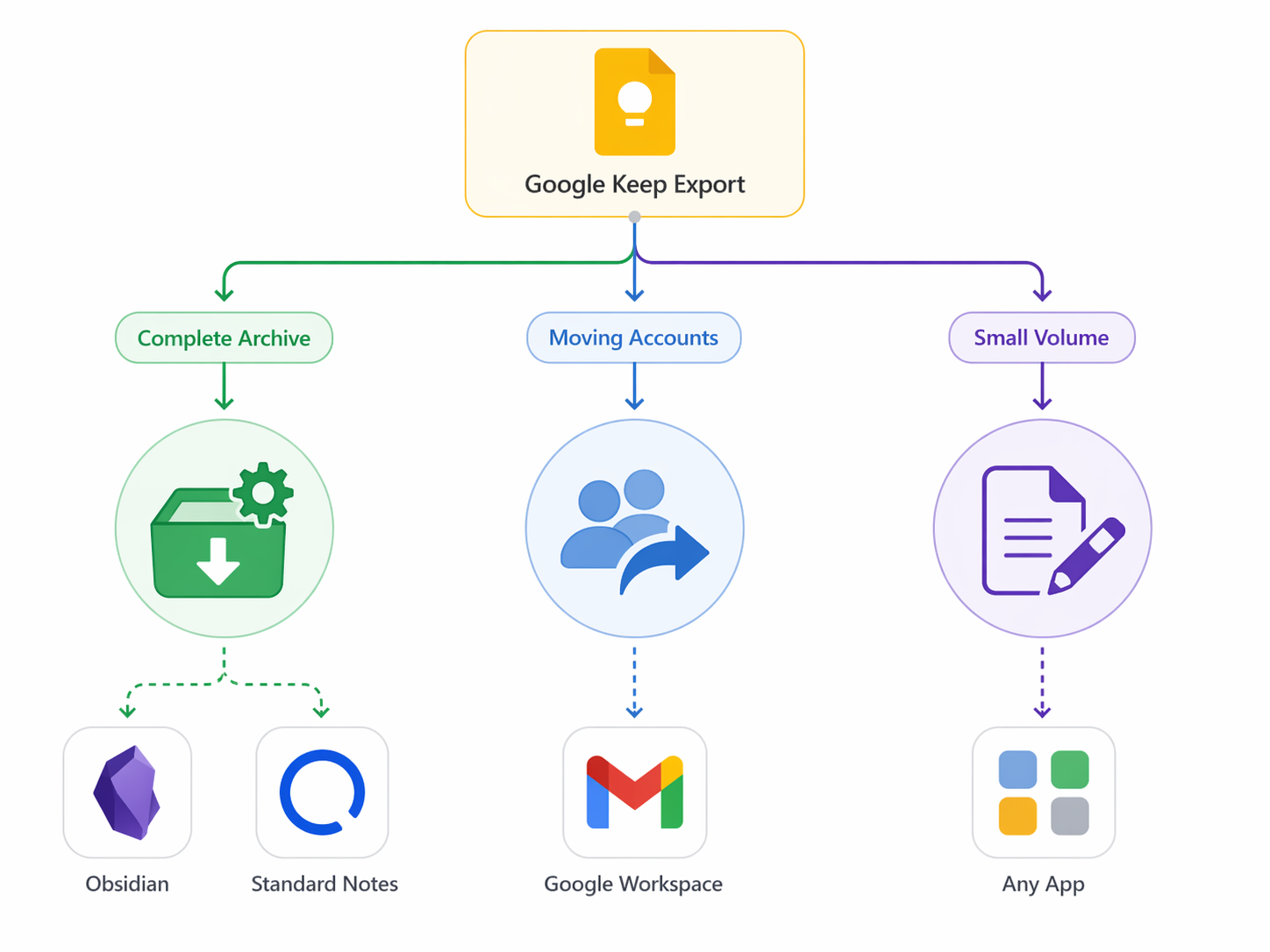
Last verified: August 25, 2026. After testing the real surfaces for using ChatGPT to organize Obsidian notes, the verdict is blunt: it helps when “organize” means retrieval, summaries, constrained tags, and frontmatter cleanup. It becomes unsafe when “organize” means unattended folder reshuffling. If a tool touched 800 notes while I was away from the keyboard, I would trust tag suggestions in a review pane much sooner than I would trust silent renames, folder moves, or newly invented categories.
The four routes are not interchangeable. ChatGPT in the browser is the safest because it cannot touch the vault unless you paste material in and copy results back. In-vault chat plugins are more useful because they can see notes and links, but they introduce API keys, provider drift, token limits, and privacy exposure. Auto-tagging is viable when suggestions are constrained to the tags already in the vault. Auto-filing is where the practical failures show up: hallucinated labels, case-sensitive rules, truncated context, and move logic that looks correct until files simply do not move.
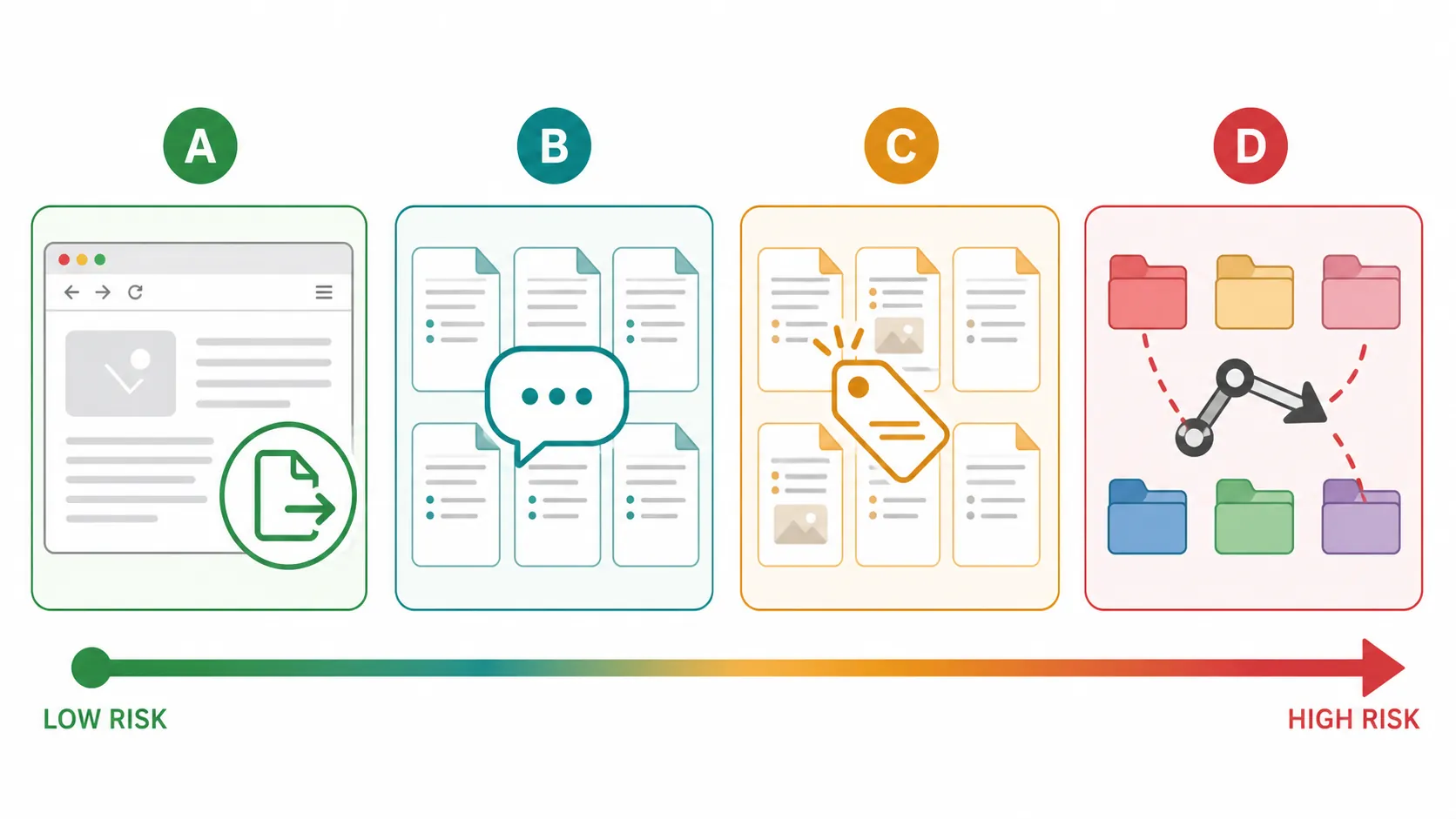
| Route | What it can safely do | Where it starts to break |
|---|---|---|
| ChatGPT web + export or paste | One-off restructuring, summaries, tag audits, cleanup planning | Manual copying, context limits, no sustained awareness of the vault |
| In-vault chat plugins | Ask across notes, summarize linked material, keep chat logs in Markdown | API cost, privacy exposure, token truncation, provider changes, hallucinated regenerations |
| Auto-tagging | Suggest tags and frontmatter when constrained to existing vault vocabulary | Invented tags, stale plugins, review debt if suggestions are bulk-applied |
| Auto-filing | Suggest folders or apply explicit rules after review | Silent rule mismatches, wrong moves, mass folder churn, difficult rollback without backups |
The safest route is still ChatGPT outside the vault
The browser route is boring, and that is its strength. Export a handful of notes, paste a folder outline, ask ChatGPT to propose tags or frontmatter conventions, then bring back only the parts you accept. Nothing writes to disk. Nothing renames a folder because a model inferred a new taxonomy from three examples.
This route works best for limited jobs: consolidating duplicate tag names, turning a messy note into cleaner Markdown, drafting aliases, summarizing a project folder, or asking for a migration plan before touching files. It is weak for sustained vault organization because ChatGPT has no durable, native relationship with the vault unless you keep feeding it context. Once the task requires linked-note awareness, repeated lookups, or daily capture review, the copy-paste loop becomes its own maintenance burden.
There is also a subtle safety advantage here: every change has friction. You have to copy the result back into Obsidian. That friction is annoying for small edits, but it prevents the worst version of AI organization — confident bulk action on incomplete context.
In-vault chat is the first serious upgrade, and the first serious risk
Copilot is the obvious place to start because it is the highest-adoption vault-chat plugin in this test set: Obsidian Stats listed 1,749,091 downloads and 7,621 stars as of August 2026.[1] Adoption is not proof of safety, but it does matter for a plugin that sits inside a working vault. More users usually means more edge cases found, more bug reports, and less tolerance for breakage that only appears after the demo.
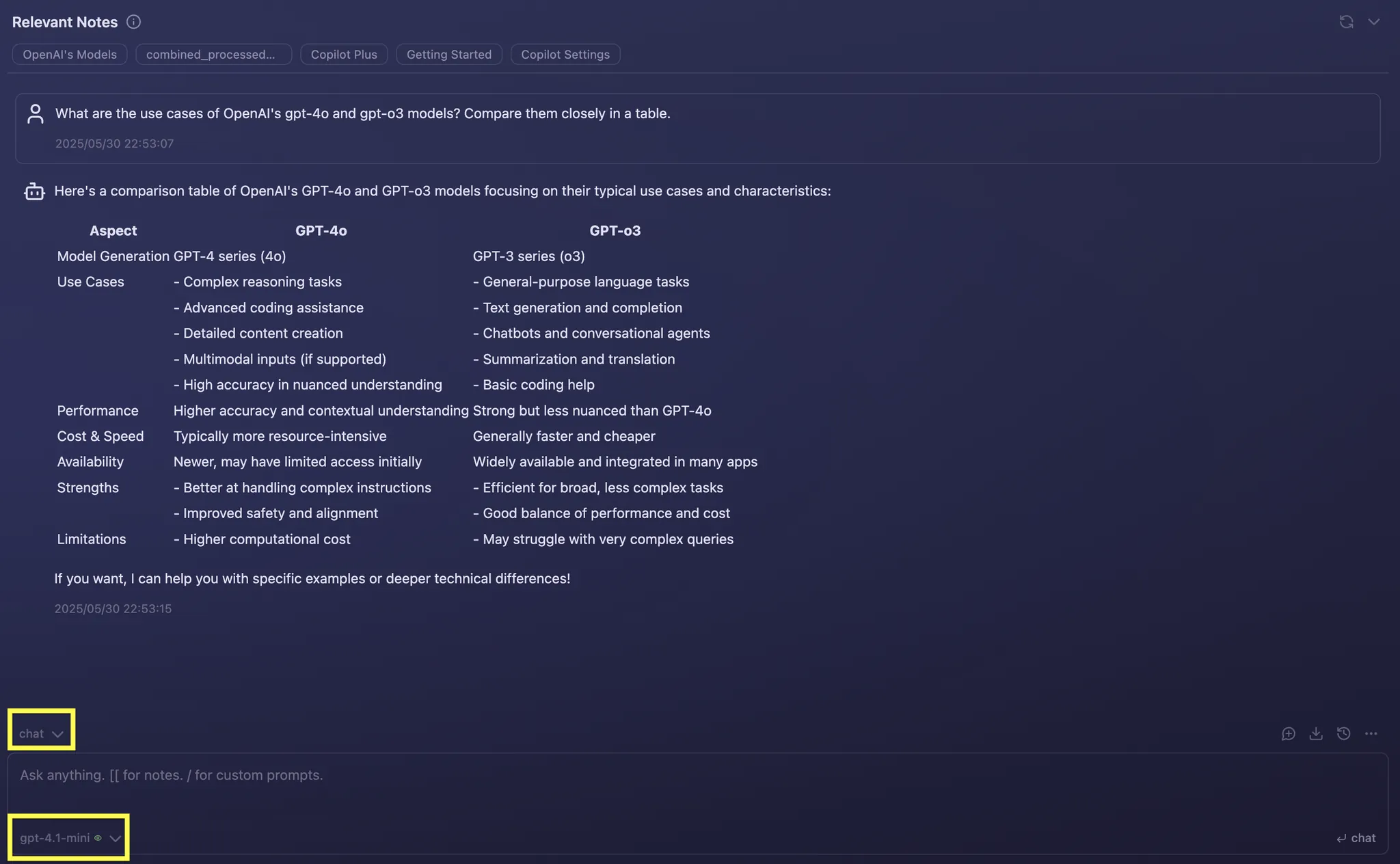
The useful part of Copilot is exactly what a vault user would want: a chat pane that can work near the notes instead of in a separate browser tab. The caution is also visible in its own maintenance history. Copilot’s changelog documents a v4.0.2 fix for a 6,000-token truncation bug and the removal of a broken Amazon Bedrock provider.[2] Those are not abstract AI risks. They are the kind of dull, practical failures that change whether a long research note is fully read or partly ignored, and whether a configured provider works next month.
A first-hand XDA test reached a similar mixed result: Copilot summarized well, but a regenerated answer hallucinated, and @web fact-checking was Copilot Plus-only, leaving free users to verify outside Obsidian.[3] That is a reasonable trade if the plugin is being used as a retrieval and drafting assistant. It is a bad trade if the answer is allowed to become a folder move, a canonical tag, or a rewritten note without review.
ChatGPT MD takes a different angle. It stores chats as Markdown inside the vault, supports note references through wiki-links, and gates vault or web search behind explicit approval.[4][5] That design is less flashy than a one-click “organize my vault” button, but it matches how a dependable Obsidian setup usually grows: the conversation becomes part of the archive, the source note can be linked, and search permissions are not silently assumed.
For daily use, the biggest decision is not whether the chat UI looks clever. It is what the plugin can read, what it can write, which provider receives the text, and how much context is sent. A private therapy journal, client research vault, or unreleased product strategy folder has a different risk profile from a public reading-notes vault. If a plugin needs an API key or cloud provider, the vault owner is making a data-exposure decision, not just installing a productivity tool.
Smart Connections is organization by retrieval, not by moving things
Smart Connections belongs in this test even though it is not simply “ChatGPT in Obsidian.” It is the retrieval-first counterweight to chat-led organization. Obsidian Stats listed 1,169,358 downloads as of August 2026.[6] Its appeal is that it can create local embeddings, work without an API key, and be used offline; Smart Chat has also been split into a separate plugin in the surrounding ecosystem.[7][8]
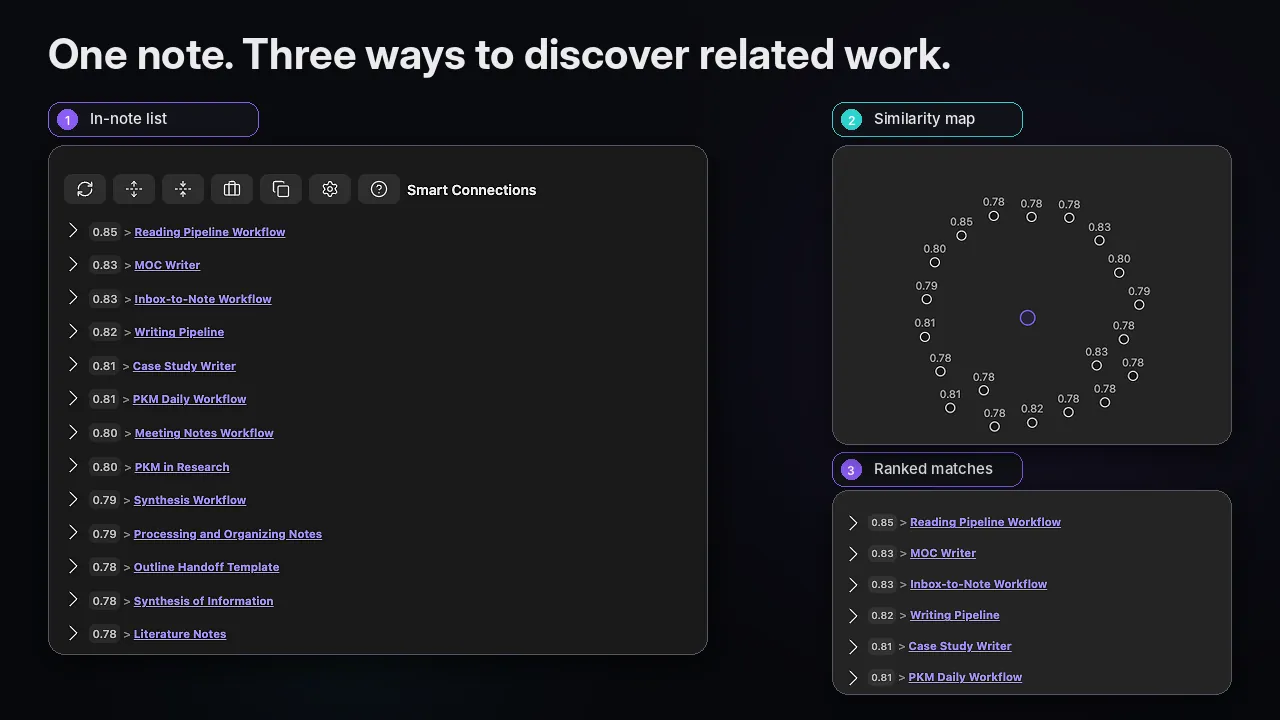
That changes the meaning of “organize.” Instead of asking a model to decide where a note belongs, retrieval-first organization makes related notes easier to find even when folders and tags are imperfect. For a vault with years of half-consistent structure, that is often more valuable than a folder cleanup. It reduces the penalty of past mess without pretending the model has authority to rewrite the archive.
Cost is also easier to reason about at this layer. One setup guide cites about $0.01 per 1,000 tokens for GPT-4o and recommends setting Copilot token limits; it also frames a few dozen paid-API queries per day as landing roughly around $3–10 per month, while local models through tools such as Ollama or LM Studio have zero marginal API cost.[9] The exact bill will drift with provider pricing and use, but the practical point holds: daily in-vault chat is not the same cost category as occasional browser requests.
Auto-tagging works when the vocabulary is not negotiable
Tags are a safer place for ChatGPT-assisted organization because they can be reviewed, removed, and diffed more easily than folder moves. They are still not harmless. A hallucinated tag can fork a taxonomy quietly: #project, #projects, #Project, and #active-projects may all look plausible to a model and all mean different things to the person maintaining the vault.
Auto Classifier’s important safety feature is that it constrains suggestions to tags already present in the vault.[10] That one design choice matters more than a polished interface. If the existing tag system is messy, the plugin will not magically make it clean, but it is less likely to invent a new classification layer that then has to be merged by hand.
The right workflow is a review queue, not bulk trust. Let the tool suggest tags for new notes, compare them against the current tag vocabulary, then accept or reject. For frontmatter cleanup, the same rule applies: ask for normalization, not reinvention. Turning `status: draft` and `Status: Draft` into one convention is a good AI chore. Creating a new project ontology from a long vault sample is a different risk.
AI Tagger is a maintenance caution rather than a primary recommendation here. Obsidian Stats showed its last release as roughly two years old.[11] A stale plugin is not automatically unsafe, but AI-facing plugins depend on moving parts outside Obsidian: model APIs, authentication patterns, response formats, and user expectations about what gets sent where. Old release history should lower the amount of vault authority you give it.
Auto-filing is where I stopped trusting the demo
Folder movement is the stress test because the consequence is no longer a bad suggestion in a pane. It is a changed vault. A wrong tag can be filtered and removed. A wrong move can break habits, saved searches, scripts, sync assumptions, and the mental map that makes the vault usable.
Note Companion, formerly File Organizer 2000, is the most direct AI-filing surface in this set. Obsidian Stats listed 42,036 downloads as of August 2026, and the plugin offers AI folder, tag, and title suggestions.[12] The limiting details matter: it is desktop-only and requires either a cloud license or a self-hosted backend.[12] That makes it unsuitable for anyone expecting the same behavior across every Obsidian surface, and it forces the same provider question as chat plugins: where does vault text go?
The safer use of Note Companion is suggestion-first: ask for a folder, tag, or title recommendation, then approve it. The dangerous use is treating recommendations as an unattended librarian. A model can infer a plausible folder from a note title, but plausibility is not the same as respecting your retrieval habits. In Obsidian, the “right” location may be the one that matches your backlinks, dashboards, maps of content, or sync setup — none of which is obvious from the note text alone.
The rule-based alternative is less magical and easier to debug
QuickAdd plus Auto Note Mover is not ChatGPT auto-organization, but it is the alternative I would consider before giving an AI permission to move files. A first-hand XDA setup report describes a self-filing vault built with QuickAdd and Auto Note Mover in about 30 minutes.[13] The setup used explicit rules: apply a tag during capture, then let rules move notes into matching folders.
The gotcha in that report is exactly the kind of failure worth taking seriously: `#tag` and `#Tag` case mismatch silently broke move rules.[13] No grand AI theory is needed. A note can have the “right” label in human terms and still fail the automation because the rule is case-sensitive. That is annoying in a small test vault. In a large vault, it creates the worst kind of cleanup debt: notes that look processed but never moved.
This is also why AI-generated tags should not feed move rules unless they are constrained and reviewed. If ChatGPT suggests `#Reading`, but the mover expects `#reading`, the filing system may do nothing. If it suggests a new but plausible tag, the mover may do nothing again. If you add rules for every new AI suggestion, the folder structure starts following the model instead of the vault owner.
The same XDA report also describes an AI “deep clean” through a filesystem-connected model that renamed, moved, and created folders at scale, but the author frames that as delegated work rather than automatic self-organization.[13] That distinction is important. A one-time cleanup with a backup, a review pass, and a willingness to restore is a different activity from letting a plugin continuously reorganize new and old notes.
What actually broke in testing
- Long-context trust broke first. Copilot’s documented fix for a 6,000-token truncation bug is a reminder that long notes may be partly excluded unless the tool handles limits correctly.[2]
- Provider assumptions broke. The removal of a broken Amazon Bedrock provider in Copilot’s changelog shows that configured model backends can drift or fail independently of Obsidian itself.[2]
- Regenerated answers were not automatically safer. The XDA Copilot test found a hallucination after regeneration, even though summarization worked well.[3]
- Move rules failed silently when tag case did not match. The reported `#tag` versus `#Tag` mismatch is small enough to miss and large enough to strand notes outside their intended folders.[13]
- Costs became a usage pattern question, not an install question. Occasional browser requests are cheap to ignore; daily in-vault chat with paid APIs needs token limits and a realistic monthly budget.[9]
- Privacy exposure changed by route. Browser paste, cloud-backed chat, local embeddings, and self-hosted backends all expose different amounts of vault text to different systems.
None of these failures means ChatGPT is useless in Obsidian. They mean the permission boundary matters. A plugin that suggests a tag in a pane is doing a different job from a plugin or rule chain that moves a file. A retrieval system that finds related notes is doing a different job from a model that claims it has reorganized the vault.
The demand is real; the turnkey version still is not
Obsidian users clearly want this. A forum thread from October 2024, with 3.3k views, asks for an AI that can auto-categorize and sort new notes, and the useful takeaway is not that one blessed solution emerged; it is that the desired workflow keeps outrunning the dependable tooling.[14] People do not want another toy chat box. They want the vault to absorb messy capture without becoming messier.
Matt Giaro’s December 2023 headline about training ChatGPT on 3,743 notes is a useful signpost for demand, but not evidence I would lean on for operational claims because the article is member-only and the details need independent re-verification before being treated as a reproducible method.[15] The number is interesting. The workflow still has to survive a local vault, real plugins, real API limits, and a restore plan.
Verdict: let ChatGPT assist the vault, not own the vault
Use ChatGPT with Obsidian for retrieval, summaries, constrained tag suggestions, Markdown chat logs, and frontmatter cleanup. Use it to ask, “What does this note relate to?” or “Which existing tag fits this?” Use it to draft a cleanup plan before you touch files. Do not let it freely rename, move, and classify folders unattended unless you are prepared to inspect the result and restore from backup.
For most working vaults, the best risk-adjusted setup is retrieval first, constrained metadata second, folder movement last. Copilot and ChatGPT MD are useful when you want chat inside Obsidian and accept the API, privacy, and maintenance tradeoffs. Smart Connections is the better fit when the problem is finding related notes without sending everything to a cloud model. Auto Classifier is interesting because it limits tag suggestions to the vocabulary already in the vault. Note Companion and AI-assisted filing should stay in suggestion mode until the rule set has been tested on copied folders.
This is not for you if your vault is privacy-sensitive enough that cloud model exposure is unacceptable, unless you stay with local or self-hosted options. It is not for you if your most important notes are long enough that truncation errors would change the answer and you are unwilling to manage token limits. It is not for you if you do not want to maintain tag conventions, case-sensitive rules, and backups. And it is definitely not for you if you expect a turnkey auto-categorizer that can understand years of personal structure without review.
If what you really want is the sibling test for Claude inside this same problem, read Using Anthropic Claude to Organize Obsidian Notes, Tested. If you are comparing models rather than surfaces, the better detours are Ox Alpha and DeepSeek V4 vs ChatGPT. For moving ChatGPT material into Markdown, use the ChatGPT export-to-Obsidian guide. If this test made you question whether AI belongs in your PKM system at all, start with the broader AI in PKM Apps 2026 value guide before installing another plugin.
References
- Copilot — Obsidian Stats — https://www.obsidianstats.com/plugins/copilot
- obsidian-copilot — GitHub — https://github.com/logancyang/obsidian-copilot
- Obsidian Copilot is the best plugin you don't know about — XDA — Nov. 10, 2025 — https://www.xda-developers.com/obsidian-copilot-best-plugin-dont-know-about/
- ChatGPT MD — Obsidian Stats — https://www.obsidianstats.com/plugins/chatgpt-md
- chatgpt-md — GitHub — https://github.com/bramses/chatgpt-md
- Smart Connections — Obsidian Stats — https://www.obsidianstats.com/plugins/smart-connections
- obsidian-smart-connections — GitHub — https://github.com/brianpetro/obsidian-smart-connections
- Smart Connections — Smart Connections — https://smartconnections.app/
- Adding AI to Your Obsidian Notes with SmartConnections and Copilot — Effortless Academic — https://effortlessacademic.com/adding-ai-to-your-obsidian-notes-with-smartconnections-and-copilot/
- auto-classifier — GitHub — https://github.com/HyeonseoNam/auto-classifier
- AI Tagger — Obsidian Stats — https://www.obsidianstats.com/plugins/ai-tagger
- Note Companion — Obsidian Stats — https://www.obsidianstats.com/plugins/fileorganizer2000
- I set up my Obsidian vault to organize itself and haven't touched my folder structure in weeks — XDA — Apr. 18, 2026 — https://www.xda-developers.com/set-up-obsidian-vault-to-organize-itself-havent-touched-folder-structure-in-weeks/
- My dream: AI to auto-categorize and sort new notes — Obsidian Forum — Oct. 2024 — https://forum.obsidian.md/t/my-dream-ai-to-auto-categorize-and-sort-new-notes/90188
- I Trained ChatGPT on My Notes. Here’s What Happened — Medium — Dec. 3, 2023 — https://medium.com/the-generator/i-trained-chatgpt-on-my-notes-heres-what-happened-1dcb48725f45