
If you are trying to export ChatGPT history to Markdown for Obsidian, the dangerous part is not whether a Markdown file appears. It is whether the thing you will search for six months from now — a cited source, a generated image, a code language tag, a LaTeX formula, a Canvas draft, a visible reasoning block — survived the trip. This is a migration-guides problem, not a productivity-tool roundup: the file has to remain useful inside a local Obsidian vault, where you can inspect what was preserved instead of trusting an “exported successfully” message.
Last tested in Q3 2026, the comparison below used the same five representative ChatGPT conversations against the main export routes available to Obsidian users: a code-heavy chat, a LaTeX-heavy chat, a Deep Research report with citations, a Canvas conversation, and DALL-E image generations. The point was not to find the prettiest Markdown. It was to see which losses were visible, repeatable, and tolerable.
What survived in the Q3 2026 test
| Export method | Best fit | Citations | Images | Code / LaTeX | Reasoning content | Canvas content | Full-history reliability |
|---|---|---|---|---|---|---|---|
| ChatGPT Exporter Chrome extension | High-fidelity export of selected conversations | Deep Research citations became Markdown footnotes in testing; this is also the method’s documented Obsidian behavior [1]. | DALL-E images exported as base64 data URIs rather than separate linked files [2]. | Preserved code blocks with language tags and LaTeX in the tested chats. | Preserved visible o1/o3 reasoning content as blockquotes in the tested chats [1]. | Did not preserve Canvas as a first-class artifact in this test. | No full-history export; practical only for selected conversations or tab-based batches. |
| ChatKeeper standalone desktop app | Bulk migration when citations, images, reasoning, and Canvas text matter | Deep Research citations were kept inline rather than converted to footnotes [3]. | DALL-E images were saved into an images subfolder and linked from Markdown [4]. | Preserved ordinary code and math well in the tested chats. | Preserved visible reasoning content in the tested chats; version support should be checked before a large run. | Preserved Canvas text using workarounds for a known OpenAI export issue [4]. | Imports from OpenAI export and tracks conversations by internal ID, so renamed files remain matchable [4]. Still depends on OpenAI’s export format. |
| OpenAI export ZIP plus Python or Node scripts | Free bulk extraction when plain text coverage matters more than rich features | Lost Deep Research citation structure in the tested script route. | OpenAI’s own export omits DALL-E images, so scripts parsing that ZIP do not recover them [5]. | Basic code text usually came through, but language-tag and formatting consistency depended on the script. | Visible reasoning content was not reliably preserved in the tested script route. | Canvas text was not reliably preserved in the tested script route. | Covers more history than per-chat extensions, but OpenAI says the data export can take up to 7 days and excludes temporary chats [5]. Scripts also inherit the risk of OpenAI changing an undocumented JSON structure. |
| Nexus AI Chat Importer Obsidian plugin | Potentially convenient vault-native import, but must be re-tested before trusting it | Did not preserve citation structure in this test. | Did not preserve DALL-E images in this test. | Imported some conversation text, but not enough structured detail to treat it as a preservation-first route. | Did not preserve visible reasoning content in this test. | Did not preserve Canvas content in this test. | A September 2024 forum report described 444 conversations becoming 192 notes, a 43% yield; that is a warning signal, not a permanent verdict on later versions [6]. |
| Manual copy-paste / Obsidian Web Clipper | One short answer you need immediately | Lost citation structure unless manually rebuilt. | Images were not a dependable preserved asset. | Code often pasted, but language tags and surrounding structure were easy to lose. | Reasoning content was not a dependable preserved asset. | Canvas structure was not preserved. | No repeatable bulk workflow; acceptable for a one-off note, unsafe for structured archive migration. |
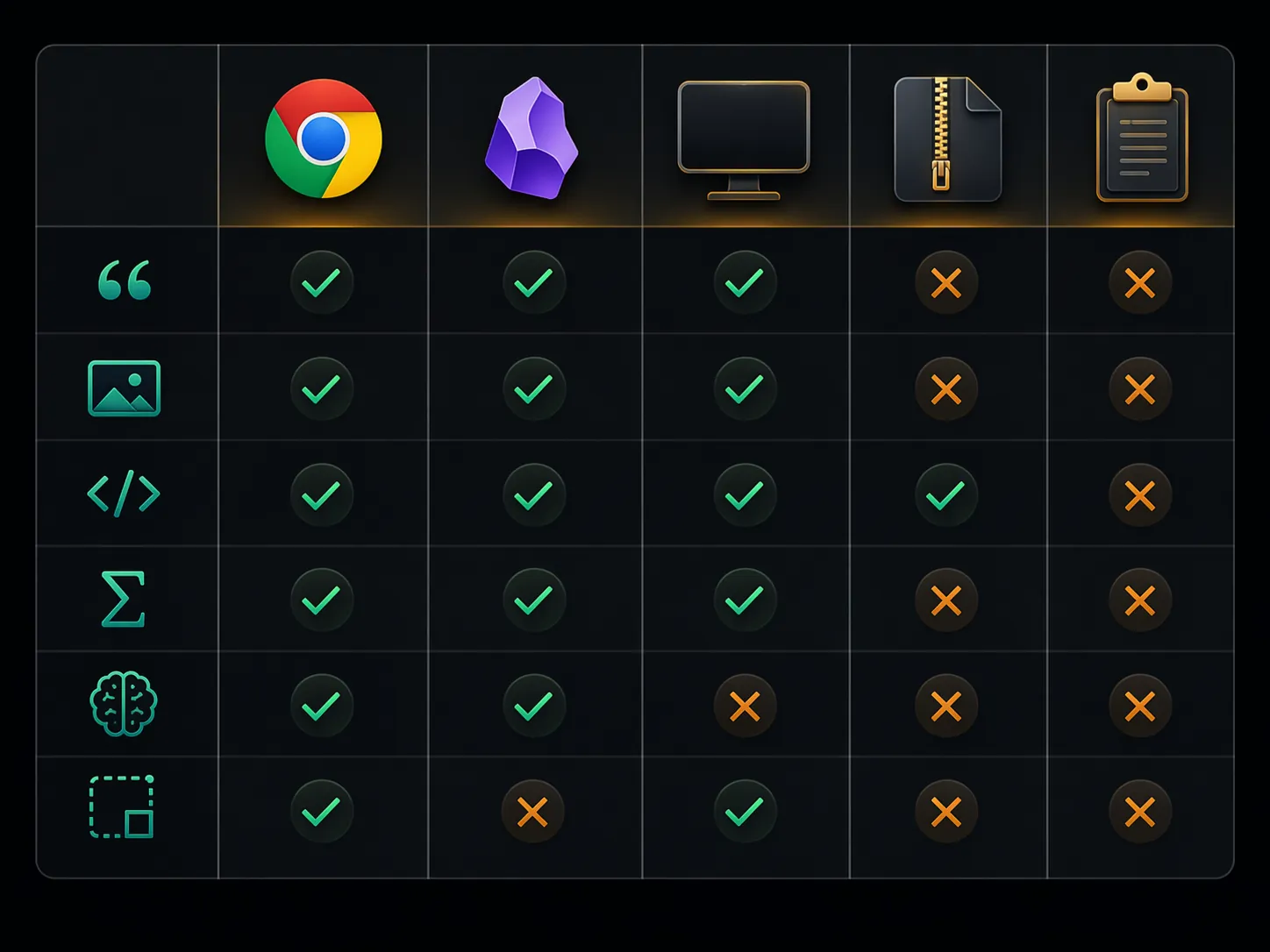
The table makes the choice less abstract. Chrome-extension export looked strongest when the target was a small set of valuable conversations. ChatKeeper looked strongest when the goal was a broader Obsidian migration with richer assets intact. The OpenAI ZIP route reached more history for free, but the feature losses were exactly the kind that become painful later because the resulting notes look “complete enough” at a glance.
For broader Obsidian migration context, this test sits closest to the same backup-then-verify discipline used in the Evernote to Obsidian migration guide and the more general notes app migration workflow: export first, inspect the output, then migrate the rest only after a sample proves the method.
Chrome extensions: good preservation, limited reach
The Chrome-extension path is the least mysterious when you only care about a handful of important conversations. Open the chat, export it, inspect the Markdown. If the result is bad, the failure is visible immediately. That matters.
ChatGPT Exporter was the strongest extension in this test because it preserved several high-value structures at once. Deep Research citations became Markdown footnotes, which is a sensible Obsidian shape: the note remains readable, and the citation payload is still present below the body text [1]. Code blocks kept their language tags in the tested code-heavy conversation, so a JavaScript block did not degrade into undifferentiated monospace text. LaTeX remained usable enough for Obsidian’s Markdown renderer rather than turning into plain escaped clutter.
Images are where the extension’s choice becomes debatable. ChatGPT Exporter’s documented image option can embed DALL-E images as base64 data URIs [2]. That keeps the image inside the Markdown output, which is convenient for a self-contained file. It is less pleasant if your Obsidian vault is organized around inspectable attachments, because the image is not a normal file sitting in an attachments or images folder. A future cleanup script, sync conflict, or Markdown processor can also treat a huge data URI very differently from a linked PNG or WebP.
The larger weakness is coverage. An extension that exports the current conversation can be excellent for ten hand-picked chats and still be a bad answer for a full-history migration. Multi-tab batch workflows can reduce the clicking, but they do not change the basic model: the browser is still walking through visible conversations rather than processing an authoritative archive. If you have a small set of citation-heavy or code-heavy chats, that trade-off is acceptable. If you have years of history, it becomes a sampling method disguised as a migration method.
ChatKeeper: the strongest preservation route, with paid-tool caveats
ChatKeeper deserves a longer look because its preservation choices line up with how an Obsidian vault is actually used. It is not just converting text. It attempts to keep the conversation identifiable, keep assets reachable, and keep enough source structure that later searches still make sense.
The first difference is citations. ChatKeeper kept Deep Research citations inline in the tested report, matching the product’s stated behavior [3]. That produces a different reading experience from ChatGPT Exporter’s footnotes. Inline citations keep the reference near the claim, which is useful when scanning an exported research note. Footnotes make the Markdown cleaner and more traditionally note-like. Neither is universally better; the relevant question is whether you want citations to stay attached to the sentence or collected below the note.
The second difference is image handling. ChatKeeper saves DALL-E images to an images subfolder and links them from the Markdown [4]. That is a more Obsidian-native result than base64 blobs if you care about vault maintenance. You can see the files, move them with the note if your folder rules require it, back them up like ordinary attachments, and notice quickly if a link breaks. The cost is that the Markdown file is no longer self-contained; the linked image folder must travel with it.
Canvas is the third place where implementation details matter. ChatKeeper’s forum post describes workarounds for a known OpenAI export issue affecting Canvas content [4]. In the Q3 2026 test, Canvas text came through better here than through the OpenAI ZIP script route or manual capture. That does not mean a ChatGPT Canvas becomes a perfect Obsidian Canvas board. The safer claim is narrower: the text content was preserved in a usable Markdown form, while the original interactive artifact should still be inspected after import.
The internal-ID behavior is also more important than it sounds. ChatKeeper tracks conversations by internal ID, so a renamed Markdown file can still be matched back to the source conversation on later imports [4]. That is the kind of dull migration feature that prevents duplicate notes and broken update workflows. Filename-based tools often seem fine until you rename exported notes into your own vault conventions.
There are real caveats. ChatKeeper is a paid standalone app; its listed model in this Q3 2026 check is a $29.99 forever license with a 30-conversation free trial [3]. It also depends on OpenAI’s export data, and OpenAI’s conversation JSON format is not a stable public API. The ChatKeeper developer has previously had to respond to OpenAI export-format issues, including a December 2024 resolution noted in the project discussion [4]. That does not disqualify the tool. It means the right test is not “does the sales page say it imports ChatGPT?” but “does the current build import my newest OpenAI ZIP correctly?”
The free OpenAI ZIP route covers more, but preserves less
OpenAI’s own export is the obvious starting point for anyone with a large history. It is official, it is free, and it gives you a ZIP rather than making you visit conversations one by one. It is also slower and narrower than many people expect: OpenAI says the export can take up to 7 days, and the export excludes temporary chats and DALL-E images [5].
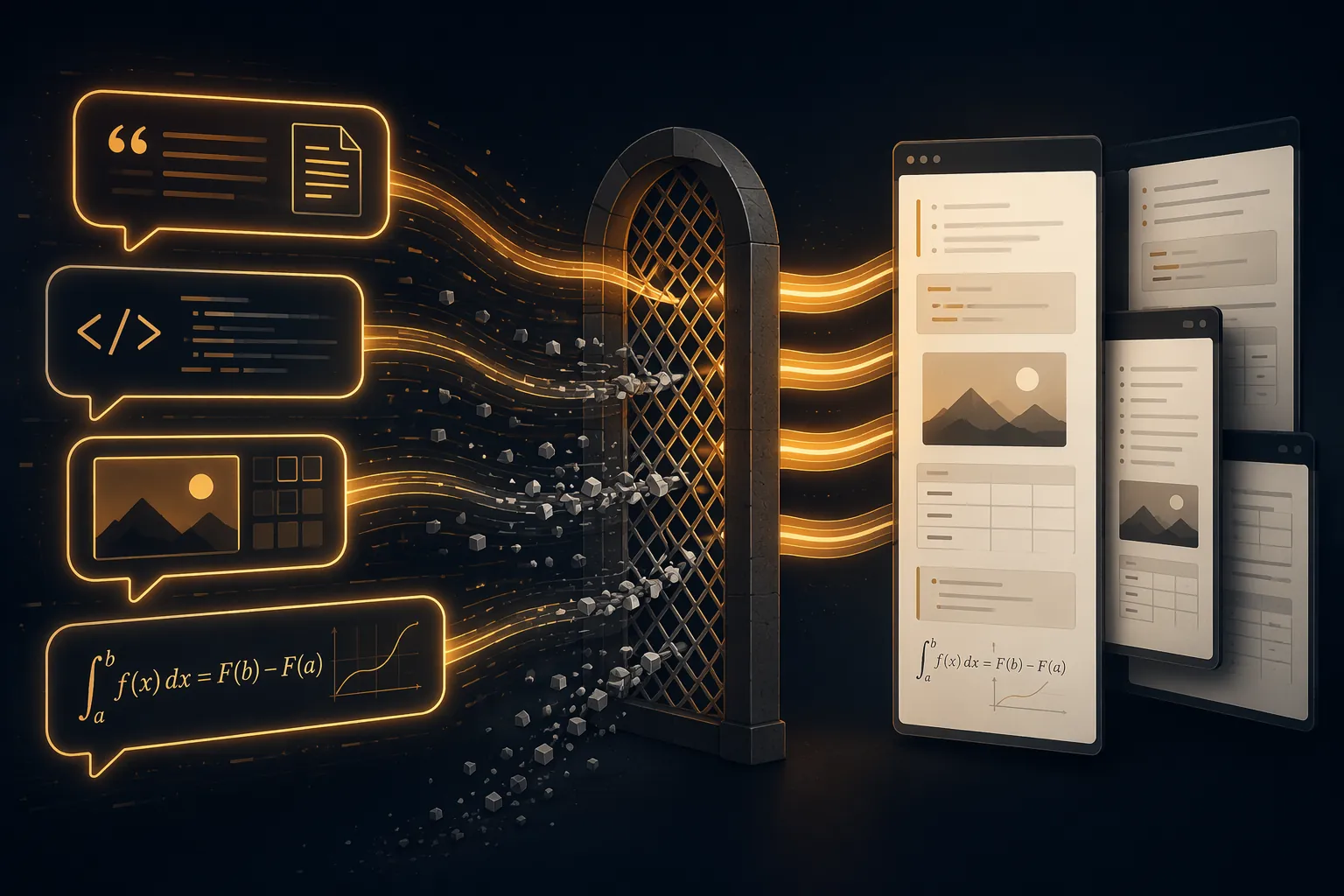
Once you have the ZIP, community Python or Node scripts can parse the conversation data into Markdown. That is attractive if your main goal is bulk text recovery. It is less attractive if your ChatGPT archive includes Deep Research reports, generated images, visible reasoning content, or Canvas drafts. In the tested script route, citations did not survive as useful Markdown references, DALL-E images were already absent from the official export, and reasoning and Canvas content were not preserved reliably enough to trust without manual inspection.
The fragile part is not Python or Node. It is the input. OpenAI’s conversations.json is not documented as a long-term migration schema. When OpenAI changes that internal structure, a script can still run and still produce Markdown while silently skipping fields it no longer recognizes. That failure mode is worse than a crash. A crash tells you the migration failed. A clean folder of incomplete notes asks you to discover the loss later.
The ZIP-plus-script route is still reasonable for a first pass over a large archive, especially if most of your chats are plain text Q&A. It should not be the only route used for high-value chats. Export a sample with the script, then open the original ChatGPT conversation beside the Obsidian note and check the features you actually use: citations, images, code fences, math, Canvas text, and visible reasoning blocks.
Nexus AI Chat Importer needs re-testing, not mythology
An Obsidian-native importer is appealing because it keeps the workflow inside the vault. Nexus AI Chat Importer aims at exactly that kind of import-from-export-file path. The problem is that the most attention-grabbing public data point is a user report from September 2024: 444 conversations in the source export became only 192 notes in Obsidian, a 43% yield [6].
That report should not be inflated into a permanent failure claim. It is a single forum report, tied to a particular time and tool state, and later versions may have changed the behavior. It is still exactly the kind of warning that should change how you test. If a full-history importer can skip conversations without making the loss obvious, the first check is not Markdown formatting. The first check is count reconciliation: how many conversations were in the source, how many notes appeared, and which source IDs or titles are missing?
In the Q3 2026 sample, Nexus did not preserve the structures that matter most in a research-heavy ChatGPT archive: citation shape, DALL-E images, visible reasoning content, or Canvas text. That makes it hard to recommend as a preservation-first route without a fresh test on your own OpenAI ZIP. Its best possible role is convenience for ordinary text conversations, assuming the current version passes a count check.
Manual copy-paste and Web Clipper are for one answer, not an archive
Manual copy-paste has one valid use: you need one short answer in Obsidian right now, and you can fix the formatting yourself. For that, it is fine. It has no setup, no vendor dependency, and no parser waiting to break.
It is not a migration method. Code language tags are easy to lose. LaTeX can paste differently depending on browser selection. Citations become ordinary text or disappear into link labels. Images are not preserved as managed vault assets. Canvas structure does not come across. Visible reasoning content is inconsistent. Obsidian Web Clipper can be useful for capturing web pages, but the ChatGPT web UI is not a stable archival source for structured conversation data.
Choose by the failure mode you can tolerate
The practical choice is not “best exporter” in the abstract. It is which loss you can notice early and live with.
- If citations matter most, choose between ChatGPT Exporter’s Markdown footnotes and ChatKeeper’s inline citation preservation. Footnotes are cleaner for long notes; inline citations are easier to scan beside the claim.
- If images matter most, prefer a method that makes the image handling visible. ChatKeeper’s linked images folder is easier to audit inside an Obsidian vault. ChatGPT Exporter’s base64 data URIs are more self-contained but less attachment-friendly. OpenAI’s official export does not include DALL-E images.
- If full history matters most, start with OpenAI ZIP-based routes, but reconcile counts and inspect a sample before trusting the output. Bulk coverage is useful only if missing conversations and missing fields are detectable.
- If code and LaTeX matter most, test the exact renderer path in Obsidian. A Markdown file that looks acceptable in a browser preview can still lose code language tags or math delimiters during import.
- If visible reasoning content matters, verify that the method preserves the reasoning text you can see in the ChatGPT UI. Do not assume any exporter can recover hidden model internals.
- If Canvas content matters, treat ChatKeeper as the strongest tested route, but inspect the resulting Markdown against the original Canvas. Preserved text is not the same as a recreated interactive Canvas artifact.
Also check scheduling expectations. In this Q3 2026 review, none of the tested routes provided a dependable automatic scheduled export into Obsidian. Every method still required a deliberate export/import run. That makes repeatability part of the decision: the best method is the one you can run again without guessing what changed.
Before migrating everything, export the same small sample with your chosen method: one citation-heavy chat, one image chat, one code or LaTeX chat, one Canvas chat if you use Canvas, and one ordinary long conversation. Put the results in a temporary Obsidian folder. Search for a known citation title. Open an image link. Check a code fence language. Render the math. Compare the note count against the source count. Then decide whether the method’s predictable failure mode is acceptable.
References
- Export ChatGPT Conversations to Obsidian, ChatGPT Exporter, 2026
- Export Settings, ChatGPT Exporter
- ChatKeeper, Martian Software
- Your Complete ChatGPT History Integrated with Obsidian, Obsidian Forum, March 2026
- Exporting your ChatGPT history and data, OpenAI Help Center
- Plugin: Nexus AI Chat Importer - Import ChatGPT, Claude, Mistral Le Chat and Perplexity conversations to your vault, Obsidian Forum, September 2024







Comments
Join the discussion with an anonymous comment.