
If you searched for an “AI personalized medicine productivity checklist app,” the awkward answer is that you are probably not looking for one app. You are choosing a place to keep a small health operating system: medication changes, symptoms, labs to ask about, side effects that may or may not matter, and the questions you forget unless they are written down before the appointment.
This is not medical advice, and none of these apps should be treated as a clinical decision-maker. The question here is more ordinary and more useful: which note-taking platform is least likely to collapse when your health checklist becomes more complicated than a weekly habit tracker?
The behavior is no longer niche. ProductiveTemply’s 2026 Notion health-template roundup cites a 2024 YouGov survey saying 66% of Americans monitor at least one health metric with an app or device; that is a secondary citation rather than the original survey report, so it should be read as directional, not as the foundation for a clinical claim.[1]
The better reason to use a note app is not that it looks more productive. It is that health events do not arrive in clean categories. A symptom note may belong beside a stressful work week, a medication refill problem, a sleep change, a food note, and a question for a clinician. Mem’s health-tracking guide puts the principle plainly: capture in the moment, date things naturally, and avoid separating health from the rest of life.[2]
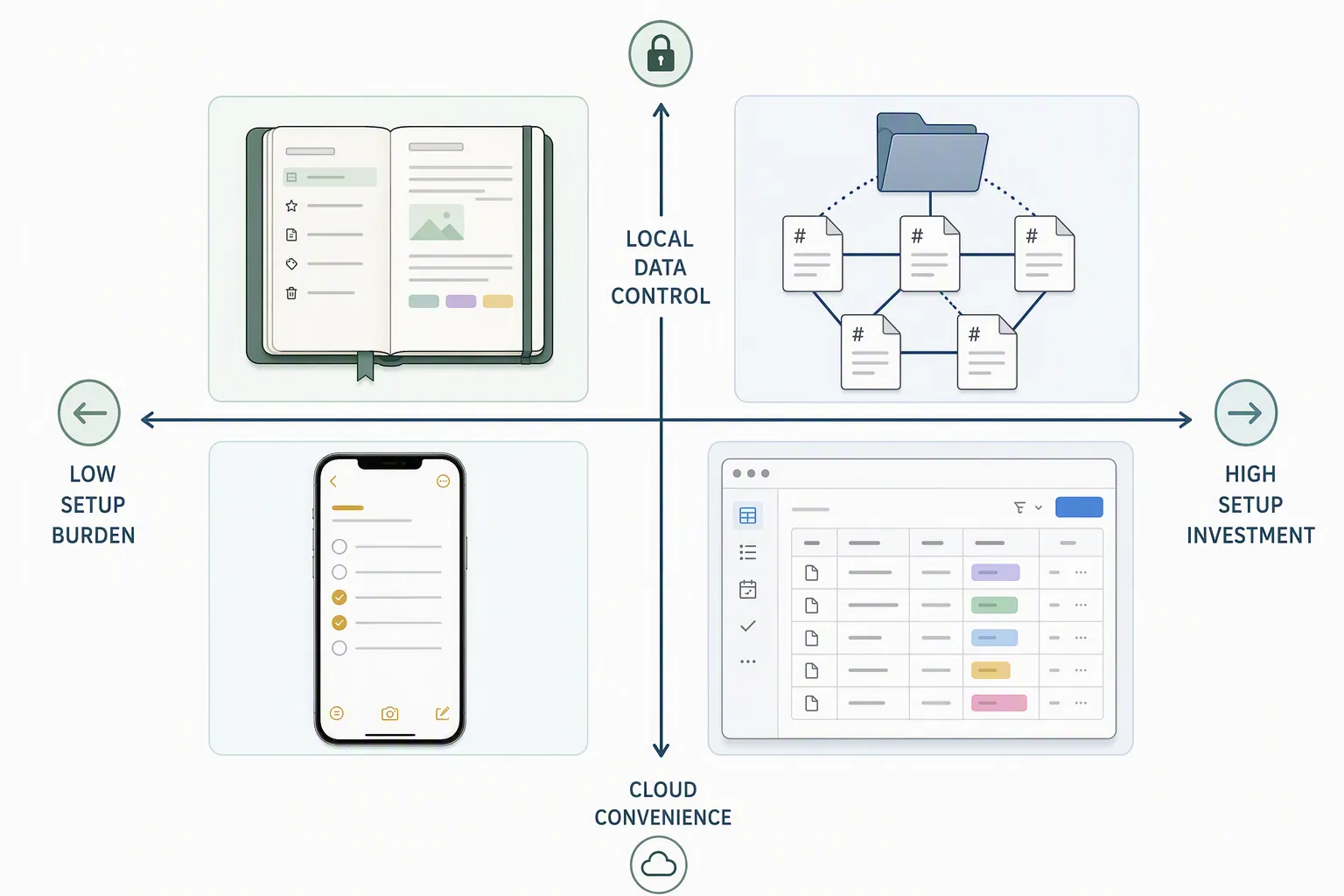
Quick verdict: choose by complexity, privacy, and setup tolerance
| Platform | Best fit | Health complexity it can realistically handle | Privacy posture | AI usefulness | Main failure point |
|---|---|---|---|---|---|
| Notion | You want structured health databases quickly and do not want to build from scratch | Medium to high: medication schedules, symptom logs, blood pressure, sleep, nutrition, appointment prep | Cloud-first; convenient, but sensitive health context lives in a hosted workspace | Strong for turning plain-language requests into structured databases and summaries | Platform dependence and comfort with storing health notes in the cloud |
| Obsidian | You want local files, ownership, and are willing to configure plugins | Medium to high: daily notes, imported wearable data, charts, longitudinal review, local AI experiments | Local-first by default; strongest control among the four | Potentially strong, especially with local AI through Ollama-connected plugins | Setup and maintenance can become the hidden cost |
| Evernote | You want a familiar notebook with search, clipping, reminders, and simple checklists | Low to medium: appointment notes, medication lists, scanned documents, recurring reminders | Cloud service; easier than Obsidian, less controllable than local files | Useful for search and note handling, but not the deepest health-data workspace | Can become a pile of notes unless you keep the structure simple |
| Apple Notes | You need the lowest-friction place to capture what happened | Low: daily symptom notes, medication questions, visit checklists, quick scans | Works well inside Apple’s ecosystem; not a portable health-analysis platform | Limited compared with Notion or Obsidian, but often enough for capture | Too little structure for multi-condition tracking unless you keep expectations modest |
A useful health checklist has four jobs. It has to capture what happened when you are tired. It has to store those notes in a shape that can grow. It may use AI to reduce review work, without pretending to diagnose. And it has to make the next appointment easier. Notion and Obsidian can cover all four layers, but they make opposite bargains. Evernote and Apple Notes are better when the first layer—capture—is the part most likely to fail.
Notion: the fastest path to a structured health workspace
Notion is the easiest of the four to recommend to someone who wants a real system by tonight. Its advantage is not a single killer feature. It is the combination of databases, templates, filtered views, relations, and increasingly capable AI setup help.
The template ecosystem is doing real work here. ProductiveTemply’s 2026 roundup lists 15 Notion health tracker templates, while PathPages identifies more than 12 health tracker templates for 2026, including medication schedules, blood pressure trackers, sleep trackers, supplement trackers, and nutrition diaries.[1][3] That does not prove the templates are clinically reliable. It does mean a person who cannot face a blank page can start with a recognizable surface: a medication table, a symptom log, a sleep review, or a blood pressure history.
That fast start matters more than template collectors like to admit. A personal health system fails less often because the database was imperfect than because the person had to design it while already managing fatigue, appointments, insurance calls, refills, and uncertainty. A plain Notion table with columns for date, medication, dose, symptom, severity, possible trigger, and appointment question is not glamorous. It is usable.
Notion AI Agents make that start less painful for readers who know what they need but do not know how to model it. The 2026 materials describe Notion AI Agents v3.2 as able to build health databases from natural-language requests and run analysis sessions of up to 20 minutes.[4] In practice, the valuable use is not asking the AI what a symptom means. The valuable use is asking it to build a medication-change tracker, group appointment questions by doctor, summarize the last month’s notes, or find entries where a new symptom appeared after a routine changed.
That kind of AI saves setup time. If you are comparing Notion’s agent-style builder with a plugin-heavy Obsidian setup, the practical question is how much configuration you can survive before the system exists. We have covered that broader tradeoff in how AI reduces post-migration setup time for note apps; health tracking makes the issue sharper because the system has to work before the next refill problem or appointment, not after a perfect weekend rebuild.
Notion is strongest when your health checklist has repeatable entities. Medications have names, doses, start dates, stop dates, refill notes, and side-effect observations. Appointments have clinicians, dates, prep questions, follow-ups, and documents. Symptoms have dates, body systems, severity, duration, context, and uncertainty. These are database-shaped problems, and Notion is comfortable with them.
| Notion surface | What it is good for | What to avoid |
|---|---|---|
| Medication schedule database | Current meds, dose changes, missed doses, refill notes, side-effect observations | Treating a checked box as proof that a medication plan is working |
| Symptom log | Date-stamped entries with severity, context, possible triggers, and linked medication changes | Over-interpreting loose correlations as causes |
| Appointment prep page | Questions, recent changes, documents to bring, unresolved follow-ups | Letting AI-generated summaries replace your own priority list |
| Blood pressure, sleep, nutrition, or supplement templates | Consistent capture and review of repeated measurements or habits | Assuming template popularity equals medical validation |
The cost is the same thing that makes Notion pleasant: it is a cloud workspace. For recipes, trip plans, and project boards, that is rarely the central issue. For a health notebook that may include diagnoses, medication histories, mood notes, fertility details, sleep problems, insurance documents, and family context, it deserves a slower decision. Notion can be the right choice, but it should be chosen with open eyes rather than because a template looked clean.
When Notion is the sensible choice
- You want structured health tracking without learning Markdown, plugins, or local AI tooling.
- You need medication, symptom, appointment, and habit information in linked databases.
- You are comfortable storing sensitive health context in a cloud-based productivity platform.
- You value a fast start more than long-term file portability.
Obsidian: stronger ownership, more setup, better local AI potential
Obsidian appeals to the part of health tracking that is least comfortable in a SaaS dashboard: the feeling that these notes should belong to you in plain files. Its local-first model makes it the strongest choice here for readers who care about data ownership and reversibility. If you later leave, you are not exporting your health history from a proprietary database as an emergency project; you already have Markdown files.
That ownership does not magically make the system easy. Obsidian is excellent when someone is willing to build a health workflow from daily notes, properties, templates, backlinks, folders, and plugins. It is much less kind to someone who wants the app to decide the structure for them. For a broader look at where Obsidian stands in 2026, including structured-data improvements such as Bases and mobile changes that matter for daily capture, see our Obsidian Review 2026.
The health-specific plugin ecosystem is the reason Obsidian belongs in this comparison rather than just in a privacy lecture. Health.md, an MIT-licensed community plugin with about 2K downloads, renders medication adherence visualizations, sleep architecture charts, and mood trends from Apple Health export data.[5] The download count is a useful adoption signal, not evidence that the plugin improves health outcomes or that its charts are clinically meaningful.
Life Tracker takes a broader quantified-self approach. Its announcement describes support for 12 visualization types, including area charts, heatmaps, bar charts, and line charts, with use cases across physical health, sleep, nutrition, exercise, mental health, and habits.[6] For someone tracking multiple variables over time, that visual layer can reduce the burden of reviewing old notes. It can show where to look. It should not be asked to decide what is medically important.
Wearable integration is also becoming less theoretical. PKM Journal describes a Garmin AI Skill, released in April 2026 under an MIT license, that pulls health data from Garmin Connect into Obsidian daily notes without manual entry.[7] That is the kind of small automation that can keep a system alive. Manual entry is acceptable for a new symptom or a medication change; it becomes brittle when every sleep score, workout, resting heart rate note, or recovery signal depends on a person remembering to copy it over.
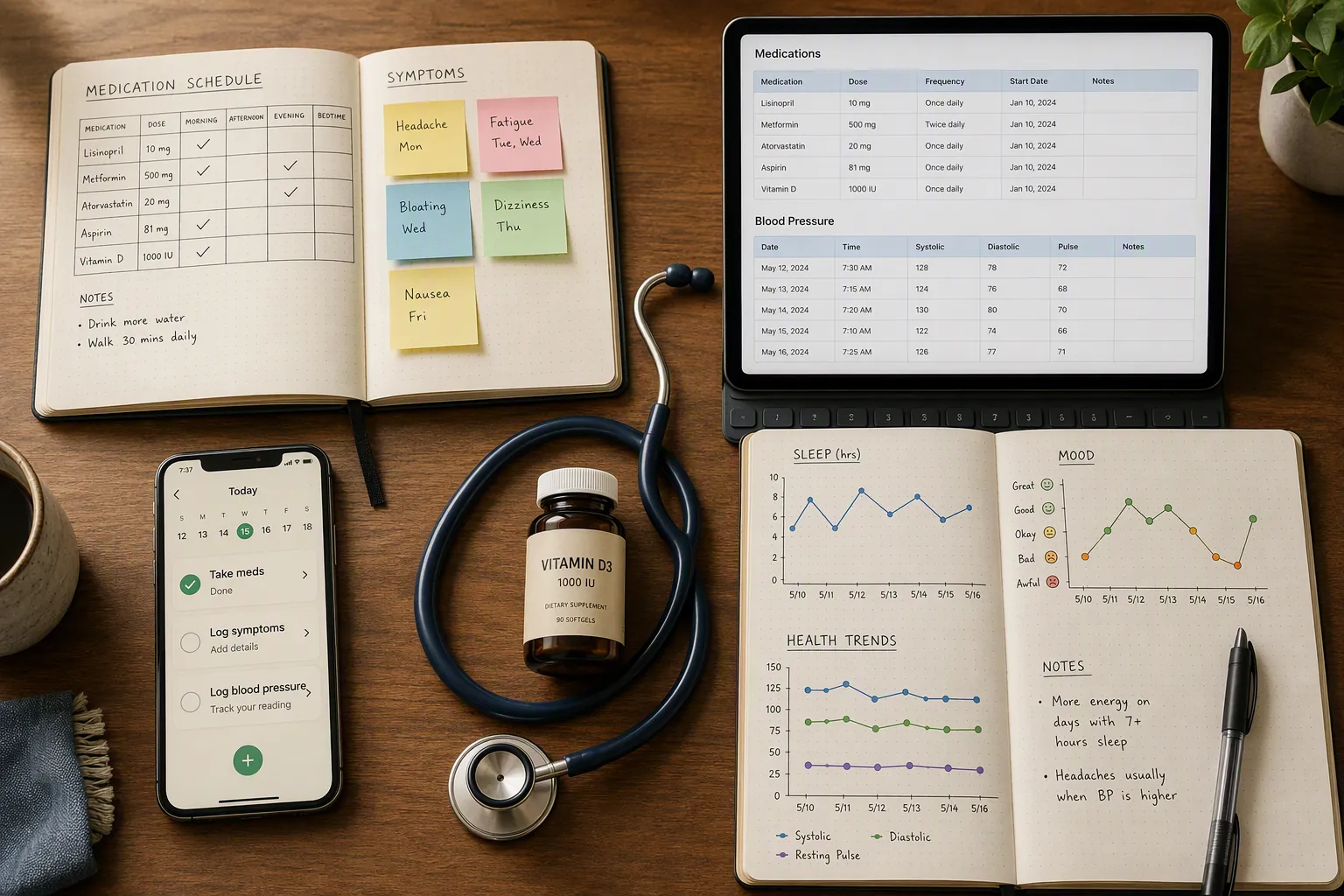
Obsidian’s AI story is different from Notion’s. Instead of one integrated assistant building a workspace for you, Obsidian often relies on plugins and model choices. Shadow.do’s 2026 overview names AI plugins such as Smart Connections, Copilot, Text Generator, and Local GPT, and notes that local setups can run through Ollama so data stays on-device.[8] For health notes, that distinction is not decorative. A local model reviewing local Markdown files creates a different privacy profile from sending sensitive context to a cloud AI service.
The strongest Obsidian health setup usually looks less like a polished app and more like a durable routine. A daily note captures symptoms, sleep, exercise, medication events, and questions. A medication note records current and past prescriptions. Appointment notes link back to the month’s relevant daily entries. Imported Apple Health or Garmin data sits near the lived context instead of in a separate dashboard. AI, if used, helps retrieve and summarize: “show notes mentioning dizziness after the dose change,” “draft appointment questions from the last six weeks,” or “summarize entries tagged sleep-disruption.”
Community discussion matters here because health tracking in Obsidian is not a single official product. Forum threads such as “Obsidian for health?” show users working through real setups and constraints, from symptom notes to longitudinal personal records.[9] Treat that as field evidence of possible workflows, not as proof that any one structure is right for a particular condition.
When Obsidian is worth the extra work
- You are uncomfortable putting detailed health context in a cloud workspace.
- You want your notes in local Markdown files that remain usable outside the app.
- You are willing to configure plugins for health data, charts, templates, and AI.
- You want local AI options for review and retrieval rather than relying entirely on hosted assistants.
If you choose Obsidian and want to add AI carefully, start with a narrow workflow instead of installing every plugin that mentions intelligence. A good first target is appointment prep from your own notes. Our guide to creating Gemini Gems for an Obsidian workflow is a better follow-up after the vault structure exists. If AI chat logs have become part of your health research trail, the guide to exporting ChatGPT history to Obsidian Markdown is relevant, but those chats should be labeled as research notes, not medical records or clinician guidance.
Evernote: useful when the job is filing, finding, and remembering
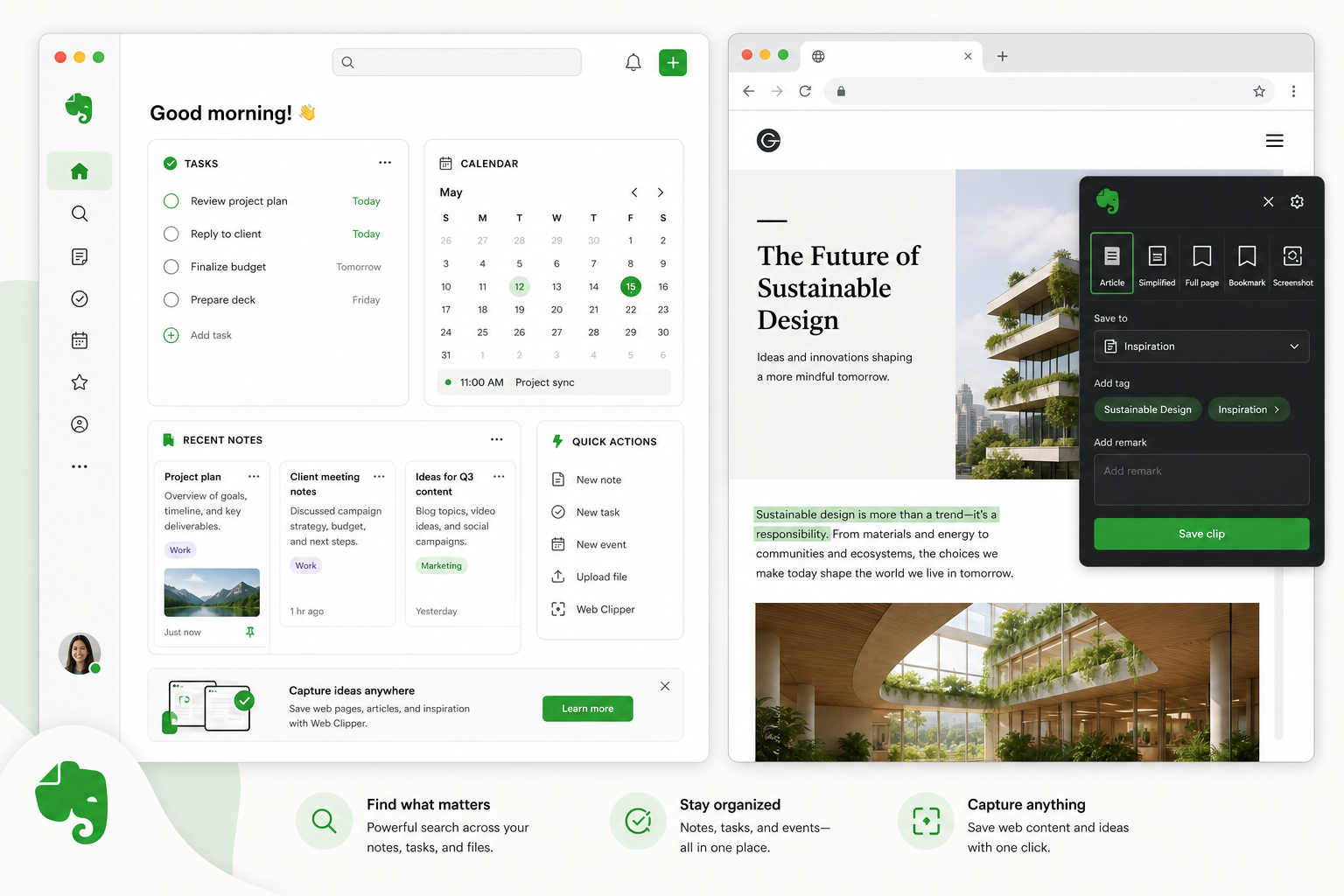
Evernote is not the most exciting answer to this comparison, which may be why it is easy to underrate. For some health checklists, the real need is not a relational database or local AI. It is one reliable place for visit notes, medication lists, PDFs, lab portals copied into a note, reminder checklists, and questions for the next appointment.
That makes Evernote a reasonable middle choice for low-to-medium complexity. It is more structured than a pile of loose phone notes and less demanding than Obsidian. A notebook per condition can work. So can one “Health” notebook with tags for medication, symptoms, appointments, documents, insurance, and questions. The danger is familiar: if everything is clipped, forwarded, scanned, and never reviewed, Evernote becomes a storage closet.
Evernote is weakest when the health workflow becomes data-shaped. If you need to compare medication changes against symptom trends, build filtered appointment summaries, or run local AI across years of Markdown files, it is not the first platform to pick. If you need a forgiving place to keep the documents and notes you otherwise lose, it may be enough.
Apple Notes: the best system may be the one you can open in three seconds
Apple Notes should not be dismissed just because it lacks the health-template ecosystem of Notion or the plugin depth of Obsidian. The weakest part of many personal health systems is capture. A person notices a symptom in the grocery store, remembers a question in the parking lot, or needs to write down that a medication was taken late. If the app is not already on the phone, the note may never happen.
For a simple health checklist, Apple Notes can be deliberately boring. One pinned note for current medications. One note for questions for the next appointment. One daily or weekly symptom note. One folder for scanned documents. Checklists for recurring routines. That is not a personalized medicine command center, but it may be the system that survives.
It becomes the wrong choice when you are trying to track many variables over time. Apple Notes can hold the story, but it is not built to analyze relationships among medications, symptoms, wearable data, sleep changes, and appointments. If you keep finding yourself asking “what changed around the time this started?” and scrolling manually through old notes, you have probably outgrown it.
Where AI helps—and where it should stay quiet
AI is most useful in this workflow when it lowers review burden. It can help turn scattered entries into a visit-prep brief. It can find notes that mention a medication change. It can group open questions by clinician. It can draft a plain-language timeline from your own dated entries. Those are productivity jobs around health information, not medical judgments.
The line matters. “Summarize the symptoms I logged since my last appointment” is a reasonable request. “Tell me whether this medication caused the symptom” asks too much of a note app, a template, or a local model. Personal health notes are messy, incomplete, and full of confounders. Even when two things appear close together in time, the note system is showing an observation to discuss, not establishing causation.
Reliability is part of the AI decision too. If your review workflow depends on a hosted assistant, outages and model changes are not abstract annoyances. They can affect whether you can prepare before an appointment. We discuss that risk more broadly in which note apps work when ChatGPT goes down. The health version of the lesson is simple: keep the core notes readable without AI.
Vendor dependence deserves the same attention. A health checklist can become valuable precisely because it accumulates history over months and years. If the platform changes pricing, AI providers, export behavior, or sync assumptions, the person who bears the cost is not a software reviewer. It is the person trying to reconstruct when a symptom started. That is one reason local-first systems keep coming up in discussions about sensitive notes; it is also the reason our piece on moving from OneNote to Obsidian after Microsoft’s AI shift is relevant beyond OneNote.
A practical way to decide
Start with the part of the system most likely to break.
- If setup is the danger, choose Notion or Apple Notes. Notion if you need structure; Apple Notes if you mainly need fast capture.
- If privacy and reversibility are the danger, choose Obsidian and accept the setup work.
- If overbuilding is the danger, choose Evernote or Apple Notes and keep the workflow intentionally small.
- If appointment prep is the danger, choose the app that makes it easiest to retrieve the last month’s changes without hunting.
For many readers, the final decision is this: choose Notion if structure, templates, and AI-assisted setup matter more than local control. Choose Obsidian if privacy, ownership, and local AI options justify the configuration burden. Choose Evernote or Apple Notes if the honest best system is the one you will still maintain on a tired Tuesday night.
References
- 15 Best Notion Health Tracker Templates (Free + Paid) in 2026 — ProductiveTemply
- How to Track Your Health in AI Notes: Symptoms, Meds, and Doctor Visits — Mem
- 12+ Essential Notion Health Tracker Templates for 2026 — PathPages
- My Health Notion FAQs — My Health Notion
- Health.md plugin page — Obsidian
- Announcing Life Tracker - A New Obsidian Plugin — dsebastien.net
- A Garmin AI Skill and Richer Health Tracking in Obsidian — PKM Journal
- The Best AI Plugins for Obsidian (2026) — Shadow.do
- Obsidian for health? — Obsidian Forum







Comments
Join the discussion with an anonymous comment.