
When ChatGPT goes down, the practical question is not whether AI is useful. It is what else silently goes down with it. For note-takers, that question lands in the middle of ordinary work: lecture notes that no longer answer study questions, meeting transcripts that stop producing summaries, or an “AI notes” button that turns out to be a remote dependency with a friendlier label.
That is why looking for productivity alternatives for note taking is more specific than a generic search for ChatGPT alternatives. The right answer depends on the dependency chain. Some note apps run their AI through their own systems, some can run models locally, some use Apple’s device-level intelligence, some let you switch providers, and some inherit OpenAI risk directly.
The outage pattern is no longer a theoretical edge case. One Forbes account listed major ChatGPT disruptions in January 2025, June 2025, December 2025, and February 3, 2026; during the February event, searches for “ChatGPT outage” rose by 96 percentage points, according to Forbes citing Google Trends.[1] That sequence should not be treated as a complete audited outage database, but it is enough to make dependency a normal buying criterion rather than a paranoid one. During an earlier outage, Euronews reported that searches for “ChatGPT alternative” rose 440%, citing a nodepositrewards.com analysis of Google data.[2] Search spikes do not prove lost productivity, but they do show what people do when the tool they expected to work suddenly does not.
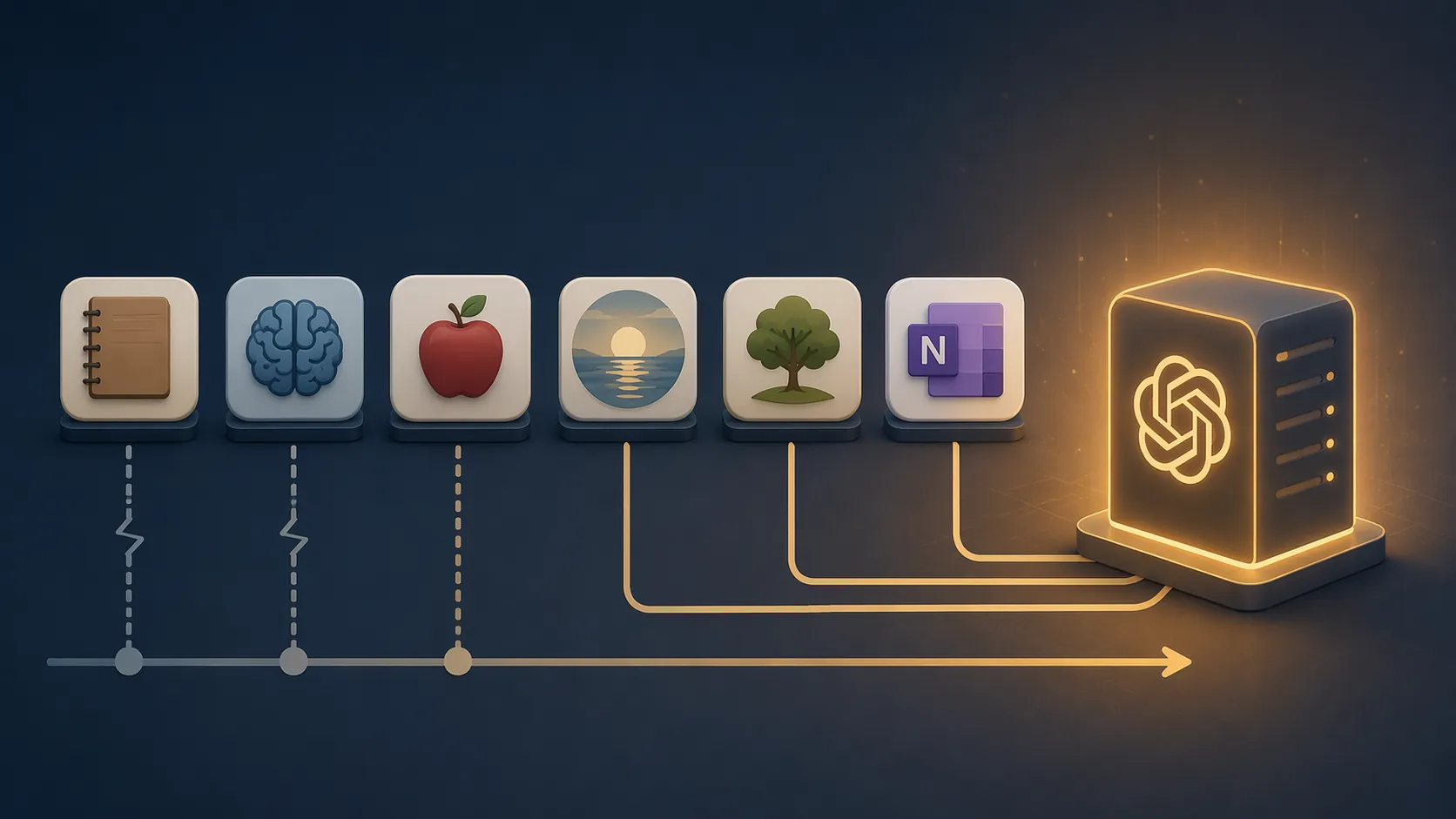
The Dependency Map
A note app can feel independent because your notes remain visible during an outage. That is not the same as its AI layer being independent. The useful comparison is narrower: if ChatGPT or an OpenAI API path is unavailable, which AI features still have somewhere to run?
| Note app or setup | AI dependency position | What likely still works when ChatGPT is down | Main caveat |
|---|---|---|---|
| Goodnotes Ask | Independent, based on available documentation | Ask, audio transcription, and Study Sets are presented as Goodnotes AI features rather than ChatGPT features | Goodnotes documentation does not disclose a full model-provider map |
| Obsidian with local Ollama-connected plugins | Fully local if configured that way | Local model chat, note search, summarization, and generation can run on the user’s machine | Setup friction and performance vary; this article did not test non-technical setup during a live outage |
| Apple Notes with Apple Intelligence | Device-level Apple processing for supported local features | Writing Tools, transcription, and math in Notes can work locally on supported devices | Optional ChatGPT integration is separate and would not be the resilient part |
| Reflect | Hybrid | Users can switch from OpenAI models to Claude Sonnet inside the app | GPT-4o and Whisper are the default AI path |
| Evernote v11 AI features | OpenAI-linked | Core notes remain accessible, but AI Assistant, Semantic Search, and AI Meeting Notes carry inherited provider risk | Exact runtime fallback behavior is not publicly confirmed in the material reviewed |
| OneNote Copilot | Microsoft/OpenAI-dependent | Notes remain in OneNote, but Copilot relies on Microsoft 365 Copilot infrastructure | This is not the consumer ChatGPT service, but it is still tied to Microsoft’s OpenAI access |
This comparison is architectural, not a live-fire outage test. FlowDesk did not replay the February 2026 outage across these apps. The claims here rest on provider documentation, published reporting, and community documentation about how the AI layer is described to run.
Goodnotes: A Cleaner Break From ChatGPT, With One Documentation Gap
Goodnotes is the easiest case to understand quickly. Its current AI features are described as Goodnotes AI: Ask for question-answering over notes, audio transcription, and Study Sets for review.[3] The useful implication is that a student using Goodnotes for exam prep is not obviously leaning on ChatGPT every time they ask a notebook a question.
That does not mean Goodnotes has published every provider detail a cautious buyer might want. The independence claim here is based on how Goodnotes documents the feature set and the absence of a stated OpenAI dependency in the material reviewed, not on a disclosed model-provider statement. For a practical resilience stack, that still puts Goodnotes on the independent side of the map, especially for iPad-heavy students who want an insurance notebook without building a local AI system.
Obsidian With Local Models: The Most Independent Option, If You Can Tolerate the Setup
Obsidian is not automatically an outage-proof AI note app. If you connect an Obsidian plugin to a cloud model, you inherit that cloud model’s availability. The interesting version is Obsidian connected to local models through Ollama, using plugins such as Copilot, Smart Connections, or Text Generator. In that configuration, inference can run on the user’s own machine rather than through an external API.[4][5][6]
That distinction matters. A local vault plus a local model is structurally different from a cloud notes app with an AI button. If ChatGPT is unavailable, your local files are still present and the local model still has a place to run. The outage has no obvious path into the core loop unless you chose a plugin mode that calls an outside service.
The tradeoff is not imaginary. Local AI asks more from the user: installing Ollama, choosing a model, connecting a plugin, and accepting whatever latency and output quality your hardware can support. For a technical user, that may be a weekend setup. For a meeting-heavy worker who only wants summaries to keep working at 4 p.m., it may be too much friction. This article does not claim that local Obsidian AI is painless for non-technical users; it claims that, once configured locally, its failure mode is different.
Readers considering this route should also separate two decisions: where the notes live and where the model runs. Obsidian’s local-first note storage helps even without AI, because plain local files are not waiting for a SaaS panel to recover. The local model layer is the extra resilience move. FlowDesk’s guide to on-device AI limitations is useful if you want to trace that boundary feature by feature.
Apple Notes: Local Apple Intelligence Is Not the Same as the Optional ChatGPT Add-On
Apple Notes is easy to misread because Apple Intelligence and ChatGPT can appear near each other in the same broader Apple AI story. For outage planning, they should be separated. Apple’s own support material describes Writing Tools, audio transcription, and math in Notes as Apple Intelligence features that process on supported iPhone and Mac hardware, while the ChatGPT integration is optional and additive.[7]
That makes Apple Notes a credible fallback for a narrower set of AI tasks: cleaning up text, working with transcripts, and handling supported note-level assistance without requiring the user to send the task to ChatGPT. It is not the same proposition as a full local research assistant over a large personal knowledge base, and it is not available equally on every Apple device. But when the question is “what fails together,” Apple’s local features do not belong in the same bucket as a note app whose AI layer is simply a branded OpenAI call.
The optional ChatGPT integration should be treated as convenience, not insurance. If a workflow depends on that specific integration, the workflow has reintroduced the same upstream risk. If the workflow stays inside supported Apple Intelligence features, the dependency picture is materially better.
Reflect: Not Independent by Default, But Better Than a Single-Provider Trap
Reflect sits in the part of the gradient where a rushed reader can make the wrong call. Its AI features have been reported as using GPT-4o and Whisper from OpenAI by default.[8][9] If that were the whole story, Reflect would sit close to the inherited-risk end of the spectrum.
The resilience detail is that Reflect also allows users to switch to Claude Sonnet within the app.[8][9] That does not make Reflect fully independent. It still depends on external AI services, and the user is trusting Reflect’s integration choices. But model switching is not cosmetic during an outage. If the default OpenAI path is impaired and the Anthropic path is available, the user has an immediate second route without moving notes into a different system.
That puts Reflect in a more forgiving category than apps that expose only one upstream AI dependency. It is not the app for someone who wants local-only resilience. It is reasonable for someone who accepts cloud AI but wants the note app to have more than one exit when a provider has a bad day.
Evernote and OneNote: Good Apps Can Still Carry Inherited AI Risk
Evernote and OneNote should not be dismissed as note-taking products just because their AI dependency is less attractive for outage planning. The narrower point is that their AI value is easy to overestimate if the user assumes the note app itself is the intelligence provider.
Evernote v11’s AI Assistant, Semantic Search, and AI Meeting Notes are described as co-developed with OpenAI.[10] That strongly suggests OpenAI-linked runtime risk, but the exact fallback design was not confirmed in the material reviewed. A fair conclusion is therefore limited: Evernote notes may remain accessible, while the newer AI layer should be treated as exposed to OpenAI dependency unless Evernote documents otherwise.
OneNote Copilot is different from consumer ChatGPT, but not independent of OpenAI. It requires a Microsoft 365 Copilot subscription and runs through Microsoft’s enterprise AI infrastructure, which is connected to Microsoft’s OpenAI access rather than the public ChatGPT product.[11] That distinction matters for uptime: a consumer ChatGPT outage is not automatically the same event as a Microsoft 365 Copilot incident. It also does not make OneNote Copilot a local or provider-independent AI layer.
How to Choose an Insurance Layer
Most people do not need to rebuild their entire note-taking system after one outage. The lower-friction move is to identify the part of the workflow that cannot wait, then add one independent or provider-diverse fallback for that job.
- If study Q&A is the fragile point, Goodnotes Ask is a clean insurance candidate for handwritten or PDF-heavy notes.
- If local control matters more than convenience, Obsidian plus Ollama is the strongest architectural break from ChatGPT dependency.
- If you already live on Apple devices and need lightweight writing, transcription, and note cleanup, Apple Notes with local Apple Intelligence is the least disruptive fallback.
- If you want cloud AI but do not want one model provider to be the only path, Reflect’s Claude switch gives it a real resilience advantage.
- If your current system is Evernote or OneNote, keep it if it works for notes, but do not count its AI layer as independent outage insurance.
The practical stack is usually boring, which is a compliment. Keep the primary app that already holds your work. Add one fallback whose AI layer fails differently. For some users that means Goodnotes for class materials; for others it means a small Obsidian vault with a local model; for Apple users it may simply mean knowing which Apple Intelligence features do not require the optional ChatGPT path. If you are moving a larger archive, FlowDesk’s ChatGPT-to-Obsidian migration guide is the more serious version of that plan.
The point is not to find a perfect outage-proof note app. The point is to stop being surprised by what shares the same upstream failure. Once that is visible, resilience becomes a stack design choice rather than a panicked search query.
References
- Rachel Wells, ChatGPT outage coverage, Forbes, February 4, 2026.
- ChatGPT alternative searches coverage, Euronews.
- Goodnotes AI feature coverage, Goodnotes Blog, July 2026.
- Obsidian Copilot documentation, GitHub.
- Smart Connections documentation, GitHub.
- Ollama documentation, Ollama.
- Apple Intelligence features in Notes and Writing Tools support documentation, Apple Support.
- Reflect review, PCMag.
- Reflect app coverage, Zapier.
- Evernote v11 AI Assistant coverage, Evernote.
- Microsoft 365 Copilot in OneNote documentation, Microsoft Support.