
Why Your PKM System Matters More Than Ever
The numbers paint a stark picture. Knowledge workers spend an average of 9.3 hours each week searching for information, and 80% report experiencing information overload. McKinsey research puts a finer point on it: nearly 20% of every workweek disappears into hunting for internal information or chasing down colleagues — time that the right knowledge-sharing tools could return, alongside a 20 to 25 percent productivity lift.
These aren't abstract statistics. If you've ever lost a key insight because you couldn't find the note you took three months ago, or re-read an entire article because you forgot you already saved it, you've lived the problem. A personal knowledge management (PKM) system is the structured answer to that friction.
The challenge in 2026 isn't a shortage of tools — it's a surplus. The market now offers everything from local-first Markdown vaults to AI-powered semantic workspaces. The risk isn't picking a bad tool; it's picking the wrong one for your workflow and abandoning it after three weeks. This comparison exists to help you make that choice deliberately.
What Is a Personal Knowledge Management System?
Personal knowledge management (PKM) is the process of collecting information that a person uses to gather, classify, store, search, retrieve, and share knowledge in their daily activities. It emerged as a response to the idea that knowledge workers need to be responsible for their own growth and learning — a bottom-up approach to knowledge management.
A PKM system is distinct from simple note-taking. Where a basic notes app captures information, a PKM system organizes it for retrieval and action. The core cycle looks like this:
- Capture: Pull in information from reading, meetings, conversations, and thinking.
- Organize: Structure that information using folders, tags, links, or objects.
- Retrieve: Find what you need when you need it, ideally faster than a web search.
- Act: Turn knowledge into output — writing, decisions, projects, or sharing.
The Ebbinghaus forgetting curve shows that without deliberate re-engagement, knowledge decays rapidly. A PKM system outsources the job of remembering, letting you compound knowledge over time rather than re-learning it. For a broader introduction to building a PKM system from scratch, see our PKM System: The 2026 Guide.
How to Choose: A 5-Criteria Decision Framework
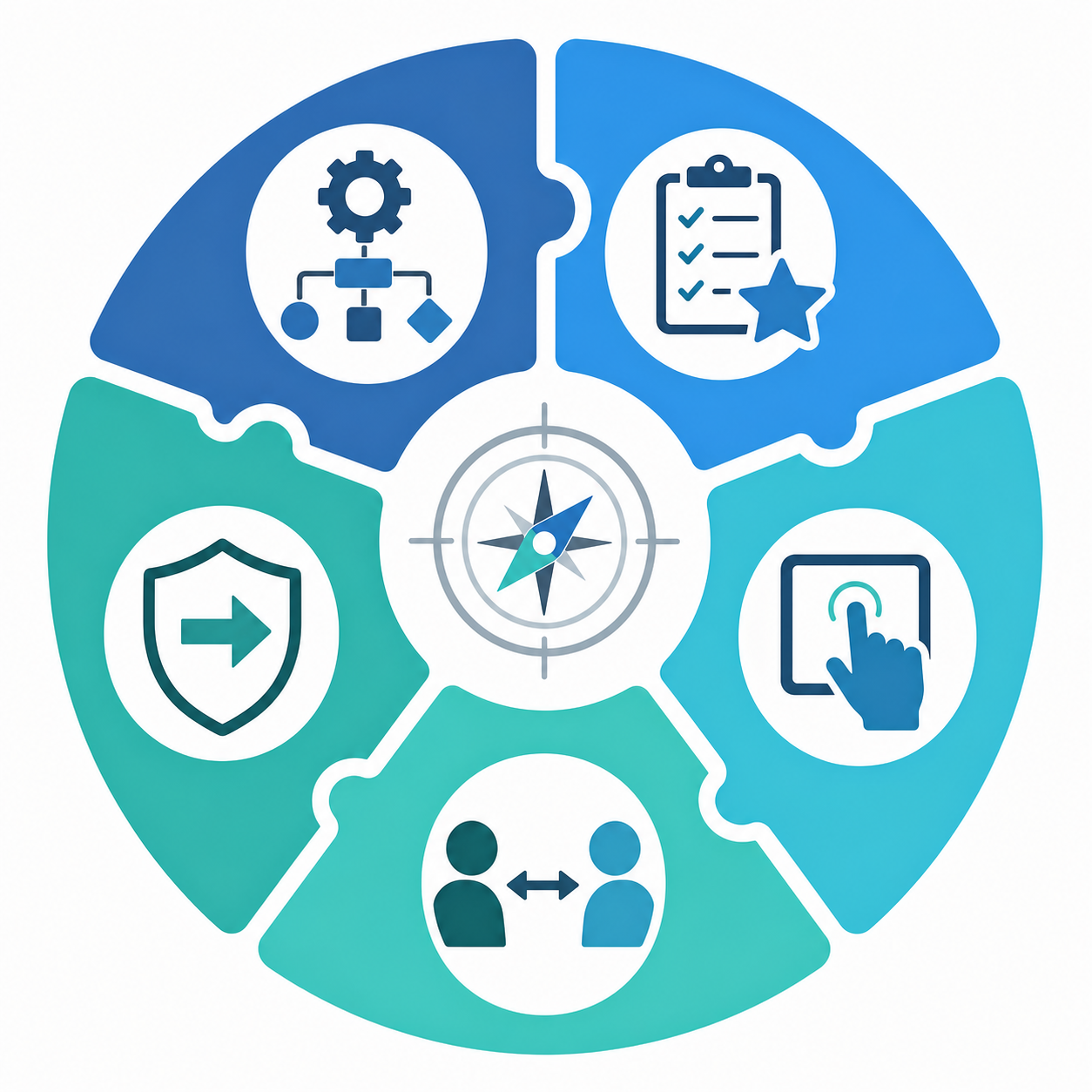
Rather than leading with feature checklists, start with five questions that map directly to your daily reality. Each criterion filters out tools that look good on paper but won't survive contact with your actual workflow.
1. Workflow Match
How do you naturally think and work? If you're a linear thinker who organizes by project and deadline, an outliner like Logseq or a database-driven tool like Notion may fit. If you think in connections and want to see how ideas relate, a graph-based tool like Obsidian or Roam Research will feel more natural. If you think spatially, a visual canvas like Heptabase may be your best match. For an alternative lens on this question, see our guide on thinking styles and PKM.
2. Must-Have Features
Identify the non-negotiable capabilities for your use case. Researchers may need PDF annotation and citation management. Meeting-heavy professionals may need AI summarization and daily journaling. Writers may need a distraction-free Markdown editor. Make a shortlist of three to five features you cannot work without, and use it to eliminate tools immediately.
3. Ease of Use
The best PKM system is the one you will actually open daily and build in consistently. A tool with a steep learning curve may offer immense power, but if it takes you three months to feel competent, you may abandon it before it delivers value. Be honest about your tolerance for configuration and complexity.
4. Team vs. Personal
Are you building a system for yourself alone, or do you need to share knowledge with a team? Tools like Notion and Coda are built for collaboration from the ground up. Local-first tools like Obsidian and Logseq can be shared, but it requires more setup. If collaboration is a primary need, prioritize tools with real-time editing, permissions, and shared workspaces.
5. Future-Proofing
Think about the long-term implications of your tool choices. Will you still be able to access your notes in five years? Ten years? Local-first tools that store data in plain Markdown files (Obsidian, Logseq) offer the strongest guarantee of future access. Cloud-only tools carry vendor risk — if the company shuts down or changes its pricing model, your data may be locked in. For a deeper dive on this trade-off, read our analysis of local-first vs. cloud PKM.
The Top PKM Tools Compared: A Head-to-Head Breakdown
The following breakdown covers twelve tools across the PKM spectrum. Each entry includes a best-for statement, honest pros and cons, pricing as of Q2 2026, platform availability, and an explicit weakness. Where we have published in-depth tool profiles, we link to those for deeper analysis rather than duplicating it here.
Notion
Best for: Teams and individuals who want an all-in-one workspace that combines notes, databases, wikis, and project management.
Notion's modular block system lets you build pages with custom templates, supporting both personal workflows and lightweight team collaboration. Its database views (table, board, calendar, gallery) make it uniquely powerful for tracking projects, research papers, or any structured information.
- Pros: Extremely flexible; strong database features; excellent for team collaboration; built-in AI ($10/month add-on); large template gallery.
- Cons: Broad feature set can create complexity and maintenance overhead over time; workspaces can sprawl and become harder to navigate; no local-first option; basic linking with no graph view.
- Pricing: Free personal plan; Plus at $8/month; Business at $15/month.
- Platforms: Web, macOS, Windows, iOS, Android.
- Honest weakness: Notion's flexibility is a double-edged sword. Without deliberate system design, your workspace can become a disorganized dumping ground that's harder to navigate than a simple folder structure.
For a full analysis of Notion's trade-offs, see our dedicated review: Notion for Note-Taking: The 5 Trade-Offs You Need to Know in 2026.
Obsidian
Best for: Researchers, writers, and anyone building a long-term personal knowledge base who wants full data ownership.
Obsidian is a local-first PKM tool designed for deep linking and building a personal knowledge graph. It stores everything as plain Markdown files on your local device, giving you complete control over your data. Its extensive plugin ecosystem — including the Dataview plugin for querying notes like a database — enables significant customization.
- Pros: Free for personal use; local-first with full data ownership; bidirectional links and graph view; massive plugin ecosystem; fast and offline-capable.
- Cons: No built-in real-time collaboration; requires some setup and plugin management; no native AI features (community plugins only); sync costs $4/month.
- Pricing: Free for personal use; Sync $4/month (annual) or $5/month (monthly); Publish $10/month.
- Platforms: macOS, Windows, Linux, iOS, Android.
- Honest weakness: Obsidian's power comes from its plugin ecosystem, but that also means you need to invest time in finding, configuring, and maintaining plugins. It's not a pick-up-and-go tool.
For a comprehensive look at Obsidian's 2026 capabilities, see our Obsidian Review 2026.
Logseq
Best for: Students, developers, and anyone who prefers an outliner-first workflow with daily journaling.
Logseq is an open-source, local-first PKM tool built around an outliner-first structure and bi-directional linking. It includes whiteboards for visual thinking and built-in flashcards for spaced repetition, making it particularly strong for learning and studying.
- Pros: Completely free and open-source; local-first with Markdown/Org files; built-in PDF annotation; flashcards for spaced repetition; whiteboards for visual thinking.
- Cons: Outliner structure isn't for everyone; smaller plugin ecosystem than Obsidian; sync costs $5/month; UI can feel less polished than commercial alternatives.
- Pricing: Free (open source); optional Logseq Sync at $5/month.
- Platforms: macOS, Windows, Linux, iOS, Android.
- Honest weakness: Logseq's outliner paradigm is powerful once you adapt to it, but the initial learning curve can be steep for users accustomed to traditional document-based note-taking.
Roam Research
Best for: PKM purists who want the original networked note-taking experience with block-level references.
Roam Research pioneered the outliner-with-bidirectional-links approach that many modern PKM tools have adopted. Its block references let you cite specific points across notes, creating a dense web of interconnected ideas.
- Pros: Block-level references for precise linking; daily journaling as default workflow; mature bidirectional linking and graph view.
- Cons: Expensive at $15/month or $165/year; cloud-only with no local-first option; slower development pace than newer competitors; vendor lock-in risk.
- Pricing: $15/month or $165/year.
- Platforms: Web, iOS, Android.
- Honest weakness: Roam's pricing and cloud dependency make it a risky choice for long-term knowledge building. Many users who started with Roam have migrated to Obsidian or Logseq for data ownership reasons.
Tana
Best for: Users who want AI-powered auto-tagging and structured data without manual database setup.
Tana uses a node-based system where every piece of information is a structured object with properties and relationships. Its built-in AI handles auto-tagging, summarization, and content generation, reducing the manual overhead of organizing notes.
- Pros: Built-in AI for auto-tagging and summarization; structured object system reduces manual organization; modern, fast interface.
- Cons: Still evolving — some features feel unfinished; cloud-only; smaller community than established tools; $8-16/month pricing adds up.
- Pricing: $8/month (annual) or $10/month (monthly) for AI and advanced features; Pro at $16/month.
- Platforms: Web, iOS, Android.
- Honest weakness: Tana's structured object model is powerful but introduces a conceptual overhead that may feel unnecessary for users who just want to write and link notes.
Capacities
Best for: Users who want object-based knowledge management — organizing notes around people, projects, books, and concepts rather than pages.
Capacities organizes information by "objects" (papers, authors, concepts, projects) rather than pages, giving each type of entity its own structured fields. It includes bidirectional links, a graph view, and an AI assistant.
- Pros: Object-based organization is intuitive for knowledge work; bidirectional links and graph view; AI assistant; clean, modern interface.
- Cons: Cloud-only; free tier is limited; smaller community; no local-first option.
- Pricing: Free tier available; Pro at €9/month or $9.99/month.
- Platforms: Web, iOS, Android.
- Honest weakness: Capacities' object model is its strength, but it also means you're committing to a specific way of organizing knowledge that may not map to every workflow.
Anytype
Best for: Privacy-focused users who want a local-first Notion alternative with end-to-end encrypted sync.
Anytype is a privacy-first, local-first knowledge management tool that uses peer-to-peer sync with end-to-end encryption. It offers object relations and a graph view, positioning itself as a local-first alternative to Notion.
- Pros: Local-first with E2E encrypted sync; object relations and graph view; strong privacy guarantees; free during beta.
- Cons: Still in beta — features and stability are evolving; smaller community and fewer integrations; no AI features yet; learning curve for object-based system.
- Pricing: Free during beta development.
- Platforms: macOS, Windows, Linux, iOS, Android.
- Honest weakness: Anytype is promising but unfinished. If you need a stable, production-ready system today, you may encounter bugs or missing features that disrupt your workflow.
Heptabase
Best for: Researchers, visual thinkers, and anyone who needs to synthesize information spatially on an infinite whiteboard.
Heptabase provides an infinite whiteboard where you can place cards, notes, and PDFs spatially on a canvas and connect them like a mind map. Its daily journal feeds into whiteboards, and MCP support connects directly to AI tools like Claude and ChatGPT.
- Pros: Unique spatial canvas for visual thinking; excellent for synthesizing research; daily journal integration; MCP support for AI tool connections.
- Cons: Spatial approach doesn't suit everyone; cloud-only; relatively expensive at $11.99/month; smaller community.
- Pricing: $11.99/month or $95.99/year (20% savings).
- Platforms: Web, macOS, Windows.
- Honest weakness: Heptabase's whiteboard model is brilliant for synthesis but less effective for daily capture and quick note-taking. Most users pair it with a separate capture tool.
Reflect
Best for: Meeting-heavy professionals who need AI-powered daily journaling and end-to-end encryption.
Reflect combines daily journaling with AI meeting notes and end-to-end encryption. Its built-in AI synthesis pulls insights from your notes and meetings, making it a strong choice for professionals who attend many meetings and need to capture action items.
- Pros: Built-in AI for meeting notes and daily synthesis; end-to-end encryption; bidirectional links and graph view; clean, fast interface.
- Cons: Cloud-only; $10/month pricing; less flexible for non-meeting workflows; smaller plugin ecosystem.
- Pricing: $10/month (annual billing).
- Platforms: Web, macOS, iOS, Android.
- Honest weakness: Reflect is purpose-built for daily journaling and meeting notes. If your PKM needs extend beyond these use cases — for example, project management or academic research — you may find it limiting.
Bear
Best for: Writers and Apple users who want a distraction-free Markdown editor with iCloud sync.
Bear is a clean Markdown writing app for Apple platforms with wiki-style links and iCloud sync. It prioritizes a beautiful, distraction-free writing experience over complex knowledge management features.
- Pros: Beautiful, distraction-free writing experience; excellent Markdown support; fast and reliable iCloud sync; Apple-native design.
- Cons: Apple-only (no Windows, Android, or Linux); no graph view; no AI features; limited to wiki-style links; no collaboration features.
- Pricing: Free with basic features; Bear Pro at $2.99/month.
- Platforms: macOS, iOS.
- Honest weakness: Bear is a writing tool first and a PKM tool second. If you need bidirectional linking, a graph view, or any form of structured data, you'll outgrow it quickly.
Evernote and OneNote
Both Evernote and OneNote remain viable for users who need a straightforward, feature-rich notebook with strong cross-platform support. However, neither has kept pace with the PKM innovation seen in newer tools. Evernote has undergone multiple pricing restructurings that have alienated long-time users, and OneNote's linking capabilities remain basic compared to modern PKM tools. For most knowledge workers building a networked knowledge base, the tools above offer more relevant capabilities.
Quick-Reference Comparison Table
The table below provides a scannable overview of all twelve tools across the dimensions that matter most for decision-making: best use case, data storage, pricing, linking/graph capabilities, and AI features.
| Tool | Best Use Case | Data Storage | Pricing (Starting) | Linking / Graph | AI Features |
|---|---|---|---|---|---|
| Notion | All-in-one workspace for teams and individuals | Cloud | Free / $8/mo Plus | Basic linking, no graph view | Built-in AI ($10/mo add-on) |
| Obsidian | Local-first PKM with plugin extensibility | Local Markdown files | Free / $4/mo Sync | Bidirectional links + graph view | Community plugins only |
| Logseq | Open-source outliner with daily journals | Local Markdown/Org files | Free / $5/mo Sync | Bidirectional links + graph view | Limited (plugins) |
| Roam Research | Networked note-taking with block references | Cloud | $15/mo or $165/yr | Block references + graph view | None |
| Tana | AI-powered structured knowledge | Cloud | $8-16/mo | Object relations + graph view | Built-in AI (auto-tagging, summarization) |
| Capacities | Object-based knowledge management | Cloud | Free / €9/mo Pro | Bidirectional links + graph view | AI assistant |
| Anytype | Privacy-first local Notion alternative | Local-first with E2E encrypted sync | Free (beta) | Object relations + graph view | Not yet |
| Heptabase | Visual thinking on infinite whiteboard | Cloud | $11.99/mo or $95.99/yr | Spatial card connections | MCP support for AI tools |
| Reflect | AI meeting notes and daily journaling | Cloud with E2E encryption | $10/mo | Bidirectional links + graph view | Built-in AI synthesis |
| Bear | Distraction-free Markdown writing on Apple | iCloud | Free / $2.99/mo Pro | Wiki-style links, no graph | None |
| Evernote | Cross-platform notebook with web clipping | Cloud | Free / $7.99/mo Personal | Basic linking, no graph | AI note cleanup |
| OneNote | Free-form notebook with strong Office integration | Cloud (OneDrive) | Free | Basic linking, no graph | None |
Decision Matrix: Which PKM Tool Is Best for You?
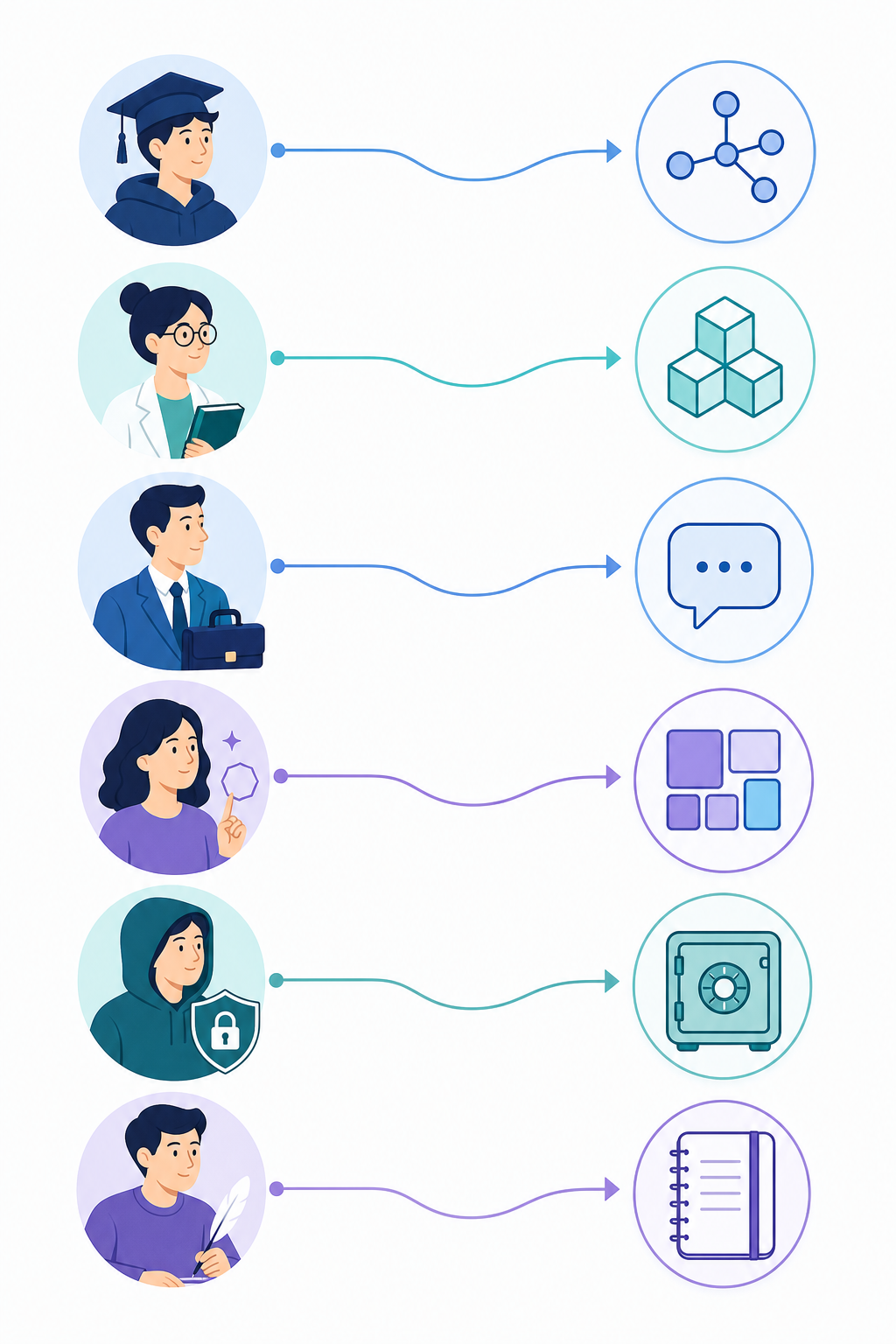
The following matrix maps specific user personas to their best-fit tools. These recommendations are based on the 5-criteria framework above, not on feature counts or popularity.
| Persona | Recommended Tool | Rationale |
|---|---|---|
| Students | Logseq | Free, open-source, built-in flashcards for spaced repetition, outliner structure suits lecture notes and study guides. |
| Researchers | Obsidian | Local Markdown files for long-term data ownership, Dataview plugin for querying notes, massive plugin ecosystem for research workflows. |
| Busy Professionals | Reflect | AI meeting notes and daily journaling, end-to-end encryption, fast capture for meeting-heavy schedules. |
| Visual Thinkers | Heptabase | Infinite whiteboard for spatial synthesis, ideal for mapping complex ideas and research connections. |
| Privacy-First Users | Anytype or Obsidian | Anytype offers local-first with E2E encrypted sync; Obsidian provides full local control with plain Markdown files. |
| Apple Writers | Bear | Distraction-free Markdown editor, beautiful Apple-native design, reliable iCloud sync. |
| Small Teams | Notion | Built-in collaboration, database views for shared projects, templates for team wikis. |
| Developers | Obsidian or Logseq | Both support plain text files (Markdown/Org) that work with version control; Logseq's outliner suits code notes. |
For readers who prefer a philosophy-based comparison rather than a persona-based one, see our Best PKM Apps 2026: A Tool-Philosophy Comparison.
Frequently Asked Questions
Can I use multiple PKM tools together?
Yes, and many experienced PKM users do. A common pattern is to use a capture tool (Readwise, web clipper) → a knowledge base (Obsidian, Notion) → a retrieval layer (semantic search) → an output tool (writing, sharing). The key is to have one primary "source of truth" where your knowledge lives long-term, and treat other tools as temporary capture or specialized output systems.
How important are AI features in a PKM tool?
AI features in PKM tools are shifting from novelty to necessity, but they remain a convenience, not a replacement for cognitive work. Built-in AI can help with auto-tagging, summarization, and search, but the core value of a PKM system still comes from your own thinking, linking, and synthesis. Choose a tool with strong fundamentals first, and treat AI features as a bonus.
What happens if my PKM tool shuts down?
This is the vendor risk question. Tools that store data in open formats (Obsidian's Markdown, Logseq's Markdown/Org) give you the strongest guarantee of future access — you can open your files in any text editor. Cloud-only tools (Notion, Roam, Tana) require you to export your data before the service goes offline, and exports may lose formatting, links, or metadata. If long-term data ownership matters to you, prioritize local-first tools.
How do I migrate between PKM tools?
Migration difficulty varies significantly by tool pair. Moving from Evernote to Obsidian, for example, requires exporting to ENEX format, converting to Markdown, and manually restructuring notes. Moving from Roam to Logseq is smoother because both use outliner structures. Before committing to any tool, check its export options and data portability. We cover specific migration paths in our Migration Guides section.
Final Verdict: The Best PKM System for 2026
There is no single best PKM tool. The best system is the one you will open daily and build in consistently. The tools that succeed are those that match your workflow, not the ones with the most features or the largest community.
That said, here are our top picks by persona for 2026:
- For most knowledge workers building a long-term knowledge base: Obsidian. Its local-first architecture, plugin ecosystem, and plain Markdown files offer the best balance of power, flexibility, and data ownership.
- For students and budget-conscious users: Logseq. It's free, open-source, and includes spaced repetition and PDF annotation out of the box.
- For busy professionals who attend many meetings: Reflect. Its AI meeting notes and daily journaling reduce the friction of capture and synthesis.
- For visual thinkers and researchers: Heptabase. Its spatial whiteboard is unmatched for synthesizing complex information.
- For teams: Notion. Its collaboration features and database views make it the strongest all-in-one workspace for shared knowledge.