

The Core Tradeoff: Data Ownership vs. Convenience
Every personal knowledge management (PKM) app makes a fundamental architectural choice: where does your data live? This single decision — local files on your device versus cloud servers controlled by a vendor — determines almost everything else about your experience: how you access notes, what features are available, how much you pay over time, and what happens if you decide to leave.
This article is about PKM apps specifically — tools like Obsidian, Logseq, Notion, and Tana that are designed for building interconnected knowledge bases over years or decades. It is not about general note-taking apps like Apple Notes or Evernote, which serve a different purpose. If you are looking for a broader privacy comparison across all note-taking categories, see our guide to note-taking apps for privacy and data ownership.
Local-first tools store your notes as plain files — typically Markdown — on your own device. You own those files. You can open them with any text editor, back them up with any tool, and move them to another app without asking permission. The tradeoff is that local-first apps generally offer weaker collaboration, less sophisticated AI features, and sync that requires manual setup.
Cloud-based PKM tools store your data on the vendor's servers. They offer seamless multi-device sync, real-time collaboration, built-in AI search and summarization, and rich database features. The tradeoff is that your notes are locked into the vendor's data model. If the company changes its pricing, shuts down, or you simply want to leave, extracting your knowledge base intact can range from tedious to impossible.
The stakes are higher than most users realize. According to a Gitnux report, 63% of knowledge workers report wasting time searching for information, and McKinsey research cited by GoLinks puts the figure at 9.3 hours per week lost to information hunting. Gartner forecasts that by the end of 2026, 50% of knowledge workers will rely on AI-generated summaries in their daily workflows. Cloud tools promise to solve the search problem with semantic AI; local-first tools promise that your knowledge base will outlive any single app. The right choice depends on which problem matters more to you.
Local-First Deep Dive: Obsidian, Logseq, and Anytype
Local-first PKM tools share a common philosophy: your notes should be portable, durable, and independent of any single vendor. They achieve this by storing data in open formats — primarily plain Markdown files — on your local file system. The three leading options in this category are Obsidian, Logseq, and Anytype, each with a different approach to data ownership and sync.
Obsidian: The Markdown Powerhouse
Obsidian stores every note as a plain Markdown file in a local folder called a vault. You can open these files in any text editor — VS Code, Typora, even Notepad — and they remain perfectly readable. This is the strongest guarantee of long-term data access that any PKM tool offers. With an estimated 2 million users and over 2,000 community plugins, Obsidian has the largest ecosystem of any local-first PKM app.
The three-year cost picture is remarkably favorable for solo users:
| Scenario | Obsidian Cost (3 Years) | Notes |
|---|---|---|
| Solo, local-only | $0 | No sync, no publish. Fully functional. |
| Solo, official sync | $144 | $48/year, end-to-end encrypted. |
| Solo, iCloud/Dropbox | $0–$36 | Free sync via cloud storage; manual conflict resolution. |
| Commercial (2+ users) | $1,800 | $600/user/year for commercial license. |
Obsidian's honest weakness is that its community plugins vary significantly in quality, and the graph view — often the first feature new users explore — becomes visually unreadable past a few hundred notes. For a detailed look at Obsidian's features, see our full Obsidian review.
Logseq: Open-Source Outlining with Block-Level Control
Logseq takes the local-first philosophy further by being fully open source under the AGPL license. This means the code is publicly auditable, and commercial use — even by organizations — costs nothing. Logseq stores notes as plain Markdown or Org-mode files, with an outliner structure that treats every block (bullet point) as a uniquely addressable unit. It has accumulated over 33,000 GitHub stars and a dedicated but smaller user base than Obsidian.
Logseq's sync service is still in beta at approximately $5 per month. For solo users who are comfortable with manual sync via Git or cloud storage, the cost is zero. The AGPL license means that even if the company behind Logseq disappears, the software can be forked and maintained by the community — a level of vendor-independence that no proprietary app can match.
Anytype: Local-First with Peer-to-Peer Encryption
Anytype is a newer entrant that combines local-first storage with peer-to-peer (P2P) encrypted sync. Unlike Obsidian and Logseq, which use plain Markdown files, Anytype stores data in a local encrypted database and syncs directly between your devices without passing through a central server. It is object-based rather than document-based — you create objects (notes, tasks, collections) that can relate to each other in a graph structure.
Anytype is currently free during its beta phase. The tradeoff is that its data model is proprietary — your notes are not stored as plain Markdown files, so you are dependent on Anytype's export tools to leave. The company is open source, which mitigates some vendor risk, but the data format is not as universally readable as a .md file.
Cloud PKM Deep Dive: Notion, Tana, Capacities, and Reflect
Cloud-based PKM tools offer features that local-first apps struggle to match: real-time collaboration, AI-powered search and summarization, rich database views, and seamless multi-device sync. The cost is vendor dependency — your knowledge base lives in a proprietary data model that may not survive a migration.
Notion: The All-in-One Workspace
Notion is the most popular PKM tool by a wide margin, with an estimated 30 million users. It combines notes, databases, wikis, and project management in a single interface. Its database features — relational tables, rollups, formulas, and linked views — are unmatched by any local-first tool. Notion AI, which was previously a $10/month add-on, has been folded into the Business ($18/user/month) and Enterprise tiers as of early 2026.
The three-year cost for a solo user on the Plus plan ($8/month) is $360 — more than double Obsidian with official sync. More importantly, migration out of Notion is painful. Export produces HTML and Markdown files, but database structure — relations, formulas, rollups, linked views — is lost. A 500-page Notion workspace with complex databases can take days to reformat in a new tool.
If you are unsure whether you need a full workspace like Notion or a dedicated note-taker, our Notion vs. dedicated note-taking apps comparison can help you decide.
Tana: Structured PKM for Power Users
Tana is a cloud-native PKM tool built around "supertags" — structured types that turn every node into a database record. It is designed for users who want the flexibility of an outliner combined with the power of a relational database. Tana's AI features are deeply integrated: you can ask natural-language questions and get answers drawn from your knowledge graph.
Tana operates on a subscription model. Exact pricing was not confirmed at the time of writing, but early access pricing was in the $15–$20/month range. The migration risk is similar to Notion: Tana's block references and supertag relationships are proprietary. Exporting to a Markdown-based tool loses the structural metadata that makes Tana powerful.
Capacities: Object-Based Cloud PKM
Capacities takes an object-based approach: instead of documents or pages, you create typed objects (people, books, projects, ideas) that can relate to each other. It is cloud-only with a free tier and a Pro plan at €9/month. Capacities is designed for researchers and knowledge workers who think in entities rather than documents. Its export options are more limited than Notion's — you can export Markdown files, but object relationships are not preserved.
Reflect: E2E Encrypted Cloud as a Middle Ground
Reflect offers a unique compromise: cloud-based sync and AI features with end-to-end encryption. Your notes are encrypted on your device before they reach Reflect's servers, meaning the company cannot read your data. This addresses the privacy concern of cloud storage while preserving the convenience of automatic sync and AI-powered search.
Reflect costs $10/month and has no free tier. It stores notes in a proprietary format, so migration is not as simple as copying Markdown files. However, the E2E encryption guarantee makes it a viable option for users who want cloud convenience but cannot accept a vendor having access to their knowledge base.
| Tool | Data Model | 3-Year Solo Cost | Migration Risk | Key Feature |
|---|---|---|---|---|
| Notion | Cloud database | $360 (Plus) | High — loses database structure | Relational databases, AI |
| Tana | Cloud graph | ~$540–$720 (est.) | High — loses supertags | Supertags, AI queries |
| Capacities | Cloud objects | €0–€324 | Medium — loses object relations | Object-based typing |
| Reflect | E2E encrypted cloud | $360 | Medium — proprietary format | Privacy + AI search |
Hybrid Approaches: Syncing Local-First Tools Without Vendor Lock-In
Many users want the data ownership of local-first tools but need the convenience of multi-device access. The solution is to use a third-party sync layer — iCloud Drive, Dropbox, Google Drive, or Git — to synchronize the local folder across devices. This approach preserves the plain-Markdown advantage while giving you cloud-like access.
Here is how the most common hybrid setups work and what they cost:
- iCloud Drive or Dropbox: Place your Obsidian or Logseq vault folder inside a cloud storage directory. Changes on one device sync automatically. Cost: $0–$3/month for the storage you already have. Risk: file conflicts if you edit the same note on two devices simultaneously.
- Git + GitHub/GitLab: Initialize your vault as a Git repository and push/pull changes. This gives you version history and branching, but requires manual commits and a basic understanding of Git. Cost: $0. Best for users who are already comfortable with command-line tools.
- Obsidian Sync: Obsidian's official sync service is end-to-end encrypted and handles conflict resolution automatically. Cost: $48/year. This is the most user-friendly option for Obsidian users who want sync without managing files manually.
- Logseq Sync (beta): Logseq's official sync is approximately $5/month and still in beta. It is simpler than Git but less mature than Obsidian Sync.
Migration Cost Analysis: What It Really Takes to Move 500 Notes
The true cost of a PKM tool is not the subscription price — it is the effort required to leave. Migration effort varies dramatically depending on whether you are moving between Markdown-native tools or escaping a proprietary data model.
The Atlas Workspace comparison of Obsidian and Logseq provides the most detailed migration effort estimates available. For a vault of approximately 500 notes:
| Migration Path | Estimated Effort (500 Notes) | What Gets Lost |
|---|---|---|
| Obsidian → Logseq | 2–4 hours cleanup | Graph view layout, some plugin-specific metadata |
| Logseq → Obsidian | 4–8 hours (year-old graph) | Block references, outliner structure, page references |
| Obsidian → Anytype | 4–6 hours | Plugin configurations, graph layout |
| Notion → Obsidian | 8–16 hours | Database relations, formulas, rollups, linked views |
| Notion → Logseq | 8–16 hours | Same as above, plus database-to-outliner conversion |
| Tana → Obsidian | 10–20 hours (estimated) | Supertag structure, block references, AI-generated metadata |
The pattern is clear: moving between Markdown-native tools (Obsidian ↔ Logseq) is a matter of hours, not days. The notes themselves transfer cleanly; the work is in reorganizing structure and fixing broken links. Moving out of a cloud tool like Notion or Tana is an order of magnitude harder because the data model — databases, relations, block references — does not survive the export.
If you find yourself switching tools frequently, you may be dealing with a deeper problem than tool selection. Our article on why PKM systems keep failing — 12 anti-patterns and how to fix them can help you identify whether the issue is your methodology rather than your tool.
Decision Guide: Choosing Based on Vault Lifespan, Data Sensitivity, and Collaboration Needs
The right choice between local-first and cloud PKM depends on three factors: how long you expect your knowledge base to last, how sensitive your data is, and whether you need to share it with others.
| Factor | Local-First (Obsidian, Logseq, Anytype) | Cloud (Notion, Tana, Capacities) | Hybrid / E2E (Reflect, Obsidian Sync) |
|---|---|---|---|
| Vault lifespan | Decades — files outlive the app | Years — tied to vendor viability | Decades — if export is tested regularly |
| Data sensitivity | Highest — no third-party access | Low — vendor has access to content | High — E2E encryption prevents vendor access |
| Collaboration needs | Limited — no real-time co-editing | Full — real-time collaboration built in | Limited — sync-based, not real-time |
| AI features | Plugin-dependent, no native AI search | Built-in semantic search and summarization | Available in Reflect; limited in Obsidian Sync |
| Budget (3 years) | $0–$144 | $360–$720+ | $144–$360 |
| Migration cost | Low (hours) | High (days) | Medium (hours to days) |
Use this framework to find your recommended path:
- You are building a personal knowledge base you expect to maintain for 10+ years, your data is sensitive (research notes, personal journal, client information), and you work alone. Choose a local-first tool. Obsidian is the safest bet for long-term durability because of its plain Markdown files and large ecosystem. Logseq is a strong alternative if you prefer outliner structure and want AGPL-level open-source guarantees.
- You need real-time collaboration with a team, you are building a shared knowledge base for a project or organization, and you are comfortable with the vendor dependency. Choose a cloud tool. Notion is the most versatile option for teams. Tana is better if your team thinks in structured data rather than documents.
- You want cloud convenience but cannot accept vendor access to your data. Choose Reflect for its E2E encryption, or use Obsidian with its official sync (also E2E encrypted). Both give you automatic multi-device sync without exposing your notes to the vendor.
- You are a student or budget-constrained user building your first PKM system. Start with Obsidian (local-only, $0) or Logseq ($0). The zero cost and low migration risk mean you can experiment without commitment. If you later decide you need cloud features, your Markdown files will move with you.
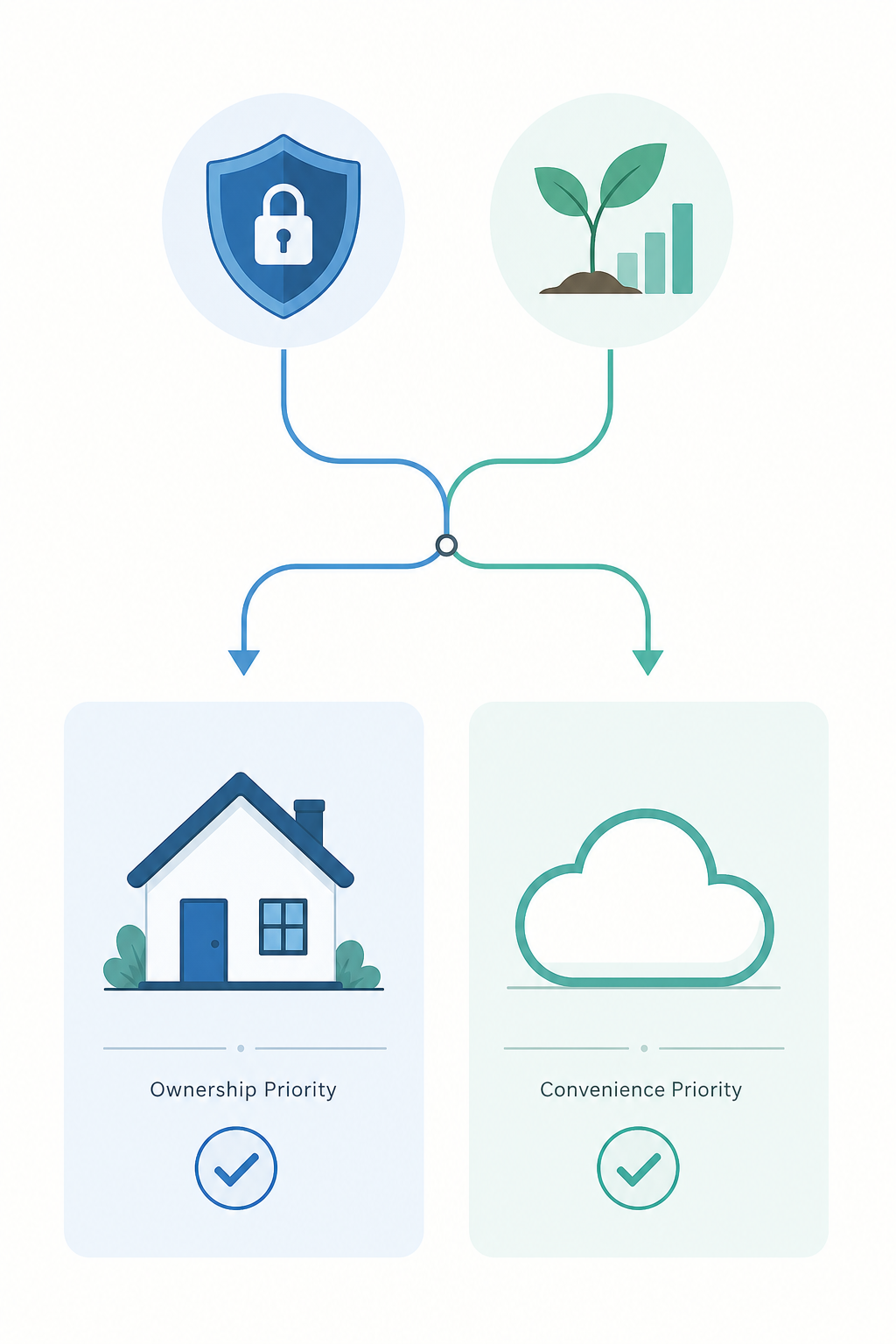
No single PKM tool is right for everyone. The most important decision is not which features you need today — it is where your data will live for the next decade. Choose your data model first, then pick the tool that implements it best.
Comments
Join the discussion with an anonymous comment.