
Introduction: Notion's Note-Taking Promise vs. Reality
Notion earns a solid 8 out of 10 as a note-taking app according to recent evaluations, and with over 100 million users globally — including more than 50% of Fortune 500 companies — its popularity is undeniable. It ranks second out of 41 note-taking apps in overall feature count, boasting over 230 catalogued capabilities. On paper, it looks like the obvious choice for anyone serious about organizing their digital life.
But the reality of using Notion for daily note-taking is more nuanced than a score or a feature list suggests. The very flexibility that makes it a powerhouse for project management and wikis creates friction when you just want to capture a fleeting thought. Its cloud-first architecture offers seamless sync but imposes limits on offline access and data ownership. Its rich database views can turn notes into structured knowledge, yet they slow down under the weight of a large personal library.
This article isn't a generic review. It's a structured look at five specific trade-offs that define the Notion note-taking experience. Understanding where you stand on each one — your personal tolerance for complexity, your need for offline reliability, your budget for AI features — will tell you more about whether Notion is right for you than any universal verdict ever could.
Trade-Off 1: Blank Canvas Power vs. The Overwhelm of Infinite Possibility
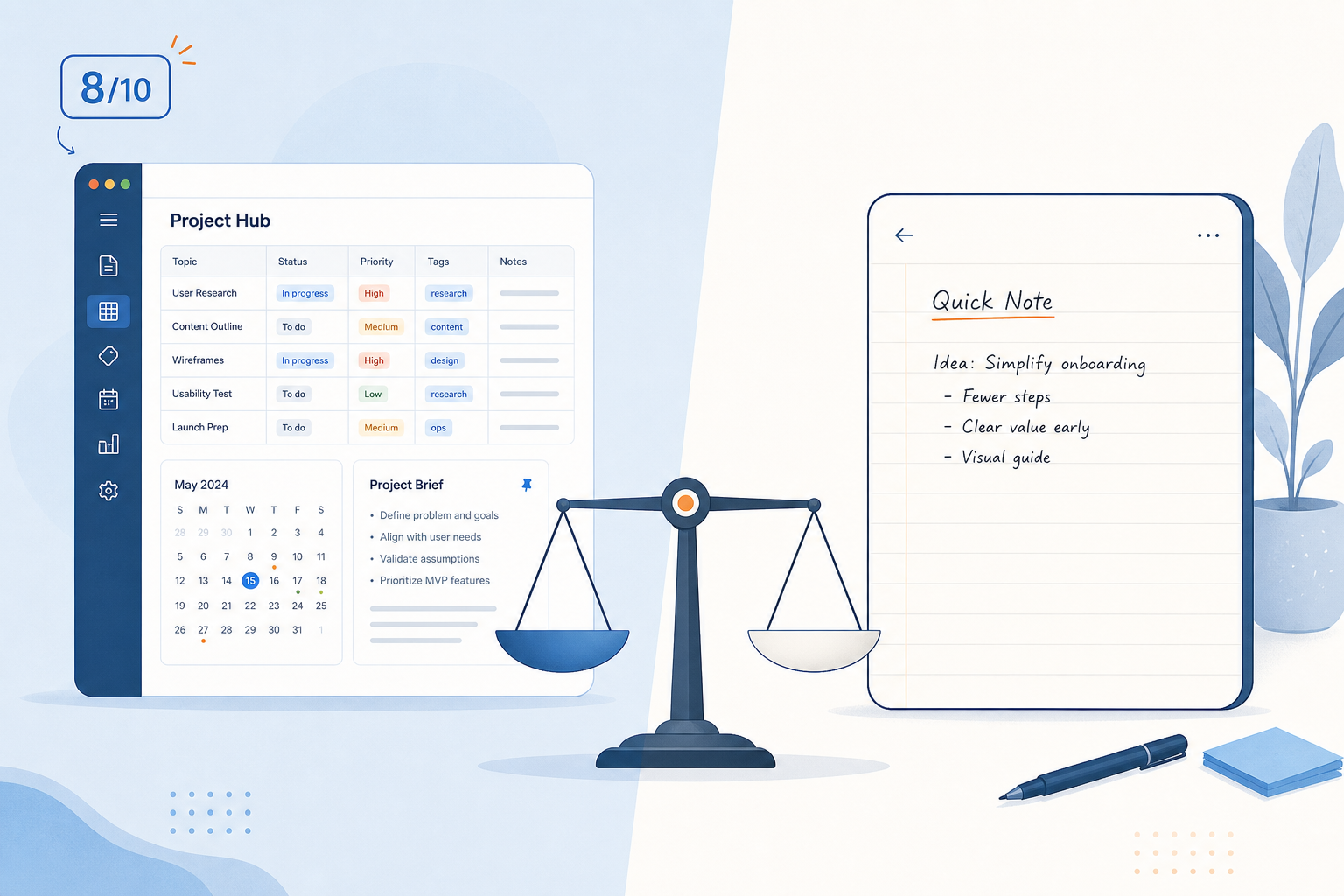
Notion's defining characteristic is its blank canvas. You can build anything: a personal wiki, a project dashboard, a content calendar, a habit tracker, or a full-blown CRM. For power users, this is liberating. For someone who just wants to open an app, type a thought, and close it again, that same blank canvas can be paralyzing.
Multiple reviewers have noted that Notion's flexibility can overwhelm new users. The app presents you with a page and a universe of possibilities — databases, views, relations, templates, synced blocks — before you've written a single word. The result is that many users spend more time architecting their system than populating it with notes. This is the 'building vs. using' trap, and it's the most common reason people abandon Notion for simpler tools.
Compare this to Apple Notes or Google Keep. Those apps have zero setup time. You open them, you type, you close them. The trade-off is clear: you trade away customization and structure for instant capture. Notion asks you to invest upfront time in exchange for long-term organizational power. If your note-taking style is quick capture and retrieval, the investment may never pay off.
For those who want the power without the paralysis, the solution is to adopt a proven structure from the start. Our comparison of Notion note-taking methods — The Librarian, The Connector, and The Single-Database Approach — can help you choose a framework that matches your thinking style and avoid the blank-canvas trap entirely.
Trade-Off 2: Cloud Sync Convenience vs. Offline Limits and Data Ownership
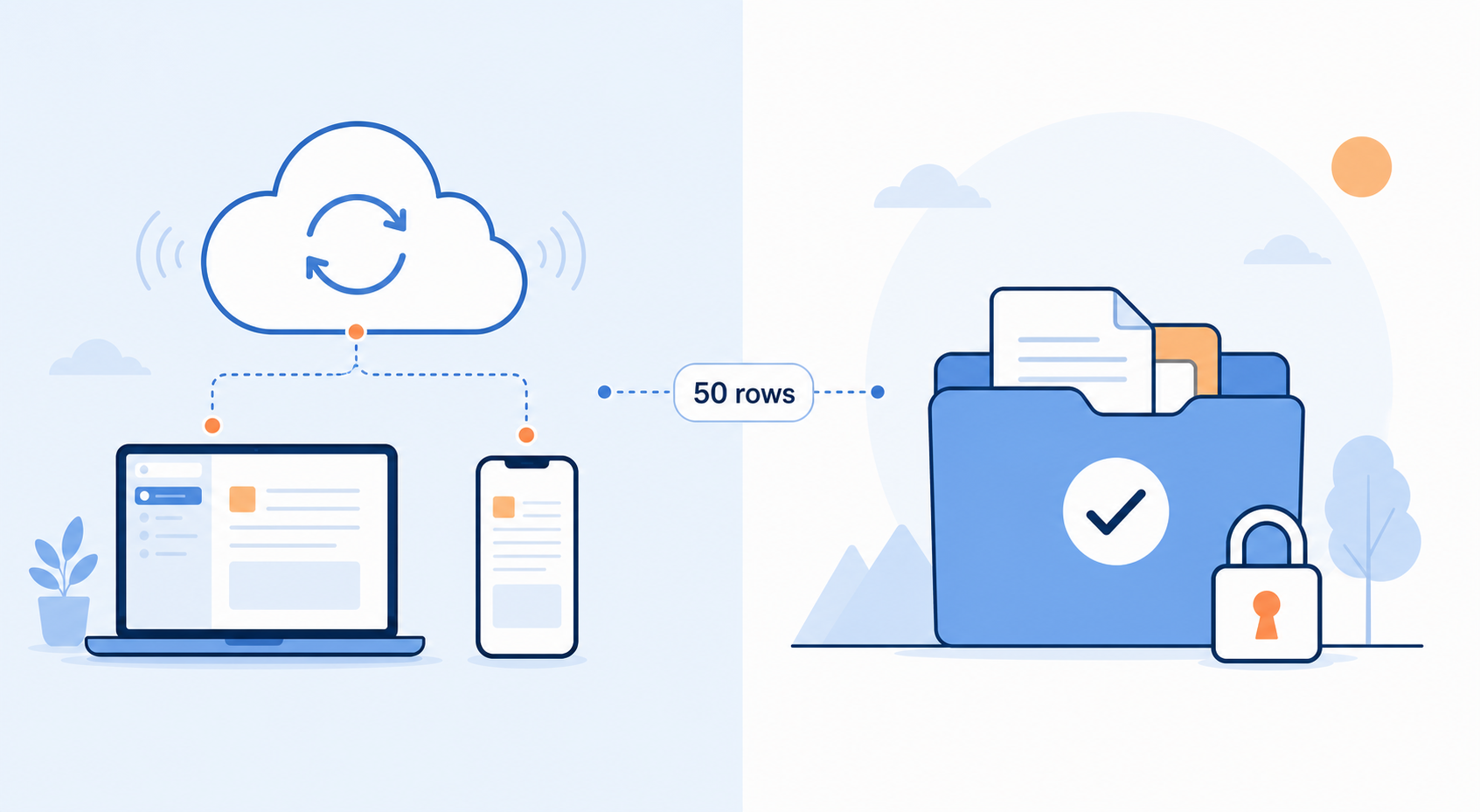
Notion is a cloud-first product. Your notes, databases, and documents live on Notion's infrastructure, accessible from any device with an internet connection. This is incredibly convenient for collaboration and cross-platform access — Notion syncs across Windows, macOS, iOS, Android, and web without any manual effort.
But cloud-first comes with strings attached. Offline mode, which was added in August 2025, has meaningful restrictions. According to the Notion Help Center, only the first 50 database rows per view are downloaded for offline access. Sub-pages must be toggled individually to make them available offline, and features like AI, automations, and embeds require a live connection. If you're on a plane, in a subway tunnel, or working in a location with unreliable internet, your access to your notes is severely limited.
The data ownership question is even more fundamental. Notion stores your content as proprietary blocks — a tree of database-backed objects, not plain files. When you export your workspace to Markdown, the resulting files lose database structure, relations, and complex layouts. This means that migrating a large, interlinked workspace out of Notion is a painful, lossy process. If Notion changes its pricing, shuts down, or simply no longer meets your needs, your data is not easily portable.
- Offline mode limits: only 50 database rows per view download for offline use
- Sub-pages must be manually toggled for offline access
- AI, automations, and embeds require a live internet connection
- Export to Markdown loses database relations, formatting, and complex layouts
- Your notes are stored as proprietary blocks, not portable plain-text files
This trade-off is most acute for users who value data sovereignty. Local-first tools like Obsidian store every note as a plain .md file on your own device, giving you full offline access and complete control over your data. If data ownership and offline reliability are non-negotiable for you, Notion's cloud-first model may be a dealbreaker. For a deeper exploration of this debate, see our analysis of local-first vs. cloud PKM and the data ownership tradeoff.
Trade-Off 3: Feature Depth vs. Performance at Scale
Notion's database views — table, board, calendar, gallery, and timeline — are genuinely powerful. They let you turn a collection of notes into a structured, queryable knowledge base. You can filter, sort, and relate pages in ways that simple note-taking apps cannot match. This is why Notion ranks second out of 41 apps with over 230 features.
But that power comes at a cost. Multiple sources, including reviews from Lark and guptadeepak.com, report that Notion's performance degrades noticeably in large workspaces. When you have thousands of pages, multiple interlinked databases, and embedded content, loading times for database views can become frustrating. Searching across a large workspace can lag, and switching between views may involve a noticeable delay.
Beyond raw performance, there's the issue of distraction. Notion's interface is rich with options: a sidebar full of pages, a toolbar with formatting controls, database view selectors, and integration menus. For focused note-taking — where the goal is to capture a thought without interruption — this feature-rich environment can work against you. Every extra click, every visual element, every option is a potential distraction from the act of writing.
- Database views slow down with thousands of pages and multiple relations
- Search and view switching can lag in large workspaces
- The feature-rich interface creates visual and cognitive noise for focused writing
- Notion is not optimized for high-volume personal knowledge bases with deep interlinking
This trade-off is most relevant for power users who have built large personal knowledge bases over months or years. If your Notion workspace contains thousands of pages with complex relations, you may find that the tool that once felt fast and responsive now feels sluggish. For a broader look at how Notion compares to alternatives on performance, portability, and AI features, see our head-to-head comparison of note-taking apps on AI, data portability, and offline integrity.
Trade-Off 4: Built-In AI vs. The Paywall
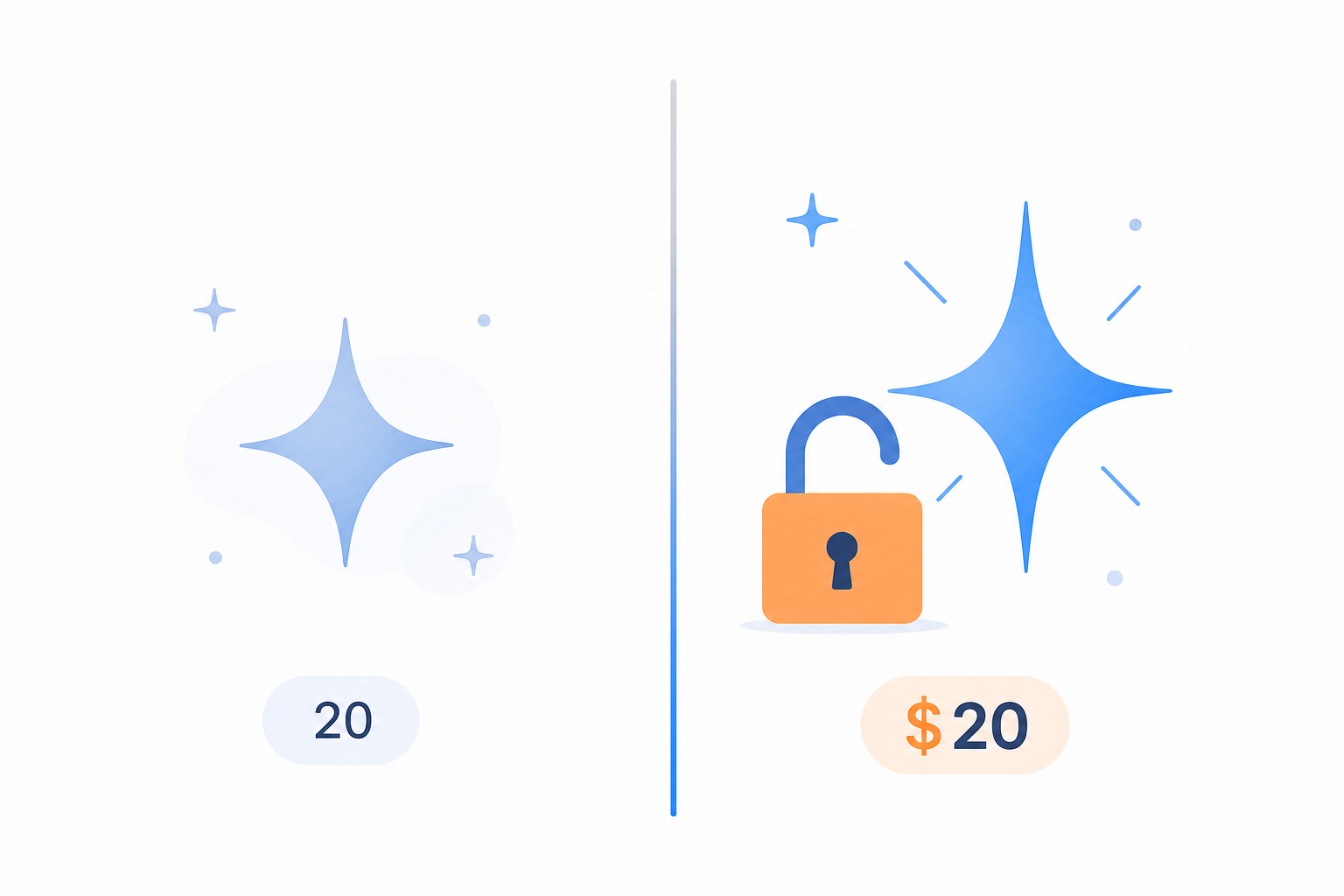
Notion has invested heavily in AI capabilities: a workspace assistant that can answer questions about your notes, AI Meeting Notes that automatically summarize conversations, and AI agents that can perform actions within your workspace. For knowledge workers who process large amounts of information, these features can be genuinely useful.
But the pricing structure creates a clear divide. Free and Plus plan users receive only a one-time trial of roughly 20 AI responses. After that, full AI access — including the workspace assistant, AI Meeting Notes, and agents — requires the Business plan. The Business plan costs $20 per user per month when billed annually, or $24 per user per month when billed monthly.
| Plan | Monthly Cost (Annual Billing) | AI Access |
|---|---|---|
| Free | $0 | ~20 AI responses (one-time trial) |
| Plus | $10/user | ~20 AI responses (one-time trial) |
| Business | $20/user | Full AI: workspace assistant, Meeting Notes, agents |
| Enterprise | Custom | Full AI + custom limits |
For individual note-takers, this creates an awkward choice. Paying $20 per month for AI features on top of a note-taking app is a significant expense, especially when free or cheaper AI tools (like ChatGPT, Claude, or Gemini) can be used alongside a simpler, cheaper note-taking app. If AI is a core part of your workflow, you need to decide whether the convenience of having it built into Notion is worth the premium price.
On the other hand, if you're already on a Business plan for team collaboration, the AI features become a valuable addition at no extra cost. The trade-off here is about your budget and whether you value integrated AI over the flexibility of using separate, potentially cheaper AI tools.
Trade-Off 5: Template Ecosystem vs. Setup Overhead
One of Notion's greatest assets is its community. Thousands of templates are available — for note-taking, project management, habit tracking, meeting notes, and virtually every other use case. The Notion template gallery, along with third-party marketplaces, offers a starting point for almost any system you can imagine.
But a template is not a finished system. Downloading a template is the first step; customizing it to fit your specific workflow is where the real work begins. You'll need to adjust database schemas, modify views, set up relations, and integrate the template with your existing pages. For a complex template — say, a full Second Brain system or a GTD implementation — this customization can take hours or even days.
- Thousands of community templates are available for free and paid download
- Templates provide a starting structure but rarely fit your workflow out of the box
- Customizing a template into a cohesive personal system requires significant upfront time
- The abundance of choices can lead to 'template paralysis' — endlessly searching for the perfect starter instead of starting
The trade-off is between the promise of a head start and the reality of setup overhead. A template can save you from the blank canvas, but it can also trap you in a cycle of customization that delays actual note-taking. The key is to choose a template that aligns with a proven methodology rather than trying to build a custom system from scratch.
Our guide on Notion note-taking methods — The Librarian, The Connector, and The Single-Database Approach — can help you identify which structural approach fits your thinking style before you start browsing templates. Once you know whether you're a Librarian (hierarchical filing), a Connector (Zettelkasten-style linking), or a Single-Database user, you can choose a template that matches that framework and avoid the setup paralysis that comes from trying to merge incompatible systems.
Verdict: How to Decide Based on Your Trade-Off Tolerance
There is no universal answer to whether Notion is a good note-taking app. The answer depends entirely on your personal tolerance for each of the five trade-offs we've explored. The table below maps each trade-off to a user profile, helping you identify where you stand.
| Trade-Off | Notion Is for You If... | Notion Is Not for You If... |
|---|---|---|
| Flexibility vs. Complexity | You enjoy building custom systems and want deep control over your note structure | You want to open an app and start typing immediately with zero setup |
| Cloud Sync vs. Offline Limits | You're always online and value seamless multi-device sync | You frequently work offline or want full ownership of your data as plain files |
| Feature Depth vs. Performance | Your workspace is moderate in size and you use database views heavily | You have thousands of pages with complex relations and need snappy performance |
| Built-In AI vs. Paywall | You're on a Business plan already or are willing to pay $20/month for integrated AI | You want AI features on a budget or prefer using separate, cheaper AI tools |
| Template Ecosystem vs. Setup Overhead | You're willing to invest time in customizing a template to fit your workflow | You want a ready-to-use system with minimal configuration |
If you find that most of your answers fall in the left column, Notion is likely a strong fit for your note-taking needs. You'll benefit from its flexibility, database power, and integrated AI — and you're willing to accept the learning curve, offline limits, and setup overhead.
If most of your answers fall in the right column, you may be better served by a dedicated note-taking app. Our comparison of Notion vs. dedicated note-taking apps can help you identify whether you need a full workspace or a simpler note-taker. Tools like Apple Notes, Google Keep, or Obsidian may offer a better balance of simplicity, offline access, and data ownership for your specific needs.
For those in the middle — where some trade-offs are acceptable and others are not — the best approach is to start small. Use Notion for a specific, well-defined note-taking use case (like meeting notes or project documentation) and see how the trade-offs feel in practice. You can always expand your usage or migrate to a different tool as your needs evolve.