
If your top priorities are data ownership, performance at scale, and a system that grows with you rather than locking you in, Obsidian’s 2026 updates make it impossible to ignore. If you need plug‑and‑play team collaboration with zero setup friction, the picture is more complicated. Below, we break down exactly what changed, how it performs, and who should — or shouldn’t — invest in building a vault today.
What Is Obsidian and What’s New in 2026?
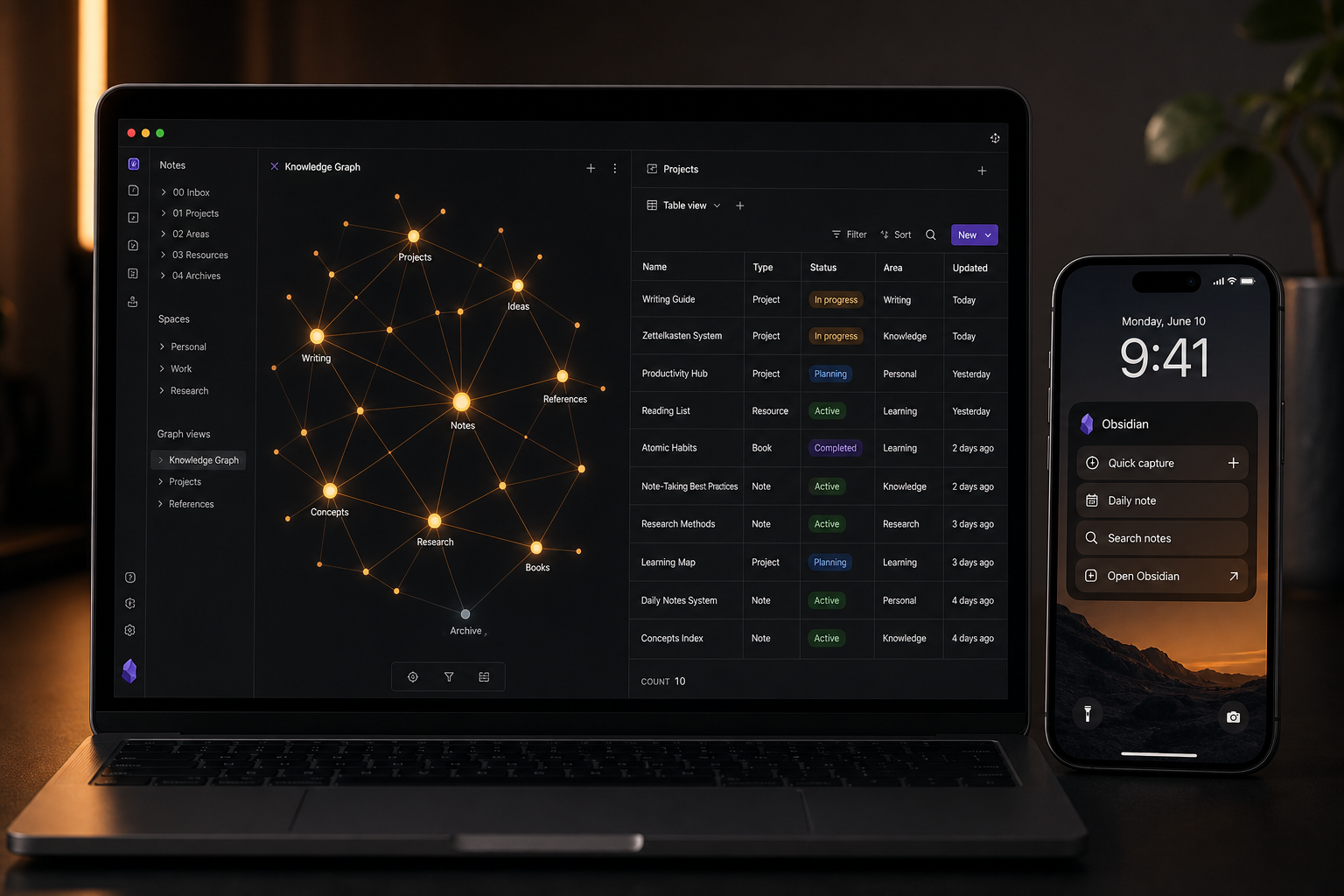
Obsidian is a local‑first personal knowledge management (PKM) application built on plain Markdown files. Instead of storing your notes in a proprietary database, it reads and writes files directly on your computer (or mobile device). This design gives you total control over your data: you can open any note in any text editor, version your vault with Git, and synchronise across devices using any file‑syncing service. The core app is free, offline‑first, and endlessly customisable through community plugins.
In 2026, Obsidian released four transformative updates that reshape its competitive position:
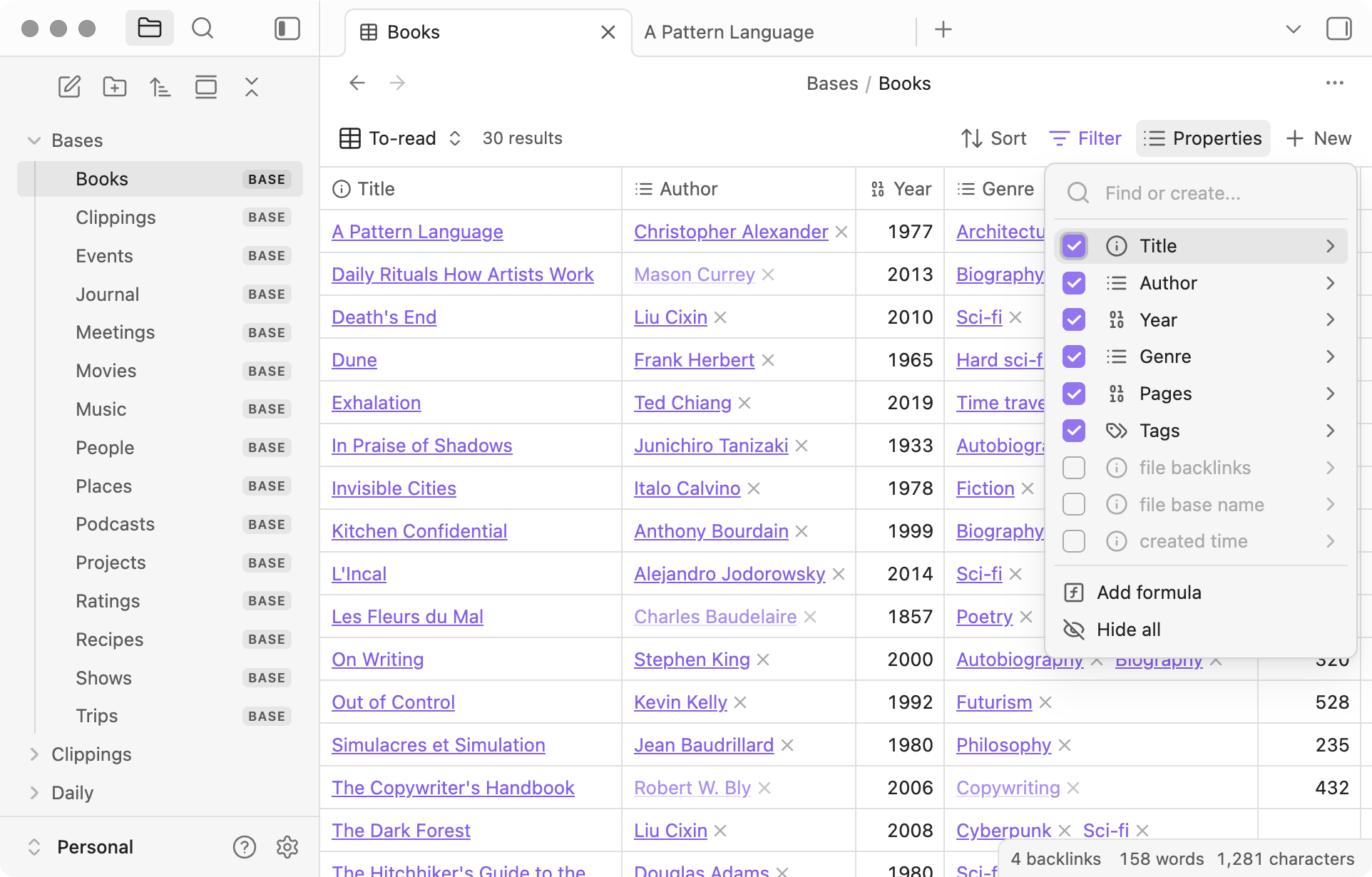
- Bases – Native database‑like views (table, board/kanban) built directly into the vault, closing the structured‑data gap with Notion. Bases – Native database‑like views (table, board/kanban) built directly into the vault, closing the structured‑data gap with Notion.
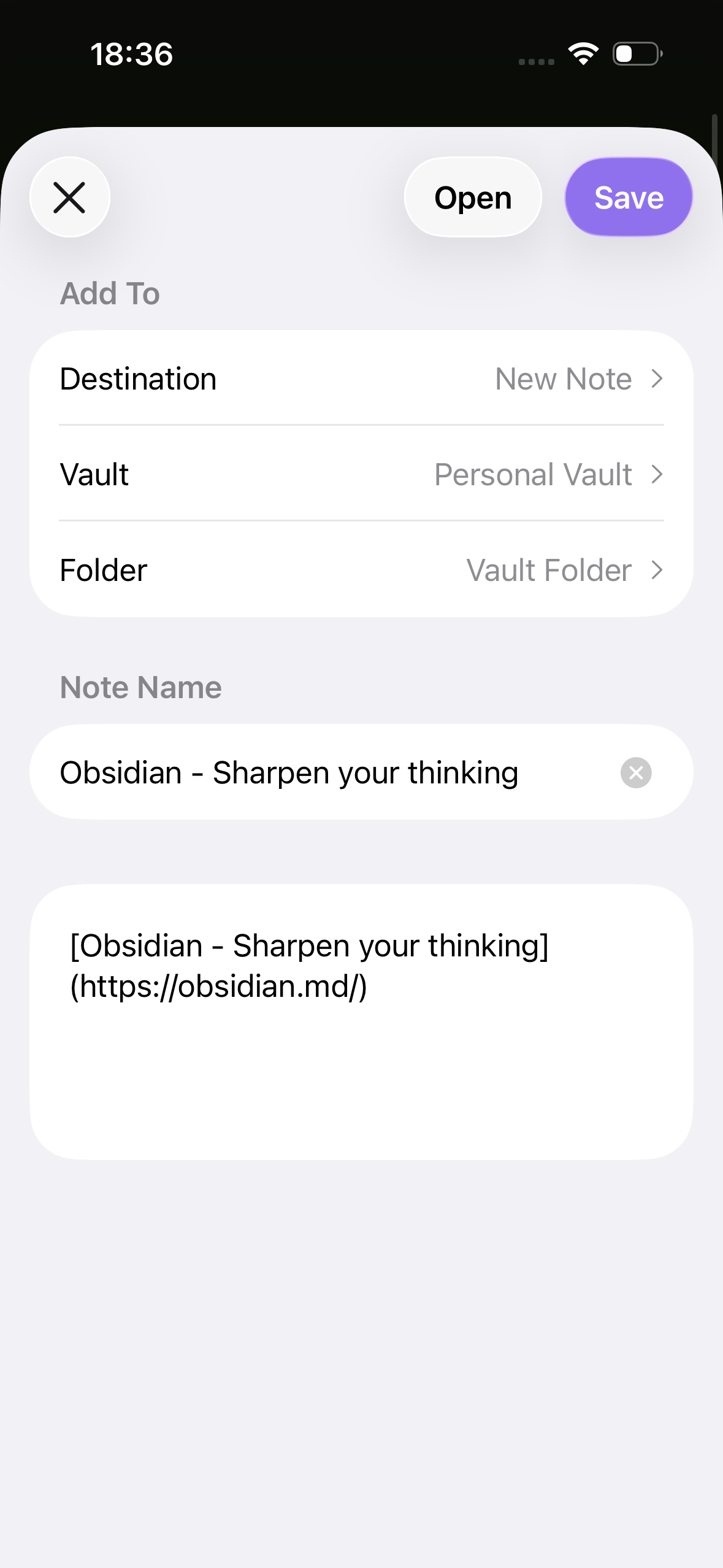
- Mobile 2.0 – A complete iOS/Android redesign (v1.11, January 2026) with lock screen and Control Center widgets, Siri/Shortcuts integration, and a share sheet that lets you save content from any app directly into your vault.
- CLI Tool – A command‑line interface (v1.12, February 2026) that enables scriptable vault operations, image resizing, automatic attachment cleanup, and integration with developer workflows.
- Real‑time Collaboration – Native Sync shared vaults now offer collaborative editing (with merge‑conflict resolution for asynchronous work), while third‑party plugins like Relay and Peerdraft provide true live cursors and CRDT‑based simultaneous editing.
These releases aren’t minor polish. Bases alone transforms how Obsidian handles structured data — previously the domain of Dataview queries and manual tables. Mobile 2.0 addresses the long‑standing criticism that Obsidian felt like a desktop app awkwardly ported to phones. And the combination of a CLI and third‑party multiplayer plugins positions Obsidian for users who want both local files and real‑time collaboration.
Key Features Deep Dive: From Local Markdown to Structured Databases
Obsidian’s architecture remains its killer feature: every note is a plain Markdown file. This means zero lock‑in, instant portability, and seamless integration with developer tools like Git, VS Code, and static site generators. On top of this foundation, Obsidian layers a set of uniquely powerful features.
- Bidirectional linking and Graph View – [[Wiki-style links]] create an interactive network of ideas. The local graph shows direct connections; the global graph reveals patterns across your entire vault. No other tool makes the structure of your thinking as visible.
- Canvas – An infinite whiteboard that can combine notes, images, web embeds, and freehand sections in a spatial layout. Think Miro inside your vault.
- Bases – The biggest feature addition in 2026. Bases provide table and board views that work like Airtable or Notion databases but live inside your local vault. You can add properties (checkbox, select, date, tag, text), filter, sort, and switch between table and board layouts. Bases support drag‑and‑drop import, column resizing, and search — all without leaving Obsidian.
- Plugin Ecosystem – With over 4,300 community plugins, Obsidian can become almost any tool you need. Dataview turns your vault into a queryable database. Kanban provides a Trello‑like board view (now complemented by native Bases). Excalidraw offers infinite‑canvas drawing. And plugins like Relay add real‑time multiplayer.
- CLI Tool (v1.12) – Enables scripting vault operations, batch renaming, automatic attachment cleanup, and CI/CD integration. A game‑changer for developers and power users.
| Capability | Obsidian (Native) | Obsidian (+ Plugins) | Notion |
|---|---|---|---|
| Structured database views | Bases (table, board) | Dataview, Kanban | Full databases with rollups, formulas |
| Real‑time collaboration | Sync shared vaults (async, merge conflicts) | Relay, Peerdraft (live cursors, CRDT) | Native real‑time editing |
| Offline access | Full offline, no internet required | Same | Limited offline cache |
| Data formats | Plain Markdown | Any text‑based format via plugins | Proprietary blocks |
| Automation / scripting | CLI tool | Templater, QuickAdd, Dataview, scripts | Notion API (cloud‑only) |
| Mobile experience | Widgets, share sheet, Siri | Same plus third‑party launchers | Full mobile app with databases |
The table highlights a key point: Obsidian’s native feature set has matured dramatically, but the plugin ecosystem remains the true differentiator. If you’re willing to invest an afternoon in setup, you can replicate most of Notion’s functionality — and surpass it in areas like local search speed, offline reliability, and data portability.
Pricing Breakdown 2026: Free Forever with Optional Add‑Ons
Obsidian’s pricing model is refreshingly simple: the core app is free with no limits on notes, plugins, Canvas, Graph View, or Bases. You never need to pay to use the full feature set. Paid add‑ons are entirely optional and focused on sync, publishing, and early access.
| Plan / Add‑On | Price (Annual) | Price (Monthly) | Key Features |
|---|---|---|---|
| Core App | Free | Free | Unlimited notes, all features, all plugins, offline, no account required |
| Sync – Standard | $4/user/month | $5/user/month | 1 GB storage, 1 vault, 1‑month version history, end‑to‑end encryption |
| Sync – Plus | $8/user/month | $10/user/month | 10 GB storage (expandable to 100 GB), 10 vaults, 12‑month version history |
| Publish | $8/site/month | $10/site/month | 4 GB per site, custom domain, password protection |
| Catalyst (One‑Time) | $25–$100 | – | Early access to insider builds, supports development |
| Commercial License | $50/user/year (optional) | – | Required only for commercial use in organisations; free for all organisations since February 2025 |
| Cost Centre | Obsidian (1 Year) | Notion (1 Year) |
|---|---|---|
| Solo user, no AI | $0 – $48 (optional Sync) | $120 – $216 (Notion Plus) |
| Solo user with AI features | $0 + API key costs (~$30–60) | $216 – $240 (Notion Plus + AI) |
| 5‑person team | $0 core + optional commercial ($250) + Sync ($240) = $490 | $600 – $900 (Notion Team / Business) |
| Student | $0 (core free) – $28.80 (Sync with 40% discount) | $48 – $72 (Notion Plus with edu discount) |
The bottom line: Obsidian is cheaper than any comparable tool for individuals and small teams, especially if you forgo Sync. Even with Sync and a commercial license, the annual cost remains well below Notion’s equivalent plans.
Performance Benchmarks: How Obsidian Stacks Up at Scale
One of Obsidian’s enduring advantages is raw performance. Because it operates on local files rather than a cloud database, it avoids the latency and resource overhead that plagues web‑based tools as vaults grow. Tech Insider’s 2026 comparison tested both tools under controlled conditions. The results are striking.
| Benchmark | Obsidian | Notion |
|---|---|---|
| Vault load time (10,000 notes) | ~1.9 seconds | 6.8 seconds |
| Search across 5,000 notes | 0.3 seconds | 1.8 seconds |
| Search across 20,000+ notes | <1 second | 3–4 seconds |
| Memory usage (typical vault) | 180–250 MB | 400–800 MB (spikes above 800 MB) |
These numbers matter for knowledge workers who accumulate thousands of notes over years. A vault that loads in under two seconds and searches in under one second encourages daily use. A vault that takes seven seconds to load and four seconds to search becomes a barrier. Obsidian’s local‑first architecture also means zero waiting for cloud syncs — every action is instant.
Pros and Cons: The Honest Assessment
- Data ownership: Everything is stored as plain Markdown files. You can open any note with any text editor, version with Git, and move your entire vault without a migration tool.
- Offline‑first: Full functionality without internet. No cloud dependency, no server outages. Works perfectly in airplane mode, remote areas, or secure environments.
- Performance: Sub‑second search and near‑instant vault loading even with tens of thousands of notes. Memory usage is a fraction of cloud competitors.
- Cost: The core app is free forever with no feature gates. Optional add‑ons are fairly priced, and student discounts make it even more accessible.
- Extensibility: Over 4,300 community plugins and a developer‑friendly API mean you can build almost any workflow inside Obsidian.
- Bases: The 2026 addition of structured database views finally gives Obsidian a first‑class data organisation feature that rivals Notion’s databases.
- Steep learning curve: Setting up an effective vault requires understanding Markdown, linking, folder structures, and plugins. Many first‑time users spend hours configuring before they start writing.
- Limited native real‑time collaboration: Sync shared vaults handle asynchronous editing but can produce merge conflicts. True live collaboration depends on third‑party plugins (Relay, Peerdraft) that add setup complexity.
- Plugin fragility: With a large plugin ecosystem, updates sometimes break compatibility. You can spend time troubleshooting plugin conflicts after an Obsidian update.
- Mobile experience still slower than desktop: While Mobile 2.0 improved startup and navigation, heavy vaults and complex plugins can still lag on phones.
- Sync complexity: The official Sync add‑on is seamless, but free alternatives (iCloud, Dropbox, Git) each have quirks — file conflicts, missing metadata, or manual setup requirements.
Best‑Fit Audience: Who Should (and Shouldn’t) Use Obsidian in 2026
Obsidian excels for people who think in connections and want total control over their data. It is especially well‑suited for:
- Researchers and academics – Large bibliographies, thousands of notes, cross‑references. Obsidian’s performance and linking shine here.
- Long‑form writers – Drafting in Markdown with local files eliminates the risk of losing work to cloud outages. Distraction‑free writing with instant search.
- Developers and technical users – Git integration, CLI automation, and code‑friendly Markdown make Obsidian a natural fit for developer workflows.
- Privacy‑conscious individuals – Complete offline operation, no telemetry, end‑to‑end encryption on Sync, and no requirement for an account.
- Students willing to invest setup time – Free core and steep discounts on Sync make it budget‑friendly, but the initial learning curve is real. Those who navigate it gain a system that scales through years of coursework.
Obsidian is less ideal for:
- Teams that need seamless real‑time collaboration – While plugins like Relay help, the experience is not as polished as Notion’s or Coda’s native multiplayer.
- Users who want a guided, out‑of‑the‑box setup – If you prefer to open an app and start typing without configuring Markdown, linking conventions, and plugins, Notion or Apple Notes may be a better fit.
- Built‑in database‑first workflows – Obsidian’s Bases are powerful but still newer and less mature than Notion’s databases with rollups, formulas, and relation properties.
Data Ownership and Vendor Risk: Why Local Markdown Matters
Obsidian’s most important architectural decision is storing notes as plain Markdown files. This choice eliminates the single biggest risk of cloud‑first tools: vendor lock‑in. If you decide to leave Obsidian, you don’t need a migration tool. Your files are already openable by any text editor, static site generator, or competing PKM app. Export formats include Markdown, HTML, PDF, and plain text — but in practice, Markdown is all you need because that’s what your vault already is.
This also means you can use Git to version your entire vault, collaborate via pull requests, and host your knowledge base on any web server. For developers and technical users, this is a superpower. For everyone else, it’s peace of mind: your notes survive any business decision Obsidian may make.
Vendor risk is low compared to most startups. Obsidian is funded by add‑on sales and Catalyst contributions, with a small but stable team. The roadmap is public and regularly updated. The core application is proprietary, but the plugin API is open, and many popular plugins are open source. If you are switching from a cloud‑based tool, our migration guide from Roam Research to Obsidian walks through the process step by step.
Final Verdict: Is Obsidian the Right PKM Tool for You in 2026?
For teams, the calculus is different. Obsidian can work for small, technical teams that are willing to manage sync and tolerate occasional merge conflicts, but Notion’s native real‑time collaboration, databases, and lower setup friction make it a more pragmatic choice for most organisations.
If you are evaluating Obsidian alongside other tools for a specific use case — like note‑taking on an iPad — our comparison of the best note‑taking apps for iPad in 2026 provides side‑by‑side benchmarks and recommendations.
The bottom line: Obsidian in 2026 is no longer a niche tool for Markdown enthusiasts. It is a serious, feature‑complete PKM platform that can compete with any cloud‑first app on functionality while offering advantages no cloud app can match — true offline operation, absolute data ownership, and blistering performance at scale. If those priorities align with yours, Obsidian is the clear winner.