
Introduction: The PKM Market in 2026
The personal knowledge management app market has crossed a threshold. What was once a niche category for productivity enthusiasts and note-taking obsessives has become a mainstream professional tool. The global PKM software market was valued at $1.8 billion in 2025 and is projected to reach $4.9 billion by 2034, growing at an 11.8% compound annual rate, according to a 2025 market report from Dataintelo. That growth is not just about more people taking notes — it reflects a fundamental shift in how knowledge workers handle information.
The numbers behind this shift are sobering. Knowledge workers waste an average of 9.3 hours each week searching for information, a figure cited by multiple industry guides and attributed to McKinsey research. Nearly 20% of every workweek disappears into hunting for internal information or chasing down colleagues — time that the right knowledge-sharing tools could return, alongside a 20 to 25 percent productivity lift. Meanwhile, 80% of global workers experience information overload daily, and 76% report that this overload causes daily stress and anxiety, according to research from Atlassian cited by the Kosmik guide.
The core thesis of this guide is that the PKM market has matured past simple note-taking into five distinct tool philosophies. Each philosophy reflects a different answer to the same question: how should a human being capture, connect, and retrieve knowledge in the age of AI? The answer determines everything — how you structure your notes, how much setup time you invest, who owns your data, and whether the tool works with your thinking style or against it.
This guide compares more than ten leading tools organized by their underlying design philosophy, not by feature counts. You will find pricing tables with last-verified dates, honest weaknesses for each tool, a decision framework to match your thinking style to the right category, and clear methodology caveats so you know exactly where the data comes from.
The Five PKM Tool Philosophies in 2026
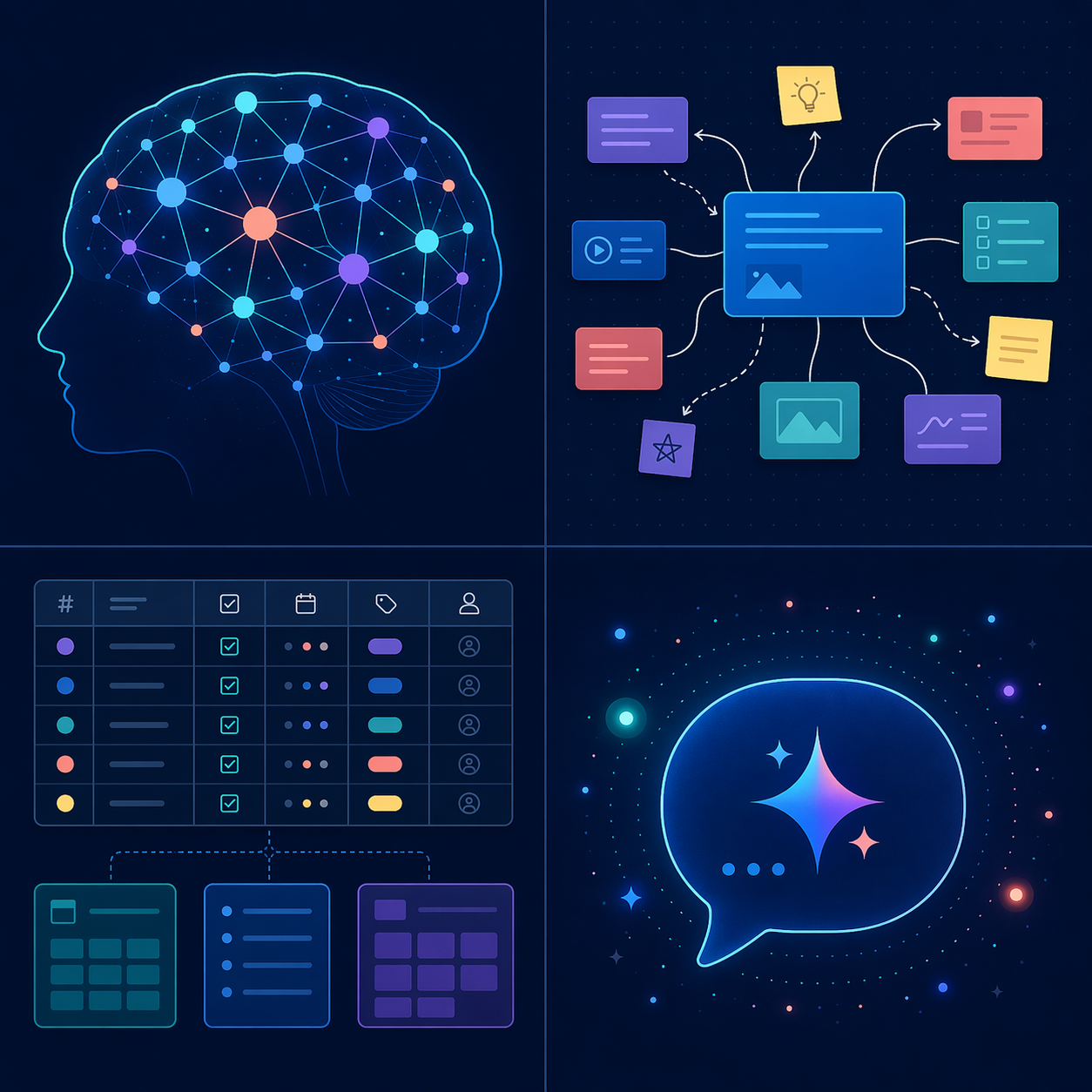
Every PKM tool makes a bet about how people think best. Some assume you think in networks of connected ideas. Others assume you think in structured databases, or in visual spaces, or in conversations with an AI. Understanding which bet a tool is making is more useful than comparing its feature list against another tool's, because the philosophy determines the ceiling on what the tool can do for you.
1. Local-First Graph-Based Tools
These tools treat your notes as a personal wiki of plain-text files stored on your local device. They emphasize bidirectional linking, graph visualization, and community plugins over built-in features. The philosophy: your knowledge base should be a network of atomic ideas that you navigate by connection, not by folder hierarchy.
The flagship tools here are Obsidian and Logseq. Obsidian stores notes as plain Markdown files in a local folder, making them readable by any text editor. Its plugin ecosystem now exceeds 1,400 community plugins across multiple sources, though one source (Kosmik) claims 2,000+. Logseq is completely free and open-source, with local storage and a built-in whiteboard feature. Both tools prioritize data ownership and offline access above all else.
2. All-in-One Workspaces
These tools combine note-taking, project management, databases, and collaboration into a single platform. They are cloud-first, team-friendly, and designed for structured information. The philosophy: your knowledge base should live alongside your tasks, projects, and team communication in one searchable workspace.
Notion is the dominant player here, having surpassed 30 million users in 2025 according to the Dataintelo market report. Coda offers a similar model with a more document-centric approach. These tools excel at structured data — tables, databases, kanban boards — but their performance can degrade in large workspaces, and they lock your data into their cloud ecosystem.
3. AI-Native Synthesis Platforms
A new category that emerged in the last two years: tools built from the ground up around AI-powered retrieval, summarization, and synthesis. Rather than asking you to file notes manually, they ingest your information and let you ask questions in natural language. The philosophy: the tool should do the remembering and connecting; you should do the thinking.
Tools in this category include Atlas, Mem, and Tana. Atlas positions itself as a research workspace with AI synthesis features at $20/month for the Pro plan. Tana uses an outliner-based interface with AI-powered search and tagging. Mem focuses on automatic organization through AI. The Dataintelo report notes that AI-enhanced PKM tools improve information retrieval efficiency by up to 47% and reduce time spent searching by an estimated 35%, though these figures come from within the report's own analysis rather than independent studies.
4. Visual and Spatial Tools
These tools replace the traditional list or document interface with an infinite canvas where you arrange notes, images, and ideas spatially. The philosophy: thinking is spatial — you understand complex topics by seeing relationships in physical space, not by scrolling through linear text.
Heptabase and Kosmik are the leading examples. Heptabase lets you create visual cards and arrange them on whiteboards, with a focus on research and learning workflows. Kosmik offers a spatial canvas with web clipping and annotation features. These tools appeal to visual thinkers who find graph views too abstract and document lists too linear.
5. Object-Based Systems
A newer philosophy that treats every piece of information as a typed object — a person, a book, a project, a meeting — rather than a note. Instead of writing a note about a book, you create a Book object with fields for author, summary, and highlights. The philosophy: knowledge is structured, and the tool should enforce that structure rather than letting you dump everything into undifferentiated text.
Capacities and Anytype lead this category. Capacities offers a free tier with a Pro plan at $9.99/month. Anytype is currently free during beta development, with a focus on offline, open-source, and local-first approaches, featuring a peer-to-peer architecture that does not rely on cloud servers. These tools appeal to users who find traditional note-taking too unstructured and want a database-like approach to personal knowledge.
Category-by-Category Comparison: Pricing, Platforms, and Best-For Verdicts
The following tables compare tools within each philosophy category. Pricing data was last verified from multiple sources in June 2026. Note that AI add-on pricing is particularly volatile — the Dataintelo report notes that AI features command a 40-80% premium over base subscription tiers, and enterprise PKM licenses range from $12 to $28 per user per month.
Local-First Graph-Based Tools
| Tool | Pricing | Platforms | Key Differentiator | Best For |
|---|---|---|---|---|
| Obsidian | Free (personal); Sync $4/mo; Commercial $50/yr | Windows, Mac, Linux, iOS, Android | 1,400+ community plugins; plain Markdown files | Users who want full data ownership and a customizable system |
| Logseq | Free (all features, open-source) | Windows, Mac, Linux, iOS, Android | Completely free; built-in whiteboard; outliner + graph | Users who want a free, open-source tool with no paid tiers |
All-in-One Workspaces
| Tool | Pricing | Platforms | Key Differentiator | Best For |
|---|---|---|---|---|
| Notion | Free (Personal); Plus $10/user/mo; AI add-on $10/mo | Web, Windows, Mac, iOS, Android | 30M+ users; databases, wikis, and docs in one platform | Teams and individuals who need structured project + knowledge management |
| Coda | Free; Pro $10/user/mo; Team $30/user/mo | Web, Windows, Mac, iOS, Android | Document-centric with powerful tables and automations | Users who prefer a document-first approach over database-first |
AI-Native Synthesis Platforms
| Tool | Pricing | Platforms | Key Differentiator | Best For |
|---|---|---|---|---|
| Atlas | $20/mo Pro | Web, iOS, Android | AI-powered research workspace with synthesis features | Researchers and knowledge workers who want AI to summarize and connect their notes |
| Mem | Free; Team $14.99/mo | Web, Mac, iOS | Automatic organization through AI; smart search | Users who want minimal manual filing and strong AI search |
| Tana | Free (beta); paid tiers TBD | Web, iOS | Outliner-based with AI-powered tagging and search | Users who prefer structured outlines with AI assistance |
Visual and Spatial Tools
| Tool | Pricing | Platforms | Key Differentiator | Best For |
|---|---|---|---|---|
| Heptabase | $11.99/mo or $95.88/yr | Web, Mac, Windows, iOS | Visual card-based whiteboard for research and learning | Visual thinkers who want to arrange ideas spatially |
| Kosmik | Free; Pro €9/mo | Web, Mac, Windows | Spatial canvas with web clipping and annotation | Users who collect web content and want to organize it visually |
Object-Based Systems
| Tool | Pricing | Platforms | Key Differentiator | Best For |
|---|---|---|---|---|
| Capacities | Free; Pro $9.99/mo | Web, iOS, Android | Typed objects (person, book, project) instead of notes | Users who want structured, database-like knowledge management |
| Anytype | Free (beta, open-source) | Web, Windows, Mac, Linux, iOS, Android | Peer-to-peer architecture; offline-first; no cloud dependency | Privacy-focused users who want local storage with sync |
Detailed Tool Profiles: Honest Strengths and Weaknesses
Each tool philosophy has trade-offs that no feature update can eliminate. The following profiles highlight what each tool does best, where it falls short, and who should avoid it.
Local-First Graph-Based: Obsidian and Logseq
Obsidian's greatest strength is also its greatest weakness: flexibility. With 1,400+ community plugins, you can turn Obsidian into almost anything — a daily journal, a project manager, a Zettelkasten, a writing platform. But that flexibility comes at a cost. New users often experience decision paralysis: which plugins should I install? How should I structure my vault? The mobile apps are noticeably slower than the desktop versions, and syncing across devices requires either the paid Sync service ($4/month) or a third-party solution like iCloud or Git.
Logseq takes a different approach: it is completely free and open-source, with no paid tiers at all. Its outliner-based interface appeals to users who think in hierarchical bullet points rather than freeform prose. The built-in whiteboard feature is a differentiator that Obsidian lacks. However, Logseq's plugin ecosystem is smaller, and its community is less established. For users who want a free, local-first tool with zero financial commitment, Logseq is the strongest option.
All-in-One Workspaces: Notion and Coda
Notion's 30 million users make it the most widely adopted tool in this comparison. Its database-driven approach is unmatched for structured information — project tracking, CRM, content calendars, and team wikis all feel natural inside Notion. The AI add-on ($10/month) adds summarization, writing assistance, and Q&A over your workspace.
But Notion has real weaknesses. Performance degrades noticeably in large workspaces with hundreds of pages and databases. It is cloud-only — there is no offline-first mode, and your data lives entirely on Notion's servers. Export options exist but do not preserve database structures, making migration painful. For users who prioritize speed and data ownership, Notion may feel restrictive.
Coda offers a similar model with a more document-centric feel. Its tables and automations are powerful, and its pricing is competitive. However, it has a smaller user base and fewer third-party integrations than Notion.
AI-Native Platforms: Atlas, Mem, and Tana
Atlas positions itself as a research workspace for knowledge workers who deal with large volumes of information. Its AI synthesis features can summarize multiple sources, extract key points, and suggest connections between notes. At $20/month for the Pro plan, it is one of the more expensive options, but it targets users who would otherwise spend hours manually organizing research.
Mem focuses on automatic organization. You write notes, and Mem's AI tags, links, and surfaces them without manual effort. This is appealing for users who find traditional filing systems tedious, but it also means you have less control over how your knowledge is structured. If the AI misclassifies something, fixing it can be harder than filing it correctly in the first place.
Tana uses an outliner interface combined with AI-powered tagging. Its super-tag system lets you define structured types (like Capacities) while maintaining the flexibility of an outliner. Tana was still in beta at the time of research, with paid pricing not yet finalized, so early adopters should expect changes.
Visual and Spatial Tools: Heptabase and Kosmik
Heptabase is the most polished visual PKM tool available. Its card-based whiteboard interface lets you arrange ideas spatially, group them into collections, and link them across boards. It is particularly strong for learning complex topics — you can map out a subject visually, then drill into individual cards for detail. The downside: it is less effective for quick capture or daily journaling, and its mobile experience is still maturing.
Kosmik offers a spatial canvas with web clipping and annotation features. It is useful for collecting and organizing web research visually. However, the Kosmik guide has a clear commercial interest — it promotes Kosmik as its own tool — so its recommendations should be evaluated with that context in mind.
Object-Based Systems: Capacities and Anytype
Capacities replaces the note with the object. Instead of writing a note about a book, you create a Book object with fields for author, publication date, summary, and highlights. This structure makes retrieval powerful — you can query all books, all people, all projects — but it requires upfront discipline. Users who prefer freeform writing may find the object model constraining.
Anytype is the most ambitious tool in this category in terms of data ownership. Its peer-to-peer architecture means there is no central server — your data syncs directly between your devices. It is open-source and currently free during beta. The trade-off: the peer-to-peer sync is less reliable than cloud-based sync, and the tool is still under active development with occasional breaking changes.
Decision Framework: How to Choose Based on Your Thinking Style
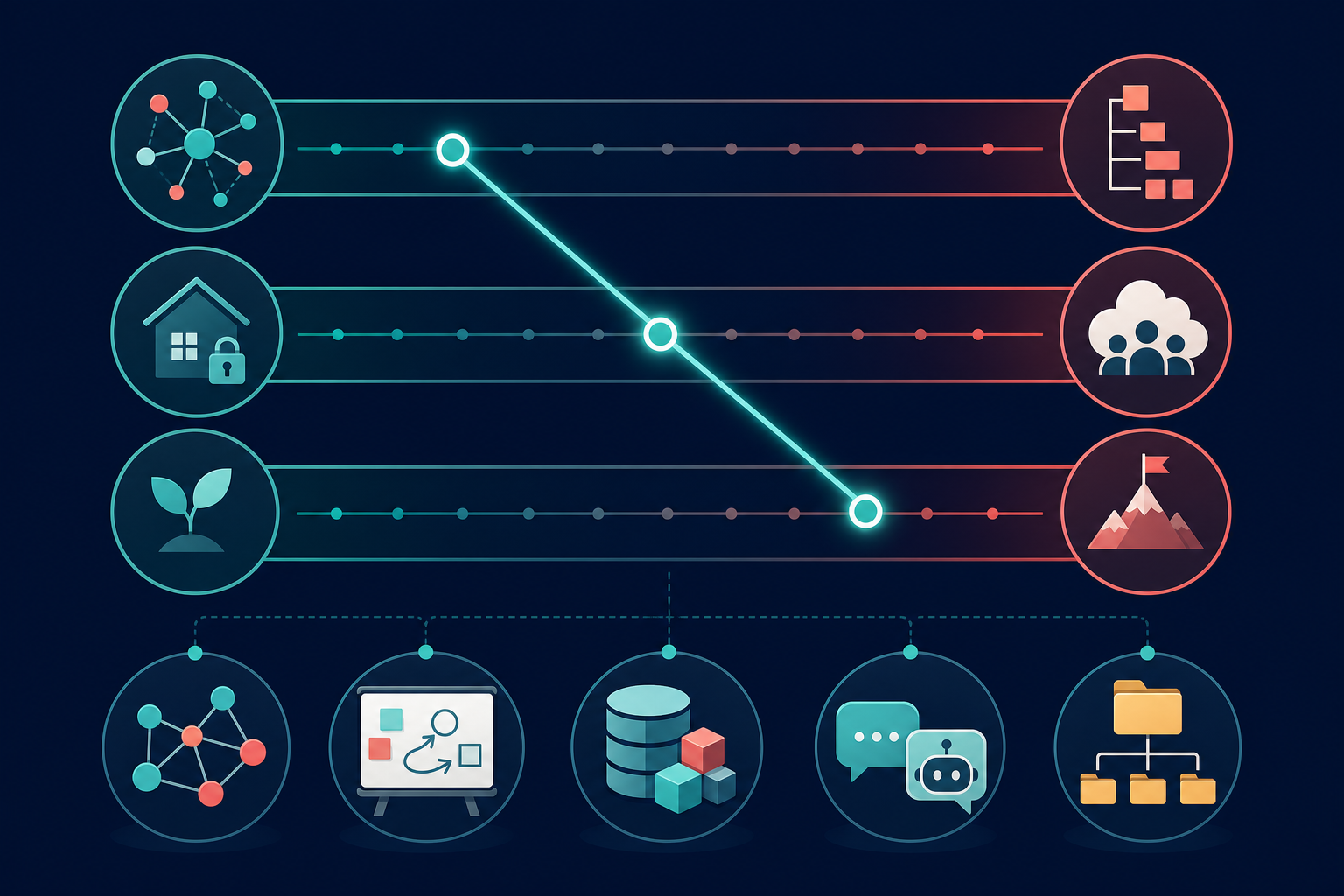
The right PKM tool depends on three axes: how you think, where you want your data to live, and how much time you are willing to invest in setup. The following framework maps these axes to the five tool philosophies.
| Axis | Option A | Option B | Implication |
|---|---|---|---|
| Thinking style | Networked (ideas connect in graphs) | Structured (ideas fit in databases) | Networked thinkers prefer Obsidian, Logseq, Heptabase. Structured thinkers prefer Notion, Capacities, Anytype. |
| Data ownership | Local / private | Cloud / collaborative | Local-first users choose Obsidian, Logseq, Anytype. Cloud users choose Notion, Atlas, Mem. |
| Setup investment | Low (start immediately) | High (build a system) | Low-investment users choose Mem, Tana, or Notion templates. High-investment users choose Obsidian or Capacities. |
If you are unsure about your thinking style, start with the tool that requires the least setup commitment. The Atlas guide notes that PARA is the easiest method to start with and the one most likely to survive a busy quarter. Most working PKM systems blend PARA for filing with Zettelkasten or Building a Second Brain for thinking. You can always migrate to a more philosophy-specific tool later.
Methodology and Caveats
This comparison was conducted by aggregating data from eight sources published between February and June 2026, including market research reports, independent tool guides, and vendor documentation. Pricing data was last verified against these sources in June 2026. However, several caveats apply.
- Market size figures ($1.8 billion in 2025, $4.9 billion by 2034, 11.8% CAGR) come from a single research firm, Dataintelo. Cross-verification with other market research would strengthen these estimates.
- Obsidian's plugin count varies across sources: 1,400+ (GoLinks, Atlas), 1,000+ (Deepak Gupta), and 2,000+ (Kosmik). The actual number depends on counting methodology and changes frequently.
- Notion AI pricing is reported inconsistently. Some sources list it as a $10/month add-on; one source (Kosmik) states it is now only available in Business and Enterprise plans. Verify current pricing on Notion's official website.
- The 9.3 hours/week searching statistic and the 20% productivity lift figure are attributed to McKinsey research but appear in multiple PKM guides without direct primary-source links. Treat these as industry-consensus estimates.
- GoLinks, Kosmik, and ToolFinder guides all have commercial interests — GoLinks promotes its own knowledge management platform, Kosmik promotes its spatial canvas tool, and ToolFinder is an affiliate comparison site. Their tool recommendations should be evaluated with this context.
- The Dataintelo report, while detailed, is a single source for all market statistics. The AI efficiency figures (47% improvement in retrieval efficiency, 35% reduction in search time) come from within the report's own analysis rather than independent studies.
Frequently Asked Questions
Which PKM tool is best for beginners?
For absolute beginners, start with Logseq (completely free, minimal setup) or the free tier of Notion (widely used, large community, plenty of templates). Both have gentle learning curves compared to Obsidian or Capacities. The Atlas guide notes that PARA is the easiest method to start with, and both Logseq and Notion support PARA-style organization well.
Which tool is most private and secure?
Obsidian and Logseq store your notes as local files — no cloud dependency, no server-side access. Anytype takes this further with peer-to-peer architecture that eliminates central servers entirely. For maximum privacy, choose Obsidian with local-only storage or Anytype with its P2P sync. Cloud-based tools like Notion, Atlas, and Mem store your data on their servers and are subject to their privacy policies.
Which tool has the best AI features?
Atlas, Mem, and Tana are built around AI from the ground up, making them the strongest choices for AI-powered retrieval and synthesis. Notion's AI add-on is capable but feels bolted onto an existing platform. The Dataintelo report notes that AI-enhanced PKM tools improve retrieval efficiency by up to 47%, though this figure should be treated as an estimate rather than a verified benchmark. For a broader look at AI productivity tools, see our AI productivity apps comparison.
Can I use multiple PKM tools together?
Yes, and many knowledge workers do. A common pattern is to use a local-first graph tool (Obsidian or Logseq) for personal knowledge and an all-in-one workspace (Notion or Coda) for team collaboration. The key is to have a clear boundary: which tool owns which type of information. Avoid duplicating the same notes across tools, as that creates the very fragmentation PKM tools are meant to solve.
How do I migrate between PKM tools?
Migration difficulty varies by tool pair. Tools that use plain Markdown files (Obsidian, Logseq) are the easiest to migrate from. Tools with proprietary databases (Notion, Capacities) require export and import steps that may lose some structure. Our migration guides cover specific migration paths, including Evernote to Notion and Roam to Obsidian, with explicit data-loss risk ratings for each path.
What if my current tool isn't working for me?
If your PKM tool feels like a burden rather than a help, the problem may not be the tool — it may be a mismatch between the tool's philosophy and your thinking style. Our thinking-style diagnostic guide helps you identify whether you need a different tool philosophy or just a different setup within your current tool.
Comments
Join the discussion with an anonymous comment.