
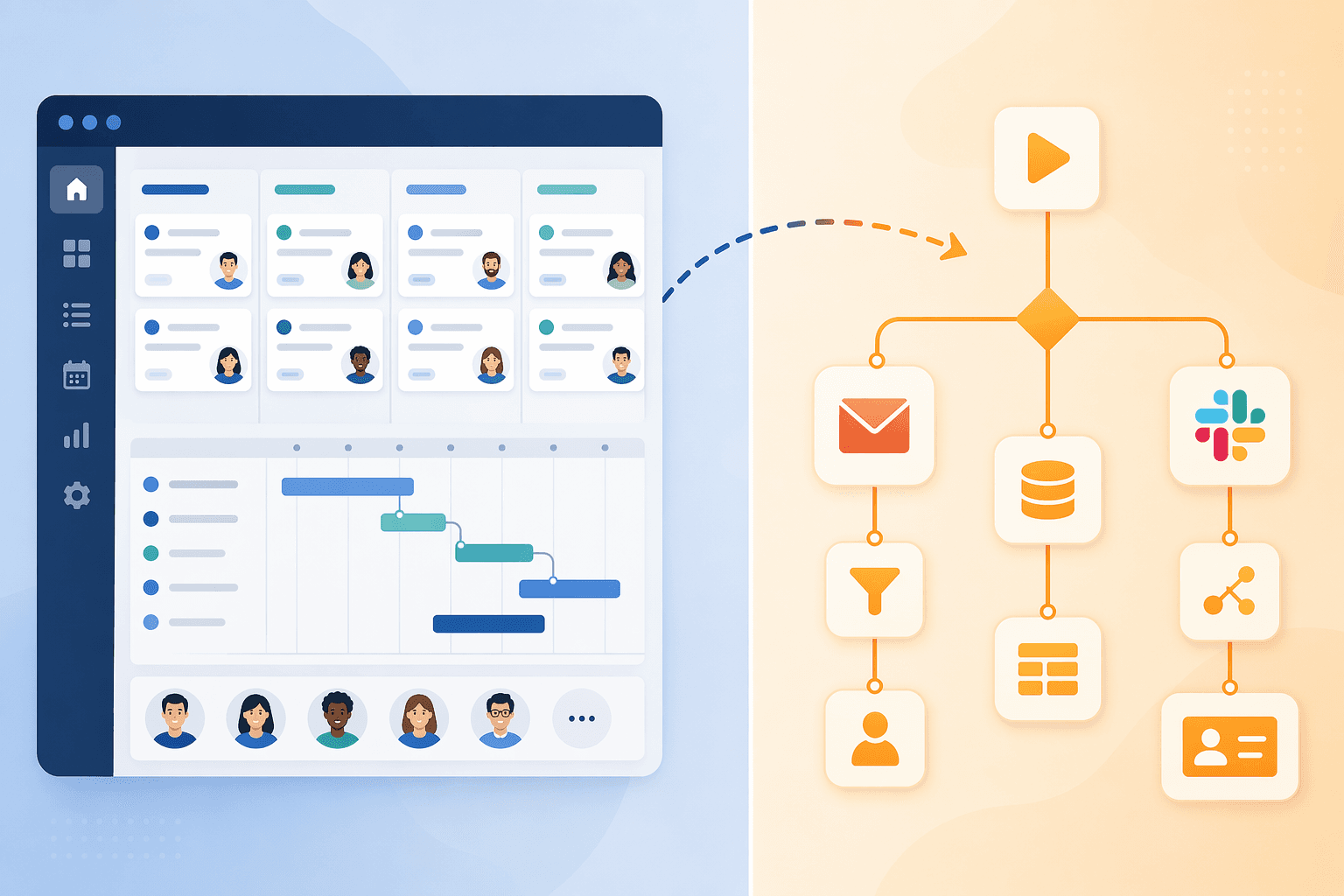
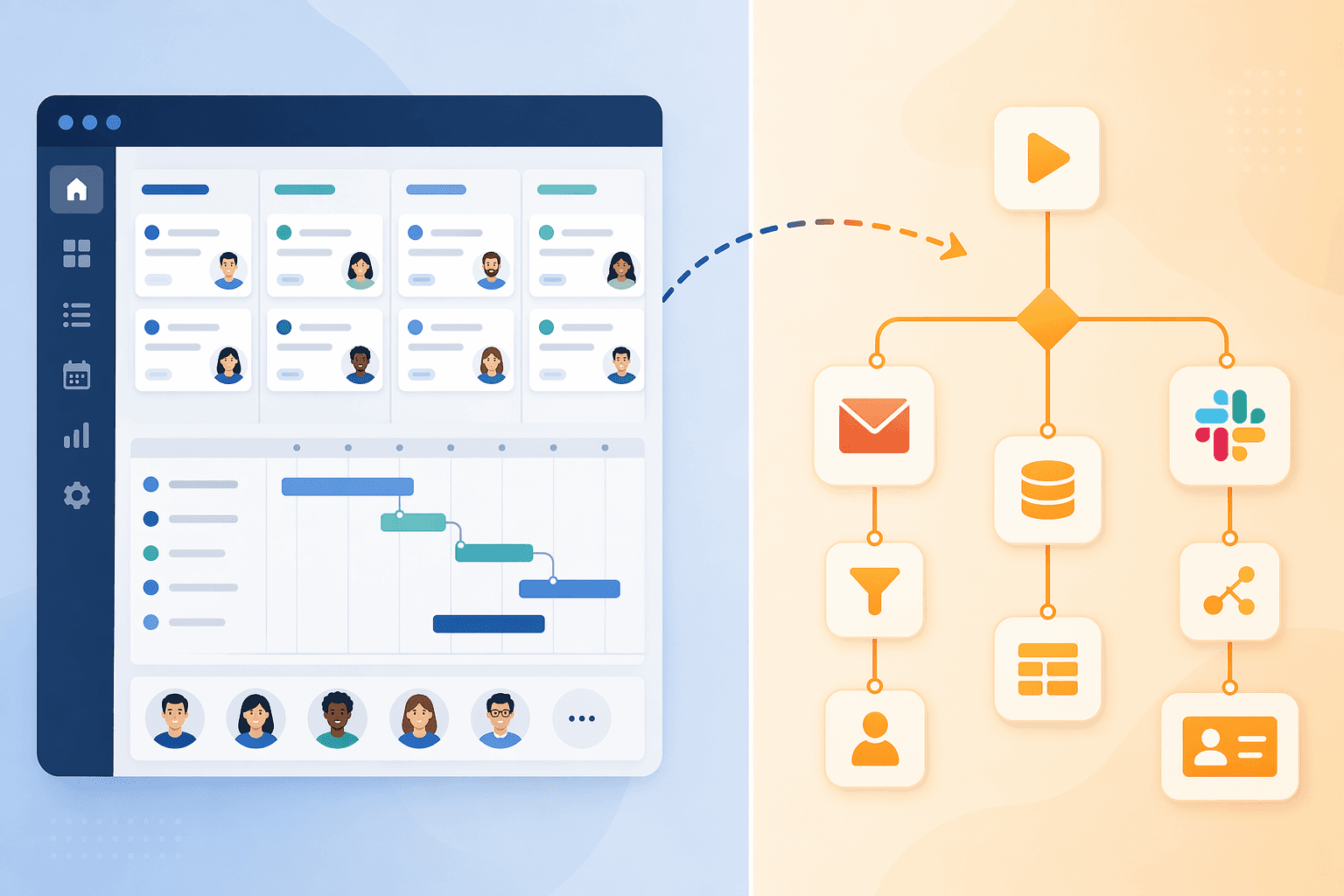
Why Most Teams Need Two Tools, Not One
If you have ever tried to manage a cross-functional project in a tool that promises to be "everything" — task tracking, document collaboration, real-time chat, CRM, and automation — you have probably run into the same wall: the tool does a few things well and the rest poorly. This is not a coincidence. The workflow management software market has evolved into two distinct categories that serve fundamentally different jobs.
Full-stack work management platforms — Asana, Monday.com, ClickUp, Smartsheet, and Wrike — are built to track, assign, and visualize work. They give you Gantt charts, Kanban boards, workload views, goal tracking, and reporting. Their job is to answer "who is doing what by when?"
Automation-layer tools — Zapier, Make, and n8n — are built to move data between apps. Their job is to answer "when this happens in app A, what should happen in app B?" They do not manage projects; they connect them.
The mistake many teams make is expecting one category to do the other's job. A team that buys Monday.com expecting it to handle complex multi-app data pipelines will hit automation caps and integration limits. A team that buys Zapier expecting it to manage project timelines will find it has no task dependencies, no resource management, and no reporting. The result is tool-switching fatigue: teams end up duct-taping together a half-functional system and still missing capabilities.
For a deeper look at how orchestration differs from basic automation, see our guide on workflow orchestration vs. automation. If you are still deciding between automation tools alone, our Zapier vs Make vs n8n comparison covers that ground in detail.
Quick Comparison: Full-Stack Platforms vs. Automation Tools at a Glance
Before diving into individual tools, it helps to see how the two categories stack up against each other on the dimensions that matter most for team decision-making.
| Dimension | Full-Stack Platforms | Automation-Layer Tools |
|---|---|---|
| Primary function | Track, assign, and visualize work (tasks, timelines, goals) | Move data between apps (triggers, actions, transformations) |
| Pricing model | Per-user per-month ($7–$25/seat) | Per-task or per-execution ($9–$69/month base + usage) |
| Automation limits | Varies by plan (250–unlimited actions/month) | Varies by plan (750–unlimited tasks/executions/month) |
| Integration count | 100–1,000+ native integrations | 1,500–9,000+ native integrations |
| Ideal team size | 5–500+ (scales with plan tier) | 1–200+ (scales with usage volume) |
| Technical skill required | Low – medium (no-code UI, some configuration) | Low – high (Zapier: low; n8n: medium-high) |
| Best for | Planning, accountability, cross-team visibility | Data sync, notification chains, multi-app workflows |
Full-Stack Work Management Platforms: Deep Dive
These five platforms dominate the full-stack category. Each has a different pricing philosophy, automation ceiling, and best-fit audience. The table below summarizes the key numbers; the sections that follow explain what they mean in practice.
| Platform | Starting Price (per seat/mo) | Automation Limit (paid plans) | Key Strength | Not for You If… |
|---|---|---|---|---|
| ClickUp | $7 (Unlimited plan) | Unlimited on all paid plans | Best price-to-feature ratio; 1,000+ integrations | You need a polished, bug-free experience out of the box |
| Monday.com | $9 (Basic) / $12 (Standard) / $19 (Pro) | 250 (Standard) / 25K (Pro) / 250K (Enterprise) | Easiest visual workflow builder; AI-powered generator | Your workflows consume more than 25K automations/month |
| Asana | $10.99 (Starter) / $24.99 (Advanced) | Up to 25,000/month on Advanced | Best-in-class Goals/OKR tracking; 80+ workflow templates | You need OKR features but cannot justify $24.99/seat |
| Wrike | $10 (Team) / $25 (Business) | Rule-based; AI suggests automations for repetitive patterns | AI-powered automation suggestions; 400+ integrations | Your team prefers a simple, non-enterprise interface |
| Smartsheet | $9 (Pro) / $19 (Business) | 250 actions/month (Pro) / unlimited (Business) | Spreadsheet-style interface; Gantt charts; data-heavy teams | Your team hates spreadsheets and wants a visual-first UI |
ClickUp: The Value Leader with a Learning Curve
ClickUp's Unlimited plan at $7 per user per month includes goals, portfolios, Gantt charts, time tracking, and — critically — unlimited automations. No other full-stack platform offers unlimited automations on its entry-level paid plan. The free plan supports unlimited users but limits automation features. ClickUp also boasts over 1,000 native integrations, including Slack, GitHub, Zapier, Miro, Wrike, Airtable, and Jira.
The trade-off is polish. Multiple sources note that ClickUp has a steep learning curve and more bugs than its competitors. Teams that need a tool that "just works" from day one may find themselves spending more time configuring than executing. The Business plan ($12/user/month) adds unlimited dashboards, which larger teams may need for cross-project visibility.
Monday.com: Visual-First Automation with Hard Caps
Monday.com's visual workflow builder is widely considered the easiest in the category. Users can drag and drop triggers, conditions, and actions without writing a single line of configuration. The platform also offers an AI-powered workflow generator that can create automations from natural language descriptions.
The catch is automation caps. The Standard plan ($12/seat/month) includes only 250 automation actions per month. The Pro plan ($19/seat/month) raises that to 25,000. For teams running even moderately complex workflows — say, 50 automated actions per task across 100 tasks per month — the Pro plan's 25K ceiling becomes a real constraint. The Enterprise plan offers 250,000 automations, but pricing is custom and typically out of reach for teams under 100 people.
Monday.com integrates with 200+ apps natively, including Slack, Google Drive, Jira, and GitHub. Its pricing complexity — four tiers with different feature sets — means teams should calculate their automation needs before committing to a plan.
Asana: Best Goals/OKR Implementation, High Price for Advanced Features
Asana's Starter plan ($10.99/user/month) covers basic project management, but the features that differentiate Asana — Goals, OKR tracking, Portfolios, and cross-functional reporting — require the Advanced plan at $24.99/user/month. For a 20-person team, that is a $3,594 annual gap compared to Monday.com's Pro plan, which includes comparable features at $19/seat.
Asana's automation limits reach up to 25,000 actions per month on the Advanced plan, with 80 pre-built workflow templates and an AI Studio for building custom automations. The platform integrates with 270+ apps natively. For teams that prioritize goal alignment and cross-functional coordination over raw automation volume, Asana's Advanced plan is a strong choice — but the price jump from Starter to Advanced is steep.
Wrike: AI-Powered Automation Suggestions for Scaling Teams
Wrike's distinguishing feature is its AI-powered automation suggestion engine. The platform monitors team activity — which tasks are repeatedly assigned to the same people, which status changes follow a predictable pattern — and recommends automation rules to streamline those patterns. For teams that are scaling rapidly and may not have the bandwidth to design workflows manually, this feature can surface efficiency gains that would otherwise go unnoticed.
Wrike starts at $10/user/month (Team plan) and $25/seat/month (Business plan). It offers over 400 integrations, including Microsoft Teams, Slack, Salesforce, Jira, and DocuSign. The platform's enterprise orientation means it includes features like custom request forms, cross-tag reporting, and an ideation hub — but also means the interface can feel heavy for smaller teams.
Smartsheet: Spreadsheet-Style Workflows for Data-Heavy Teams
Smartsheet occupies a unique niche: it looks and feels like a spreadsheet but functions as a full work management platform with Gantt charts, automated alerts, dynamic workflows, and pre-built templates. For teams that live in Excel or Google Sheets and need to graduate to structured project management without abandoning the grid interface, Smartsheet is the natural fit.
Pricing starts at $9/member/month (Pro plan) with 250 automation actions per month. The Business plan ($19/member/month) removes the automation cap entirely. Smartsheet integrates with Microsoft Teams, Slack, Salesforce, Jira, and DocuSign. It is less suited for teams that want a visual, card-based interface — those teams should look at Monday.com or ClickUp instead.
Automation-Layer Tools: Deep Dive
The three major automation tools — Zapier, Make, and n8n — differ sharply in pricing model, technical complexity, and deployment options. The table below captures the key differences; the sections that follow explain the practical implications.
| Tool | Starting Price | Pricing Model | Integration Count | Key Strength | Not for You If… |
|---|---|---|---|---|---|
| Zapier | $20/month (750 tasks) | Per task (each step = 1 task) | 8,000–9,000+ | Easiest to learn; largest integration library | You run complex multi-step workflows (costs add up fast) |
| Make | $9/month | Per execution (entire workflow = 1) | 1,500–2,000 | Visual builder with branching and loops | You need a beginner-friendly interface |
| n8n | Free (self-hosted) / $20/month (cloud) | Per execution (entire workflow = 1) | 1,000+ native + unlimited via HTTP Request node | Full self-hosted deployment; HIPAA/GDPR compliance | Your team has no technical resources to self-host |
Zapier: The Easiest On-Ramp, but Per-Task Pricing Bites at Scale
Zapier's greatest strength is also its greatest weakness: it charges per task, where every step in a multi-step workflow counts as a separate task. A 10-step workflow that runs 100 times consumes 1,000 tasks. On the $20/month plan (750 tasks), that single workflow would exceed the monthly allowance in less than a month.
For simple two- or three-step automations — "when a new form submission arrives, create a task in Asana" — Zapier is the fastest and most beginner-friendly option. Its 8,000+ native integrations mean you can connect virtually any SaaS app without writing code. The Teams plan ($69/month for 25 users) adds shared workspaces and managed permissions.
The per-task pricing model makes Zapier expensive for teams that run complex, high-volume workflows. A team that processes 500 orders per month through a 12-step fulfillment automation would burn through 6,000 tasks — requiring the $100/month plan or higher. At that volume, Make or n8n would be significantly cheaper.
Make: Visual Builder with Advanced Logic for Mid-Market Teams
Make (formerly Integromat) positions itself between Zapier's simplicity and n8n's flexibility. Its visual scenario builder supports branching, loops, aggregators, and error handling — features that Zapier lacks natively. For operations teams that need to build moderately complex data pipelines without writing code, Make offers the best balance of power and usability.
Make starts at $9/month and charges per execution, where an entire multi-step workflow counts as a single execution. This pricing model is significantly more cost-effective than Zapier for complex workflows. Make integrates with 1,500–2,000 apps natively and is cloud-only.
The learning curve is steeper than Zapier's. Users need to understand concepts like data structures, filters, and error paths. Make is best suited for teams that have at least one person comfortable with logical thinking and basic data manipulation.
n8n: Open-Source, Self-Hosted, and Compliance-Ready
n8n is the only tool in this comparison that supports full self-hosted deployment. For organizations in regulated industries — healthcare (HIPAA), finance, government — this is a decisive advantage. Data never leaves your infrastructure. n8n also offers a cloud version starting at $20/month.
n8n charges per execution, where an entire workflow counts as one execution regardless of how many steps it contains. A 10-step workflow that runs 500 times costs the same as a 2-step workflow that runs 500 times. This makes n8n dramatically cheaper than Zapier for complex workflows. The open-source edition is free, with 1,000+ native integrations and unlimited integrations via the HTTP Request node.
The trade-off is technical complexity. n8n supports full JavaScript and Python for custom transformations, and n8n 2.0 adds native LangChain integration with 70+ AI nodes. Teams without at least one technical member will struggle with setup and maintenance. For teams that have the skills, n8n offers the most flexibility and the lowest cost at scale.
How They Work Together: Common Pairings
The real power of this two-category framework emerges when you pair a full-stack platform with an automation tool. The platform handles planning, assignment, and visibility. The automation tool handles the data movement between the platform and the rest of your toolchain.
Here are the most effective pairings we have seen across teams of different sizes and technical profiles:
- Asana + Zapier: Best for cross-functional teams that need strong goal alignment (Asana's Advanced plan) and simple, high-volume automations. Zapier's 8,000+ integrations cover virtually every tool a marketing, sales, or product team uses. Use case: when a deal closes in Salesforce, Zapier creates a project in Asana and assigns tasks to the delivery team.
- Monday.com + Make: Best for visual-first teams that run moderately complex workflows. Monday.com's visual boards pair naturally with Make's branching and looping capabilities. Use case: when a support ticket reaches "escalated" status in Monday.com, Make checks the customer's SLA tier, routes to the appropriate queue, and posts a Slack notification with the expected response time.
- ClickUp + n8n: Best for cost-conscious teams or regulated industries. ClickUp's $7/user Unlimited plan with unlimited automations covers internal workflow needs, while n8n's self-hosted deployment handles external data movement with full compliance. Use case: a healthcare organization uses ClickUp for task management and n8n (self-hosted) to sync patient appointment data between the EHR system and ClickUp without exposing PHI to third-party servers.
- Wrike + Zapier or Make: Best for scaling organizations that benefit from Wrike's AI automation suggestions. Wrike identifies repetitive patterns; the automation tool implements them. Use case: Wrike's AI notices that every time a design review is marked "changes requested," a new subtask is created for the designer. Zapier or Make automates that subtask creation and sends a notification.
- Smartsheet + Make: Best for data-heavy teams that need spreadsheet-style project management with complex data transformations. Smartsheet handles the structured data; Make handles the ETL between Smartsheet and other systems. Use case: when a row is added to a Smartsheet project tracker, Make transforms the data and pushes it to a Power BI dashboard.
Decision Framework: Which Stack Is Right for Your Team?
The right combination depends on your team's size, technical capability, compliance requirements, and automation volume. The table below matches common team profiles to recommended pairings.
| Team Profile | Recommended Stack | Why This Pairing | Avoid This If… |
|---|---|---|---|
| Small team (5–15), low automation volume, non-technical | Monday.com Standard + Zapier Starter | Monday.com's visual builder is easy to learn; Zapier handles simple integrations without technical help | Your automation needs exceed 250 actions/month on Monday.com or 750 tasks/month on Zapier |
| Mid-size team (15–50), moderate automation, has one ops person | ClickUp Unlimited + Make Pro | ClickUp's unlimited automations cover internal workflows; Make's branching handles complex data pipelines at a lower cost than Zapier | Your team needs a polished, bug-free experience from day one (ClickUp's learning curve may frustrate) |
| Enterprise (50–500), compliance requirements (HIPAA/GDPR) | ClickUp Unlimited + n8n self-hosted | n8n's self-hosted deployment meets compliance requirements; ClickUp's $7/user pricing keeps costs manageable at scale | Your team has no technical resources to self-host n8n |
| Operations-heavy team (20–100), high automation volume | Wrike Business + Make Pro or n8n cloud | Wrike's AI automation suggestions identify optimization opportunities; Make or n8n handle the high-volume execution | Your team prefers a simple, non-enterprise interface |
| Data-heavy team (10–50), spreadsheet-native | Smartsheet Business + Make Pro | Smartsheet's spreadsheet interface and unlimited automations pair naturally with Make's data transformation capabilities | Your team hates spreadsheets and wants a visual-first interface |
| Cross-functional team (20–100), goal-oriented | Asana Advanced + Zapier Teams | Asana's Goals/OKR features drive alignment; Zapier's 8,000+ integrations connect the full toolchain | You cannot justify $24.99/seat for Asana Advanced but need OKR features |
Real-World Pricing: Annual Cost Estimates for a 20-Person Team
Pricing is often the deciding factor for teams evaluating these stacks. The table below shows annual costs for a 20-person team using each recommended pairing, including both the full-stack platform and the automation tool.
| Stack | Full-Stack Platform Cost (20 seats/yr) | Automation Tool Cost (yr) | Total Annual Cost | Key Cost Driver |
|---|---|---|---|---|
| Monday.com Standard + Zapier Starter | $12/seat × 20 × 12 = $2,880 | $20/month × 12 = $240 | $3,120 | Monday.com's 250 automation cap may force upgrade to Pro ($19/seat = $4,560/yr) |
| ClickUp Unlimited + Make Pro | $7/seat × 20 × 12 = $1,680 | $9/month × 12 = $108 | $1,788 | ClickUp's unlimited automations keep costs predictable |
| ClickUp Unlimited + n8n self-hosted | $7/seat × 20 × 12 = $1,680 | $0 (self-hosted, open-source) | $1,680 | Requires server infrastructure and technical maintenance |
| Wrike Business + Make Pro | $25/seat × 20 × 12 = $6,000 | $9/month × 12 = $108 | $6,108 | Wrike's Business plan is the most expensive per-seat option |
| Smartsheet Business + Make Pro | $19/seat × 20 × 12 = $4,560 | $9/month × 12 = $108 | $4,668 | Smartsheet's Business plan removes automation caps |
| Asana Advanced + Zapier Teams | $24.99/seat × 20 × 12 = $5,998 | $69/month × 12 = $828 | $6,826 | Asana Advanced is $3,594/yr more than Monday.com Pro for 20 seats |
The cost gap between stacks is significant. A team using ClickUp Unlimited + n8n self-hosted pays $1,680 per year. A team using Asana Advanced + Zapier Teams pays $6,826 — more than four times as much. The difference is driven almost entirely by the full-stack platform's per-seat pricing, not the automation tool.
Frequently Asked Questions
Can one tool do everything?
Not well. Full-stack platforms like ClickUp and Monday.com include built-in automation features, but those automations are limited to actions within the platform and its direct integrations. They cannot, for example, monitor a CRM for new leads, check inventory in a separate system, and then create a task — all in one automated flow that spans three unrelated apps. That is what automation-layer tools are built for. Trying to force a full-stack platform to do complex cross-app automation leads to workarounds, maintenance headaches, and missed triggers.
When should I use only a full-stack platform without an automation tool?
If your workflows are entirely contained within the platform — task assignments, status changes, notifications to team members — the built-in automation features of ClickUp, Monday.com, or Smartsheet are sufficient. You only need an external automation tool when data needs to move between the platform and other apps (CRM, email, billing, support, etc.).
When should I add an automation tool to my existing platform?
Add an automation tool when you find yourself manually copying data between apps, when your team misses notifications because they are scattered across tools, or when your platform's built-in automation caps are forcing you to choose between upgrading to an expensive plan or leaving workflows unautomated. If you are running more than a few hundred cross-app automations per month, a dedicated automation tool will save both time and money.
What about AI-native tools?
AI-native workflow tools (like Gumloop or agentic automation platforms) are an emerging category that sits between full-stack platforms and automation-layer tools. They can generate workflows from natural language descriptions and handle unstructured data (emails, PDFs, chat transcripts) that traditional automation tools struggle with. However, they are still maturing and lack the mature project management features of full-stack platforms. For most teams today, the best approach is a full-stack platform plus an automation tool, with AI features used where they add value — such as Wrike's automation suggestions or Monday.com's AI workflow generator.
Where can I learn more about BPM vs. workflow automation?
If you are evaluating whether your team needs a formal Business Process Management (BPM) approach versus lightweight workflow automation, our BPM vs. workflow automation decision guide provides a structured framework for making that call. For a team-size-focused view of workflow management software, see our best workflow management software of 2026 comparison.



Comments
Join the discussion with an anonymous comment.