
What AutoML Means for Workflow Automation (and Why It’s Different from Traditional RPA)
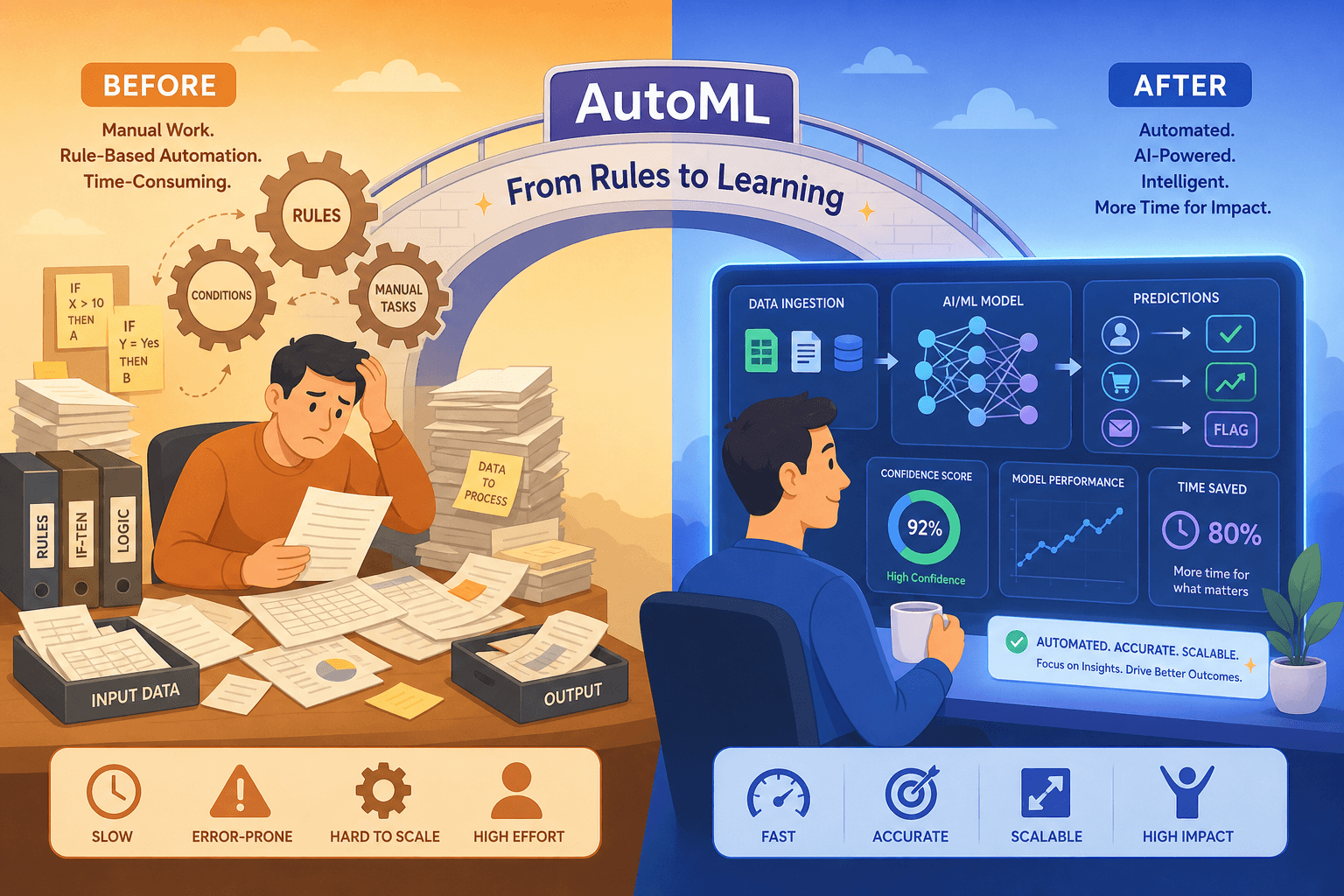
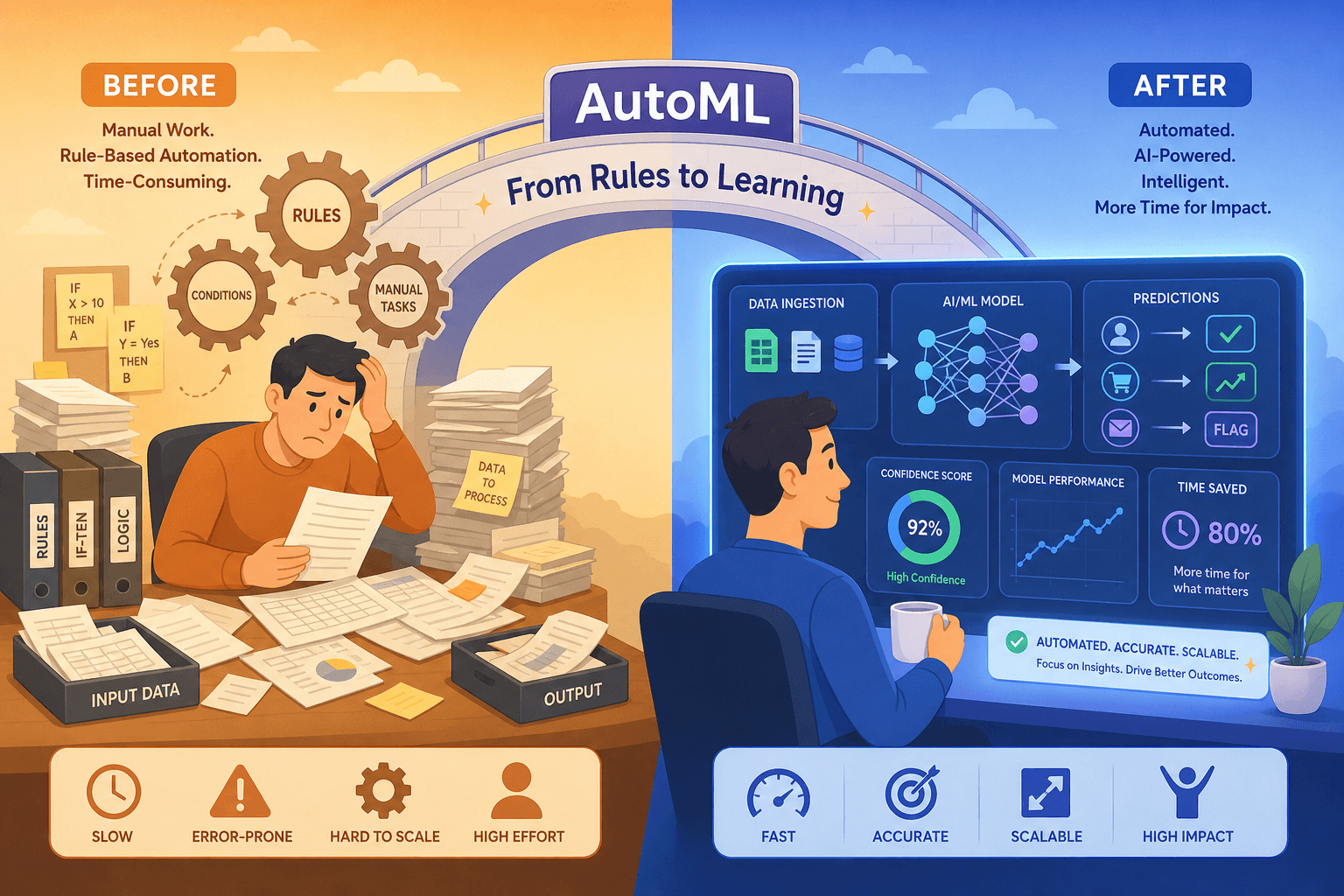
If you’ve spent any time building automation workflows, you’re likely familiar with the classic pattern: when event X happens, do action Y. That’s the domain of Robotic Process Automation (RPA) and no-code workflow tools like Zapier or Make. These tools are excellent at executing deterministic, rule-based sequences — if this spreadsheet cell updates, send that email. But they hit a wall the moment the logic becomes probabilistic.
AutoML — Automated Machine Learning — fills that gap. Instead of hardcoding rules, AutoML platforms automatically train, tune, and deploy predictive models on your data. You feed in historical records (sales figures, customer churn logs, support ticket texts), and the platform figures out which algorithm, feature set, and hyperparameters produce the most accurate predictions. The output is a model you can integrate into your workflow to make decisions on new, unseen data.
The distinction matters because the two approaches are complementary, not competitive. RPA handles the what and when of automation — the structured triggers and actions. AutoML handles the what’s likely — the prediction that informs the trigger. For example, an RPA bot can automatically route a support ticket to a senior agent, but it needs an AutoML model to first predict whether that ticket is high-priority based on language patterns and customer history.
The AutoML market is projected to grow at a compound annual growth rate (CAGR) of 42.2% from 2024 to 2030, according to a Grand View Research report cited by multiple industry analyses. That explosive growth is driven by a single, powerful trend: organizations want predictive capabilities in their workflows, but they don’t have enough data scientists to build models from scratch.
How We Evaluated These Platforms: Criteria for Non-Developer Teams
Every platform in this comparison was assessed against five criteria that matter most to productivity-focused professionals and team leads who are not writing Python day-to-day. These criteria reflect the real-world constraints of a team evaluating machine learning for automation: limited ML expertise, existing tool stacks, and budget sensitivity.
- Ease of use for non-coders: Can a team member without a data science background upload a CSV, train a model, and deploy it without writing code? We evaluated the visual interface quality, documentation clarity, and learning curve for each platform.
- Supported data types: Workflow automation data comes in many forms — tabular spreadsheets, text from support tickets, images from document scans, time-series from IoT sensors. We checked whether each platform handles the data types your workflows actually produce.
- Deployment options: Can the trained model be deployed as an API, embedded into an existing application, or integrated into a no-code workflow tool like Zapier? We prioritized platforms that offer flexible deployment without requiring DevOps support.
- Pricing model and free tier: We looked at whether a platform offers a genuinely usable free tier for prototyping, how pricing scales with usage, and whether costs are predictable or surprise-prone. All pricing data was last verified on June 17, 2026.
- Integration with existing productivity tools: A model that can’t talk to your CRM, ticketing system, or spreadsheet is useless for workflow automation. We assessed native integrations, API quality, and no-code connector availability.
We did not evaluate platforms purely on model accuracy benchmarks. For workflow automation, a model that is 85% accurate but deployable in 10 minutes is often more valuable than a 95% accurate model that requires a week of engineering work to integrate. The right trade-off depends on your use case, and our evaluation reflects that pragmatism.
The 2026 AutoML Landscape: Cloud-Managed vs. Open-Source vs. No-Code
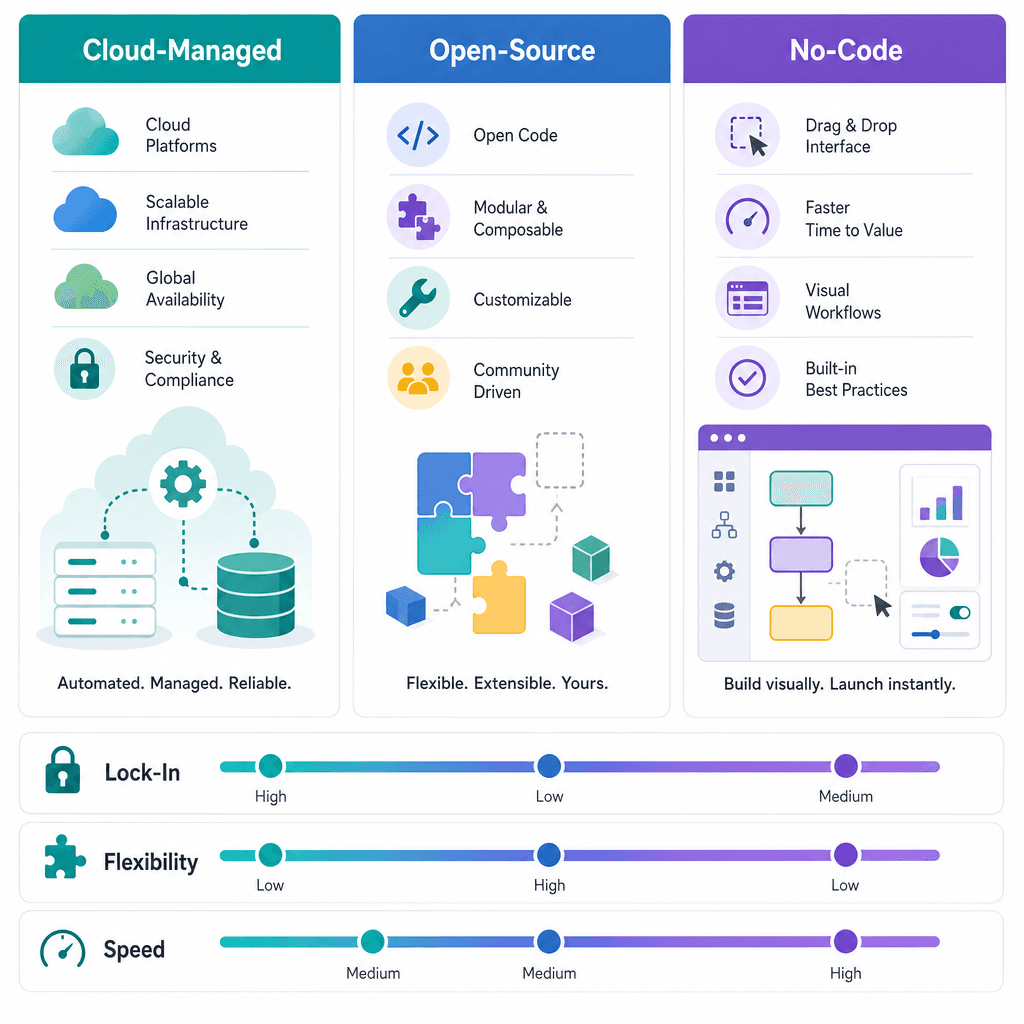
The 2026 AutoML market is not a single category. It has fractured into three distinct tiers, each with a fundamentally different trade-off between convenience, control, and cost. Understanding this framework is more important than memorizing feature lists, because your choice of category determines your platform’s ceiling and floor before you even compare individual tools.
- Cloud-managed platforms (Google Vertex AI, Azure ML, AWS SageMaker Canvas) handle infrastructure, scaling, and model serving for you. You trade away control over the underlying hardware and pay a premium for convenience. The risk is vendor lock-in: once your workflow depends on a platform-specific API, migrating is painful. These are best for teams that want to move fast and have budget flexibility.
- Open-source frameworks (AutoGluon, H2O) give you full control over the model, the deployment environment, and the data. You can export models as portable artifacts (Java POJO, Python pickle) and run them anywhere — on your own servers, in a container, or on edge devices. The cost is setup time and the need for at least one team member comfortable with a command line. These are best for teams with some technical capability who want to avoid lock-in.
- No-code tools (Obviously.ai, DataRobot) prioritize speed of prototyping over depth of customization. They offer the most polished visual interfaces and the fastest path from raw data to a deployed API. The trade-off is that you are limited to the model types and preprocessing steps the platform exposes. These are best for rapid validation and for teams that need a working model in hours, not weeks.
AutoML Platforms Compared: Side-by-Side Overview
The following table provides a high-level comparison of all seven platforms covered in this article. Use it to identify which platforms warrant a deeper look based on your team’s profile and primary automation need.
| Platform | Category | G2 Rating | Best For | Pricing Range | Code Required? | Key Strength |
|---|---|---|---|---|---|---|
| Google Vertex AI | Cloud-Managed | 4.3 / 5 | Enterprise teams using Google Cloud | Pay-as-you-go (compute + model) | Low (visual interface + SDK) | 200+ models in Model Garden (Gemini, Claude, Llama) |
| Azure ML | Cloud-Managed | 4.6 / 5 (Azure OpenAI) | Microsoft-centric organizations | Pay-as-you-go (compute + model) | Low (designer + SDK) | Multi-class classification, object detection, instance segmentation |
| AWS SageMaker Canvas | Cloud-Managed | N/A (Canvas-specific) | AWS-native teams without ML expertise | Pay-as-you-go (Canvas + compute) | None (visual interface) | No-code model building with automatic data preparation |
| H2O AutoML | Open-Source | N/A | Enterprises needing portable, zero-dependency models | Free (open-source) / Enterprise (paid) | Medium (Python, R, Scala, or Flow GUI) | Java POJO/MOJO export for deployment without H2O runtime |
| AutoGluon | Open-Source | N/A | Teams with heterogeneous data (text + images + tabular) | Free (open-source) | Medium (Python) | Multimodal pipeline with pretrained transformers |
| Obviously.ai | No-Code | N/A | Non-developers needing rapid prototyping | Free tier (1,200 predictions) / Paid plans | None (visual interface) | Zapier integration; deployable in under 10 minutes |
| DataRobot | No-Code / Enterprise | 4.4 / 5 | Regulated industries needing MLOps governance | Enterprise (custom quote) | Low (visual interface) | End-to-end MLOps: drift monitoring, challenger models, RBAC |
Deep Dive: Cloud-Managed Platforms (Vertex AI, Azure ML, SageMaker Canvas)
Cloud-managed AutoML platforms are the default choice for teams that already operate within a major cloud ecosystem. They abstract away nearly all infrastructure concerns — provisioning GPUs, managing model versions, scaling endpoints — and let you focus on the data and the prediction task. The price for this convenience is a tight coupling to the cloud provider’s ecosystem.
Google Vertex AI AutoML
Vertex AI offers the broadest selection of pre-built models of any cloud AutoML platform, with its Model Garden containing over 200 models including Google’s Gemini family, Imagen for image generation, Veo for video generation, and partner models like Claude and Llama. For workflow automation teams, this breadth means you can often start with a foundation model rather than training from scratch — a significant time saver for text classification, sentiment analysis, and document extraction tasks.
The AutoML component of Vertex AI supports tabular, image, text, and video data with automated feature engineering and hyperparameter tuning. The visual interface allows non-coders to upload datasets, configure the target column, and initiate training with a few clicks. Deployment is equally straightforward: Vertex AI endpoints auto-scale and integrate natively with Cloud Functions and Workflows for event-driven automation.
- Strengths: Largest model library, strong integration with Google Workspace and BigQuery, managed infrastructure, excellent documentation.
- Weaknesses: Costs can escalate unpredictably at scale; vendor lock-in to GCP; some advanced features require SDK usage.
- Best for: Teams already on Google Cloud that need a broad range of model types and are comfortable with pay-as-you-go pricing.
Azure ML AutoML
Azure ML’s AutoML capabilities are particularly strong for organizations invested in the Microsoft ecosystem. The platform supports multi-class image classification, multi-label image classification, object detection, and instance segmentation with customizable hyperparameter search spaces — a level of computer vision support that exceeds most competitors. For workflow automation, this makes Azure ML a strong candidate for document processing pipelines that need to classify, locate, and extract information from scanned forms or invoices.
The Azure ML designer provides a drag-and-drop interface for building training pipelines without code, while the automated ML wizard handles model selection and tuning. Integration with Power Automate and Azure Logic Apps means trained models can be triggered by events in Microsoft 365 — an email arriving in Outlook, a new row in Excel, a form submission in SharePoint — without writing integration code.
- Strengths: Deep integration with Microsoft 365 and Power Platform, strong computer vision support, enterprise-grade security and compliance.
- Weaknesses: Pricing complexity (multiple compute tiers, data storage, and API calls); less intuitive for non-Microsoft shops.
- Best for: Organizations already using Microsoft 365 and Azure who need automated document processing or image-based workflows.
SageMaker Canvas is AWS’s answer to the "no-code AutoML" question. It provides a fully visual interface where users import data, select a target column, and let the platform automatically build, compare, and rank models. No code is required at any stage — not even for data preparation, which Canvas handles with built-in transformations for missing values, outliers, and feature encoding.
Canvas is particularly well-suited for tabular data use cases like sales forecasting, churn prediction, and lead scoring. Once a model is trained, it can be deployed as an endpoint and integrated into other AWS services (Lambda, Step Functions, AppFlow) for workflow automation. The trade-off is that Canvas is less flexible than Vertex AI or Azure ML for non-tabular data — image and text tasks are better handled by SageMaker’s full SDK experience.
- Strengths: Genuinely no-code for tabular data; automatic data preparation; seamless integration with AWS ecosystem.
- Weaknesses: Limited to tabular data in the visual interface; costs can accumulate with large datasets; less mature than Vertex AI AutoML.
- Best for: AWS-native teams that need quick, no-code predictive models for structured business data.
Deep Dive: Open-Source Frameworks (H2O, AutoGluon)
Open-source AutoML frameworks are the counterweight to cloud-managed platforms. They give you complete control over the model lifecycle — training on your own hardware, exporting in portable formats, and deploying without ongoing vendor costs. The trade-off is that someone on your team needs to be comfortable installing Python packages, running scripts, and managing infrastructure.
H2O AutoML
H2O is one of the most widely deployed open-source AutoML frameworks in enterprise environments. It supports Python, R, Scala, and REST APIs, and its models can be exported as pure Java POJO (Plain Old Java Object) or MOJO artifacts that are deployable with zero runtime dependency on H2O itself. This is a critical feature for workflow automation teams that need to embed models into existing Java-based applications or deploy them on constrained environments where installing a full ML framework is not feasible.
H2O also offers a graphical user interface called Flow, which provides a web-based notebook environment for non-Python users. However, the learning curve for Flow is steeper than cloud-managed visual interfaces, and the platform’s strength remains its programmatic API. For teams with at least one member comfortable with Python or R, H2O offers an unmatched combination of power and portability.
- Strengths: Java POJO/MOJO export for zero-dependency deployment; multi-language support (Python, R, Scala); distributed computing for large datasets; mature and well-documented.
- Weaknesses: Steeper learning curve than cloud-managed platforms; Flow GUI is less polished than commercial alternatives; requires infrastructure management.
- Best for: Enterprises that need to deploy models in Java environments or require full control over the model lifecycle without vendor lock-in.
AutoGluon
AutoGluon, developed by Amazon, is described as the most mature open-source option for heterogeneous data. Its standout capability is handling multimodal data — text, images, and tabular data — in a single pipeline. AutoGluon automatically applies state-of-the-art deep learning models, including pretrained transformers, to each data modality and fuses the results into a unified prediction.
For workflow automation, this multimodal capability is a game-changer. Consider a customer support triage workflow: the input data might include the ticket’s text description (NLP), a screenshot of the error (image), and the customer’s account tier (tabular). AutoGluon can ingest all three data types simultaneously and produce a single prediction — priority level, recommended agent, or estimated resolution time — without requiring separate models for each data type.
- Strengths: Native multimodal support (text + images + tabular); pretrained transformers; strong accuracy on heterogeneous data; AWS integration.
- Weaknesses: Python-only; requires more setup than H2O; less mature enterprise deployment tooling.
- Best for: Teams with heterogeneous data sources who need a single model pipeline and have Python capability.
Deep Dive: No-Code Tools (Obviously.ai, DataRobot)
No-code AutoML tools occupy the third corner of the triangle: maximum speed and accessibility, with deliberate limits on depth. They are designed for users who want to go from raw data to a working API in minutes, not days, and who are willing to accept the constraints of a visual interface.
Obviously.ai
Obviously.ai is the only genuinely no-code AutoML platform in this comparison. Users can upload or connect to a dataset, perform basic feature engineering through a visual interface, train a model, and deploy it as an API or Zapier integration — all in probably less than 10 minutes, according to the platform’s documentation. Its free tier includes up to 1,200 predictions, making it the most accessible option for prototyping and small-scale automation.
The Zapier integration is the killer feature for workflow automation. It means a trained model can be triggered by events from over 5,000 apps — a new row in Google Sheets, a new Slack message, a new Typeform submission — and the prediction result can be written back to any connected service. For example, you could build a lead scoring model in Obviously.ai, connect it to your CRM via Zapier, and automatically prioritize new leads without writing a single line of code.
- Strengths: Fastest path from data to deployed model; free tier with 1,200 predictions; Zapier integration; no code required at any stage.
- Weaknesses: Limited model types and preprocessing options; not suitable for large-scale or complex tasks; less transparent about model internals.
- Best for: Non-developers who need to prototype a predictive workflow in hours and connect it to existing no-code tools.
DataRobot
DataRobot occupies a unique position: it offers a no-code visual interface for model building, but its real value is in enterprise MLOps governance. The platform provides end-to-end model lifecycle management including drift monitoring, model documentation, challenger model management, and fine-grained role-based access control (RBAC) supporting Kerberos and LDAP. For regulated industries — finance, healthcare, insurance — this governance layer is often a non-negotiable requirement.
DataRobot’s automated time series capabilities are particularly strong for workflow automation use cases like demand forecasting, inventory optimization, and anomaly detection. The platform automatically handles seasonality, trend decomposition, and holiday effects without manual configuration. However, DataRobot is enterprise-priced (custom quote required), which puts it out of reach for small teams and individual professionals.
- Strengths: Enterprise-grade MLOps governance (drift monitoring, RBAC, challenger models); strong automated time series; visual interface.
- Weaknesses: High cost (enterprise pricing); overkill for simple use cases; less flexible than open-source alternatives for custom model architectures.
- Best for: Regulated enterprises that need auditable, governed ML workflows and have budget for a premium platform.
Use Case Alignment: Which Platform for Your Workflow?
The following table maps each platform to specific workflow automation use cases. Use it to identify which platforms to shortlist based on the type of prediction your workflow requires.
| Use Case | Best Platform | Runner-Up | Why |
|---|---|---|---|
| Sales forecasting / demand planning | DataRobot | Vertex AI AutoML | DataRobot’s automated time series handles seasonality and holidays automatically; Vertex AI is strong for teams already on GCP. |
| Customer churn prediction | H2O AutoML | Obviously.ai | H2O’s Java POJO export allows embedding churn models into existing CRM systems; Obviously.ai is faster for prototyping. |
| Text classification / sentiment analysis | Vertex AI AutoML | AutoGluon | Vertex AI’s 200+ Model Garden includes pretrained NLP models; AutoGluon excels when text is combined with other data types. |
| Document classification / object detection | Azure ML AutoML | Vertex AI AutoML | Azure ML’s support for multi-class and multi-label image classification is best-in-class for document processing pipelines. |
| Multimodal prediction (text + images + tabular) | AutoGluon | DataRobot | AutoGluon is the only platform that natively fuses all three data types in a single pipeline without custom code. |
| Rapid prototyping / proof of concept | Obviously.ai | SageMaker Canvas | Obviously.ai’s free tier and Zapier integration enable a working prototype in under an hour; Canvas is strong for AWS shops. |
| Regulated / auditable ML workflows | DataRobot | Azure ML AutoML | DataRobot’s drift monitoring, challenger models, and RBAC meet compliance requirements; Azure ML offers similar governance for Microsoft shops. |
If your use case is not listed here, start by identifying your primary data type (tabular, text, image, or multimodal) and your deployment environment (cloud, on-premises, or embedded). That combination will naturally narrow the field to one or two platforms from the comparison table above.
Pricing and Scalability Trade-Offs: What You Need to Know
Pricing is the most frequently misunderstood aspect of AutoML adoption. The headline numbers — free tier, pay-as-you-go, open-source — obscure the real cost drivers that determine whether a platform is affordable at scale.
- Cloud-managed platforms have three cost layers: training compute (GPU/TPU hours), storage (datasets, models, logs), and inference (API calls per prediction). Training costs are usually one-time per model, but inference costs recur with every prediction. A model processing 100,000 predictions per day can easily cost $500–$2,000/month in inference alone, depending on model complexity and provider pricing.
- Open-source frameworks have zero licensing cost but require infrastructure spending: compute (your own servers or cloud VMs), storage, and engineering time. The total cost of ownership is often lower at high volumes, but the upfront setup cost (time, expertise, infrastructure) is higher.
- No-code tools like Obviously.ai offer free tiers for prototyping (1,200 predictions) but charge per prediction or per month at scale. DataRobot’s enterprise pricing is opaque (custom quote) and typically requires an annual commitment.
A practical recommendation: start with a free tier or open-source framework for prototyping. Once you have a working model and understand your prediction volume, run a cost projection for each candidate platform. The platform that is cheapest for 1,000 predictions per month may be the most expensive for 100,000 predictions per month, and vice versa.
Final Verdict: Our Top Picks for Workflow Automation in 2026
No single AutoML platform is the right choice for every team. The best platform depends on your technical capability, budget, data types, and deployment environment. The following verdicts reflect the trade-offs discussed throughout this article and are designed to help you make a confident shortlisting decision.
- Best for rapid no-code prototyping: Obviously.ai — The only platform that lets a non-developer go from raw data to a Zapier-connected API in under 10 minutes. The free tier (1,200 predictions) is generous enough for proof-of-concept work.
- Best for enterprise governance and regulated industries: DataRobot — If your workflow needs drift monitoring, model documentation, and RBAC, DataRobot is the most complete solution. The cost is high, but the compliance value is unmatched.
- Best for teams with data science support: H2O AutoML — The most widely deployed open-source AutoML in enterprises, with Java POJO/MOJO export that enables zero-dependency deployment. Ideal for teams that want full control and portability.
- Best for heterogeneous data (text + images + tabular): AutoGluon — The only platform that natively fuses multimodal data in a single pipeline. If your workflow combines multiple data types, AutoGluon is the clear choice.
- Best for Google Cloud-native teams: Vertex AI AutoML — The broadest model library (200+ models) and tightest integration with Google Workspace and BigQuery. Best for teams already invested in GCP.
- Best for Microsoft-centric organizations: Azure ML AutoML — Strong computer vision support and deep integration with Microsoft 365 and Power Automate make it the natural choice for document processing workflows in Microsoft shops.
- Best for AWS-native teams without ML expertise: SageMaker Canvas — A genuinely no-code experience for tabular data with automatic data preparation. Best for teams that want to stay within AWS without learning ML.


Comments
Join the discussion with an anonymous comment.