
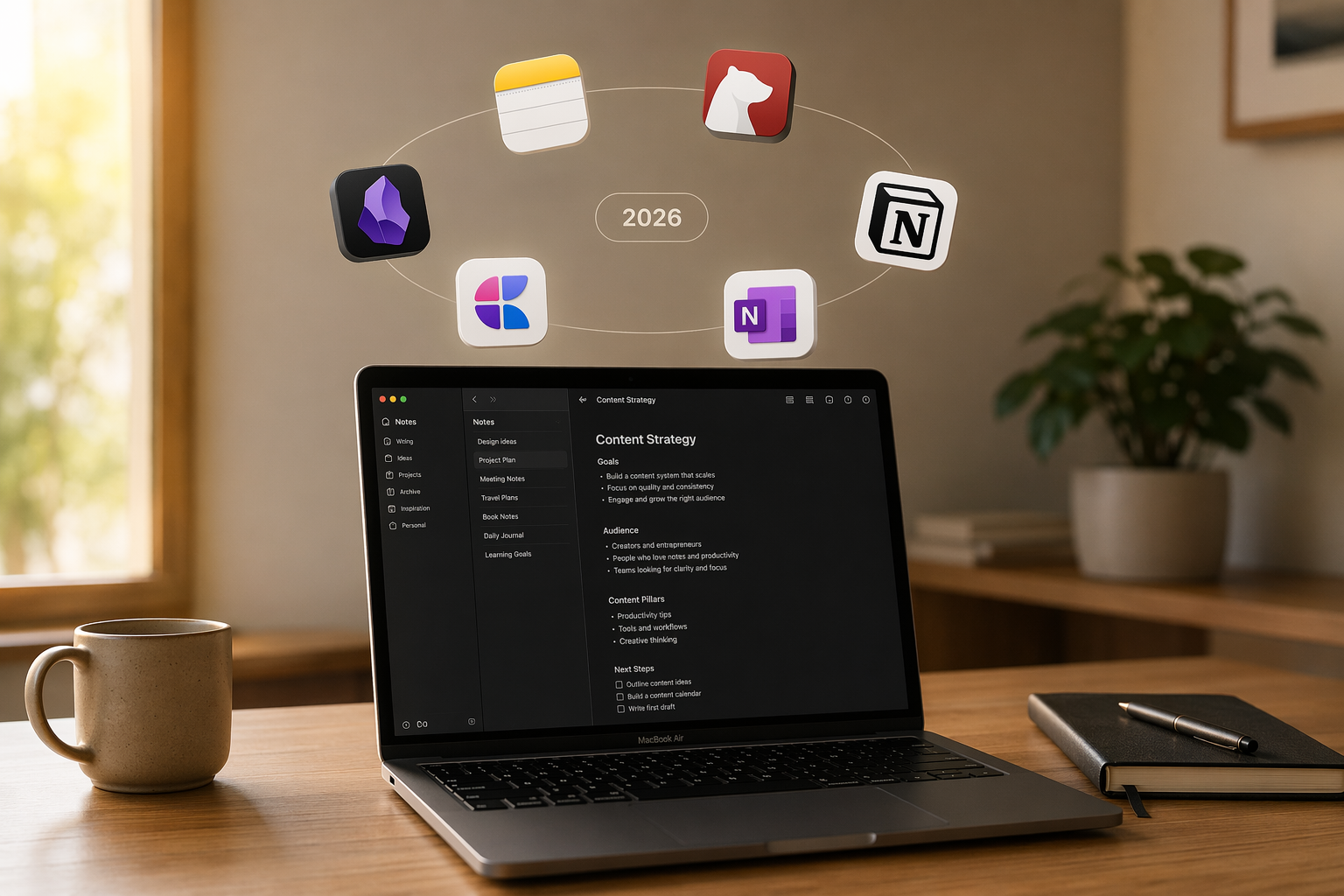
The AI Note-Taking Landscape in 2026: Real Utility vs. Marketing Hype
If you bought a Mac in 2025 or 2026, you own a machine that can run on-device AI models for transcription, summarization, and text generation without sending your data anywhere. Apple Intelligence arrived with macOS Sequoia, and every note-taking app developer has had to decide: build AI into the product, bolt it on as a paid add-on, or leave it to the operating system. The result is a market where the word "AI" appears on nearly every pricing page, but the actual utility varies from genuinely useful to barely functional.
This article tiers the major Mac note-taking apps by their AI architecture — not by how many features they list, but by how those features actually work and whether they solve real problems. The goal is to help you distinguish between apps where AI is a core capability and apps where AI is a checkbox on a feature list.
Tier 1: AI-Native Products — Built for AI from the Ground Up
A small but growing category of note-taking apps treats AI not as an add-on feature but as the fundamental interaction model. These apps are designed around retrieval-augmented generation (RAG): they index your entire note library and let you ask questions, generate summaries, and create connections across documents. The two most prominent examples in 2026 are Atlas and Reflect.
Atlas: Cited Answers and Compounding Context
Atlas positions itself as an "AI-native knowledge workspace" rather than a traditional note-taking app. Its standout feature is cited answers: when you ask a question, Atlas returns a response with inline citations linking back to the specific notes where the information originated. This is a meaningful step beyond the generic "chat with your notes" pattern because it lets you verify the AI's output against your own sources.
Atlas also offers one-click mind maps generated from your notes and a concept called "compounding context" — the idea that the more you use it, the better it understands the relationships between your ideas. It is not designed for quick capture or casual note-taking; it is a synthesis layer for people who process large volumes of information and need to extract insights across documents.
Reflect: Daily Notes with an AI Assistant
Reflect takes a different approach. It is built around daily notes with backlinks — a structure familiar to Obsidian and Roam users — and adds an AI assistant that can answer questions across your entire note library. Unlike Atlas, Reflect is designed to replace your daily note-taking habit, not just serve as a secondary research tool. Its AI assistant works within the daily-note paradigm: you write your notes, and the AI can summarize, connect, or answer questions about them.
Reflect also offers end-to-end encryption by default, which is unusual for an AI-native app. This means the AI processing happens in a way that the company cannot read your notes — a significant privacy advantage over cloud-based competitors.
| Feature | Atlas | Reflect |
|---|---|---|
| Core AI capability | Cited answers with source linking, mind maps, compounding context | Daily notes AI assistant, Q&A across notes |
| Pricing | $20/month (Pro) | $10/month or $100/year (Pro) |
| Encryption | Cloud-based (server-side encryption) | End-to-end encryption by default |
| Best for | Researchers and knowledge workers processing large volumes of information | Daily note-takers who want AI assistance without sacrificing privacy |
| Casual capture | Not designed for quick notes | Works as a daily note replacement |
Tier 2: Incumbents with AI Add-Ons — Apple Intelligence, Notion AI, and OneNote Copilot
The largest category of Mac note-taking apps in 2026 consists of established products that have added AI features on top of existing architectures. The quality and depth of these features vary enormously, and the key question is whether the AI is genuinely integrated or simply bolted on.
Apple Notes: Free, On-Device, and Surprisingly Capable
Apple Notes is the most accessible AI note-taking app on Mac in 2026 — because it is free, pre-installed, and its AI features run entirely on-device via Apple Intelligence. With macOS Sequoia, Apple Notes can transcribe call recordings synced from iPhone, summarize selected text, proofread and rewrite passages, and adjust tone. These features are not as powerful as workspace-wide Q&A, but they cover the most common AI use cases for casual and moderate note-takers.
The on-device processing is a genuine differentiator. Apple Notes does not send your notes to external servers for AI processing, which means your data stays on your Mac. When combined with Advanced Data Protection, Apple Notes is end-to-end encrypted. For users who prioritize privacy, this is a significant advantage over cloud-based alternatives.
Notion AI: Powerful but Expensive
Notion AI is the most expensive AI add-on in this comparison at $10 per user per month on top of a $10 per month Plus plan. It offers workspace-wide Q&A, summarization, writing assistance, and the ability to generate content from prompts. The Q&A feature is genuinely useful for teams with large shared workspaces — you can ask questions across databases, documents, and wikis and get synthesized answers.
However, Notion AI has two significant drawbacks. First, it is cloud-dependent: your notes are processed on Notion's servers, which raises privacy concerns for sensitive information. Second, Notion's performance on Mac has been a persistent issue: the app takes 2.6 to 2.7 seconds to open and is ready to type, and battery drain during continuous editing reaches 12.4% per hour — roughly six times higher than lighter apps like Drafts. For users who open and close their note-taking app frequently throughout the day, this overhead adds up.
OneNote Copilot: Limited on Mac
Microsoft OneNote's Copilot integration is available on Mac, but with significant limitations. On macOS, Copilot can only answer questions about the currently open note — it cannot search across your entire notebook or workspace. The full Copilot feature set, including cross-notebook Q&A and action suggestions, is limited to Windows. For Mac users, OneNote Copilot is essentially a smart search within a single page, which is far less useful than the workspace-wide AI offered by Notion, Reflect, or Atlas.
| Feature | Apple Notes (Apple Intelligence) | Notion AI | OneNote Copilot (Mac) |
|---|---|---|---|
| Summarization | Yes (on-device) | Yes (cloud) | Limited (current note only) |
| Transcription | Yes (call recordings from iPhone) | No native transcription | No native transcription |
| Workspace-wide Q&A | No | Yes | No (Windows only) |
| Writing assistance | Yes (proofread, rewrite, tone) | Yes (generate, rewrite, summarize) | Limited |
| Privacy model | On-device (end-to-end encrypted with ADP) | Cloud processing | Cloud processing |
| Cost | Free (included with macOS) | $10/user/month add-on + $10/month Plus | Free (basic) or Microsoft 365 subscription |
Tier 3: Minimal or No Native AI — Bear, Obsidian, and Craft
Some of the best note-taking apps on Mac have deliberately chosen not to build native AI features. This is not necessarily a weakness — it often reflects a design philosophy that prioritizes speed, privacy, and simplicity over feature quantity. For many users, the absence of AI is a feature, not a bug.
Bear: Beautiful, Fast, and AI-Free
Bear is an Apple Design Award winner and remains one of the fastest and most polished note-taking apps on Mac. It has no native AI features. Bear Pro costs $29.99 per year and offers iCloud sync, themes, and export options, but the app itself is a pure writing environment. If you want AI features in Bear, you must use Apple Intelligence system-wide — which means selecting text and using the macOS services menu or keyboard shortcuts to trigger summarization or proofreading.
Bear's lack of AI is a deliberate trade-off. The app opens in 0.7 seconds and uses minimal system resources. For writers who want a distraction-free environment, Bear's simplicity is an advantage.
Obsidian: Plugin-Based AI (If You Want It)
Obsidian is free for personal use and has no native AI features. However, its plugin ecosystem includes community-built AI integrations that can connect to OpenAI, Anthropic, or local models via Ollama. These plugins range from simple text generation to more sophisticated RAG implementations that can search your vault and answer questions.
The plugin approach gives you flexibility: you can choose your AI provider, control your privacy by using local models, and pay only for what you use. But it also requires technical setup and ongoing maintenance. Obsidian itself takes 1.2 to 1.3 seconds to open, plus additional warm-up time for plugins, so the overall experience is not as snappy as Bear or Apple Notes.
Craft: Limited AI Integration
Craft offers a polished, document-centric note-taking experience with strong macOS integration. Its AI features are limited compared to the incumbents: basic text generation and summarization are available, but there is no workspace-wide Q&A or advanced RAG. Craft Plus costs $8 per month, and the AI features are included in that price — but they are not the reason most users choose Craft.
- Bear ($29.99/yr): No native AI. Use Apple Intelligence system-wide for basic summarization and proofreading.
- Obsidian (free): No native AI. Plugin ecosystem offers AI integrations via OpenAI, Anthropic, or local models.
- Craft ($8/mo): Limited AI features (basic text generation and summarization). No workspace-wide Q&A.
What Each AI Feature Actually Does: A Honest Breakdown
Feature names like "AI summarization" or "smart Q&A" sound impressive, but the actual implementation varies dramatically between apps. Here is what each AI capability actually delivers in practice.
| AI Capability | What It Actually Does | Best Implementation (Mac 2026) | Limitations |
|---|---|---|---|
| Transcription | Converts audio (meetings, calls, voice memos) to searchable text | Apple Notes (free, on-device, syncs from iPhone call recordings) | OneNote and Notion lack native transcription; requires third-party tools |
| Summarization | Condenses selected text or entire notes into shorter versions | Apple Intelligence (free, on-device); Notion AI (cloud, workspace-wide) | Quality varies by content length and complexity; longer documents may lose nuance |
| Workspace-wide Q&A | Answers questions by searching across your entire note library | Notion AI, Reflect, Atlas (all cloud-based except Reflect's E2EE) | Requires indexed notes; may miss information in unprocessed formats (PDFs, images) |
| Cited answers | Returns answers with inline citations linking back to source notes | Atlas (unique to this category) | Only available in Atlas; Notion and Reflect provide answers without source links |
| Writing assistance | Proofreads, rewrites, adjusts tone, or generates text from prompts | Apple Intelligence (free, on-device); Notion AI (cloud, more options) | On-device models may be less capable than cloud models for complex writing tasks |
The key takeaway: transcription and summarization are now commodity features available for free via Apple Intelligence. The real differentiator in 2026 is workspace-wide Q&A with cited answers — and only Atlas offers that combination. Notion AI and Reflect offer Q&A without citations, which means you cannot verify the AI's output against your original notes.
Privacy Implications: On-Device vs. Cloud AI Processing
The privacy implications of AI features are not always obvious from the marketing materials. The fundamental divide is between on-device processing (your data never leaves your Mac) and cloud processing (your notes are sent to external servers for AI analysis).
| App | AI Processing Location | Encryption | Training Data Usage | Risk Level |
|---|---|---|---|---|
| Apple Notes | On-device (Apple Intelligence) | End-to-end encrypted with Advanced Data Protection | Apple does not train models on your data | Low |
| Bear | No native AI (system-wide Apple Intelligence only) | Per-note end-to-end encryption (Pro) | N/A (no native AI) | Low |
| Obsidian | Plugin-dependent (local or cloud) | End-to-end encrypted Sync ($4/month) | Depends on plugin and AI provider | Variable |
| Notion | Cloud (Notion servers) | Server-side encryption | Notion does not train on customer data (enterprise) | Medium |
| Atlas | Cloud (Atlas servers) | Server-side encryption | Not publicly disclosed | Medium-High |
| Reflect | Cloud (with E2EE) | End-to-end encryption by default | Cannot train on encrypted data | Low-Medium |
| OneNote | Cloud (Microsoft servers) | Server-side encryption | Microsoft does not use customer data for training (commercial) | Medium |
For users handling sensitive information — client notes, research data, personal journals — the on-device processing of Apple Notes and the end-to-end encryption of Reflect and Bear Pro offer meaningful privacy advantages. Cloud-based AI apps like Notion and Atlas process your notes on external servers, which means the company (and potentially third parties) could access your data. While most major providers claim they do not train AI models on customer data, the lack of end-to-end encryption means the data is accessible on the server.
Pricing Comparison: What You Actually Pay for AI Features
The cost of AI features varies from free (Apple Notes) to $240 per year (Atlas Pro). The table below shows the total cost of ownership for each app, including the cost of AI features where applicable.
| App | Base Plan | AI Add-On Cost | Total Annual Cost (with AI) | Last Verified |
|---|---|---|---|---|
| Apple Notes | Free | Free (Apple Intelligence included with macOS) | $0 | June 2026 |
| Bear | $29.99/year (Pro) | No native AI (use system-wide Apple Intelligence) | $29.99 | June 2026 |
| Notion | $10/month (Plus) = $120/year | $10/user/month = $120/year | $240/year per user | June 2026 |
| Obsidian | Free | Plugin-dependent (variable cost) | $0 (plus optional Sync at $48/year) | June 2026 |
| Atlas | $20/month (Pro) | Included | $240/year | June 2026 |
| Reflect | $10/month or $100/year (Pro) | Included | $100/year | June 2026 |
| OneNote | Free | Limited on Mac (Copilot requires Microsoft 365 at $99.99/year) | $0 (free) or $99.99/year (Microsoft 365) | June 2026 |
Decision Guide: Who Benefits from AI Note-Taking and Who Doesn't Need It
Not everyone needs AI in their note-taking app. The decision framework below matches your workflow to the appropriate tier.
- Heavy meeting attendees and researchers: You attend 10+ meetings per week or process large volumes of research papers. You need transcription, summarization, and the ability to ask questions across your entire note library. Consider Atlas ($240/year) for cited answers or Reflect ($100/year) for daily notes with AI. Both offer workspace-wide Q&A that incumbents cannot match.
- Casual and moderate note-takers: You take notes a few times per day, mostly for personal organization. You do not need to search across thousands of notes. Apple Notes (free) with Apple Intelligence covers summarization, transcription, and writing assistance — all on-device and at no cost. This is the most practical choice for the majority of Mac users.
- Writers and PKM enthusiasts: You value a distraction-free writing environment and prefer to manage your knowledge system manually. Bear ($29.99/year) or Obsidian (free) with system-wide Apple Intelligence gives you AI features when you need them without embedding AI into your core workflow. If you want AI but prefer to control the provider and privacy model, Obsidian's plugin ecosystem offers flexibility.
- Team collaboration: You need shared workspaces with AI-powered Q&A across team documents. Notion AI ($240/year per user) is the most mature option, but factor in the performance overhead (2.7-second open time, 12.4%/hour battery drain) and cloud dependency. For teams that prioritize privacy, Reflect's end-to-end encryption is worth evaluating.
- Privacy-first users: You do not want your notes processed on external servers. Apple Notes with Advanced Data Protection (free) or Bear ($29.99/year) with system-wide Apple Intelligence are your best options. If you need workspace-wide Q&A, Reflect ($100/year) offers end-to-end encryption — the only AI-native app that does.
The AI note-taking market in 2026 is more honest than it was in 2024 — but only slightly. Apple Intelligence has commoditized the basic AI features (summarization, transcription, proofreading) that were once premium selling points. The real value now lies in workspace-wide Q&A with cited answers, and only a handful of apps deliver that capability. For most users, the best strategy is to start with Apple Notes (free, on-device, pre-installed) and upgrade to a specialized AI-native app only if your workflow genuinely requires cross-note search and synthesis.