
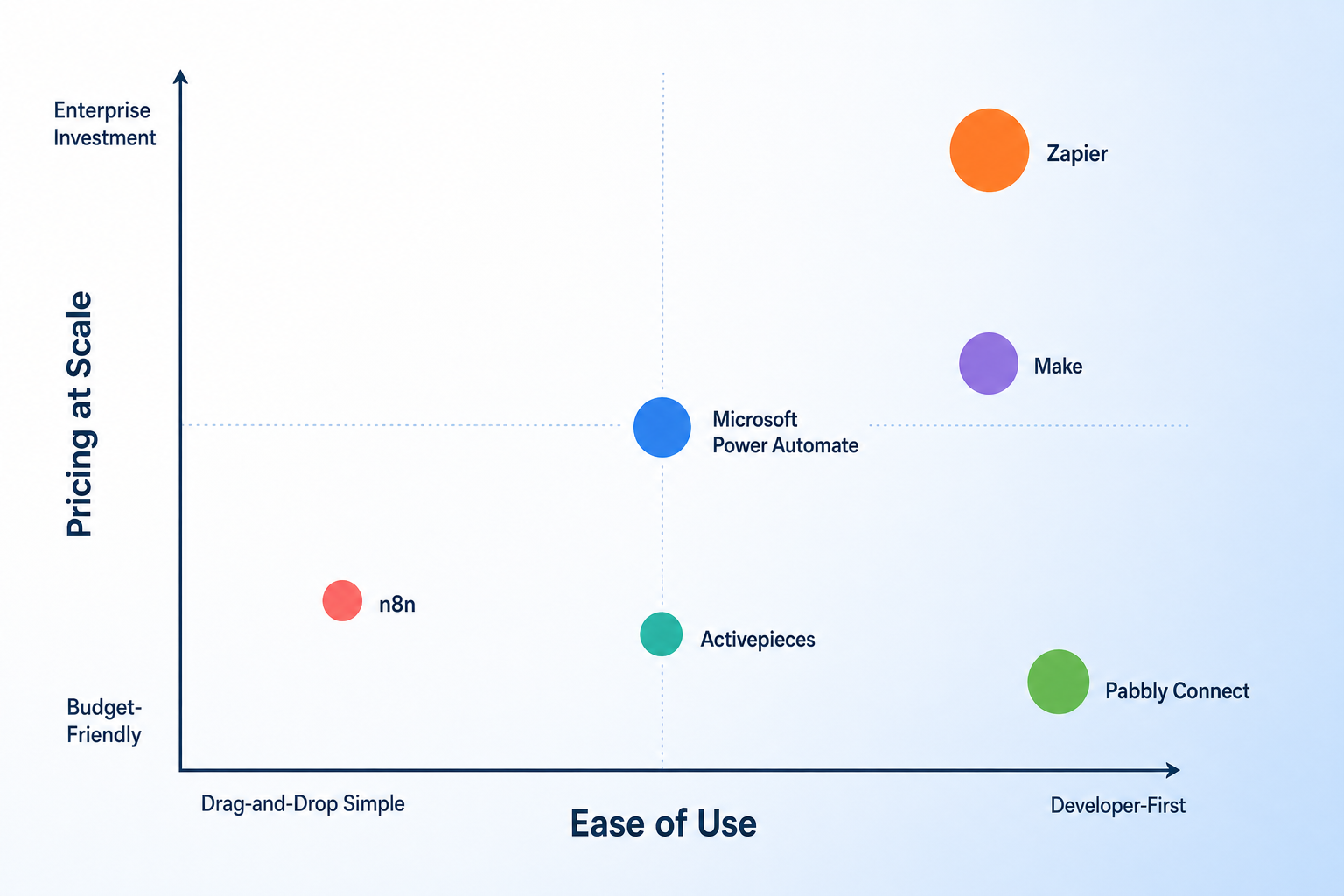
The $9/Month Trap: Why Starting Prices Don't Tell the Real Story
Every automation platform advertises a low monthly entry point. Make starts at $9/month. Zapier's Pro plan lists at $19.99/month. Pabbly Connect shows $16/month. These numbers look harmless — until your workflows grow past the honeymoon phase.
The problem is that starting prices are designed for the smallest possible usage profile: a handful of single-step automations running a few times a day. The moment you build multi-step workflows, connect premium apps, or scale to the volumes a growing business needs within six months, the cost structure flips. According to Digital Applied's 2026 cost study, at 50,000 monthly operations, Zapier costs between $448 and $820 per month. Make runs $55 to $110. n8n self-hosted costs $5 to $20. That is an 8x to 50x spread for the same workload.
This article is written for budget-conscious knowledge workers, freelancers, and small business owners who need to understand what a process automation tool actually costs at the volumes their work demands. We cover six core tools — Zapier, Make, n8n, Microsoft Power Automate, Pabbly Connect, and Activepieces — and break down five distinct pricing models, hidden cost drivers, free-tier realities, and the self-hosted versus cloud trade-off. If you are evaluating automation platforms and want to avoid a painful bill six months from now, the numbers in this article will save you money.
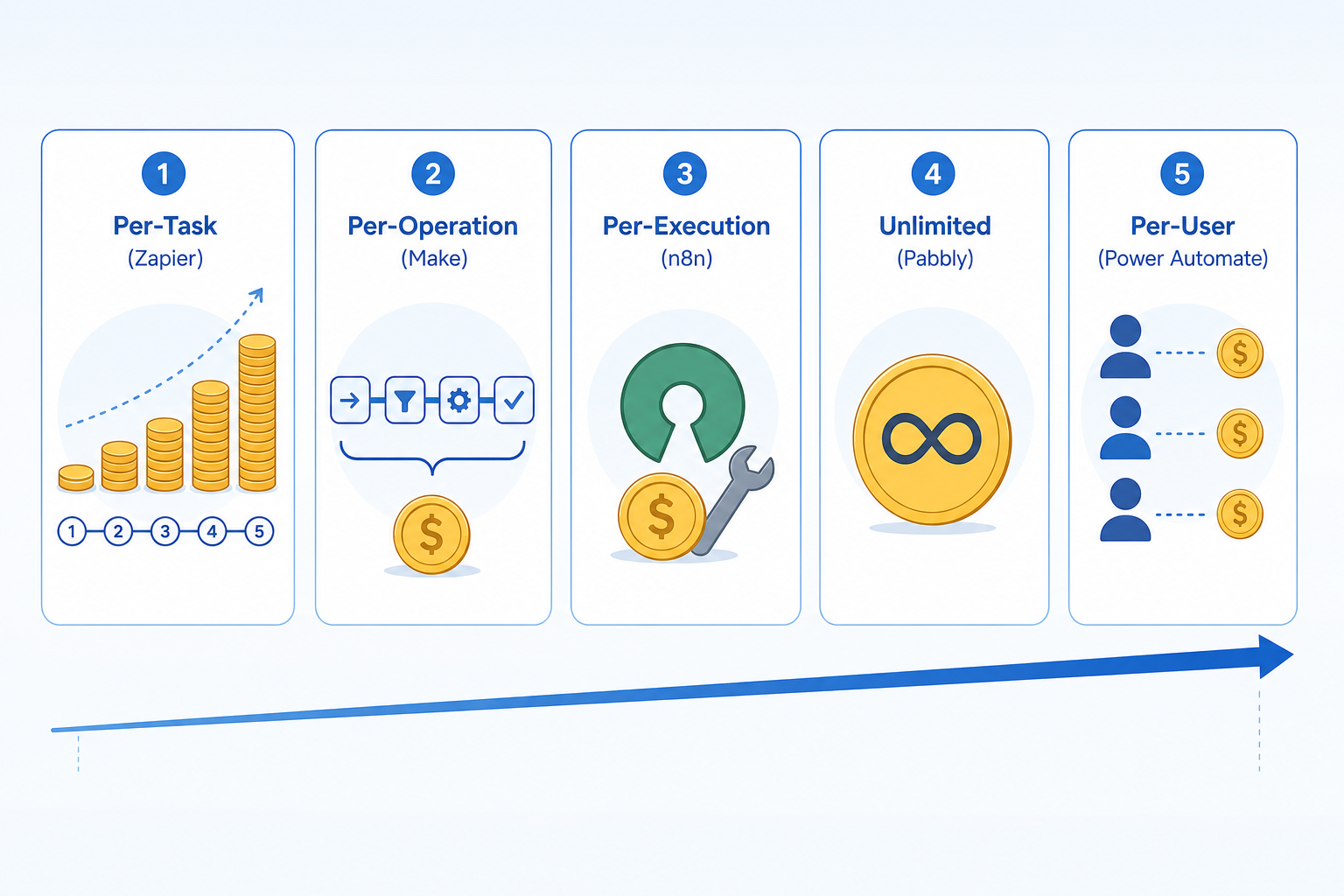
How Automation Tools Charge You: Five Pricing Models Explained
The single biggest reason starting prices are misleading is that each platform uses a fundamentally different pricing model. Comparing a $19.99/month plan from Zapier to a $9/month plan from Make is meaningless unless you understand what a "task," "operation," "execution," or "user" actually costs in your specific workflow.
Here are the five models you will encounter, with real examples from the tools covered in this comparison.
| Model | How It Works | Who Uses It | Key Risk at Scale |
|---|---|---|---|
| Per-Task | Each workflow run consumes one or more tasks. A multi-step Zap can consume 5–10 tasks per single run. | Zapier | Multi-step workflows burn through tasks fast. A 10-step automation running 5,000 times/month uses 50,000 tasks. |
| Per-Operation | Each step in a workflow consumes one operation. A 5-step scenario uses 5 operations per run. | Make | More predictable than per-task, but operations still add up. Make bundles steps better than Zapier's task model. |
| Per-Execution | Each workflow run counts as one execution regardless of how many steps it contains. | n8n, Activepieces | Best for complex, multi-step workflows. The cost per run is fixed, so adding steps does not increase the bill. |
| Unlimited | A flat monthly fee for unlimited operations or tasks within fair-use limits. | Pabbly Connect | Extremely cost-effective at high volumes, but fair-use policies vary. Check for throttling or hidden caps. |
| Per-User | Each licensed user adds a fixed monthly cost regardless of how many workflows they run. | Power Automate | Predictable for teams, but expensive for solo operators. External connectors and AI features often cost extra. |
The practical difference between these models is enormous. A single multi-step workflow in Zapier that triggers 5,000 times per month might consume 25,000 to 50,000 tasks depending on complexity. The same workflow in n8n counts as 5,000 executions — one per trigger. That is why the workflowautomation.net guide notes that "operations cost a fraction of Zapier task pricing at scale" when comparing Make to Zapier, and why the same source warns that "task-based pricing becomes expensive at high volumes."
The 50,000 Operations/Month Reality Check
Fifty thousand monthly operations is not an extreme volume. For a small business processing orders, syncing CRM data, sending invoices, and managing email campaigns, 50K operations is a realistic target within three to six months of adoption. At this volume, the pricing differences between tools become stark.
The following table is based on data from Digital Applied's 2026 cost study, as cited by the MoClaw blog, and cross-referenced against current published pricing from each vendor.
| Tool | Advertised Starting Price | Estimated Cost at 50K Ops/Month | Pricing Model |
|---|---|---|---|
| Zapier | $19.99/mo (Pro) | $448 – $820/mo | Per-Task |
| Make | $9/mo (Core) | $55 – $110/mo | Per-Operation |
| n8n (Cloud) | $24/mo | ~$50/mo | Per-Execution |
| n8n (Self-Hosted) | Free (Community Edition) | $5 – $20/mo (VPS + maintenance) | Per-Execution (unlimited) |
| Power Automate | $15/user/mo (Premium) | $15/user/mo + external connector costs | Per-User |
| Pabbly Connect | $16/mo | $16/mo (unlimited operations) | Unlimited |
| Activepieces | $10/mo | $10/mo (limited executions) | Per-Execution |
Note that Power Automate's per-user pricing does not scale linearly with operations. A single user on the Premium plan at $15/month can run an unlimited number of flows within Microsoft's ecosystem. The cost problem with Power Automate emerges when you need external connectors, AI Builder credits, or additional users — which we cover in the next section.
Hidden Costs That Inflate Your Bill
The monthly plan price is only the beginning. Every platform has secondary cost drivers that can double or triple your bill without warning. These hidden costs hit small teams and freelancers hardest because they lack the negotiating power of enterprise accounts.
- Premium connectors. Zapier charges extra for premium app integrations on its lower-tier plans. Power Automate requires separate licenses for connectors outside the standard Microsoft 365 set. If your workflow depends on a niche SaaS tool that is not in the basic integration library, you may face an unexpected per-connector fee.
- AI credits. Make, n8n cloud, and Power Automate all offer AI-powered steps (GPT actions, AI Builder, etc.) that consume credits separate from your base plan. A single AI step can cost 10x to 50x more than a standard step. If you are building AI-enhanced automations, these credits can dominate your bill.
- Add-on seats and users. Power Automate's per-user model is predictable for one person, but adding a second or third user multiplies the base cost. For a three-person team, Power Automate Premium costs $45/month before any connector or AI add-ons.
- Enterprise minimums. Workato and some higher-tier Zapier plans require annual commitments or minimum spend thresholds. If you outgrow a mid-tier plan but do not need enterprise features, you may be forced into a plan that costs significantly more than your actual usage.
- History and data retention. Several platforms charge extra for longer execution logs, data retention beyond 30 days, or searchable history. These are easy to overlook during evaluation but become critical for debugging and compliance.
For a deeper look at how Power Automate's hidden costs accumulate outside the Microsoft ecosystem, see our related article: When Power Automate Isn't Enough: 5 Signs You've Outgrown Microsoft's Automation Platform.
Free Tier Analysis: What You Actually Get for $0
Free plans are a common entry point for freelancers and small teams testing automation. But the gap between "free" and "usable for real work" varies dramatically across platforms. Some free tiers are genuinely useful for production workflows; others are glorified trials.
| Tool | Free Tier Limit | Usable for Production? | Key Limitation |
|---|---|---|---|
| Make | 1,000 credits/month | Yes, for very light use | 1,000 credits covers roughly 200–300 multi-step scenarios. Exceeding the limit requires upgrading to Core ($9/mo). |
| Zapier | 100 tasks/month | No | 100 tasks is enough for testing one or two simple Zaps. Any real workflow will exhaust this in days. |
| n8n (Self-Hosted) | Unlimited workflows, unlimited executions | Yes | The Community Edition is fully functional. The cost is your own server and maintenance time. |
| Power Automate | Limited M365 flows | Partially | Free flows work within Microsoft 365 but cannot use premium connectors or AI Builder. Useful for internal email and file automation. |
| Pabbly Connect | 100 operations/month | No | 100 operations is a trial. The unlimited plan at $16/mo is the real entry point. |
| Activepieces | Limited executions | Partially | Free tier is usable for low-volume personal workflows but hits limits quickly for business use. |
For budget-conscious users, the standout free option is n8n self-hosted. The Community Edition imposes no limits on workflows or executions. The trade-off is that you need to run your own server and handle maintenance. If you are comfortable with basic DevOps, n8n's free tier is the most generous in the market by a wide margin.
Make's free tier (1,000 credits/month) is usable for light production workloads — a few daily automations that do not require high frequency. Zapier's 100-task free tier is essentially a demo. If you are evaluating tools, we recommend starting with Make's free plan or n8n self-hosted to get a realistic sense of the platform before committing to a paid tier.
For readers who need a sub-$20/month solution, our Best Workflow Automation Tools for Small Businesses in 2026: Budget-Friendly Picks Under $20/Month article covers the best options in that price range.
Self-Hosted vs Cloud: When the DevOps Trade-Off Pays Off
The most dramatic cost difference in the 50K operations table is between n8n self-hosted ($5–$20/month) and every cloud option. But self-hosting is not free in the broader sense — it shifts cost from a subscription to your own time and infrastructure.
Here is what self-hosting n8n actually involves:
- A virtual private server (VPS) from providers like DigitalOcean, Hetzner, or Linode costs roughly $5 to $20 per month for a machine capable of running n8n for a small team.
- Initial setup takes 1–3 hours for someone comfortable with the command line. n8n provides Docker images and official installation guides.
- Ongoing maintenance includes security patching, uptime monitoring, database backups, and occasional troubleshooting. Budget roughly one engineer-day per month for a production instance.
- Scaling requires additional configuration — load balancing, database replication, and failover setups are not included out of the box.
Self-hosting makes the most financial sense when: (a) you already have DevOps skills or a team member who does, (b) your workflow volume exceeds 50K operations per month, and (c) you value data sovereignty and want to keep your automation data on your own infrastructure.
For readers considering the switch from Zapier to n8n, our detailed migration guide covers the full process: Should You Ditch Zapier for Open-Source Workflow Automation? A Realistic Cost-Benefit Guide for 2026.
Decision Framework: Which Tool Fits Your Monthly Volume?
Your monthly operation volume is the single best predictor of which pricing model will save you money. The following framework groups tools by three volume tiers and explains why each recommendation makes sense.
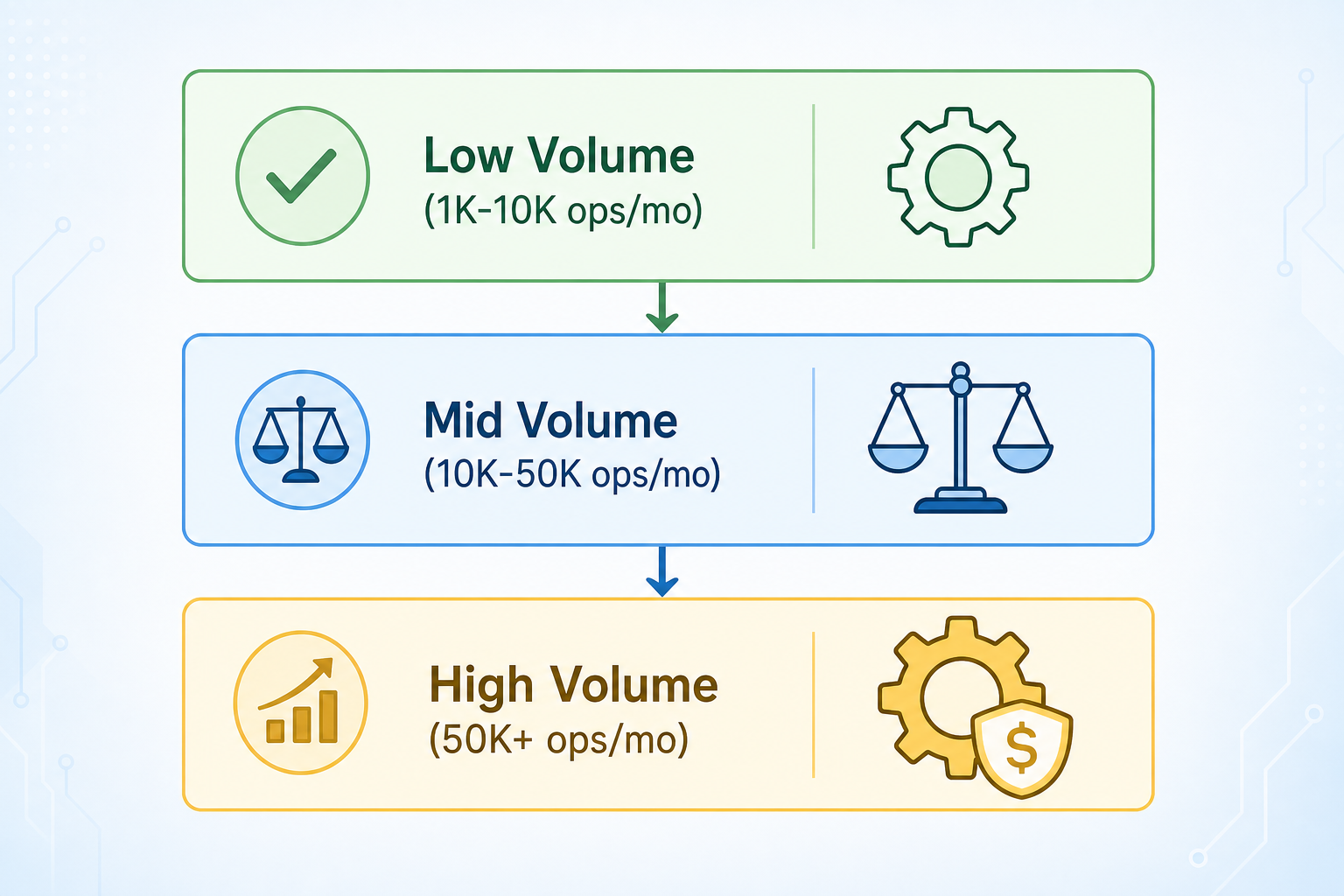
| Volume Tier | Monthly Operations | Recommended Tools | Why |
|---|---|---|---|
| Low Volume | 1,000 – 10,000 | Make (free or Core), n8n self-hosted, Activepieces | Make's free tier covers light use. n8n self-hosted is free if you have a server. Activepieces is cheap for simple workflows. |
| Mid Volume | 10,000 – 50,000 | Make (Core/Pro), n8n cloud, Pabbly Connect | Make's per-operation pricing is competitive. n8n cloud at ~$50/mo is predictable. Pabbly Connect's unlimited plan at $16/mo is the cheapest option at the high end of this tier. |
| High Volume | 50,000+ | n8n self-hosted, Pabbly Connect, Power Automate (M365 shops) | n8n self-hosted is cheapest if you can manage DevOps. Pabbly Connect's unlimited plan scales without cost increases. Power Automate is cost-effective for teams already on Microsoft 365. |
For team-size considerations beyond volume, see our companion article: Process Automation Tools for Small Business vs Enterprise: Which Platform Actually Fits Your Team Size?. That article covers how team structure, collaboration needs, and governance requirements affect tool choice — factors that interact with pricing but are not captured by volume alone.
Final Recommendations by Budget Tier
If you are making a decision today, here is the short version organized by your monthly budget for automation.
- Tight Budget (under $20/month). Start with n8n self-hosted if you have basic server skills. The software is free, and a $5–$10/month VPS is enough for moderate workloads. If you prefer a managed solution, Pabbly Connect at $16/month for unlimited operations is the best value in this tier. Make's Core plan at $9/month is also viable for low-volume use.
- Mid-Range Budget ($20–$100/month). n8n cloud at ~$50/month gives you predictable per-execution pricing with no DevOps overhead. Make's Pro plan fits in this range and handles moderate volumes well. Pabbly Connect remains a strong option if your volume is high enough to justify the flat fee.
- Scale-Ready Budget ($100+/month). At this level, the choice depends on your ecosystem. If you are a Microsoft 365 shop, Power Automate Premium at $15/user/month is hard to beat for internal workflows. If you need maximum flexibility and integration breadth, Zapier's higher-tier plans are reliable but expensive — budget $400–$800/month at 50K operations. For teams that want to keep costs under control at high volume, n8n self-hosted or Pabbly Connect remain the most cost-effective options.
For a deeper comparison of two platforms that sit at opposite ends of the pricing spectrum, see Power Automate vs n8n in 2026: Which Automation Platform Fits Your AI Strategy?. That article examines how each platform's approach to AI features affects both capability and cost.