


The Capture Friction Problem: Why Most PKM Systems Fail
The most carefully designed personal knowledge management system is worthless if you stop using it. And the data suggests most people do stop — quickly. According to Remi8, "most people abandon their knowledge base within a month because maintaining it requires too much effort." That figure is a claim from the company rather than an independently audited study, but it aligns with a pattern anyone who has tried a PKM tool recognizes: the system works perfectly until you miss a day, and then the guilt of catching up keeps you away entirely.
The root cause is capture friction. Every time you have a thought worth saving, your brain runs a cost-benefit analysis: unlock phone, find the right app, navigate to the correct page or folder, type out the idea, decide on tags or links, maybe format it. Each micro-step is a barrier. Mem frames this clearly: "You can speak roughly four times faster than you can type on a phone." More importantly, speaking requires no context switch. You do not stop thinking to type — you keep thinking while you talk. The behavioral reasons PKM systems fail are well documented, and capture friction is the primary culprit.
Voice-first tools flip this equation. Instead of asking you to build a new habit (typing and organizing), they tap into an existing one (talking). The thesis of this comparison is simple: the best PKM tool is the one that makes capture so effortless you never skip it. We evaluated seven voice-first tools — Remi8, Audionotes, Reflect, Mem, Flint, AudioPen, and Otter.ai — strictly on capture speed and friction reduction, not on feature breadth or ecosystem depth.
What Zero-Friction Capture Actually Means
Before comparing tools, we need a clear definition of "zero-friction capture." It is not about having the most features or the best AI summarization. It is about the number of seconds and decisions between having a thought and having that thought safely stored in a system that can retrieve it later.
A zero-friction capture tool must meet these criteria:
- Seconds from thought to saved recording, not minutes.
- No folder, notebook, or category decisions before recording.
- No formatting or structuring required at the moment of capture.
- No app-switching — the capture mechanism should be reachable from the lock screen, a hardware button, or a voice shortcut.
- Post-capture processing (transcription, summarization, tagging) happens automatically, not as a separate chore.
Traditional PKM tools fail on nearly every one of these points. Opening Obsidian or Notion to jot a quick thought involves multiple taps, a decision about which page or database to use, and the cognitive load of switching from thinking mode to typing mode. Mem describes this as a "focus-switching problem": "to type a note you must unlock your phone, open the app, decide where the note goes, switch from thinking mode to typing mode — each step is a micro-interruption." Voice-first tools eliminate most of these steps by design.
Tool Evaluations by Capture Speed Only
The following evaluations focus exclusively on capture speed and friction reduction. We are not comparing note counts, plugin ecosystems, or collaboration features. Each tool is assessed on how quickly it can move a thought from your head into a searchable, retrievable format.
Remi8
Remi8 positions itself as a full voice-first PKM platform. Capture is a single tap — press record, speak, stop. The AI then auto-organizes the note, and retrieval happens through natural language queries rather than folder navigation. Remi8 claims support for 56 voice languages and 100+ text languages, with end-to-end encryption by default and true offline access with cross-device sync. A standout feature is the ability to record WhatsApp calls and phone calls, which are then transcribed and added to a searchable knowledge base. The company claims voice PKM users spend 2-5 minutes per day speaking versus 15-30 minutes typing and organizing in traditional systems.
Audionotes
Audionotes offers transcription and translation in 80+ languages with speaker recognition, smart summaries, and over 100 output prompts. It also generates mind maps for visual organization. The Pro plan runs approximately $19.99/month or $129.99/year. Audionotes supports offline capture and speaker diarization, which is rare among voice-first tools. Its maximum recording length of 360 minutes far exceeds most competitors.
Reflect
Reflect uses OpenAI's Whisper for transcription, which it describes as "human-level transcription quality." Transcriptions are appended to the user's daily note, and the result is passed through GPT-3.5 to "nicely format it and polish the edges." This approach keeps voice notes integrated with text notes rather than siloed in a separate voice inbox. Reflect's blog acknowledges a "bit of an adjustment curve" when speaking notes and recommends starting with daily reflections.
Mem
Mem's Voice Mode lets users press record and speak. After capture, Mem's AI "cleans up the transcript, removing the 'ums' and false starts, structuring the content into readable paragraphs or bullet points." Mem also offers a Clean Up feature for existing notes and proactive context that surfaces related notes automatically. The weekly review pattern Mem recommends — voice-capture everything, then ask Mem Chat "What should I follow up on from this week?" — is a strong example of how voice-first tools can reduce maintenance overhead.
Flint
Flint is the speed leader in raw capture time. Klu ranks Flint as the #1 voice note app in 2026, citing its iPhone Action Button and Lock Screen widgets that enable capture in under one second. Recording is unlimited, unlike competitors that cap at 15 minutes. Flint offers a one-time Pro payment of $12 — no subscription. The free tier includes 2 hours of premium cloud transcription; on-device transcription is free and unlimited. Flint is local-first: audio stays on the device, and only text goes to the cloud for summarization. A full on-device mode is available. Output formats include standard note, todo list, first-person story, or custom format. AI chat lets users ask questions across all notes. Currently iOS only, with Android coming soon.
AudioPen
AudioPen specializes in transforming rambling voice recordings into polished prose. It is priced at $8.25/month ($99/year) and offers one-tap publishing to Gmail, Slack, Notion, or Google Docs. However, it has a 15-minute recording cap, no folders, no tags, and no full-text search across notes. AudioPen is a narrow tool optimized for a specific use case: turning spoken thoughts into clean, sendable text.
Otter.ai
Otter.ai is enterprise-focused, designed primarily for meeting transcription and collaboration. While it offers excellent transcription accuracy and speaker identification, its capture mechanism is not optimized for the quick, personal thought capture that defines zero-friction PKM. It is included in this comparison because it is a well-known voice tool, but it serves a different primary use case.
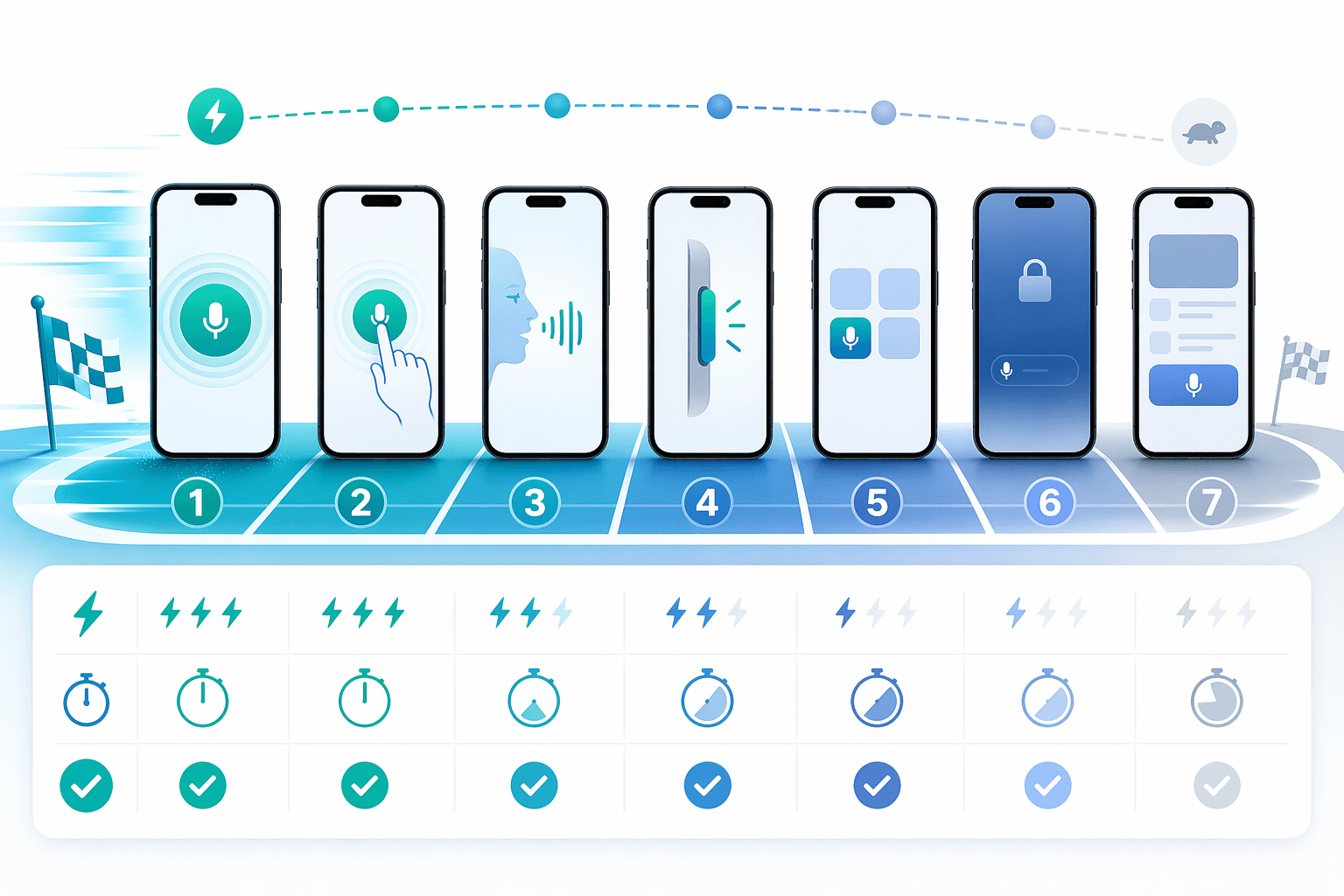
Head-to-Head Capture-Speed Benchmark
To make the comparison concrete, we evaluated each tool on four dimensions: seconds from thought to saved recording, number of taps or clicks required, offline capture capability, and post-capture AI processing time. The following table summarizes the results.
| Tool | Seconds to Capture | Taps / Clicks | Offline Capture | Post-Capture Processing |
|---|---|---|---|---|
| Flint | < 1 sec (Action Button) | 1 | Yes (on-device) | Instant on-device; cloud optional |
| Remi8 | 2-3 sec | 1-2 | Yes | Auto-organize within seconds |
| Mem | 3-4 sec | 2 | Yes (limited) | Clean Up + structuring within seconds |
| Audionotes | 3-5 sec | 2-3 | Yes | Transcription + summary within seconds |
| Reflect | 4-5 sec | 2-3 | No | Whisper + GPT polish within seconds |
| AudioPen | 5-7 sec | 3 | No | Polished prose within seconds |
| Otter.ai | 8-10 sec | 3-4 | No | Meeting-focused; slower for quick capture |
In terms of transcription quality, Audionotes published a real-world benchmark: on a 30-minute two-speaker English conversation with moderate background noise, tested in March 2026 by their own team, Audionotes scored 9/10 on transcription accuracy while AudioPen scored 7/10. Audionotes also scored 9/10 on summary quality versus AudioPen's 8/10.
Flint's sub-one-second capture via the Action Button makes it the clear speed leader, but that advantage only matters on iOS. For Android users, Remi8 and Audionotes offer the fastest paths to capture with offline support.
The Recall-Quality Tradeoff: Does Easy Capture Reduce Precision?
Faster capture is not an unqualified win. The same AI auto-tagging and natural language retrieval that makes voice-first tools so easy to use also introduces a recall precision tradeoff that text-first users never faced.
In a tool like Obsidian, every link between notes is a deliberate act. You create a connection because you understand why those two ideas relate. That manual effort builds a graph of meaning that is highly precise for deep research. Voice-first tools, by contrast, rely on AI to infer connections. The AI can surface contextually related notes, but it cannot replicate the intentional link graph that makes text-first tools powerful for structured knowledge management.
This tradeoff matters most for users who need to build a long-term knowledge base for complex projects or academic research. For users whose primary need is capturing ideas, meeting notes, and action items — and retrieving them quickly — the AI-powered recall of tools like Mem and Remi8 is more than sufficient. The broader evaluation of AI features in PKM apps provides additional context on where AI adds genuine value versus where it creates noise.
Privacy Concerns Unique to Voice-First Tools
Voice data creates a different privacy risk profile than text notes. A recording of your voice contains not just the words you said, but your tone, pace, and emotional state. If that audio is processed on a remote server, you are trusting the provider with a biometric data stream that text notes simply do not represent.
The tools in this comparison fall into two camps: on-device processing and cloud-dependent transcription.
| Privacy Approach | Tools | Key Characteristics |
|---|---|---|
| On-device processing | Flint, Reflect (Whisper) | Audio stays on device; only text (or nothing) sent to cloud; full on-device mode available |
| Cloud-dependent transcription | Audionotes, Otter.ai, Remi8 | Audio uploaded to servers for transcription; encryption in transit and at rest, but server-side processing required |
| Hybrid | Mem | Voice processed initially on device; AI enhancement may use cloud; privacy policy varies by feature |
Flint offers the strongest privacy stance: audio stays on the device, and only text is sent to the cloud for summarization. A full on-device mode is available, meaning no data ever leaves your phone. Remi8 claims end-to-end encryption by default, but the audio is still processed on their servers. Reflect uses OpenAI's Whisper, which can run on-device on newer hardware, but the GPT polish step requires a cloud call.
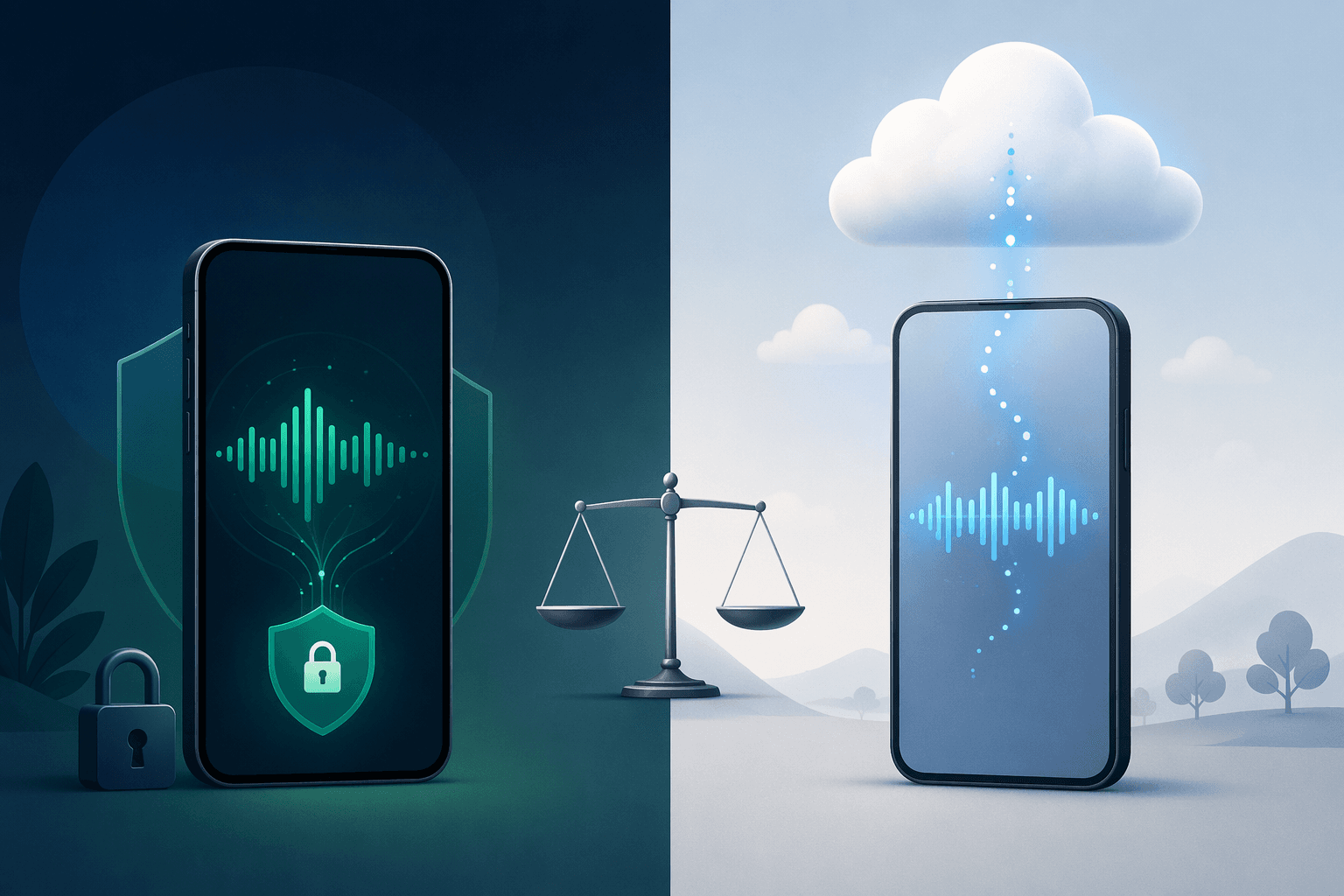
For knowledge workers handling sensitive or confidential information, the privacy approach should be a primary decision factor. On-device processing (Flint, Reflect) provides the strongest guarantees. Cloud-dependent tools (Audionotes, Otter.ai, Remi8) may still be acceptable if they offer clear data deletion policies and end-to-end encryption, but the risk profile is fundamentally different.
Winner Picks by Persona
Based on the capture-speed benchmark, recall-quality tradeoff analysis, and privacy evaluation, here are the winner picks for specific user personas.
- Lowest-friction overall: Flint. Sub-one-second capture via the Action Button, unlimited recording, one-time $12 payment, and local-first design make it the fastest and most private option — but iOS only.
- Best recall quality: Mem. Mem's proactive context and AI Chat provide the strongest retrieval experience among voice-first tools, with the ability to ask questions across all recordings and get synthesized answers.
- Best privacy-for-capture-speed tradeoff: Flint. Full on-device mode means no audio data ever leaves your device, while still providing sub-one-second capture. Reflect is a close second with on-device Whisper transcription.
- Best for high-volume capture on a budget: Audionotes. At ~$19.99/month with 360-minute recording limits, 80+ language support, and speaker recognition, it offers the best value for users who capture large volumes of spoken content across multiple languages.



Comments
Join the discussion with an anonymous comment.