
The Four Jobs of a PKM System — and the One Most People Neglect
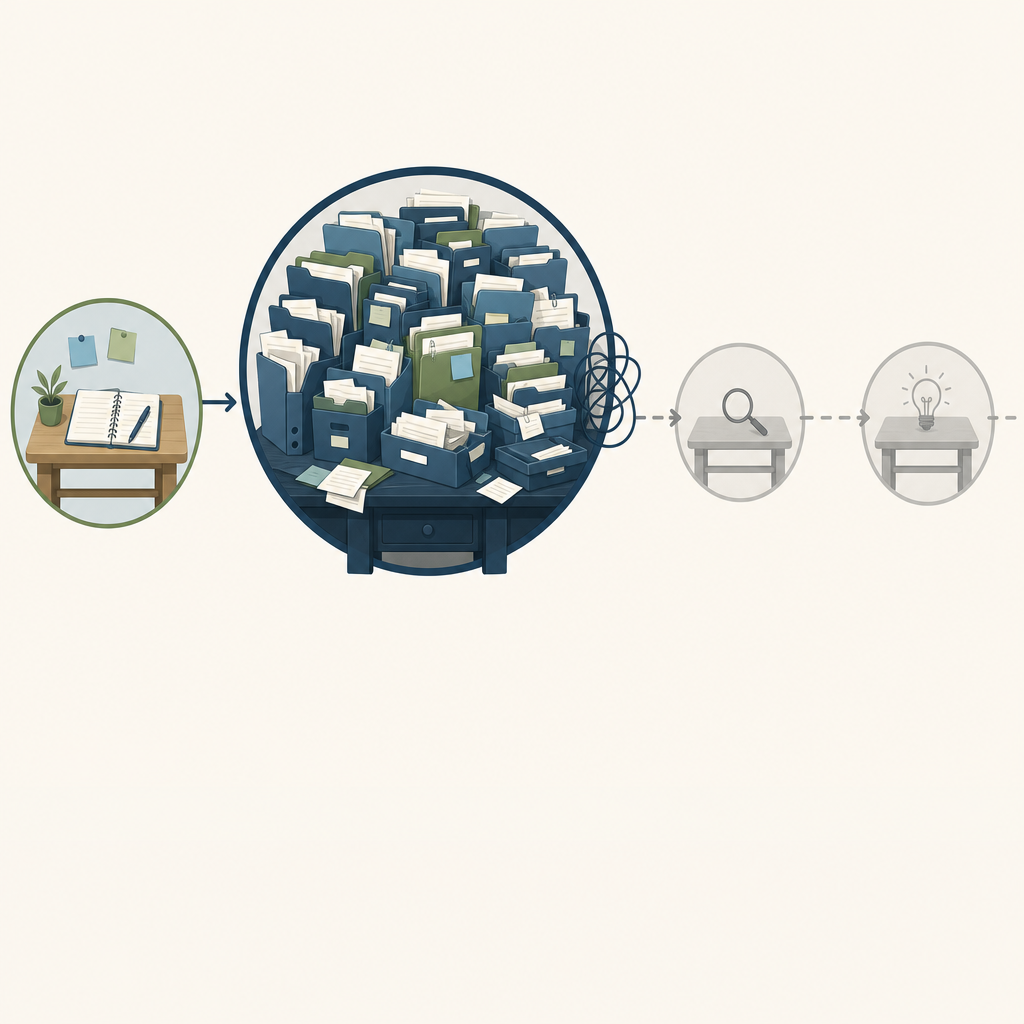
Every personal knowledge management system performs four distinct jobs: capture, organize, retrieve, and synthesize. Capture is the act of pulling information into your system — a highlight from an article, a meeting note, a passing thought. Organize is the structure you impose on that information so it has a home. Retrieve is the ability to find what you need when you need it. Synthesize is the act of connecting pieces of information to produce new insight — the entire point of keeping notes in the first place.
Here is the pattern that kills most systems: people pour their energy into organize — building elaborate folder hierarchies, tagging every note with six metadata fields, designing dashboards — and treat retrieve and synthesize as afterthoughts. The result is a system that looks impressive in screenshots but fails the moment you need to find something quickly or connect two ideas you captured months apart.
This imbalance is not a personal failing — it is a structural trap. Organization is visible and satisfying. You can see a clean folder structure. You can count your tags. Retrieval and synthesis are invisible — they only reveal themselves when you need an answer and cannot find it, or when you realize you have 5,000 highlights you have never re-read. The systems that survive are built around the jobs that actually produce value, not the job that looks neat.
If you want to understand how a PKM system evolves beyond the capture and organize stages, the Three Levels of PKM Maturity framework provides a useful map of how systems grow from digital filing cabinets into environments that support genuine model revision.
The Five Traps That Kill PKM Systems
Understanding the four jobs is the diagnosis. The five traps below are the specific failure modes that emerge when those jobs fall out of balance. If you have abandoned a PKM system before, you will recognize at least one of these patterns.
Trap 1: Tool-Hopping
You switch tools every month. Notion feels slow, so you move to Obsidian. Obsidian requires too much configuration, so you try Logseq. Logseq's block-based editing does not click, so you migrate to Roam. Each migration costs you time and momentum. After three or four moves, you have spent more energy rebuilding your system than using it.
The underlying problem is not the tool — it is the belief that the next tool will fix a workflow problem. A theoretically perfect system you abandon after two weeks is worse than an imperfect one you maintain for years.
Trap 2: Over-Tagging
You start with 10 tags. Within a month you have 50. Within three months you have 500. The problem is not the number of tags — it is that the tag system has become so granular that you cannot remember which tag you used for a given concept. You end up searching by keyword anyway, which means the tags are doing no work.
Over-tagging is a symptom of organizing without a retrieval strategy. Every tag you add should answer the question: "When I need this note later, what word will I think of first?" If the answer is not obvious, the tag is noise.
Trap 3: Capture Without Distill
You save everything. Every article you skim gets clipped. Every podcast episode gets a timestamped note. Every book you read gets a full chapter-by-chapter summary. Your system grows to thousands of notes, but you never revisit them. The act of capturing becomes a substitute for the act of thinking.
This is the most common trap among knowledge workers who are heavy consumers of information. The system feels productive because the note count is rising. But a note that is never re-read is not knowledge — it is digital hoarding.
Trap 4: Public-System Bias
You watch a YouTube walkthrough of someone else's elaborate Notion dashboard or Obsidian vault. It has 15 databases, a custom CSS snippet, and a weekly review template that takes an hour to complete. You copy it exactly. It collapses within two weeks because it was designed for someone else's brain, not yours.
Public-system bias is particularly dangerous for beginners, who assume that an elaborate system must be a good system. In reality, the most durable systems are the ones that match your thinking style, not the ones that look impressive in a screenshot. If you are unsure which style fits you, the PKM thinking-style paradigm match guide can help you identify whether you are a structural thinker, a connective thinker, or a project-driven thinker before you adopt someone else's template.
Trap 5: Optimizing Organize at the Cost of Retrieve
This is the meta-trap that underlies the other four. You spend hours deciding whether a note belongs in "Projects" or "Areas." You debate whether to use folders or tags or both. You reorganize your entire vault every quarter. Meanwhile, you have not retrieved a single note from three months ago because you cannot remember where you put it.
The test is simple: if you spend more time organizing your system than using it to think, the balance is wrong. For a deeper look at how different frameworks handle this trade-off, the PKM Frameworks Compared guide examines how PARA, Zettelkasten, CODE, and Seek-Sense-Share each approach the organize-versus-retrieve tension.
The Real Cost of a Broken System: What the Data Says
The traps above are not just frustrating — they carry a measurable productivity cost. The statistics below quantify what happens when knowledge workers lack a functional system for managing information.
| Metric | Figure | Source | Notes |
|---|---|---|---|
| Time spent searching for information per week | 9.3 hours (1.8 hours/day) | McKinsey | Nearly 25% of the workweek; IDC reports a higher figure of 2.5 hours/day |
| Saved notes never revisited | 67% | Industry estimate | Consistent across multiple surveys of knowledge workers |
| High-performing knowledge workers using structured PKM | 78% | ProductivityGame survey (2022) | Survey-based; limited methodological transparency — treat as directional |
| Productivity improvement with structured PKM systems | 37% higher productivity; 42% greater creative output | Stanford / Journal of Knowledge Management (2020) | Directional evidence — original study could not be independently verified from available sources |
| Organizations reporting poor knowledge-sharing causes project failures | 62% | McKinsey | Enterprise context, but relevant to individual PKM as well |
The 9.3 hours per week figure from McKinsey is the most frequently cited statistic in the PKM space, and it is worth sitting with for a moment. That is nearly a quarter of a 40-hour workweek spent hunting for information you already have. A functional PKM system does not eliminate that time entirely, but it can reduce it dramatically — the right tools and habits can return a 20–25% productivity lift, according to McKinsey's own analysis.
The 67% of notes never revisited statistic is the one that should worry you most. It means two-thirds of your capture effort produces zero return. The solution is not to capture less — it is to build a retrieval and review habit that turns captured information into compound knowledge.
The 30-Day Recovery Workflow: A System for People Who Have Failed Before
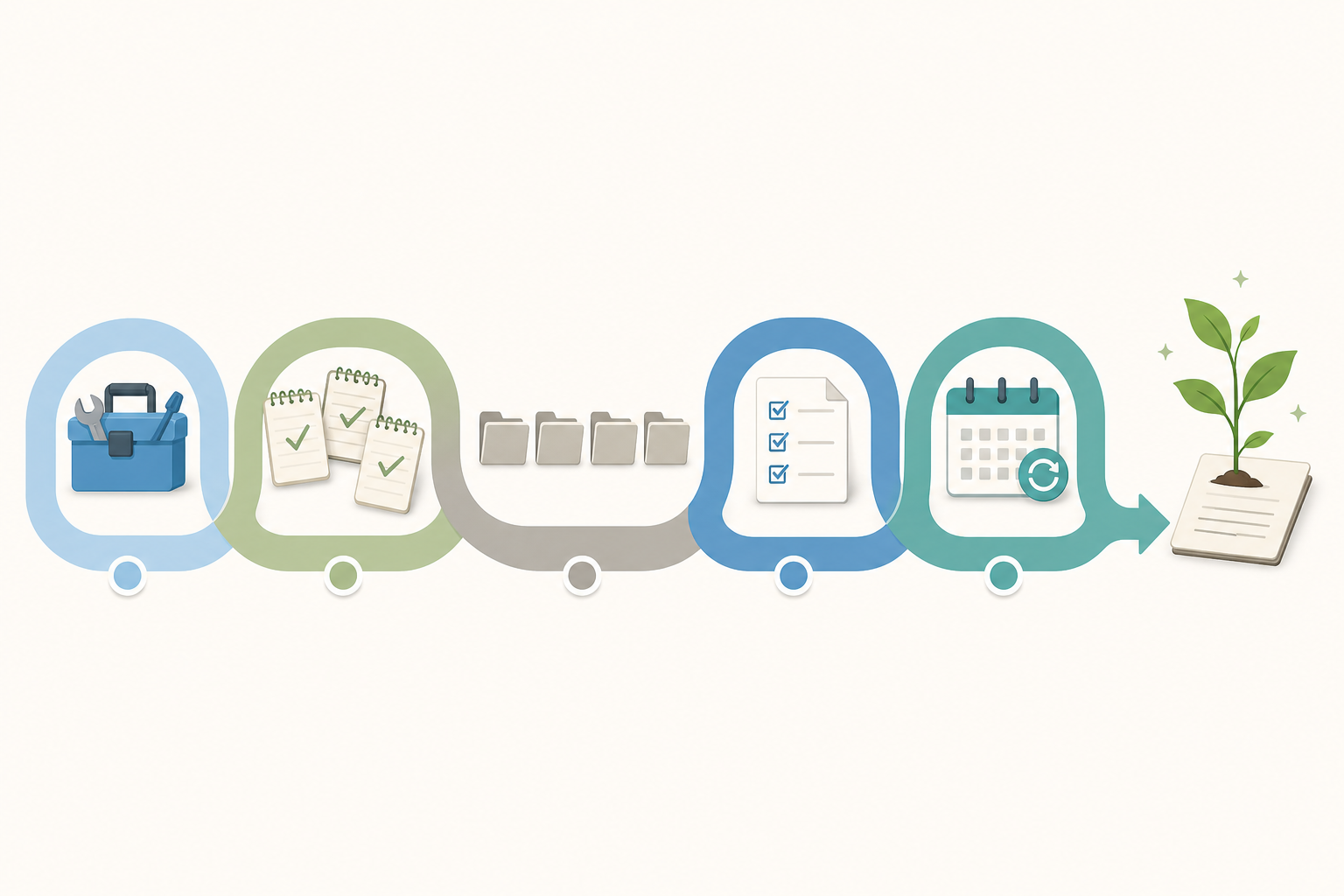
This workflow is not another setup guide. It is a recovery protocol for people who have tried PKM, abandoned it, and are skeptical that this time will be different. Every phase is anchored in a specific failure trap it prevents.
| Phase | Days | Action | Trap It Prevents |
|---|---|---|---|
| Pick a tool | 1–2 | Choose one tool with minimal friction. Default to Obsidian for local-first, Notion for structure, or a simpler option like Apple Notes if you tend to overcomplicate. | Tool-hopping: committing to one tool removes the option to switch next week. |
| Capture starter notes | 3–7 | Write 30–50 notes without worrying about structure. Notes can be anything: a quote, a task, a question, a half-formed idea. Do not organize them yet. | Capture-without-distill: you build the capture habit before you build the organize habit. |
| Adopt PARA filing | 8–14 | Create exactly four top-level folders: Projects, Areas, Resources, Archive. Move your 30–50 notes into these folders. Do not create subfolders yet. | Over-tagging and optimize-organize: PARA gives you just enough structure to find things without letting you build a taxonomy. |
| Daily capture of 3 things | 15–21 | Each day, capture three things: one from reading, one from doing, and one from thinking. This forces variety in your input and prevents capture-from-reading-only bias. | Capture-without-distill: the variety ensures you are not just hoarding articles. |
| Weekly 30-minute review | 22–30 | Once per week, spend 30 minutes reviewing your notes. Delete or archive anything that no longer matters. Move completed projects to Archive. Notice connections between notes. | Optimize-organize-at-cost-of-retrieve: the review habit forces retrieval and synthesis. |
After 30 days you will have roughly 100 notes, a daily capture habit, a weekly review rhythm, and a minimal filing structure that works. Compounding starts in month two — notes you captured in week one will start connecting to notes from week three, and you will begin to see patterns across your thinking that you would have missed without the system.
If you want a companion template to implement this workflow, the 30-Day PKM Starter System template provides a ready-made structure for any tool. For a more detailed step-by-step walkthrough of the daily actions, the in-depth 30-day build guide covers each day in more detail.
How to Know Your System Is Working
Most people evaluate their PKM system by how it looks. A working system does not look like anything — it feels like a tool you reach for without thinking. Here are three concrete signals that your system is actually working.
- Retrieval time under one minute. You can find any note in your system within 60 seconds. If you are digging through folders or scrolling through a long list, your organization is getting in the way of retrieval.
- Compounding visible in month two. Around week five or six, you start noticing connections between notes you captured weeks apart. A note about a meeting from week two connects to a reading highlight from week four. This is the signal that your system is moving from storage to synthesis.
- The review habit feels like maintenance, not a chore. If your weekly review feels like a burden you have to force yourself to do, something is off. Either the review is too long, or the system has accumulated too much noise. A working review takes 30 minutes and leaves you feeling clearer, not more burdened.
These signals are more useful than any metric like note count or tag count. A system with 200 notes that you can retrieve from in under a minute is infinitely more valuable than a system with 2,000 notes that you never revisit.
What to Do When You Hit the Wall (Because You Will)
Every PKM system hits friction eventually. The difference between a system that survives and one that dies is not the absence of friction — it is the presence of a troubleshooting reflex. When you hit the wall, use this simple framework instead of abandoning the system.
- If you stop capturing, lower the bar. A note can be one sentence. It can be a screenshot. It can be a voice memo. The capture habit matters more than the quality of any individual note. Once the habit is restored, you can raise the bar again.
- If you stop reviewing, shorten the interval. A 30-minute weekly review is the target, but if you miss two weeks in a row, switch to a 10-minute daily review. The goal is to maintain the rhythm, not to hit a specific duration.
- If you feel overwhelmed by structure, flatten it. Move everything into a single folder or a single database. PARA can wait. A flat system with a good search function beats a nested system you avoid using.
- If you feel the urge to switch tools, write down what is actually wrong. Is the tool slow? Is the sync broken? Or are you bored with your system and looking for a fresh start? If it is the latter, switching tools will not help — you will just repeat the same cycle in a new app.
Iteration is not a sign of failure. It is the mechanism by which a system adapts to your changing needs. The systems that survive are not the ones that were perfectly designed on day one — they are the ones that were adjusted, simplified, and rebuilt as their owners learned what actually worked for them.
Comments
Join the discussion with an anonymous comment.