
The AI-PKM Landscape in 2026: Market Context and the Premium Question
The personal knowledge management software market has entered a new phase. Valued at $1.8 billion in 2025 and projected to reach $4.9 billion by 2034 at a compound annual growth rate of 11.8%, the category is no longer a niche for note-taking enthusiasts. Cloud-based deployments accounted for 72.6% of that revenue in 2025, and the corporate application segment — the fastest-growing slice at a 14.1% CAGR — signals that PKM has become an enterprise concern, not just a personal productivity hobby.
The driving force behind this growth is artificial intelligence. According to a 2026 survey, 41% of knowledge management teams report that implementing AI is their top priority, and 44% of KM experts rank generative AI as the most important emerging technology for the field. Yet the same data set delivers a sobering counterpoint: 95% of enterprise AI pilots fail before delivering any measurable return on investment. The gap between intention and execution is vast.
For the individual knowledge worker or the team evaluating a PKM upgrade, the central question is straightforward: AI features now command a 40–80% premium over base subscription tiers. Notion AI, for instance, costs $10 per member per month on top of the standard plan. Tana's AI-enabled tiers run from $8 to $18 per month depending on billing cycle and feature depth. When you are paying nearly double for an AI layer, you deserve to know exactly what you are buying — and whether it actually saves you time.
This article takes a critical, evidence-based look at the AI features shipping in today's top PKM tools. We separate genuine retrieval and organization gains from marketing fluff, examine where the data supports the claims, and provide a tiered recommendation framework for deciding which AI features are worth your money. If you are a tech-savvy professional already using a PKM tool and considering an AI upgrade, this is the evaluation you need before you commit.
For a broader look at how AI is converging across note-taking, meeting bots, and study tools, see our companion piece on the AI note-taking landscape in 2026. This article, by contrast, focuses narrowly on ROI: which AI features in PKM apps actually deliver measurable value, and which ones are still riding the hype wave.

AI Capabilities Comparison: What the Top Tools Actually Offer
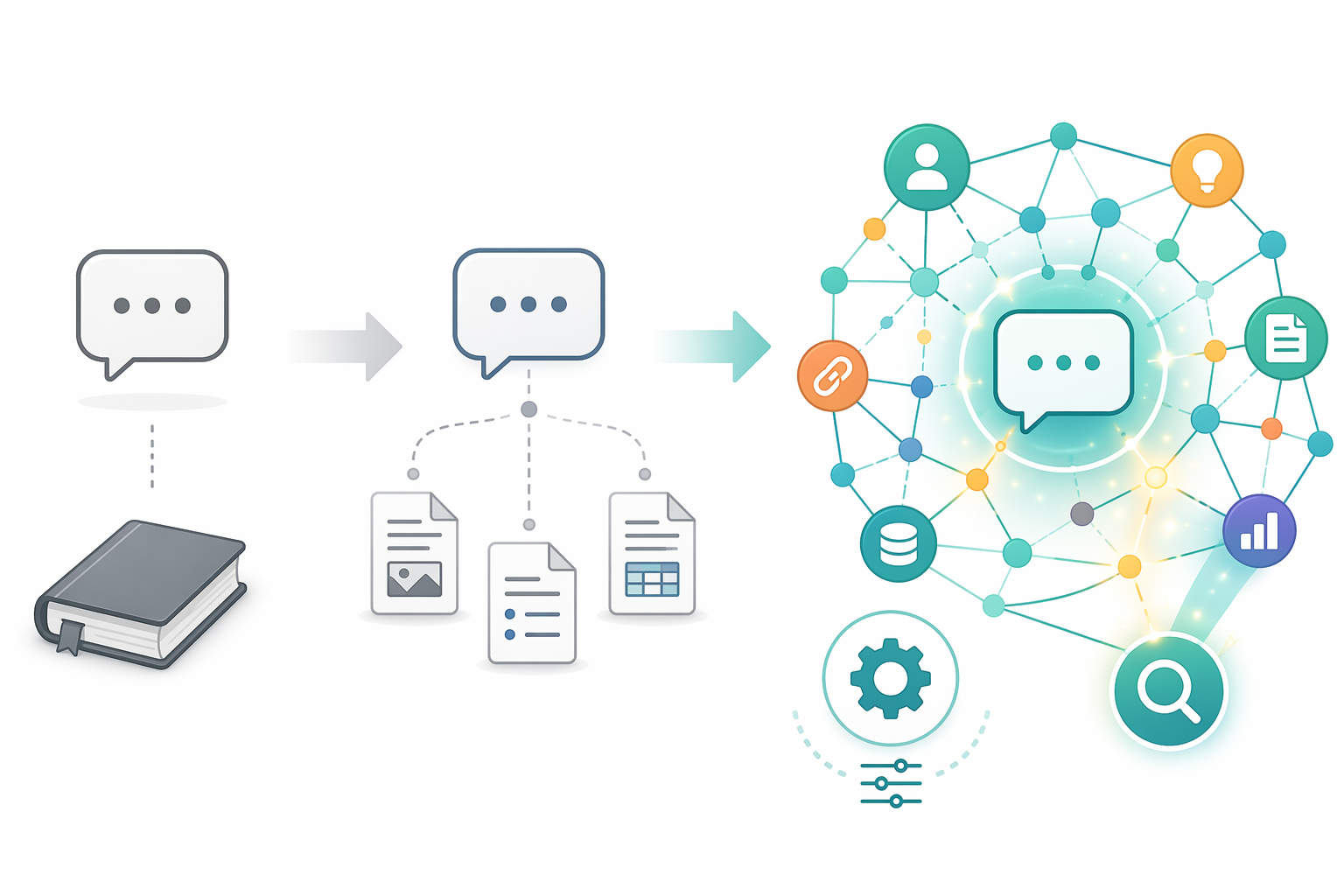
Not all AI integrations are created equal. The critical differentiator is depth of knowledge-base integration. A tool that layers a generic chatbot on top of your notes is fundamentally different from one that uses retrieval-augmented generation (RAG) to pull context from your specific graph of ideas, then lets you act on that context through auto-tagging, summarization, or conversational retrieval.
Below is a comparison of six leading PKM tools across three dimensions that matter most for knowledge workers: semantic search and RAG-based retrieval, automatic tagging with user control, and conversational retrieval from the knowledge base. Pricing reflects the AI-enabled tier where applicable.
| Tool | AI-Enabled Tier (Monthly) | Semantic Search / RAG | Auto-Tagging with User Control | Conversational Retrieval | Integration Depth |
|---|---|---|---|---|---|
| Tana | $8–$18 (Plus/Pro) | Yes — RAG-based, uses your graph as context | Yes — supertag system with AI auto-tagging | Yes — AI chat with full knowledge-base context | Deep: meeting transcription, action-item extraction, custom AI commands |
| Reflect | $10 (annual only) | Yes — GPT-4 powered semantic search | Limited — bidirectional linking, no AI auto-tagging | Yes — AI chat with GPT-4 and Whisper | Deep: E2E encryption, Google Calendar integration, Kindle highlights sync |
| Notion | $10/seat (AI add-on) | Yes — AI-powered search across workspace | Limited — AI can suggest properties, but no auto-tagging workflow | Yes — Q&A with workspace context | Moderate: AI writing assistant, summarization, translation |
| Obsidian (via plugins) | Free (plugins) + optional Sync ($5–$10) | Yes — community plugins (e.g., Copilot, Smart Connections) | Yes — plugin-dependent, highly customizable | Yes — plugin-dependent, variable quality | Variable: depends on plugin ecosystem; requires technical setup |
| Mem.ai | Free tier available; paid tiers undisclosed | Yes — smart search and discovery | Yes — auto-tagging and categorization | Yes — AI chat with notes | Moderate: auto-organisation, but limited user control over tagging schema |
| Kosmik | Free tier available; paid tiers undisclosed | Limited — visual search, not full RAG | Yes — AI auto-tagging by colors, themes, subjects | No — no conversational retrieval | Shallow: tagging-focused, no deep knowledge-base querying |
The table reveals a clear pattern. Tana and Reflect offer the most deeply integrated AI experiences: both use your actual knowledge base as the context for AI operations, and both support conversational retrieval that lets you ask questions and get answers grounded in your notes. Tana goes further with its supertag system, which uses AI to auto-tag content according to user-defined schemas — a feature that directly addresses the perennial PKM problem of inconsistent tagging.
Notion's AI add-on is competent but sits at a moderate depth. Its Q&A feature can retrieve answers from your workspace, and its writing assistant is useful for drafting and summarization. But it lacks the auto-tagging workflow that would make it a true 'set-and-forget' organization tool. Obsidian, through its community plugin ecosystem, can match or exceed the AI depth of any native tool — but only if you are willing to invest time in setup and maintenance. Mem and Kosmik offer useful auto-tagging features but fall short on conversational retrieval and deep knowledge-base integration.
Measurable Claims: What the Data Says About AI in PKM
The most frequently cited statistic in the AI-PKM space comes from a Dataintelo market report: AI-enhanced PKM tools improve individual information retrieval efficiency by up to 47% and reduce time spent searching for information by an estimated 35% compared to traditional folder-based systems. These are striking numbers — the kind that justify a 40–80% pricing premium at a glance.
But they deserve scrutiny. The 47% retrieval efficiency figure and the 35% search time reduction come from a single source — the Dataintelo report — and the methodology behind those calculations is not publicly detailed. Are they based on controlled lab studies, user surveys, or vendor-submitted data? The report does not say. Similarly, the widely cited statistic that knowledge workers spend 9.3 hours per week searching for information originates from McKinsey research that is several years old; its applicability to the 2026 AI-augmented workplace is inferred, not proven.
What is more solidly supported is the broader productivity claim. McKinsey's research — though dated — found that organizations with strong knowledge management systems can reduce time lost to information search by up to 35% and boost overall organizational productivity by 20–25%. A separate 2026 survey found that 60% of organizations now prioritize AI-enabled knowledge capabilities when evaluating KM platforms. The direction of travel is clear, even if the precise numbers are fuzzy.
The pricing premium itself is a useful anchor. If a tool costs 60% more than its non-AI equivalent, you need to be confident that it will save you at least that much in time or cognitive load. A 35% reduction in search time might justify a 40% premium for a heavy note-taker who spends several hours daily retrieving information. For someone who primarily writes new notes rather than searching old ones, the math looks different.
Where AI Actually Helps vs. Where It's a Gimmick
After evaluating the feature sets and the available data, a clear line emerges between genuinely useful AI capabilities and features that are currently more marketing than substance.
Genuinely Useful AI Features
- Semantic search with RAG: The ability to search by meaning rather than exact keywords, with results grounded in your personal knowledge base. This is the single highest-value AI feature in PKM. Tana and Reflect do this well; Notion's AI search is competent but less context-aware.
- Auto-tagging with user-defined schemas: AI that applies consistent metadata according to rules you set — not generic tags the tool decides for you. Tana's supertag system is the gold standard here. Obsidian plugins can replicate this with more effort.
- Meeting transcription with action-item extraction: Tools like Tana and Reflect can transcribe meetings, summarize discussions, and extract action items directly into your knowledge base. This saves real time for anyone who attends regular meetings.
- Conversational retrieval from your knowledge base: Asking a question and getting an answer synthesized from your notes — not a generic web search result. This works well in Tana and Reflect, moderately well in Notion, and is plugin-dependent in Obsidian.
Overhyped or Premature AI Features
- Generic chatbot without knowledge-base integration: A chat interface that answers questions from a general language model rather than your notes. This is the most common shallow integration. If the chatbot cannot reference your specific projects, meeting notes, or research, it is not a PKM feature — it's a standalone chatbot bolted onto a note-taking app.
- AI content generation that produces irrelevant or generic text: Tools that offer to 'write a summary' or 'generate a draft' but produce content that does not reflect your voice, context, or note structure. This is improving but remains unreliable for serious knowledge work.
- Auto-tagging without user control: AI that assigns tags based on its own classification scheme, with no way to override or customize. This creates metadata chaos rather than organization. Kosmik's color-based auto-tagging is visually interesting but lacks the precision most knowledge workers need.
Privacy Trade-Offs: Local AI vs. Cloud AI
The privacy implications of AI in PKM are distinct from the general local-first versus cloud debate. When AI processes your notes, it is not just storing them — it is reading, indexing, and potentially learning from them. This raises specific concerns about data sovereignty, vendor lock-in, and the permanence of your knowledge graph.
| Dimension | Local AI (Obsidian + Plugins) | Cloud AI (Tana, Notion, Reflect) |
|---|---|---|
| Data processing location | Your device — no data leaves your machine | Vendor's servers — data is processed in the cloud |
| Encryption | Full control; no vendor access | Varies: Reflect offers end-to-end encryption; Tana and Notion use encryption at rest and in transit but have server-side access |
| Vendor lock-in risk | Low — notes are plain Markdown files; plugins are community-maintained | Moderate to high — knowledge graph is tied to the platform's data model; export may lose structure |
| AI model choice | Full control — you choose the model (local LLM, OpenAI API, Anthropic API) | Vendor-controlled — you use the model they provide |
| Technical setup required | High — requires plugin installation, API key configuration, and ongoing maintenance | Low — AI features work out of the box |
| AI feature depth | Variable — depends on plugin quality; can match or exceed native tools | Consistent — vendor ensures integration quality across all users |
Reflect occupies an interesting middle ground: it offers end-to-end encryption even while processing AI in the cloud. This means the vendor cannot read your notes, but the AI model still processes them on Reflect's servers. For users who want cloud convenience without sacrificing privacy, this is a meaningful differentiator.
Obsidian's plugin ecosystem, by contrast, gives you full control but demands technical competence. Setting up a local AI pipeline — for example, using the Copilot plugin with a local LLM via Ollama — requires comfort with command-line tools, API configuration, and troubleshooting. The payoff is complete data sovereignty and the ability to choose your own AI model. The cost is time and ongoing maintenance.

Recommendations: Which AI Features Are Worth Paying For at Each Price Tier
The decision to pay for AI in a PKM tool depends on three factors: how much time you spend retrieving information, how important data privacy is to you, and how much technical setup you are willing to tolerate. Below is a tiered recommendation framework based on the tools and data reviewed.
| Budget Tier | Monthly Cost | Recommended Tool | AI Features Worth Paying For | AI Features to Skip |
|---|---|---|---|---|
| Free / Entry-Level | $0 | Obsidian + free community plugins (Copilot, Smart Connections) | Semantic search via plugins; auto-tagging via plugins; full data sovereignty | Conversational retrieval (plugin quality varies); content generation (unreliable) |
| Mid-Range | $8–$10 | Tana Plus ($8/mo annual) or Reflect ($10/mo annual) | RAG-based semantic search; meeting transcription with action items; conversational retrieval; auto-tagging with supertags (Tana only) | Content generation (still generic in both tools); AI writing assistant (Notion AI is better for this) |
| Premium | $14–$20 | Tana Pro ($14/mo annual) or Notion Business ($20/seat/mo with AI) | All mid-range features plus higher AI credit limits (Tana); team collaboration with AI Q&A (Notion) | Notion AI's auto-tagging (limited); any feature that promises to 'organize your notes automatically' without user-defined rules |
Decision Framework
Use the following questions to determine which tier is right for you:
- If you spend more than 3 hours per week searching for information across your notes, pay for Tana Plus or Reflect. The 35% search time reduction — even if directionally accurate — will pay back the $8–10 monthly cost within weeks.
- If you attend more than 5 meetings per week and need action items captured automatically, Tana Pro is worth the $14/month. Its meeting agent handles transcription, summarization, and action-item extraction in one workflow.
- If you value data sovereignty above all else and are comfortable with technical setup, stick with Obsidian and invest time in the plugin ecosystem. You will get AI features comparable to paid tools, with zero vendor lock-in and full control over your data.
- If you primarily write new notes and rarely retrieve old ones, skip the AI upgrade entirely. The 40–80% premium is not justified for your use case. A well-structured folder system or basic tagging will serve you just as well.
- If you need team collaboration with AI-powered Q&A across shared workspaces, Notion Business with the AI add-on is the most mature option. Its AI is less deeply integrated than Tana's, but its collaboration features are unmatched.
The AI-in-PKM market in 2026 is still in its early-adopter phase. The tools that deliver genuine value — Tana, Reflect, and a well-configured Obsidian setup — share a common trait: they use AI to enhance retrieval and organization, not to replace your thinking. The tools that feel like gimmicks are the ones that add a chatbot without connecting it to your knowledge base, or that auto-tag your notes without letting you control the schema. Pay for depth. Skip the surface.
Comments
Join the discussion with an anonymous comment.