
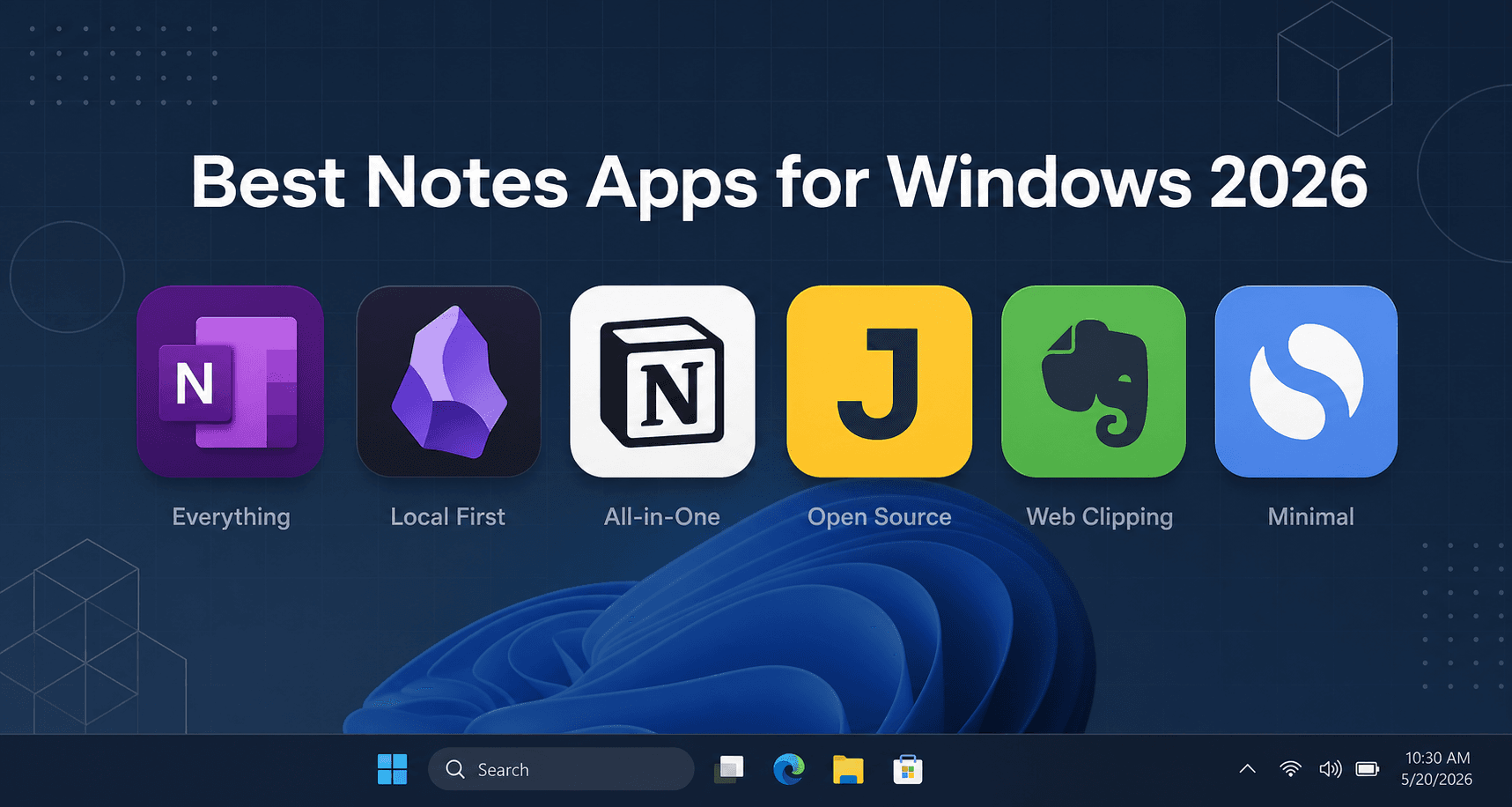
Can You Get By with a Free Note-Taking App on Windows?
The short answer is yes — for the majority of Windows users, a free note-taking app will handle daily tasks without forcing you to pull out your wallet. Microsoft OneNote, Simplenote, Joplin, and Google Keep all offer genuinely useful free tiers that cover basic note capture, organization, and syncing. The question isn't really "can I get by for free?" but rather "what specific job am I asking my notes app to do?"
If your needs are straightforward — quick text notes, checklists, a bit of handwriting on a Surface, or syncing across devices — a free app is almost certainly sufficient. But the moment you need local-first encryption, AI-powered meeting transcription, relational databases, or a polished cross-platform experience without ads, a paid plan starts to look like a reasonable investment. The trick is knowing which paid features are actually worth the monthly charge and which ones you can live without.
This article breaks down exactly what you get for free versus what each paid tier unlocks, so you can decide where — if anywhere — your money is actually well spent.
Free vs. Paid at a Glance: A Quick Price Comparison
Before diving into the details, here is a scannable overview of the major players. The table shows each app, what its free tier limits are, and the cheapest way to unlock the full experience.
| App | Free Tier Key Limits | Cheapest Paid Plan | Best For |
|---|---|---|---|
| OneNote | 5 GB OneDrive storage; no local file storage on Windows | Free (no paid upgrade needed for core features) | General note-taking, handwriting, Windows integration |
| Simplenote | None — completely free, unlimited text notes | Free (no paid tier exists) | Minimalist text notes, instant sync |
| Joplin | None — fully free and open-source | Free (Joplin Cloud €2.99/mo optional) | Privacy-focused, Markdown, encryption |
| Google Keep | None — completely free | Free (no paid tier exists) | Quick notes, reminders, voice memos |
| Standard Notes | Basic text editing, limited sync | $9/mo (Productivity plan) | Encrypted, long-form writing |
| Obsidian | None — all core features free for personal use | $4–5/mo (Sync add-on) | Local-first PKM, knowledge management |
| Notion | 7-day page history, 5 MB file uploads | $10/mo (Plus, billed annually) | All-in-one workspace, databases, teams |
| UpNote | Limited free version (50 notes per notebook) | $1.99/mo or $39.99 lifetime | Polished, affordable premium experience |
| Evernote | 50 notes, 1 notebook, 1 device | $14.99/mo (Personal) | Web clipping, legacy users |
| Krisp | Limited AI transcription minutes | $8/mo (Pro) | AI meeting notes, transcription |
What the Free Apps Actually Offer (and Where They Fall Short)
The free tier landscape for Windows note-taking is surprisingly generous — if you know where to look. Here is what each major free option delivers and where the cracks start to show.
Microsoft OneNote — The Most Generous Free Plan
OneNote is the clear winner among free note-taking apps on Windows. PCMag gives it a 4.5 rating and names it an Editors' Choice, and for good reason. The free version includes full notebook/section/page organization, handwriting and stylus support on Surface devices, real-time collaboration, and cross-platform sync via OneDrive. You get 5 GB of free OneDrive storage, which is enough for thousands of text-heavy notes.
The only meaningful restriction is that you cannot save notebooks locally on your Windows machine — everything lives in the cloud. For most users this is a non-issue, but if you frequently work offline or need local-only storage, it is a limitation worth noting. OneNote's Copilot AI features require a Microsoft 365 subscription at $9.99/month, but the core app remains fully functional without it.
Simplenote — Truly Free, Truly Minimal
Simplenote is exactly what its name suggests: a free, no-frills text note app with unlimited storage and instant sync across all platforms. There is no paid tier at all — what you see is what you get. PCMag rates it 3.5, and it is ideal for users who want to capture and find text quickly without any organizational overhead.
The trade-off is that you get plain text only — no images, no handwriting, no rich formatting, no databases. If your note-taking is purely text-based (meeting notes, ideas, to-do lists), Simplenote is hard to beat. If you need anything beyond that, you will hit its limits fast.
Joplin — Free, Open-Source, and Encrypted
Joplin is a free and open-source note-taking app that stores everything locally by default. It supports Markdown, end-to-end encryption with AES-256, and flexible sync via Dropbox, OneDrive, or any WebDAV-compatible service. PCMag gives it a 4.5 rating and an Editors' Choice award.
The core app is completely free with no feature restrictions. The only optional cost is Joplin Cloud at €2.99/month, which provides first-party sync and collaboration features. For users who want full control over their data, encryption, and a modern Markdown editor without paying anything, Joplin is the strongest option.
Google Keep — Quick Notes, but No Native Windows App
Google Keep is free and excellent for quick capture — voice memos with automatic transcription, reminders, checklists, and tight integration with Google Workspace. However, it has no native Windows desktop application. You can access it through a web browser or as a Progressive Web App (PWA), but there is no standalone Windows client. For users who prefer a dedicated desktop app, this is a meaningful gap.
Standard Notes — Free but Limited
Standard Notes offers a free plan with basic text editing and limited sync. The free tier is functional for simple notes, but the real value — themes, editors, file attachments, and advanced sync — requires the Productivity plan at $9/month. For most Windows users, Simplenote or Joplin offer a better free experience unless you specifically need end-to-end encryption with a polished interface.
What Paid Plans Actually Unlock: Is the Upgrade Worth It?
If a free app covers your basic needs, why would anyone pay? The answer lies in specific features that free tiers cannot match. Here is what each paid plan actually unlocks and whether it justifies the cost.
Obsidian Sync ($4–5/month) — Local-First Privacy Without Compromise
Obsidian is free for personal use with all core features — graph view, backlinks, plugins, and local storage. The $4–5/month Sync add-on is entirely optional. You can sync your vault for free using Dropbox, OneDrive, or any cloud folder. So why pay for Sync? Because it offers end-to-end encryption, version history, and seamless cross-device sync without relying on a third-party cloud provider. For users who treat their notes as a long-term knowledge base and want zero vendor lock-in, Obsidian Sync is a reasonable investment. But if you are comfortable managing your own sync via a cloud folder, you can skip it entirely.
Notion Plus ($10/month) — Databases, Unlimited File Uploads, and Team Features
Notion's free plan is generous for individual use, but the Plus plan at $10/month (billed annually) unlocks unlimited file uploads (up from 5 MB per file), 90-day page history (up from 7 days), and guest access for collaboration. For a knowledge worker who uses Notion as an all-in-one workspace — combining notes, project management, databases, and wikis — the Plus plan removes the friction points that make the free tier frustrating. For solo users who only take notes, the free plan is likely sufficient.
UpNote Premium ($1.99/month or $39.99 lifetime) — The Best Value Premium Option
UpNote is the dark horse of the note-taking market. Its premium plan costs $1.99/month or a one-time $39.99 lifetime purchase — a fraction of what competitors charge. PCMag rates it 3.5, noting that it offers a clean interface, rich text and Markdown support, cross-platform sync, and a polished experience without ads. For users who want a premium feel without a recurring subscription, the lifetime license is an exceptional value. The free version is limited (50 notes per notebook), so most users will need to upgrade, but at this price point it is hard to argue against.
Evernote Personal ($14.99/month) — Increasingly Hard to Justify
Evernote's free plan is the most restricted in the category — limited to 50 notes, 1 notebook, and 1 device, making it nearly unusable for regular note-taking. The Personal plan at $14.99/month unlocks unlimited devices, 10 GB of monthly uploads, and PDF annotation. PCMag gives it a 4.0 rating, but the value proposition has eroded significantly as competitors offer more features at lower prices. For long-time Evernote users deeply invested in its web clipper and tagging system, the cost may still be worth it. For new users, the combination of a restrictive free tier and a premium price makes it a hard sell.
Krisp ($8/month) — AI Meeting Transcription for Professionals
Krisp is not a traditional note-taking app — it is an AI-powered meeting assistant that works system-wide across Zoom, Teams, Google Meet, and other platforms. At $8/month, it provides automatic transcription, AI-generated summaries, and action items. For professionals who attend multiple online meetings daily and need searchable notes without manual effort, Krisp fills a gap that no free app can address. It is a specialized tool for a specific use case, not a general-purpose note-taking replacement.
When Free Is Enough: A Decision Guide
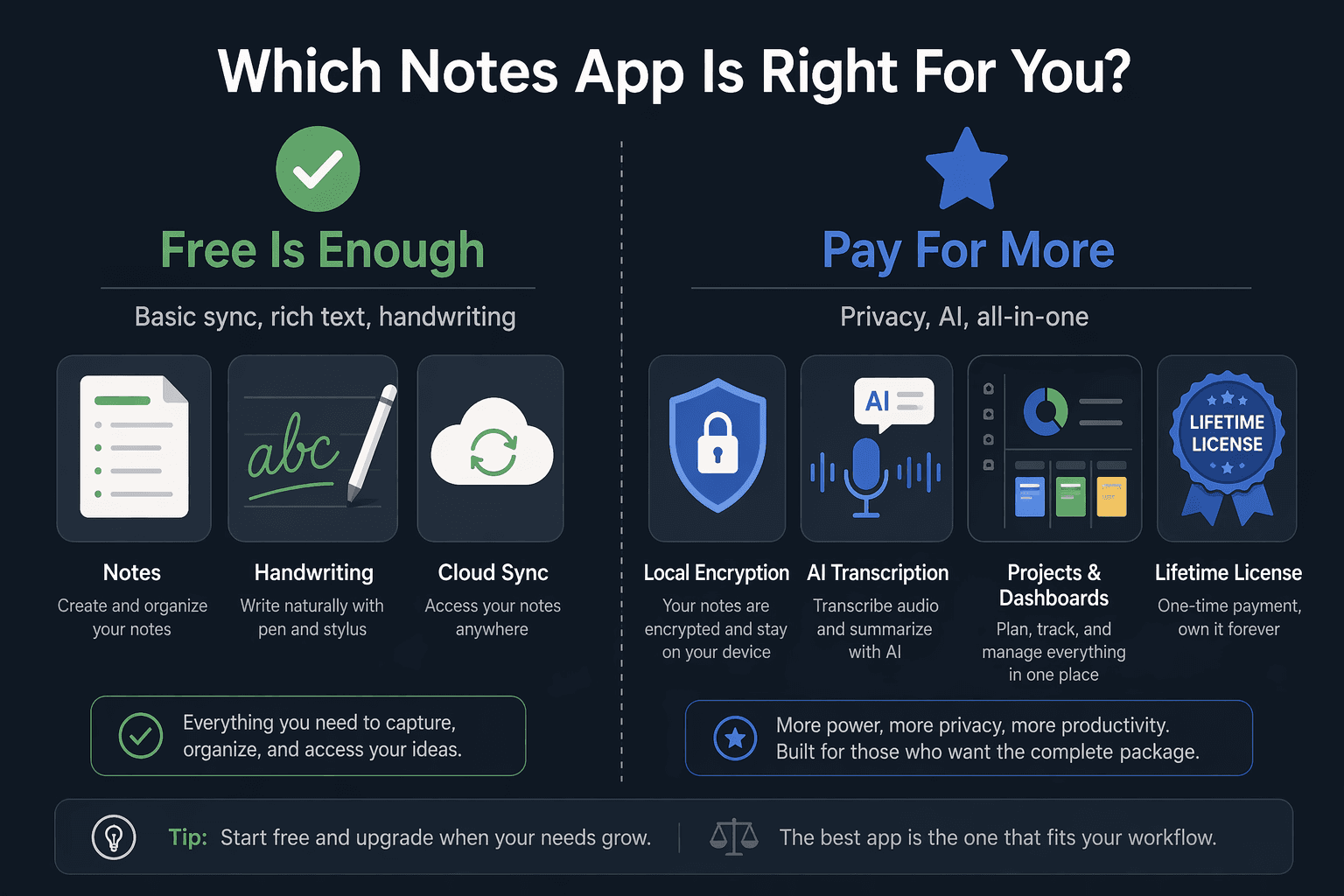
If your note-taking habits fit any of the following scenarios, a free app is almost certainly the right choice:
- You just need to jot down quick text notes and reminders → Simplenote or Google Keep. Both are completely free and sync instantly across devices.
- You need handwriting support on a Surface and deep Windows integration → OneNote. Its free plan is the most feature-complete in the category.
- You want full control, encryption, and Markdown without paying a cent → Joplin. Free and open-source with AES-256 encryption.
- You are a student on a tight budget → OneNote or Joplin. Both offer robust free tiers that handle lectures, research, and project notes. For a deeper student-focused comparison, see our Best Free Note-Taking Apps for Students in 2026 guide.
When Paying Makes Sense: Scenarios Where the Upgrade Is Justified
Paying for a note-taking app makes sense when the free tier actively prevents you from working the way you need to. Here are the scenarios where upgrading is worth the money:
- You need local-first privacy and a powerful knowledge management system → Obsidian with Sync ($4–5/month). The core app is free, but Sync adds end-to-end encryption and seamless cross-device sync without relying on third-party cloud storage.
- You want an all-in-one workspace for notes, projects, and databases → Notion Plus ($10/month). The Plus plan removes file upload limits and adds version history, making it viable as a central productivity hub.
- You attend many online meetings and need automated transcription → Krisp ($8/month). System-wide AI transcription that works across all meeting platforms.
- You want a polished, ad-free experience with a one-time payment → UpNote Premium ($39.99 lifetime). The best value premium option — pay once and own it forever.
If you are concerned about long-term costs, vendor lock-in, or the hidden trade-offs of free plans, read our companion article on The Hidden Costs of Free Note-Taking Apps for a deeper analysis of privacy, sync, and lock-in risks over time.
The Verdict: Which Note-Taking App Should You Choose for Windows in 2026?
There is no single "best" note-taking app for Windows in 2026 — the right choice depends entirely on what you need your notes to do. The good news is that the free tier landscape is strong enough that most users can start without spending anything.
Here is a simple framework to guide your decision:
- Start with a free app — likely OneNote — and use it for a month. It covers handwriting, organization, collaboration, and sync out of the box.
- If you hit a specific wall — you need local encryption, AI transcription, relational databases, or a lifetime license — then consider upgrading to the paid plan that solves that exact problem.
- Do not pay for features you do not need. Obsidian Sync is pointless if you are happy with OneDrive. Notion Plus is overkill if you only take text notes.
- For a broader use-case-based ranking that goes beyond pricing, see our full guide to The 7 Best Note-Taking Apps for Windows in 2026.
The bottom line: free is enough for most Windows users. But when free is not enough, the paid options are better and more affordable than ever — provided you choose the one that matches your actual workflow.



Comments
Join the discussion with an anonymous comment.