
Introduction: Why the 'Best' Notes App Depends on Your Workflow
If you search for "best notes app for Windows" you will find dozens of lists, each with a different winner. That is not because the reviewers disagree — it is because there is no universal best. A student taking lecture notes on a Surface tablet needs something fundamentally different from a knowledge worker building a personal knowledge base, a team managing projects in a shared workspace, or a professional who needs automatic meeting transcripts.
This comparison covers eight note-taking tools tested natively on Windows 11. Instead of declaring a single winner, it ranks each app by the workflow it serves best. You will find detailed sections on Microsoft OneNote, Obsidian, Notion, UpNote, Joplin, Simplenote, Evernote, and Krisp — each with honest trade-offs, pricing verified as of June 2026, and a clear "who should skip" callout.
If you are a student on a tight budget, you can jump to the use-case recommendation matrix below. If you want to understand how each app performs on actual Windows hardware, start with the methodology section.
How We Tested: Native Windows 11 Methodology
Many roundups test note-taking apps in a browser or on a Mac and then extrapolate the results to Windows. That approach misses critical differences: web wrappers perform differently from native apps, stylus support varies by hardware, and Windows-specific features like taskbar integration or notification actions are invisible from a browser tab.
For this comparison, every app was installed and tested on a Windows 11 desktop (Intel i7, 16 GB RAM, SSD) and a Surface Pro 9. We evaluated each tool against six criteria:
- Performance: launch speed, scroll smoothness, search responsiveness, and memory usage during typical note-taking sessions.
- Sync speed: time between saving a note on one device and seeing it on another, tested over the same Wi-Fi network.
- Feature depth: formatting options, attachment handling, offline access, and advanced capabilities like backlinks, templates, or AI features.
- Windows-specific integration: stylus and touch input on Surface, taskbar jump lists, notification actions, and file picker integration.
- Pricing and free-tier limits: what you actually get without paying, verified against official sources.
- Data portability: export formats, lock-in risk, and ease of migrating notes to another tool.
Apps that only offer a Progressive Web App (PWA) on Windows — such as Apple Notes and Google Keep — were excluded because they lack native file system access, offline reliability, and taskbar integration. This is a Windows-native comparison, not a browser-tab comparison.
At-a-Glance Comparison Table
The table below summarizes all eight tools across the dimensions that matter most during the decision process. Pricing was last verified in June 2026.
| App | Best For | Pricing (Last Verified June 2026) | Free Plan Limits | Standout Feature | Who Should Skip |
|---|---|---|---|---|---|
| OneNote | Microsoft ecosystem users, students, stylus users | Free; $1.99/month for 100 GB storage | 5 GB storage, all core features | Deep Windows integration, Surface Pen support | Users who want markdown or local-only files |
| Obsidian | Knowledge workers, PKM builders, privacy-focused users | Free for personal use; Sync $4/month, Publish from $8/month | Unlimited local notes, full plugin access | Local markdown, graph view, 1,500+ plugins | Users who dislike markdown or want a managed cloud service |
| Notion | Teams, project managers, all-in-one workspace users | Free; Plus $10/user/month; Business $18/user/month | Unlimited pages, 7-day page history, 5 MB file uploads | Databases, wikis, kanban boards in one tool | Users who want a fast, lightweight notes app |
| UpNote | Value seekers, former Evernote users, cross-platform users | $1.99/month or $39.99 lifetime | Free trial with limited notes | Polished native apps, lifetime license option | Users who need OCR, sketching, or team collaboration |
| Joplin | Privacy advocates, open-source enthusiasts, Evernote refugees | Free; Joplin Cloud from €2.99/month | Unlimited local notes, end-to-end encryption | Open-source, self-hosted sync, encryption | Users who want a polished UI out of the box |
| Simplenote | Minimalists, quick-capture users, cross-platform text note-takers | Completely free | Unlimited notes, instant sync | Blazing fast, zero-distraction interface | Users who need formatting, images, or attachments |
| Evernote | Power organizers, existing Evernote loyalists | Free; Starter $14.99/month; Personal $17.99/month | 50 notes, 1 notebook, 1 device | Advanced search, PDF annotation, web clipper | Budget-conscious users or those starting fresh |
| Krisp | Meeting-heavy professionals, remote workers | Pro $8/month (billed annually); free 7-day trial | Free trial with limited AI minutes | AI meeting transcription and summaries across Zoom, Teams, Google Meet | Users who need a traditional note-taking app |
Deep Dives: 8 Note-Taking Apps for Windows
Microsoft OneNote — Best Free Option for Most Windows Users
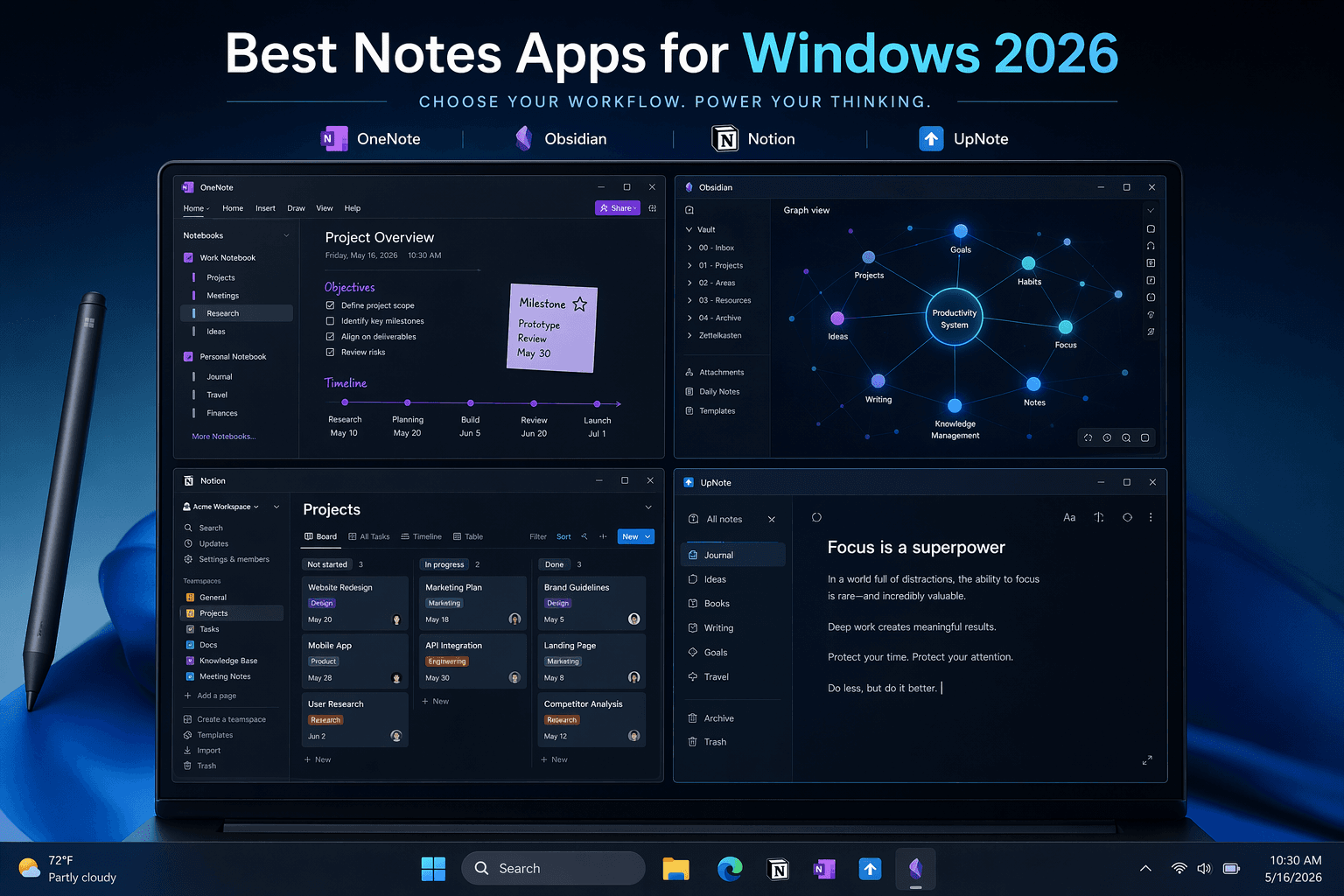
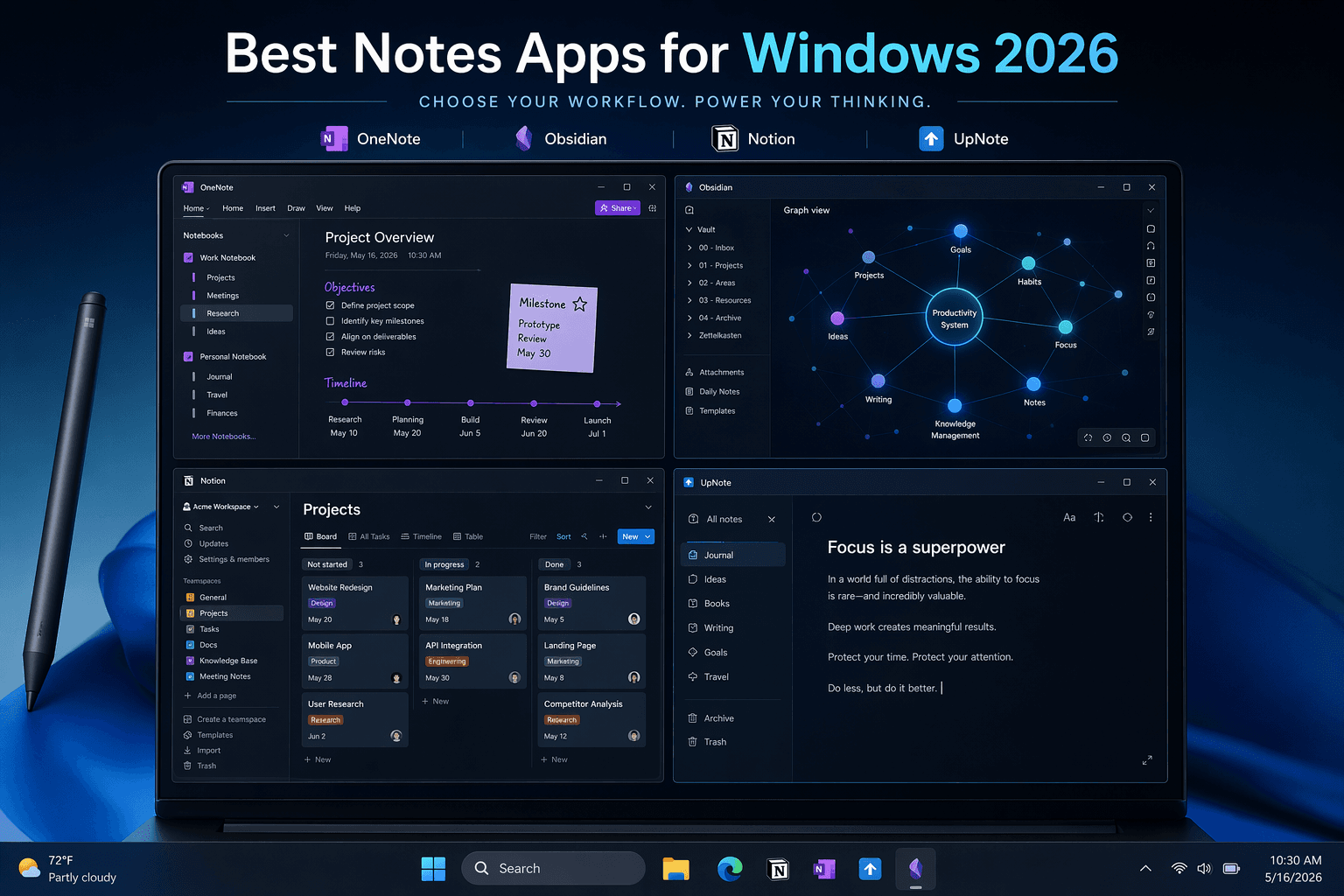
OneNote remains the default recommendation for anyone already in the Microsoft ecosystem. It is pre-installed on most Windows machines, integrates with Outlook tasks and calendar, and offers the best stylus experience on Surface devices. PCMag gave it a 4.5 rating and an Editors' Choice award in their May 2026 update, noting it is free with all core features and 5 GB of free storage.
On Windows 11, OneNote feels native in a way few competitors do. The app supports taskbar jump lists for quick note creation, notification actions for reminders, and full touch and pen input with palm rejection. The free tier includes unlimited notebooks, tags, and search across handwritten text — something most free plans do not offer.
Pricing: Free with 5 GB OneDrive storage. For $1.99/month you get 100 GB of storage and access to Copilot AI features if you also have a Microsoft 365 subscription ($9.99/month).
Obsidian — Best for Knowledge Workers and PKM Builders
Obsidian has become the default tool for personal knowledge management (PKM) on Windows. It stores everything as plain markdown files on your local drive, which means your notes are never locked into a proprietary format. Zapier's December 2025 review named it best for power note-takers, highlighting that it is free for personal use with premium add-ons for Sync and Publish starting at $5/month.
The plugin ecosystem is Obsidian's superpower. With over 1,500 community plugins, you can turn it into a daily journal, a project manager, a Zettelkasten system, or a spaced-repetition flashcard tool. The graph view — which visualizes connections between notes — is a genuine differentiator for users who think in relationships rather than hierarchies.
On Windows 11, Obsidian is a fast Electron app. Launch time is under two seconds even with 50+ plugins enabled. The local-first architecture means you can work offline without any degradation in performance — your notes are literally files on your hard drive.
Pricing: Free for personal use with unlimited local notes. Obsidian Sync costs approximately $4/month, and Obsidian Publish starts at $8/month.
Notion — Best All-in-One Workspace for Teams
Notion is not a note-taking app in the traditional sense — it is a workspace that happens to handle notes exceptionally well. Its database system lets you build wikis, project boards, meeting notes, and documentation in a single tool. Zapier's review notes that Notion is free for personal users, with the Plus plan costing from $12/user/month and Notion AI available on the Business plan at $24/user/month.
On Windows, Notion runs as an Electron app. It is functional but noticeably heavier than native apps like OneNote or UpNote. Launch times are slower, and scrolling through large databases can feel sluggish on mid-range hardware. The app does support taskbar integration and system notifications, but the experience is clearly a web app in a desktop wrapper.
Where Notion excels is structured collaboration. If your team needs a shared knowledge base with granular permissions, relational databases, and embedded content from other tools, nothing else in this list comes close. For individual note-taking, however, it is often overkill.
Pricing: Free for personal use with unlimited pages and 5 MB file uploads. Plus plan at $10/user/month (billed annually) adds unlimited file uploads and 30-day page history. Business plan at $18/user/month includes team features and admin controls.
UpNote — Best Value-to-Polish Ratio
UpNote is the dark horse of this comparison. Developed by a two-person team, it delivers a native app experience that rivals OneNote and Evernote at a fraction of the cost. PCMag gave it a 3.5 rating, noting its starting price of $1.99/month or a $39.99 lifetime license. XDA's June 2026 review called it "gorgeous, lightweight" and praised its near-instant sync across macOS, Windows, iOS, and Android.
On Windows 11, UpNote feels fast and polished. It supports folders, inline hashtags (tags), native templates, math formulas, expandable sections, highlights, and tables — all in a clean interface that avoids the clutter of Evernote. The lifetime license at $40 is the best deal in note-taking if you plan to use the app for more than two years.
Limitations include file uploads capped at 20 MB, no OCR for scanned documents, no sketching or handwriting support, and limited collaboration tools. If those features are essential, UpNote is not the right choice.
Pricing: $1.99/month or $39.99 for a lifetime license. A free trial is available with limited notes.
Joplin — Best Open-Source, Privacy-First Option
Joplin is the strongest choice for users who prioritize data ownership and privacy. It is completely open-source, stores notes as markdown files, and offers end-to-end encryption for synced data. PCMag gave it a 4.5 rating and an Editors' Choice award, calling it the best open-source note-taking app. Zapier's review also named it the best Evernote alternative, noting it is free with optional Joplin Cloud starting at €2.99/month.
On Windows 11, Joplin is a functional Electron app. It is not as polished as OneNote or UpNote, but it is reliable and fast enough for daily use. The app supports notebooks, tags, to-do lists, web clipping, and synchronization via Dropbox, OneDrive, Nextcloud, or WebDAV — you choose where your data lives.
For users migrating from Evernote, Joplin offers a dedicated import tool that preserves notebook structure and tags. The end-to-end encryption means even if you sync through a third-party cloud, your note content remains private.
Pricing: Free. Joplin Cloud (optional, for easy sync) starts at €2.99/month.
Simplenote — Fastest Text-Only Note-Taking App
Simplenote does one thing and does it exceptionally well: it captures text instantly and syncs it across every platform you own. PCMag gave it a 3.5 rating, noting it is completely free. Krisp's March 2026 guide called it the best minimalist option, also confirming it is completely free.
On Windows, Simplenote is available as an Electron app. It launches in under a second, syncs changes almost instantly, and supports tags, markdown preview, and version history. There is no formatting toolbar, no image embedding, no folders — just a list of notes and a search bar.
For users who need a quick-capture inbox or a cross-platform scratchpad, Simplenote is unbeatable. It is also a great companion tool: use Simplenote for fleeting thoughts and a more powerful app like Obsidian or OneNote for permanent notes.
Pricing: Completely free.
Evernote — Modernized but Expensive
Evernote has undergone a significant transformation under Bending Spoons. Zapier's December 2025 review described it as having a "redemption arc," with a rebuilt app that is faster and more reliable than the pre-2023 version. However, the free plan is now severely limited: 50 notes, 1 notebook, and 1 device. Paid plans start at $14.99/month for the Starter plan, which PCMag confirmed in their May 2026 update.
On Windows 11, the new Evernote app is a significant improvement over the old legacy client. It is faster, supports dark mode, and includes features like PDF annotation, advanced search with Boolean operators, and a powerful web clipper. For users who have thousands of notes in Evernote's ecosystem, the improvements may justify the cost.
The problem is the competition. At $14.99/month, Evernote costs more than a Netflix subscription. OneNote offers comparable features for free. UpNote offers a similar feature set for $1.99/month or a one-time $40 payment. Evernote's value proposition has narrowed to users who are deeply invested in its specific workflow — notebooks, tags, and the web clipper — and cannot migrate easily.
Pricing: Free (50 notes, 1 notebook, 1 device). Starter at $14.99/month. Personal at $17.99/month. Professional at $24.99/month.
Krisp — Best for AI Meeting Notes
Krisp occupies a different category from the other apps in this comparison. It is not a tool for writing notes — it is an AI-powered meeting assistant that automatically transcribes and summarizes conversations from Zoom, Microsoft Teams, and Google Meet. Krisp's March 2026 guide positions it as the best AI meeting notes app for Windows, with a Pro plan around $8/month billed annually and a free 7-day trial.
On Windows 11, Krisp runs as a lightweight background app that integrates with your calendar and meeting platforms. It joins meetings automatically, generates transcripts in real time, and produces AI summaries that can be saved to your note-taking app of choice. For professionals who attend 10+ meetings per week, Krisp effectively eliminates the need to take notes during calls.

Pricing: Pro plan at $8/month (billed annually). Free 7-day trial available.
Use-Case Recommendation Matrix
The table below maps common Windows user profiles to the recommended app, with a brief rationale for each pairing.
| User Profile | Recommended App | Why |
|---|---|---|
| Student on a budget (Surface or laptop) | OneNote | Free, pre-installed on Windows, excellent stylus support for handwritten lecture notes, 5 GB free storage. |
| Knowledge worker building a PKM system | Obsidian | Local markdown files, graph view, 1,500+ plugins for custom workflows, free for personal use. |
| Team managing shared projects and documentation | Notion | Databases, wikis, kanban boards, granular permissions, real-time collaboration. |
| Privacy-focused user who wants data ownership | Joplin | Open-source, end-to-end encryption, self-hosted sync options, completely free. |
| Value seeker who wants polish without subscription fatigue | UpNote | $39.99 lifetime license, native fast apps, clean interface, cross-platform sync. |
| Minimalist who only needs text notes | Simplenote | Completely free, instant sync, zero-distraction interface, works on every platform. |
| Power organizer with thousands of existing Evernote notes | Evernote | Advanced search, PDF annotation, web clipper, familiar notebook-tag workflow. |
| Meeting-heavy professional who needs automatic transcripts | Krisp + OneNote/Obsidian | AI transcription and summaries from Zoom/Teams/Google Meet, saved to your notes app. |
FAQ: Choosing the Right Notes App for Windows
Which notes app is best for free on Windows?
OneNote offers the most generous free tier: all core features, 5 GB of storage, and full stylus support on Surface devices. If you do not need attachments or formatting, Simplenote is also completely free with unlimited notes and instant sync. Obsidian is free for personal use with unlimited local notes, but you pay for sync and publishing.
Can I use Apple Notes on Windows?
Apple Notes does not have a native Windows app. You can access your notes through iCloud.com in a browser, but the experience is limited — no offline access, no formatting tools, and no integration with Windows features. For Windows users, Apple Notes is not a viable primary note-taking tool.
Is Evernote worth the price in 2026?
Evernote has improved significantly under Bending Spoons, but its pricing is hard to justify against the competition. At $14.99/month for the Starter plan, it costs more than OneNote (free), UpNote ($1.99/month), and Obsidian (free). Evernote makes sense only if you are deeply invested in its specific workflow — advanced search, PDF annotation, and the web clipper — and cannot migrate easily. For new users, OneNote or UpNote offer better value.
What about Google Keep on Windows?
Google Keep does not have a native Windows desktop app. It is available as a Progressive Web App (PWA) through Chrome, but the PWA lacks offline reliability, taskbar integration, and notification actions. For quick reminders and shopping lists, Keep is fine. For serious note-taking on Windows, choose a native app from this comparison.
How do AI meeting notes fit into a note-taking workflow?
AI meeting note tools like Krisp serve a complementary role. They capture and transcribe conversations automatically, then export structured summaries to your primary notes app. Most users pair Krisp with OneNote, Notion, or Obsidian for permanent storage. If you attend many meetings, an AI note-taker can save hours per week. If you rarely meet, it is an unnecessary expense.
Verdict: The Best Notes App for Windows Depends on You
After testing eight apps natively on Windows 11, one conclusion is clear: there is no universal winner. The right tool is the one that matches how you actually work.
- For most Windows users, especially students and Microsoft ecosystem users, OneNote is the best free option with deep Windows integration and stylus support.
- For knowledge workers building a personal knowledge management system, Obsidian offers unmatched flexibility with local markdown files and a massive plugin ecosystem.
- For teams and project managers, Notion is the best all-in-one workspace, though it is overkill for personal note-taking.
- For value seekers who want a polished app without a subscription, UpNote at $39.99 lifetime is the best deal in note-taking.
- For privacy advocates, Joplin is the strongest open-source option with end-to-end encryption.
- For minimalists, Simplenote is completely free and instantly syncs text notes across every platform.
- For meeting-heavy professionals, Krisp at $8/month eliminates the need to take notes during calls.
Match the tool to your workflow, not the other way around. The best notes app for Windows is the one you will actually use every day.




Comments
Join the discussion with an anonymous comment.