
What Is Document Workflow Automation and Why 2026 Is the Tipping Point
Document workflow automation refers to the orchestration of document-centric processes — generation, intelligent routing, multi-step approval, e-signature collection, and post-sign archival or data extraction — without requiring manual handoffs between stages. A decade ago, this meant buying a separate e-signature tool, a separate PDF generator, and a separate approval tracker, then stitching them together with fragile email rules or custom scripts. That era is ending.
The market data for 2026 makes the shift unmistakable. The global workflow automation market is valued at $26.5 billion as of 2024 and is projected to exceed $78 billion by 2030, according to Grand View Research. McKinsey reports that 66% of organizations have already automated processes in at least one business function, and Forrester's 2024 Total Economic Impact study documented a 248% three-year ROI for workflow automation investments. Meanwhile, 60% of employees could save 30% of their time by automating routine tasks, and the average organization saves $46,000 annually through automation, per Formstack's 2022 State of Digital Maturity report.
What makes 2026 a tipping point is the convergence of three forces: the maturation of all-in-one platforms that combine generation, routing, and signing in a single interface; the explosion of low-code and no-code tools that let non-technical ops managers build complex workflows; and the integration of AI agents that can extract data from incoming documents, suggest approval paths, and trigger post-sign actions automatically. For a deeper look at how AI is reshaping this space, see our explainer on AI in Document Workflow Automation.
How We Evaluated the Top Document Workflow Automation Tools
To build a comparison that actually helps you choose, we evaluated each platform against six criteria that matter most to mid-market teams (20–500 employees). These criteria emerged from analyzing buyer pain points, vendor documentation, and independent research reports.
- Automation depth (end-to-end vs. point solution): Does the tool handle the full document lifecycle — generation, routing, approval, signing, and post-sign actions — or does it only cover one or two stages? A tool that only does e-signature forces you to patch the rest of the pipeline yourself.
- Native e-signature capability: We checked whether e-signature is built into the platform or requires a third-party integration. Research from ZiaSign indicates that tools with native e-signature reduce workflow failure rates by 23–31%, because there is no connector to break, no authentication mismatch, and no data loss between systems.
- Pricing transparency: Only 5 of 12 major document automation tools publish full pricing online. Hidden costs in API access, template limits, audit trail storage, and user tiers can inflate total cost of ownership 20–40% above list price. We prioritized tools that are upfront about what you actually pay.
- API and integration depth: For mid-market teams, the ability to connect with CRM (Salesforce, HubSpot), cloud storage (Google Drive, SharePoint), and communication tools (Slack, Teams) is non-negotiable. We evaluated both native integrations and API quality. Tools with API access reduce manual document touches by up to 45%.
- UX and onboarding quality: A powerful tool that takes 12 weeks to deploy is a poor fit for most teams. We considered time-to-value, template library quality, and whether non-technical users can build workflows without developer support.
- Template management: Can you create, version, and govern document templates centrally? Do templates support dynamic fields, conditional logic, and multi-language output? Weak template management is the most common hidden bottleneck in scaling document automation.
Tool-by-Tool Breakdown: 8 Document Workflow Automation Platforms Compared
Below is a detailed look at eight platforms that cover the spectrum from lightweight e-signature tools to enterprise-grade document lifecycle platforms. Each entry includes a starting price, a best-for statement, key strengths, and honest limitations.
| Tool | Starting Price | Best For | Key Strength | Honest Con |
|---|---|---|---|---|
| Anvil | Usage-based / Enterprise | API-first product teams | All-in-one PDF filling, generation, e-sign, and Workflows via API; deep developer tooling | Less suited for non-technical teams; pricing not fully transparent without a demo |
| DocuSign | $25/user/month (eSignature); $80–$150/user/month (CLM) | Enterprise compliance and legal | Gold standard for e-signature compliance; CLM adds contract lifecycle management | CLM requires 8–16 week onboarding; high TCO for mid-market teams |
| PandaDoc | $19/user/month (Essentials); $49/user/month (Business) | Sales proposals and CRM-driven documents | Excellent proposal builder with content blocks, payment collection, and Salesforce integration | Limited post-sign automation; approval workflows are less flexible than dedicated BPM tools |
| Dropbox Sign | $15/user/month (API plans available) | Standalone e-signature API and SMBs | Simple, affordable e-signature with clean API; good for high-volume signing | No document generation or workflow routing; purely a signing layer |
| Formstack | Plan-based (custom pricing) | No-code form-to-document workflows | Strong no-code builder for forms, documents, and e-sign; good for HR and operations teams | Pricing not publicly listed; can get expensive at scale with form submission limits |
| Zapier / Make | $19.99/month (Zapier); $9/month (Make) | Connecting document tools across 7,000+ apps | Unmatched integration breadth; can trigger document actions from almost any app | No native document generation or e-signature; relies on third-party tools for core document functions |
| Cflow | $11/user/month (billed annually) | Small business workflow automation | Affordable entry point; visual workflow builder with approval routing | Limited document generation and e-signature depth; better for approval workflows than full document lifecycle |
| n8n (low-code option) | Free (self-hosted); $20/month (cloud) | Technical teams needing custom document automation | Open-source, self-hostable; unlimited customization for document processing pipelines | Requires technical skills; no native e-signature or document generation — must integrate with other tools |
Anvil
Anvil positions itself as an API-first all-in-one document automation platform. It covers PDF filling, document generation, e-signature, and a Workflows engine — all accessible through a single API. For product teams that need to embed document workflows into their own applications (e.g., an insurance platform that generates policies on the fly), Anvil is a strong contender. The trade-off is that its developer-oriented interface is less approachable for non-technical ops managers who want a drag-and-drop builder.
DocuSign
DocuSign remains the market leader in e-signature compliance, with tiered plans starting at $25/user/month for eSignature and $80–$150/user/month for its Contract Lifecycle Management (CLM) module. For legal and compliance teams that need audit trails, encryption standards, and regulatory adherence, DocuSign is the safe choice. However, the CLM onboarding process takes 8–16 weeks, and the total cost of ownership for a mid-market team can escalate quickly when you add API access, advanced templates, and admin features.
PandaDoc
PandaDoc is built for sales-driven organizations. Its Business plan at $49/user/month includes content blocks, payment collection, CRM integrations (Salesforce, HubSpot), and a polished proposal builder. Teams that send high volumes of quotes, proposals, and contracts will appreciate the template library and the ability to track when recipients open documents. The limitations become apparent when you need complex multi-step approval routing or post-sign automation — PandaDoc is a proposal tool first, a workflow platform second.
Dropbox Sign
Dropbox Sign (formerly HelloSign) is the simplest entry on this list. At $15/user/month, it offers clean e-signature with a well-documented API. For teams that already have document generation and routing handled by other tools and just need a reliable signing layer, Dropbox Sign is cost-effective and easy to deploy. The catch is that it does not generate documents, route approvals, or manage templates — it is a point solution for signing only.
Formstack
Formstack offers a no-code suite that combines online forms, document generation, and e-signature. It is particularly strong for HR and operations teams that need to convert form submissions into completed documents — for example, an employee onboarding form that auto-generates an offer letter and routes it for signature. The downside is that pricing is not publicly listed, and form submission limits can drive up costs as your volume grows.
Zapier and Make
Zapier (starting at $19.99/month) and Make (starting at $9/month) are not document automation platforms themselves — they are integration engines that connect your document tools together. With 7,000+ app integrations, they can trigger a document generation event in PandaDoc when a new deal closes in Salesforce, then route the signed PDF to Google Drive and notify the team in Slack. This flexibility is unmatched, but it comes at the cost of complexity: you are managing multiple tool subscriptions, and any connector failure breaks the entire workflow.
Cflow
Cflow is a workflow automation platform with a visual builder that starts at $11/user/month (billed annually). It is best suited for small businesses that need approval routing, task assignment, and basic document workflows without a large budget. Cflow's own research indicates that basic automation reduces operational costs by 20–30%, while intelligent automation achieves 50–70% cost reductions. However, its document generation and e-signature capabilities are less mature than dedicated platforms, making it a better fit for approval-centric workflows than full document lifecycle management.
n8n (Low-Code Option)
n8n is an open-source, self-hostable workflow automation tool that gives technical teams unlimited flexibility. You can build custom document processing pipelines — extract data from incoming PDFs, populate templates, route for approval, and archive results — all within your own infrastructure. The cloud version starts at $20/month. The trade-off is that n8n has no native document generation or e-signature capabilities; you must integrate it with other tools (e.g., DocuSign API, a PDF library) to build a complete document workflow. This is a strong option for teams with developer resources who want full control and no per-document fees.
Side-by-Side Feature Comparison Matrix
The table below maps each tool against the key capabilities that define a complete document workflow automation platform. Use it to quickly identify which tools cover the stages your team needs most.
| Feature | Anvil | DocuSign | PandaDoc | Dropbox Sign | Formstack | Zapier/Make | Cflow | n8n |
|---|---|---|---|---|---|---|---|---|
| Document generation | Yes (API) | Yes (CLM) | Yes | No | Yes | No (connects to other tools) | Limited | No (requires integration) |
| Intelligent routing | Yes (Workflows) | Yes (CLM) | Basic | No | Yes | Yes (via logic) | Yes | Yes (custom) |
| Approval workflows | Yes | Yes | Yes | No | Yes | Yes (via logic) | Yes | Yes (custom) |
| Native e-signature | Yes | Yes | Yes | Yes | Yes | No | Limited | No (requires integration) |
| Post-sign automation | Yes (API) | Yes (CLM) | Limited | No | Yes | Yes (via connectors) | Limited | Yes (custom) |
| API access | Yes | Yes | Yes | Yes | Yes | Yes | Limited | Yes (open-source) |
| Template library | Yes | Yes | Yes | No | Yes | No | Basic | No |
| Audit trails | Yes | Yes (enterprise-grade) | Yes | Yes | Yes | Varies by connector | Yes | Custom |
| Pre-built integrations | Limited (API-focused) | Extensive | CRM-focused | Limited | Moderate | 7,000+ | Moderate | Community nodes |
Which Tool Is Best for Your Team? Buyer Persona Recommendations
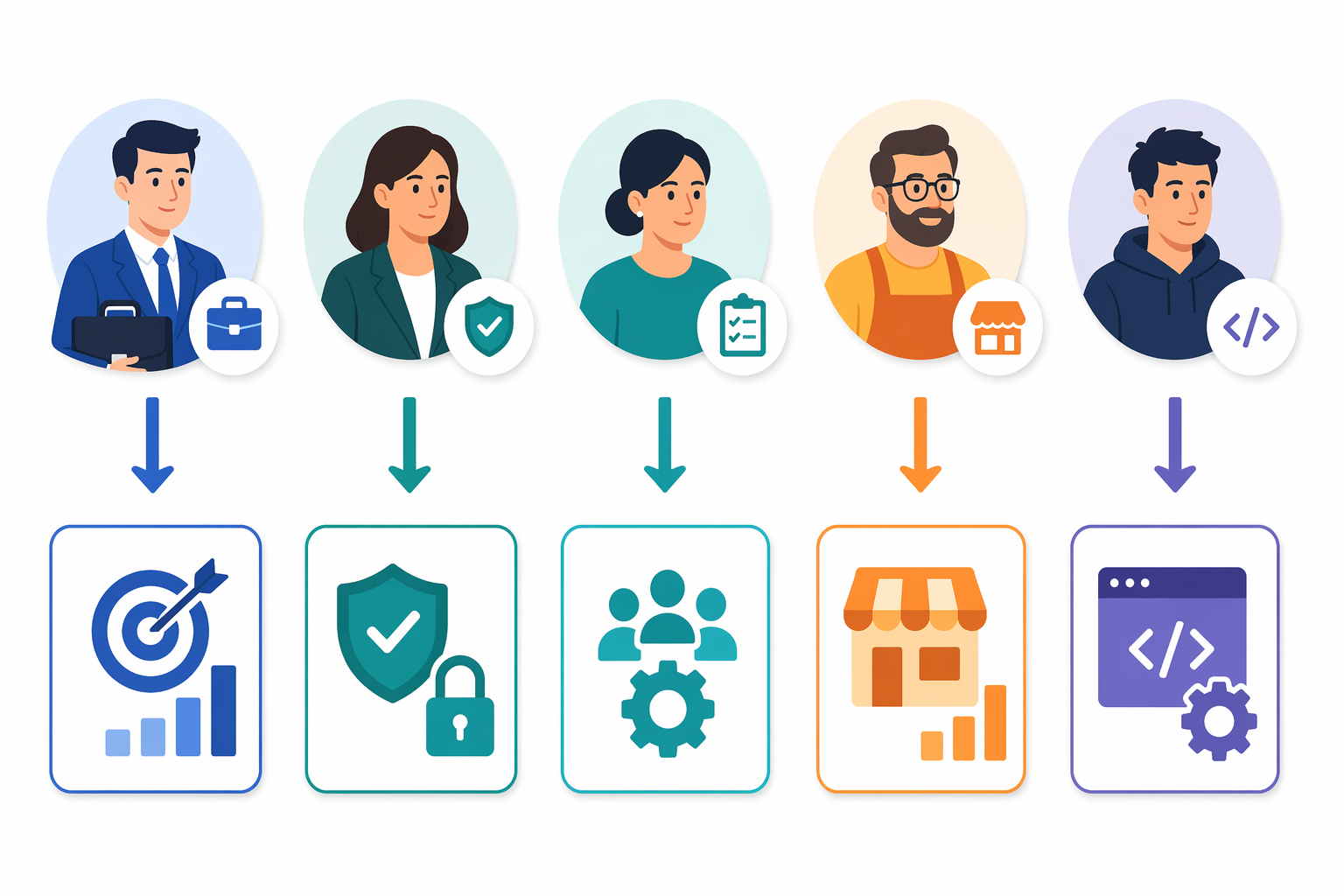
No single platform dominates across all use cases. The right choice depends on your team's primary document workflow, technical resources, and budget. Below are persona-based recommendations based on our evaluation.
- Sales teams: PandaDoc or DocuSign. PandaDoc's proposal builder with content blocks, payment collection, and CRM sync is purpose-built for sales workflows. DocuSign is a strong alternative if your sales process requires enterprise-grade compliance and contract lifecycle management.
- Legal and compliance teams: DocuSign CLM or Anvil. DocuSign CLM offers the most mature compliance features, audit trails, and contract management capabilities. Anvil is a strong alternative for teams that need API-driven automation and want to embed document workflows into custom applications.
- HR and operations teams: Formstack or Cflow. Formstack excels at converting form submissions into documents (offer letters, onboarding packets) with no coding required. Cflow is a budget-friendly option for approval-heavy workflows like expense reports and leave requests.
- Small and medium businesses (SMBs): Dropbox Sign or PandaDoc Essentials. Dropbox Sign is the most affordable option if you only need e-signature. PandaDoc Essentials ($19/user/month) adds document generation and basic templates without the cost of the Business plan.
- API-first product teams: Anvil or DocuSign API. Anvil is built for developers who need to embed document generation, PDF filling, and e-signature into their own product. DocuSign's API is the most widely adopted for e-signature integration. For a deeper comparison of these two approaches, see our dedicated article on API-First vs. No-Code Document Workflow Automation.
Decision Framework: How to Choose Your Document Workflow Automation Tool
If you are still unsure which tool fits, work through this decision framework. It maps your team's primary constraints — team size, primary use case, budget, and technical resources — to the most suitable platform.
- Identify your primary document workflow. Is it sales proposals (PandaDoc), legal contracts (DocuSign CLM), employee onboarding (Formstack), or custom API-driven workflows (Anvil)? The workflow type determines which features are essential and which are noise.
- Assess your team's technical resources. Do you have developers who can work with APIs and build custom integrations? If yes, Anvil, n8n, or DocuSign API are viable. If no, prioritize no-code platforms like Formstack, PandaDoc, or Cflow.
- Set a realistic budget. Remember that only 5 of 12 major tools publish full pricing online. Hidden costs in API access, template limits, and audit trails can inflate TCO 20–40% above list price. Get a detailed quote that includes all potential overage fees before committing.
- Evaluate native e-signature needs. If your workflows involve signing documents, prioritize tools with native e-signature. Third-party connector workflows have a 23–31% higher failure rate, which means lost time and frustrated recipients.
- Test with a real workflow. Do not evaluate tools with a generic demo. Take your most common document workflow — a sales quote, an employee offer letter, a vendor contract — and run it through each candidate platform. The tool that handles your real workflow with the fewest workarounds is the right one.
| Team Profile | Primary Workflow | Recommended Tool | Starting Price |
|---|---|---|---|
| Sales team (10–50 users) | Proposals, quotes, contracts | PandaDoc Business | $49/user/month |
| Legal / compliance (5–20 users) | Contract lifecycle, compliance | DocuSign CLM | $80–$150/user/month |
| HR / operations (5–30 users) | Onboarding, forms, approvals | Formstack | Custom pricing |
| SMB (1–10 users) | Simple e-signature | Dropbox Sign | $15/user/month |
| Product / engineering (API-first) | Embedded document workflows | Anvil | Usage-based |
| Technical team (custom pipelines) | Complex document automation | n8n + DocuSign API | $20/month (n8n) + usage |
Common Purchasing Mistakes to Avoid
After evaluating dozens of document workflow automation deployments, we have identified five mistakes that consistently lead to buyer's remorse. Avoid these and you will save both money and implementation time.
- Overbuying enterprise features. A 50-person team does not need DocuSign CLM with 8–16 week onboarding and $150/user/month pricing. Start with a tool that matches your current complexity, not the one that could theoretically scale to 10,000 users. You can always upgrade later.
- Ignoring the need for native e-signature. Teams that buy a document generation tool and a separate e-signature tool often discover that the integration between them is fragile. The 23–31% failure rate reduction from native e-signature is not a marketing claim — it reflects the real cost of connector failures, authentication mismatches, and data loss between systems.
- Not testing with real workflows. A vendor demo is designed to make the tool look flawless. Your actual workflow — with its conditional approval paths, multi-department routing, and edge cases — will expose gaps that the demo never showed. Always run a pilot with your real documents and real stakeholders.
- Overlooking hidden costs. Only 5 of 12 major tools publish full pricing online. Hidden costs in API access (per-call fees), template limits (max 50 templates on lower tiers), audit trail storage (extra per GB), and user tiers (admin users cost more) can inflate TCO 20–40% above list price. For a broader analysis of pricing pitfalls across workflow tools, see our BPM Workflow Software Pricing Guide 2026.
- Failing to consider post-sign automation. Many teams focus on getting the document signed and forget what happens next. Do you need to extract data from the signed PDF and push it to your CRM? Archive the document with metadata for compliance? Trigger a follow-up workflow? If post-sign automation matters, choose a platform that supports it natively or has strong API capabilities.
Next Steps: Before You Buy
Choosing the right document workflow automation tool is only half the battle. The other half is preparing your workflows so that the tool can actually deliver the 248% ROI and $46,000 annual savings that the research promises. Here are three concrete steps to take before you sign a contract.
- Audit your current document workflows. Map every step from document creation to final archival. Identify bottlenecks, manual handoffs, and recurring errors. Our 5-Step Audit Framework walks you through this process with templates and checklists.
- Map the full document lifecycle. Document your current state: who creates documents, who approves them, who signs them, and where they are stored. This map will reveal which stages of the lifecycle your chosen tool must cover and which stages are already handled by existing systems.
- Test the top 2–3 tools with a real workflow. Pick your most representative document workflow — the one that happens most frequently or causes the most friction — and run it through each candidate platform. Measure time-to-complete, error rate, and user satisfaction. The tool that handles your real workflow with the fewest workarounds is the one to buy.