
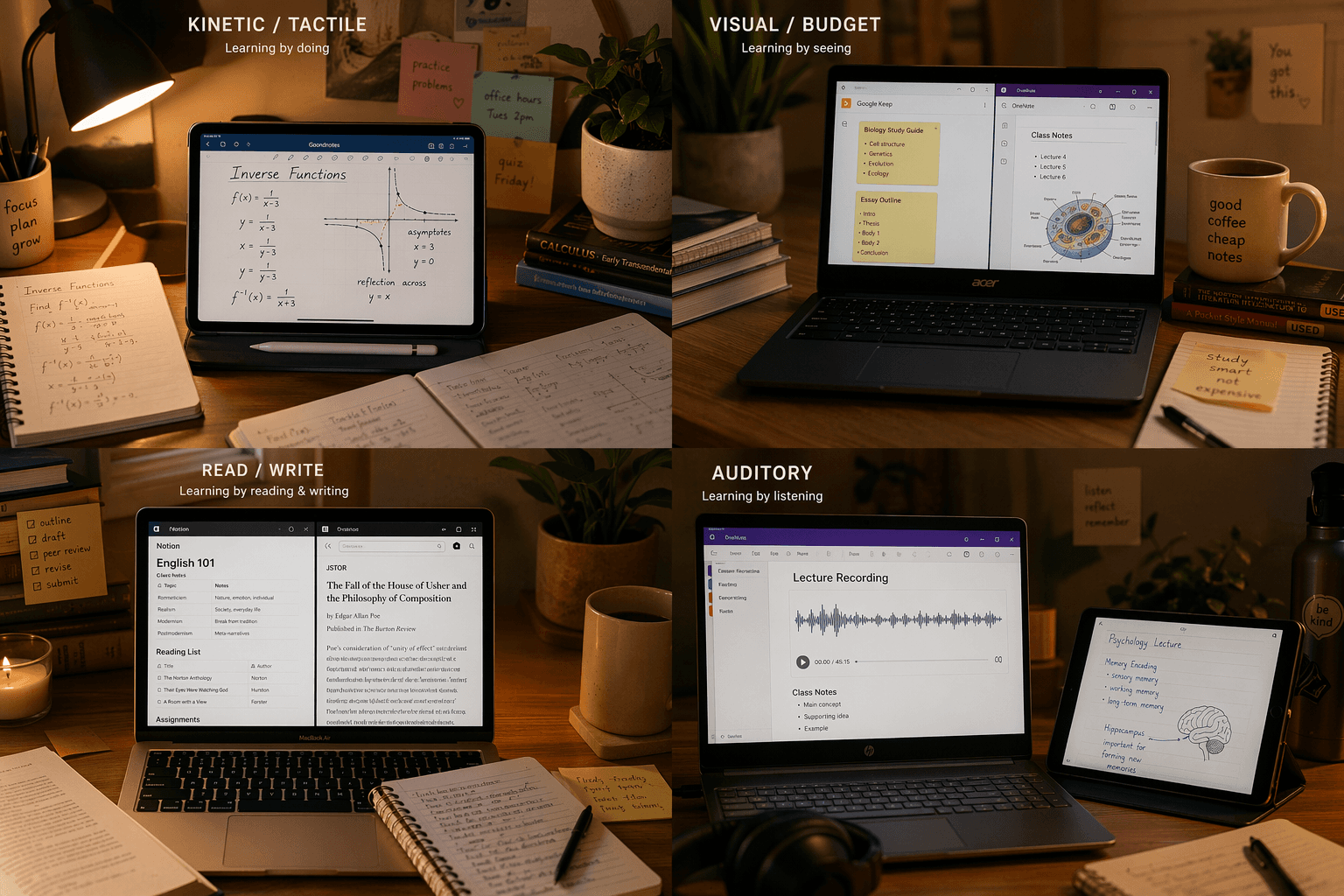
I’ve seen a kinesthetic student download Notion because everyone said it was great, and then never open it again. That’s the problem with popularity-driven recommendations. A two-year survey of over 6,500 students found that by early 2026, just four apps—Evernote, Notion, Roam Research, and Obsidian—had captured more than 75% of the student market. But the same survey noted that satisfaction drops when the tool mismatches the learner’s style. The gap between popularity and fit costs students a lot of time and stress.
The best note taking app for students is the one that fits how you actually process information, not the one with the most downloads. This guide uses the VARK model—Visual, Auditory, Read/Write, Kinesthetic—to match apps to your learning style. I’ll be honest: VARK is a practical heuristic, not settled neuroscience. Some learning scientists question its validity. But it gives you a concrete starting point, and in practice I’ve seen that matching an app to a clearly identified style eliminates the trial-and-error cycle far more effectively than any generic ranking.
Take this two-minute self-assessment
Answer these four questions honestly. Pick the one that sounds most like you.
- When you study, do you prefer diagrams, color-coded charts, and mind maps? (Visual)
- Do you learn best by hearing a lecture, talking it through, or recording yourself? (Auditory)
- Do you rely on reading textbooks, writing summaries, and making lists? (Read/Write)
- Do you need to move—write by hand, build models, or walk around—to really understand? (Kinesthetic)
Most people have a dominant style, but many are multimodal. Keep your top answer in mind as you read. If you’re split between two, that’s normal—jump to the section that feels strongest.
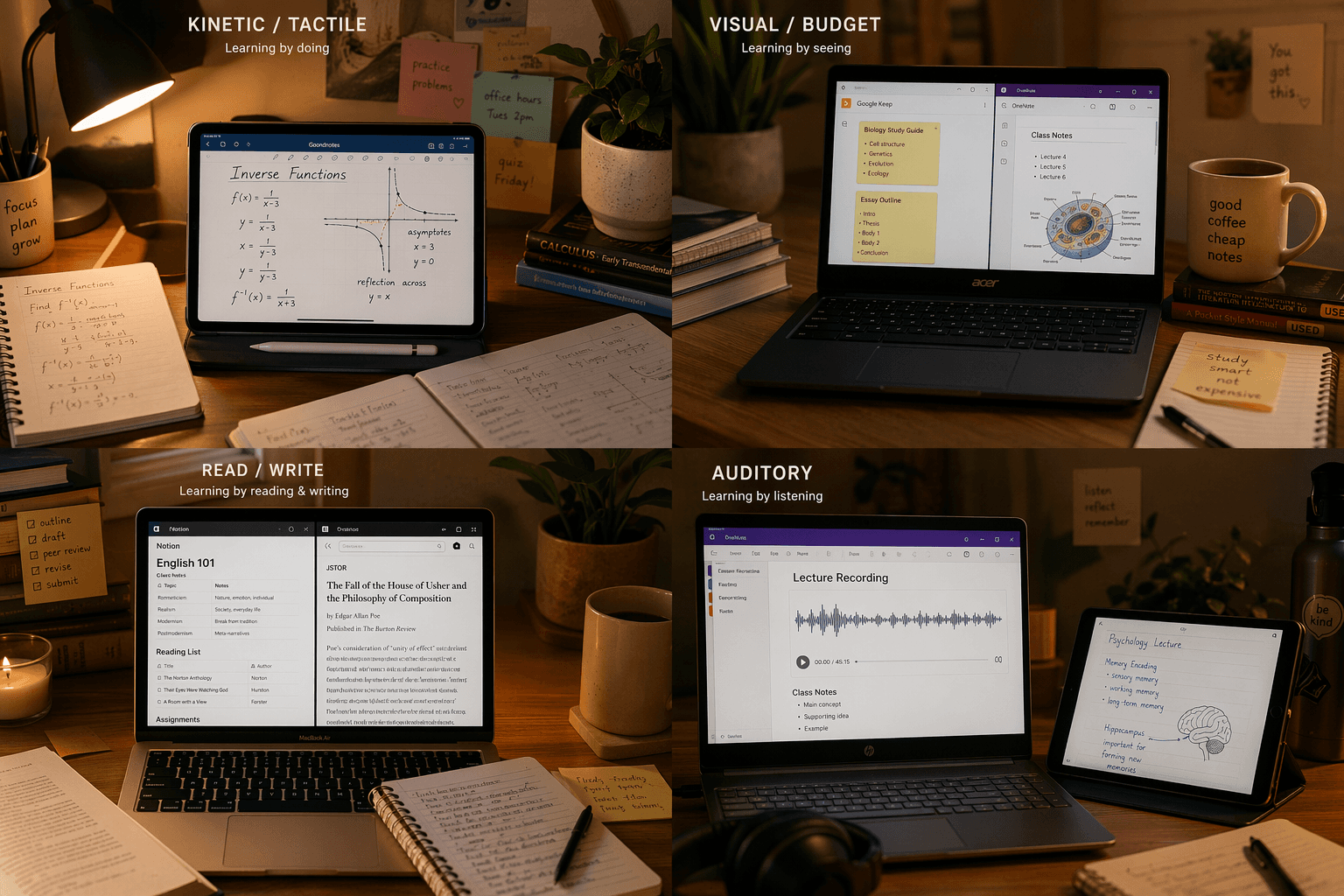
Visual learners: You need an infinite canvas, not a linear editor
If you picked the first question, your brain wants to arrange information spatially. The Oxford Learning VARK framework says visual learners thrive on mind maps, colors, doodles, and shapes that connect ideas. A linear text editor like Google Docs works against you.
GoodNotes gives you an infinite canvas where you can draw diagrams, insert images, and color-code notes. It costs $11.99 per year (cross-platform plan) and is especially strong on the iPad with Apple Pencil. OneNote is free and offers a truly free-form canvas—you can type, draw, clip, and drop images anywhere on the page, suiting visual thinkers. If you need full-blown mind mapping, add Miro or Heptabase as a companion tool—not for daily notes, but for study sessions where you need to see the whole course structure.
Auditory learners: Capture the lecture, not just the slides
If you learn by hearing, your app needs to record and replay the lecture in sync with your notes. Oxford Learning recommends recording class or speaking aloud to reinforce concepts. Notability does exactly that: its killer feature is audio-recorded notes synced to writing—tap a word and jump to that moment of audio. It costs $14.99 per year. Students using audio-synced apps report a 34% better understanding of complex lecture topics, according to the Ask Maeve survey.
Otter.ai provides real-time transcription and searchable audio—handy for humanities lectures with lots of discussion. Google Keep lets you drop quick voice memos that auto-transcribe. A purely text-based app will leave an auditory learner behind, because you lose the tone and emphasis that make the content stick.
Read/Write learners: Structured text and linked notes
Read/write learners live in text. The Oxford Learning VARK framework suggests the Sentence Method: full sentences with headings, focusing on key points. You want an app that rewards organization and deep linking, not a canvas.
Obsidian is built for linked Markdown notes. Its core app is free for personal use with no sign-up required—you can create a network of connected ideas that mirrors the structure of a subject. Notion offers databases, relational tables, and templates—its Plus plan is free with a .edu email address (unlimited blocks, file uploads, version history) – check Notion's pricing page for details. Simplenote is a stripped-down alternative if you want zero distraction—just plain text, tags, and sync across devices, free. For a read/write learner, an app optimized for drawings or audio will feel like unnecessary friction.
Kinesthetic learners: Write by hand, even on a tablet
Kinesthetic learners need to touch, move, and physically interact with information. This is the one style where the evidence is strongest. The 2024 Flanigan meta-analysis in Educational Psychology Review (24 studies) found that taking and reviewing handwritten notes produced higher course achievement—Hedges' g = 0.248, p < 0.001. A 2025 neuroimaging review in PMC confirmed that handwriting activates a broader network of motor, sensory, and cognitive brain regions than typing. For a kinesthetic learner, this is not just a preference—it is a measurable advantage.
This means you want a handwriting-first app on a tablet with a stylus. GoodNotes and Notability both support handwriting, palm rejection, and pressure sensitivity. GoodNotes costs $11.99 per year; Notability $14.99 per year. Pair either with an iPad and Apple Pencil, and you get the physical act of writing that your brain craves. You can also create flashcards within these apps—a recommended method for kinesthetic learners according to Oxford Learning. If you don't have a tablet, consider a Rocketbook notebook with a reusable pen—still handwriting, still kinesthetic, and much cheaper. But the effect size data overwhelmingly supports the tablet + stylus combo for active recall.
How the apps compare: A VARK-style reference table
| VARK Style | Primary App | Secondary App | Pricing (per year) | Key Feature for This Style |
|---|---|---|---|---|
| Visual | GoodNotes | OneNote | Free (OneNote); $11.99 (GoodNotes) | Infinite canvas, color, mind maps |
| Auditory | Notability | Otter.ai / Google Keep | $14.99 (Notability); Free (Keep) | Audio-recorded notes synced to writing |
| Read/Write | Obsidian | Notion / Simplenote | Free (Obsidian, Simplenote); Free with .edu (Notion Plus) | Linked Markdown, structured databases, distraction-free text |
| Kinesthetic | GoodNotes / Notability | Rocketbook (analog) | $11.99 (GoodNotes); $14.99 (Notability) | Handwriting with stylus, flashcard creation |
For a deeper look at free plans, check Best Free Note-Taking Apps for Students in 2026 and Best Free Note-Taking Apps in 2026: An Honest Comparison by Use Case.
Build your stack for your dominant style
Most students are not pure one-style learners. Here are practical stacks for common combinations:
- Visual + Kinesthetic: GoodNotes on iPad (handwriting + color-coded mind maps).
- Auditory + Visual: Notability for lectures (audio sync) plus OneNote for diagramming after class.
- Read/Write + Visual: Obsidian for linked notes, supplemented with Miro for brainstorming.
- Read/Write + Auditory: Notion for structured notes with embedded audio recordings from Otter.ai.
One last thing on the VARK model: it’s a practical heuristic, not definitive neuroscience. I use it because it gives students a concrete starting point—and in practice I’ve seen it eliminate the trial-and-error cycle far more effectively than any generic ranking. If the model helps you find an app you actually open and use, that’s what matters.



Comments
Join the discussion with an anonymous comment.