
Introduction: The Real Cost of "Free" Note-Taking
Every note-taking app on the market advertises a free plan. But the gap between "free to download" and "free to use productively" is wider than most people realize. Some apps give you the full product with only a storage cap. Others throttle you to a single notebook, a handful of notes, or one device — turning the free tier into a glorified trial that expires the moment you take notes seriously.
This guide is for cost-conscious users — students, freelancers, and knowledge workers — who need a genuinely usable free note-taking app and want to know which plans are worth your time and which ones to avoid. The core argument here is simple: there is no single best free note-taking app. The right choice depends on your device ecosystem (Apple-only, Android + Windows, or a mix) and your note-taking style (quick capture, structured notebooks, or local-first knowledge management).
Below, you will find a quick verdict table to match your setup to the best free app, followed by detailed reviews of each free plan, a frank discussion of when you actually need to pay, and device-specific stack recommendations.
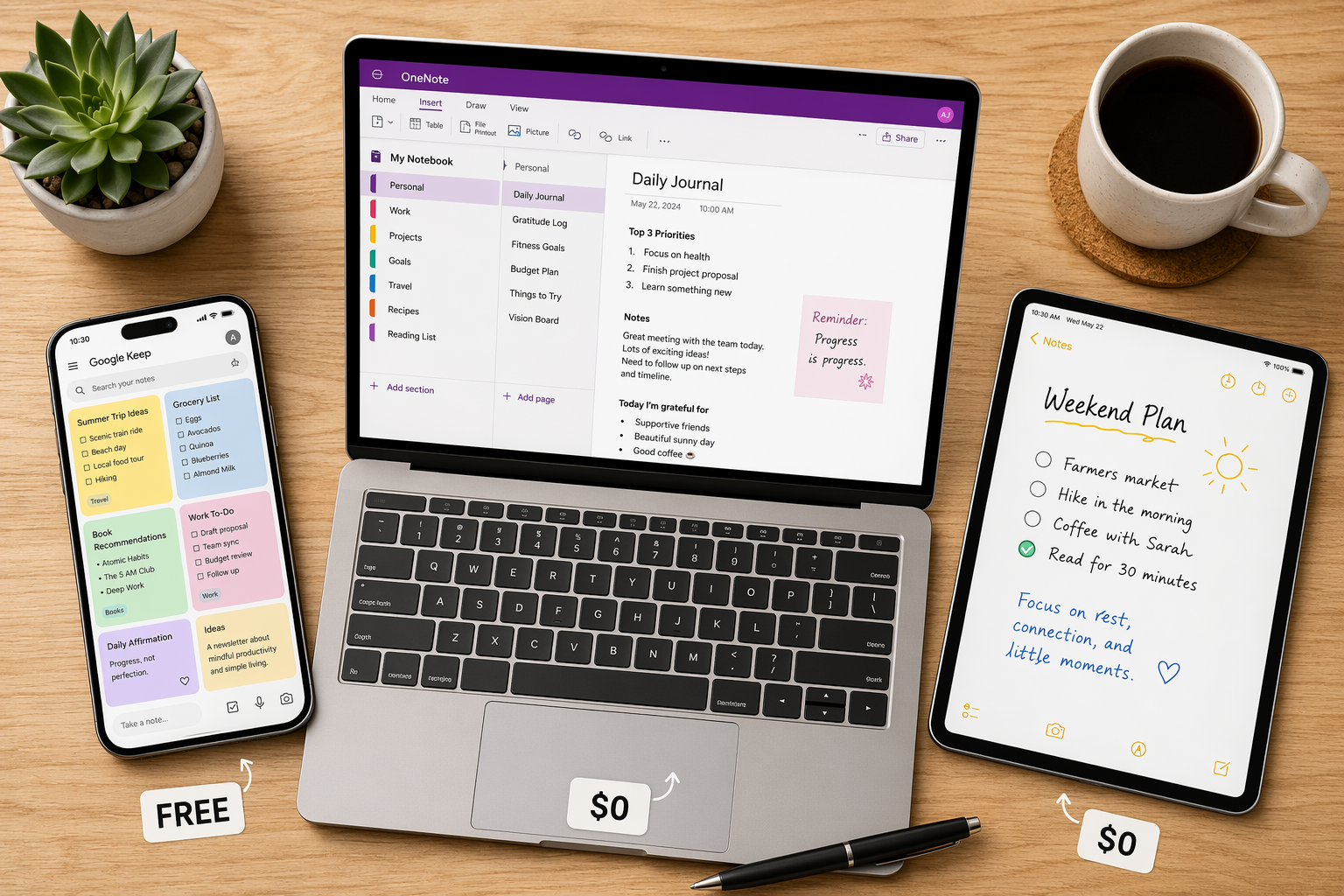
Quick Verdict: Which Free Plan Fits Your Setup?
Use the table below to find your best match immediately. If you want the full reasoning, jump to the detailed reviews section.
| App | Best For | Key Free-Plan Limit | Not For You If… |
|---|---|---|---|
| Microsoft OneNote | Users who want a full-featured notebook with cross-platform sync (Windows, Mac, iOS, Android, Web) | 5 GB free OneDrive storage; all core features included | You need local-only storage or prefer a minimalist, distraction-free editor |
| Apple Notes | Apple-only users (iPhone, iPad, Mac) who want zero-setup, feature-rich quick capture | 5 GB free iCloud storage; more storage from $0.99/month for 50 GB | You use Android or Windows as your primary device |
| Google Keep | Anyone who needs fast, lightweight capture with reminders and Google ecosystem integration | 15 GB free Google storage (shared with Gmail, Drive, Photos); full product is free | You need long-form notes, rich formatting, or offline-first access on desktop |
| Obsidian | Power users, developers, and PKM enthusiasts who want a local-first, extensible knowledge base | Core app is free for personal use with no note limits; Sync costs $4/month | You prefer a cloud-first, zero-setup experience or need real-time collaboration |
| Joplin | Users who want a fully open-source, encrypted note-taking app with local storage | Fully free and open-source; sync via Joplin Cloud (€2.99/month) or free via Dropbox/OneDrive | You dislike manual sync configuration or need polished mobile apps |
| Notion (Free Personal Plan) | Solo users who want a flexible, all-in-one workspace for notes, databases, and project management | Unlimited pages and blocks for individuals; team features require paid plan ($12/user/month) | You need fast, offline-first capture or find the editor too slow for quick notes |
| Evernote (Free Plan) | No one — the free plan is too restrictive to be useful | 50 notes, 1 notebook, 1 device; 250 MB monthly upload limit | You want to take more than 50 notes or use more than one device |
For a broader look at paid options and feature comparisons across all major note-taking apps, see our Best Note-Taking Software in 2026: A Use-Case-Based Comparison.
Detailed Free-Plan Reviews
Each review below covers what the free plan includes, its honest limitations, and who it is best for. All data points are sourced from the latest available reviews (December 2025 through June 2026).
Microsoft OneNote: The Most Feature-Complete Free Plan
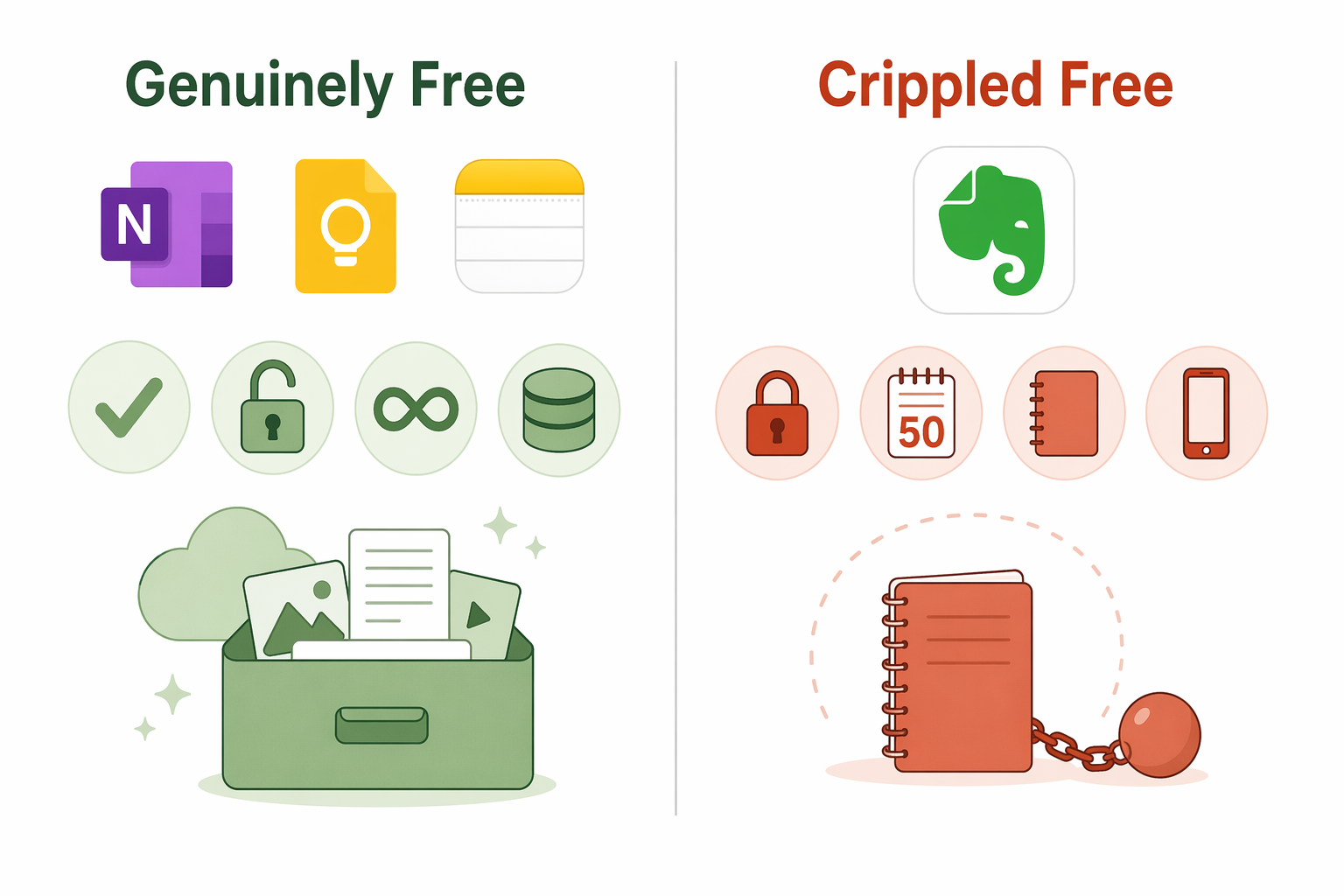
OneNote is widely regarded as the best free note-taking app for users who want a full notebook experience without paying. PCMag awarded it an Editors' Choice in May 2026, and Zapier's December 2025 review confirms it as the top free option. The free plan includes 5 GB of OneDrive storage, all core features (rich text, tables, drawing, audio recording, tagging), and — critically — no artificial limits on note count or the number of devices you can use.
- Pros: Full-featured notebooks, excellent cross-platform support (Windows, Mac, iOS, Android, Web), free with a Microsoft account, no note or device caps.
- Cons: 5 GB storage fills quickly if you add images or audio; the interface can feel cluttered; no end-to-end encryption.
- Best for: Anyone who wants a structured, hierarchical notebook system across multiple devices without paying.
Apple Notes: The Zero-Friction Option for Apple Users
If you live entirely inside Apple's ecosystem, Apple Notes is the easiest recommendation. It is free with every Apple device, requires no setup, and includes features that rival paid apps: checklists, bullet points, document scanning, tags, rich links, and — on supported devices — Math Notes and Apple Intelligence integration. Pocket-lint's April 2026 essay argues that for quick capture and everyday thoughts, Apple Notes is sufficient and paying for a note-taking app is a waste.
- Pros: Zero setup, excellent quick-capture speed (0.4 seconds average, per Atlas Workspace testing), deep OS integration, document scanning, tags, Math Notes.
- Cons: Apple-only (limited web version); 5 GB free iCloud storage shared across all Apple services; no true cross-platform sync.
- Best for: Apple-only users who want the fastest possible capture experience with no app to install.
Google Keep: The Truest Free Tier for Quick Capture
Google Keep is unique among note-taking apps because its free version is the actual product. There is no feature gating — what you get for free is what everyone gets. PrimeTechInsights describes it as "the best free option for quick notes and reminders because the free version is the real product." You get 15 GB of storage shared across Gmail, Drive, and Photos, which is three times what OneNote or Apple Notes offer.
- Pros: Full product is free; 15 GB storage; excellent for quick capture, reminders, and lists; deep Google ecosystem integration.
- Cons: Not designed for long-form notes or rich formatting; no notebooks or hierarchical organization; basic desktop experience.
- Best for: Quick capture, shopping lists, reminders, and lightweight note-taking on any platform.
Obsidian: Best Free App for Local-First Power Users
Obsidian's core app is free for personal use with no note limits, no feature restrictions, and no time bombs. You only pay for optional cloud services: Sync ($4/month) and Publish ($5/month starting). This makes it the best free option for users who want a local-first, extensible knowledge base with backlinks, graph view, and a plugin ecosystem. PCMag and Zapier both confirm that the free personal tier is genuinely unrestricted.
- Pros: Completely free for personal use; no note limits; local-first (your data stays on your device); powerful plugin system; backlinks and graph view.
- Cons: Steeper learning curve; no built-in cloud sync (Sync costs $4/month); mobile experience is less polished than desktop.
- Best for: Knowledge workers, developers, and PKM enthusiasts who want full control over their data.
Joplin: Fully Free and Open-Source
Joplin is a free, open-source note-taking app with end-to-end encryption. The core app is completely free on all major platforms. Storing notes locally costs nothing. Cloud sync is optional: you can use Joplin Cloud (€2.99/month) or sync for free via Dropbox, OneDrive, or a WebDAV server. PCMag and Zapier both confirm Joplin as a strong free alternative for users who want privacy and control.
- Pros: Fully free and open-source; end-to-end encryption; cross-platform (Windows, Mac, Linux, iOS, Android); supports Markdown.
- Cons: Sync setup requires manual configuration; mobile apps are functional but not as polished as OneNote or Apple Notes; no real-time collaboration.
- Best for: Privacy-conscious users who want an open-source, encrypted note-taking app and are comfortable with some manual setup.
Notion Free Personal Plan: Unlimited Pages for Solo Users
Notion's free Personal plan offers unlimited pages and blocks for individual use. It is one of the most generous free tiers for solo users who want a flexible workspace that combines notes, databases, wikis, and project management. Zapier and PrimeTechInsights both confirm that the free plan is genuinely usable for individuals. The catch is that team features (collaboration, permissions, admin tools) require the Plus plan at $12/user/month.
- Pros: Unlimited pages and blocks for solo use; powerful database and template system; excellent for structured notes and project management.
- Cons: No offline mode on mobile (limited caching); slower capture speed (2.4 seconds average, per Atlas Workspace testing); team features require paid plan.
- Best for: Solo users who want an all-in-one workspace and are willing to trade capture speed for flexibility.
For a deeper look at Notion's trade-offs between capture speed and knowledge management, read our Notion as a Note-Taking App in 2026: Capture Speed vs. Knowledge Management profile.
Evernote Free Plan: Not Worth Your Time
Evernote's free plan limits you to 50 notes, 1 notebook, and 1 device, with a 250 MB monthly upload cap. Both Zapier and PCMag explicitly state that this plan is not worth using. If you take notes regularly, you will hit the 50-note limit within days or weeks. The single-device restriction means you cannot access your notes on both your phone and laptop unless you pay.
Free vs. Paid: When You Actually Need to Pay
The free plans above cover a wide range of use cases, but they are not unlimited. Here are the most common triggers that push users to upgrade:
- Team collaboration: Notion's free plan is solo-only. If you need shared workspaces, permissions, or real-time collaboration, you need Notion Plus ($12/user/month).
- Advanced AI features: Notion AI, Evernote AI, and similar features are almost always paid add-ons. If you need AI-powered search, summarization, or writing assistance, expect to pay.
- Larger storage: OneNote's 5 GB and Apple Notes' 5 GB fill quickly if you add images, PDFs, or audio recordings. Google Keep's 15 GB is more generous but shared across your entire Google account.
- Offline sync on mobile: Notion's mobile app has limited offline caching. If you need full offline access on your phone, OneNote or Obsidian (with Sync) are better choices.
- Self-hosting and encryption: Joplin is free and open-source, but if you want a managed sync service with end-to-end encryption, Joplin Cloud costs €2.99/month.
If you are a student and want a more targeted comparison of free plans, see our OneNote vs. Notion vs. Obsidian: Which Free Plan Is Best for Students in 2026?.
Free Stack Recommendations by Device Ecosystem
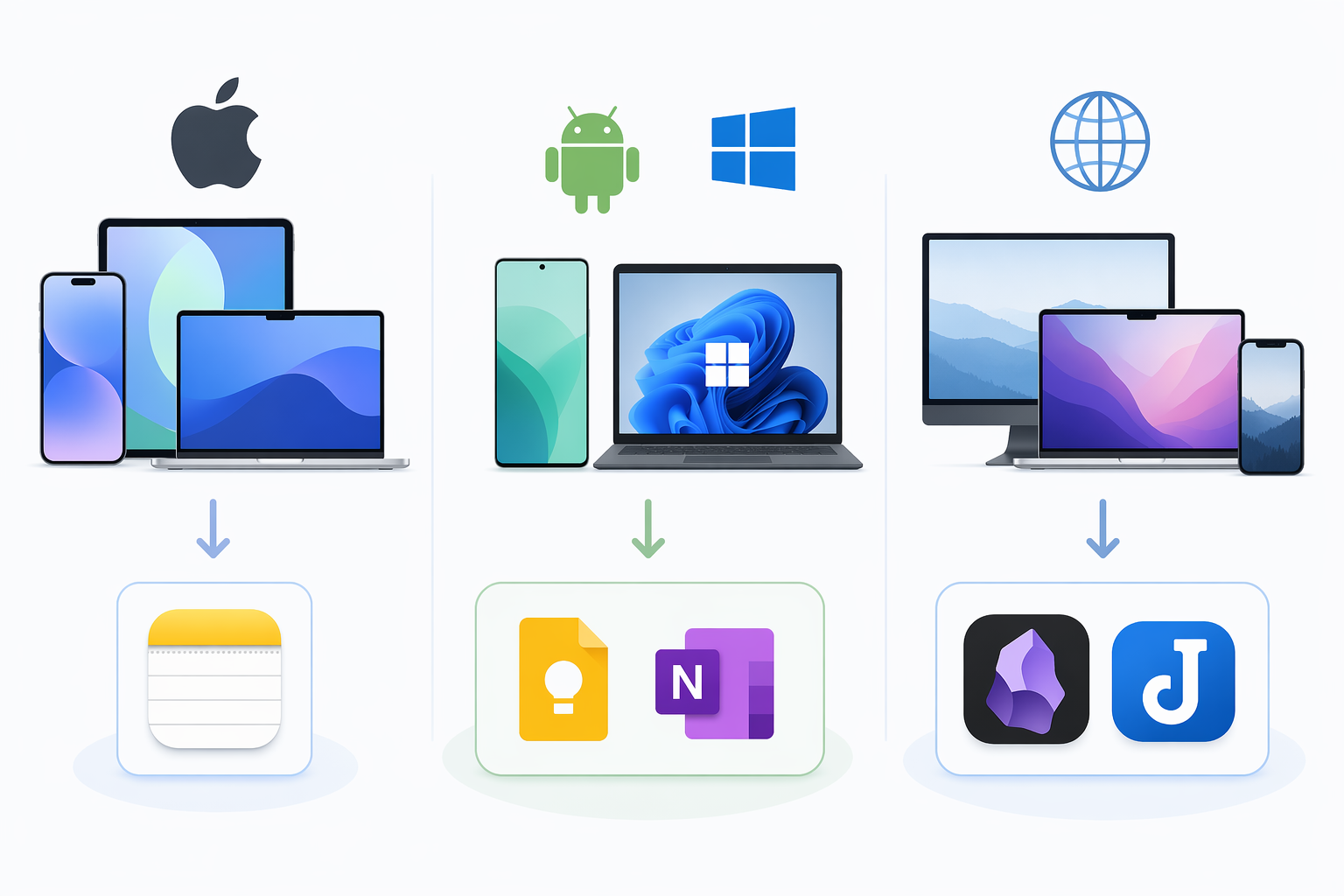
Your device ecosystem is the single biggest factor in choosing a free note-taking app. Here are the best stacks for the three most common setups.
Apple-Only (iPhone, iPad, Mac)
Apple Notes is the obvious first choice. It is free, requires no setup, and includes features that rival paid apps. For quick capture, it is the fastest option available (0.4 seconds average, per Atlas Workspace testing). If you need more structured notebooks, you can supplement with OneNote (free, cross-platform) or Obsidian (free, local-first).
For iPad-specific recommendations, see our Best Note-Taking Apps for iPad in 2026.
Android + Windows
OneNote is the strongest free option here. It works seamlessly across Android and Windows, includes all core features, and has no note or device caps. Google Keep is an excellent companion for quick capture and reminders, especially if you use Gmail or Google Calendar.
Cross-Platform (Mix of Devices)
If you use a mix of Apple, Android, Windows, and Linux devices, your options narrow. OneNote is the most reliable cross-platform free app. Obsidian and Joplin also work across all platforms, but they require more setup and lack seamless cloud sync. Google Keep is great for quick capture but not for long-form notes.
For students who want a deeper dive into free stacks tailored to their needs, see our Best Free Note-Taking Apps for Students in 2026.
FAQ: Sync Limits, Storage Caps, and Upgrade Triggers
Here are answers to the most common questions about free-plan limitations.
| Question | Answer |
|---|---|
| How much free storage do I get? | OneNote: 5 GB (OneDrive). Apple Notes: 5 GB (iCloud). Google Keep: 15 GB (shared Google storage). Obsidian: unlimited local storage. Joplin: unlimited local storage. Notion: unlimited for solo use. |
| Can I sync across devices for free? | OneNote: Yes, across all platforms. Apple Notes: Yes, across Apple devices. Google Keep: Yes, across all platforms. Obsidian: No — Sync costs $4/month. Joplin: Yes, via free Dropbox/OneDrive sync. Notion: Yes, across all platforms. |
| What happens when I hit a storage limit? | OneNote and Apple Notes stop syncing new content until you free up space or upgrade. Google Keep shares storage with your Google account — you can manage files in Drive and Photos to free space. |
| When should I upgrade to a paid plan? | When you need: team collaboration, AI features, larger storage, offline sync on mobile, or self-hosted encryption. |
| Can I use Evernote's free plan? | No. The 50-note, 1-notebook, 1-device limit makes it unusable for regular note-taking. |
Sources and Last-Verified Date
Pricing and feature data was verified from the following sources. All information was current as of the dates listed below, but note-taking app pricing and free-plan limits change frequently — always confirm on the official website before committing.
- Zapier — "The 7 Best Note Taking Apps in 2026" (December 2025)
- PCMag — "The Best Note-Taking Apps We've Tested for 2026" (May 20, 2026)
- PrimeTechInsights — "Best Note-Taking Apps 2026: 7 Honest Picks" (March 26, 2026)
- Pocket-lint — "I'll Never Pay for a Note-Taking App When These Free Options Exist" (April 3, 2026)
- Atlas Workspace — "Best Note-Taking Apps for Students (2026): K-12 to College" (May 8, 2026)
- The Digital Project Manager — "19 Best Note Taking Apps for Boosting Productivity in 2026" (2026)