
The Two Faces of ML Automation: AutoML vs. AI Workflow Tools
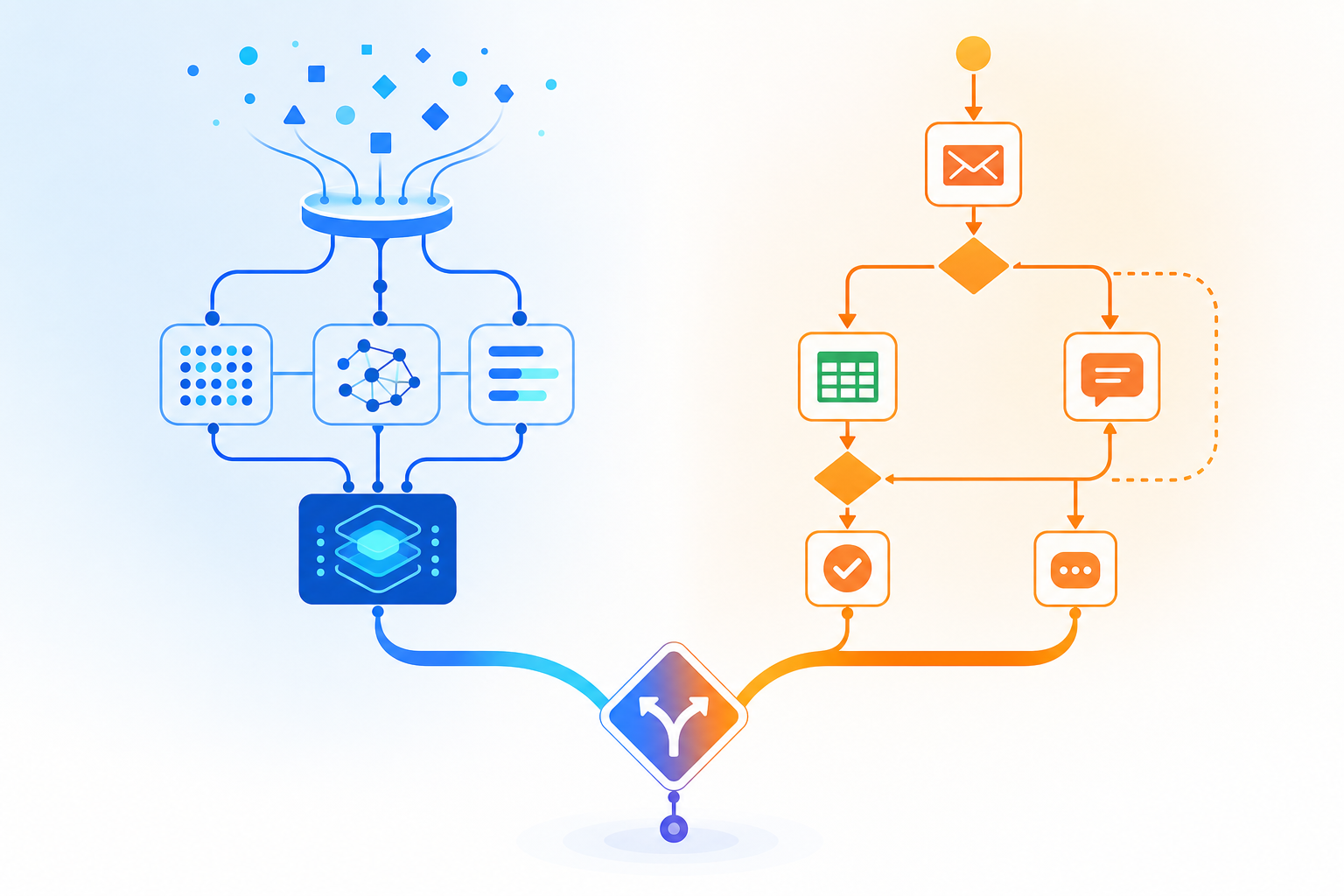
When someone searches for "machine learning for automation," they are usually looking for one of two very different things, even if they do not realize it yet. The term has become a catch-all that conflates two distinct product categories: platforms that automate the process of building machine learning models, and tools that embed AI into everyday business workflows.
The first category is AutoML — a set of technologies that automate data preprocessing, feature engineering, model selection, and hyperparameter tuning. The second is AI workflow automation — platforms that let you connect apps, trigger actions, and inject AI decisions (classification, summarization, extraction) into routine processes without writing a model from scratch.
AutoML platforms like Google Vertex AI, H2O, and DataRobot are designed for teams that need to create custom predictive models — churn prediction, fraud detection, demand forecasting — but lack the deep ML expertise to build them from scratch. AI workflow tools like n8n, Zapier, Make, and Gumloop, on the other hand, are built for teams that already know what intelligence they need (classify this email, extract that invoice field, route this support ticket) and just need a reliable way to plug that intelligence into their existing app stack.
Understanding this split is the first step toward making a purchasing decision that actually solves your problem — rather than buying a powerful model-building platform when what you really needed was a connector with an AI node.
When to Use AutoML: Automating the Model-Building Pipeline
AutoML addresses a specific bottleneck: the shortage of data scientists and ML engineers who can build, tune, and deploy custom models. By automating the most labor-intensive parts of the ML lifecycle, these platforms let domain experts — analysts, operations managers, even some knowledge workers — train models without writing extensive code.
The market momentum is significant. Grand View Research estimates the AutoML market will grow at a 42.2% compound annual growth rate from 2024 to 2030, driven by demand for democratized ML across industries. But not all AutoML platforms are created equal, and the choice between them often comes down to cloud ecosystem, skill level, and budget.
The AutoML Landscape: Cloud, Open-Source, and Enterprise
AutoML platforms fall into three broad tiers, each with distinct tradeoffs:
- Cloud-native platforms: Google Vertex AI, Amazon SageMaker Autopilot, and Azure AutoML are fully managed services tightly integrated with their respective cloud ecosystems. They offer the easiest on-ramp — upload data, get a model — but lock you into their cloud provider. SageMaker Canvas, for instance, charges roughly $1.90 per hour for workspace usage, while Vertex AI scales with compute and storage costs that can escalate quickly.
- Open-source and code-optional platforms: H2O AutoML, auto-sklearn, and TPOT give you flexibility and no vendor lock-in, but they require more technical skill. H2O offers both an open-source version and enterprise tiers, making it a strong middle ground for teams with some Python experience. Auto-sklearn uses Bayesian hyperparameter optimization and is free, but demands coding expertise.
- Enterprise AutoML platforms: DataRobot and IBM Watson AutoAI target organizations that need governance, interpretability, and compliance features. DataRobot, for example, provides model explainability and is not locked to a single cloud, but its enterprise pricing makes it overkill for small teams or single-use-case projects.
| Platform | Type | Best For | Key Tradeoff |
|---|---|---|---|
| Google Vertex AI AutoML | Cloud-native | Teams already in GCP ecosystem | Costly at scale; ecosystem lock-in |
| Amazon SageMaker Autopilot | Cloud-native | AWS-native teams needing transparent pipelines | Steep learning curve for beginners |
| Azure AutoML | Cloud-native | Enterprise governance and compliance | Complex UI for non-Azure users |
| H2O AutoML | Open-source / Enterprise | Teams needing flexibility and strong accuracy | Less beginner-friendly; requires coding |
| DataRobot | Enterprise | Organizations needing governance and explainability | High cost; overkill for small teams |
| Auto-sklearn | Open-source | Developers comfortable with Python | Requires coding expertise; no GUI |
| TPOT | Open-source | Innovative genetic programming approach | Computationally expensive |
AutoML is the right choice when your primary need is to create a custom model — something that does not exist as a pre-built API or off-the-shelf AI feature. Common use cases include customer churn prediction, anomaly detection in transaction data, demand forecasting for inventory, and custom NLP classifiers for domain-specific text. If you have a labeled dataset and a clear prediction target, AutoML is likely your starting point.
For a deeper dive into specific AutoML tool features, pricing, and hands-on comparisons, see our dedicated guide: AutoML Platforms Compared: 10 Tools for Automating Machine Learning Workflows in 2026.
When to Use AI Workflow Automation: Embedding Intelligence into Processes
AI workflow automation tools solve a different problem: they take existing AI capabilities — whether from a built-in LLM, a custom model you built in AutoML, or a third-party API — and wire them into your day-to-day business processes. These platforms are the glue between your apps and your AI.
The need for this glue is acute. Atlassian's 2026 State of Teams Report found that 46% of product teams cite lack of integration with existing tools as their biggest blocker to shipping AI features. You can have the best model in the world, but if it cannot read from your CRM, write to your support ticket system, or trigger a Slack notification, it is not delivering value.
The AI Workflow Automation Landscape: No-Code, Developer-First, and Managed AI
Like AutoML, AI workflow tools span a spectrum from visual no-code builders to developer-oriented platforms:
- No-code visual builders: Zapier and Make are the incumbents here. Zapier offers a free tier and a Pro plan at $29.99/month, with over 8,000 integrations. Make starts at $9/month for its Core plan. Both are excellent for straightforward trigger-action workflows — "when a new email arrives, classify it with AI and create a task." However, their AI features can feel bolted on rather than native.
- Developer-first platforms: n8n and Pipedream give you more control. n8n is source-available and can be self-hosted for free, with a cloud plan starting at $20/month. It offers over 4,000 community templates and execution-based pricing (no variable credits). Pipedream has a free tier and a Basic plan at $45/month. These platforms require more technical skill but allow for custom code, complex branching, and direct API calls.
- AI-native managed services: Gumloop and Lindy are newer entrants built specifically for AI workflows. Gumloop starts at $30/month and includes all premium LLMs in one subscription, with an AI assistant (Gummie) that can build workflows for you. Lindy offers a free tier and a Pro plan at $49.99/month, with features like Agent Swarms that apply one agent across hundreds of items simultaneously. These platforms are ideal for teams with limited ML expertise who want managed AI capabilities out of the box.
| Tool | Type | Starting Price | Best For |
|---|---|---|---|
| Zapier | No-code visual | Free / Pro $29.99/mo | Simple trigger-action workflows with 8,000+ integrations |
| Make | No-code visual | Free / Core $9/mo | Visual scenario building at a lower price point |
| n8n | Developer-first | Free self-hosted / Cloud from $20/mo | Teams needing control, custom code, and self-hosting |
| Pipedream | Developer-first | Free / Basic $45/mo | Developers who want code-first workflow automation |
| Gumloop | AI-native managed | From $30/mo | Teams wanting managed AI with all LLMs included |
| Lindy | AI-native managed | Free / Pro $49.99/mo | AI agents for repetitive tasks at scale |
AI workflow automation is the right choice when your primary need is to apply existing intelligence to a process. You do not need to train a model — you need to classify incoming support tickets, extract data from invoices, summarize meeting transcripts, or route emails based on sentiment. These tools excel at connecting your apps and adding AI decision points without requiring a data science team.
For a detailed head-to-head comparison of the leading workflow tools, see Zapier vs Make vs n8n vs Gumloop: The Definitive 2026 Comparison. For a broader look at how these tools fit into tiers for different team sizes, see Best Process Automation Tools in 2026: Compared by Tier.
Side-by-Side Comparison: AutoML vs. AI Workflow Automation
The table below contrasts the two categories across the decision dimensions that matter most when you are evaluating which approach fits your situation. Use it as a quick reference to orient yourself before diving into the decision framework.
| Dimension | AutoML | AI Workflow Automation |
|---|---|---|
| Primary use case | Build a custom predictive model from your data | Apply AI to automate existing business processes |
| What it automates | Data prep, feature engineering, model selection, hyperparameter tuning | App connections, trigger-action patterns, AI decision routing |
| Skill level required | Intermediate to advanced (some platforms require coding) | Beginner to intermediate (no-code options available) |
| Typical pricing model | Pay-per-hour compute, subscription, or enterprise license | Free tier, monthly subscription, or execution-based pricing |
| Deployment options | Cloud, on-premises, or hybrid (varies by platform) | Cloud (most), self-hosted (n8n), or managed service |
| Integration needs | Primarily data sources and ML pipelines | Deep integration with business apps (CRM, email, chat, databases) |
| Typical team size | Data science teams, ML engineers, analytics teams | Operations, knowledge workers, product teams, solo builders |
| Output | A trained model (API endpoint, batch predictions) | An automated workflow (triggered by events, scheduled, or on-demand) |
Decision Framework: Which Approach Is Right for You?
Use the following five-question checklist to map your situation to the right category — or to a combined approach. Answer each question honestly; the goal is not to force a fit but to identify where your actual bottleneck lies.
1. Do you need to build a custom model or apply existing AI?
If your problem requires a prediction or classification that no pre-built API or off-the-shelf AI feature can handle — for example, predicting customer churn based on your proprietary usage data — you need AutoML. If you can solve your problem with existing AI capabilities (sentiment analysis, document extraction, summarization via an LLM), an AI workflow tool is likely sufficient.
2. What is your team's ML skill level?
Teams with no dedicated ML expertise should lean toward AI workflow tools with built-in AI features (Gumloop, Lindy) or cloud AutoML platforms with visual interfaces (SageMaker Canvas, Vertex AI). Teams with Python experience can consider open-source AutoML (H2O, auto-sklearn) or developer-first workflow tools (n8n, Pipedream). Teams with ML engineers can use either category effectively and should focus on the specific automation bottleneck.
3. What is your budget and pricing model preference?
AutoML costs can be unpredictable — cloud platforms charge per compute hour, and enterprise platforms like DataRobot carry significant licensing fees. AI workflow tools generally offer clearer pricing: free tiers for small volumes, predictable monthly subscriptions, or execution-based models. If budget predictability is critical, workflow tools with flat-rate plans (n8n, Make) may be safer than variable compute costs.
4. Do you need deep integration with existing business apps?
If your automation needs to read from Salesforce, write to Slack, update a Google Sheet, and trigger an email — all in one flow — you need an AI workflow tool. AutoML platforms are not designed for app-to-app integration. They output models, not multi-step workflows. The 46% of product teams citing integration gaps as their top blocker (per Atlassian) underscores that integration capability is not a nice-to-have; it is the core requirement for operational AI.
5. Are you building for a single process or a scalable ML pipeline?
A single automated process — "classify incoming support tickets and route them" — is a job for an AI workflow tool. A scalable ML pipeline that retrains models on new data, monitors drift, and deploys updated versions is a job for AutoML (often combined with MLOps practices). If your project is the latter, you will likely need both categories: AutoML for the model lifecycle and a workflow tool for the operational triggers.
| Your Situation | Recommended Approach |
|---|---|
| Need a custom predictive model; have data science team | AutoML (enterprise or cloud-native) |
| Need a custom model; limited ML expertise | AutoML (cloud-native with visual interface) |
| Need to apply AI to existing processes; no custom model needed | AI workflow automation (no-code or AI-native) |
| Need both a custom model and process integration | Combined: AutoML for model + workflow tool for deployment |
| Single automated task with pre-built AI | AI workflow automation (free tier to start) |
| Scalable ML pipeline with retraining and monitoring | AutoML + MLOps + workflow tool for triggers |
Top Picks: Best-for-X Recommendations per Persona
Based on the decision framework above, here are targeted recommendations for the most common reader personas. These are not universal winners — they are starting points matched to specific situations.
Best for a knowledge worker automating repetitive tasks
Start with an AI workflow tool. If you have no coding experience, Zapier or Make give you the fastest path from idea to working automation. If you want more control and are comfortable with basic logic, n8n's free self-hosted option is the most flexible. For managed AI features without managing API keys, Gumloop or Lindy bundle everything into one subscription.
Best for a data scientist or ML engineer building custom models
AutoML is your primary category. Vertex AI is the strongest choice if you are already in the Google Cloud ecosystem. H2O offers the best balance of flexibility and accuracy if you want to avoid vendor lock-in. DataRobot is the enterprise pick if your organization requires governance and model interpretability. For a full comparison, see our AutoML Platforms Compared guide.
Best for an operations manager who needs both
Plan for a combined approach from the start. Use AutoML (cloud-native or H2O depending on your cloud preference) to build the model, then deploy it as an API endpoint. Use an AI workflow tool like n8n or Make to connect that endpoint to your operational apps — CRM, support desk, Slack, email. This is the most powerful pattern, but it requires coordination between your data science and operations teams.
Best for a team with limited ML expertise
Managed AI workflow tools are your safest bet. Gumloop and Lindy are built specifically for this audience — they include all premium LLMs, offer AI assistants that can build workflows for you, and require no ML background. If you later discover you need a custom model, you can graduate to AutoML without rebuilding your entire workflow.
Final Verdict: Don't Choose — Combine
The most powerful insight from this comparison is not that one category is better than the other — it is that the most effective automation strategies use both. AutoML handles the complexity of building accurate models. AI workflow tools handle the complexity of putting those models to work in real business processes.
If you are just starting out, pick the category that matches your immediate bottleneck. If you have data and need a prediction, start with AutoML. If you have processes and need intelligence, start with an AI workflow tool. But plan for the other category as your automation maturity grows. The teams that ship AI features successfully are the ones that treat model building and process integration as two halves of the same problem, not separate decisions.