
The important permission in U of T law’s new laptop-free classroom policy is narrower than the argument around it. The reported rule is not “paper only.” In coverage of Associate Dean Richard Stacey’s email, students may use tablets in laptop-free rooms as long as they write with a stylus rather than type on a keyboard.[1]
That matters because a 1L who is reading cases, preparing for cold calls, tracking slides, receiving AI-generated notes, and building an exam outline is not merely choosing between nostalgia and distraction. The workable middle path is a tablet set up to behave like a legal pad in class and a searchable archive after class.

What U of T law’s laptop-free rooms appear to permit
Last verified: August 25, 2026. The policy is new, course-specific details are still moving, and students should check their September 2026 course outlines and any faculty updates before treating this as final for a particular class.
| Question | Current answer from available reporting |
|---|---|
| Are all U of T law classes laptop-free? | No. Individual professors may choose laptop-free classrooms, and the faculty has not disclosed how many classrooms or classes will be affected.[1] |
| When will students know which classes are affected? | September 2026 course outlines are expected to indicate which classes are laptop-free.[1] |
| Are tablets banned? | Not as reported. Stacey’s email says tablets are permitted if students write with a stylus rather than use a keyboard.[1] |
| What must laptop-free rooms provide? | Coverage says laptop-free classrooms must provide one of several supports: AI-generated notes, rotating student scribes, or slides and speaker notes.[1] |
| What about accessibility? | The reporting describes an accessibility route for students who need accommodations.[1] |
| How settled is this? | Not fully. The Student Law Society met with faculty on August 17, 2026, and the official handbook language is not quoted in the sources cited here, so the tablet-stylus permission should be treated as reported policy language, not a quoted handbook provision.[1] |
The distinction is practical, not cute. A tablet with an attached keyboard starts to look like the thing the room is trying to remove. A tablet lying flat with a stylus in your hand is closer to a legal pad, except it can search, duplicate pages, export PDFs, and back itself up.
Student concern is not imaginary. CP24 reported Student Law Society survey figures showing 76% disagreement with the policy, 77% saying it would be ineffective, and about 54% saying it would be very ineffective.[1] CityNews reported 208 responses, with 163 respondents disagreeing.[2] Those numbers do not prove the policy will fail, but they do identify the practical problem: students are afraid of losing a working academic system in the middle of a very expensive, high-friction semester.
What the handwriting evidence can and cannot carry
The honest case for stylus handwriting is modest. It preserves the possible processing benefit of handwriting without inheriting paper’s worst law-school problems: lost pages, no full-text search, awkward backups, and a painful handoff from class notes into an outline.
The strongest current support cited here is Flanigan et al.’s 2024 meta-analysis, which examined 24 studies with 3,005 students and found an advantage for handwritten notes over typed notes.[3] The Learning Scientists’ summary translates that effect into roughly 9.5% versus 6% A rates and notes that review strengthened the benefit.[4]
That is not the same as saying “research proves handwriting is better.” The famous starting point for much of this discussion was Mueller and Oppenheimer’s 2014 paper on laptop versus longhand note-taking.[5] Later replication work matters because it keeps the conclusion from hardening into folklore: Morehead et al. reported failed replications of key results in 2019, and Urry et al. discussed further replication difficulty in 2021.[6][7]
So the setup goal is not to buy a tablet because handwriting is magically superior. The goal is to create a system where handwriting forces some selection during class, then review turns those handwritten marks into usable legal knowledge. If the notes never get reviewed, searched, backed up, or converted into an outline, the expensive glass legal pad is mostly theater.
Set up the tablet before the first laptop-free class
Do the configuration before classes begin. The first cold call is a terrible time to discover that your contracts notebook is in the wrong cloud account, your stylus is not paired, your handwriting search has not indexed anything, or your app is asking whether you want to enable audio recording.
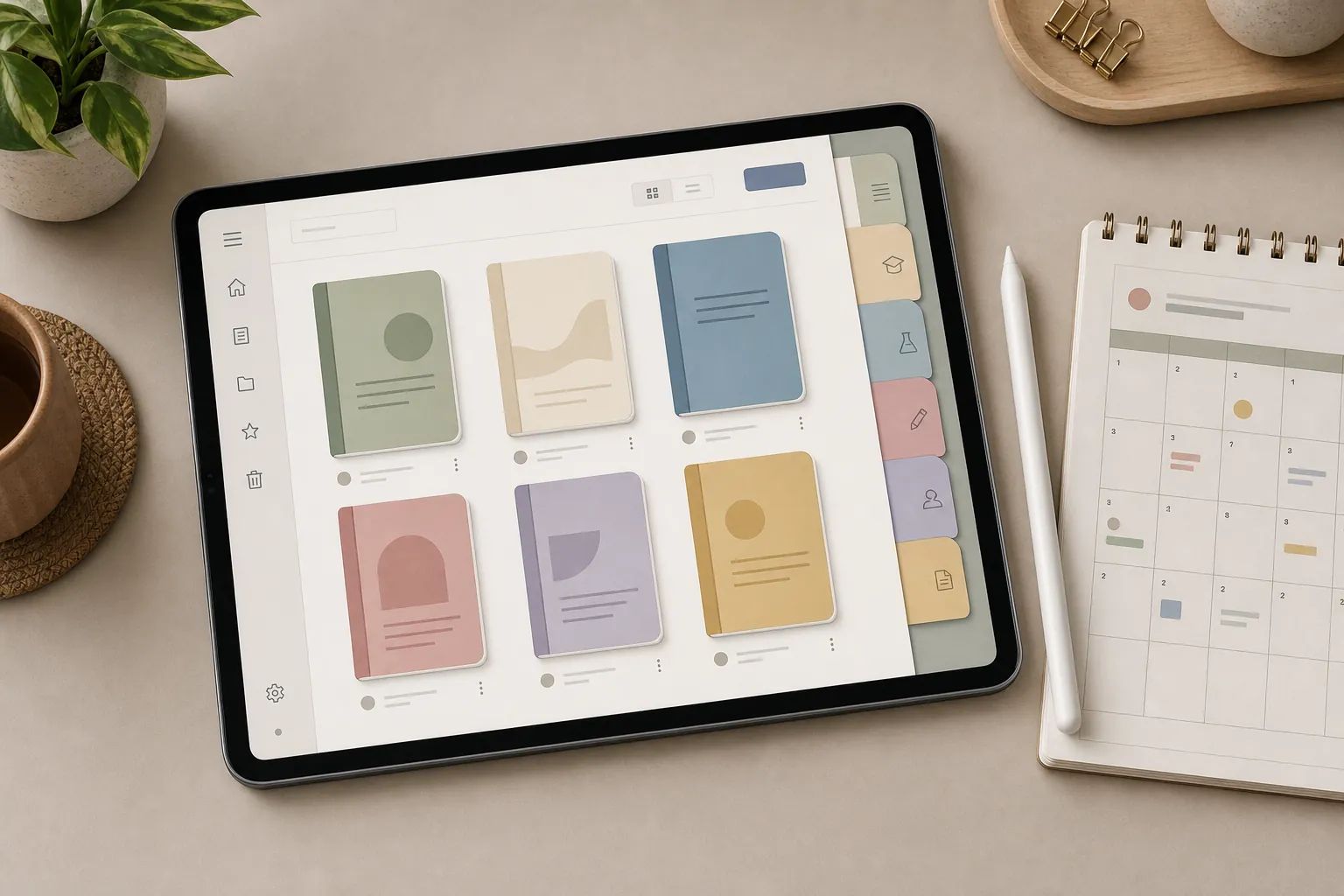
| Setup decision | What to configure |
|---|---|
| App | Choose one handwriting-first app for the semester, usually GoodNotes or Notability, rather than splitting courses across both. |
| Course notebooks | Create one notebook per course before the first week, with a consistent naming pattern such as “2026F — Contracts — Prof. Name.” |
| Page template | Use a Cornell-style or law-school-friendly page layout with room for rules, case posture, professor emphasis, and post-class questions. |
| Pen and highlighter presets | Assign colors before class so you are not designing a color system while someone is explaining consideration, mens rea, or standing. |
| Audio | Decide in advance whether recording is allowed and appropriate for that class. Do not build your system around audio unless the classroom rule permits it. |
| Handwriting search | Test search with your own handwriting before the semester starts. Search for a party name, a doctrine, and a messy abbreviation. |
| Backup and export | Turn on cloud sync if you use it, then set a separate PDF export rhythm so your notes are not trapped inside one app. |
| Outline handoff | Choose the weekly process that moves reviewed notes into your outline. Do not wait until November to invent it. |
GoodNotes and Notability are both reasonable examples for this workflow because the required features are not exotic. GoodNotes documents Cornell-style note-taking and supports handwriting search, and the Cornell Learning Strategies Center describes the Cornell system as a page structure with cues, notes, and summary space.[8][9] Notability also supports handwriting search and template-based note-taking; the point here is not brand loyalty, but whether the app can keep handwritten law notes retrievable.
If you are still choosing hardware, use a tablet decision as a software decision too: which stylus works well, which apps are available, how export behaves, and whether the device can survive a full class day. The existing MatePad Air vs. iPad note-taking comparison is the more natural place for that hardware tradeoff. Android students who want a broader app lane can also start with the Android college note-taking app comparison.
Use a law-school page, not a decorative template
A Cornell-style template is useful because it gives the page jobs. The main note area catches the class discussion. A narrower cue column can hold rule statements, case names, professor signals, or questions for office hours. The bottom summary area is where the page becomes more than a transcript.
For law classes, the template should leave room for three recurring things: the legal rule, the move the professor made with the case, and the unresolved question that will matter later. A page full of beautiful issue trees is less useful if you cannot tell which sentence was the holding, which was your own inference, and which was the professor warning the room not to overread the case.
- Top of page: date, course, topic, assigned cases, and class number.
- Main area: discussion notes, hypotheticals, black-letter rules, and professor framing.
- Left or right cue column: case names, doctrines, “ask later,” “outline,” “exam angle,” and “compare with prior case.”
- Bottom: a two- or three-line post-class summary written after class, not during the rush.
Set color rules once
A small preset system is enough. Use one pen for ordinary notes, one color for rules, one for professor emphasis, and one highlighter for material that must move into the outline. More colors usually create more decisions, and laptop-free rooms already add enough friction.
| Preset | Use |
|---|---|
| Black or dark blue pen | Ordinary class notes and case discussion |
| Red or purple pen | Rule statements, elements, tests, and standards |
| Green or blue accent | Professor emphasis, policy rationale, and exam warnings |
| Yellow highlighter | Items that must be reviewed or moved into the outline |
| Gray pen | Your own uncertainty, cross-references, or “check later” notes |
If your app lets you save favorite pens, put these in the toolbar before orientation week. If it has a per-app dictionary or text-recognition vocabulary, add recurring legal terms, professor names, and course-specific abbreviations as you discover them. For iPhone users, the custom dictionary setup guide is a useful adjacent setup step.
Decide on audio and AI before relying on either
Laptop-free rooms may provide AI-generated notes, rotating student scribes, or slides and speaker notes, according to current reporting.[1] That support does not replace your own system. Treat it as another source to reconcile after class, not as the master record.
Audio recording needs a separate decision. Some note apps make recording feel like an ordinary button beside the pen tool, but classroom permission, professor policy, and accommodations rules matter. If recording is not clearly allowed, configure your workflow as if audio will be off.
The same goes for app-level AI features. If your note app can summarize, transcribe, or process notes with AI, decide what you will allow before you bring it into a laptop-free class. The site’s personal AI policy guide for note apps and AI note-taking app profile are better places to make that settings-level decision.
Make handwriting searchable on purpose
Paper fails law students quietly. It feels fine in September and becomes hostile in November, when you need to find the one paragraph where the professor distinguished two cases that now sit in different parts of your outline. Tablet handwriting only improves that situation if search actually works on your handwriting.
Before classes begin, create a test notebook and write several ugly, realistic lines: party names, abbreviated doctrines, arrows, margin notes, and one sentence written while standing or rushing. Then search for the words you would actually need later. If the app cannot find “promissory estoppel,” “summary judgment,” or your own abbreviation for a recurring professor point, adjust how you write headings and cue-column terms.
- Write case names clearly at the top of the relevant page.
- Use consistent abbreviations for doctrines and procedural posture.
- Put searchable keywords in the cue column even if the main note is messy.
- After class, rewrite only the rule statement or heading if search fails, rather than recopying the whole page.
- Export a PDF copy often enough that a sync failure is annoying, not catastrophic.
This is where stylus notes become different from paper. You do not need every sentence recognized. You need enough intentional anchors that your future self can retrieve the right page, then read the handwriting in context.
The outline handoff is the system
A handwritten class note, a reviewed note, and an outline are three different states. Collapsing them into one is how tablet notes become attractive storage instead of legal study material.
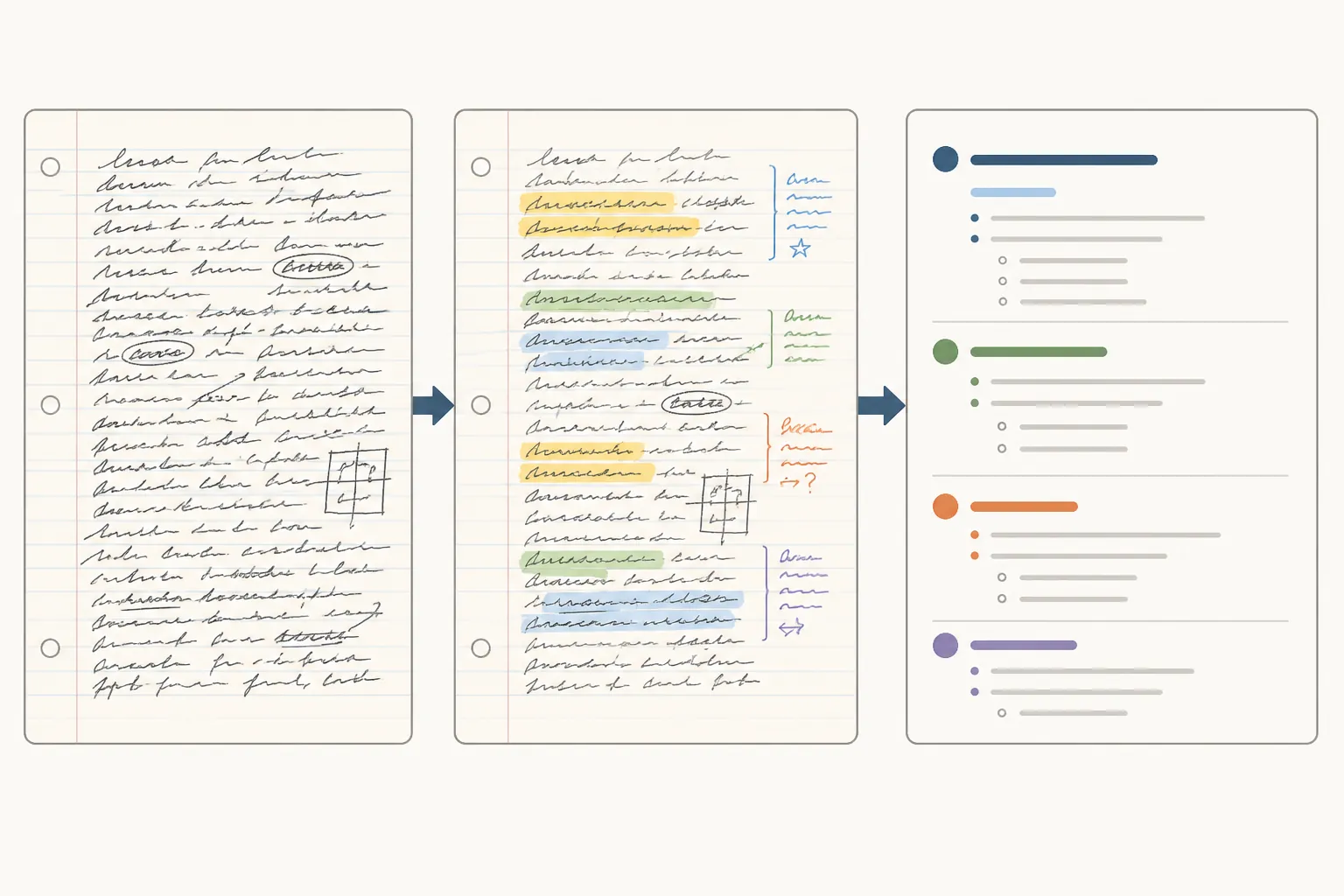
| State | When it happens | What it should contain |
|---|---|---|
| Class note | During class | Selected discussion, professor signals, hypotheticals, case distinctions, questions, and rough rule language. |
| Reviewed note | Within the weekly review window | Cleaned rule statements, highlighted outline candidates, corrected misunderstandings, links to slides or AI notes if provided. |
| Outline | Weekly or topic-by-topic | Synthesized doctrine organized by exam-relevant structure, not a chronological transcript of class. |
The review step deserves calendar space. The CEB law-school note-taking guide emphasizes organizing and reviewing notes rather than treating note-taking as an isolated classroom act.[10] Law School Toolbox similarly frames handwriting as something that needs post-class processing, not just slower transcription.[11]
A workable weekly handoff can be simple. After the week’s final class in a course, open that course notebook, search or skim the week’s pages, and mark only material that changes the outline: a rule, an element, a test, a case that anchors the rule, a professor distinction, or a policy rationale likely to matter on an exam. Then move that material into the outline in your outline tool of choice.
Do not rebuild the class chronologically. Law-school outlines usually need hierarchy: topic, subtopic, rule, elements, exceptions, leading cases, and professor-specific warnings. If the tablet notebook remains chronological, that is fine. The outline should not.
A weekly handoff routine
- Open the course notebook and filter the week by date or section.
- Check any faculty-provided slides, speaker notes, AI-generated notes, or scribe notes against your own pages.
- Highlight only rules, tests, case distinctions, and professor emphasis that should survive into exam prep.
- Rewrite unclear rule statements in the cue column or summary area so handwriting search can find them later.
- Move the selected material into the outline under a doctrinal heading, not under “Week 3.”
- Export the reviewed notes as PDF and confirm the backup exists outside the note app.
The exact outline software matters less than the boundary. Class notes are evidence of what happened in the room. Reviewed notes are corrected and marked. The outline is the exam-facing synthesis.
Peer schools are moving in the same direction, but not identically
U of T is not the only law school experimenting with device restrictions. LawSites reported in July 2026 that the University of Chicago Law School would ban laptops from 1L classrooms as part of a broader AI strategy for legal education.[12] There is also peer interest in Georgia-style restrictions, though the available material is not detailed enough to treat as a comparable policy.
That context is useful mostly as a warning against assuming one universal rule. Some schools may mean no laptops. Some may mean no devices. U of T’s reported version is specifically important because it draws the line at keyboards while leaving stylus handwriting on tablets available.[1]
Walk into the room with the system already chosen
If a September 2026 course outline says laptop-free, the readiness test is concrete. Can you bring a charged tablet, a paired stylus, no keyboard, a course notebook already created, a template you can use without thinking, pen presets already saved, handwriting search tested, backups and PDF export turned on, and a weekly outline handoff already scheduled?
If yes, stylus-on-tablet note-taking is a plausible compliant middle path. If no, it is just improvisation with better glass. The policy may still change in details, and the evidence should stay modest, but the semester setup problem is already clear: handwriting only helps if the notes can be reviewed, retrieved, backed up, and turned into an outline before exam season starts doing the sorting for you.
References
- Laptops will be banned in some U of T law classrooms. Here's why, CP24, August 16, 2026
- University of Toronto's law school to ban laptops in some classes, CityNews Toronto, August 15, 2026
- Typed Versus Handwritten Lecture Notes and College Student Achievement: A Meta-Analysis, Educational Psychology Review, 2024
- Is Handwriting Notes Better Than Typing Notes?, The Learning Scientists, July 18, 2024
- The Pen Is Mightier Than the Keyboard: Advantages of Longhand Over Laptop Note Taking, Psychological Science, 2014
- The Pen Is Mightier Than the Keyboard: Advantages of Longhand Over Laptop Note Taking, The Learning Scientists, February 21, 2019
- Writing Notes by Hand May Not Enhance Learning, Association for Psychological Science, 2021
- How to Take Cornell Notes, GoodNotes
- The Cornell Note Taking System, Cornell Learning Strategies Center
- Mastering Effective Law School Note-Taking, CEB
- Tips for Handwriting Your Law School Notes, Law School Toolbox
- UChicago Law Bans Laptops From 1L Classrooms As Part Of Sweeping New AI Strategy For Legal Education, LawSites, July 2026
Comments
Join the discussion with an anonymous comment.