
The most uncomfortable number in AI budgeting right now is not a license price. It is the 56% of CEOs who say they have seen zero measurable ROI from AI investments, according to PwC’s January 2026 CEO survey.[1] That does not prove AI tools are failing. It does prove that a lot of organizations bought capability before they built a way to measure where the work went.
That distinction matters when people are searching for the best AI tools for productivity. The useful question is not which tool has the best demo. It is which category can pay for itself in a real workflow, with real review time, real handoffs, and real subscription costs included.

The short version: workflow automation and meeting assistants are the strongest 2026 bets because their gains are easier to observe. Content generation can be worth paying for, but only after subtracting editing and rework. Coding tools are powerful in the right task shape and much less reliable when the work is novel, complex, or buried in legacy context. Scheduling assistants and general chat assistants are often useful; they are not automatically business investments.
For a broader look at why productivity claims and ROI claims often diverge, see how AI productivity tools deliver real ROI — and why some do not. This article stays narrower: which categories deserve budget, and how to prove it within 90 days.
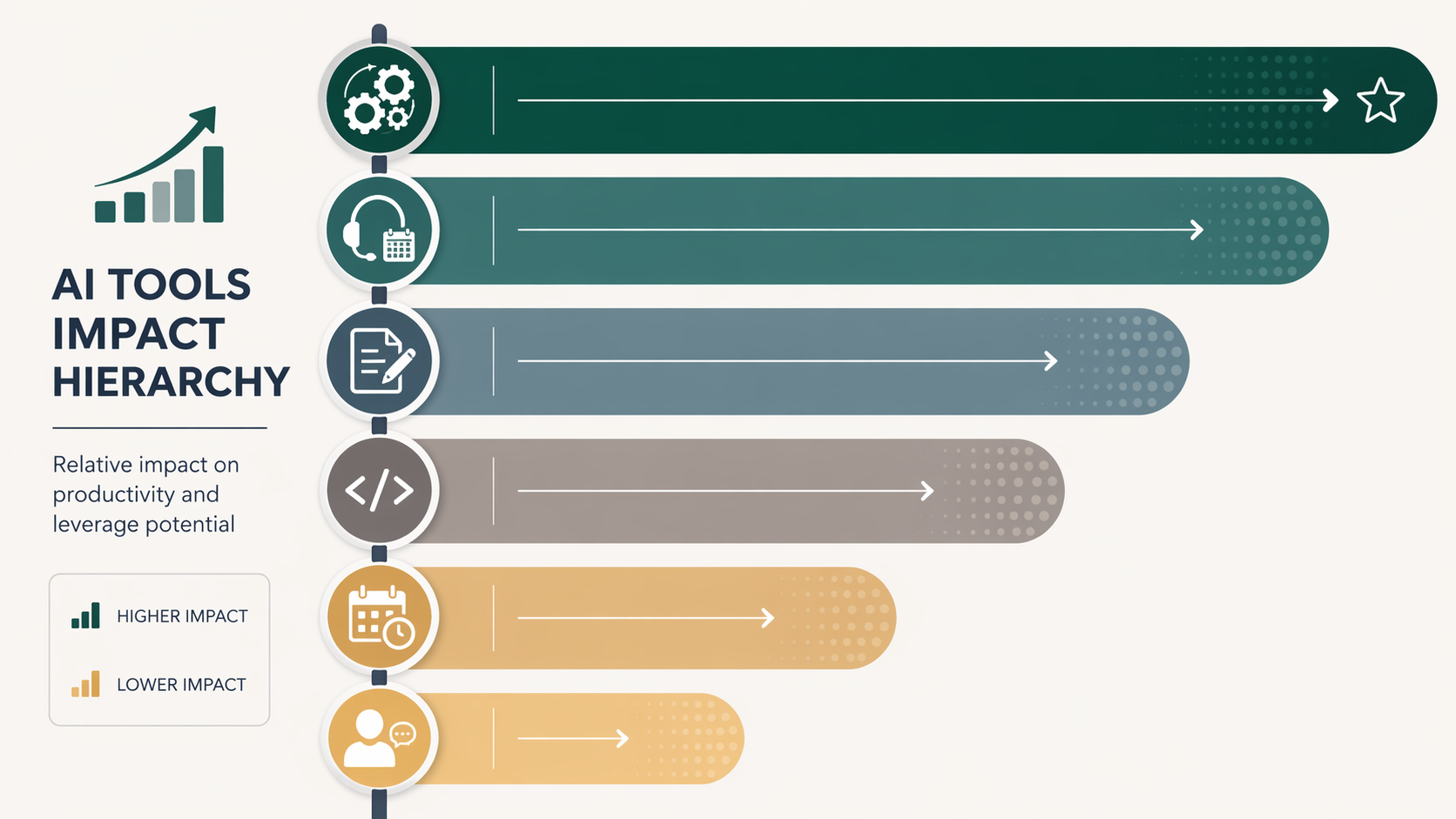
The ROI hierarchy: where AI productivity tools usually earn their keep
A useful AI budget conversation starts with category-level triage. Digital Applied’s 2026 compendium of AI agent productivity statistics places workflow automation at roughly 2–5× ROI, meeting assistants at 1.5–3×, and content generation at 1–3× before the harder accounting for rework is applied.[2] The same body of research points to stronger multipliers in customer service, code review, and marketing operations, with weaker returns in legal and clinical workflows, where review burden and risk controls keep many deployments below 1.5×.[2]
| Category | Defensible 2026 ROI range | Budget judgment |
|---|---|---|
| Workflow automation | 2–5× | Best first bet when the workflow is repeatable, rules-based, and currently handled by people copying, routing, checking, or updating information. |
| Meeting assistants | 1.5–3× | Strong bet when meetings produce decisions, follow-ups, customer records, or project updates that someone currently documents manually. |
| Content generation | 1–3× before rework adjustment | Useful for repeatable, reviewable drafts; weaker when editing time, brand review, or factual checking absorbs the claimed savings. |
| Coding assistants | Strong on bounded tasks; weaker on novel complex work | Worth testing by task type, not across an engineering organization as one blended average. |
| Scheduling and general assistants | Often below investment threshold unless concentrated in a defined workflow | Usually a convenience unless they save several hours per user per week in a measurable process. |
This hierarchy is not a moral ranking of tools. It is a measurement ranking. Automation and meeting tools leave better tracks: fewer manual updates, shorter admin cycles, fewer handoff errors, faster follow-up. Content and code tools can create large gains too, but someone still has to inspect the output before it becomes business value.
The minimum-savings rule: 3–5 hours per user per week
Before comparing vendors, set a threshold. In a mid-sized knowledge-work team, I would not call an AI productivity tool a business investment unless it saves 3–5 hours per user per week in a specific workflow. Below that, it may still be pleasant. It may reduce annoyance. It may make someone feel less behind. But if the saved time cannot be seen in throughput, rework reduction, decision speed, or avoided contractor spend, it belongs in the convenience bucket.
The threshold is especially important because average productivity claims can sound better than they behave. McKinsey and Microsoft Research data points to a knowledge-worker baseline savings figure of 6.4 hours per week, but that combines self-reported and telemetry data, and results vary substantially by department maturity.[3] A mature sales operations team with clean CRM rules and repeatable routing may capture those hours. A content team using AI to produce material that requires several review passes may not.
A simple evaluation model is enough for most purchase decisions:
- Start with the current weekly time spent in one workflow.
- Measure gross time saved after the AI tool is introduced.
- Subtract review, correction, cleanup, setup management, and exception handling.
- Convert net hours into capacity or cost using the fully loaded cost of the people involved.
- Compare the result against licenses, implementation time, training, and governance overhead.
If a tool saves ten hours of drafting but adds six hours of editing, factual checking, and formatting, it did not save ten hours. It saved four. That may still be worth buying, but the renewal meeting should use the smaller number.
For a more granular pricing and payback model, use an individual-tool cost framework such as Do AI Productivity Apps Actually Save You More Than They Cost? or compare categories against our payback-period ranking. The useful output is not a perfect finance model. It is a renewal decision no one has to defend with vibes.
Workflow automation has the cleanest path from saved work to ROI
Workflow automation deserves the first serious look because it removes work that was usually bad use of human attention to begin with: copying data between systems, routing approvals, updating records, classifying requests, creating follow-up tasks, sending standard notifications, and checking whether required fields are complete.
That is why the 2–5× ROI range is more defensible here than in broader AI categories.[2] The baseline is usually visible. A team can count how many invoices, sales handoffs, onboarding requests, document approvals, or support escalations move through the workflow each week. It can measure the pre-AI handling time. It can see whether cycle time drops after automation. It can also see when the automation creates cleanup work, which is important because badly maintained automations become a quiet tax on the project manager or operations analyst who has to fix edge cases.
The best automation candidates share three traits:
- The trigger is clear: a form submission, signed document, CRM stage change, support ticket, purchase request, or recurring deadline.
- The next action is predictable most of the time: route, summarize, classify, notify, update, or create a record.
- Exceptions can be separated from standard work instead of forcing a person to inspect every output.
Zapier, Make, Microsoft Power Automate, and similar platforms often get evaluated as if the main issue is connector count. Connector coverage matters, but the bigger ROI question is exception rate. A workflow that runs cleanly 85% of the time and flags the rest for review is easier to defend than one that technically automates every step but requires someone to watch it like a nervous intern.
Sales operations and document workflows are usually good places to start because the before-and-after measurement is concrete. If a sales handoff used to require a rep, manager, and operations coordinator to update multiple systems, the value is not only the minutes removed. It is fewer missing fields, faster follow-up, and less end-of-week reconciliation. For deeper category data, see the sales workflow automation ROI statistics and the document workflow automation business case.
Tool selection should come after that workflow audit. If the work is document-heavy, compare document-specific platforms rather than forcing a general automation tool to behave like a contract, invoice, or approval system. A head-to-head view of document workflow automation software is more useful at that stage than another generic “top AI tools” list.
Meeting assistants work when they shorten the work after the meeting
Meeting assistants sit just below automation in the ROI hierarchy, with a 1.5–3× range in the Digital Applied compendium.[2] That range makes sense because the value is not the transcript. The value is the avoided work after the transcript exists.
A meeting tool pays for itself when it reduces the time spent turning conversation into decisions, owners, deadlines, CRM notes, project updates, or customer follow-up. It does not pay for itself merely because it records everything. In fact, a perfect transcript can create more work if someone now has to read a twelve-page artifact instead of a one-page decision log.
The cleanest use cases are recurring customer calls, sales discovery, hiring debriefs, project standups with action items, and cross-functional meetings where missed decisions create downstream confusion. The weak use cases are optional internal discussions where nobody was going to document anything anyway. In that case, the assistant may make the team feel organized without changing delivery.
The evaluation metric should be specific. Do not ask, “Did people like the meeting assistant?” Ask:
- How many minutes did the meeting owner previously spend writing notes and follow-ups?
- How many minutes are now spent correcting the AI summary?
- Are action items reaching task systems or CRM records faster?
- Are fewer follow-up meetings needed to clarify what was decided?
- Does the assistant reduce work for the person who owns the meeting, or does it merely produce another artifact?
Otter, Fireflies, Notion AI, and similar tools can all be reasonable choices depending on the workflow around the meeting. A team that needs searchable call records has a different buying problem from a team that needs structured project action items. If the purchase decision is specifically about meeting notes, the more useful comparison is Otter AI vs. Fireflies vs. Notion AI for meeting notes, not a broad productivity roundup.
Content generation is useful, but rework decides the real number
Content generation is where AI productivity accounting most often gets sloppy. The first draft arrives quickly, everyone feels the gain, and the team reports time saved. Then the editor rewrites the structure, the marketer fixes positioning, the subject-matter expert removes overconfident claims, and the designer waits because the copy still is not shippable.

Workday’s 2026 workforce data is the honesty test here: 37–40% of AI time savings are absorbed by rework.[4] That means a content tool claiming five hours saved may be producing only about three hours of usable net savings once correction, editing, and quality control are counted. In some workflows, that is still a good deal. In others, it explains why the team feels busier after supposedly becoming more efficient.
The Digital Applied range of 1–3× ROI for content generation should therefore be read as conditional, not automatic.[2] The upper end is more plausible when the asset type is repeatable and reviewable: product descriptions, first-pass briefs, ad variants, sales email drafts, support macros, repurposed summaries, or internal documentation. The lower end is more likely when the output requires original argument, high factual precision, regulated claims, legal review, or a strong brand voice that the model keeps flattening.
A good content pilot separates drafting speed from publishing speed. The metric is not “How fast did AI create the first version?” The metric is “How long from assignment to approved asset?” If AI speeds up the first 20% of the workflow but slows review, the budget case is weak. If it gives a skilled marketer a cleaner starting point and reduces blank-page time without adding review burden, it can clear the 3–5 hour threshold.
Pricing can make the decision look deceptively small. ChatGPT Plus at $20 per month and Notion AI at $10 per member per month were among the pricing examples verified as of June 2026, alongside pricing context gathered from Zapier, DataCamp, and Cohorte roundups.[5] Those numbers change frequently, and the license price is rarely the full cost. The real cost includes the editor’s time, the reviewer’s time, and the operational drag of assets that appear done before they are actually usable.
Coding assistants need a task-level split
Coding assistants are easy to overgeneralize because both sides can find evidence. McKinsey and Microsoft Research data indicates developers save 55% more task-completion time with AI coding tools.[3] That is a serious productivity signal for bounded work: boilerplate, test generation, simple refactors, documentation, code review support, repetitive transformations, and familiar bug patterns.
But METR research adds an important boundary condition: experienced developers lost 19% productivity on novel complex tasks.[6] That does not make coding assistants bad. It means the budget owner should not average easy wins and hard losses into one comforting adoption number.
The practical split is straightforward. Use AI coding tools where the output is easy for the developer to inspect and where the task has enough repetition for the assistant to be helpful. Be more cautious when the work requires deep system context, unfamiliar architecture, ambiguous product judgment, or careful reasoning across old code no one fully trusts. In those cases, the assistant may still be useful as a thinking aid, but the ROI case needs direct measurement rather than broad productivity assumptions.
Scheduling and general assistants are often helpful, but usually not enough
Scheduling assistants, inbox helpers, chat-based research aids, and general-purpose copilots often improve the texture of the day. They reduce small irritations. They help people start faster. They make routine coordination less annoying. That is real, but it is not always enough to justify a department-wide purchase.
The test is concentration. If an executive assistant, recruiter, sales development rep, or customer success manager spends several hours a week coordinating calendars, summarizing threads, or preparing routine messages, the tool may cross the investment threshold. If ten employees each save twelve scattered minutes a week, the organization may never see the benefit outside of sentiment.
This is also where soft benefits are easiest to overclaim. Less friction matters, and morale is not trivial. But for a budget decision, connect the softer benefit to something observable: fewer missed follow-ups, faster scheduling turnaround, reduced meeting coordination load, shorter onboarding time, or less administrative support required.
A 90-day blueprint for proving whether an AI tool pays for itself
A 90-day evaluation does not need a transformation office. It needs discipline before the pilot starts. The biggest mistake is installing the tool, waiting for enthusiasm, and then trying to reverse-engineer a business case from anecdotes.
| Phase | What to do | Decision output |
|---|---|---|
| Days 1–15 | Choose one workflow, name the users, define the start and end point, and baseline current time spent. | A measurable before-state. |
| Days 16–45 | Run the pilot with a small group. Track gross time saved, adoption, exceptions, and cleanup work. | A realistic operating sample. |
| Days 46–75 | Subtract rework, review, setup management, automation maintenance, and training time. | Net savings instead of demo savings. |
| Days 76–90 | Compare net savings against license and implementation cost. Decide whether to expand, fix, or cancel. | A renewal-grade budget decision. |
The workflow definition is the part worth being fussy about. “Use AI for marketing” is not measurable. “Reduce the time to create first-pass webinar follow-up emails from call transcript to approved sequence” is measurable. “Use AI in engineering” is not measurable. “Reduce time spent writing unit tests for a specific service area” is measurable. “Use AI for meetings” is not measurable. “Reduce post-call CRM update time for customer success managers” is measurable.
The baseline should include the people who inherit the output. If a meeting assistant saves the meeting owner twenty minutes but creates ten minutes of cleanup for the project manager, the net gain is ten minutes. If a content tool saves the content owner two hours but adds ninety minutes of expert review, the net gain is thirty minutes. If an automation removes manual routing but creates frequent exception handling for operations, count the exception handling.
At the end of 90 days, there are only three acceptable decisions:
- Expand: the tool clears the 3–5 hour weekly savings threshold in a defined workflow after rework and operating costs.
- Fix: the category is promising, but the workflow design, training, templates, integration, or exception handling is preventing value.
- Cancel: the tool is liked but does not change throughput, cost, cycle time, quality, or decision speed enough to justify the spend.
Teams building a broader stack can use How to Build an AI Productivity Stack That Actually Sticks after the first pilots have produced evidence. Stack design should follow measured workflows, not vendor enthusiasm. For a complementary filter on inflated claims, see what actually saves time versus what is just hype.
What to buy first in 2026
If the budget has room for only one serious AI productivity bet, start with workflow automation. It has the strongest category ROI range, the clearest baseline, and the least ambiguous link between removed work and measurable capacity. If the organization spends heavily on calls, handoffs, and follow-up documentation, meeting assistants are the next most defensible category.
Content generation, coding assistants, scheduling tools, and general copilots can all earn their place, but they need a narrower proof. Measure the workflow, subtract the cleanup, and check whether the tool still saves 3–5 hours per user per week. The best AI productivity tools are not the ones with the most impressive demos. They are the ones attached to measurable work that actually gets smaller after the tool is installed.
References
- PwC 26th Annual Global CEO Survey — PwC, January 2026.
- AI Agent Productivity Statistics 2026 — Digital Applied, 2026.
- McKinsey / Microsoft Research data on AI productivity and developer task-completion savings — McKinsey / Microsoft Research.
- Workday 2026 workforce data — Workday, 2026.
- Zapier, DataCamp, and Cohorte AI productivity tool roundups and pricing context — Zapier, DataCamp, Cohorte, pricing verified June 2026.
- METR research on experienced developers using AI for novel complex tasks — METR.
Comments
Join the discussion with an anonymous comment.