
Last verified: August 27, 2026. Both setups require Obsidian community plugins. Copilot’s Agent chat works on desktop only; its Quick Chat, Commands, and Quick Ask features remain available on mobile. Smart Connections can index and resurface notes locally without an API key.[1][2]
Start with the action boundary: do you want software that can change files, or software that keeps the vault local and points out useful relationships? Copilot for Obsidian can run a multi-step agent that reads context and changes files. Smart Connections builds local embeddings and points toward related material, but it does not reorganize the vault for you. That narrower behavior may be preferable when resurfacing is the real need.
| Capability | Copilot Agent | Smart Connections |
|---|---|---|
| Surface related notes | Can use vault context during an agent run | Yes, automatically while you work |
| Semantic search | Available within Copilot’s broader AI workflow | Yes, using local embeddings |
| Write or edit vault files | Yes | No |
| Run several actions in sequence | Yes, through Agent chat | No |
| Default model boundary | Depends on the selected hosted, provider-key, login, or local route | Bundled local embedding model |
| API key required | Not necessarily | No |
| Main setup constraint | Agents require desktop and a local backend process | Local index files need appropriate sync exclusions |
Smart Connections had roughly 5.4k GitHub stars when its repository was reviewed in August 2026.[2] That is evidence of attention, not evidence that its autonomy level, privacy boundary, or maintenance requirements fit a particular vault.
Set up a file-acting agent with Copilot
Copilot is the appropriate route when “organize” means more than displaying recommendations. Its Agent chat can run a tool loop in which the model examines vault context, chooses an action, receives the result, and continues. The project documents support for opencode, Claude Code, and Codex backends. Because those backends start local processes, Agent chat is limited to Obsidian desktop.[1]
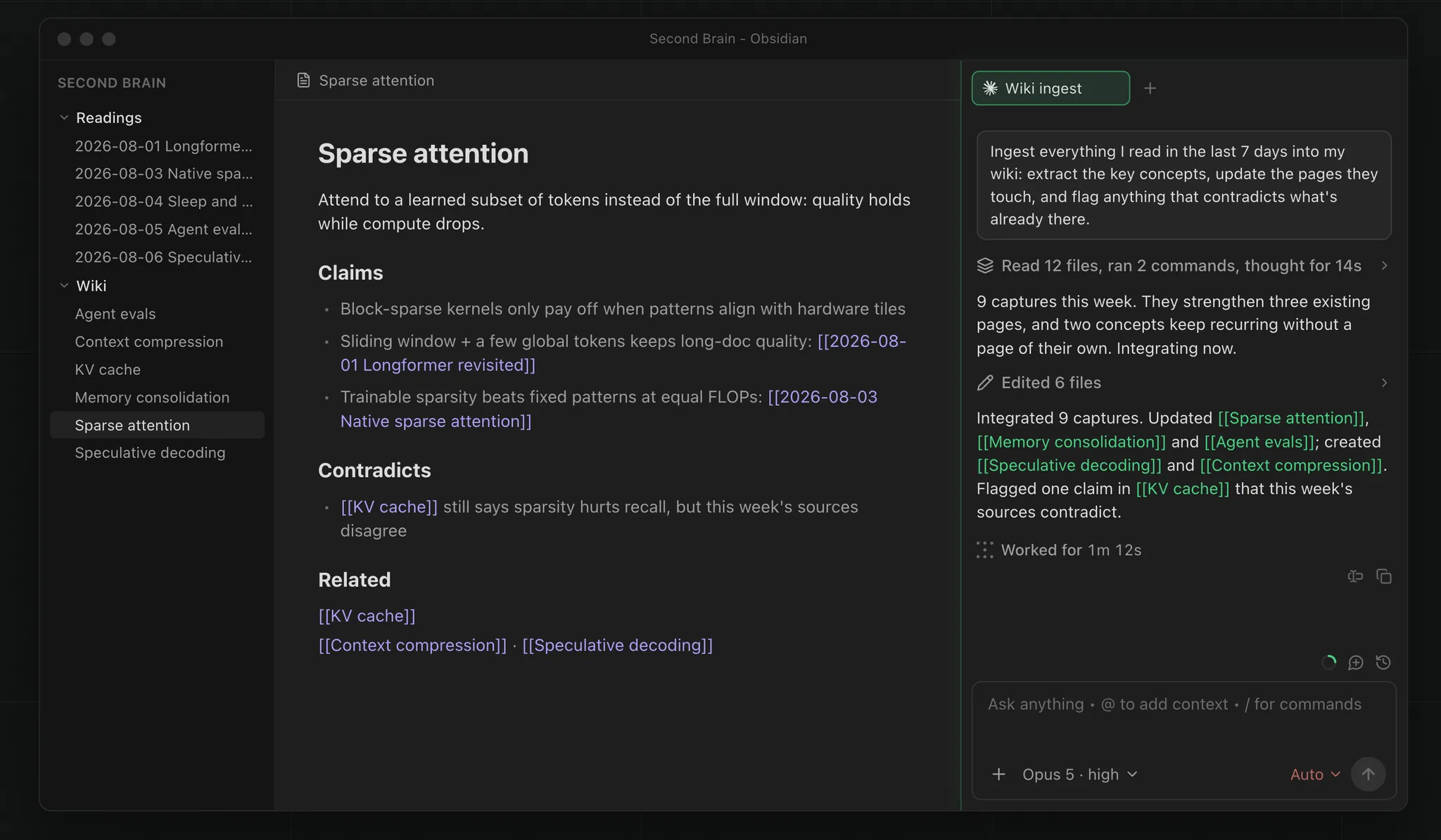
Install the plugin and its agent backend
- Open Obsidian on a desktop computer, go to Settings → Community plugins, browse for Copilot, install it, and enable it.
- Open Settings → Copilot → Basic → Agents.
- Download opencode from the Agents settings, or connect an existing Claude Code or Codex installation and login.
- Open Copilot’s chat panel and switch to the Agent chat.
Those four actions are the documented route into a real Agent chat.[1] If the Agents settings or backend launch is missing on a phone or tablet, changing model credentials will not solve it: the documented limitation is the desktop-only local process, not merely the chat interface.
Do the first run against a duplicate vault or a bounded test folder. Imported notes often contain inconsistent titles, repeated exports, attachment paths, and fragments that only look redundant. Giving an agent the entire vault before learning how it interprets those artifacts turns an organization experiment into a restoration exercise.
Use a task that exposes the whole tool loop
A useful first task should require inspection and several related edits while keeping the consequences easy to review. The following is a hypothetical prompt rather than a report of a completed vault cleanup:
Work only inside the folder "Migration Test."

1. Inspect the notes and identify pages that discuss the same project.
2. Propose a linking and index-note plan before editing anything.
3. After I approve the plan, add relevant internal links and create one index note.
4. Do not delete, rename, or move files.
5. At the end, list every file you changed and explain why.
The planning pause is intentional. It reveals whether the model has grouped notes sensibly before it touches files. The folder restriction limits the blast radius, while the final change list gives the reviewer a tractable inspection queue. Once that run behaves predictably, the task can expand to repairing links, building topic indexes, or reorganizing a larger import.
For comparisons among the supported command-line backends, use the separate guide to frontier CLI agents for Obsidian vault cleanup. The relevant setup decision here is not whether Claude Code or Codex wins a general model contest; it is which execution and data route you are prepared to attach to this vault.
Choose where Copilot sends the work
Installing the plugin does not by itself settle the privacy or cost question. Copilot is open source and can be used without purchasing its paid plan by supplying a provider key, using a local model, or connecting an existing Claude Code or Codex login. The project also offers hosted model access.[1]
| Route | Money boundary | Data and account boundary |
|---|---|---|
| Copilot-hosted access | Depends on Copilot’s current hosted-plan terms | The project states that hosted-model prompts are routed through Brevilabs |
| Your own provider key | Usage is attached to the selected provider account | Requests leave the device for that provider; Copilot states that credentials are stored in the device keychain rather than the vault’s data.json |
| Local model | No hosted-model route is required, but the computer supplies the hardware and runtime | Model inference can remain local when the entire configured path is local |
| Existing Claude Code or Codex login | Uses the access and limits associated with the existing login | Requests follow the connected service’s account and processing path |
Brevilabs routing and device-keychain storage are project-stated implementation claims, not an independent privacy audit.[1] Keychain storage reduces the chance of an API credential being copied with ordinary vault configuration data, but it does not keep the prompt or selected note context on-device when a hosted model is used.
A local route has a different operational cost. It avoids a hosted inference path only if the configured model, embedding components, and supporting services are all local. Readers prepared for that hardware and configuration work can follow the local model setup for Obsidian notes. Do not infer “local” from the fact that the agent backend starts as a process on the desktop; a local process can still call a remote model.
Vaults containing client records, health information, private journals, or imported account histories need a content-level decision, not merely a credential-storage decision. The broader AI note-taking privacy and security comparison covers those migration risks.
Keep resurfacing local with Smart Connections
Smart Connections is the cleaner fit when the desired outcome is “show me the note I forgot” rather than “change these files for me.” The plugin ships with a local embedding model, requires no API key for that default workflow, and can display related notes as you write.[2]
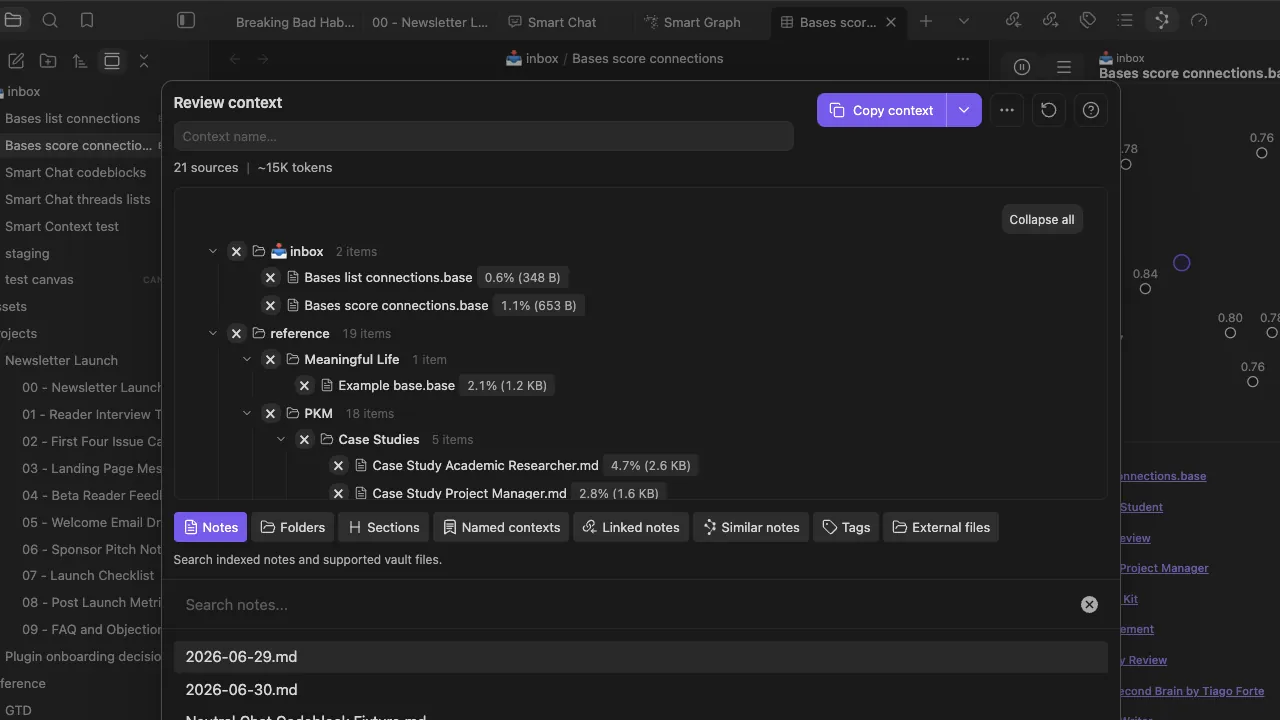
- Open Settings → Community plugins, find Smart Connections, install it, and enable it.
- Allow the bundled local embedding model to index the vault. A large or recently migrated vault may need time to complete its initial indexing.
- Open a representative note and inspect the Smart Connections panel for related notes and excerpt matches.
- Exclude the generated .smart-env/ directory from Git or any third-party synchronization tool that may attempt to merge or duplicate its index files. The directory contains generated working data rather than notes, so each device can maintain its own local index.
Semantic matches are not literal search results
The Smart Connections documentation warns that semantic search does not behave like plain-text search.[2] A literal search looks for the words you entered. An embedding-based search estimates conceptual similarity, so it may surface a note that uses different vocabulary—or omit a note containing the exact phrase when that note is not semantically close enough under the model.
That distinction matters after a migration. If an imported notebook uses several names for the same initiative, semantic results can reconnect material that keyword search divides. If you need to locate an exact invoice reference, filename, or quoted sentence, use Obsidian’s literal search instead. Smart Connections is a discovery layer, not a replacement for deterministic lookup.
No suggested relationship becomes an actual link until someone acts on it. This leaves more review work than Copilot Agent, but it also prevents the indexer from producing a second round of file cleanup. A note appearing in the panel is a candidate for attention, not a claim that the two documents should be merged or cross-linked.
Maintenance and documented breakpoints
Maintenance record, August 27, 2026: plugin behavior and setup paths were checked against the two project repositories. The constraints below are documented by the projects and are not presented as independently reproduced failures.
| Check | What can stop working | What to inspect |
|---|---|---|
| Copilot Agent on mobile | Agent chat is unavailable because its backends require desktop local processes | Move the agent run to desktop; mobile Quick Chat, Commands, and Quick Ask are separate features |
| Copilot backend launch | opencode is not downloaded, or the Claude Code/Codex connection is unavailable | Return to Settings → Copilot → Basic → Agents and verify the selected backend |
| Unexpected Copilot data route | A hosted provider is selected when local processing was intended | Recheck the active model, backend, account, and provider path before attaching vault context |
| Unreviewable file changes | The first task covers too many folders or permits destructive actions | Restore the duplicate or backup, reduce the scope, and require a proposed plan and final change list |
| Smart Connections sync conflicts | A third-party sync system copies or merges .smart-env/ index data | Exclude .smart-env/ and rebuild the local index if necessary |
| Confusing Smart Connections results | Semantic matches are being judged as if they were literal keyword matches | Use exact Obsidian search for known strings and reserve semantic search for conceptual discovery |
Use Copilot when the benefit of creating links, index notes, or other file changes justifies the routing boundary you selected—and when someone will inspect the result. Use Smart Connections when local resurfacing is enough. Smart Connections does less, but that is an advantage when the vault needs better recall rather than an autonomous rewrite.
References
- Copilot for Obsidian, GitHub.
- Smart Connections, GitHub.






Comments
Join the discussion with an anonymous comment.