
Annie Lowrey defined the “time tax” as “a levy of paperwork, aggravation, and mental effort imposed on citizens in exchange for benefits that putatively exist to help them.” The phrase comes from her July 27, 2021 essay in The Atlantic, where she showed that administrative friction consumes time while also preventing people from receiving services for which they qualify.[1]
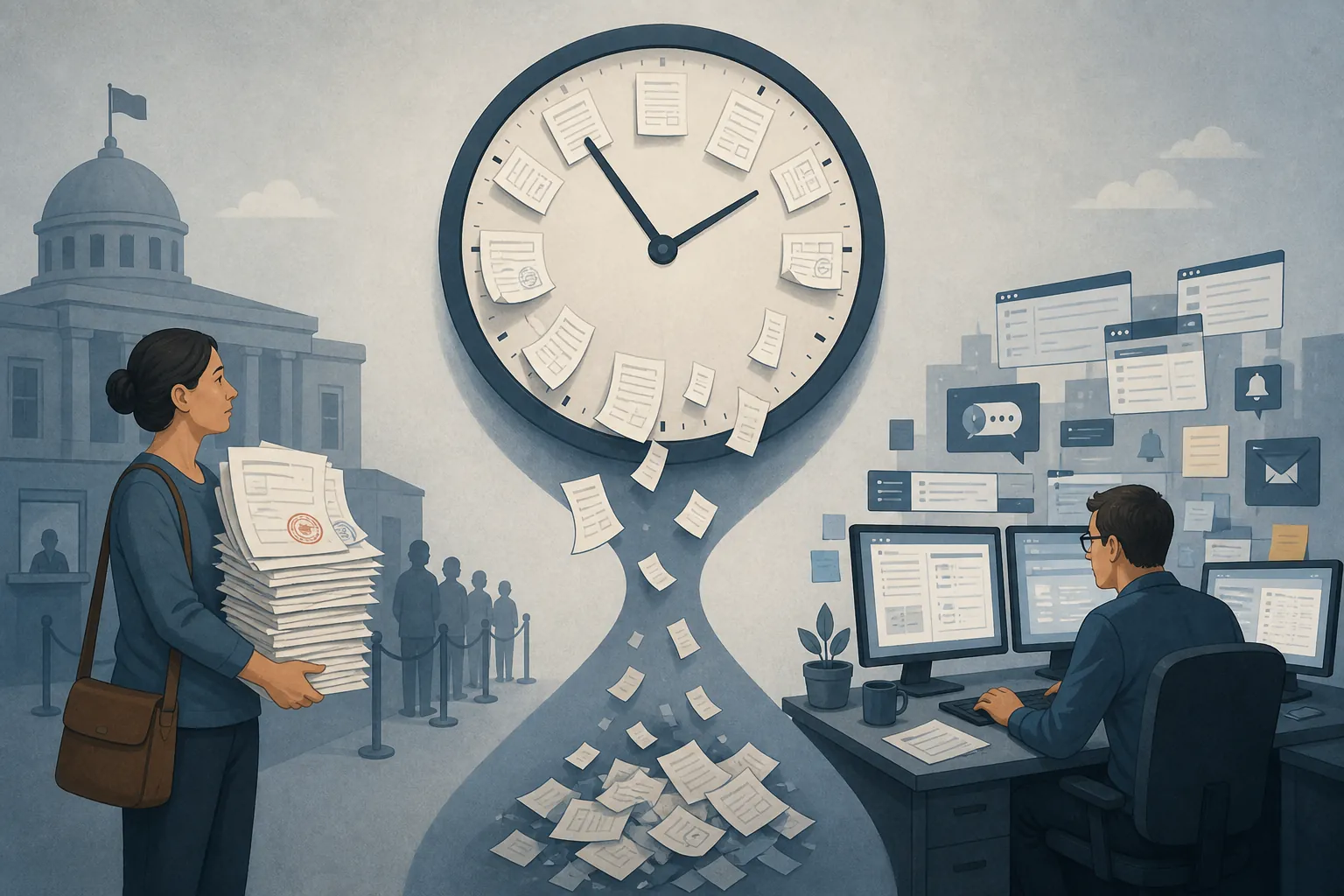
Lowrey has now expanded the concept into The Time Tax: How the Government Wastes Our Time—and How to Fix It, a 352-page book released by Ecco on August 25, 2026.[2] Because the book is only two days old as of this writing, the verifiable publication record remains limited to materials such as the publisher’s listing and an August 3 Kirkus review. Those listings display differing ISBNs, so early buyers and librarians should identify the book by title and author rather than relying on a single catalog number.[2][3]
The time tax is measurable—and unevenly collected
The tax is paid in hours rather than dollars, but that does not make it metaphorical. Lowrey’s original essay cites an estimate of roughly 9 billion hours spent on U.S. tax compliance each year. It also describes physicians completing an average of 37 insurance preauthorization forms a week and spending about twice as much time on clerical work as on patient care.[1]
That workload lands on people who could otherwise be treating patients, processing cases, caring for family members, or earning money. It also creates queues behind the person filling out the form: patients wait while clinicians negotiate with insurers, and applicants wait while caseworkers repair incomplete or inconsistent submissions.
The burden is regressive because people with fewer resources have less capacity to absorb it. Lowrey reported that one in six people eligible for food stamps did not receive them, that Wyoming’s SNAP participation rate was 56%, and that families were six times more likely to leave SNAP during the month when they had to reconfirm eligibility.[1] Those figures do not prove that every departure was caused by paperwork. They do show that participation drops sharply when the system demands another round of compliance.
Michigan changed the form—and changed the results
Michigan’s Project Re:form offers a particularly useful test because it connects design changes to outcomes at several points in the same process. The state began with a 42-page public-benefits application containing about 18,000 words. The redesigned version eliminated roughly 80% of its words and questions.[1]
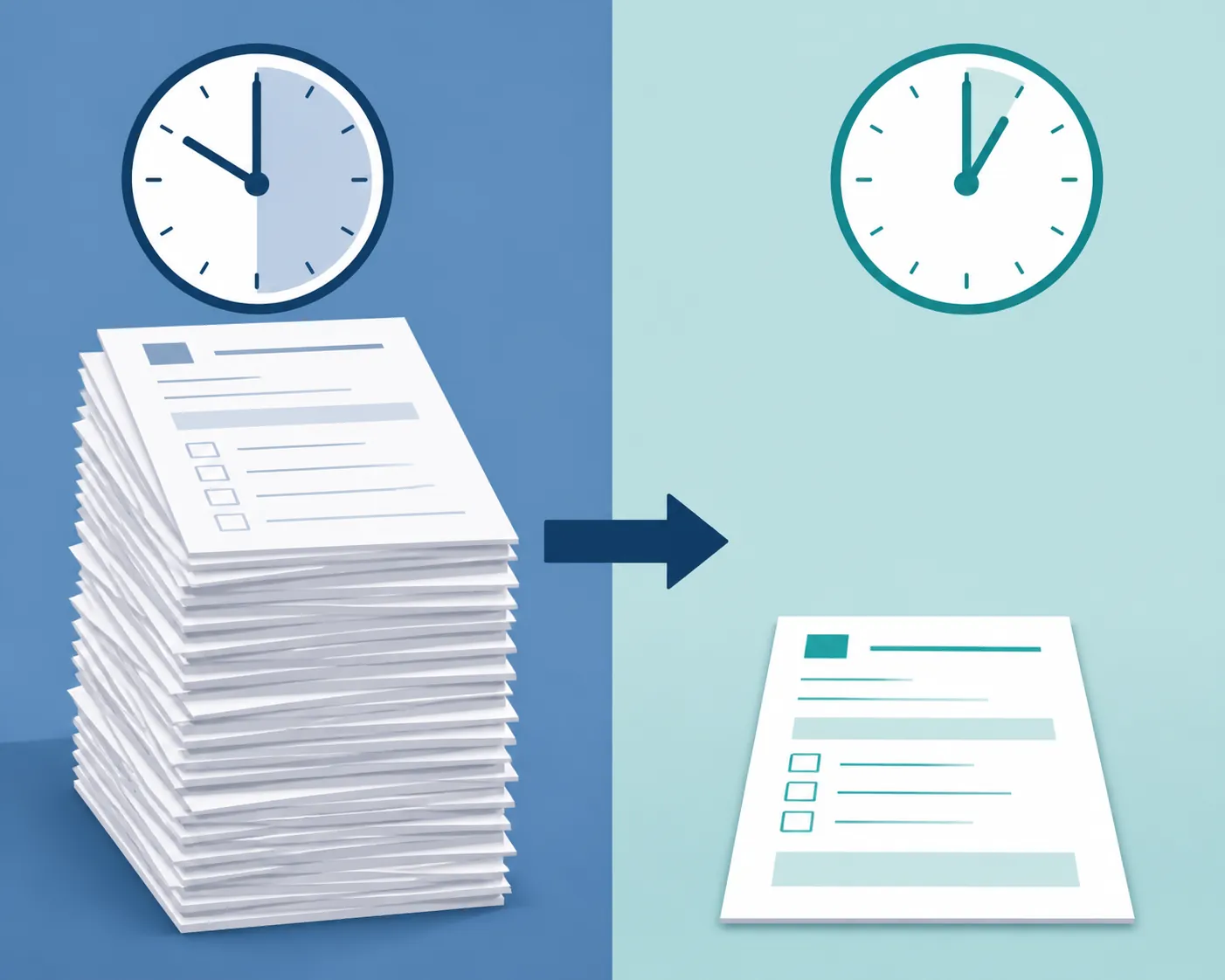
Average completion time fell from about 40 minutes to 16 minutes, while the completion rate rose from 72% to 94%.[1] Applicants were asked to do less deciphering, maintain less information in working memory, and navigate fewer opportunities for mistakes.
The most revealing result appeared downstream: caseworkers spent 75% less time correcting errors.[1] A badly designed application had not merely inconvenienced applicants. It had generated remedial labor for public employees, who were forced to find omissions, request clarification, interpret contradictory answers, and repair records. Simplifying the front end returned time to both sides of the desk.
Louisiana produced a similar, narrower result by changing follow-up rather than rebuilding an entire form. In a Code for America program, simple text reminders helped raise successful SNAP applications from 67% to 81%.[4] A reminder cannot eliminate every obstacle to enrollment, but it can stop a missed deadline or forgotten document from silently ending an otherwise viable application.
Why administrative friction changes behavior
Political scientists Pamela Herd and Donald Moynihan provide a useful mechanism for understanding these outcomes. Their administrative-burden framework separates the costs people encounter into learning, compliance, and psychological costs. The framework treats these burdens as features of policy design rather than as unavoidable residue surrounding the “real” policy.[5]
- Learning costs arise when someone must discover that a program exists, determine whether they qualify, identify the correct process, and work out which information is required.
- Compliance costs include collecting records, completing forms, documenting eligibility, attending appointments, meeting deadlines, and repeating the process when circumstances change.
- Psychological costs include stress, stigma, loss of autonomy, and the mental strain of dealing with an institution that can deny an essential service.
These costs interact. A confusing eligibility rule increases learning work. Uncertainty makes compliance harder because the applicant cannot tell which evidence will count. A rejected or stalled application raises the psychological cost of trying again. People with money, schedule flexibility, professional assistance, reliable internet access, and confidence dealing with institutions can absorb more of that burden than people without those resources.
The Michigan results matter because they demonstrate the reverse mechanism. Remove unnecessary questions and the application takes less time. Fewer opportunities for misunderstanding produce fewer errors. Fewer errors reduce caseworker repair work. More applicants reach the end. The burden was changeable because it had been designed into the process.
The personal time tax inside knowledge work
The knowledge-work comparison that follows is a synthesis, not Lowrey’s argument or prescription. Losing time to scattered notes is not equivalent in consequence to losing food assistance or access to medical care. Yet workplace systems often reproduce the same operational demand: the organization leaves its information, decisions, and processes fragmented, then tells each employee, in effect, “You figure it out.”
RescueTime’s analysis found users averaging roughly three minutes on a task and two minutes in a tool before switching; its developer data indicated that only about 41% of the day went to development itself.[6] These measures do not establish that every switch is wasteful, but they reveal how little uninterrupted space may remain after communication, tooling, and coordination divide the day.
The coordination layer has also expanded. Harvard Business Review reported that time spent on collaborative activities had increased by more than 50% over two decades.[7] In Atlassian’s survey of 5,000 knowledge workers, 78% said they attended so many meetings that it was difficult to complete their work, 80% said most meetings could be half as long, and 62% reported attending meetings without a stated goal.[8] These are self-reported attitudes and experiences, not direct measurements of the productivity value of every meeting.
The personal version of the tax accumulates through ordinary actions: searching several systems for the latest decision, reconstructing context after a tool switch, rebuilding a document that already exists somewhere, attending a meeting because no written decision process exists, and manually transferring information between tools that do not share a dependable workflow. A note-app migration can add another round of this work, but migration is only one instance of the broader problem.
Build a productivity system that returns time
A personal productivity system cannot repair a benefits program or change an employer’s meeting culture by itself. It can reduce the portion of the burden created by loose inputs, unclear storage, repeated setup, and an unprotected calendar. Tiago Forte gives the right standard for judging such a system: it “has to give you time, not take time.”[9]
| Part of the workflow | Friction it should remove | Practical test |
|---|---|---|
| Capture | Trying to remember or repeatedly relocate new inputs | Can an important input reach one dependable inbox in seconds? |
| Organize | Browsing elaborate subject trees to find active material | Is current work separated from reference material and inactive material? |
| Reuse | Rebuilding recurring documents and decisions | Does repeated work begin from a usable template? |
| Schedule | Letting coordination consume all available attention | Does substantive work have protected calendar space? |
| Review | Allowing inboxes, projects, and commitments to decay | Can the system be restored without a major cleanup project? |
Start with dependable capture
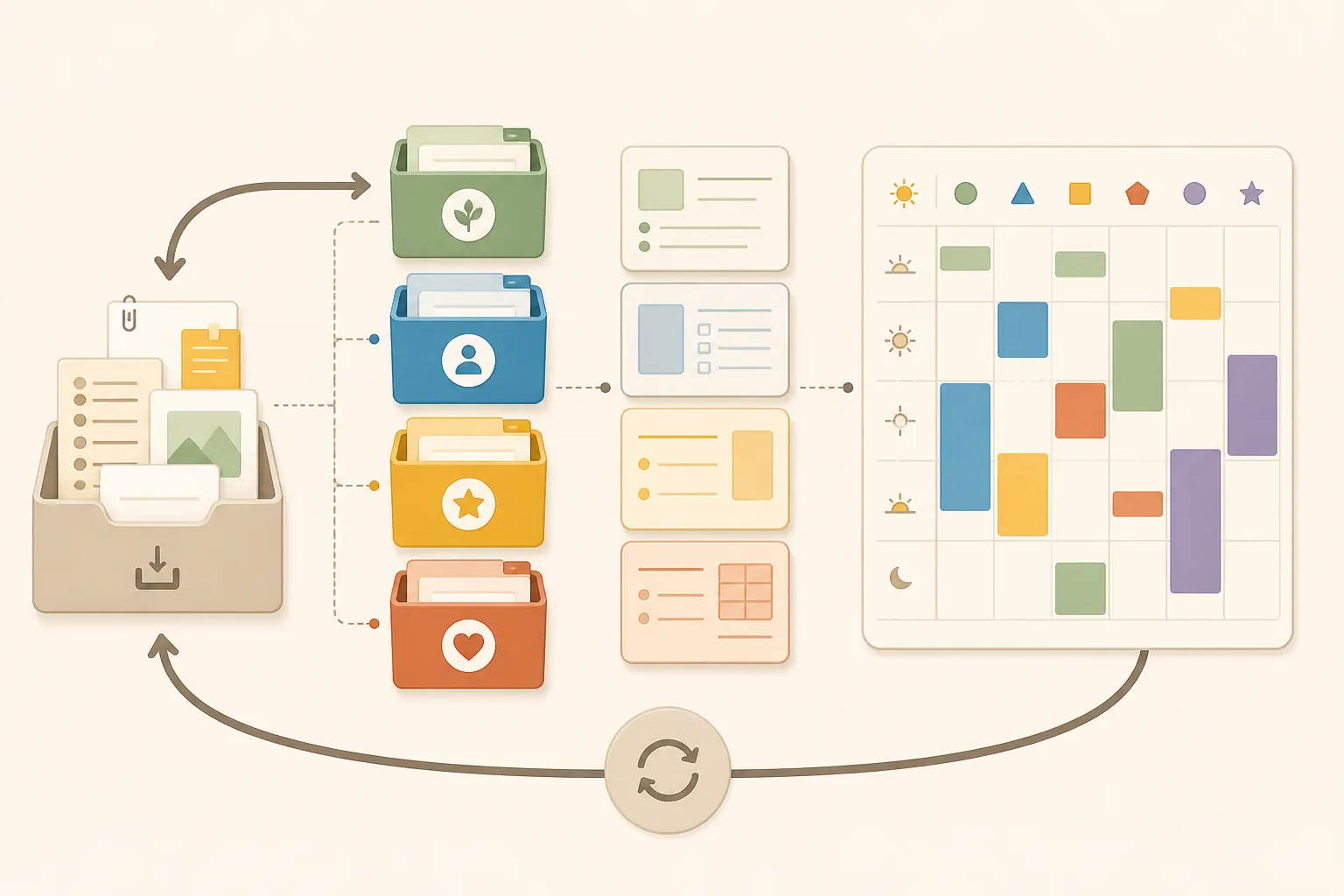
Capture gives incoming information a known first destination. Tasks discovered during meetings, useful references, decisions from chat, and ideas that arrive between appointments should not depend on memory or remain scattered across browser tabs and private messages. Forte’s CODE workflow begins with capture before moving through organization, distillation, and expression.[10]
One inbox is ideal when the tools allow it. A small number of clearly assigned inboxes can also work—for example, one task inbox and one notes inbox—provided each has a distinct purpose and a review habit. The failure mode is not multiplicity by itself; it is having inputs whose future location cannot be predicted. A practical workday notes setup can combine rapid capture with a short end-of-day review rather than asking the user to classify every thought perfectly on arrival.
Organize by actionability with PARA
PARA sorts information according to its relationship to action: Projects, Areas, Resources, and Archives.[9] That is more useful for daily work than constructing a comprehensive taxonomy of everything a person knows.
- Projects contain material connected to a current outcome with an endpoint.
- Areas hold ongoing responsibilities that require maintenance but do not have a completion date.
- Resources collect potentially useful material by topic or interest.
- Archives hold inactive material from the other categories.
When a project becomes inactive, its material moves out of the active workspace. When a resource becomes relevant to a live deliverable, useful material can move closer to the project. The structure follows changing work instead of requiring every item to acquire one permanent intellectual address. A basic four-folder PARA setup is usually enough; the implementation can then be adapted to the tool and the user’s thinking style.
This is also where a productivity system can begin charging its own time tax. Forte warns that “so much of what we call organizing is essentially procrastination in disguise.”[9] Renaming folders, redesigning dashboards, and repeatedly changing methods may feel controlled while postponing the work the system supposedly supports. Organization has earned its cost only when it makes retrieval or action easier.
Stop rebuilding routine work
Templates remove decisions that do not need to be made again. A recurring meeting can begin with the same fields for purpose, agenda, decisions, owners, and deadlines. A research note can preserve the same spaces for source, claim, evidence, and unresolved questions. A project kickoff can prompt for scope, constraints, stakeholders, and the next review date.
The template should preserve the stable structure while leaving room for the content that actually requires judgment. If completing it becomes a ceremonial obligation, reduce it. A small collection of reusable note-taking templates is more valuable than a large gallery that creates another search problem.
Protect the time the system is meant to save
Capture and organization reduce retrieval friction, but they do not ensure that substantive work happens. Timeblocking gives that work an explicit claim on the calendar. The useful unit is not necessarily a perfectly planned day; it is a realistic block with a named outcome, enough room to begin, and protection from routine coordination.
Administrative work also needs a boundary. Group email, scheduling, approvals, and small updates into designated windows when possible instead of allowing each arrival to trigger a switch. Leave slack around demanding work rather than filling every interval. A calendar packed to theoretical capacity converts one delayed meeting into an afternoon of repairs.
Review lightly enough that the system survives
Reviews prevent a trusted system from becoming another abandoned repository. A brief daily pass can clear urgent captures and identify tomorrow’s starting point. A weekly review can process the remaining inbox, close or archive finished projects, check upcoming commitments, and notice work that has stalled because its next action is unclear.
Review frequency should follow the rate at which the system changes. A fast-moving operational role may need more frequent processing than a researcher working on a small number of long projects. The review should restore trust, not require an elaborate reset. If maintenance routinely consumes the time supposedly saved, shrink the system.
A personal tax cut has firm limits
A deliberately designed productivity system can reduce re-finding, recreation, unnecessary switching, meeting spillover, and routine administrative work. It can also make hidden labor visible: who records the decision, who follows up, who reconciles conflicting versions, and who repairs an incomplete handoff.
It cannot make an inaccessible public program accessible, eliminate an insurer’s authorization requirement, or compensate for an organization that routinely exports coordination costs to its employees. Those burdens require redesign at their source, as the Michigan application and Louisiana reminders illustrate. The individual system has a narrower job: return enough attention to the person using it that organizing no longer becomes one more levy.
References
- The Time Tax, The Atlantic, July 27, 2021
- The Time Tax: How the Government Wastes Our Time—and How to Fix It, HarperCollins, August 25, 2026
- The Time Tax, Kirkus Reviews, August 3, 2026
- The Time Tax Is a Public-Policy Failure, The Atlantic, April 2022
- Administrative Burden: Policymaking by Other Means, Russell Sage Foundation, 2018
- Context Switching, RescueTime
- Collaborative Overload, Harvard Business Review, January–February 2016
- Time Wasting at Work, Atlassian
- The PARA Method: The Simple System for Organizing Your Digital Life in Seconds, Forte Labs
- Building a Second Brain: The Definitive Introductory Guide, Forte Labs