
Using Grok 4.6 long-running agents to automate notes is plausible only if “automate” means background work you are willing to wire into your own system. The model has credible stamina: independent Artificial Analysis figures relayed by DataCamp and OrcaRouter put a completed index task at $0.84 and show Grok 4.6 finishing the AA-Briefcase long-loop test in roughly 53 turns, with about 0.5 billion input tokens processed along the way.[1][2] That is a serious signal for filing, indexing, cleanup, and multi-step synthesis. It is not, by itself, a note-taking product.
Last verified: Aug. 25, 2026. At that point, Grok 4.6 had API access, Cursor access, Grok Build and Agent Client Protocol surfaces, and a bundled Grok Bot route. It did not have a native write-back bridge for Notion, Obsidian, or Apple Notes. So the practical question is not “Can the model summarize my meeting notes?” It can. The harder question is whether the summary lands in the right notebook, keeps the source link, updates the task list, survives a failed tool call, and leaves you with an audit trail when it does not.

The decision facts before the model specs
| Question | What was verifiable on Aug. 25, 2026 | Why it matters for notes |
|---|---|---|
| What is Grok 4.6? | A post-training upgrade on Grok 4.5, released Aug. 12, 2026, with long-running agents as the launch focus.[3] | Treat it as a newer agent-capable model, not as a dedicated note app. |
| How much context can it hold? | 500K-token API context; 256K inside Cursor.[3][4] | Large enough for big note batches, transcripts, and project folders, though not an excuse to skip retrieval or source selection. |
| What does the API cost? | $2 per million input tokens, $0.50 per million cached input tokens, and $6 per million output tokens under a 200K-token prompt; above 200K, pricing steps to $4, $1, and $12. The fast variant is billed at 2x.[1][2] | Long note runs can be cheap per completed job, but the bill depends on prompt size, cache reuse, and output volume. |
| What about tools? | Web search, X search, and code execution are billed separately at $5 per 1,000 calls.[1][2] | An agent that checks sources, searches the web, or runs cleanup code is not priced only by tokens. |
| Is it fast enough for capture? | Artificial Analysis figures relayed by DataCamp and OrcaRouter reported 40.44 seconds to first token, versus 14.62 seconds for Grok 4.5.[1][2] | That delay is tolerable for overnight cleanup. It is irritating for live capture or quick inbox triage. |
| Can it write into my notes? | No native Notion, Obsidian, or Apple Notes write-back bridge was documented in the access paths reviewed. | You need an API, a connector layer such as MCP or an automation tool, and a note-app write-back path. |
The launch reference facts are straightforward. Grok 4.6 has four reasoning-effort levels, a Feb. 1, 2026 knowledge cutoff, and no published parameter count.[3] Those facts help identify the model, but they do not settle whether it belongs in a working note system. The more useful dividing line is between background agent work, where its patience can matter, and interactive note capture, where a 40-second wait before the first token changes the feel of the tool.
What the long-running measurements actually show
The strongest evidence for note-adjacent work is not a polished vendor benchmark table. It is the independent long-loop result. In Artificial Analysis figures relayed by DataCamp and OrcaRouter, Grok 4.6 reached an AA Intelligence Index score of 61, tied with GPT-5.6 Sol Max; the same reporting put Grok 4.6 at $0.84 per completed index task, compared with $0.36 for Grok 4.5.[1][2] The newer model was not cheaper than its predecessor on that task. It was more expensive, and still notable because the completed-task price remained low enough to make recurring background jobs thinkable.
The AA-Briefcase result is more relevant than a single ranking. Grok 4.6 reportedly finished the loop in about 53 turns and about 0.5 billion input tokens, while Claude Opus 5 took about 103 turns and about 2 billion input tokens in the same comparison.[1][2] For notes, that points to a useful pattern: the model may be able to carry a messy, multi-step job without constant restarts. A weekly archive cleanup, a research-folder index, or a transcript-to-action-item sweep all benefit from that kind of persistence.
It still matters what the benchmark is measuring. A long-loop score does not prove that Grok 4.6 understands your notebook conventions, respects your folder taxonomy, or writes Markdown exactly the way your Obsidian vault expects. It says the model can keep working through a demanding agent loop at a measured cost. The final mile—classification rules, source retention, duplicate handling, and write-back—is outside the model score.
That distinction is why model-level evidence should sit beside, not replace, app-level comparisons. If you want the price verdict by note app, use the existing Grok 4.6 note-app price comparison. If you want a first-hand note-taking battery test rather than infrastructure facts, the closer companion is Grok 4.6 vs. GPT-5.6 for note-taking. For this question, the narrower issue is whether the long-running agent profile can support note automation if you build the surrounding system.
The missing piece is not summarization. It is write-back.
A note workflow has at least three jobs after the model produces text. The result has to go somewhere, it has to preserve enough context to be trusted later, and it has to fail visibly. Grok 4.6 does not ship that full workflow for major note apps. You can connect it, but “can be connected” is not the same as “is automated.”
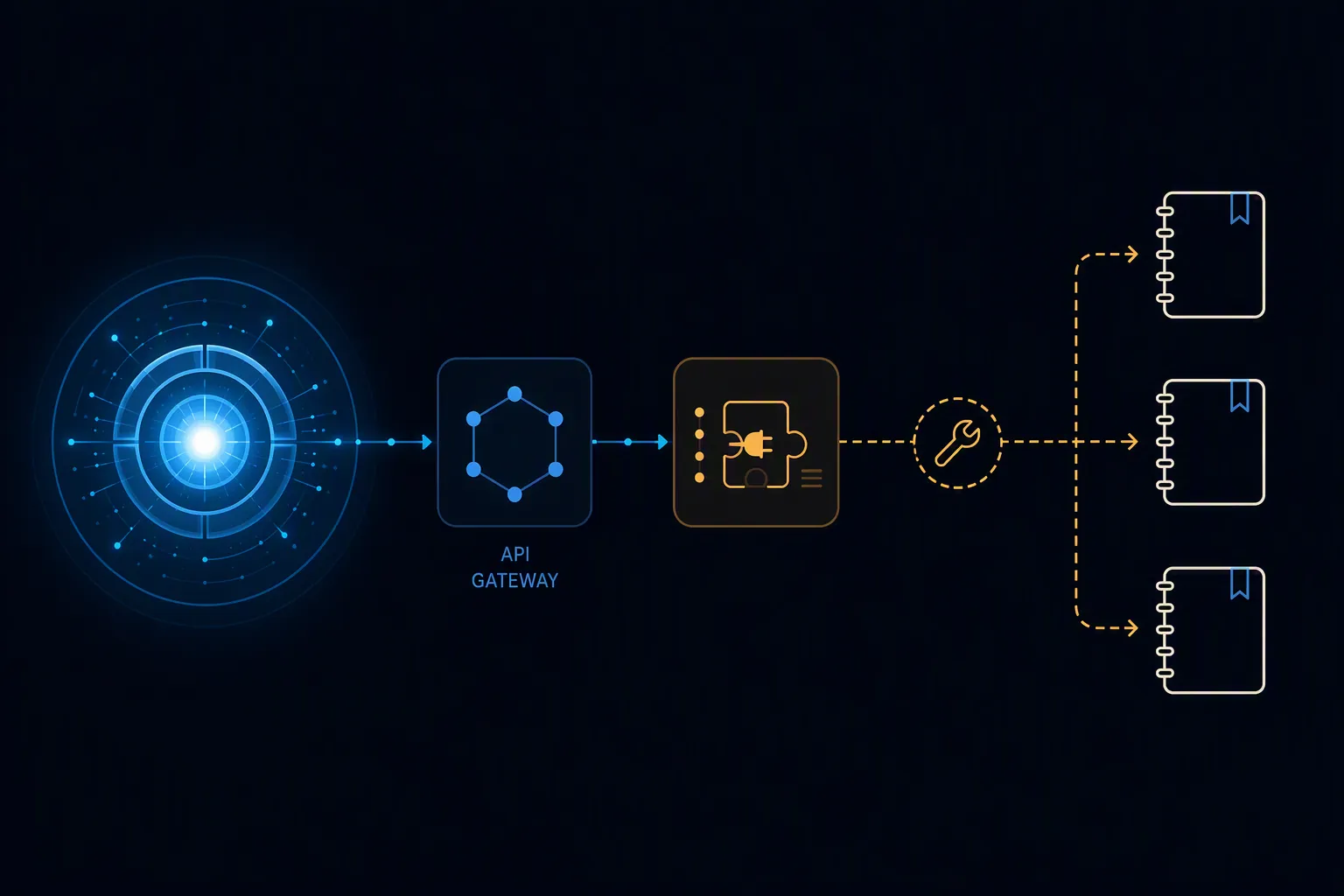
The available connection material points to external plumbing: Zapier, Make, n8n, browser extensions, custom Apps Script or serverless code, Zapier plus Context Link, and reusable semantic links. Context Link names meeting-notes-to-action-items as one workflow and describes automation-tool costs in the rough range of $20 to $200 per month.[5] That is useful if you already maintain automations. It is a warning if you expected a native switch inside Notion, Obsidian, or Apple Notes.
The write-back requirement changes the cost calculation. Token pricing may make a completed background task look inexpensive, but the model is only one line item. A real note loop can also include automation-platform fees, search or code-execution calls, a hosted function, error logging, retry handling, and whatever time you spend repairing bad placements. If your current note app already includes “good enough” AI for the specific task, the cheaper path may be to stay inside the app even if Grok 4.6 is the stronger agent.
This is also where source context tends to get lost. A summary without a transcript link, meeting date, author, project tag, or original filename becomes another orphaned note. Grok 4.6 can help generate the structured output, but the connector decides whether the provenance fields arrive intact. If you have ever wondered why Grok output does not simply appear where you expect it, the site’s Grok vs. Copilot note-taking comparison is the more concrete look at where generated material physically lands.
Why 500K context and compaction matter—but only up to a point
The 500K-token API context is one of Grok 4.6’s real advantages for note work.[3] A large project notebook, several meeting transcripts, and a pile of reference notes can fit into a single run more easily than they would in a smaller-window model. That reduces the pressure to pre-slice everything before the agent starts.
Long loops still need memory management. xAI documents a Context Compaction API at POST /v1/responses/compact; each call performs one compaction and returns opaque encrypted_content, and xAI recommends a sticky prompt_cache_key for long-running loops.[6] In plain terms, compaction is how an agent keeps enough working state to continue without carrying every prior token forever. Prompt caching is how repeated instruction or context can be reused more cheaply when the loop stays stable.
For a note user, the operational meaning is simple: Grok 4.6 has infrastructure aimed at persistence, not just a large input box. That helps with recurring maintenance jobs such as “review this folder, identify uncategorized notes, propose moves, and produce a changelog.” It does not remove the need to decide what the agent is allowed to change, what it must only draft, and where a human review step belongs.
Access surfaces: API first, packages second
The cleanest mental model is to treat Grok 4.6 as an API-accessible model that can be placed behind tools. xAI’s Grok Build documentation describes headless Grok Build and the Agent Client Protocol as access surfaces for building agent experiences.[7] That matters for developers and teams that want a controlled agent layer. It does not give an ordinary note-app user a finished Notion, Obsidian, or Apple Notes sync button.
Cursor is a different surface. It exposes Grok 4.6 with a 256K context window, making it relevant for people who live in a coding environment and are comfortable treating note automation as a software project.[4] For a plain-language note workflow, Cursor access is more useful as a build environment than as the place where the final notes should live.
Grok Bot is packaged rather than sold as a simple standalone note assistant. xAI introduced it as part of broader agent access, and DataCamp’s coverage describes access through SuperGrok Heavy at $300 per month or Cursor Ultra at $200 per month.[1][8] Those bundles may make sense if you already want the surrounding product. They are harder to justify if your only goal is to move meeting summaries into a notebook.
Vendor benchmarks are useful mainly as fit signals
The launch-era benchmark table is not irrelevant; it just should not carry the note-automation verdict. MarkTechPost reported xAI benchmark figures including GDPVal-AA v2 at 1753, CursorBench v3.2 at 69.9%, DeepSWE 1.1 at 65.9%, and Terminal-Bench 3.0 at 26%; it also noted that Grok 4.6 trailed GPT-5.6 Sol on DeepSWE, where GPT-5.6 Sol was listed at 73%.[9] The caveat is important: competitor figures in the vendor table were described as the best of self-reported or publicly available results.[9]
For note work, the disclosed losses are more informative than the shiny wins. They keep the model from being treated as automatically best at every agent task. A coding benchmark may indicate tool-use competence. A terminal benchmark may indicate persistence under operational pressure. Neither tells you whether your personal notebook taxonomy survives an automated cleanup.
Independent qualitative comparisons point in the same direction. In Claire Vo’s blind evaluation described in Lenny’s Newsletter, Grok 4.6 tied with GPT-5.6 Sol at the top of Claire’s index, ahead of Sonnet 5 and Opus 5, while her conversational-agent pick remained Sonnet 5.[10] That is the right lesson to take into notes: the strongest background worker is not necessarily the most comfortable daily collaborator.
Where Grok 4.6 fits in a note workflow
The best fit is delayed, inspectable work. Give it a batch of notes, a clear policy, and a destination format; let it run; then review the proposed changes before they touch the canonical notebook. That plays to the 500K context, the long-loop behavior, and the lower cost of cached input. It also avoids the worst part of the experience: waiting for the first token while trying to capture a thought.
A practical Grok 4.6 note loop is likely to look less like “AI writes my notes” and more like “AI prepares a change set.” It can draft tags, detect missing follow-ups, propose links between related notes, extract decisions from transcripts, or produce an index note for a project folder. The safer version asks the agent to produce a diff, a table, or a queue of proposed edits before anything is written back.
The important boundary is that the model’s strengths show up before the final commit. The note system’s reliability is decided at the final commit. If the connector writes the action item into the wrong project, drops the source URL, or silently stops after a failed API call, the benchmark score will not help the person cleaning up the notebook.
Privacy and policy limits belong in the cost column
Notes are not generic text. They contain client names, health details, product plans, draft opinions, and fragments that were never meant to become training or troubleshooting material. Launch and pricing coverage around Grok 4.6 noted privacy-relevant conditions including 30-day stateful history, Zero Data Retention exclusions, and EU requests being processed in the United States.[1][2] Those constraints do not make the model unusable, but they do decide which notebooks should never enter the loop.
If your notes include regulated, client-confidential, or employment-sensitive material, the integration question should start with policy rather than capability. The relevant internal companions are the personal AI policy guide for note apps and the AI note-taking agents security test. Grok 4.6’s persistence is a reason to inspect those boundaries more carefully, not a reason to skip them.
Not for you if
- You want a native Notion, Obsidian, Apple Notes, or Evernote button that routes notes without a connector layer.
- You need live capture with quick back-and-forth feedback; the reported 40.44-second time-to-first-token is a poor fit for that rhythm.[1][2]
- You do not want to pay for or maintain automation tools, hosted functions, retries, logs, or review queues.
- Your notes cannot be processed under the documented retention, Zero Data Retention, or regional-processing conditions.[1][2]
- You expect benchmark rank to choose the tool for you. The independent and vendor evidence supports capability, not automatic fit.
Grok 4.6 earns credibility as a persistent background worker. The long-loop measurements, completed-task price, 500K-token API context, compaction support, and prompt caching all point in the right direction for note maintenance jobs that can run away from the keyboard. It earns a place in a note system only when the owner of that system accepts the plumbing: API access, a tool layer, a write-back path, review controls, external fees, delayed feedback, and privacy boundaries. Without those, it can generate useful text about your notes; it cannot automate your notes.
References
- Grok 4.6, DataCamp
- Grok 4.6 Release Date, OrcaRouter
- Grok 4.6, xAI, Aug. 12, 2026
- Grok 4.6, Cursor
- Connect Notion to Grok, Context Link
- Context Compaction, xAI Docs
- Build Overview, xAI Docs
- Introducing Grok Bot, xAI
- SpaceXAI Releases Grok 4.6, MarkTechPost, Aug. 12, 2026
- How I AI: Grok Bot, Grok 4.6—what’s great, Lenny’s Newsletter