
Start with the app you already use
If the question is “is Grok 4.6 worth the price for note apps,” the first answer is not about intelligence. It is about the route. A $30/month SuperGrok plan is not the same product as a pay-per-token API key, and neither is the same thing as AI already bundled into a note-app seat. xAI’s pricing page lists SuperGrok at $30/month and SuperGrok Plus at $100/month; Lite and Heavy appear there without public prices on that page.[1]
That distinction matters more in note apps than it does in a standalone chatbot. Notes have a place, a permission model, backlinks or notebooks, search, tags, and years of untidy context. Paying for a powerful model outside that system may still be useful, but it does not automatically become a note workflow. This is the same payment-model trap covered in What DeepSeek V4 vs OpenAI actually costs in note apps: bundled seat, API key, and flat consumer subscription are three different routes.
| Your note app | Documented route to Grok 4.6 in reviewed sources | Price verdict |
|---|---|---|
| Obsidian | Yes, through a bring-your-own-key plugin path using Copilot’s configurable provider support | Potentially worth it through the API, if prompts stay controlled |
| Notion | No documented native Grok route; Notion already sells bundled AI | Usually hard to justify as an extra subscription |
| Evernote | No documented native Grok route; Evernote Advanced already includes overlapping AI features | Mostly duplicate spending |
| Apple Notes | No documented native route in reviewed sources | Not worth paying for as a native note-app upgrade |
| GoodNotes / Notability | No documented native route in reviewed sources | Only useful outside the app through manual transfer |
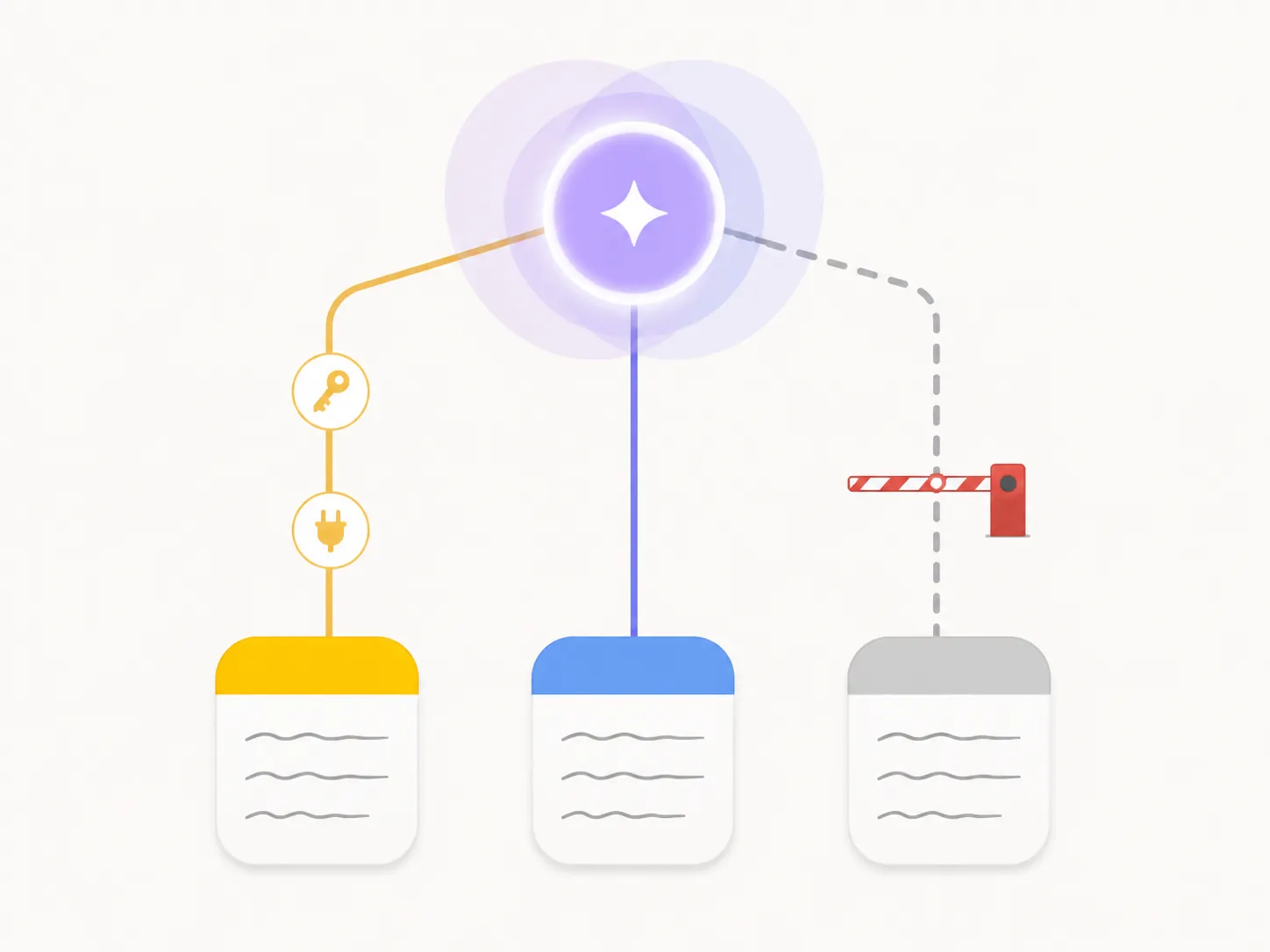
The absence of a documented native route is important wording. It is not a claim that a vendor has promised “never.” It means the reviewed official and product materials do not show a supported in-app integration path. For a buyer, that is enough to change the decision: undocumented workarounds should not be priced like a real workflow.
Obsidian is where Grok 4.6 can make economic sense
Obsidian is the cleanest case because the route is visible. Copilot for Obsidian documents a bring-your-own-key setup and support for OpenAI-compatible endpoints, which is exactly the kind of plumbing an API model needs before it can become part of a vault workflow.[2] That does not make Grok native to Obsidian in the first-party sense. It does make the path testable: install the plugin, configure the provider, put the model behind an API key, and decide which notes or folders the assistant should touch.
The cheap-looking part is the base API rate. Grok 4.6 is listed at $2.00 per million input tokens, $0.50 per million cached input tokens, and $6.00 per million output tokens. Once a request crosses 200,000 tokens, the whole request is re-billed at doubled rates: $4.00 input, $1.00 cached input, and $12.00 output.[3][4]

That 200,000-token cliff is the detail that decides whether “cheap” survives contact with a real vault. A current-note cleanup, a folder-scoped synthesis, or a recurring project review can stay comfortably within the useful part of the pricing curve. A “read my whole vault and tell me what I think about work” prompt is a different product. It can drag old notes, pasted web clips, meeting transcripts, and daily logs into one large request, then price the entire request at the higher tier after the threshold is crossed.
| Obsidian use | What changes the cost | Practical verdict |
|---|---|---|
| Rewrite, summarize, or extract actions from the open note | Mostly ordinary input and output tokens | Good API candidate |
| Ask across a small project folder | Context grows, but can still be deliberately scoped | Good if the plugin lets you control what is sent |
| Repeat questions over the same stable context | Cached-input pricing can matter when the same material is reused | Potentially strong value |
| Ask over a long vault or large imported archive | The 200,000-token repricing threshold can double the whole request | Use only with strict scoping |
This is also where SuperGrok is the wrong default comparison. If the goal is to use Grok inside Obsidian, a flat consumer subscription does not automatically give the plugin an embedded, controllable model route. The API key is the relevant purchase. SuperGrok may still be useful as a separate chatbot, but that is a second workspace, not the same as asking from inside a markdown vault.
The model is interesting enough to consider for that route. In one pricing-focused review, Grok 4.6 was reported at $0.84 per completed task, compared with $1.23 for GPT-5.6 Sol and $2.34 for Claude Opus 5. The same review also reported a 65.7% non-hallucination rate and 48.2% AA-Omniscience accuracy, which is a useful reminder that cost per completed task is not the same as trustworthy vault maintenance.[4] DataCamp’s overview lists Grok 4.6 with a February 1, 2026 knowledge cutoff.[5]
For Obsidian, the verdict is conditional but real: Grok 4.6 can be worth the price when it is treated as a metered tool for selected notes, stable project contexts, and auditable transformations. It becomes much less attractive when the workflow depends on huge all-vault prompts or when nobody is watching token usage.
Notion has a duplication problem, not a model problem
Notion changes the question. The issue is not whether Grok 4.6 can draft, summarize, search, or reason. The issue is that Notion already sells AI as part of the workspace experience. Notion’s current AI product page presents Notion AI and Notion Agent as built into its workspace offering, with AI included on Business and Enterprise while Free and Plus users are limited to trial access under the current mid-2026 model described by the reviewed sources.[6]
That makes a separate SuperGrok purchase awkward. A Notion Business user is already paying for a seat that includes Notion’s own AI layer. Adding SuperGrok at $30/month buys access to Grok, but it does not create a documented native Grok panel inside Notion in the reviewed sources. The result is usually copy-paste: send Notion content out, get text back, paste it in, then clean up the page, database fields, permissions, and links yourself.
That may still be acceptable for a one-off task: drafting a strategy memo, challenging a meeting summary, or comparing a Notion export with another document. It is a poor reason to carry a second monthly AI subscription if the actual note workflow is already covered by Notion’s bundled AI. The buyer ends up paying twice for the same category of help while the second tool sits outside the system of record.

For Notion Free or Plus users, the math is different but still not automatically favorable. If the reason to buy Grok is “I want AI because my Notion plan only gives me trial access,” then the real comparison is between upgrading the Notion plan, using a separate general chatbot, or moving AI-heavy work elsewhere. Grok 4.6 may be a good model. It is not, on the reviewed documentation, a native Notion upgrade.
Evernote Advanced already sells the overlapping layer
Evernote’s duplication is even more direct at the Advanced tier. The reviewed Evernote pricing analysis lists Advanced at $249.99/year, or $20.83/month when billed annually, and describes AI Assistant, AI-Powered Search, and AI Edit as included features on that plan.[7]
Those are exactly the areas where a note-app user is likely to justify Grok: search my notes, rewrite this, summarize that, help me find something I half-remember. If Evernote is already selling those capabilities inside the account, SuperGrok becomes a parallel assistant rather than an Evernote capability. It may be stronger on some outside-the-app reasoning tasks, but the reviewed sources do not show a native Evernote route that would let Grok maintain notebooks, edit notes in place, or respect the app’s internal workflow as a built-in assistant.
That does not mean every Evernote user should love Evernote’s own AI. Vendor feature claims are not independent proof of quality. It does mean the purchase has to clear a higher bar. Paying for Grok on top of Evernote Advanced is not buying “AI for Evernote” from zero; it is buying another AI surface beside one you already fund.
Apple Notes, GoodNotes, and Notability hit the same stop sign
Apple Notes, GoodNotes, and Notability are the easiest cases to over-explain. In the reviewed sources, there is no documented native Grok 4.6 path for these apps. Without that path, a Grok subscription does not become a note-app purchase. It becomes an outside chatbot that can receive copied text, screenshots, exported PDFs, or images.
That workaround can be useful. A student could export a page from a handwriting app and ask Grok to explain it. An Apple Notes user could paste a messy note into Grok and ask for a cleaner outline. But the effort saved in the chatbot has to be re-imported, checked, and placed back into the original note system. The app itself has not gained a durable AI layer.
This matters especially for handwriting-first apps. A good note workflow is not just text generation. It includes ink, page layout, attachments, course folders, PDF annotations, and review habits. If Grok cannot enter that workflow through a documented native route, the buyer should price it as a separate study or writing assistant, not as an upgrade to GoodNotes or Notability. For more on the underlying app trade-offs, the broader handwriting-app context in Free iPad Note-Taking Apps is the more relevant starting point.
Apple Notes lands in the same category. A separate Grok subscription may still be useful for general writing, coding, or research. It does not solve Apple Notes power-user gaps by itself. If the problem is Apple Notes structure, automation, export friction, or long-term organization, a chatbot outside the app is a detour, not an integration. That is also why the Apple Notes-specific issues in Does macOS Golden Gate Solve Apple Notes Power User Gaps? should be judged separately from Grok’s model quality.
The per-app price verdict
| App | Buy Grok 4.6 through... | Worth the price? |
|---|---|---|
| Obsidian | API key through Copilot’s configurable OpenAI-compatible route | Yes, potentially. Best when prompts are scoped and token usage is visible; risky for long-vault prompts crossing 200,000 tokens. |
| Notion Business / Enterprise | Usually neither SuperGrok nor API for the note workflow | Usually no. Notion already bundles AI, and the reviewed sources do not show a native Grok route. |
| Notion Free / Plus | Separate Grok chatbot or external workflow | Only if you want Grok outside Notion. It is not a documented native Notion AI replacement. |
| Evernote Advanced | Usually neither SuperGrok nor API for the note workflow | Usually no. Advanced already includes overlapping AI features. |
| Apple Notes | External chatbot only | No as a note-app upgrade. Manual copy-paste does not create a native workflow. |
| GoodNotes / Notability | External chatbot, copied text, screenshots, PDFs, or images | No as a handwriting-app upgrade. Useful only outside the app. |
So the clean answer is app-specific. Grok 4.6 is potentially worth paying for in Obsidian because the API route can be controlled, metered, and attached to selected vault work. It is much harder to justify as SuperGrok for Notion or Evernote when those apps already bundle overlapping AI, and it is not worth buying as a native upgrade for Apple Notes, GoodNotes, or Notability when the reviewed sources show no documented integration path.
References
- Pricing: Compare Grok Plans, xAI.
- Copilot for Obsidian, Obsidian Copilot.
- Introducing Grok 4.6, xAI, Aug. 12, 2026.
- Grok 4.6 pricing 2026: every rate and the real effective cost, eesel AI.
- Grok 4.6: Features, Benchmarks, Pricing & Comparisons, DataCamp.
- Meet your AI team | Notion, Notion.
- Evernote pricing 2026: New plans explained, eesel AI, June 2026.