
The Generalist Trap: Why ChatGPT Is Mediocre at Everything
ChatGPT, Claude, and Gemini are remarkable pieces of technology. They can draft an email, outline a presentation, summarize a meeting transcript, and even help you debug a script — all within the same chat window. That breadth is their superpower, but it is also their ceiling.
As one analysis from the Plus AI blog put it, ChatGPT's premium version can do pretty much everything the other tools on this list can, but it can do everything with mediocrity. The output is rarely bad, but it is rarely excellent either. A slide deck generated by ChatGPT lacks the visual polish of a Gamma deck. A meeting summary pasted into a chat window misses the structured action items that Fireflies extracts automatically. A research query returns plausible-sounding text instead of the source-grounded answers NotebookLM provides.
This is not a flaw in the chatbots themselves. It is a consequence of their design. General-purpose models are trained to be broadly competent, not deeply specialized. They have no native access to your calendar, your email inbox, your meeting recordings, or your private knowledge base. Every integration requires manual copy-paste or third-party middleware. And because they generate responses from a compressed representation of the internet rather than from your specific data, they carry a persistent risk of hallucination — a dealbreaker for research and document analysis.
The data backs up the shift toward specialization. According to a Zapier survey cited in a December 2025 article, 78% of enterprises are struggling to integrate AI with their current tech stacks. The bottleneck is not the AI itself — it is the gap between a general chatbot and the specific workflows that teams actually run. Purpose-built tools close that gap by embedding AI directly into the tools you already use.
When to Use a General Chatbot vs. a Specialized Tool
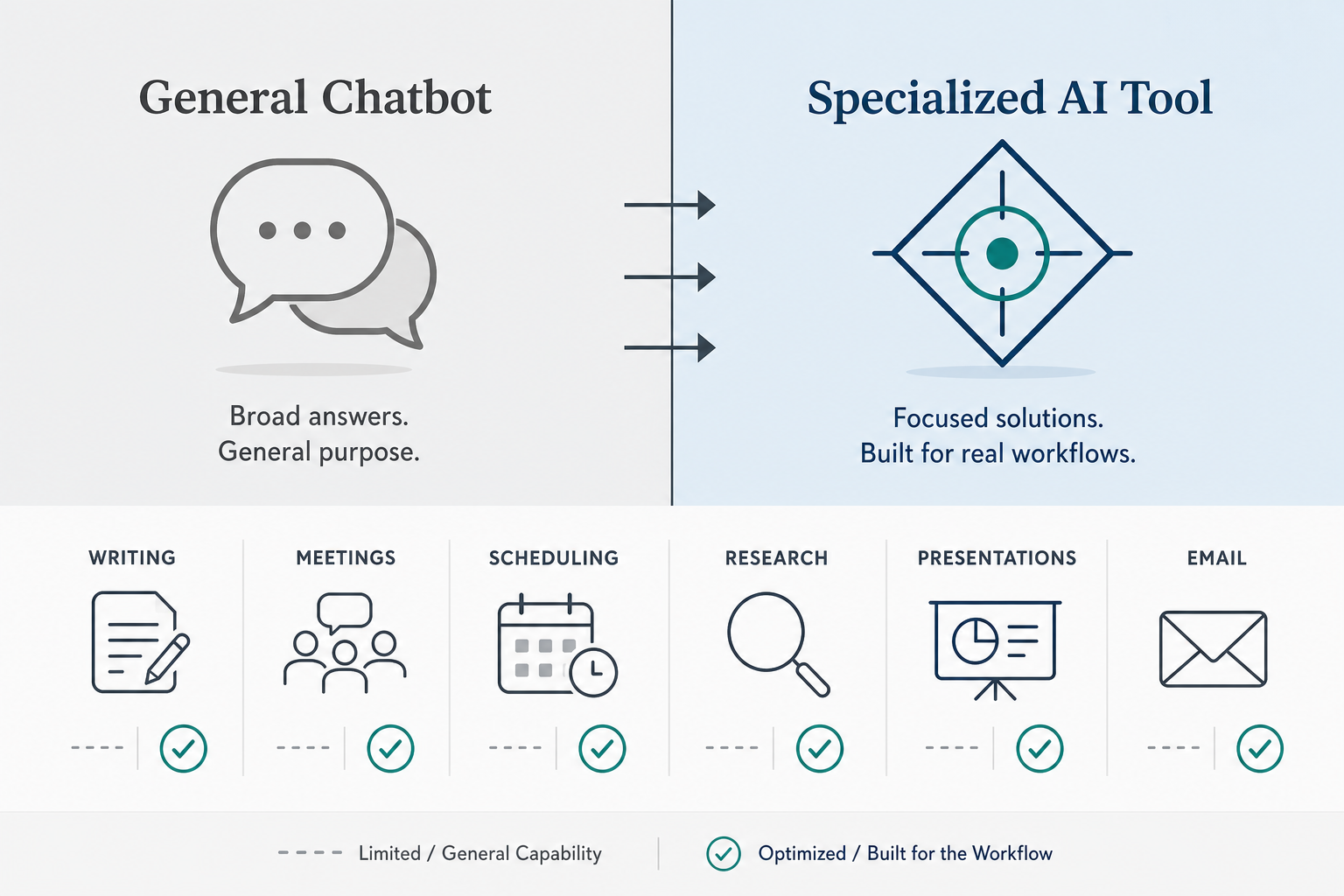
The decision is not about which type of tool is better in absolute terms. It is about fit. General chatbots and specialized tools serve different purposes, and the smartest approach is to know when each one earns its place in your workflow.
General chatbots excel at open-ended, low-stakes tasks: brainstorming ideas, drafting rough copy, answering quick questions, and exploring unfamiliar topics. They are zero-commitment tools — you can open a chat, ask a question, and walk away without setting up integrations or learning a new interface. For one-off tasks where quality is acceptable rather than critical, a chatbot is often the fastest path to a usable result.
Specialized tools win when consistency, integration depth, and output quality matter. If you deliver presentations to clients, you need a tool that respects your brand guidelines — not a chatbot that generates slides with inconsistent fonts and placeholder images. If you attend ten meetings a week, you need a tool that automatically joins your calendar, transcribes the conversation, and pushes action items to your task manager — not a chatbot that requires you to paste transcripts manually.
| Dimension | General Chatbot (ChatGPT, Claude, Gemini) | Specialized AI Tool |
|---|---|---|
| Output quality | Broadly competent, rarely excellent | Domain-optimized, consistently high |
| Integration depth | None natively; requires manual copy-paste or middleware | Deep integrations with calendar, email, CRM, task managers |
| Learning curve | Minimal — open a chat and type | Moderate — requires setup and onboarding |
| Cost | Free to $20/mo (ChatGPT Plus, Claude Pro, Gemini Advanced) | Free to $34/mo depending on tool and plan |
| Best for | Brainstorming, drafting, quick answers, one-off tasks | Recurring workflows, client-facing output, data-sensitive tasks |
| Hallucination risk | Moderate to high — no source grounding by default | Low to zero — many tools are source-grounded or data-constrained |
6 Workflow Areas Where Specialized Tools Win
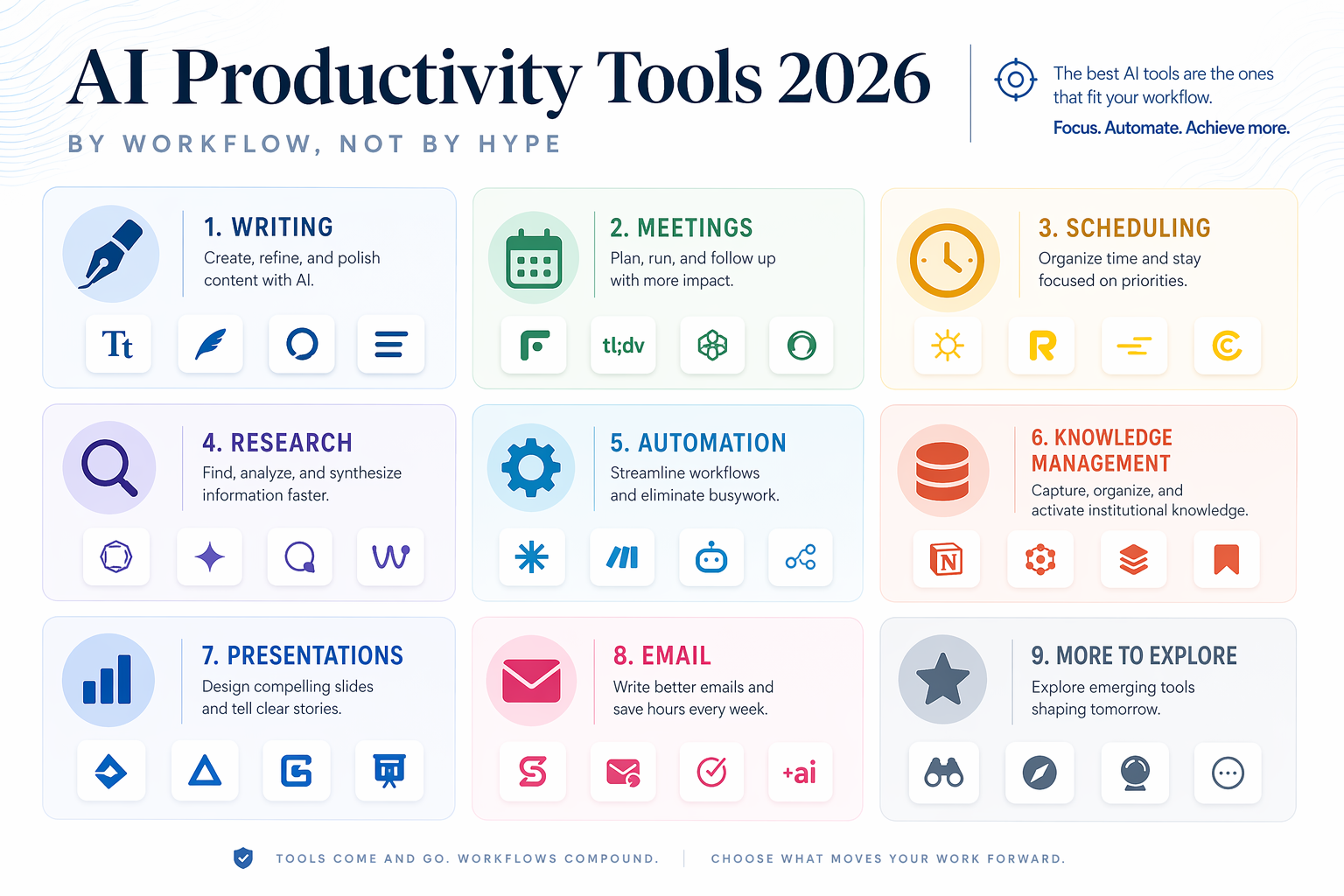
The following six sections cover the productivity domains where the gap between a general chatbot and a purpose-built tool is widest. Each section compares two leading specialized tools, explains why they outperform a general chatbot in that specific workflow, and includes pricing data so you can evaluate the investment.
- Presentations: Alai vs. Gamma
- Meetings: Fireflies vs. Fathom
- Research & Analysis: Perplexity vs. NotebookLM
- Scheduling: Motion vs. Reclaim
- Email & Writing: Superhuman vs. Grammarly
- Knowledge Management: Notion AI vs. Mem
Each category includes two tools that approach the problem from different angles. The goal is not to declare a single winner, but to help you match the tool to your specific workflow constraints.
Presentations: Alai vs. Gamma
Creating a presentation from scratch is one of the most time-consuming knowledge work tasks. A general chatbot can generate slide content, but the output is plain text — no design, no layout, no visual hierarchy. Turning that text into a client-ready deck requires as much time as writing the content in the first place.
Alai and Gamma solve this by generating fully designed slide decks from a prompt or a set of notes. Both tools handle the layout, typography, and visual structure automatically, but they target different needs.
| Feature | Alai | Gamma |
|---|---|---|
| Best for | Brand-consistent decks with custom styling | Fast, stylish decks from notes or prompts |
| Key strength | Brand consistency and template control | Speed and visual polish |
| Free tier | 200 credits (limited) | Free (basic features) |
| Paid plans | Plus $20/mo | Plus $9/mo, Pro $18/mo |
| Output quality vs. ChatGPT | Significantly better design; content still needs human review | Clean and stylish decks in under a minute; nuance requires refinement |
The Synthesia blog (February 2026) notes that Gamma converts notes into presentations in seconds with clean and stylish decks. The caveat, as with any AI-generated presentation, is that the content still needs human refinement for nuance and accuracy. Alai's free tier offers 200 credits, which is enough to evaluate whether its brand-consistency features justify the $20/mo Plus plan.
Meetings: Fireflies vs. Fathom
Meetings generate more unstructured data than any other knowledge work activity. A one-hour team meeting can produce thousands of words of discussion, decisions, and action items. Capturing that information accurately and making it searchable is a task that general chatbots are fundamentally unsuited for — they cannot join your calendar, listen to a conversation, or extract structured data from audio.
Fireflies and Fathom are AI meeting assistants that automatically join your scheduled meetings, transcribe the conversation, generate summaries, and extract action items. They integrate directly with Zoom, Google Meet, and Microsoft Teams, which means they work without any manual effort on your part.
| Feature | Fireflies | Fathom |
|---|---|---|
| Best for | Teams that need searchable meeting archives | Individuals and small teams who want a free, full-featured assistant |
| Key strength | 800 min free storage; deep search across recordings | Completely free with no usage limits on core features |
| Free tier | 800 min storage per seat per month | Free (unlimited recordings and summaries) |
| Paid plans | Pro $10/user/mo (annual) | No paid plans currently |
| Integration depth | Zoom, Google Meet, Teams, Slack, Notion, Asana | Zoom, Google Meet, Teams, HubSpot, Salesforce |
Using a general chatbot for meeting notes requires recording the meeting, transcribing it with a separate tool, pasting the transcript into the chat window, and then manually extracting action items. That process takes 15–30 minutes per meeting. A dedicated tool does all of this automatically, and it makes the output searchable across your entire meeting history.
For a detailed breakdown of how these tools compare against each other and against Notion AI, see our dedicated comparison: Best AI Meeting Notes Apps in 2026: Otter.ai vs. Fireflies.ai vs. Notion AI.
Research & Analysis: Perplexity vs. NotebookLM
Research is the domain where the hallucination risk of general chatbots becomes a hard blocker. When you ask ChatGPT or Claude to summarize a recent market report or compare two companies' financial results, the model generates an answer based on its training data — which may be months or years out of date, and which may include fabricated details that sound plausible.
Perplexity and NotebookLM take fundamentally different approaches to this problem, and both are more reliable than a general chatbot for research tasks.
| Feature | Perplexity | NotebookLM |
|---|---|---|
| Best for | Real-time web research with citations | Deep document analysis with zero hallucination risk |
| Key strength | Live web search with inline citations | Completely source-grounded; answers only from uploaded documents |
| Free tier | Free (limited queries) | Free (unlimited notebooks) |
| Paid plans | Pro $20/mo | Free |
| Hallucination risk | Low — citations are verifiable | Zero — model cannot generate information outside uploaded sources |
| Best use case | Competitive research, news analysis, fact-checking | Legal document review, financial analysis, academic research |
The Synthesia blog (February 2026) describes NotebookLM as completely source-grounded with zero risk of hallucinated information, which makes it essential for finance and legal document analysis where accuracy is non-negotiable. Perplexity, on the other hand, is better suited for research that requires up-to-date information from the web — competitive analysis, market research, or fact-checking recent claims.
Scheduling: Motion vs. Reclaim
Calendar management is a domain where general chatbots are essentially useless. A chatbot cannot read your calendar, understand your priorities, or automatically reschedule conflicting events. It can suggest time management techniques, but it cannot execute them.
Motion and Reclaim are AI scheduling tools that integrate directly with your calendar to automatically optimize your time. They protect focus blocks, reschedule low-priority tasks when conflicts arise, and ensure that your most important work gets dedicated time.
| Feature | Motion | Reclaim |
|---|---|---|
| Best for | Individuals and teams who need full task and calendar automation | Teams that want smart scheduling with existing calendar tools |
| Key strength | Auto-schedules tasks into calendar; reschedules dynamically | Protects focus time; auto-adjusts for meetings and habits |
| Free tier | No free tier (trial only) | Free (limited features) |
| Paid plans | From $34/mo (Individual $19/mo annual) | From $8/seat/mo (annual) |
| Integration depth | Google Calendar, Outlook, Slack, Zoom | Google Calendar, Outlook, Slack, Zoom, Asana, Linear |
Motion's pricing starts at $34/mo, which makes it the most expensive tool in this comparison. The Motion blog (2024) notes that the Individual plan is $19/mo when billed annually. For users who spend significant time managing their calendar and task list, the time savings can justify the cost. Reclaim's free tier is more accessible for individuals who want basic scheduling automation without a subscription.
For readers looking to optimize their calendar beyond AI scheduling, our guide on 10 Time-Blocking Techniques to Boost Your Daily Productivity covers complementary manual techniques that work alongside these tools.
Email & Writing: Superhuman vs. Grammarly
Email remains the primary communication channel for most knowledge workers, and it is one of the most fragmented workflows. A general chatbot can draft an email, but it cannot read your inbox, understand your email history, or integrate with your email client. Every draft requires manual copy-paste, and the chatbot has no context about your ongoing conversations.
Superhuman and Grammarly approach email and writing from different angles. Superhuman is an AI-powered email client that prioritizes, drafts, and schedules emails within a single interface. Grammarly is a writing assistant that works across all your applications, providing real-time grammar, tone, and clarity suggestions.
| Feature | Superhuman | Grammarly |
|---|---|---|
| Best for | Power email users who want AI-native inbox management | Anyone who writes professionally across multiple apps |
| Key strength | AI prioritization, drafting, and scheduling within the email client | Real-time writing polish across email, docs, and messaging |
| Free tier | No free tier (trial only) | Free (basic grammar and spelling) |
| Paid plans | $30/mo | Pro $12/mo (annual) |
| Integration depth | Gmail, Google Workspace, Outlook (limited) | Browser extension for Chrome, Edge, Safari; desktop apps |
Superhuman's $30/mo price point is high, but for users who process 100+ emails per day, the time savings from AI-powered prioritization and drafting can be substantial. The Alai blog (June 2026) lists Superhuman as a top tool for sales teams, where email volume and response speed directly impact revenue. Grammarly's Pro plan at $12/mo (annual) is more accessible and covers a broader range of writing contexts beyond email.
Knowledge Management: Notion AI vs. Mem
Knowledge management is the category where the limitations of general chatbots are most apparent. A chatbot has no access to your personal notes, project documents, or team wikis. It cannot answer questions about your specific context unless you manually paste relevant information into the chat window — which defeats the purpose of a knowledge base.
Notion AI and Mem are AI-powered knowledge management tools that operate on your private data. Notion AI adds generative AI capabilities to the Notion workspace, allowing you to ask questions about your notes, generate summaries, and draft new content within your existing database. Mem is a note-taking app built around AI from the ground up, automatically organizing notes and surfacing related information without manual tagging.
| Feature | Notion AI | Mem |
|---|---|---|
| Best for | Teams already using Notion who want AI-powered search and writing | Individuals who want an AI-native note-taking system |
| Key strength | AI search across your Notion workspace; AI writing within pages | Automatic organization and relationship discovery |
| Free tier | Notion free; AI requires add-on | Free (limited features) |
| Paid plans | Notion AI $10/member/mo (add-on to Notion plan) | Pricing varies by plan |
| Data access | Your Notion workspace only | Your Mem notes only |
For readers considering Notion as their knowledge management platform, our in-depth Notion Review 2026: Who Should Actually Use It — A Persona-Driven Verdict covers the platform's strengths and weaknesses across different user types. If you are deciding between Notion and Evernote, our Notion vs. Evernote (2026): Which One Is Actually Right for You? comparison provides a structured head-to-head analysis.
Cost-Benefit Analysis: When Does a Specialized Tool Justify Its Price?
The tools in this comparison range from free (Fathom, NotebookLM) to $34/mo (Motion). The question is not whether they are worth the money in absolute terms, but whether they are worth the money for your specific workflow.
A simple framework for evaluating the investment: estimate the time you spend on a given workflow each week, multiply by your hourly rate, and compare that to the tool's monthly cost. If a tool saves you even one hour per week, and your time is valued at $50/hour, that is $200/month in saved time — far more than the cost of any tool on this list.
| Workflow | Weekly time spent (manual) | Tool cost (monthly) | Break-even hourly rate |
|---|---|---|---|
| Meeting notes (10 meetings/week) | 3–5 hours | $0–$10 (Fireflies/Fathom) | $0–$3/hour |
| Presentations (2 decks/week) | 4–6 hours | $9–$20 (Gamma/Alai) | $2–$5/hour |
| Research (5 hours/week) | 5 hours | $0–$20 (NotebookLM/Perplexity) | $0–$4/hour |
| Scheduling (daily) | 2–3 hours | $8–$34 (Reclaim/Motion) | $3–$17/hour |
| Email (100+ emails/day) | 10–15 hours | $12–$30 (Grammarly/Superhuman) | $1–$3/hour |
| Knowledge management (ongoing) | 3–5 hours | $10 (Notion AI add-on) | $2–$3/hour |
The Slack blog (2026) cites a Workforce Labs study finding that workers who use AI daily are 64% more productive, enjoy 58% better focus, and report 81% greater job satisfaction than those who do not. While this data covers AI usage broadly rather than specialized tools specifically, it reinforces the general case that investing time in AI tool adoption yields measurable returns.
The Hybrid Approach: Using Both General and Specialized Tools in One Workflow
The most effective AI setup is rarely an either-or choice. General chatbots and specialized tools complement each other when used in sequence. The chatbot handles the open-ended, creative front end of a task, and the specialized tool handles the structured, execution-heavy back end.
Here is a concrete example of a hybrid workflow for creating a client presentation:
- Use ChatGPT or Claude to brainstorm the presentation structure and draft the key talking points. The chatbot's breadth is useful here — you can explore different angles and refine the narrative without committing to a specific format.
- Paste the refined outline into Gamma or Alai to generate a designed slide deck. The specialized tool handles layout, typography, and visual consistency — tasks that would take hours manually.
- Review and refine the AI-generated slides. Both Gamma and Alai produce drafts that need human judgment for nuance, accuracy, and brand alignment.
- Use Perplexity to fact-check any claims or data points in the presentation. The citation feature lets you verify sources quickly without leaving your workflow.
- Save the final deck to Notion, where Notion AI can index it and make it searchable alongside your other project documents.
This pattern — chatbot for ideation, specialized tool for execution — applies across most workflows. For meeting notes, you might use ChatGPT to prepare an agenda, then let Fireflies handle the transcription and action item extraction automatically. For research, you might use Claude to refine your research questions, then use NotebookLM to analyze the documents you upload.
For readers who want to connect these tools into automated workflows, our guide on How to Automate Meeting Notes with Zapier: A Step-by-Step Guide provides a practical starting point for building integrations between your AI tools.
Decision Matrix: Which Tool Should You Choose?
The following table summarizes all 12 tools across the key decision dimensions. Use it as a quick-reference card to compare options side by side before making a final choice.
| Tool | Category | Best for | Key feature | Free tier | Paid from | Integration strength |
|---|---|---|---|---|---|---|
| Alai | Presentations | Brand-consistent decks | Custom template control | 200 credits | $20/mo | Moderate |
| Gamma | Presentations | Fast, stylish decks | Notes-to-deck in seconds | Free | $9/mo | Moderate |
| Fireflies | Meetings | Searchable meeting archives | 800 min free storage | 800 min/seat/mo | $10/user/mo | Strong (Zoom, Teams, Slack, Notion) |
| Fathom | Meetings | Free meeting assistant | Unlimited free recordings | Free | None | Strong (Zoom, Teams, HubSpot) |
| Perplexity | Research | Real-time web research | Live citations | Free | $20/mo | Moderate |
| NotebookLM | Research | Document analysis | Zero hallucination risk | Free | Free | Moderate (Google ecosystem) |
| Motion | Scheduling | Full task + calendar automation | Dynamic rescheduling | Trial only | $34/mo | Strong (Calendar, Slack, Zoom) |
| Reclaim | Scheduling | Smart scheduling for teams | Focus time protection | Free | $8/seat/mo | Strong (Calendar, Slack, Asana) |
| Superhuman | AI-native email client | AI prioritization and drafting | Trial only | $30/mo | Strong (Gmail, Google Workspace) | |
| Grammarly | Writing | Cross-app writing polish | Real-time grammar and tone | Free | $12/mo (annual) | Strong (browser, desktop, mobile) |
| Notion AI | Knowledge Mgmt | AI in Notion workspace | AI search across notes | Notion free; AI add-on | $10/member/mo | Strong (Notion ecosystem) |
| Mem | Knowledge Mgmt | AI-native note-taking | Automatic organization | Free | Varies | Moderate |
The right tool for you depends on your specific workflow, budget, and existing tech stack. Start with the free tier of any tool that matches your highest-volume workflow. If the free tier proves valuable, the paid upgrade is likely to pay for itself in time saved within the first month.
Comments
Join the discussion with an anonymous comment.