
The State of Notion in 2026
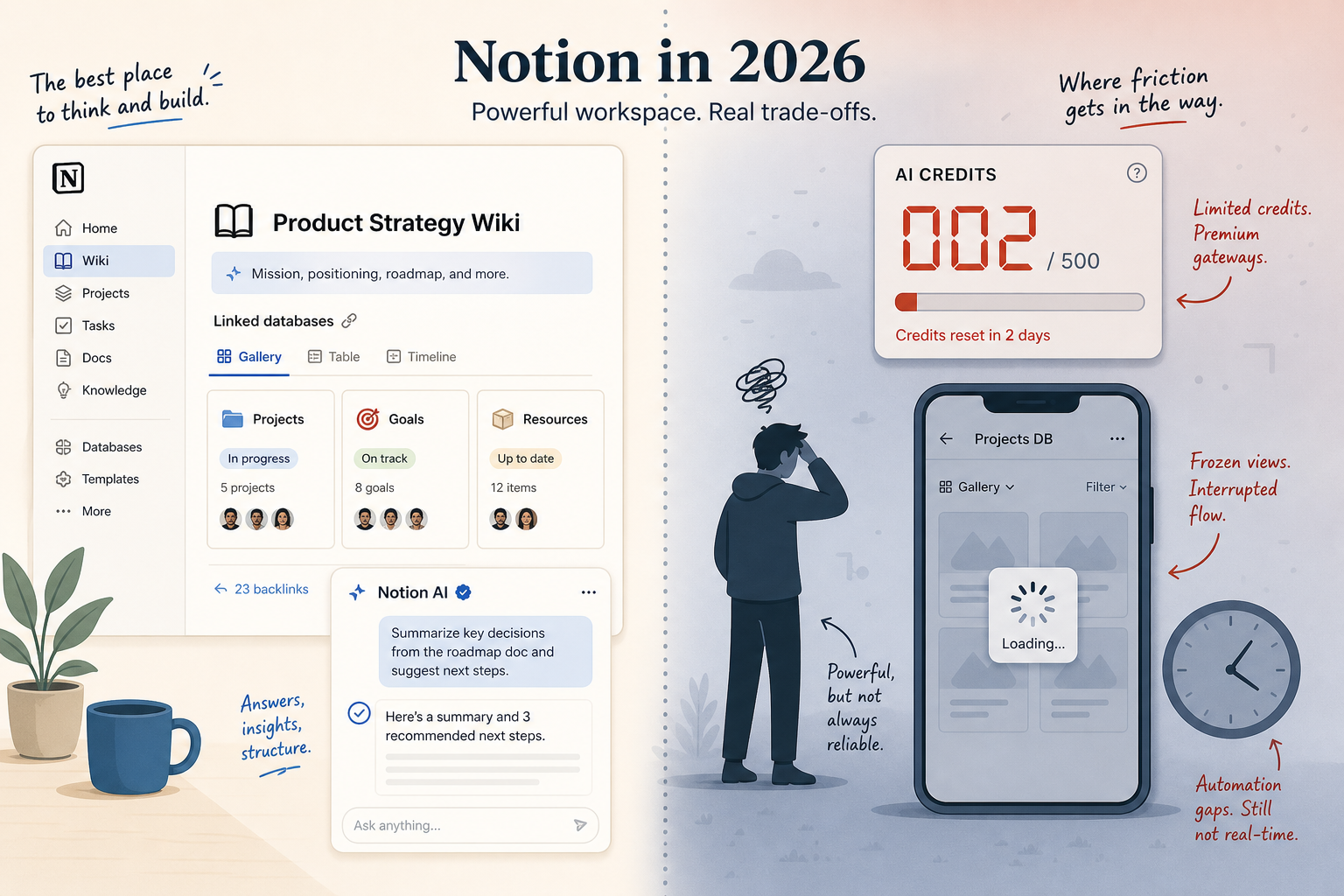
Notion crossed 100 million users in early 2026. On G2 it holds a 4.6/5 rating from 11,598 reviews, with 75% of those rating it five stars. 62% of Fortune 100 companies now use Notion, and adoption among the Forbes Cloud 100 sits at 98%. The company’s annual recurring revenue is estimated at $600 million. These numbers paint a picture of a tool that has moved from startup darling to enterprise staple. But the price of that growth — both literal and figurative — has been steep.
This review doesn’t rehash every feature. For a full breakdown of capabilities, refer to our complete Notion profile. Here, we’re answering one question: Who should actually use Notion in 2026? The answer isn’t a universal yes or no — it depends entirely on your role, your team’s workflow, and how willing you are to pay for AI.
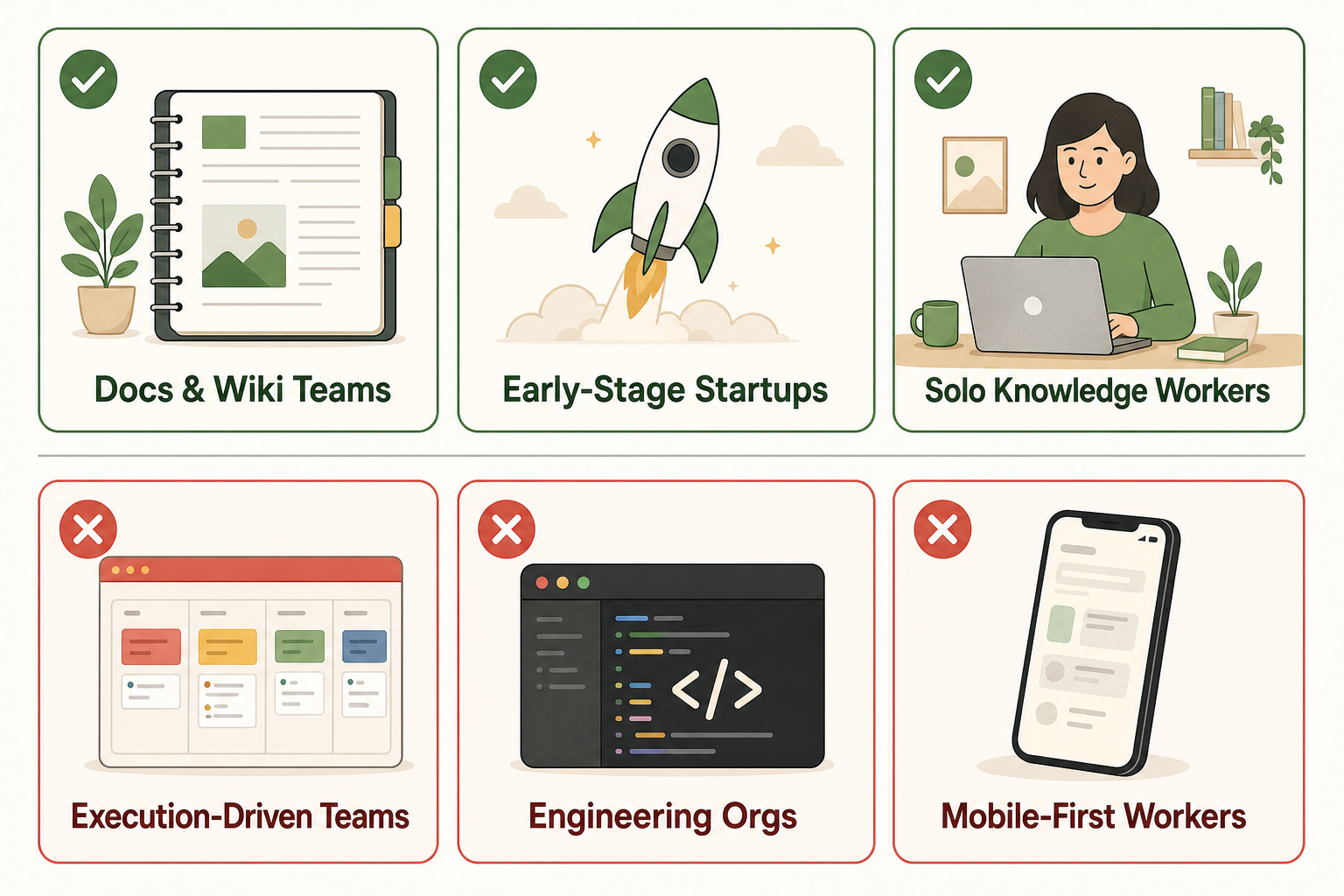
We analyzed the latest data from G2, performance benchmarks, official pricing pages, and the new 3.5 Developer Platform release. The result is a persona-based verdict that splits users into six groups — three where Notion wins decisively, and three where you should look elsewhere.
Major Changes Since 2025: AI Bundling, Credit Pricing, and the 3.5 Developer Platform
Notion rarely makes small updates. The last twelve months brought three structural shifts that reshape the value proposition for every user group.
1. AI bundled into the Business plan only (May 2025)
Starting May 2025, full Notion AI — including the AI Agent, Meeting Notes, and Enterprise Search — became exclusive to the Business plan at $20/user/month. Free and Plus users get only a trial. This bundling means that if you want AI, you have to jump from $10/user/month (Plus) to $20/user/month (Business). For a team of 50, that’s an additional $500 per month before any credit-based features.
2. Custom Agents and Workers credit pricing (May 4, 2026)
Custom Agents, which let you build bespoke AI workflows, are now priced at $10 per 1,000 credits. Workers — the new serverless runtime in the 3.5 Developer Platform — are free in beta until August 11, 2026, after which they also switch to credit-based billing. Early adopters report typical usage costs of $0.03 to $0.11 per Q&A run and $0.10 to $0.30 per daily brief, with some teams projecting monthly bills of $100 to $400.
Credit pricing is a double-edged sword. Power users who build custom automations pay only for what they use, but unpredictable costs make budgeting harder. Several users quoted in the CheckThat.ai analysis mention switching to ChatGPT plus the Notion MCP integration for a flat $20/month to avoid per-action credits.
3. Notion 3.5 Developer Platform (May 13, 2026)
The 3.5 Developer Platform is Notion’s most ambitious technical release in years. It introduces Workers (hosted runtime for custom code), a CLI, external agent orchestration (alpha), database sync (beta), custom tools for agents, and webhook triggers. For developers and ops teams, this opens the door to building automation workflows that previously required Zapier or custom backends — all within Notion.
However, the platform is still in early stages. The API exposes only 34 methods — far fewer than ClickUp’s 85. And Workers won't be free after August 11. For engineering-heavy teams, it’s a promising complement but not yet a replacement for dedicated DevOps tools.
Persona 1: Docs & Wiki Teams — Notion Wins Decisively
If your team’s primary need is an internal knowledge base, documentation hub, or company wiki, Notion is the best tool on the market today — and it’s not close.
Notion has been ranked #1 Knowledge Base on G2 for three consecutive years, outperforming Confluence and Guru. Its 4.6/5 rating across nearly 12,000 reviews is reflected in real-world results: PartnerStack consolidated five to six tools into Notion, cut 70 seats, and saved $20,000 annually. Ramp reported a 70% reduction in productivity-tool costs after moving their documentation and workflows onto Notion.
The editor remains best-in-class for structured writing. You get 50+ content block types, synced blocks that update across pages, and verification badges for reviewed documents. The ability to create linked databases means a single change in one view reflects everywhere — a massive advantage over static document tools like Google Docs or Confluence.
- Verified data: 62% of Fortune 100 companies run on Notion. No other wiki tool comes close to that penetration.
- Use case: Onboarding docs, engineering specs, SOPs, product requirements — anything that needs to be written, organized, and searched by a large team.
- Verdict: Choose Notion. No other tool offers this combination of content blocks, database flexibility, and enterprise adoption for knowledge management.
For teams looking to structure their Notion workspace using a proven methodology, see our PARA method setup guide.
Persona 2: Early-Stage Startups — Notion Wins (With a Caveat)
Early-stage startups need a single workspace that can handle docs, light project tracking, and real-time collaboration — all without burning budget. Notion’s Free and Plus plans fit the bill perfectly. The free tier is genuinely usable for a small team (up to 10 collaborators with basic permissions), and Plus at $10/user/month is one of the lowest-cost all-in-one options available.
The template ecosystem is a game-changer here. Notion’s community gallery offers over 10,000 templates — roughly 10 times more than ClickUp’s built-in library. A new startup can find a CRM template, a product roadmap board, and a meeting notes dashboard in minutes without any setup overhead.
But there’s a catch. As your team scales past 15–20 people and your project needs become more structured, Notion’s automation gaps start to hurt. Automated workflows that require triggers, conditions, and multi-step actions — things like “when a task status changes to Done, assign a reviewer and send a notification” — are either impossible or rely on clunky workarounds. These gaps have been unfixed since 2022, according to the eesel.ai review. Buttons still can’t trigger automations, relational filters remain missing, and you still can’t use file properties in formulas.
Persona 3: Solo Knowledge Workers & Freelancers — Notion Wins on Free Plan, but AI Costs Sting
For a solo user building a personal knowledge management system — a Second Brain, a Zettelkasten, or just a better notes app — Notion’s free plan remains one of the best deals in productivity. You get unlimited pages, real-time sync across devices, and access to the entire template library. The number of solo users building elaborate dashboards for habits, book notes, and project tracking is a testament to the platform’s flexibility.
However, the AI bundling change hits solo users hardest. To get Notion AI, you must buy the Business plan at $20/user/month. That’s a non-starter for most freelancers and individual knowledge workers. Third-party analyses, such as the Saner.AI review, score Notion AI’s value at only 6/10 and note that median user engagement with AI is low — many people “use it maybe twice a month.”
Alternatives offer better economics. Chat GPT at $20/month gives you a general AI assistant that works across multiple apps. The Notion MCP integration lets you connect ChatGPT to your Notion workspace for a flat rate. Or tools like Saner.AI cost $8/month for dedicated Notion AI features. For solo knowledge workers, the verdict is a split: use Notion’s free plan for its excellent note-taking and database capabilities, but skip Notion AI unless your employer is paying for a Business seat.
To get started with a proven PKM system, check out our Second Brain template starter kit.
Persona 4: Execution-Driven Teams Needing Deep Project Management — Notion Loses (ClickUp Wins)
If your team lives in Gantt charts, Kanban boards, workload views, and time tracking, Notion will frustrate you. It offers only six project views — database, board, calendar, gallery, list, and timeline — against ClickUp’s 15+ views including mind maps, whiteboards, and native Gantt. Worse, ClickUp users complete project setup 56% faster than Notion users, according to GetApp’s April 2026 benchmarks.
The pricing gap adds to the argument. ClickUp’s entry tier is $7/user/month — roughly 30% cheaper than Notion’s Plus at $10. And ClickUp Brain, their AI for operations, is available on lower-tier plans than Notion AI.
| Feature | Notion | ClickUp |
|---|---|---|
| Project views | 6 | 15+ |
| Native time tracking | No | Yes |
| Integrations | 1,000+ (Zapier, Make) | 1,000+ (native) |
| API methods | 34 | 85 |
| Entry price (per user/month) | $10 (Plus) | $7 (Unlimited) |
| AI included on entry plan | No | Yes (ClickUp Brain) |
Notion’s automation gaps — same ones unfixed since 2022 — make it unsuitable for execution-heavy workflows. Buttons can’t trigger automations, relational filters are absent, and file properties are not available in formulas. These are not edge cases; they are core project management primitives.
Persona 5: Engineering Orgs with Jira-Level Needs — Notion Is a Complement, Not a Replacement
Engineering organizations that rely on dedicated issue trackers like Jira, Linear, or GitHub Projects find that Notion cannot replace those tools. Its API has only 34 methods compared to ClickUp’s 85, and it lacks native DevOps workflows — no sprint velocity tracking, no burndown charts, no direct GitHub integration beyond generic webhooks.
The 3.5 Developer Platform is a step in the right direction. Workers allow custom code to run inside Notion, and the CLI can integrate with CI/CD pipelines. But it’s still beta, and credit-based pricing means running meaningful automation could get expensive quickly. For engineering teams that need a robust change-tracking and sprint-management system, Notion remains a secondary tool.
Where Notion shines for engineering orgs is in documentation. Architecture decision records (ADRs), API references, runbooks, and onboarding guides all benefit from Notion’s structured editor and linked databases. In this role, Notion complements Jira or Linear rather than competing with them.
- Verdict: Keep Notion for docs and cross-team alignment, but don’t try to replace Jira or Linear with it. Use the new Developer Platform cautiously — it’s a promising alpha but not yet a production-grade alternative.
Persona 6: Mobile-First or Offline-Heavy Workflows — Notion Lags
Notion’s mobile app remains its weakest link. Fundamentally a web wrapper, it struggles with database navigation, drag-and-drop reliability, and performance. Community reports compiled in the CheckThat.ai review indicate that Apple Pencil support fails more than 50% of the time. For anyone who takes handwritten notes on an iPad, that’s a dealbreaker.
Offline mode, introduced in August 2025, was a long-awaited feature. But the implementation falls short: it requires manual page-by-page download, shows only the first 50 rows of any database, and provides no offline search. The site tryorbye.com scored Notion’s offline reliability at 50/100. If you work on a plane, commute without connectivity, or have an unreliable network, Notion will let you down.
- Verdict: If you spend significant time on mobile or need regular offline access, choose a tool built for those scenarios. Obsidian is excellent for offline-first note-taking with full text search. GoodNotes is the gold standard for handwritten iPad notes. Notion is simply not ready for this workflow in 2026.
Side-by-Side Comparison: Notion vs. Top 5 Competitors by Persona Fit
The table below provides a high-level persona-based comparison. It does not replace our full head-to-head articles — for example, our Notion vs. Evernote analysis goes deeper on AI meeting notes. This table is designed to help you quickly see which tool fits your primary use case.
| Tool | Best For (Persona) | Starting Price (per user/month) | AI Features | Project Views | Mobile / Offline | Template Library |
|---|---|---|---|---|---|---|
| Notion | Docs & Wiki teams, Solo knowledge workers, Early startups | Free / $10 (Plus) | Business plan only ($20), credit-based Agents | 6 | Weak mobile, offline 50/100 | 10,000+ community templates |
| ClickUp | Execution-driven teams, Ops managers | $7 (Unlimited) | ClickUp Brain included on plans | 15+ | Mobile app 4.5/5, offline available | ~1,000 built-in |
| Coda | Doc-centric teams with heavy automation needs | $10 (Pro) | Coda AI available on lower plans | 5 | Mobile web wrapper | Moderate community library |
| Obsidian | Solo knowledge workers, offline-first users | Free (self-hosted) | Community plugins, no native AI | Graph view, canvas | Excellent offline, mobile app | Community plugins & vaults |
| Linear | Engineering teams, sprint planning | $8 (Team) | No built-in AI | Roadmap, cycles, triage | Good mobile, offline | None (intentionally minimal) |
| Google Docs | Real-time collaborative writing | Free (personal) / $6 (Workspace) | Labs features, Gemini | None | Best-in-class mobile & offline | Limited |
Final Verdict: Choose Notion If… / Look Elsewhere If…
Notion in 2026 is simultaneously more capable and more expensive than ever. The persona framework cuts through the noise:
- Choose Notion if you are: a docs-first team building a knowledge base, an early-stage startup that wants a flexible all-in-one workspace without heavy project management, or a solo knowledge worker who can live without AI and appreciates the free plan’s depth.
- Look elsewhere if you are: an execution-driven team that needs robust project views and native time tracking (ClickUp), an engineering org that requires sprint management and deep API integrations (Linear or Jira), or a mobile-first or offline-heavy user who needs reliable access without connectivity (Obsidian or GoodNotes).
The key takeaway: Notion has grown more powerful through its AI platform and Developer Platform, but it has also become more expensive and more specialized. The days of recommending Notion to everyone are over. Your decision should start with your persona, not with the feature list.