

Quick Verdict: Best-For Picks by Persona
The core tension in this comparison is straightforward: Notion and Evernote are no longer competing for the same user. Notion has evolved into a full-featured workspace platform with AI agent automation. Evernote has doubled down on capture, retrieval, and search — while raising its prices substantially. Where you land depends entirely on what you actually need a notes app to do.
Notion vs. Evernote at a Glance
| Category | Notion | Evernote | Winner |
|---|---|---|---|
| Free plan | Unlimited pages, 10 guests, 5 MB file limit | 50 notes, 1 notebook, 1 device | Notion |
| Entry paid plan | Plus at $10/mo (annual) | Starter at ~$8.25/mo (annual, $99/year) | Roughly equal |
| Mid-tier paid plan | Business at $20/mo (annual, AI included) | Advanced at ~$20.83/mo (annual, $249.99/year) | Notion (AI bundled) |
| AI features | Autonomous agents, multi-step workflows, Slack/Linear/Figma integrations | AI Assistant, semantic search (rolling out), AI Meeting Notes (1-hr limit) | Notion |
| OCR search | Not available — typed text only | Images, PDFs, handwriting, whiteboards | Evernote |
| Web clipper | Basic, slower, messier on JS-heavy pages | 5 capture modes, fast, reliable long-term rendering | Evernote |
| Offline access | Manual toggle, 50 database rows/view (added Aug 2025) | Automatic full-notebook local sync (paid plans) | Evernote (paid) |
| Real-time collaboration | Co-editing with cursor tracking, page-level permissions | Notebook-level sharing, no real-time co-editing | Notion |
| Templates | 20,000+ community templates, database views | Smaller curated set, notebooks and tags only | Notion |
| Mobile capture speed | 4–6 seconds (requires choosing a destination) | 2–3 seconds to a new note | Evernote |
| Platform availability | iOS, Android, Mac, Windows, Web | iOS, Android, Mac, Windows, Web | Tie |
Pricing and Free Plans: Where the Gap Has Widened
Pricing is not a background detail in this comparison — it is one of the primary reasons people are reconsidering Evernote right now. Since Bending Spoons acquired Evernote in 2023, the pricing structure has been overhauled twice, and the cumulative increase exceeds 300% for users who were on the original Personal plan.
The most recent restructure retired the Personal and Professional plan names entirely. Evernote now offers Starter and Advanced as its individual paid tiers. If you see references to Personal at $14.99/mo or Professional at $17.99/mo anywhere, those are outdated plan names that no longer exist.
| Plan | Notion | Evernote | Key limits |
|---|---|---|---|
| Free | Unlimited pages and blocks, 10 guests, 5 MB file uploads, 7-day page history | 50 notes, 1 notebook, 1 device at a time, 250 MB monthly uploads | Evernote free is effectively a trial |
| Entry paid (annual) | Plus: $10/user/month | Starter: $99/year (~$8.25/mo equivalent) | Evernote Starter: 1,000 notes, 20 notebooks, 3 synced devices, 5 GB storage |
| Entry paid (monthly) | Plus: $12/user/month | Starter: $14.99/month | Monthly rate is significantly higher than annual |
| Mid-tier (annual) | Business: $20/user/month (AI included) | Advanced: $249.99/year (~$20.83/mo equivalent) | Evernote Advanced: unlimited notes, notebooks, and attachments |
| Mid-tier (monthly) | Business: $20/user/month | Advanced: $24.99/month | Notion Business AI bundling should be verified at notion.so/pricing |
For a solo user comparing annual costs over three years: Notion Plus runs approximately $360 versus Evernote's legacy Personal plan equivalent at around $599 over the same period. For a five-person team, the gap widens further — Notion Plus comes to roughly $1,800 versus Evernote Teams at approximately $4,500 over three years.
The honest framing: Evernote's pricing is only defensible if you depend on its specific capture strengths — OCR search, web clipping, and offline reliability. If you don't use those features regularly, you're paying a premium for capabilities you won't access.
AI Features: Autonomous Agents vs. Smart Capture
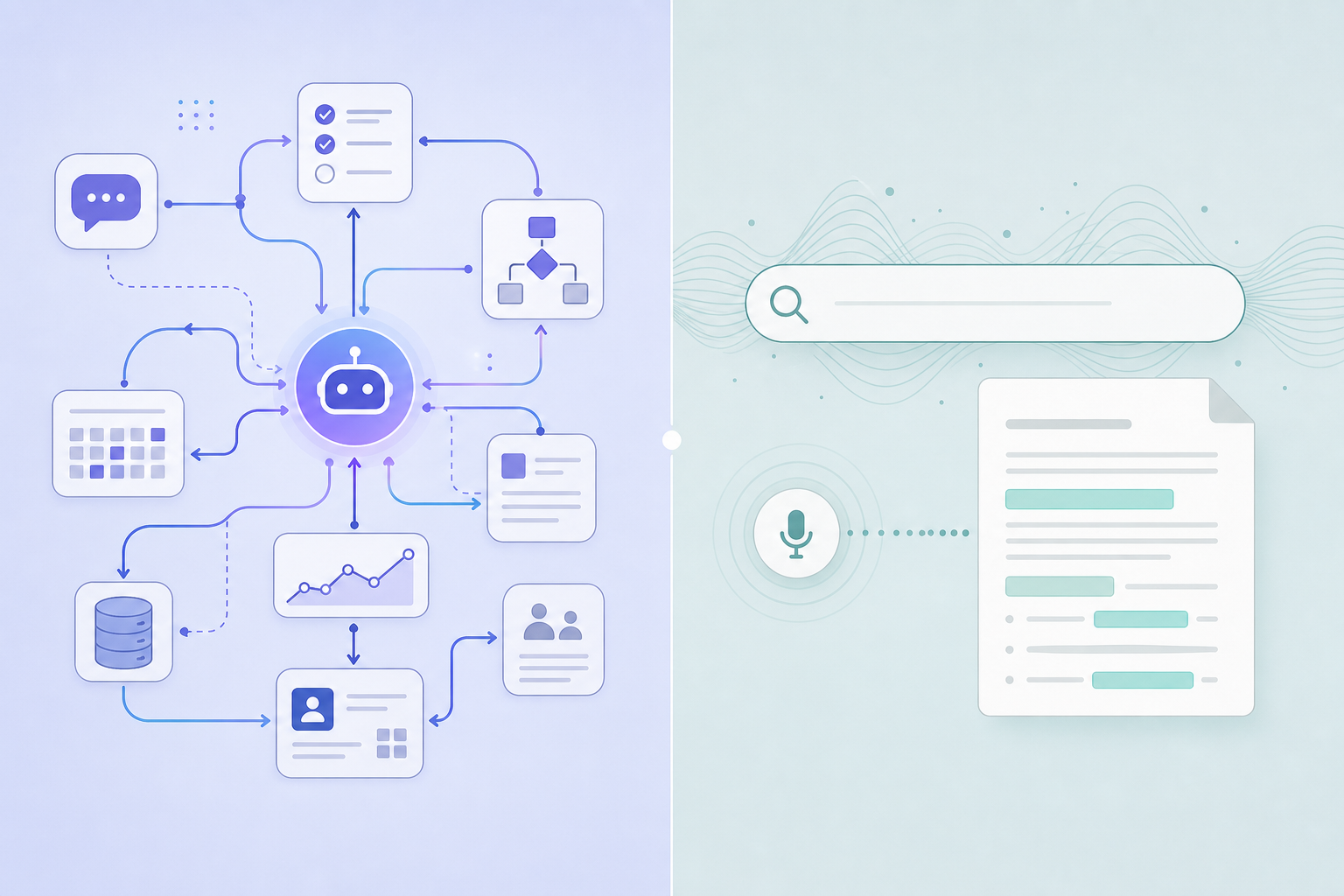
Both tools now have AI. That's a meaningful change from even a year ago, and it matters for how you evaluate each product.
Notion's AI trajectory has been aggressive. Notion 3.0 (September 2025) introduced AI agents — autonomous assistants that can execute multi-step tasks across hundreds of pages without manual prompting. Notion 3.3 (February 2026) expanded this with custom agents: user-configured automations with scheduled triggers and integrations with external tools including Slack, Linear, Figma, and HubSpot. This is not a chatbot bolted onto a notes app. It's a workflow automation layer built into the workspace.
Evernote's AI story begins with v11 in January 2026 — the first time Evernote shipped AI features at all. The initial release includes three capabilities: an AI Assistant for conversational note generation and search, AI Meeting Notes with transcription and speaker recognition (capped at one hour per session), and semantic search that retrieves notes by meaning rather than exact keyword match (for example, searching "Spain vacation" surfaces a note titled "Barcelona Trip").
- Notion AI: Autonomous multi-step agents, custom agent configuration, scheduled triggers, cross-app integrations (Slack, Linear, Figma, HubSpot), AI writing and summarization across the entire workspace.
- Evernote AI: Conversational AI Assistant, semantic note retrieval (rolling out), AI Meeting Notes with transcription and speaker recognition (1-hour limit), note cleanup and generation.
Evernote's AI is a genuine step forward for the product, and it's worth acknowledging — anyone writing that Evernote has no AI is working from outdated information. But the gap in AI depth and capability is real. Notion's agents can orchestrate work across tools and databases autonomously. Evernote's AI helps you find and process notes faster. These are different categories of utility.
Search and OCR: Evernote's Strongest Card
If there is one area where Evernote has a clear, defensible advantage that Notion cannot match, it is search — specifically, search inside non-text content.
Evernote's OCR engine indexes text inside images, PDFs, handwritten notes, and whiteboard photos. A photo of a business card, a scanned receipt, a handwritten meeting note — all of it becomes searchable. On paid plans, this extends to text inside documents and PDFs. The results are fast: sub-second across archives of 50,000 or more notes.
- OCR across typed text in images, printed PDFs, handwriting, and whiteboard captures.
- 14 advanced search operators to filter by notebook, date range, content type (images, PDFs, audio), and attachment type.
- Semantic search (rolling out in v11) that retrieves notes by meaning, not just exact keyword match.
- Sub-second search results across very large note archives.
Notion's search covers typed text only. There is no OCR equivalent, no image text recognition, and no way to find content inside an attached PDF by searching its contents. Notion offers a quick-find shortcut with five filters and in-database search, but for broad queries across a large workspace, results can be noticeably slower.
Web Clipper: Capture Quality and Reliability
In a 28-day parallel test capturing 312 web articles into both tools, Evernote's web clipper averaged 1.2 seconds per article. Notion's took 3.8 seconds and skipped approximately 4% of paywalled pages. The difference in output quality was also notable: Evernote renders clipped content cleanly months or years after capture, even when the original source page has changed or been taken down.
- Evernote Web Clipper modes: Article, Simplified Article, Full Page, Bookmark, Screenshot with annotation — five distinct capture formats for different research needs.
- Notion Web Clipper: Single capture mode, messier output on JavaScript-heavy pages, slower, less reliable on paywalled content.
For users who clip dozens of articles per week — researchers building reference libraries, journalists tracking sources, analysts following industry developments — Evernote's clipper is the category leader by a meaningful margin. Notion's clipper is functional for occasional use but not built for clip-heavy workflows.
Offline Access: Automatic Sync vs. Manual Toggle
Notion added offline support in August 2025, which was a long-requested feature. But the implementation has meaningful limitations: offline mode requires a manual toggle to activate, and it caches only the first 50 database rows per view. For users with large databases or complex workspaces, that's a significant constraint.
Evernote on paid plans works differently: notebooks sync automatically to local storage, and edits made offline sync when you reconnect. There's no manual toggle, no row limit, and no setup required. For users who regularly work on planes, in areas with unreliable connectivity, or who need guaranteed access to a large archive, this automatic approach is more reliable.
Collaboration and Teams: Notion's Core Advantage
If you're evaluating these tools for any team use case, the decision is not close. Notion was built for collaborative work from the ground up. Evernote was built for individual capture and retrieval, and its collaboration features reflect that origin.
- Notion collaboration: Real-time co-editing with cursor tracking, granular page-level permissions, shared wikis, @mentions, inline comments, and team workspaces. Over 50% of Fortune 500 companies use Notion.
- Evernote collaboration: Notebook-level sharing, no real-time co-editing, no cursor presence, no page-level permission controls.
Notion has grown to over 100 million users with 4 million paying customers and a $15 billion valuation. That scale provides reasonable confidence in long-term platform stability — though no company is immune to change, and vendor risk is always worth considering before committing a team's documentation to any single platform.
Templates, Organization, and Database Power
Notion's organizational model is fundamentally different from Evernote's. Notion gives you databases with multiple view types — Kanban boards, timelines, Gantt-style calendars, gallery, and table views — and a community template library exceeding 20,000 options. You can build a project management system, a CRM, a content calendar, and a personal knowledge base all within the same workspace.
Evernote's organizational model is notebooks, tags, and stacks. It doesn't have databases or multiple view types. What it does have is a robust tag system — including nested tags — that allows for sophisticated classification of large note archives. For users whose entire organizational system is built around tag hierarchies, Evernote's tag depth is a genuine strength that Notion's tag implementation doesn't fully replicate.
- Choose Notion if you need structured databases, multiple view types, or a workspace that handles both notes and project management.
- Choose Evernote if your organization is built around deep tag hierarchies and you don't need database functionality.
Mobile Apps: Speed of Capture
For users who capture frequently on mobile — a quick thought, a voice memo, a photo of a whiteboard — Evernote's mobile app is faster. Opening the app and reaching a new note takes roughly 2–3 seconds. Notion requires you to choose a destination before capturing, which adds friction: the process takes 4–6 seconds and can slow further if you're working with large databases.
This difference matters most for users who capture dozens of items per day on the go. For users who primarily work at a desk and use mobile as a secondary device, the gap is less significant.
Best For: Persona-Based Verdicts
- Students: Notion. Notion's free plan offers unlimited pages, databases, and access across unlimited devices. Evernote's free plan caps at 50 notes on a single device — which is functionally unusable for anyone taking notes on a laptop and reviewing on a phone. Notion also reportedly offers a free Plus plan for students and educators at notion.so/students (verify availability before relying on this, as such offers can change).
- Distributed teams: Notion, clearly. Real-time co-editing, page-level permissions, AI agents, and shared workspaces make Notion the only viable choice for any team that collaborates on documentation.
- Solo knowledge workers and PKM builders: Depends on workflow. If your process is heavily OCR-dependent or clip-heavy, Evernote's paid plans are defensible. If you're building a structured knowledge base with databases and linked references, Notion wins.
- Web researchers and journalists: Evernote. The web clipper's five capture modes, reliable long-term rendering, and OCR search across clipped content make Evernote the better research archive tool. Notion's basic clipper can't match this for clip-heavy workflows.
- Long-time Evernote users evaluating a switch: Weigh your archive size and OCR dependency against the pricing pain. If you have 5,000+ notes and rely on OCR search daily, migration will cost you significant time. If you're primarily using Evernote for text notes and basic organization, the switching cost is lower and Notion's free plan offers better value.
Not for You If…
- Notion is not for you if: You need OCR search to find text inside images, PDFs, or handwritten notes. You depend on full-page web clipping with reliable long-term rendering. You need automatic offline sync for a large archive without manual setup. You want faster mobile capture without choosing a destination first.
- Evernote is not for you if: You need real-time team collaboration and document co-editing. You want database views (Kanban, timeline, calendar, gallery) for structured workflows. You need AI agent automation for multi-step tasks across tools. You're a student or budget-conscious user who needs a genuinely usable free plan. You're starting fresh and don't have an existing archive to preserve.
Alternatives Worth Considering
If neither Notion nor Evernote fits your workflow, these alternatives are worth evaluating:
- Obsidian: Local-first, privacy-focused PKM tool. Free for personal use. Your notes are stored as plain Markdown files on your device — no vendor lock-in, no subscription required for core use. Steep learning curve and no built-in collaboration, but the best option for users who prioritize data ownership and long-term portability.
- Apple Notes: Free, tightly integrated with the Apple ecosystem, and significantly improved in recent years. Excellent for iPhone and Mac users who want fast capture without a subscription. No cross-platform support — Android and Windows users need not apply.
- Microsoft OneNote: Free with a Microsoft account, strong handwriting and mixed-media support, and good integration with Microsoft 365. A solid alternative for Windows-first users or anyone already in the Microsoft ecosystem.
- Craft: Writing-first, Apple-native notes app with a polished interface and strong document formatting. Better suited for writing and publishing than for large-scale knowledge management. Narrower in scope than Notion but excellent within its focus area.
Migrating from Evernote to Notion
If you've decided to switch, Notion includes a built-in Evernote importer that accepts the standard .enex export format. The process is straightforward for small archives but requires planning for large ones.
- Export your Evernote notebooks: In Evernote, select notebooks and export as .enex files (File → Export Notes). Export one notebook at a time for large archives to avoid file size issues.
- Import into Notion: In Notion, go to Settings → Import → Evernote, then upload your .enex files. Notion will convert notebooks into pages and notes into sub-pages.
- What transfers cleanly: Text content, images, and file attachments carry over without significant issues.
- What needs cleanup: Tags become select-property values (not a tag hierarchy), complex tables may need reformatting, and nested tag structures require manual reorganization in Notion.
- Time estimate: A 5,000-note archive typically takes 4–10 hours to clean up post-import, depending on how much formatting and tag restructuring is required.
Frequently Asked Questions
- Is Evernote still worth it in 2026? For specific users, yes. If OCR search, the web clipper, and automatic offline sync are central to your workflow, Evernote's paid plans remain the best option in those categories. For everyone else, the pricing increase since 2023 makes it difficult to justify over Notion or free alternatives.
- Can I use Notion offline? Yes, but with limitations. Notion added offline support in August 2025. It requires a manual toggle to activate and caches only the first 50 database rows per view. It's functional for occasional offline use, not for full archive access without connectivity.
- Does Evernote have AI now? Yes. Evernote v11 (January 2026) introduced AI for the first time: an AI Assistant for conversational note generation, AI Meeting Notes with transcription and speaker recognition (1-hour limit), and semantic search that's currently rolling out in stages. It's a meaningful upgrade, though Notion's AI capabilities remain more advanced.
- Is Notion free actually free? Yes — Notion's free plan offers unlimited pages, unlimited blocks, 10 guest collaborators, and no device restriction. The main limits are a 5 MB file upload cap and 7-day page history. There's no note count limit and no single-device restriction.
- Can I import my Evernote notes into Notion? Yes. Notion has a built-in Evernote importer that accepts .enex export files. Text, images, and attachments transfer cleanly. Tags become select properties, and complex formatting may need cleanup. Large archives (5,000+ notes) typically require 4–10 hours of post-import organization.
- Which is better for students? Notion, clearly. Unlimited pages and no device restriction on the free plan versus Evernote's 50-note, single-device free tier makes Notion the practical choice for students on a budget. Evernote's free plan is effectively a trial.