
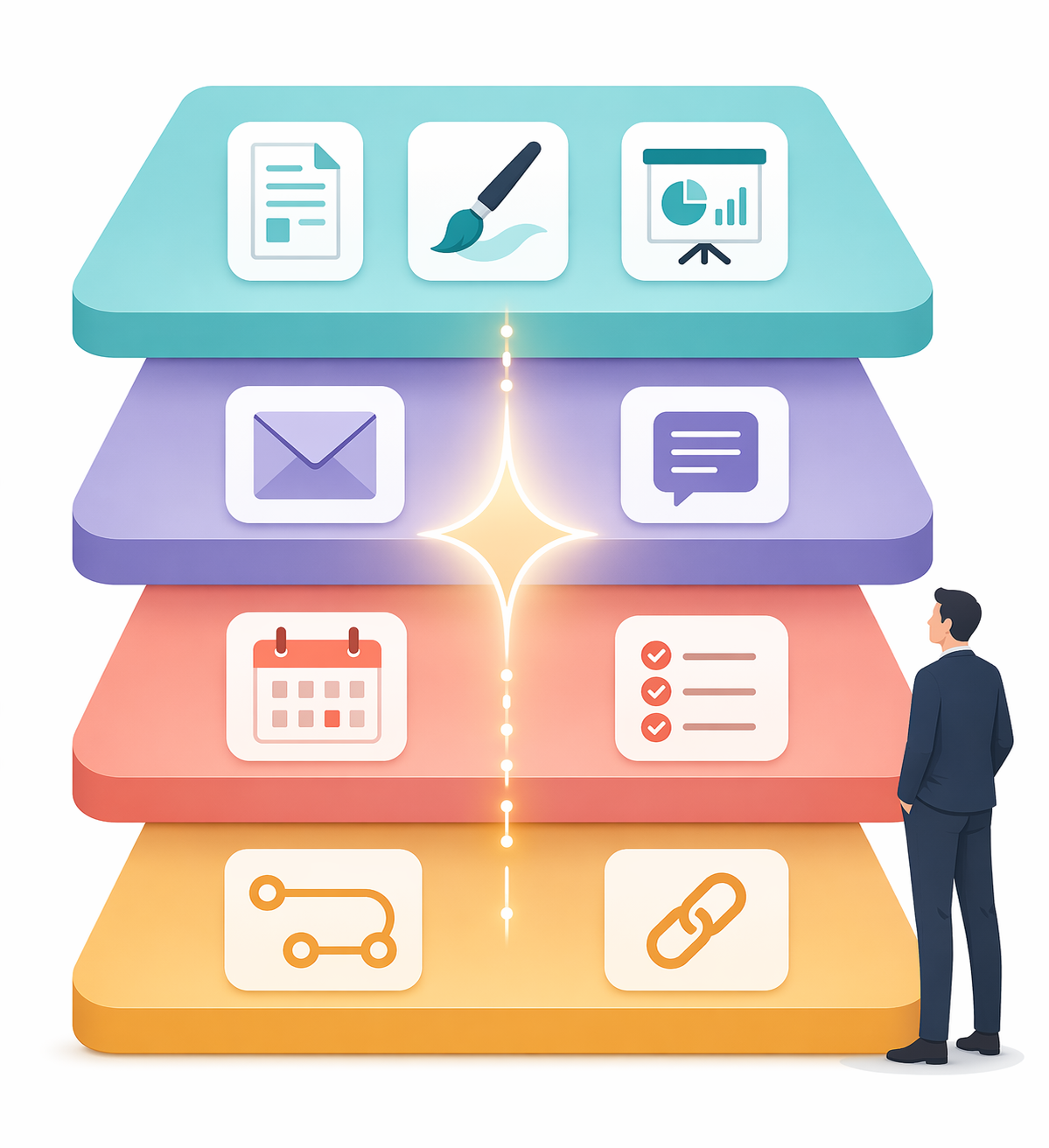
The Problem with Tool Sprawl (and Why a Layered Stack Works Better)
If you are a knowledge worker who has adopted one or two AI tools in the past year, you have likely felt the pull of tool sprawl. A writing assistant here, a meeting transcriber there, a scheduling bot that conflicts with your calendar app — each tool promises a productivity boost, but the cumulative effect is often fragmentation rather than acceleration. The data backs up both the promise and the pain point: a Workforce Labs study found that workers who use AI daily are 64% more productive and report 58% better focus than those who do not, while a Zapier survey indicates that 92% of workers believe AI boosts their productivity. Yet the same research reveals a critical gap: 78% of enterprises struggle to integrate AI with their current tech stacks. The tools work; the architecture around them often does not.
The solution is not to find a single do-everything AI platform — that product does not exist, and the evidence suggests it may never need to. The median knowledge worker already saves 6.4 hours per week using production AI agents, according to McKinsey and the Slack Workforce Index, with senior practitioners saving 10–12 hours. The real leverage comes from layering purpose-built tools across four distinct workflow stages — content, communication, scheduling, and automation — and wiring them together with an orchestration platform. This article walks through each layer, shows how they connect, and provides a decision framework so you can build a stack that matches your actual work patterns rather than your curiosity about the latest app.
Layer 1: Content & Creation — Writing, Presentations, and Design
The content layer is where most knowledge workers start their AI journey, and for good reason: writing, presentations, and design consume a disproportionate share of the workday. The tools in this layer are mature, affordable, and increasingly interconnected. The key is not to pick the best one in each subcategory but to choose tools that can feed their outputs into the next layer — for example, a presentation created in Alai or Gamma that gets polished with Grammarly and then shared via an automation trigger.
| Tool | Primary Use Case | Entry Price | Stack Fit |
|---|---|---|---|
| Grammarly | Writing polish, tone matching, grammar | Free; Pro $12/mo (annual) | Works across email, docs, and Slack; feeds clean copy into automation layer |
| Alai | AI presentation builder with 4 layout options per slide | Free (200 credits); Plus $20/mo | Generates decks that can be exported and shared via Zapier or Slack |
| Gamma | AI presentations, docs, and web pages | Free; Plus $8/user/mo | Lightweight alternative to Alai; good for quick internal decks |
| Canva | Design, social graphics, basic presentations | Free (limited AI); Pro $120/yr | Best for visual assets; integrates with Zapier for automated brand templates |
| Jasper | Long-form copy, marketing content, blog drafts | Creator $49/mo; Pro $69/mo | Overkill for most individual knowledge workers; better for marketing teams |
For most knowledge workers, the smartest entry point is Grammarly at the free or Pro tier. It operates across your browser, email client, and Slack, which means it touches every layer of the stack without requiring manual effort. When you need to produce a presentation, Alai or Gamma can generate a first draft in minutes — Alai’s Agent Mode lets you edit slides via natural language, and Gamma’s free tier is genuinely usable for internal decks. Canva fills the design gap for social assets and team templates, and its Zapier integration means you can trigger a branded graphic from a new Notion page or a Slack command.
Layer 2: Communication & Meetings — Email, Transcription, and Meeting Notes
If content creation is where AI saves minutes, the communication layer is where it saves hours. Meetings, email, and asynchronous messaging form the largest time sink for knowledge workers, and the tools in this layer are designed to compress that time without sacrificing quality. Superhuman users, for example, consistently report saving 3–4 hours per week on email alone, according to the company’s own data. Meeting transcription tools like Fireflies and Otter.ai turn a 45-minute conversation into a searchable, shareable document in seconds.
| Tool | Primary Use Case | Entry Price | Stack Fit |
|---|---|---|---|
| Superhuman | AI email client with tone matching and scheduling | From $30/mo | Reduces email time; integrates with calendar tools for scheduling |
| Fireflies.ai | Meeting transcription, search, and summarization | Free (800 min storage/seat/mo); Pro $10/seat/mo | Transcripts feed into Notion, Slack, or project management tools via Zapier |
| Otter.ai | Real-time transcription and meeting notes | Free; Paid from $8.33/mo | Similar to Fireflies; strong for team collaboration and searchable transcripts |
| Read AI | Meeting summaries and action items | Free (5 reports/mo); Paid from $19.75/mo | Lighter than Fireflies; good for individuals who attend fewer meetings |
| Slack AI | Channel summaries, huddle notes, search across conversations | Included with Slack paid plans | Captures action items from huddles; feeds into automation layer natively |
The critical insight for this layer is that transcription and summarization tools are not endpoints — they are inputs. A Fireflies transcript of a client call should automatically create a Notion page with key decisions, a Slack summary for the team, and a task in your project management tool. That is where the orchestration layer (Layer 4) becomes essential. Without it, you are just collecting transcripts that no one reads. Slack AI is a notable exception because it lives inside your primary messaging tool and can summarize channels, DMs, and huddles without needing a separate connector — but it only works if your team already uses Slack as a communication hub.
Layer 3: Scheduling & Task Management — Calendar Optimization and Auto-Scheduling
The scheduling layer is the most underrated component of an AI productivity stack. Most knowledge workers treat their calendar as a passive record of commitments rather than an active resource to be optimized. Tools like Motion, Clockwise, and Reclaim flip that assumption: they treat your calendar as a constraint-satisfaction problem and use AI to fit deep work, meetings, and administrative tasks into the available time automatically.
| Tool | Primary Use Case | Entry Price | Stack Fit |
|---|---|---|---|
| Motion | Auto-schedules tasks on calendar based on priority and deadlines | Pro AI $19/seat/mo (annual); Team $12/user/mo | Creates tasks from meeting action items; integrates with Zapier for cross-tool workflows |
| Clockwise | Calendar optimization, focus time blocking | Free; Paid from $6.75/mo (annual) | Best for individuals; creates focus blocks automatically and adjusts them as meetings change |
| Reclaim | Task prioritization, scheduling, and habit tracking | Free; Pro $8/seat/mo | Good for teams; syncs with Google Calendar and creates tasks from Slack or email |
The real power of this layer emerges when it is connected to Layer 2. Imagine a meeting ends, Fireflies generates a transcript and action items, and those action items automatically appear as tasks in Motion with deadlines and priority levels. That is not a futuristic scenario — it is a standard Zapier workflow that takes about 10 minutes to set up. Clockwise and Reclaim also offer direct integrations with Slack and Google Calendar, meaning a Slack message that says “schedule a review of the Q3 plan” can become a calendar event without manual intervention.
Layer 4: Automation & Orchestration — The Connective Tissue
The automation layer is what transforms a collection of useful tools into a genuine productivity stack. Without it, each tool operates in isolation, and you remain the manual bridge between them — copying a transcript from Fireflies, pasting it into Notion, then switching to Slack to notify your team. That is not a stack; that is a series of chores with AI wrappers.
Zapier is the most established orchestration platform for this purpose, connecting over 9,000 apps and offering a natural-language builder called Copilot that lets you describe a workflow in plain English — “When a Fireflies transcript is ready, create a Notion page and post a summary in Slack” — and have it draft the automation for you. Zapier also offers AI by Zapier (built-in access to ChatGPT for data transformation) and Zapier Agents, which can autonomously execute multi-step actions across apps. For teams already embedded in the Microsoft ecosystem, Power Automate serves a similar role with deeper native integration into Office 365. Make (formerly Integromat) is a strong alternative for users who want more visual control over complex, branching workflows.
| Platform | Best For | Entry Price | Key Differentiator |
|---|---|---|---|
| Zapier | General-purpose orchestration; non-developers | Free (100 tasks/mo); Pro $19.99/mo | Natural-language Copilot; 9,000+ integrations; AI agents for autonomous workflows |
| Make (Integromat) | Complex, branching workflows with visual builder | Free; paid plans from ~$9/mo | More visual control over data transformation and conditional logic than Zapier |
| Power Automate | Microsoft-heavy teams (Office 365, Teams, SharePoint) | Free; paid plans from ~$15/user/mo | Deep native integration with Microsoft ecosystem; good for enterprise compliance |
For most knowledge workers building a personal stack, Zapier’s free tier (100 tasks per month) is enough to wire together the essential connections: meeting transcript to knowledge base, email to task manager, presentation to team notification. The Pro tier at $19.99 per month unlocks 750 tasks, which is sufficient for a small team’s daily operations. If you are already a Zapier user, its Copilot feature has lowered the barrier to entry significantly — you no longer need to understand triggers, actions, or data mapping to build a functional workflow.
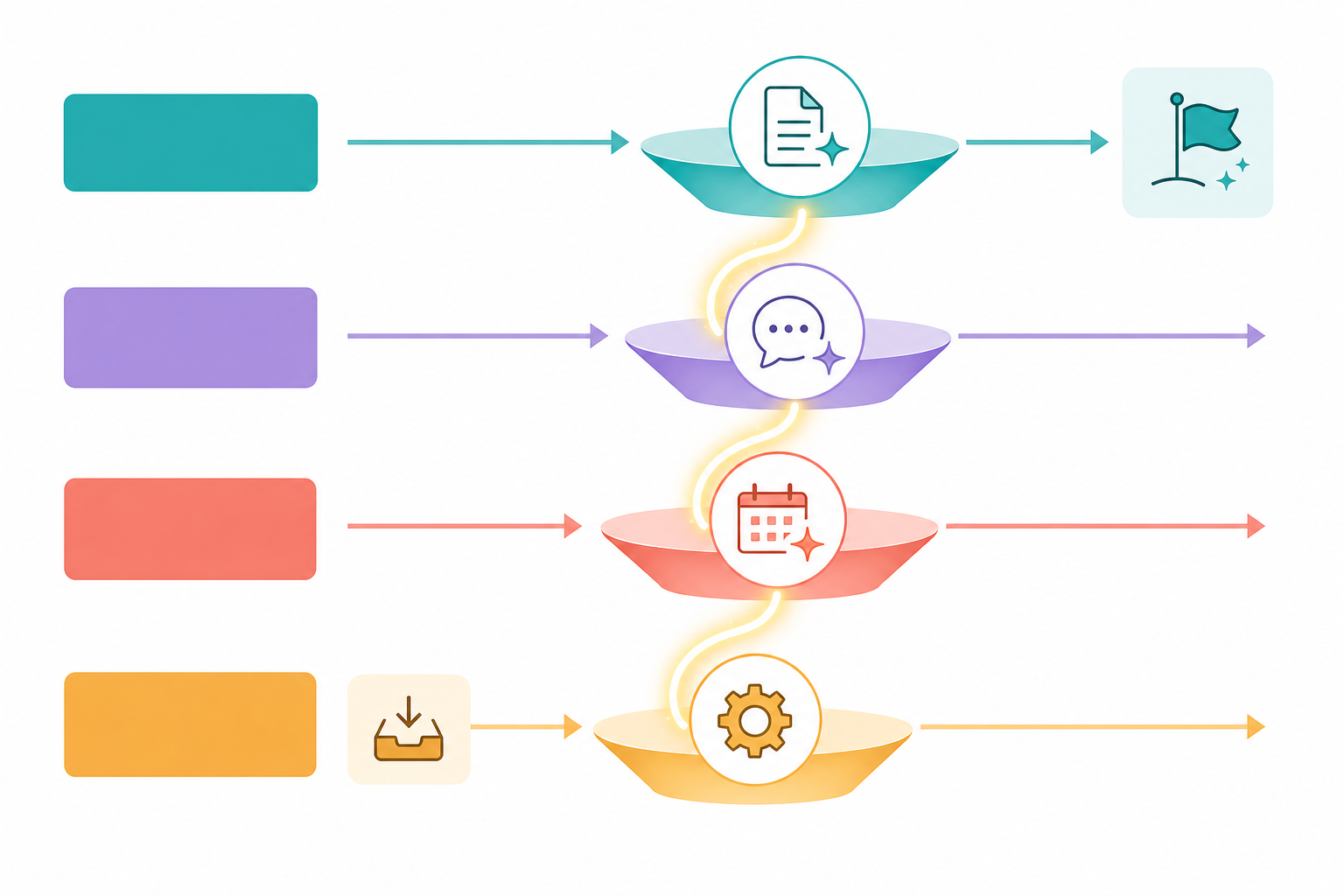
Three Concrete Workflows That Wire the Layers Together
Theory is useful; working examples are better. Here are three end-to-end workflows that demonstrate how the four layers connect in practice. Each one uses tools from multiple layers and relies on the orchestration layer to eliminate manual handoffs.
Workflow 1: Meeting to Action (Fireflies → Notion → Slack → Motion)
A client call ends. Fireflies.ai automatically transcribes the conversation and identifies action items. A Zapier workflow triggers: the transcript is saved to a Notion database under the client’s project, a summary is posted to the relevant Slack channel with key decisions highlighted, and each action item becomes a task in Motion with a deadline extracted from the conversation. Total manual effort: zero. The knowledge worker’s job shifts from note-taking to decision-making.
Workflow 2: Content Creation to Distribution (Alai → Grammarly → Zapier → Slack)
A team lead needs a quarterly review presentation. They open Alai, describe the topic in natural language, and receive four layout options per slide. After selecting and editing, they run the deck through Grammarly to catch tone inconsistencies and clarity issues. When the final version is saved, a Zapier workflow posts a link to the presentation in the team Slack channel, adds a calendar reminder for the review meeting, and archives the previous quarter’s deck to a reference folder. The entire cycle — from blank page to shared asset — takes under 30 minutes.
Workflow 3: Daily Planning to Execution (Clockwise → Reclaim → Slack AI)
At the start of the day, Clockwise has already blocked two hours of focus time based on the week’s meeting load. Reclaim has prioritized the day’s tasks, moving lower-priority items to later in the week. Slack AI summarizes overnight messages from key channels, highlighting anything that requires a response. The knowledge worker opens their calendar, sees the day’s structure, and begins work without making a single scheduling decision. When a new meeting request arrives mid-day, Clockwise automatically reschedules focus blocks to accommodate it — no manual calendar Tetris required.
The Budget-Conscious Starter Stack: Under $50/Month
A common objection to building a multi-tool stack is cost. The assumption is that a serious AI productivity setup requires hundreds of dollars per month in subscriptions. That is not true. A functional, connected stack can be assembled for under $50 per month — and in many cases, the free tiers are sufficient for individual use.
| Layer | Tool | Tier | Monthly Cost |
|---|---|---|---|
| Content & Creation | Grammarly | Free | $0 |
| Content & Creation | Canva | Free (50 AI uses/mo) | $0 |
| Communication & Meetings | Fireflies.ai | Free (800 min storage/seat) | $0 |
| Scheduling & Task Management | Clockwise | Free | $0 |
| Automation & Orchestration | Zapier | Free (100 tasks/mo) | $0 |
| Optional upgrade: Writing polish | Grammarly Pro | Annual | $12/mo |
| Optional upgrade: More automation | Zapier Pro | Monthly | $19.99/mo |
| Optional upgrade: Scheduling | Clockwise Paid | Annual | $6.75/mo |
| Total with all upgrades | $38.74/mo |
The free tier stack — Grammarly free, Canva free, Fireflies free, Clockwise free, and Zapier free — covers the essential functions of all four layers without spending a dollar. The trade-offs are real: Fireflies’ free plan limits storage to 800 minutes per seat per month, Zapier’s free tier caps at 100 tasks per month, and Canva’s free plan restricts AI-powered features to roughly 50 uses per month. For an individual knowledge worker attending 5–10 meetings per week and writing a few thousand words per day, these limits are unlikely to be binding.
If you do need to upgrade, the most impactful paid tier is Zapier Pro at $19.99 per month. It increases your task limit from 100 to 750 per month, which is enough to run multiple daily workflows across all four layers. The second most impactful upgrade is Grammarly Pro at $12 per month (annual), which adds tone detection, full-sentence rewrites, and plagiarism checking — features that matter if you write external-facing content regularly. Clockwise’s paid tier at $6.75 per month is a nice-to-have rather than a necessity; the free version already handles focus time blocking competently.
How to Choose Your Stack: A Decision Framework
The layered stack model is flexible by design, but you still need a starting point. The right entry layer depends on where your workflow pain is most acute. The table below maps common pain points to the layer you should build first.
| Your Primary Pain Point | Start With This Layer | First Tool to Try | Then Add |
|---|---|---|---|
| I spend 4+ hours per day in meetings and lose track of decisions | Layer 2: Communication & Meetings | Fireflies.ai (free) | Layer 4: Zapier to connect transcripts to tasks |
| I write presentations, reports, or emails for 3+ hours daily | Layer 1: Content & Creation | Grammarly (free) + Alai (free tier) | Layer 4: Zapier to automate sharing and archiving |
| My calendar is chaotic; I never have time for deep work | Layer 3: Scheduling & Task Management | Clockwise (free) | Layer 2: Superhuman or Fireflies to reduce meeting overhead |
| I use 5+ tools but they don’t talk to each other | Layer 4: Automation & Orchestration | Zapier (free) | Work backward: connect your most-used two tools first |
| I’m a team lead managing 3–10 direct reports | Layer 4 first, then Layer 2 | Zapier (Pro) + Slack AI | Layer 3: Reclaim for team scheduling |
A few principles apply regardless of where you start. First, always add the orchestration layer early — even if you only use it for a single workflow, it establishes the habit of connecting tools rather than using them in isolation. Second, resist the temptation to add tools to every layer simultaneously. A stack with two well-connected tools outperforms a stack with eight disconnected ones. Third, revisit your stack every quarter. The AI productivity tool landscape is moving fast; a tool that was best-in-class six months ago may have been overtaken, and a new integration may unlock a workflow you had not considered.
The layered approach is not about having the most tools. It is about having the right connections between the tools you already use. The data is clear: daily AI users are 64% more productive and report 81% higher job satisfaction. But those gains come from integration, not accumulation. Build your stack layer by layer, wire them together with automation, and let the tools do the bridging while you focus on the work that actually requires your judgment.
Comments
Join the discussion with an anonymous comment.