
What Is Notion?
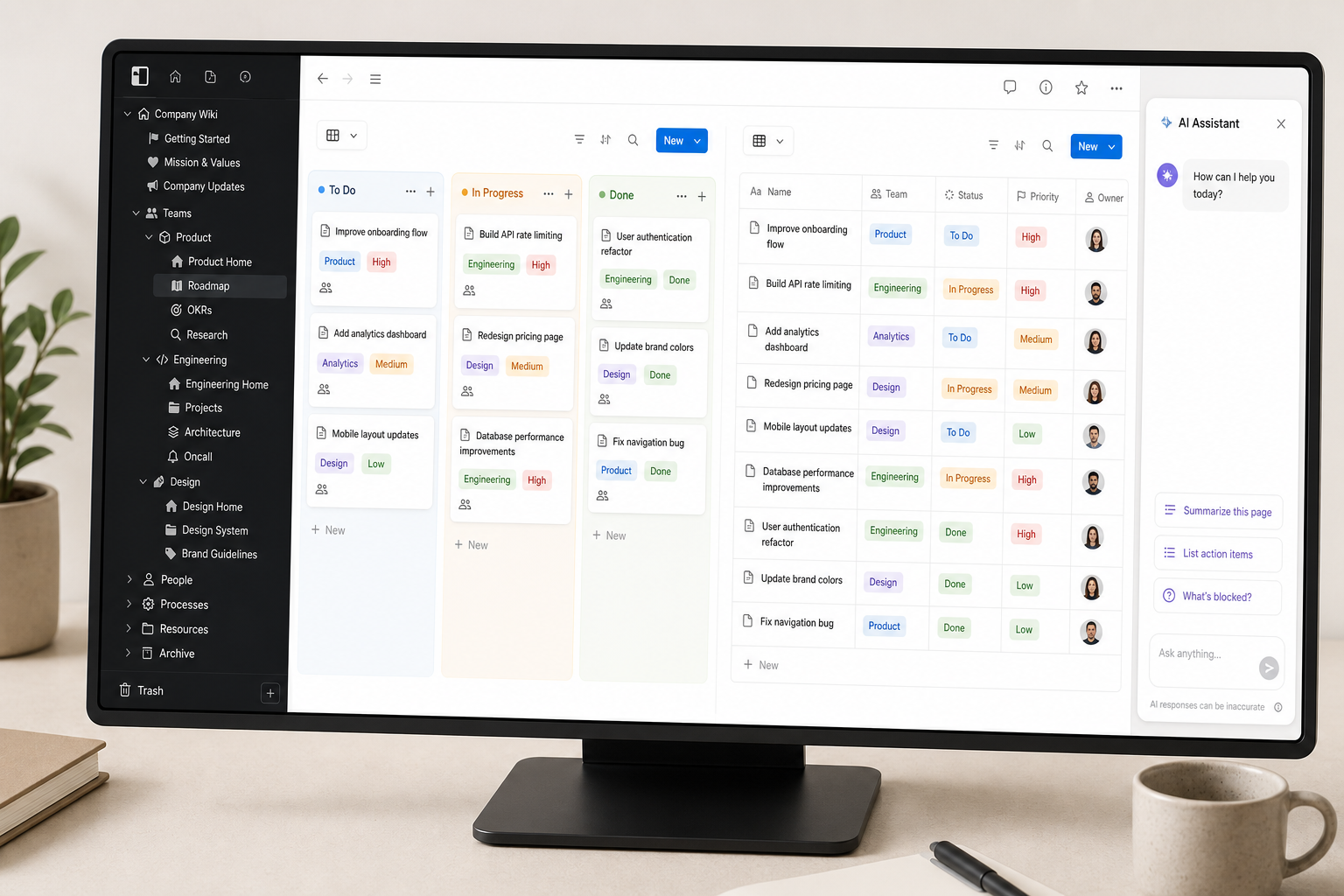
Notion is an all-in-one workspace that combines documents, wikis, and relational databases in a single interface. It is not primarily a note-taking app — it is a flexible information layer that teams and individuals use to build knowledge bases, project trackers, CRMs, content calendars, and internal documentation systems, often replacing several separate tools at once.
The scale of adoption is notable. Notion has surpassed 100 million users, is used by 62% of Fortune 100 companies, and 98% of the Forbes Cloud 100 are customers. On G2, it has held the #1 Knowledge Base ranking for three consecutive years with a 4.6/5 rating from nearly 12,000 reviews. Those numbers matter because they signal a product with genuine staying power — not a niche tool at risk of disappearing.
The core thesis of this review: Notion is best-in-class for docs, wikis, and relational databases. But the May 2025 AI pricing restructure, a persistent automation ceiling, a steep learning curve, and limited offline functionality mean it delivers best value for specific personas — not as a universal replacement for every tool in a team's stack.
Core Features
Block Editor
Everything in Notion is a block — paragraphs, headings, images, embeds, databases, and toggles. You build pages by combining and nesting these blocks, which makes the editor unusually flexible but also unlike any traditional word processor or note app. The learning curve is real: new users often spend the first week fighting the interface before the mental model clicks.
Relational Databases with Six View Types
Notion's database system is its primary differentiator. Every database can be viewed in six different formats without duplicating the underlying data:
- Table — spreadsheet-style rows and columns, the default view for most databases
- Board — kanban-style cards grouped by a property (typically status)
- Calendar — entries plotted by date property, useful for editorial or sprint planning
- Timeline — Gantt-like view for projects with start and end dates
- Gallery — card grid view, useful for image-heavy content like portfolios or product catalogs
- List — minimal text list, good for simple task lists or reading queues
Databases can be linked relationally — a task database can pull in the relevant project, contact, or document from another database. This is where Notion earns its power-user reputation. It is also where performance issues emerge on large, heavily interlinked setups — a known and unresolved limitation discussed in the Pros and Cons section below.
Notion AI Suite
Notion's AI layer is workspace-contextual — it works with the content already in your Notion pages and databases, not as a general-purpose LLM. The suite includes several distinct capabilities:
- Notion AI Agent — executes multi-step tasks across your workspace, such as drafting content from a database or summarizing meeting notes into action items
- Custom Agents (Beta) — user-built agents that can be triggered on schedules or by events; launched February 2026, available as a credit add-on across all plans
- Enterprise Search (Beta) — searches across Notion and connected apps including Slack, GitHub, Google Drive, Jira, Salesforce, Box, OneDrive, Asana, and Microsoft Teams
- AI Meeting Notes (Beta) — generates summaries and action items from meetings without requiring a bot in the call
- Research Mode — assists with structured research tasks within a page
- AI Writing and DB Autofill — inline writing assistance and automatic population of database properties using AI
Notion Calendar, Notion Mail, and Integrations
Notion Calendar is a standalone calendar app that connects to your Notion databases and Google Calendar, letting you view and manage time-based entries alongside your workspace content. Notion Mail is an email client integrated with the Notion workspace, aimed at reducing context-switching for teams already living in Notion.
On the integrations side, Notion's public API enables connections to external tools including Zapier, Make, and custom-built workflows. Native integrations cover Slack, GitHub, Jira, Google Drive, and Figma, among others. The API is well-documented and actively maintained, which matters for teams building custom data pipelines into or out of Notion.
Pricing Tiers (Verified June 2026)
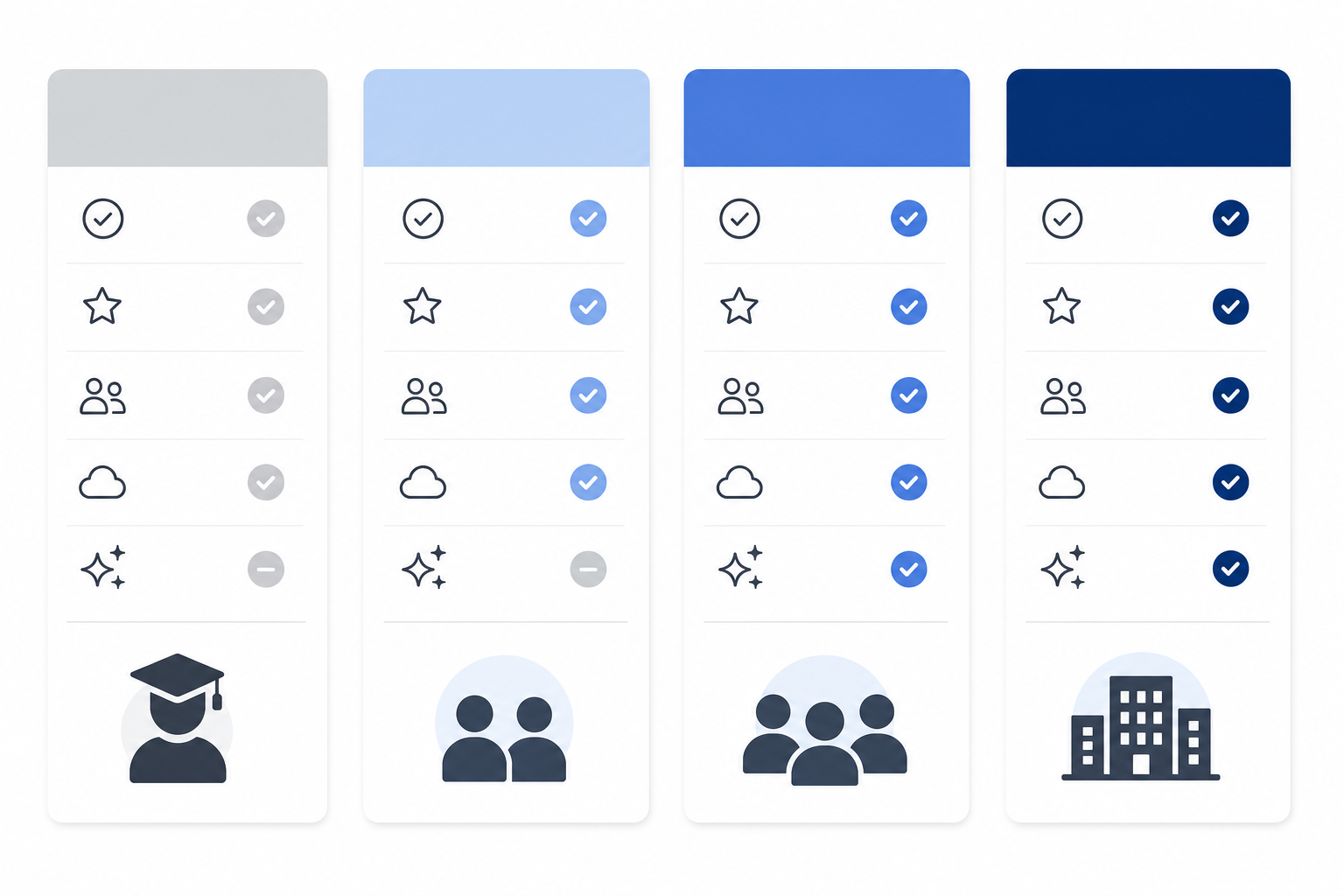
| Plan | Price (Annual) | Price (Monthly) | Key Limits | AI Access |
|---|---|---|---|---|
| Free | $0 | $0 | Unlimited blocks for 1 user, 5 MB file uploads, 7-day page history, 10 guests | Limited trial only |
| Plus | $10/user/mo | $12/user/mo | Unlimited file uploads, 30-day page history, 100 guests | Limited trial only; no AI Agent or Meeting Notes |
| Business | $20/user/mo | $24/user/mo | 90-day page history, 250 guests, SAML SSO, private teamspaces | Full AI: Agent, Enterprise Search, Meeting Notes, DB Autofill |
| Enterprise | Custom | Custom | Unlimited page history, advanced security, audit logs, custom contracts | Full AI + Custom Agents, dedicated support |
The most significant pricing change in recent history occurred in May 2025: Notion eliminated its standalone $10/month AI add-on. Previously, Plus users could pay $10 + $10 = $20/month effective to access AI features. That option no longer exists. Full AI access — including AI Agent, Enterprise Search, and AI Meeting Notes — now requires Business at $20/user/month minimum.
Real Cost Example
A 10-person team on Business pays $200/month or $2,400/year on annual billing. Guests do not consume paid seats and can access only the pages they are invited to — a meaningful cost advantage for teams that need occasional external collaborators.
Custom Agents Credit Model
Custom Agents consume Notion credits at $10 per 1,000 monthly credits, available as a credit add-on across all plans. Credit billing for Custom Agents started May 4, 2026. Workers (Beta) — a related automation capability — begin consuming credits on August 11, 2026. These dates are sourced from the June 2026 Notion pricing page and should be verified against the English-language pricing page before acting on them.
Students and Educators
Students and educators can access the Plus plan for free with a verified school email address. The free Plus tier is limited to 1 member, making it a personal workspace benefit rather than a team offering — but for individual students managing coursework, research notes, or a personal knowledge base, it is a genuinely useful tier at no cost.
Best Use Cases by Persona
Solo Power User and Student (Free or Plus)
Notion's Free plan is one of the most generous in the productivity space — unlimited blocks for a single user, which covers most personal knowledge management, journaling, and coursework use cases. Students with a school email get Plus for free, adding unlimited file uploads and 30-day page history.
The investment required is real: building a functional personal system takes 5–8 hours at minimum, and a comprehensive setup can take 15–20 hours or more. Users who are not willing to invest that time upfront tend to build elaborate systems, use them productively for a few weeks, then gradually abandon them as maintenance overhead accumulates. If you want a low-maintenance personal note-taking app, Notion is likely the wrong choice.
Startup and Small Team (Plus)
For teams building shared documentation, onboarding wikis, meeting note archives, and lightweight project tracking, Plus at $10/user/month is a strong value. Real-time collaboration is smooth, the template library reduces setup time considerably, and the relational database system handles most team knowledge management needs without requiring a dedicated tool for each use case.
The ceiling on Plus is primarily AI access — teams that want AI Agent or Meeting Notes will hit the Business paywall. For startups that do not yet have a strong AI use case in their documentation workflow, Plus is the right starting point.
Content and Creative Team (Business)
Content teams — editorial, marketing, and creative operations — are the clearest fit for Business. The combination of relational databases (editorial calendar, asset tracking, campaign management), AI Writing for drafts and summaries, and AI Meeting Notes for post-call action items maps directly to how content teams actually work. Private teamspaces on Business also let content teams maintain internal drafts and strategy documents separate from company-wide pages.
Product and Engineering Team (Business, with Caveats)
Product teams use Notion effectively for PRDs, roadmaps, and design specs. Engineering teams often use it for runbooks, architecture decision records, and onboarding documentation. Both use cases work well within Notion's doc and wiki strengths.
Enterprise and Large Organization (Enterprise)
Enterprise unlocks unlimited page history, audit logs, advanced permission controls, SCIM provisioning, and custom contracts with SLAs. Enterprise Search (Beta) — which spans Notion, Slack, GitHub, Google Drive, Jira, Salesforce, and several other platforms — is a meaningful capability for organizations that need unified search across their tool stack.
What Enterprise cannot replace: dedicated CRMs like Salesforce or HubSpot, advanced workflow automation platforms like Zapier or Make, or specialized customer-facing knowledge base tools built for external documentation. Notion's internal wiki strength does not automatically translate to a production-ready external help center.
Pros and Cons
| Strengths | Weaknesses |
|---|---|
| Ultimate flexibility — almost any information structure can be built in Notion | Steep learning curve; building a functional system requires significant upfront time investment |
| Best-in-class docs and wikis; the block editor handles long-form content better than most dedicated tools | Performance degrades on large, heavily interlinked databases — a known and unresolved issue |
| Powerful relational databases with six view types in one interface | Automation ceiling: buttons cannot trigger automations; relational-property filters are broken in automations — unresolved since 2022 |
| Generous free tier for individual users; students and educators get Plus free | Full AI access requires Business at $20/user/month — Plus users get only a limited trial |
| Active template community reduces setup time for common use cases | Limited offline mode: recent pages and favorites auto-download on paid plans, but full offline creation is unavailable |
| Smooth real-time collaboration with granular sharing controls | Maintenance fatigue risk: elaborate personal systems often get abandoned after initial setup enthusiasm fades |
Data Portability and Vendor Risk
Before committing deeply to any workspace tool, it is worth understanding what happens to your data if you need to leave. Notion's export options are more complete than many users realize, but they come with meaningful limitations.
Export Formats
- HTML — highest fidelity export. Includes page comments (resolved and unresolved), mentioned files, pages, and users. Callout blocks export correctly in HTML. The workspace-wide export includes a sitemap (index.html) with local links, making it the most complete format for archiving or migrating a large workspace.
- Markdown/CSV — lower fidelity than HTML for relational content. Full-page databases export as CSV; sub-pages export as Markdown files. Callout blocks have no Markdown equivalent and export as HTML within Markdown files, which creates inconsistency in downstream tools.
- PDF — useful for sharing individual pages externally but not practical for bulk migration or archiving.
Workspace-Wide Export Considerations
Workspace-wide export is available on all plans and delivers a ZIP file via email link (valid for 7 days). For large workspaces, the export can take up to 30 hours to process. Re-uploading an exported workspace does not automatically recreate the workspace in another tool — the export is a data archive, not a portable workspace format.
Offline Mode
Offline support has improved in recent versions. On paid plans, recently viewed pages and favorited pages auto-download for offline access. On the Free plan, you can manually select specific pages to download. However, full offline creation and editing — the ability to write new content without an internet connection and sync it later — remains unavailable across all plans. This is a persistent limitation that affects users who work on planes, in areas with unreliable connectivity, or who prefer local-first workflows.
Vendor Stability
Notion is a well-funded, high-adoption product with strong enterprise penetration. The risk profile is low compared to earlier-stage productivity startups. The more relevant risk is pricing evolution — the May 2025 AI restructure demonstrated that Notion will adjust its pricing model as it builds out new capabilities. Teams that plan to use Notion for several years should factor in the possibility of further plan changes, particularly around AI feature access.
Who Notion Is For — and Who It Is Not
Notion works best for teams and individuals who are willing to invest in building and maintaining their workspace. The returns scale with that investment — which means the tool is genuinely excellent for some personas and genuinely wrong for others.
Notion Is a Strong Fit If You:
- Need a flexible, centralized knowledge base that your team will actively build and maintain
- Want relational databases with multiple views without paying for a dedicated database tool
- Are a student or educator who can access Plus for free and want a structured personal workspace
- Run a content or creative team that would benefit from AI-assisted writing and meeting summaries within your documentation system
- Need strong doc and wiki capabilities with smooth real-time collaboration
Notion Is Not the Right Tool If You:
- Want a zero-configuration tool that works well out of the box without setup investment. Notion requires deliberate architecture decisions. Non-technical teams who want a tool they can open and immediately use productively will find the blank-canvas experience frustrating.
- Need Jira-level engineering project management. Sprint planning, release tracking, advanced issue hierarchies, and complex workflow states require automation and conditional logic that Notion's current layer cannot reliably support.
- Depend on complex conditional automation across your workflow. If your processes require automation triggers, relational-property filters in automations, or multi-step conditional logic, Notion's automation ceiling will block you. These limitations have been present since 2022 and show no near-term resolution.
- Work primarily on mobile. Notion's mobile apps are functional but not optimized for primary use. The block editor is significantly more efficient on desktop.
- Need offline-first workflows. If you regularly work without reliable internet access and need to create or edit content offline, Notion's current offline support is insufficient.
Verdict: Recommended Plan by Persona
| Persona | Recommended Plan | Key Reason |
|---|---|---|
| Student (with school email) | Plus (free) | Verified education email unlocks Plus at no cost; unlimited blocks for personal knowledge management |
| Solo power user / individual | Free or Plus | Free is sufficient for most personal use cases; Plus adds unlimited file uploads and 30-day history |
| Startup or small team (no AI requirement) | Plus ($10/user/mo annual) | Strong value for shared docs and wikis; AI access is not yet a priority |
| Content or creative team | Business ($20/user/mo annual) | Full AI access — Agent, Meeting Notes, DB Autofill — maps directly to content workflow needs |
| Product or engineering team | Business ($20/user/mo annual) | Covers documentation and roadmap needs; keep Jira for execution tracking |
| Enterprise or large organization | Enterprise (custom) | Unlimited history, audit logs, SCIM, advanced security, and Enterprise Search across connected tools |
Notion's value proposition is straightforward once you accept its terms: the more deliberately you build in it, the more it returns. Teams who commit to structuring their knowledge in Notion — building wikis, linking databases, and maintaining consistent conventions — consistently report that it becomes indispensable. Teams who adopt it casually, expecting it to organize itself, consistently report that it becomes a cluttered mess they eventually abandon.
If your team's primary need is documentation, knowledge sharing, and collaborative content creation, Notion is one of the best tools available at its price point. If your primary need is execution tracking, complex automation, mobile-first productivity, or offline access, the limitations are real enough to look elsewhere before committing.