
What Zapier Is and How It Works
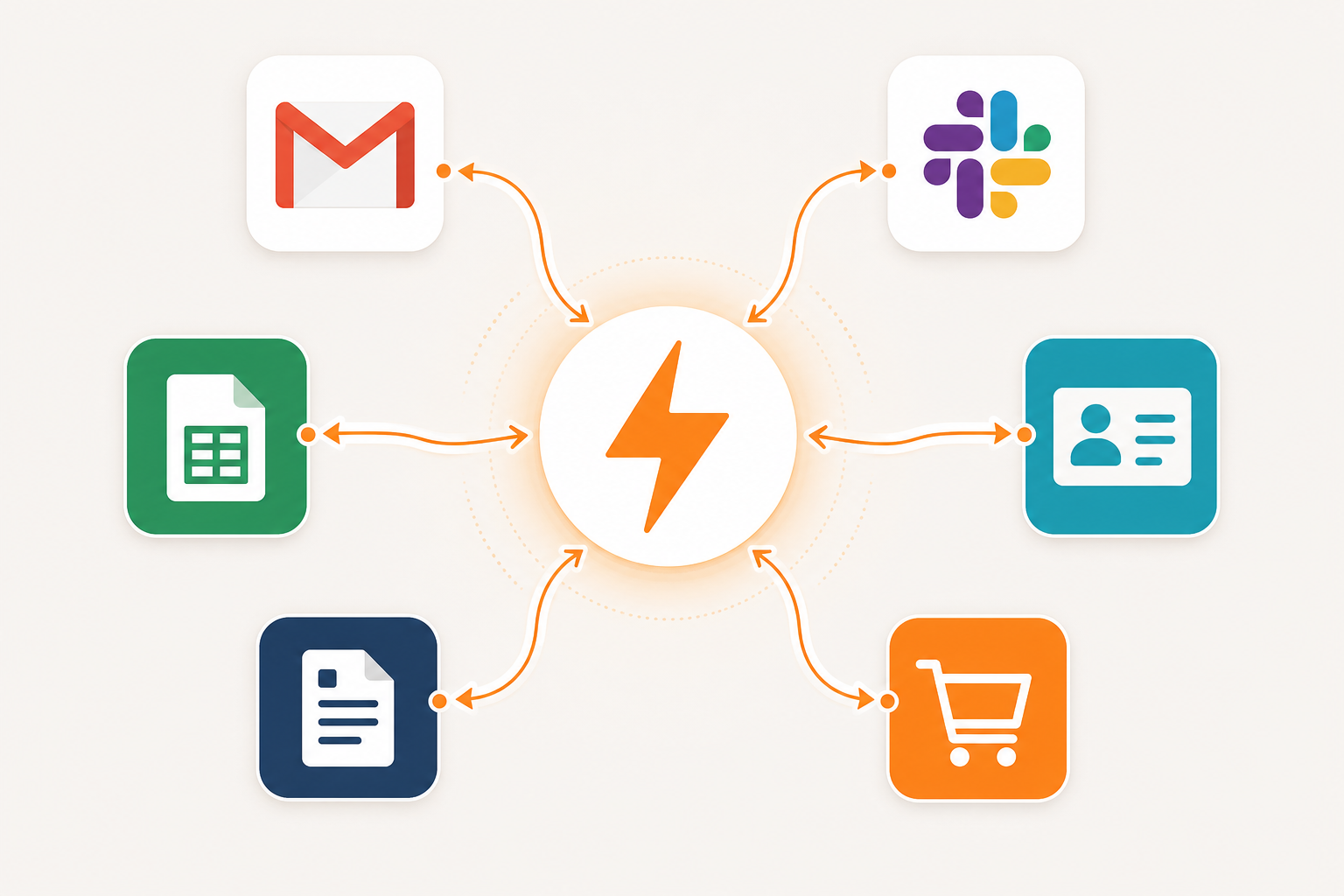
Zapier is a cloud-based automation platform that connects web apps and moves data between them automatically, without requiring code. The core unit of Zapier is a Zap — an automated workflow made up of a trigger and one or more actions.
- Trigger: The event that starts the Zap. Examples: a new row added to a Google Sheet, a form submission in Typeform, or a new deal created in HubSpot.
- Action: What Zapier does in response. Examples: create a Slack message, add a row to Airtable, or send an email via Gmail.
- Task: The unit Zapier uses to meter your plan usage. One successfully completed action = one task.
When Zapier checks for new data — say, polling Gmail every two minutes to look for new emails — that polling is free. A task is only counted when Zapier successfully completes an action, such as creating a record in another app. If an action fails or is filtered out before running, it does not count against your quota.
A multi-step Zap with four action steps running 100 times consumes 400 tasks. That compounding effect is the most important thing to understand before choosing a plan.
Key Features: What You Can Build with Zapier
Zapier has expanded well beyond simple two-step automations. Here is what the platform actually includes in 2026, and — critically — which features count against your task quota and which do not.
Core Automation: Multi-Step Zaps
Multi-step Zaps let a single trigger kick off a chain of actions across multiple apps. A typical example: when a new lead fills out a form, Zapier simultaneously adds them to a CRM, sends a Slack notification, and creates a follow-up task in Asana. Each of those three actions consumes one task per Zap run.
Multi-step Zaps are available on the Professional plan and above. The Free plan is limited to two-step Zaps (one trigger, one action only).
Built-In Logic Tools — Free, No Task Cost
Several of Zapier's most useful features do not consume tasks at all. This is an underappreciated cost-control lever that many users overlook.
- Filter by Zapier: Stops a Zap from running unless specific conditions are met. Zero task cost.
- Paths by Zapier: Branches your Zap into conditional if/then logic. Zero task cost for the path step itself.
- Formatter by Zapier: Transforms text, numbers, and dates (e.g., reformatting a phone number or splitting a full name). Zero task cost.
- Delay by Zapier: Pauses a Zap for a set time before continuing. Zero task cost.
- Looping, Sub-Zap, Digest, Storage, Zapier Manager: Also free and do not count as tasks when used within a Zap.
Tables and Forms
Zapier Tables is a lightweight database included on all plans. Zapier Forms lets you collect data through custom forms. Both are available at no extra cost, and actions involving Tables or Forms within a standard Zap do not count as tasks.
Copilot: Natural-Language Zap Building
Zapier Copilot is an AI assistant built into the Zap editor. You describe what you want in plain language — or via voice — and Copilot generates a Zap structure, suggests field mappings, and inserts filters and paths where appropriate. It can also troubleshoot errors in existing Zaps.
Copilot scaffolds the workflow but does not complete configuration on its own. You still need to authenticate apps and confirm field mappings. Think of it as a capable first draft, not a fully automated builder.
On paid plans, Copilot messages are unlimited. On the Free plan, daily message limits apply.
Zapier MCP: Connecting AI Agents to 9,000+ Apps
Zapier MCP (Model Context Protocol) is a gateway that lets AI tools — Claude, ChatGPT, Cursor, and others — trigger Zapier actions through a single authenticated connection. Instead of building a separate integration for each AI tool, you authorize Zapier MCP once and expose whichever app actions you choose.
MCP is available on all plans. The cost is 2 tasks per tool call — meaning each time an AI agent uses Zapier MCP to perform an action, it draws two tasks from your monthly quota. This applies to all MCP tool calls, including Tables and Forms actions accessed via MCP.
Zapier Agents: A Separate Product
Zapier Agents is a distinct product from Zaps. Agents are AI workers that can act autonomously — monitoring inputs, making decisions, and executing multi-app actions without a fixed trigger-action chain. They run on a separate activity-based pricing model: the Free tier includes 400 activities per month; the Pro tier costs $33.33 per month (billed annually) for 1,500 activities.
Agents activities and Zap tasks are separate meters. Using Agents does not draw from your Zaps task quota, and vice versa.
Canvas: Visual Process Mapping
Canvas is a visual diagramming tool inside Zapier for mapping out workflows before building them. It is useful for planning complex multi-step automations with stakeholders who are not in the Zap editor. Copilot can generate Canvas diagrams from a description before any Zap is built.
Zapier Pricing: Every Plan Explained (Verified June 2026)
| Plan | Annual Rate (per month) | Monthly Rate (per month) | Tasks / Month | Users | Polling Interval | Key Limits |
|---|---|---|---|---|---|---|
| Free | $0 | $0 | 100 | 1 | 15 minutes | Two-step Zaps only; Copilot with daily message limits; no email support |
| Professional | $19.99 | $29.99 | 750 (scalable) | 1 | 2 minutes | Multi-step Zaps; webhooks; all AI products; email support |
| Team | $69 | $103.50 | 2,000 | Up to 25 | 1 minute | Shared workspaces; SAML SSO; Premier Support |
| Enterprise | Custom | Custom | Annual limit (no monthly expiry) | Unlimited | 1 minute | VPC peering; Observability; Technical Account Manager |
Professional Plan Task Scaling Tiers
The Professional plan does not lock you into 750 tasks. You can scale the task limit upward at a higher monthly cost, still billed annually:
| Tasks / Month | Annual Rate (per month) |
|---|---|
| 750 | $19.99 |
| 2,000 | $49 |
| 5,000 | $89 |
| 10,000 | $149 |
| 20,000 | $299 |
| 50,000 | $599 |
| 100,000 | $999 |
Overage Policy
When you exceed your plan's monthly task limit, Zapier switches to pay-per-task billing at 1.25× the cost of a base task on your subscription. If you reach three times your plan's task ceiling, your Zaps pause until the next billing cycle.
Understanding Task Consumption: What Counts and What Doesn't
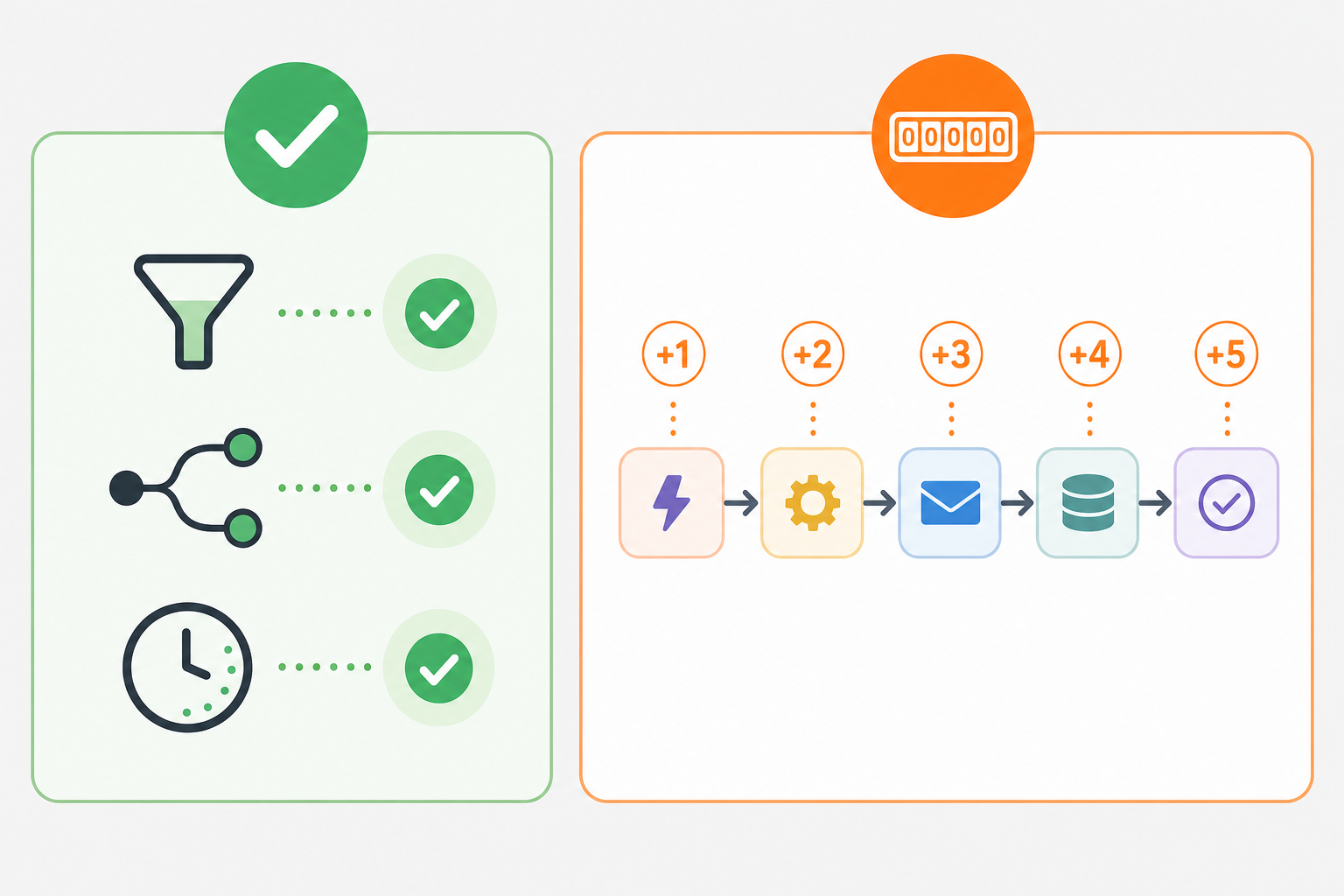
Task counting is the most common source of billing surprises on Zapier. The core rule is simple: each successful action step in a Zap consumes one task. But the implications compound quickly in multi-step workflows.
A Concrete Example
A Zap with five action steps that runs 200 times per day consumes 1,000 tasks per day — or roughly 30,000 tasks per month. That exceeds the Professional plan's 10,000-task tier ($149/month) and approaches the 50,000-task tier ($599/month). This is not an edge case; it is a realistic scenario for any team running order processing, lead enrichment, or notification automations at moderate volume.
What Does NOT Count as a Task
- Filter by Zapier steps (even if they stop the Zap from continuing)
- Paths by Zapier steps
- Formatter by Zapier steps
- Delay by Zapier steps
- Tables and Forms actions used within a standard Zap (not via MCP)
- Looping by Zapier, Sub-Zap, Digest, Storage by Zapier, Zapier Manager
- Trigger polling (Zapier checking for new data)
- Failed actions (a step that errors out does not consume a task)
What DOES Count as a Task
- Each successfully completed action step in a Zap (one task per step, per run)
- Each MCP tool call (2 tasks per call, regardless of which app is involved)
| Scenario | Tasks Consumed |
|---|---|
| Trigger fires, Filter stops the Zap | 0 |
| Trigger fires, 1 action runs successfully | 1 |
| Trigger fires, 3 action steps run successfully | 3 |
| Trigger fires, Formatter step + 2 action steps run | 2 (Formatter is free) |
| AI agent makes 1 MCP tool call to Zapier | 2 |
| AI agent makes 5 MCP tool calls to Zapier | 10 |
Zapier's Genuine Strengths
9,000+ App Integrations — More Than Any Competitor
Zapier's integration library is its most defensible advantage. With over 9,000 supported apps, it connects tools that no other automation platform covers. Make has approximately 1,500 integrations; n8n has around 400. If your stack includes a niche CRM, a regional payment processor, or a specialized e-commerce tool, Zapier is far more likely to have a pre-built connector than any alternative.
Genuine Ease of Use for Non-Technical Users
Most non-technical users can build their first working Zap in under ten minutes. The interface guides you step-by-step through selecting a trigger app, choosing an event, authenticating, and mapping fields to an action. Copilot's natural-language builder lowers the bar further — describe what you want, and Zapier generates the structure.
Zapier's pre-built Zap templates (thousands are available) let users start from a working example rather than a blank canvas. For marketing, ops, and RevOps teams without engineering support, this matters.
Free Logic Tools That Reduce Task Costs
Filters, Paths, Formatter, and Delays are free — they do not consume tasks. For teams that use these tools strategically (for example, filtering out irrelevant triggers before action steps run), the effective task cost per workflow can be significantly lower than a naive task-count estimate suggests.
Reliability and Vendor Stability
Zapier maintains a 99.9% uptime SLA. The platform has been profitable since 2014, with approximately $310 million in annual recurring revenue and over 100,000 paying customers. The risk of Zapier shutting down or being abruptly acquired and pivoted is low — a meaningful consideration when you are building business-critical automations on top of a platform.
Honest Weaknesses and Hard Limits
Task Costs Escalate Quickly at Scale
The task-based pricing model is Zapier's most significant practical limitation for growing teams. A five-step Zap running 200 times per day consumes 1,000 tasks daily — exceeding the entire Professional plan's 750-task monthly limit in under an hour. At 5,000 tasks per month, Zapier charges $89/month; at 50,000 tasks, $599/month. Comparable task volumes on Make cost roughly $35–50 and $100–150 respectively, based on practitioner comparisons.
E-commerce teams processing hundreds of daily orders, SDR teams running lead enrichment across thousands of weekly contacts, and social media teams scheduling high-volume posts are all at risk of task-cost sticker shock within the first billing cycle.
No Mobile App
Zapier has no mobile app. You cannot create, edit, pause, or monitor Zaps from your phone. For a platform valued at $5 billion in 2021 with over 100,000 paying customers, this is a conspicuous gap — particularly for freelancers and solopreneurs who manage workflows on the go.
15-Minute Polling on the Free Plan
Free plan Zaps check for new data every 15 minutes. For time-sensitive workflows — responding to a new lead, processing a payment notification, or routing a support ticket — a 15-minute delay is often unacceptable. Professional plan polling is 2 minutes; Team is 1 minute. Real-time triggers (webhooks) require the Professional plan or above.
Cloud-Only Architecture — No Self-Hosting
All data flowing through Zapier passes through Zapier's cloud servers. There is no self-hosted option. For organizations with data residency requirements, strict data sovereignty policies, or internal security mandates against third-party data processors, this is a hard disqualifier.
Not HIPAA-Compliant — No BAAs Available
Vague Error Messages in Complex Zaps
Simple two- or three-step Zaps are easy to debug. Complex multi-step Zaps with Paths, loops, and conditional logic are not. When something breaks, Zapier's error messages frequently identify which step failed without explaining why in enough detail to fix it quickly. Teams running sophisticated automations often spend significant time in the error history trying to reconstruct what happened.
Genuine Vendor Lock-In
Zapier does not provide a bulk export of your Zap logic. If you decide to migrate to another platform, each Zap must be rebuilt manually in the destination tool. For organizations with hundreds of Zaps, Tables data, and Interfaces built on top of Zapier, the migration cost is substantial. Practitioner estimates put a full migration of a large Zapier setup at 80 or more hours of manual work — which is why many teams stay with Zapier not because it is the best fit, but because leaving is too costly.
Who Zapier Is Best For
Zapier fits a specific profile well. If your situation matches these descriptions, it is likely a strong choice.
- Non-technical marketing, ops, or RevOps teams who need to build and maintain automations without engineering support. Zapier's UI and Copilot are the most accessible in the market for this audience.
- Teams with diverse or unusual app stacks where the breadth of 9,000+ integrations is the deciding factor. If your CRM, payment tool, or scheduling app is not on Make or n8n, Zapier may be the only viable no-code option.
- Freelancers and solopreneurs running moderate-volume workflows across client tools. The Professional plan at $19.99/month (annual) covers most solo use cases up to a few thousand tasks per month.
- E-commerce operators connecting Shopify, WooCommerce, or similar platforms to CRMs, shipping tools, and customer communication apps — provided order volumes stay within a manageable task budget.
- Organizations where multiple non-engineers need to build automations independently. The Team plan's shared workspaces and 25-user limit support distributed automation ownership without requiring a central technical gatekeeper.
For most of these audiences, the Professional plan is the practical entry point. The Free plan's 100-task limit and two-step restriction make it suitable for personal experimentation or testing a specific integration — not for any real business workflow.
Not for You If…
- You run high-volume automations on a tight budget. At 5,000 tasks per month, Zapier costs $89/month; Make covers comparable volumes for roughly $35–50/month. At 50,000 tasks, the gap is even larger. If task volume is high and cost per operation matters, Make or n8n will be cheaper.
- You work in a HIPAA-regulated environment. Zapier does not support HIPAA and will not sign a BAA. Any workflow touching protected health information is off-limits.
- You need real-time or sub-minute automation latency. Even on the Team plan, Zapier's minimum polling interval is 1 minute. Webhook-triggered Zaps are faster but still not instantaneous. If your workflow requires near-real-time response, Zapier's architecture may not meet the requirement.
- Your organization has data sovereignty or self-hosting requirements. All data flows through Zapier's cloud. There is no on-premise or self-hosted deployment option. n8n is the primary self-hosted alternative.
- You are a technically advanced team comfortable with APIs or self-hosted infrastructure. n8n gives developer-oriented teams full control, self-hosting capability, and free usage at scale. Direct API integrations may also be more efficient for teams with engineering resources.
Data Portability, Vendor Risk, and Lock-In
Vendor Stability: Low Platform-Abandonment Risk
Zapier is financially stable by the standards of the SaaS industry. The company has been profitable since 2014, generates approximately $310 million in annual recurring revenue, and has over 100,000 paying customers. It is not a venture-backed startup burning cash toward an uncertain exit. The risk of Zapier shutting down, being acquired and pivoted, or dramatically changing its product direction without warning is low.
Data Portability: Weak Export Tooling
The picture changes when you consider what happens if you want to leave. Zapier does not offer a bulk export of Zap logic. Your automations exist inside Zapier's interface and cannot be exported as portable files that another platform can import. Tables data requires manual extraction. If you have built dozens or hundreds of Zaps, each one must be manually recreated in the destination platform.
Practitioners who have attempted this migration estimate the effort at 80 or more hours for a large Zapier setup. That is not a theoretical concern — it is a documented reason many teams remain on Zapier despite finding better-priced alternatives.
- Zap logic: no bulk export; must be rebuilt manually in any destination platform
- Tables data: requires manual extraction; no automated migration tooling
- App authentication credentials: must be re-established in the new platform
- Zap run history and logs: not portable
Alternatives Worth Knowing
Zapier is not the only option. Depending on your priorities, one of these alternatives may be a better fit.
- Make (formerly Integromat): A visual, scenario-based automation builder with approximately 1,500 integrations. Better suited for complex, branching workflows that benefit from a visual canvas. Significantly cheaper per operation at scale — a meaningful advantage for high-volume use cases. The trade-off is a steeper learning curve and fewer app integrations than Zapier.
- n8n: An open-source, self-hostable automation platform with approximately 400 integrations. Free at scale when self-hosted, with full data control. Best suited for technically capable teams comfortable with infrastructure management. Not appropriate for non-technical users or organizations without engineering resources.
- Microsoft Power Automate: The natural choice for organizations already on Microsoft 365. Deep integration with Teams, SharePoint, Outlook, and Dynamics. Licensing is often included in existing Microsoft agreements, making it cost-effective for Microsoft-first environments. Less suited for teams with diverse non-Microsoft app stacks.
If you are comparing Zapier directly against Make or n8n on specific criteria — cost at scale, visual workflow design, or self-hosting capability — a dedicated head-to-head comparison will give you a more complete picture than this profile can provide.