
The hard part of choosing an AI tool for digital marketing in 2026 is not finding options. It is deciding which ones deserve a permanent place in the workflow. One industry roundup cites roughly 15,384 martech solutions in the current landscape, while 88% of marketers say they use AI in some capacity. The same adoption story gets less impressive when only 6% have embedded AI into daily workflows, because that is where drafts, campaigns, approvals, data handoffs, and reporting actually live.[1]
That gap matters more than the logo count. Marketers using AI report saving an average of 11–13 hours per week, and marketing automation ROI estimates remain strong, including a reported $5.44 returned per $1 spent and roughly 300% ROI within six months for AI marketing deployments.[1][2] Those figures are useful as directional signals, not as a promise that a new subscription will fix a messy campaign process. If the team saves time creating assets but then loses it moving copy, audiences, UTM links, and reports between disconnected tools, the stack is still leaking.

The useful rule is simple: do not buy seven disconnected tools just because there are seven marketing categories, and do not assume one vendor covers every category well. Most small and mid-sized teams will get farther with three to five tools that integrate cleanly than with a best-in-class experiment in every lane. If tool sprawl is already the problem, start with a narrower view of the AI tools you actually need before approving another trial.
The Seven Categories Worth Comparing
A practical marketing AI stack usually touches seven areas: content production, SEO, email marketing, design and media, social media management, analytics, and automation/CRM. Selection guidance from Sitecore and MarTech.org both points toward business fit, data readiness, governance, integration, and measurable impact rather than buying tools because they are labeled AI.[4][5]
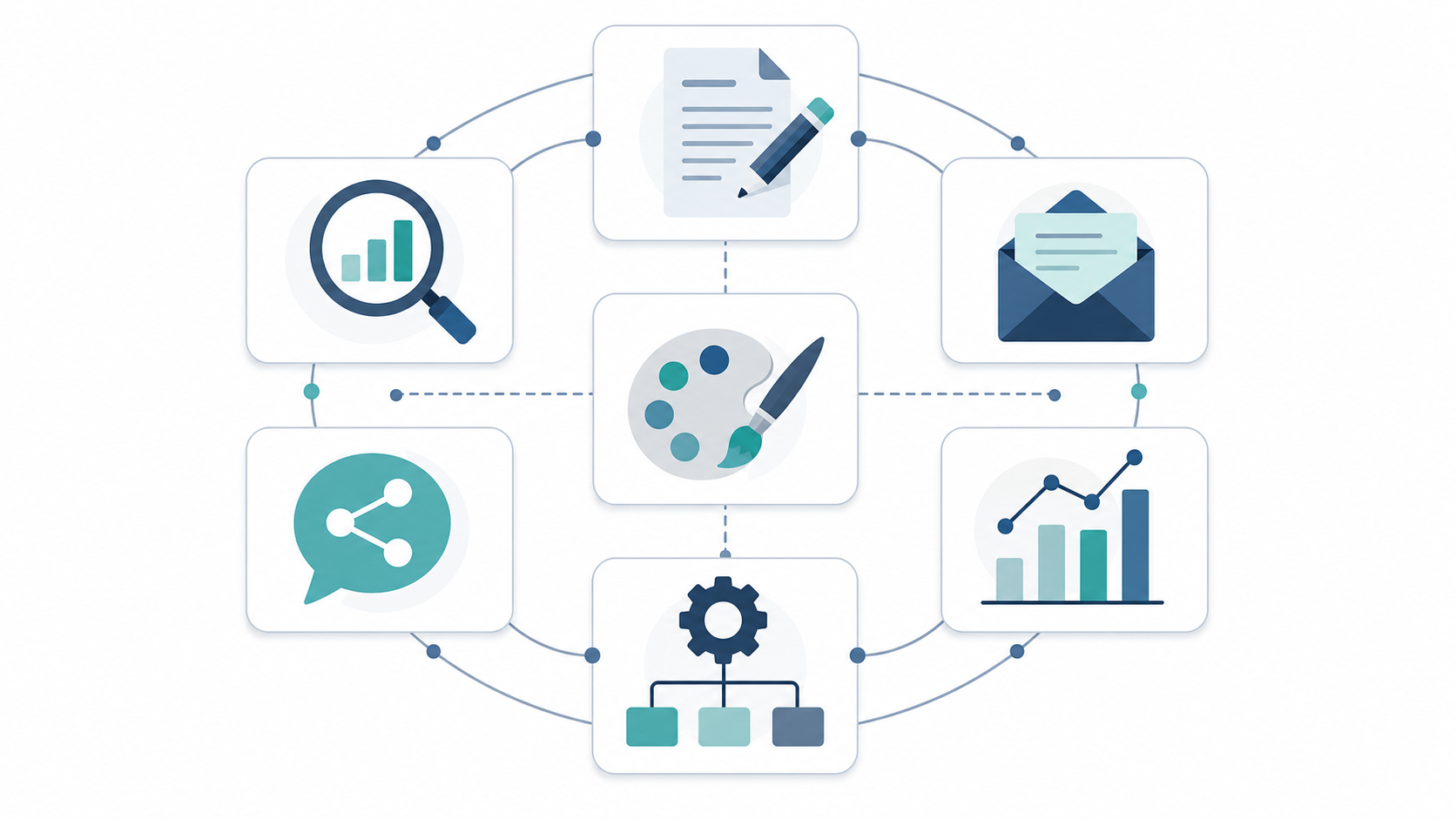
| Category | Top pick | Runner-up | Prioritize if | Can wait if |
|---|---|---|---|---|
| Content production | ChatGPT Plus / Team | Claude | Your team needs briefs, drafts, variants, repurposing, and campaign copy faster. | You already have strong editorial capacity and only need occasional ideation. |
| SEO | Semrush | Ahrefs | Organic search is a major acquisition channel and you need keyword, competitor, and content gap workflows. | SEO is not a current growth channel or your site lacks publishing capacity. |
| Email marketing | HubSpot | ActiveCampaign | Email, CRM records, landing pages, and automation need to stay close together. | You only send simple newsletters and do not need behavior-based sequences. |
| Design/media | Canva Pro | Adobe Firefly | Non-designers create campaign graphics, simple ads, and social assets every week. | Your design team already handles production and brand controls centrally. |
| Social media management | Sprout Social | Buffer | You manage multiple channels, approvals, publishing calendars, and performance reporting. | You post lightly and can schedule natively without losing much time. |
| Analytics | Supermetrics | Google Analytics 4 + Looker Studio | Reporting depends on joining paid, organic, email, CRM, and web data. | Your reporting needs are limited to one or two native dashboards. |
| Automation/CRM | HubSpot | Zapier | Lead capture, lifecycle stages, handoffs, and follow-up rules need one accountable system. | You only need lightweight app-to-app triggers and already have a CRM. |
Content Production: ChatGPT First, Claude When Review Quality Matters
Content production is usually the first AI category teams try because the output is visible immediately: a brief becomes a draft, a webinar becomes social posts, a messy product note becomes a landing page outline. Zapier’s 2026 roundup places general AI assistants and writing tools at the center of modern AI marketing workflows, while Semrush’s content marketing tool coverage emphasizes the role of AI in ideation, optimization, and scaling production.[6][7]
Top pick: ChatGPT Plus or Team. It is the most flexible starting point for teams that need one assistant across briefs, landing page copy, ad variants, email drafts, research synthesis, content repurposing, and internal workflow documentation. It is not a substitute for strategy, editing, or subject-matter review. The win is that it removes the blank page and makes structured iteration easier.
Runner-up: Claude. Claude is often the better fit when longer documents, tone control, review notes, and careful rewriting matter more than broad tool ecosystem familiarity. For marketing teams that produce thought leadership, sales enablement, or executive content, the review experience can be more important than raw output speed. If you are deciding between the major assistants, compare ChatGPT, Claude, and Gemini before adding a specialist writing app.
- Best for: Small teams that need one dependable AI writing and thinking layer across many marketing tasks.
- Watch out for: Unreviewed factual claims, generic brand voice, duplicated ideas across channels, and content that sounds polished before it is accurate.
- Pricing posture: Low monthly subscription for individual use; team plans add administration and collaboration. Verify current pricing before rollout.
- Not for you if: You need a full editorial calendar, SEO workflow, approvals, CMS publishing, and performance reporting in the same product.
SEO: Semrush Is the Safer Default, Ahrefs Is the Strong Research Alternative
SEO is where AI can either improve throughput or create a pile of mediocre pages. The useful workflow is not “generate more articles.” It is finding realistic opportunities, understanding search intent, improving briefs, refreshing existing content, and measuring whether organic visibility changes after the work goes live. Semrush’s 2026 content marketing tool review focuses on AI-assisted content and SEO workflows, while broader marketing tool roundups continue to treat SEO as a distinct category rather than a feature buried inside a general assistant.[7][6]
Top pick: Semrush. It is the stronger default when SEO, competitive research, keyword planning, content optimization, and reporting need to sit in one operating system. The advantage is workflow coverage: marketers can move from keyword discovery to competitive analysis to content recommendations without stitching together every step manually.
Runner-up: Ahrefs. Choose it when backlink intelligence, competitor content research, and SERP investigation are the center of the job. Many teams will not need both Semrush and Ahrefs at the same time. If the content manager wants briefs and optimization inside one process, Semrush usually wins. If the SEO lead spends more time investigating links, competitor pages, and organic visibility patterns, Ahrefs can be the better seat.
| SEO decision | Choose Semrush when | Choose Ahrefs when |
|---|---|---|
| Primary user | Content marketer, SEO generalist, growth manager | SEO specialist, competitive researcher, link-focused team |
| Workflow center | Keyword planning, content optimization, competitive tracking | Site exploration, backlink research, competitor page analysis |
| Main limitation | Can become expensive or underused if SEO is not a real growth priority | May require more SEO judgment to turn research into a publishing workflow |
| Best fit | Teams publishing and updating content consistently | Teams with deeper SEO research needs |
Email Marketing: HubSpot for Connected CRM Workflows, ActiveCampaign for Automation Depth
Email looks like a messaging category until the handoffs start. Someone captures a lead, someone scores or segments it, someone sends follow-up, someone checks pipeline impact, and someone has to explain why the list, CRM, and campaign report disagree. This is why email and automation decisions should not be made separately for most teams.
Top pick: HubSpot. HubSpot is the better default when email marketing, CRM records, landing pages, forms, lifecycle stages, and basic automation need to live together. It is especially useful for small teams that cannot afford a separate owner for every handoff. The free CRM also makes it viable in a starter stack, though costs can rise as contacts, seats, hubs, and automation needs expand.[1]
Runner-up: ActiveCampaign. ActiveCampaign is the stronger choice when the email automation layer is more important than having an all-in-one marketing and sales suite. It fits teams that need branching automations, segmentation, nurture paths, and customer journeys without immediately moving the whole business into a larger CRM platform.
The buying question is not just “Which email tool has AI?” It is whether the tool can reduce handoff friction. If you are comparing lifecycle builders directly, use a more detailed ActiveCampaign, HubSpot, and Klaviyo workflow comparison before committing.
- Best for HubSpot: Teams that want CRM, forms, email, automation, and reporting in one maintainable system.
- Best for ActiveCampaign: Teams that already understand their customer journeys and need deeper email automation.
- Watch out for: Contact-tier pricing, add-ons, CRM migration effort, and automations nobody owns after launch.
- Not for you if: You only send a simple monthly newsletter and do not need segmentation, lead capture, or lifecycle reporting.
Design and Media: Canva Pro Covers Most Small-Team Production
Design and media tools are easy to overbuy because demos look good. The operational question is narrower: can a non-designer produce acceptable campaign assets without waiting three days, breaking brand rules, or creating files nobody can reuse?
Top pick: Canva Pro. For many small teams, Canva Pro is the practical choice because it combines templates, brand assets, resizing, simple collaboration, and AI-assisted creation in a workspace non-designers can understand. It belongs in the starter stack because it turns routine graphics, decks, social posts, and lightweight ads into repeatable work rather than design tickets.[1]
Runner-up: Adobe Firefly. Firefly is a stronger fit when the team already works inside Adobe tools or needs more serious generative image workflows with creative control. It is less compelling as a standalone purchase for a small marketing team that mainly needs fast campaign production.
| Need | Better fit | Why |
|---|---|---|
| Weekly social graphics, simple ads, presentations, resized campaign assets | Canva Pro | Speed, templates, brand kits, and low training overhead matter most. |
| More advanced generated imagery inside a creative production workflow | Adobe Firefly | It fits teams already invested in Adobe-style creative processes. |
| Strict brand governance across many regions or business units | Enterprise design system or DAM workflow | A lightweight AI design tool alone will not solve approval and asset-control problems. |
Social Media Management: Sprout Social for Governance, Buffer for Simplicity
Social AI features are useful, but scheduling and approvals still decide whether the workflow holds. GWI’s 2026 AI marketing tools roundup treats social media, audience insight, and analytics as distinct use cases, which is the right separation: writing a caption is not the same as running a multi-channel publishing process.[8]
Top pick: Sprout Social. Sprout Social is the better choice for teams managing multiple channels, approval paths, reporting needs, inbox workflows, and brand visibility. It is not the cheapest way to schedule posts, but it can reduce the coordination drag that appears once social becomes more than one person posting from native apps.
Runner-up: Buffer. Buffer is the cleaner fit for lean teams that need scheduling, basic planning, and a lighter operating model. If social is important but not complex, Buffer may be enough. If customer care, approvals, listening, and executive reporting matter, Sprout Social is easier to defend.
- Best for Sprout Social: Multi-channel teams that need approvals, publishing structure, and performance visibility.
- Best for Buffer: Small teams that want simple scheduling without adding a heavy platform.
- Watch out for: Paying for social intelligence features when the real bottleneck is still content approval.
Analytics: Supermetrics When Reports Depend on Multiple Data Sources
Analytics is where tool sprawl becomes visible. A team can tolerate one extra writing app, but it cannot make good decisions when paid search, organic search, email, CRM, social, and revenue data sit in separate dashboards. Supermetrics’ 2026 marketing AI roundup emphasizes growth and ROI use cases, with analytics and reporting treated as a core operating layer rather than a back-office extra.[9]
Top pick: Supermetrics. It is the strongest fit when the job is moving marketing data from many platforms into spreadsheets, dashboards, warehouses, or BI tools that the team already uses. The AI value is not only insight generation; it is reducing manual reporting work and making recurring reporting less fragile.
Runner-up: Google Analytics 4 plus Looker Studio. This combination is enough for teams whose reporting starts with web behavior and a small number of acquisition channels. It is also easier to justify when budget is tight. The limitation appears when the team needs joined reporting across ad platforms, email tools, CRM stages, and revenue outcomes.
| Reporting situation | Recommended choice | Reason |
|---|---|---|
| One website, light campaign reporting, limited paid media | GA4 + Looker Studio | Native and low-cost reporting may be sufficient. |
| Multiple ad platforms plus SEO, email, and social reporting | Supermetrics | Connectors reduce manual exports and recurring report maintenance. |
| Revenue attribution across CRM and marketing channels | Supermetrics plus CRM reporting discipline | The data model matters as much as the dashboard. |
Do not buy an analytics connector before deciding who owns definitions. If “lead,” “MQL,” “opportunity,” and “campaign influenced” mean different things in different systems, AI summaries will only make inconsistent reporting sound more confident.
Automation and CRM: HubSpot for the System of Record, Zapier for the Gaps
Automation is the category most likely to expose whether AI is actually embedded in the workflow. An AI assistant can help write a follow-up email, but automation decides who receives it, when it sends, what happens after a click, who gets notified, and where the activity is recorded. Zapier’s AI marketing tools coverage gives automation a central role because connecting work across apps is now part of the marketing AI stack, not a separate IT chore.[6]
Top pick: HubSpot. Use HubSpot as the automation/CRM anchor when the team needs one place for contacts, companies, lifecycle stages, forms, email engagement, sales handoff, and campaign reporting. The biggest advantage is accountability: the CRM record becomes the place where marketing activity and follow-up logic meet.
Runner-up: Zapier. Zapier is the right tool when the team already has a CRM or database and needs reliable bridges between apps. It can connect form submissions, spreadsheets, project management tasks, notifications, enrichment steps, and follow-up actions without forcing an immediate platform migration. It is less ideal as the only source of truth because automation logic scattered across many zaps can become its own maintenance burden.
If you are considering more autonomous workflows, compare AI agents in marketing automation after the basic CRM and data-readiness questions are settled. For implementation planning, a data-readiness guide for AI marketing automation workflows is more useful than another feature tour.
- Best for HubSpot: Teams that need CRM, automation, forms, email, and reporting tied to one contact record.
- Best for Zapier: Teams that already have core systems and need practical app-to-app automation.
- Watch out for: Invisible automations, unclear ownership, duplicate records, and triggers that break when a field name changes.
- Not for you if: Nobody has time to document, test, and maintain workflows after launch.
What a Realistic Stack Looks Like
The market does not need another universal winner. A useful stack starts with the constraint: budget, channel mix, data maturity, and the number of people available to maintain it. Small business adoption is already moving quickly: 54% of small businesses were reported to use AI marketing tools in Q1 2026, with adoption projected to exceed 80% by the end of 2026.[3] That does not mean every small business needs an enterprise stack. It means the low end of the market now needs better selection discipline.
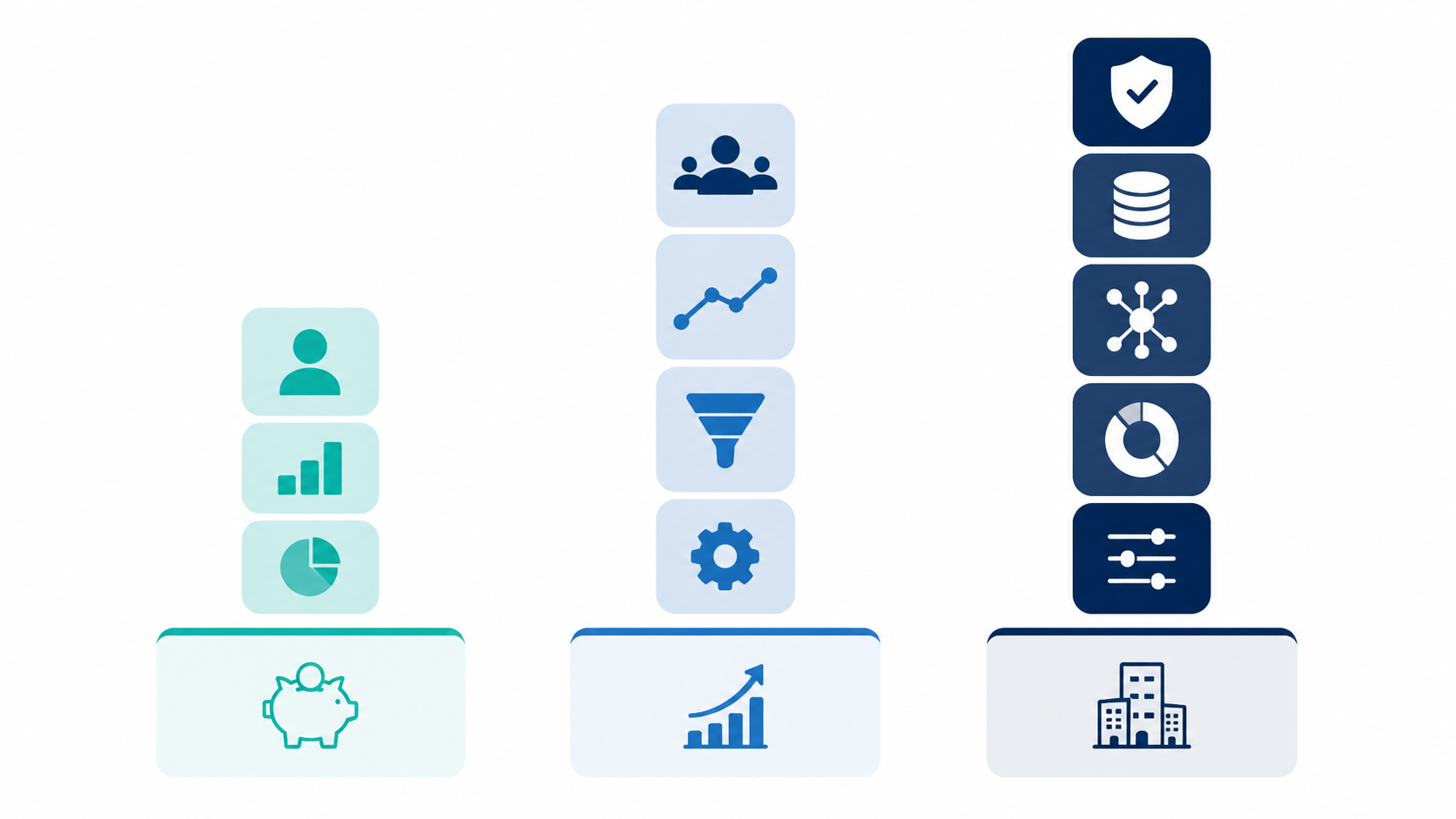
| Stack type | Core tools | Approximate monthly posture | What it covers | What can wait |
|---|---|---|---|---|
| Budget starter | ChatGPT Plus + Canva Pro + HubSpot Free | Roughly $70–150/month, depending on current plan choices and add-ons[1] | Content drafting, simple campaign graphics, basic CRM, forms, and lightweight follow-up | Dedicated SEO suite, advanced social management, multi-source analytics connector |
| Growing marketing team | ChatGPT or Claude + Semrush + HubSpot or ActiveCampaign + Canva Pro | Mid-market subscription mix; verify contact tiers, seats, and usage limits | Content, SEO, email automation, CRM or lifecycle workflows, and repeatable asset production | Enterprise social listening, warehouse-grade reporting, autonomous agent workflows |
| Reporting-heavy team | Content assistant + Semrush or Ahrefs + HubSpot + Supermetrics + design/social tool as needed | Higher monthly spend driven by data connectors, CRM tiers, and channel count | Acquisition planning, campaign execution, CRM handoffs, and cross-channel reporting | Extra point solutions that do not feed the reporting model |
| Enterprise or multi-team | CRM/automation platform + analytics connector/warehouse workflow + SEO suite + governed content assistant + approved design/social systems | Enterprise pricing and procurement; confirm security, admin, data, and implementation costs | Governance, permissions, data movement, reporting consistency, and controlled AI usage | Unowned experiments outside the approved workflow |
For the budget starter, the point is not that those three tools solve every marketing problem. They cover the work most likely to unblock a small team: drafting, visual production, lead capture, and basic follow-up. If you want a broader small-business setup, compare it with the entrepreneur AI tools stack before adding subscriptions.
For the growing team, the first serious upgrade is usually SEO or email automation, not another writing tool. If organic search drives pipeline, add Semrush or Ahrefs. If leads are coming in but follow-up is inconsistent, invest in HubSpot or ActiveCampaign first. If you are unsure whether the CRM or automation layer is the bottleneck, use a marketing automation vs. CRM workflows decision guide before migrating platforms.
For enterprise and multi-team environments, the stack decision becomes less about which tool writes the best paragraph and more about permissions, data movement, auditability, approvals, and ownership. Teams comparing automation maturity by lifecycle stage should review marketing automation workflows by stage before treating AI agents or advanced orchestration as the next obvious purchase.
How to Choose Without Overbuilding
Start with the category that removes the most expensive bottleneck. If the team cannot publish, choose content and design first. If it publishes but does not rank, choose SEO. If leads arrive but stall, choose email automation and CRM. If nobody trusts the numbers, choose analytics before another acquisition tool.
- Map the current workflow from idea to published campaign to report. Mark every handoff that requires copying, exporting, reformatting, or waiting.
- Choose one anchor system: usually CRM/automation for lead-driven teams, analytics for reporting-heavy teams, or content/SEO for publishing-led teams.
- Add category specialists only where the anchor system is clearly weak and the team will use the specialist weekly.
- Check integration paths before trialing features. Native integrations, reliable connectors, and clean export options matter more than a flashy demo.
- Assign an owner for AI instructions, templates, automations, permissions, reporting definitions, and renewal reviews.
Pricing deserves its own pass because the sticker price is rarely the whole cost. Seats, contact tiers, credits, generated media usage, data connectors, premium support, implementation, and migration can all change the buying decision. For automation and CRM tools, especially, review real marketing automation pricing by contact volume before assuming a starter plan will scale cleanly.
The right AI tool for digital marketing is rarely the one with the longest feature list. It is the one that fits the next operational constraint without creating three new ones. For most teams in Q3 2026, that means a compact stack: one content assistant, one production or SEO tool if publishing matters, one CRM/email automation anchor, and one analytics layer once reporting becomes too manual. Add design or social management when those workflows are weekly pain points, not because the category exists.
References
- Best AI Marketing Tools in 2026: The Complete Comparison — Marketing Mary
- AI Marketing ROI Statistics 2026: 50+ Sourced Data Points — Zigment AI
- By Year’s End, 4 In 5 Small Businesses Will Use AI Marketing Tools — Forbes, February 11, 2026
- How to choose the best AI marketing tools — Sitecore
- How to choose the right marketing AI tools for real business impact — MarTech.org
- The 17 best AI marketing tools in 2026 — Zapier
- 10 Best AI Content Marketing Tools for 2026 (Tried & Tested) — Semrush
- 25 AI marketing tools you need to get ahead in 2026 — GWI
- 31 Best AI tools for marketing for growth and ROI [2026] — Supermetrics