
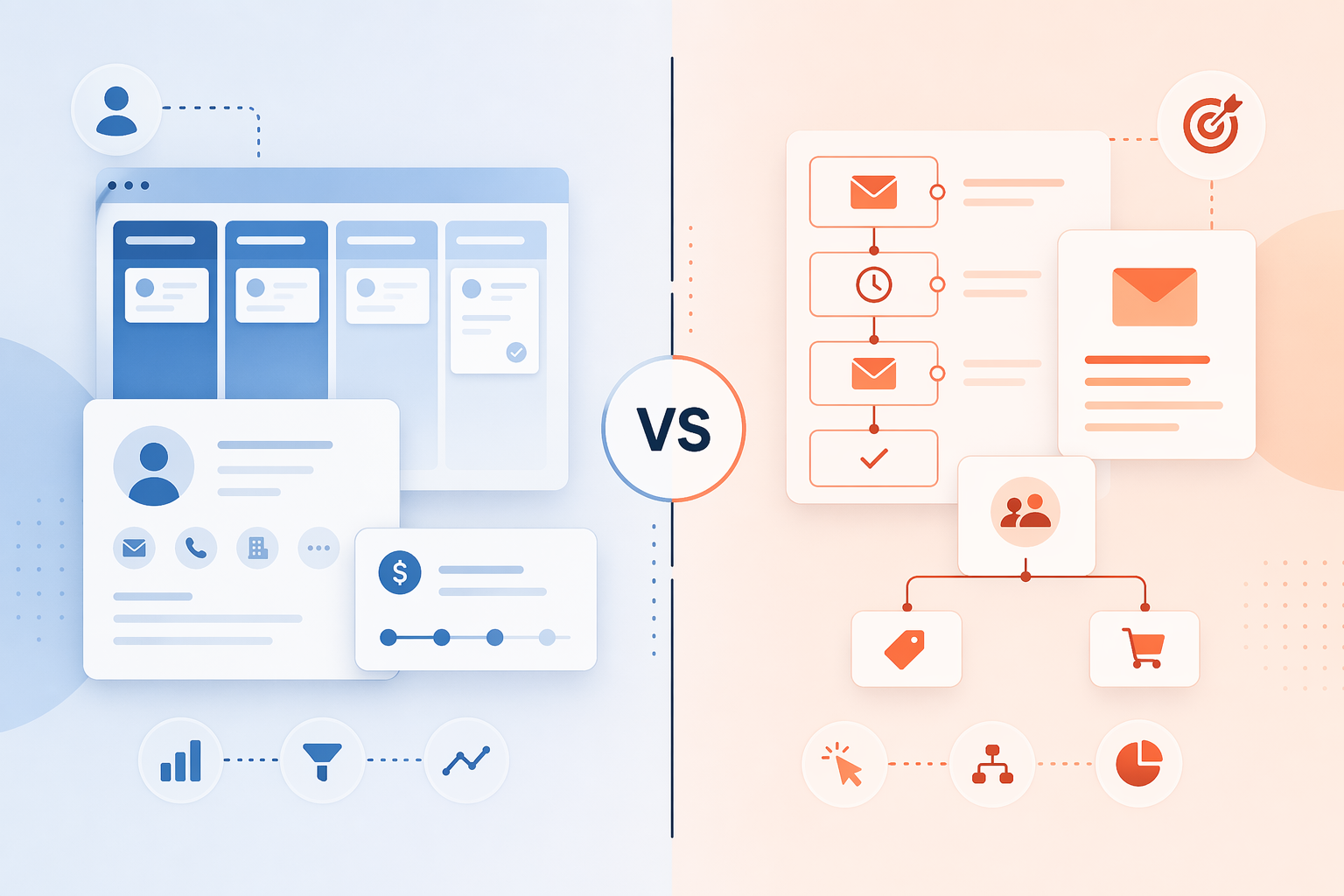
Why CRM and Marketing Automation Feel the Same (But Aren't)
If you have spent any time evaluating sales and marketing software recently, you have likely noticed that the boundaries between CRM platforms and marketing automation tools have become frustratingly blurry. CRM systems now include email sequencing and basic campaign builders. Marketing automation platforms now store contact profiles and track deal stages. The result is a market where a small business owner can sign up for a "CRM" and get a functional email automation tool, or buy a "marketing automation" platform and find themselves managing a pipeline.
This convergence is not accidental. According to data from Email Vendor Selection, 45% of companies say automation is the primary feature they want in a CRM tool. Vendors have responded by bolting automation features onto CRM systems and adding contact management to marketing platforms. The result is a market full of tools that can do a bit of everything, but rarely excel at both core functions equally.
The core distinction has not changed, however. A CRM is built to manage relationships and track a sales pipeline. Its data model centers on individual contacts, companies, deal stages, and interaction history. A marketing automation tool is built to execute multi-step, behavior-triggered campaigns at scale. Its data model centers on audience segments, campaign flows, conversion events, and engagement scores. The decision between the two comes down to which of these jobs you need done first.
CRM vs. Marketing Automation: A Side-by-Side Feature Comparison
The table below maps the key differences across the dimensions that matter most when choosing a platform. Use it to identify which category aligns with your primary pain point.
| Dimension | CRM (e.g., Salesforce, HubSpot CRM, Pipedrive) | Marketing Automation (e.g., ActiveCampaign, Klaviyo, Brevo) |
|---|---|---|
| Primary function | Manage relationships, track deal stages, log interactions | Execute multi-step, behavior-triggered campaigns at scale |
| Data model | Contact, company, deal, activity log | Audience segment, campaign flow, conversion event, engagement score |
| Typical triggers | Manual user action, deal stage change, scheduled task | Website visit, email open, link click, purchase, form submission |
| Campaign complexity | Simple email sequences, basic task automation | Conditional branching, lead scoring, A/B testing, multi-channel flows |
| Reporting focus | Pipeline value, win rate, sales activity, forecast | Conversion rate, campaign ROI, engagement metrics, attribution |
| Best-fit audience | Sales teams, B2B service businesses, deal-driven orgs | Marketing teams, eCommerce stores, content-driven businesses |
If your daily workflow revolves around moving deals through stages and logging calls, you need a CRM first. If your primary challenge is sending the right message at the right time based on what a contact does, you need marketing automation first. The table also reveals why so many businesses end up with both: the two systems solve different problems that are deeply interdependent.
Five Scenarios That Tell You Which Tool You Need
Abstract comparisons are useful, but concrete scenarios make the decision obvious. Below are five common situations small business owners and marketing managers face. Match yours to the recommendation.
- You need to track deal stages and follow up manually. You have a small sales team and your main problem is knowing where each prospect is in the pipeline and remembering to follow up. You do not need complex email sequences yet. Recommendation: Start with a CRM. A tool like HubSpot's free CRM or Pipedrive gives you pipeline visibility and basic task reminders without the overhead of a full marketing automation platform.
- You want to send a welcome series triggered by a website signup. A visitor fills out a form on your site, and you want them to receive a three-email welcome sequence over the next week, then get tagged based on which links they click. Recommendation: Start with marketing automation. Brevo's free plan includes marketing automation for up to 2,000 contacts, making it the lowest-risk entry point for this exact use case.
- You run an eCommerce store needing cart abandonment flows. Your store sees a 70% cart abandonment rate, and you want to recover those sales with automated email sequences. Research shows that abandoned cart workflows recover 10-30% of lost carts, with 25-40% of recovered carts converting from the first email alone. Recommendation: Choose a pure-play marketing automation tool built for eCommerce, such as Omnisend or Klaviyo. These platforms outperform CRM hybrids for this specific use case.
- You need to score leads based on behavior and pass hot leads to sales. Your marketing team generates hundreds of leads per month, but sales only wants to call the ones that are ready to buy. You need lead scoring based on email engagement, website visits, and form submissions, then automatic assignment to a sales rep. Recommendation: You need both. A marketing automation platform handles the scoring and behavior tracking; a CRM manages the handoff and deal tracking. ActiveCampaign is a strong combined option here, as its Plus plan with the CRM add-on starts at $108/month for 1,000 contacts.
- You run a B2B service business with long sales cycles. Your deals take three to six months to close, involve multiple stakeholders, and require regular check-ins. Your main challenge is not campaign volume but relationship tracking and pipeline forecasting. Recommendation: Start with a CRM. HubSpot's free CRM gives you deal stages, contact history, and meeting scheduling. If you later need nurture campaigns, you can upgrade to Marketing Hub, which starts at $890/month with a mandatory $3,000+ onboarding fee.
How Leading Platforms Bridge the Gap: ActiveCampaign, HubSpot, and Brevo
Several platforms now offer combined CRM and marketing automation capabilities, but they sit at different points on the spectrum. Understanding where each one lands helps you choose the right starting point.
| Platform | Best For | Starting Price (MA) | CRM Included? | Key Caveat |
|---|---|---|---|---|
| ActiveCampaign | Best all-rounder for combined CRM + automation | $15/month (Starter) | No — CRM requires Plus plan ($108/month for 1,000 contacts) | Starter plan lacks CRM; full value requires Plus tier |
| HubSpot | Best free CRM with seamless MA upgrade path | $890/month (Marketing Hub Professional) | Yes — free CRM is robust and standalone | Marketing automation requires $890/month + $3,000+ onboarding fee |
| Brevo | Best low-risk entry point for small businesses | $8.08/month (Marketing Platform) | Yes — free CRM included | Advanced automation features limited on lower tiers |
ActiveCampaign is frequently cited as the best sales and marketing all-rounder, according to Email Vendor Selection. Its strength lies in the depth of its automation builder — it includes a large library of multilingual workflows and AI-powered campaign building. However, the $15/month Starter plan does not include the CRM. To get the combined experience, you need the Plus plan at $108/month for 1,000 contacts and one user.
HubSpot's best value proposition is its free CRM, which is genuinely useful on its own. It includes contact management, deal tracking, meeting scheduling, and basic email templates. The connection to Marketing Hub is seamless, which is why many businesses start with the free CRM and upgrade later. The catch is the price jump: Marketing Hub Professional starts at $890/month billed annually, and Venture Harbour reports a mandatory $3,000+ onboarding fee.
Brevo offers the lowest-risk entry point. Its free plan includes email campaigns, basic automated sequences, and sales pipelines — effectively a combined CRM and marketing automation tool for up to 2,000 contacts. The paid Marketing Platform starts at $8.08/month. For a solopreneur or very small team testing the waters, Brevo is hard to beat on price.
When You Need Both: Using Zapier as the Glue
Many businesses eventually reach a point where they need both a CRM and a dedicated marketing automation tool. The CRM handles the pipeline and relationship history; the marketing automation platform handles the behavior-triggered campaigns. The challenge is making them talk to each other.
Zapier is the most practical bridge for small and mid-sized businesses. It connects hundreds of apps without requiring custom development. The integration pattern is straightforward: one system creates or updates a record, and the other system responds with an action.
- New CRM contact triggers a marketing automation campaign. When a sales rep adds a new contact to your CRM (e.g., Pipedrive or HubSpot), Zapier can automatically add that contact to a specific marketing automation list or trigger a welcome sequence in ActiveCampaign or Brevo.
- Campaign engagement score updates a CRM deal stage. When a contact reaches a certain engagement score in your marketing automation tool (e.g., opened three emails and visited a pricing page), Zapier can update the deal stage in your CRM and notify the assigned sales rep.
- Form submission creates a CRM contact and starts a campaign. A single website form submission can simultaneously create a contact record in your CRM and enroll that contact in a nurture campaign in your marketing automation tool.
The key is to decide which system is the source of truth for contact data. Most businesses designate the CRM as the primary record for contact information and deal stage, and the marketing automation tool as the primary record for engagement data and campaign history. Zapier keeps the two synchronized without requiring manual data entry.
Decision Flow Chart: CRM, Marketing Automation, or Both?
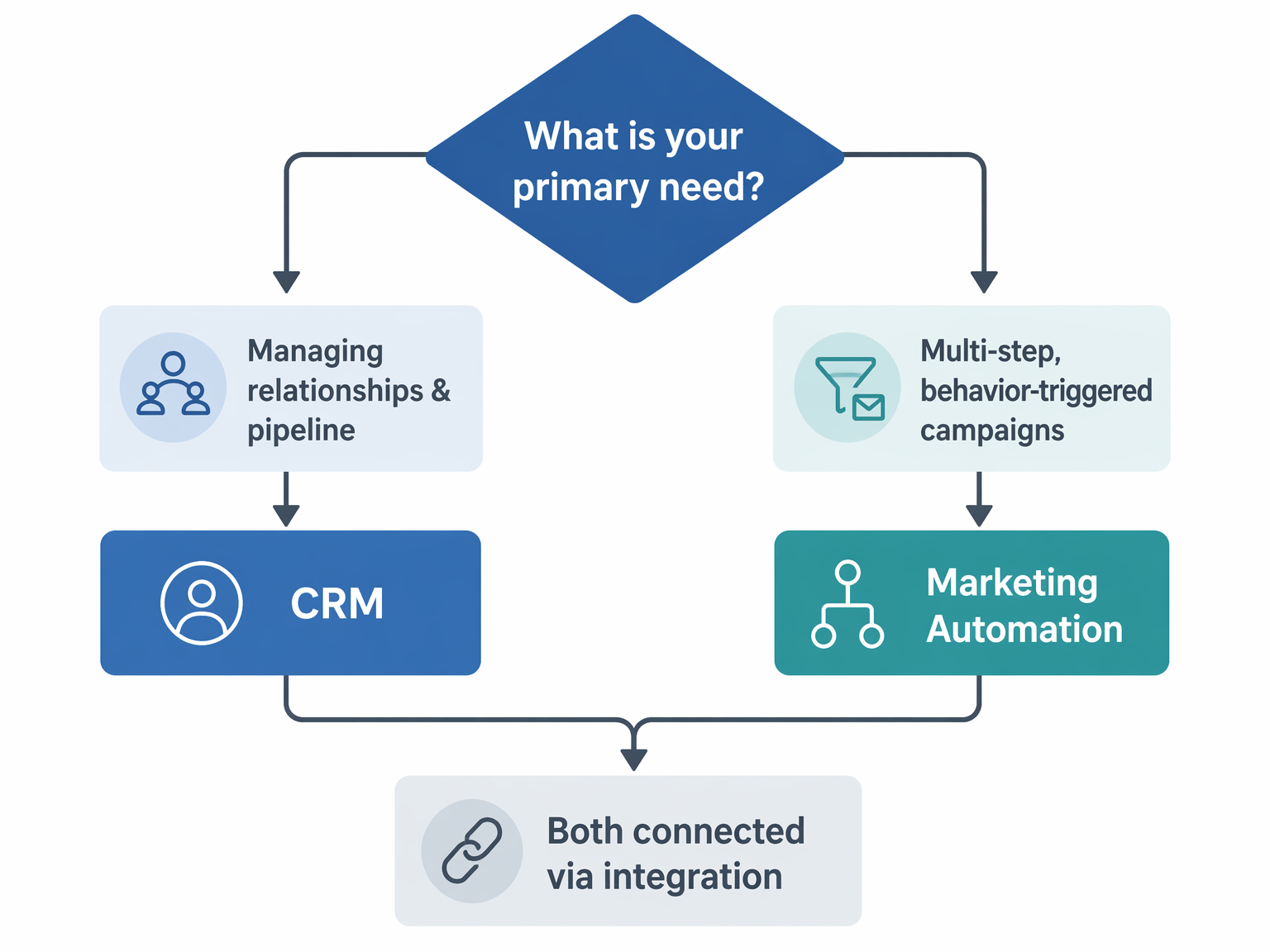
If you prefer a text-based version of the same logic, follow these questions in order:
- Do you need to track individual deal stages and manage a sales pipeline? If yes, you need a CRM. If no, skip to question 2.
- Do you need to send multi-step, behavior-triggered campaigns? If yes, you need marketing automation. If no, skip to question 3.
- Did you answer yes to both questions 1 and 2? If yes, you need both. Start with a combined platform like ActiveCampaign or Brevo, or choose a CRM-first approach (HubSpot free CRM) and add marketing automation later. If you answered no to both, you may not need either tool yet — consider starting with a simple email marketing tool or a spreadsheet-based pipeline tracker.
Verdict by Business Type: Where to Start
The right starting point depends on your business model, team size, and primary revenue driver. Below are concise recommendations for common business profiles.
- Solopreneur / Freelancer. Start with Brevo. Its free plan includes both a CRM and marketing automation for up to 2,000 contacts. You get pipeline tracking, email campaigns, and basic automation in one tool with zero upfront cost.
- Small Business (2-10 employees). Start with ActiveCampaign if you need both CRM and automation from day one. The Plus plan at $108/month for 1,000 contacts gives you a combined platform without managing two separate tools. If your primary need is pipeline tracking, start with HubSpot's free CRM.
- Growing Team (10-50 employees). Start with HubSpot's free CRM for sales, and evaluate whether you need Marketing Hub Professional ($890/month) for automation. At this scale, the $3,000+ onboarding fee is a significant investment, so confirm that the automation features justify the cost before committing.
- eCommerce Store. Start with a pure-play marketing automation tool like Omnisend ($16/month) or Klaviyo ($20/month). These platforms are built for cart recovery, post-purchase flows, and product recommendations. Add a CRM later if you need deal tracking for wholesale or B2B channels.
- B2B Service Business. Start with a CRM. HubSpot's free CRM or Pipedrive gives you the pipeline visibility and contact history you need for long sales cycles. Add marketing automation later for lead nurturing once you have enough inbound volume to justify the investment.
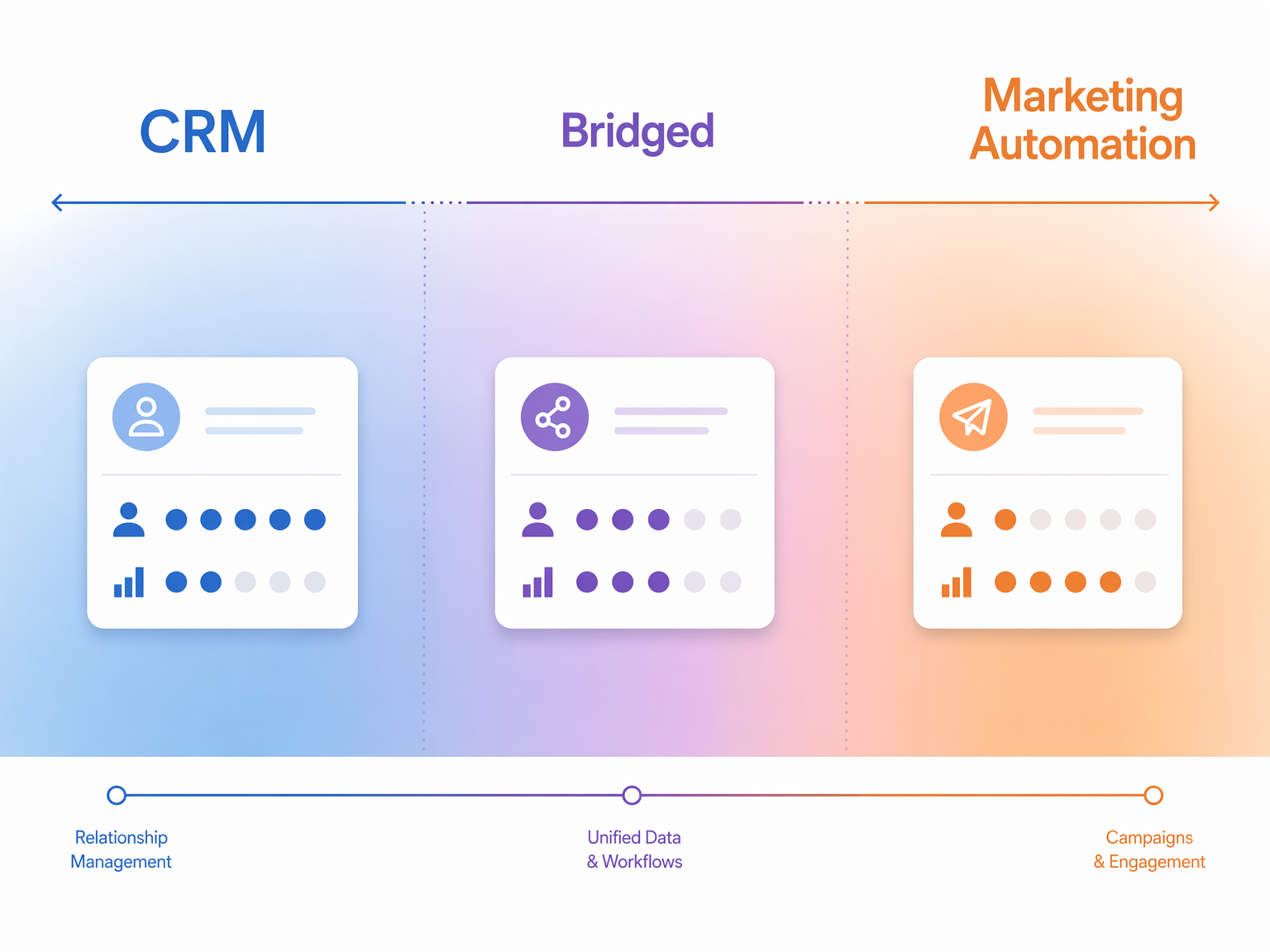
The most important takeaway is that this is not a permanent choice. Most businesses that start with a CRM eventually add marketing automation, and vice versa. The goal is to pick the right starting point for your current bottleneck, not to predict every future need. Start where the pain is most acute, and build from there.