
Why Single-Tool AI Buying Creates a Tool Graveyard
The pattern is predictable. A team lead hears about a new AI scheduling assistant, signs up for a trial, and adds it to the workflow. A week later, a colleague discovers a meeting transcription tool and buys a seat. Before long, the team is paying for six different AI subscriptions — none of which talk to each other. The scheduling tool doesn't know when meetings are booked. The transcription app saves files to a folder nobody checks. The workspace AI can't access the data locked inside the communication tool.
This is not a hypothetical scenario. According to a Zapier survey, 78% of enterprises struggle to integrate AI with their current tech stacks. The problem isn't a lack of good AI tools — it's a lack of coordination between them. Each purchase makes sense in isolation, but together they form a disjointed, overpriced collection that creates more friction than it removes.
The alternative is a deliberate, layered approach. Instead of asking "which AI tool is best?" the smarter question is "which combination of AI tools works together as a system?" The data backs this up: companies using generative AI report an average ROI of 3.7x per dollar invested (WalkMe, 2026), and early adopters saw an average 15.2% revenue increase from generative AI in 2024 (Vention). But those returns come from integration, not accumulation.
The 5-Layer Stack Framework: How AI Tools Should Work Together
Think of your AI productivity stack as a five-layer system. Each layer handles a distinct function, and data flows between them through an orchestration backbone. When a meeting ends, the transcription layer captures the notes, the orchestration layer pushes them into the workspace, and the scheduling layer automatically adjusts your calendar. No manual copy-paste. No forgotten files.
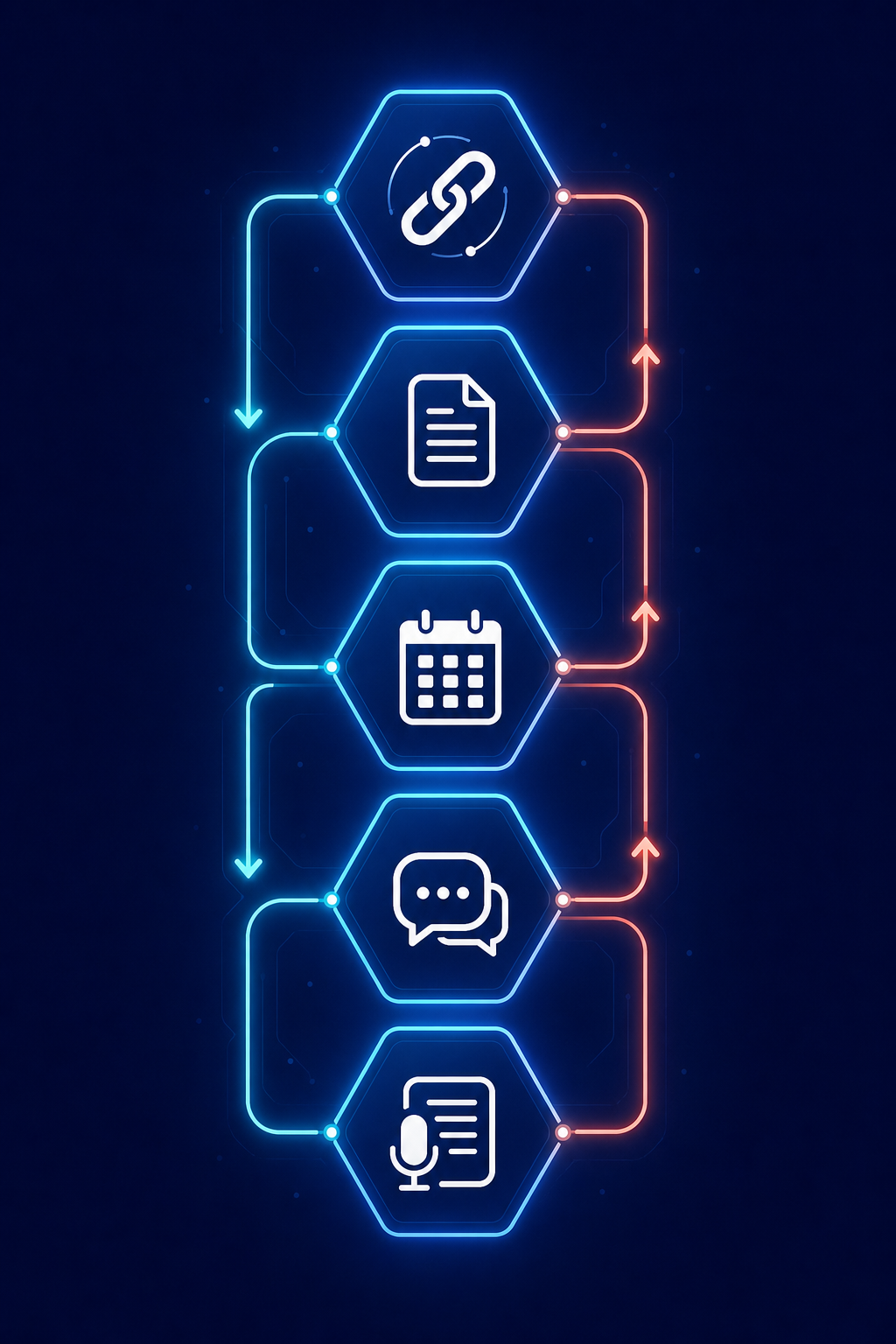
Here is how the five layers break down:
- Orchestration Layer (Zapier) — The central nervous system. It connects all other tools, moves data between them, and triggers actions based on events. Zapier connects 9,000+ apps and serves as the backbone for the entire stack.
- Workspace Layer (Notion AI) — The knowledge hub. All meeting notes, project documents, and research live here. Notion AI provides grounded Q&A over your workspace content, so you can ask questions and get answers drawn from your own data.
- Scheduling Layer (Reclaim / Motion) — The time manager. These tools automatically schedule tasks, protect focus blocks, and reschedule when conflicts arise. Reclaim starts at $12/seat/month; Motion ranges from $34 to $49/month.
- Communication Layer (Slack) — The real-time hub. Slack AI can summarize channel discussions and huddle recordings, reducing the need to scroll through hundreds of messages.
- Meeting Intelligence Layer (Fireflies / Granola) — The capture layer. These tools transcribe meetings, extract action items, and push summaries into the workspace automatically.
A Workforce Labs study cited by Slack found that workers who use AI daily are 64% more productive, enjoy 58% better focus, and report 81% greater job satisfaction. But those gains depend on the tools working as a system — not as standalone purchases.
Top Picks Per Layer: Pricing, Features, and Integration Notes
Below is a detailed look at the recommended tool for each layer. Pricing was last verified in June 2026 and is subject to change — always check official sources before purchasing.
| Layer | Recommended Tool | Starting Price | Key Integration | Best For |
|---|---|---|---|---|
| Orchestration | Zapier | $29.99/month (paid plans) | Connects 9,000+ apps; triggers and actions across all layers | Teams needing cross-app automation without code |
| Workspace | Notion AI | $10/member/month | Grounded AI Q&A over workspace content; integrates with Zapier | Knowledge workers who need a searchable knowledge base |
| Scheduling | Reclaim AI | $12/seat/month | Auto-protects focus time; reschedules conflicts; syncs with Google Calendar | Teams that struggle with calendar fragmentation |
| Scheduling (Alt) | Motion | $34–$49/month | Auto-schedules tasks and meetings; AI prioritization | Individuals who want task + calendar in one tool |
| Communication | Slack | $8.75/user/month | AI channel summaries; huddle recaps; Zapier integration | Teams that rely on real-time chat for daily work |
| Meeting Intelligence | Fireflies.ai | Free tier available; paid from $10/month | Auto-joins meetings; transcribes; pushes to Notion via Zapier | Sales and customer-facing teams with many calls |
| Meeting Intelligence (Alt) | Granola | Not publicly listed | AI note-taking; integrates with calendar and workspace tools | Knowledge workers who want lightweight meeting capture |
For a deeper comparison of orchestration tools, see our guide on Zapier vs Make vs n8n vs Gumloop. If you are unsure whether you need orchestration or simple automation, read our breakdown of workflow orchestration vs. automation.
Three Persona-Specific Stacks: Knowledge Worker, Sales Rep, Marketer
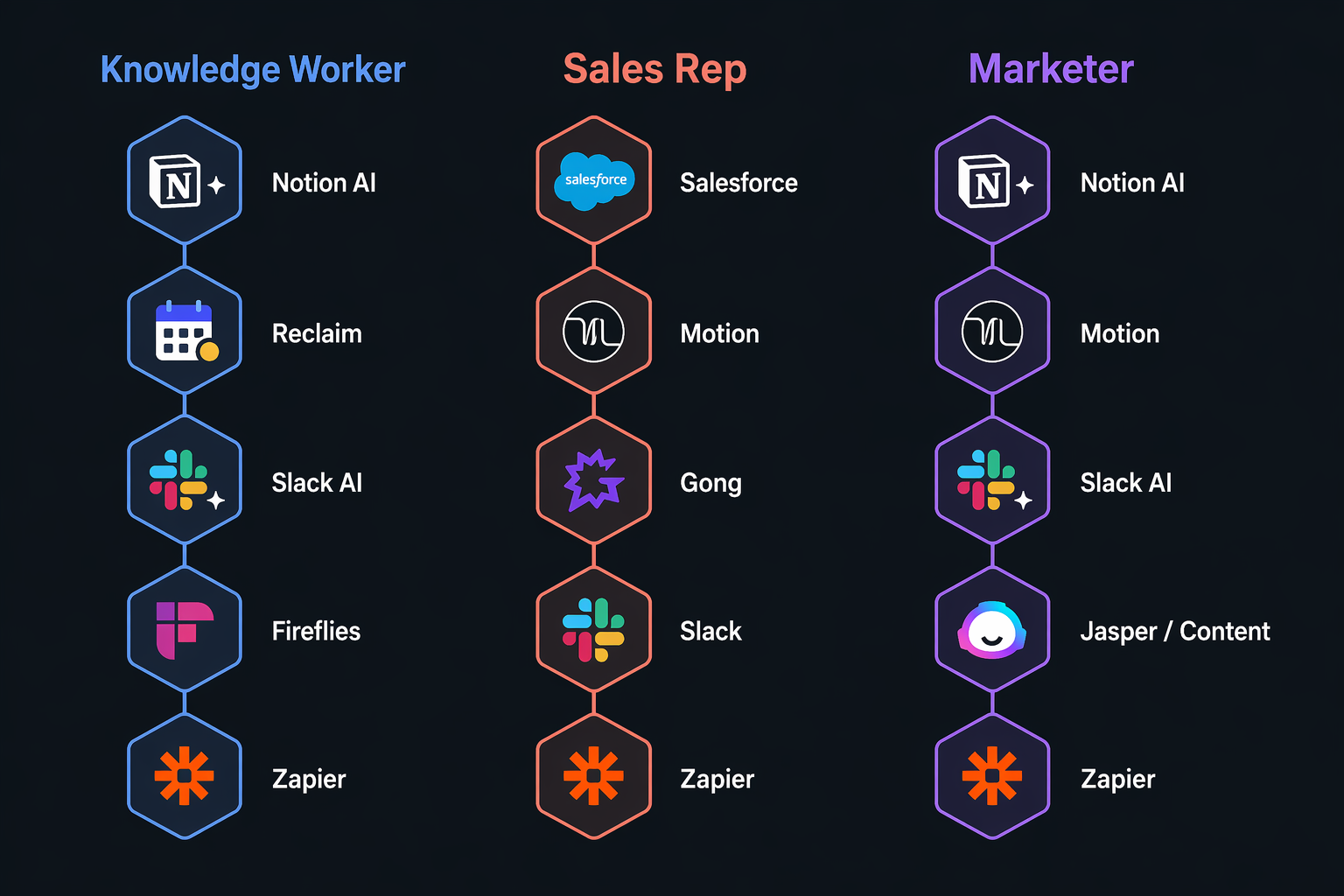
A one-size-fits-all stack doesn't exist. A knowledge worker who spends most of their day in documents needs a different configuration than a sales rep who lives in meetings. Below are three persona-specific builds, each optimized for how that role actually works.
Knowledge Worker Stack
The knowledge worker's day is split between deep-focus work, meetings, and asynchronous communication. The stack prioritizes protecting focus time and keeping knowledge accessible.
- Orchestration: Zapier — connects meeting transcriptions to the workspace and triggers calendar updates.
- Workspace: Notion AI — all notes, research, and project docs live here. The AI Q&A feature lets you ask questions across your entire knowledge base.
- Scheduling: Reclaim AI — automatically protects focus blocks and reschedules low-priority meetings when conflicts arise.
- Communication: Slack — channel summaries reduce the need to read every message.
- Meeting Intelligence: Granola — lightweight meeting capture that pushes action items into Notion.
Sales Rep Stack
Sales reps spend most of their time in calls and follow-ups. The stack is built around capturing meeting intelligence and moving it into the CRM and workspace without manual data entry.
- Orchestration: Zapier — pushes call transcripts and summaries into the CRM and Notion.
- Workspace: Notion AI — stores call notes, competitive research, and account plans.
- Scheduling: Motion — auto-schedules follow-up tasks and meeting prep blocks.
- Communication: Slack — deal rooms and channel summaries for team visibility.
- Meeting Intelligence: Fireflies.ai — auto-joins calls, transcribes, and extracts action items. Integrates directly with Notion via Zapier.
Marketer Stack
Marketers juggle content calendars, campaign data, cross-functional meetings, and creative tools. The stack focuses on keeping project context accessible and automating repetitive coordination.
- Orchestration: Zapier — connects campaign data from analytics tools into the workspace and triggers Slack notifications on key events.
- Workspace: Notion AI — content calendars, campaign briefs, and performance dashboards in one searchable space.
- Scheduling: Reclaim AI — protects content creation blocks and automatically reschedules when cross-functional meetings pop up.
- Communication: Slack — channel summaries for campaign threads and stakeholder updates.
- Meeting Intelligence: Granola — captures brainstorming sessions and creative brief discussions, pushing summaries into the relevant Notion pages.
Estimated Total Monthly Cost Per Persona
The table below shows the estimated monthly cost for each persona stack. All figures are per user per month unless noted. Pricing was last verified in June 2026.
| Tool | Knowledge Worker | Sales Rep | Marketer |
|---|---|---|---|
| Zapier | $29.99 | $29.99 | $29.99 |
| Notion AI | $10 | $10 | $10 |
| Reclaim AI | $12 | — | $12 |
| Motion | — | $34 | — |
| Slack | $8.75 | $8.75 | $8.75 |
| Fireflies.ai | — | $10 | — |
| Granola | TBD | — | TBD |
| Total (approx.) | $60.74 | $92.74 | $60.74 |
For a deeper analysis of which tools deliver the best return on investment, see our dedicated guide: AI Productivity Apps in 2026: Which Ones Actually Deliver ROI Per Dollar?.
Pitfalls to Avoid: Tool Overlap, Integration Debt, and Feature Bloat
Even with a stack framework in place, it is easy to fall into traps that erode the value of your investment. Here are the three most common mistakes we see teams make.
Tool Overlap
Many AI tools now bundle features that overlap with other layers. Motion includes task management and calendar scheduling. Notion AI includes project management. Slack includes huddle recordings. Before adding a new tool, audit whether its core function is already covered by an existing layer. If two tools both offer meeting transcription, pick one and disable the other's transcription feature.
Integration Debt
Every Zapier connection is a potential failure point. When a tool updates its API, a connection can break silently, and data stops flowing. Teams that build dozens of fragile one-off automations accumulate "integration debt" — a maintenance burden that grows faster than the productivity gains. The fix: start with the five core connections that matter most (meeting → workspace, workspace → scheduling, communication → workspace) and add new ones only when the manual work they replace exceeds the setup and maintenance cost.
Feature Bloat
It is tempting to buy the most expensive plan to get every AI feature a tool offers. But research from Microsoft (cited by Plus AI) found that 93% of AI power users say AI boosts their productivity — and those power users typically use a focused set of features, not every option in the menu. Start with the free or lowest-paid tier of each tool. Upgrade only when you have identified a specific feature gap that is costing you time.
Final Verdict: Start Here
The biggest productivity gain in 2026 will not come from a single AI app. It will come from a coordinated stack where each tool plays a specific role and data flows between them automatically. The 5-layer framework — orchestration, workspace, scheduling, communication, and meeting intelligence — gives you a blueprint for building that stack without ending up with a tool graveyard.
If you are starting from zero, begin with the orchestration layer. Zapier connects 9,000+ apps and gives you the infrastructure to add layers one at a time. Once Zapier is in place, add the workspace layer (Notion AI) so all your knowledge has a home. Then add scheduling, communication, and meeting intelligence in whatever order matches your biggest time drain.