
The Overbuying Trap: Why Most Teams Don't Need Orchestration
If you're reading this, you've probably heard the pitch: your simple Zapier automations are holding you back. You need workflow orchestration. You need to coordinate multi-system processes with dependency management, error handling, and real-time visibility. The vendors make it sound like a natural upgrade — like moving from a bicycle to a car.
Here's the uncomfortable truth: most teams that buy orchestration tools don't actually need them. They need better automation. And the difference matters because orchestration tools come with real costs — complexity, training, maintenance hours, and a steeper learning curve that can slow down the very workflows you're trying to accelerate.
The goal of this article is to give you a clear diagnostic framework — four questions you can answer in under five minutes — that will tell you whether orchestration is worth considering, or whether you should invest that energy into optimizing the automation tools you already have.
Automation vs. Orchestration: A Side-by-Side Comparison
Before we get to the diagnostic, let's establish a clear baseline. These terms get used interchangeably in marketing materials, but they describe fundamentally different capabilities.
Workflow automation executes individual tasks. A trigger happens — a form is submitted, an email arrives — and a predefined action runs. It's rules-driven and runs the same way every time. As IBM puts it, automation focuses on individual tasks while orchestration manages complete processes.
Workflow orchestration coordinates multiple automated tasks across different systems so they work together toward a larger business goal. It handles sequencing, dependency tracking, conditional branching, and error recovery. The Camunda team uses a useful metaphor: if automation is about getting cars to move, orchestration is about directing traffic flow — ensuring all the cars move in concert to prevent congestion.
| Capability | Automation (Zapier, Make) | Orchestration (n8n, Airflow, Camunda) |
|---|---|---|
| Scope | Single trigger-action pairs or simple linear sequences | Multi-step, multi-system processes with branching |
| Dependency management | Manual — steps run in order you define | Automatic — steps fire based on completion of upstream tasks |
| Error handling | Failed step stops the workflow; someone must notice and restart | Automatic retries, alerts, fallback paths, and escalation rules |
| Visibility | Per-step logs; no cross-process status view | Real-time dashboard showing where every process stands |
| Process logic location | In the workflow builder and the operator's head | Documented, auditable, and version-controlled in the orchestration layer |
| Typical users | Ops managers, marketers, small business owners | DevOps engineers, data engineers, enterprise architects |
If you're already familiar with these distinctions, feel free to skip ahead to the diagnostic. If you want a deeper dive into when upgrading makes sense, our detailed comparison covers that territory. Here, we're focused on a different question: do you actually need orchestration at all?
The 4-Question Diagnostic: Do You Actually Need Orchestration?
The diagnostic framework below is adapted from Teamwork.com's workflow orchestration guide. It consists of four yes-or-no questions. Answer them honestly for your most complex recurring process.
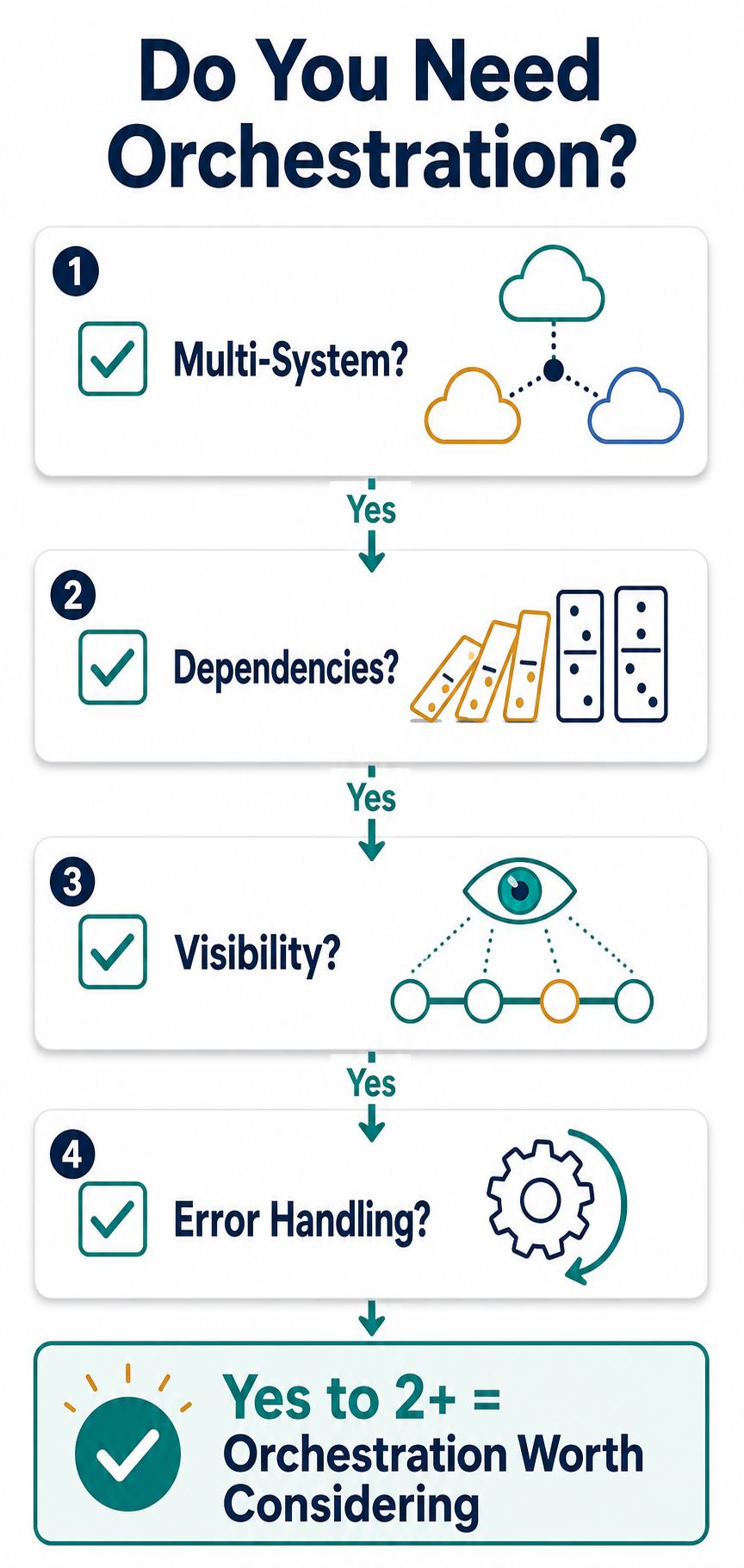
Question 1: Do your processes span more than one system or team?
A process that lives entirely inside a single tool — like moving a deal from "qualified" to "proposal sent" inside your CRM — probably doesn't need orchestration. But if your process touches your CRM, your billing system, your email platform, and your project management tool, you're in multi-system territory. Add a second team (sales passes to fulfillment, which passes to support) and the coordination problem compounds.
Question 2: Do certain steps depend on the completion of multiple previous steps?
Linear sequences — A then B then C — are well within the capabilities of tools like Make, which handles simple branching and basic logic. The threshold for orchestration is when a step needs to wait for two or more parallel tasks to finish before it can proceed. For example: "Send the onboarding email only after the account is created in the billing system AND the user's permissions are provisioned in the HR system." That's a dependency that simple automation tools handle poorly.
Question 3: Does your team need visibility into where a process currently stands?
If you're asking "Did the new hire get their laptop ordered?" and the answer requires checking three different systems, you have a visibility gap. Orchestration platforms provide a central dashboard showing the status of every active process — which steps completed, which are waiting, and which failed. Without orchestration, process logic lives in people's heads, and status checks become manual investigations.
Question 4: Do failed steps need to retry, alert someone, or trigger a fallback path?
In a simple automation, a failed step stops the entire workflow. Someone has to notice the failure, investigate, fix the issue, and manually restart the process. If your process is low-volume and non-critical, that's acceptable. But if a failed step means a missed SLA, a lost customer, or a compliance violation, you need automated error recovery — retries with backoff, escalation alerts, or conditional fallback paths that route around the failure.
This framework is adapted from Teamwork.com's workflow orchestration guide. Their research found that 92% of professional services firms say their current tools fall short on end-to-end workflows and integrations, with the top gaps being end-to-end workflows (33%) and tool integrations (40%). That statistic is often used to sell orchestration — but many of those gaps can be closed with better automation before you need a full orchestration platform.
Real-World Examples: Automation vs. Orchestration in Action
Let's apply the diagnostic to two common scenarios. The first is clearly automation. The second is a textbook orchestration case.
Example 1: Slack notification when a form is submitted (Automation)
A customer fills out a contact form on your website. You want a Slack message sent to your sales channel with the form details.
- Single system? Yes — the form tool and Slack are two systems, but the interaction is a simple pass-through with no state management.
- Dependencies? No — there's one trigger and one action. No step waits for multiple upstream tasks.
- Visibility needed? No — if the notification fails, someone notices they didn't get a Slack message and checks the form tool.
- Error handling needed? No — a missed notification is inconvenient, not critical. The form data is still captured.
Verdict: Zero "yes" answers. This is a textbook automation use case. A single Zapier Zap or Make scenario handles it perfectly. Buying an orchestration tool for this would be like hiring a traffic engineer to direct a single car.
Example 2: New employee onboarding (Orchestration)
A new hire accepts an offer. The onboarding process needs to: create the employee record in the HR system, provision accounts in IT (email, VPN, Slack), order equipment from the procurement system, assign training modules in the LMS, notify the office manager about desk assignment, and send a welcome message to the team — all in the correct sequence, with some steps running in parallel and others waiting for dependencies.
- Multi-system? Yes — HR, IT, procurement, LMS, Slack, and the office manager's task system.
- Dependencies? Yes — equipment ordering can't start until the employee record is created. The welcome message should wait for both IT provisioning and desk assignment to complete.
- Visibility needed? Yes — HR needs to know if IT provisioning failed before the employee's start date. The office manager needs to see whether equipment has been ordered.
- Error handling needed? Yes — if IT provisioning fails, someone needs to be alerted immediately. If equipment ordering is delayed, a fallback process should notify the hiring manager.
Verdict: Four "yes" answers. This process genuinely benefits from orchestration. The Camunda team describes a similar banking loan example where orchestration handles the full process — risk evaluation, automated decisions for clear cases, human review for borderline cases, automatic escalation if an application sits in a queue too long — all managed end-to-end with visibility into bottlenecks.
The Hidden Costs of Over-Buying Orchestration
Orchestration tools are powerful, but they come with costs that aren't obvious from a feature comparison page. Here's what you're actually signing up for.
- Increased complexity: Orchestration platforms introduce concepts like DAGs (directed acyclic graphs), task queues, worker pools, and state management. These are necessary for complex processes, but they add cognitive overhead for every workflow you build. A simple five-step automation that takes 30 minutes in Zapier might take two hours in Airflow.
- Training requirements: Your team needs to learn new tools, new terminology, and often new programming concepts. For non-technical ops managers, the learning curve can be steep enough to offset the efficiency gains for months.
- Ongoing maintenance: Self-hosted orchestration tools like n8n require someone to maintain the infrastructure. According to Leland's analysis, self-hosted n8n on a $20/month VPS costs roughly 2-4 hours of initial setup plus 1-2 hours a month of maintenance. At a $100/hour loaded rate, that's $1,200 to $2,400 per year in time costs — on top of the $20/month VPS.
- Harder debugging: When a complex orchestrated process fails, diagnosing the issue requires understanding the entire dependency graph, not just a single trigger-action pair. The debugging surface area is much larger.
- Vendor lock-in risk: Moving from one orchestration platform to another is significantly harder than switching automation tools. Your process logic is deeply embedded in the platform's workflow definition language, scheduling system, and error-handling patterns.
The Leland article also notes that if you're spending between $80 and $200 per month on Zapier, you should look at Make before considering self-hosted orchestration. Make's built-in branching, error handling, and multi-step scenarios can handle many processes that would otherwise push you toward orchestration.
Your Migration Path: From Basic Automation to Orchestration
If the diagnostic suggests you're not ready for orchestration, that doesn't mean you're stuck. Most teams can solve their process problems at the first or second stage of this migration path.
Stage 1: Optimize your existing automations
Before buying anything new, audit your current automation setup. Look for opportunities to consolidate multiple Zaps into a single, more efficient workflow. Use Make's built-in branching and error handling to handle edge cases that you've been managing manually. Many teams discover that their "orchestration problem" is actually a "we never cleaned up our automation sprawl" problem.
- Consolidate: Replace five separate Zaps that handle different parts of the same process with one Make scenario that handles all the steps.
- Add error handling: Use Make's error handler routes to send failed items to a review queue instead of letting them disappear.
- Document your logic: Write down what each automation does and why. This alone solves the "process logic lives in people's heads" problem for many teams.
Stage 2: Consider light orchestration (n8n)
If you've optimized your automations and still have processes that need conditional branching, multi-system coordination, or automated error recovery, n8n is the natural next step. It offers orchestration-like capabilities — dependency management, error handling, webhook-based triggers — without the full complexity of enterprise orchestration platforms.
n8n is open source and can be self-hosted or used as a managed cloud service. The Leland analysis suggests it's the right choice when your Zapier spend exceeds $80-100 per month and you have someone who can maintain the infrastructure. For teams considering open-source options, our Open Source Workflow Automation Tools in 2026: A Use-Case-First Comparison for Teams provides a deeper comparison.
Stage 3: Full orchestration (Airflow, Camunda, Prefect)
Full orchestration platforms are designed for complex, multi-system processes with strict dependency management, SLA monitoring, and audit requirements. These tools are appropriate when you have dedicated engineering resources, processes that span multiple departments or external systems, and a genuine need for real-time visibility and automated error recovery.
Tool Recommendations by Tier
The following recommendations are organized by tier, not by feature count. The right tool depends on where you fall on the diagnostic, not on which platform has the most integrations.
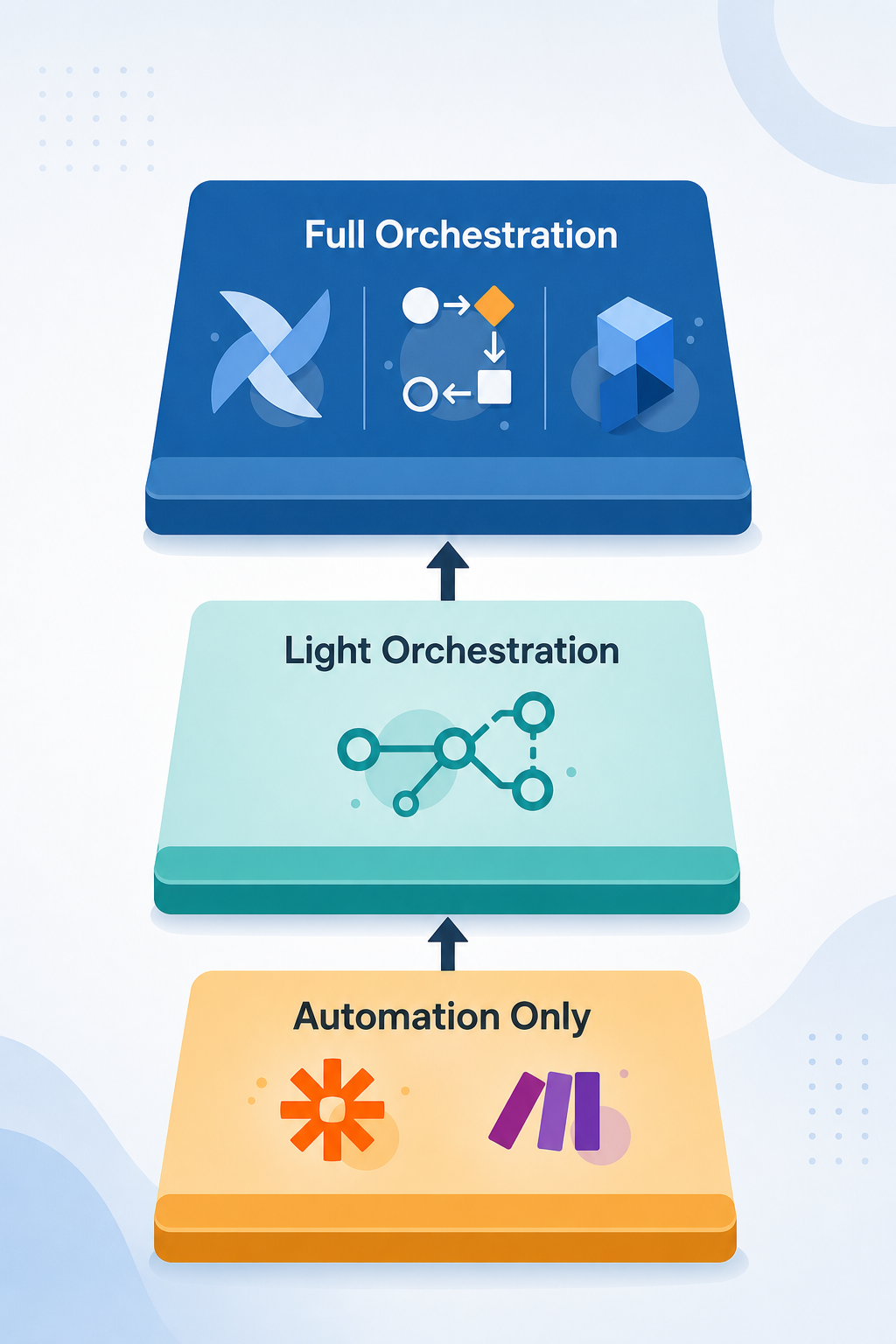
| Tier | Tools | Best for | Key tradeoff |
|---|---|---|---|
| Automation-only | Zapier, Make | Teams with simple trigger-action workflows, low volume, and no multi-system dependencies | Limited error handling and visibility; can become expensive at high volume |
| Light orchestration | n8n | Teams that have outgrown basic automation but don't need enterprise features | Requires someone to maintain infrastructure (self-hosted) or pay for cloud tier |
| Full orchestration | Airflow, Camunda, Prefect | Enterprise teams with complex multi-system processes, strict SLAs, and dedicated engineering support | High complexity, steep learning curve, significant infrastructure costs |
For teams in the automation-only tier, our Zapier vs Make vs n8n vs Gumloop: The Definitive 2026 Comparison of AI-Powered Workflow Automation Tools provides a detailed feature comparison. For small businesses specifically, our 5 Best Workflow Automation Tools for Small Businesses in 2026: A Practical Comparison covers SMB-focused options.
Frequently Asked Questions
Can I do orchestration in Zapier or Make?
Partially. Make supports multi-step scenarios with basic branching and error handling, which covers some orchestration-like use cases. Zapier's multi-step Zaps are more limited. Neither tool provides true dependency management (waiting for multiple parallel tasks to complete), real-time cross-process visibility, or automated retry with escalation. If your diagnostic score is 2 or higher, you'll likely hit the limits of these tools quickly.
What's the cheapest way to start with orchestration?
n8n's cloud tier starts at a reasonable monthly rate and requires no infrastructure management. If you're comfortable with self-hosting, n8n on a $20/month VPS is the cheapest entry point — but remember the Leland analysis: you need someone willing to maintain the box, and the time cost ($1,200-$2,400/year at $100/hour) may exceed the savings.
How do I know if my team is ready for orchestration?
Your team is ready for orchestration when: (1) you've answered "yes" to at least two of the four diagnostic questions, (2) you have at least one person who can learn the tool and maintain the workflows, (3) your current automation spend is above $80-100 per month, and (4) the cost of a failed process (missed SLA, lost customer, compliance violation) justifies the investment in error handling and visibility.
What happens if I buy orchestration and don't need it?
You'll spend more time maintaining the platform than building workflows. Your simple automations will take longer to build because the tool is designed for complexity. Your team may avoid using the tool because it feels over-engineered for their needs. And you'll have invested in infrastructure and training that doesn't move the needle on your actual process problems. The diagnostic exists precisely to help you avoid this outcome.