
Most people searching for time management software are not looking for one category of product. They are looking for relief from a workweek that keeps leaking in different places. Clockify’s 2026 statistics page says 82% of people do not have a dedicated time management system, while Grammarly’s business communication research found that knowledge workers spend 88% of the workweek communicating across meetings, messages, email, and related work.[1][2] That combination explains why the category feels both necessary and muddy.
The term time management software now covers time trackers, AI calendar assistants, task managers, distraction blockers, daily planners, and team work hubs. Some are built for invoices. Some are built for meetings. Some are built for deciding what to do next. A few try to do all of that and become difficult to judge because they are solving several problems at once.
The useful first question is not “Which app has the most features?” It is “Where does the week actually go wrong?”
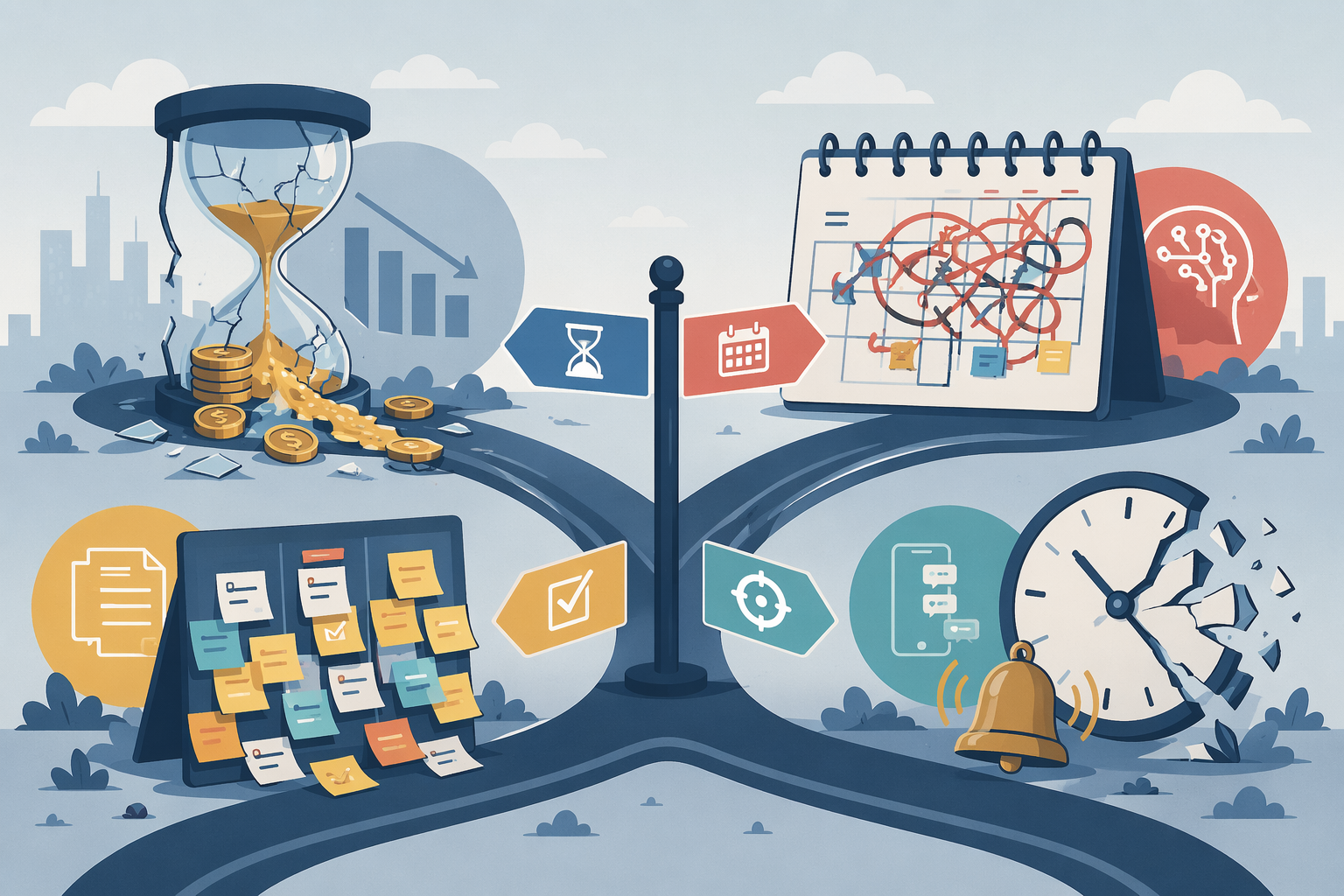
Start With the Bottleneck
The time management software market is crowded enough that comparison shopping can become its own task. Research & Markets projects the time tracking software market alone at about $4.6 billion in 2026, growing to $7.9 billion by 2030 at a 14.6% compound annual growth rate.[3] Growth does not make the decision easier. It mostly means more vendors will describe different products with the same productivity language.
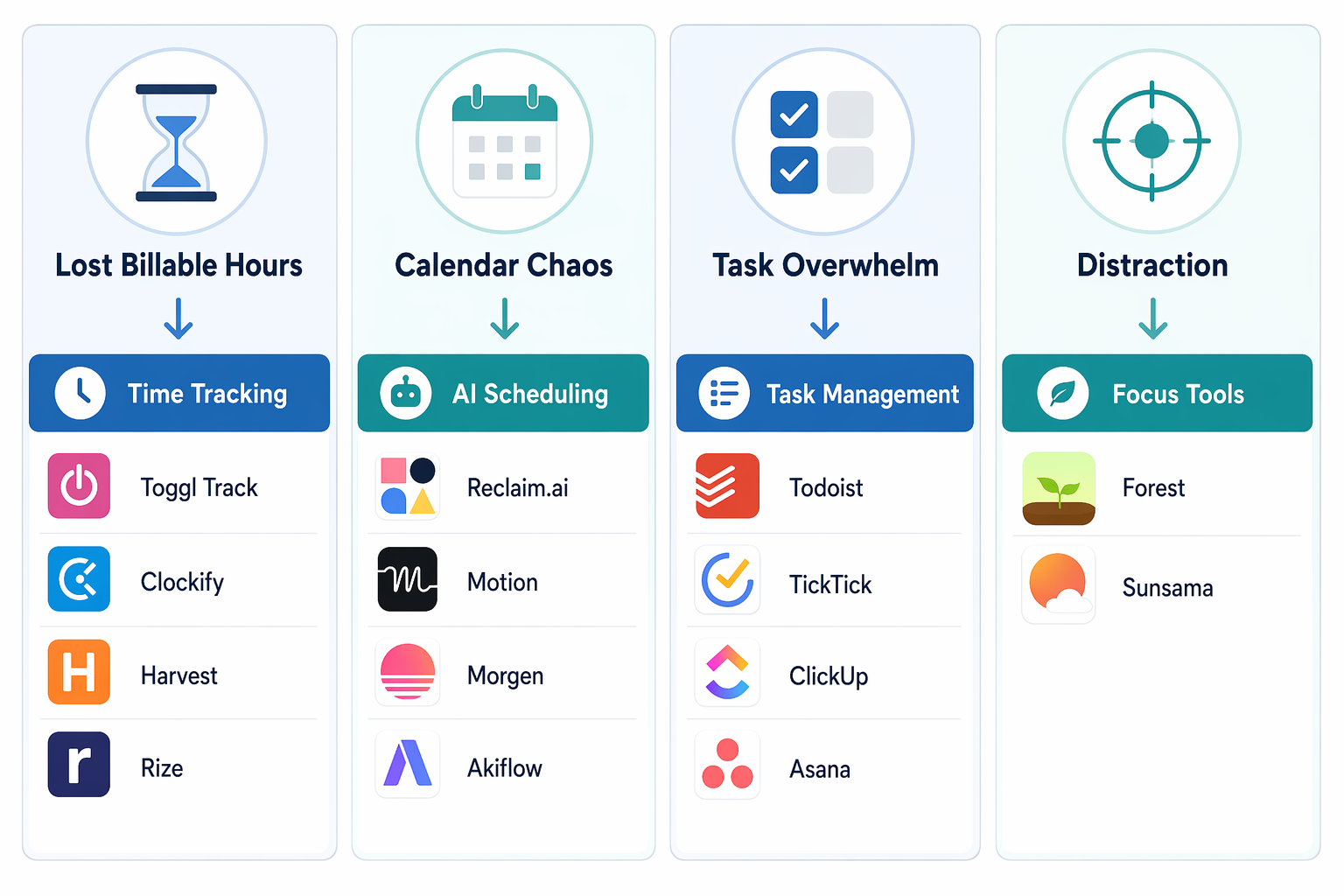
Use the bottleneck as the first filter:
| If your main leak is... | You probably need... | Strong 2026 shortlist | Best fit |
|---|---|---|---|
| You reconstruct billable work after the fact | Time tracking software | Toggl Track, Clockify, Harvest, Rize | Freelancers, agencies, consultants, hourly teams |
| Your calendar is negotiated all day | AI scheduling software | Reclaim.ai, Motion, Morgen, Akiflow | Managers, meeting-heavy teams, calendar-driven workers |
| Tasks live in too many places or have unclear next actions | Task management software | Todoist, TickTick, ClickUp, Asana | Individuals, small teams, project contributors |
| Interruptions break the few hours that matter | Focus and deep-work tools | Forest, Sunsama | People protecting attention, routines, and planned work blocks |
If you are still trying to define the broader category before comparing tools, the time management software primer is the better starting point. This comparison assumes you already know you need software and are trying to avoid buying the wrong kind.
Time Tracking: When the Problem Is Lost Billable Work
Time tracking has the clearest economic case because the damage shows up on invoices. Rize cites the problem sharply: manual time tracking can lose 15% to 40% of billable hours.[4] Even the low end is not a productivity nuisance. It is revenue already worked for and never billed.
This category fits freelancers, consultants, agencies, lawyers, accountants, support teams, and any group where time becomes a client record, payroll input, utilization report, or capacity signal. The tool should make the record easier to trust. If it merely asks people to remember more accurately at the end of the day, it is not fixing the main failure.
| Tool | Best for | Watch the caveat |
|---|---|---|
| Toggl Track | Simple time tracking for individuals and small teams; free plan supports up to 5 users | Best when you want clean adoption more than heavy project accounting |
| Clockify | Teams that want broad time tracking coverage and familiar reporting | Its free plan was recently reduced from unlimited users to 5 users, so current limits matter before rollout |
| Harvest | Client services teams that need time tracking connected to invoicing and budget visibility | Less compelling if you only need a lightweight personal timer |
| Rize | Automatic tracking and attention analytics for individuals who want less manual entry | A smaller, newer option than Toggl, Clockify, or Harvest |
Toggl Track is the most sensible default for people who need tracking to become a habit without turning the day into administration. Its free plan supports 5 users, which is enough for many freelancers and very small teams testing whether shared tracking will hold.[5] Toggl’s own framing of time tracking is practical: it is a record of how time is spent across tasks, projects, and clients, not a moral scorecard for the day.[6]
Clockify remains a serious option, but the free-plan change matters. A team that read an old comparison and expected unlimited free users could make the wrong budget assumption. Verify the current pricing page before recommending it internally, especially if the tool is being pitched as the no-cost choice for a growing group.[5]
Harvest is better when tracked time must travel into client billing, project budgets, and reporting. That makes it less of a pure personal productivity app and more of an operating control for service work. The tradeoff is predictable: if your main problem is simply “I forget where the afternoon went,” Harvest may be heavier than necessary. If your problem is “We cannot tell which client work is profitable until too late,” it belongs on the shortlist.
Rize belongs in the comparison because manual entry is often where tracking fails. Automatic time tracking reduces the Friday-afternoon reconstruction problem, but buyers should treat it differently from a long-established team system. It is more attractive for an individual knowledge worker or freelancer who wants behavioral visibility than for a company standardizing client billing across departments.[4]
Avoid this category if your hours are already visible and the real pain is deciding what deserves time in the first place. A timer can expose a leak, but it will not settle priority conflicts, negotiate calendar space, or make ambiguous tasks executable.
AI Scheduling: When the Calendar Has Become the Work
AI scheduling tools are not just prettier calendars. They try to place work, meetings, habits, breaks, and deadlines into available time, then repair the schedule when the day changes. That matters most for people whose calendar is not a record of commitments but an active negotiation arena.
The pressure is real. Clockwise’s meeting benchmarks report individual contributors spending 10.9 hours per week in meetings and engineering managers spending 17.9 hours.[1] At that level, calendar management stops being a clerical problem. Every meeting added or moved can displace focus work, review time, hiring loops, customer calls, and the small buffers that prevent the day from breaking.
This category also changed materially in 2026. Clockwise shut down on March 27, 2026, and Reclaim.ai named itself as the official migration path, including a price-match offer through June 30, 2026.[7] That is not a footnote. Any current comparison that still lists Clockwise as an active option is giving readers stale buying advice.
| Tool | Best for | Pricing signal from available research | Main caveat |
|---|---|---|---|
| Reclaim.ai | Teams moving from Clockwise; people who want automated focus time, tasks, habits, and meeting protection | $8/user/month with a genuine free tier | Best if you are comfortable letting automation actively reshape the calendar |
| Motion | People who want tasks and calendar planning fused into one aggressive daily schedule | $19-$29/user/month depending on cited plan context; no free tier in the research materials | Can be too forceful or expensive if you only need lighter scheduling help |
| Morgen | Calendar consolidation and time blocking across calendars | $15/month | Less of an all-in automated work engine than Motion or Reclaim.ai |
| Akiflow | Task capture plus calendar planning for power users | $19/month | Best for people willing to run their day from a command-center style workflow |
Reclaim.ai is the most practical default in this category in Q2 2026, partly because of the Clockwise migration and partly because its pricing leaves room to test before standardizing. The company says it has scheduled 186 million focus hours across more than 550,000 users and more than 65,000 companies.[7] Those are adoption figures, not proof that every team saves time, but they do show the product is operating at meaningful scale.
Motion is more opinionated. It is attractive when the problem is not just meeting overload but a daily queue that keeps reordering itself. Motion’s value proposition is strongest for users who want the calendar to become the operating surface for tasks. That same strength can become friction for teams that prefer a lighter calendar assistant or already have a task system they do not want to replace. Pricing comparisons in the research materials place Motion around $19 to $29 per user per month, and they identify no free tier.[8]
Morgen and Akiflow sit closer to the worker who wants command over a complicated day, not necessarily a fully automated manager of it. Morgen is easier to understand as calendar consolidation plus planning. Akiflow is more appealing when task capture, keyboard-driven processing, and calendar placement are part of the same routine. Both can be right for individuals who already believe in time blocking and want software to make that habit less manual.
The category boundary is not clean. Motion includes task management. Reclaim.ai includes habits and focus time. Akiflow pulls tasks into a calendar workflow. That overlap is not a defect, but it changes the buying question. If your team already lives in Asana or ClickUp, an AI scheduler should complement that system. If your tasks are scattered and the calendar is the only place you trust, a hybrid tool may be the point.
Readers comparing AI tools beyond scheduling should use a broader AI productivity apps comparison or the role-based guide to AI productivity app ROI. Scheduling is only one slice of the AI productivity market, and it should be judged by calendar pressure, not novelty.
Task Management: When the Work Is Real but the Next Action Is Foggy
Task management software is the right category when the pain is ambiguity. The work exists, but it is spread across email, chat, documents, meeting notes, personal reminders, and someone’s memory. In that situation, a better calendar will not help much until the tasks themselves have owners, due dates, contexts, and next actions.
| Tool | Best for | Where it can be the wrong fit |
|---|---|---|
| Todoist | Individuals and small teams that want fast capture, simple lists, recurring tasks, and low-friction prioritization | Not enough if the real need is full project or workflow management |
| TickTick | Personal task management with calendar and habit features at a low annual price | Can blur into personal productivity more than team execution |
| ClickUp | Teams that want tasks, docs, dashboards, and work views in one configurable system | Can become too much tool for a simple task list |
| Asana | Teams coordinating projects, responsibilities, timelines, and cross-functional work | Less necessary for solo users with lightweight personal task needs |
Todoist remains the cleanest answer for an individual or small group whose main failure is capture and follow-through. It is not trying to become the entire company’s operating system. That restraint is useful when the real goal is to stop losing tasks between systems.
TickTick is close, especially for people who want tasks, calendar views, and habits in one personal workspace. Its premium plan is cited at $35.99 per year in the research materials, which makes it one of the cheaper paid options in this comparison.[5] The buyer should still be honest about whether they need personal structure or team accountability. TickTick is stronger at the former.
ClickUp and Asana are different decisions. They can handle tasks, but they also pull the buyer toward project and workflow management. That is appropriate when the bottleneck is handoff clarity, status visibility, repeated process, or cross-team coordination. It is overbuilt when the problem is a personal backlog that needs pruning.
A useful test: if you are asking “What do I need to do today?” start with Todoist or TickTick. If you are asking “Who owns this, what stage is it in, and what happens when it moves?” look at Asana, ClickUp, or a dedicated workflow management software comparison instead.
Focus Tools: When the First Clean Hour Keeps Disappearing
Focus tools earn their place in the time management software conversation because attention has a recovery cost. UC Irvine research by Gloria Mark and colleagues is widely cited for the finding that it takes an average of 23 minutes and 15 seconds to return to a task after an interruption.[9] The exact number should not be treated as a universal timer for every person and every task, but the operational point is hard to ignore: interruptions do not only consume the minute they occupy.
This category splits into two kinds of help. One blocks or discourages distraction. The other plans deep work so it has a protected place in the day. Those are related, but they are not the same purchase.
| Tool | Best for | What it actually changes |
|---|---|---|
| Forest | People who need a simple behavioral nudge to stay off distracting devices | Adds friction and visual consequence to breaking focus |
| Sunsama | People who want a deliberate daily planning ritual with tasks, calendar, and workload visibility | Turns focus into a planned commitment rather than only a blocked distraction |
Forest is the cleaner fit when the problem is compulsive checking. It does not need to manage your projects or negotiate your calendar to be useful. It simply makes the choice to leave focus visible enough that the user has to notice it.
Sunsama is harder to place neatly because it overlaps with task management and planning. That is not a reason to exclude it. For many workers, distraction is partly a planning problem: the day starts with too many plausible tasks, so messages and small requests take over. Sunsama is better for someone who wants to decide what fits today before the day starts, not just block websites once attention has already fractured.
Avoid buying a focus app as a substitute for a workload decision. If the calendar is packed beyond reason, a blocker will only make an impossible plan feel more disciplined. If the task list has no priorities, a focus timer will faithfully protect time for whatever happened to be on top.
A Practical Shortlist
For most buyers, the shortlist can be much shorter than the market suggests:
- Choose Toggl Track if lost billable time is the leak and you need a low-friction tracker that a small team can actually use.
- Choose Harvest if tracked hours must connect to client budgets, invoices, and profitability conversations.
- Choose Reclaim.ai if the calendar is unstable, meetings keep crowding out focus work, or you are migrating from Clockwise in 2026.
- Choose Motion if you want tasks and calendar scheduling fused into a more forceful daily planning engine and the paid plan is justified.
- Choose Todoist if task capture and follow-through are the main problem for an individual or small team.
- Choose Asana or ClickUp if the task problem is really a team coordination or workflow visibility problem.
- Choose Forest if distraction is behavioral and device-driven.
- Choose Sunsama if distraction is tied to weak daily planning and overcommitted workdays.
The wrong move is buying a broad productivity suite because it appears to cover every weakness. A freelancer losing billable hours needs a better record. A manager losing focus blocks to meeting drift needs calendar control. An individual contributor carrying too many loose commitments needs task clarity. A worker losing the first clean hour of the day needs attention protection and a realistic plan for what that hour is for.
Tools can fit into larger productivity systems, but the software decision should come first from the leak you can name. Readers comparing methods as well as apps can use a broader guide to personal productivity systems.
Adding a tool without naming the bottleneck just creates another place to manage work. Choosing by bottleneck turns a vague search for time management software into a specific buying decision.
References
- Clockify 2026 Time Management Statistics, Clockify
- State of Business Communication, Grammarly
- Time Tracking Software Market Report, Research & Markets, 2026
- Best Automatic Time Tracking, Rize Blog
- 12 Best Time Management Apps for 2026, My Hours
- What is Time Tracking, Toggl Blog
- Top 10 Clockwise Competitors in 2026, Reclaim.ai
- Motion vs Reclaim AI vs Clockwise, Genesys Growth
- The Cost of Interrupted Work: More Speed and Stress, University of California, Irvine