
The useful way to choose among AI productivity apps is not to ask which one is “best.” Start with the part of your workday that leaks time most often: scheduling, writing, meetings, task and project management, or automation. Pick one strong tool in that lane before adding anything else.
That sounds less exciting than a universal AI workspace, but it is a better defense against subscription creep. The market is already large enough to encourage specialization: Grand View Research’s public summary values the AI productivity tools market at $14.1 billion in 2026 and projects it to reach $36.4 billion by 2033, at a 14.5% CAGR. Treat those figures as directional because the full report is paywalled, but the signal is clear enough: this is no longer a tiny category where one general app can sensibly cover every workflow. Virtual assistants alone represent 25.6% of market share in that summary.[1]
Pricing in this guide was last verified in June 2026 and should be checked before buying. AI vendors change tiers, usage limits, and add-on rules often enough that the monthly number is only half the cost. The other half is maintenance: another place to check, another permission model, another workflow that breaks when someone on the team ignores it.
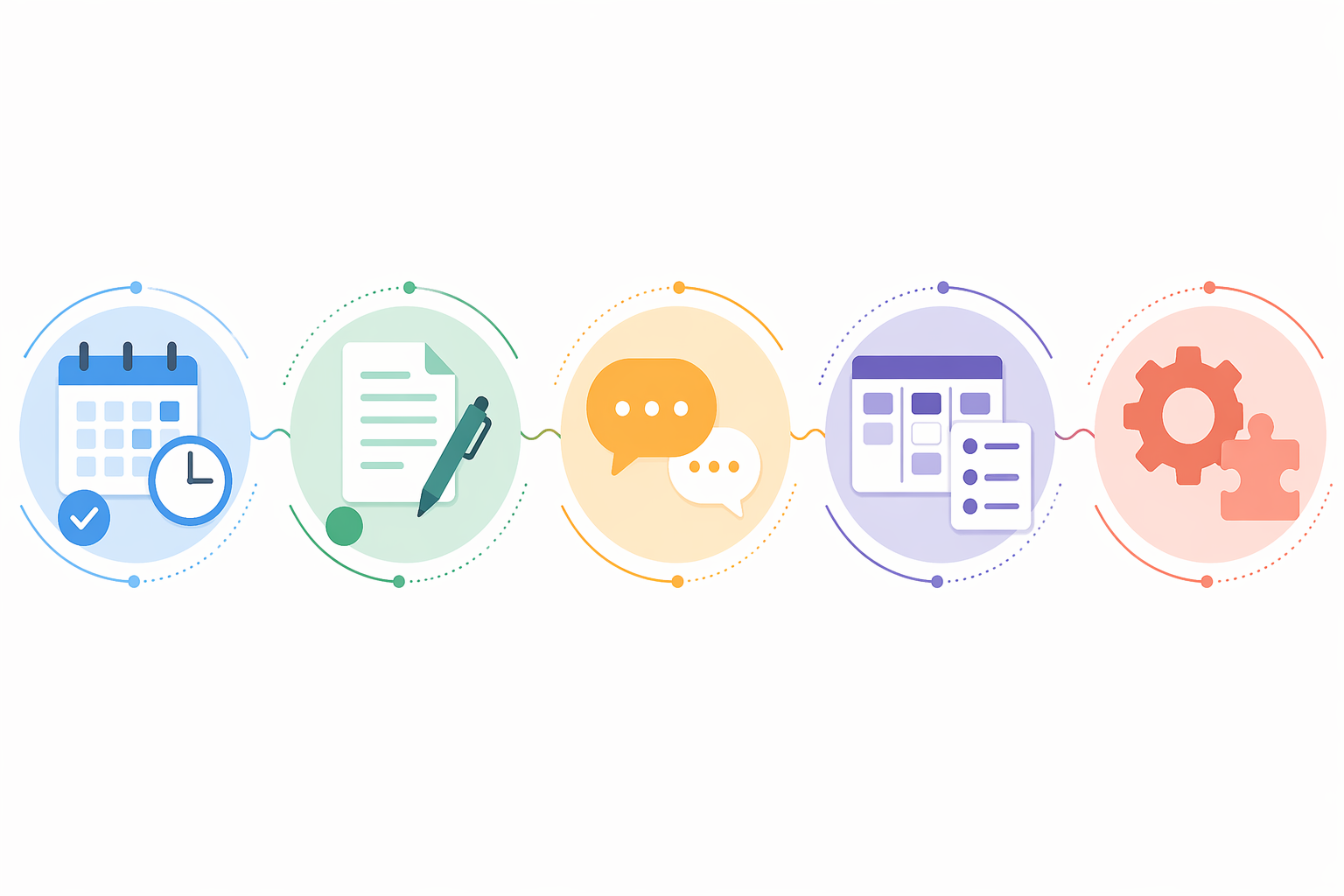
| If your bottleneck is… | Start by comparing… | What the category should reduce | Typical monthly price range, last verified June 2026 |
|---|---|---|---|
| Scheduling | Motion, Reclaim, Clockwise | Calendar decisions, rescheduling, focus-time defense | $6.75–$49 |
| Writing | Grammarly, Jasper, ChatGPT | Drafting, editing, rewriting, brand-consistent content | $8–$69 |
| Meetings | Fireflies, Otter, Read AI | Manual notes, follow-up capture, meeting recall | $8.33–$29.75 |
| Task and project management | Notion AI, ClickUp Brain, Motion | Finding project context, turning tasks into schedules, cross-project visibility | $10–$49 |
| Automation | Zapier, Make | Manual handoffs between apps, recurring admin, data transfer | Free–$50+ |
For readers who want a shorter curated take after this comparison, see our single-pick roundup. This article is doing a different job: narrowing the choice by the recurring friction in your day.
Scheduling: when the calendar is the work
AI scheduling tools are easy to overbuy because the demos look tidy. A task appears, the calendar rearranges itself, and the week somehow has room again. In actual use, the question is narrower: do you need the tool to make scheduling decisions for you, protect focus time around team calendars, or defend habits and personal routines from being swallowed by meetings?
| Tool | Best fit | Poor fit | Pricing, last verified June 2026 |
|---|---|---|---|
| Motion | People whose tasks and meetings constantly compete for the same calendar space | Teams that only need light calendar coordination or already have a strict project system | $19–$49/month |
| Reclaim | Workers who need to protect habits, recurring routines, buffer time, and flexible focus blocks | People who want a full project-management replacement | $12–$18/month |
| Clockwise | Teams trying to create larger blocks of shared focus time across calendars | Solo workers who mainly need task auto-scheduling | $6.75–$11.50/month |
Motion is the most forceful option in this group. It treats the calendar as the operating system for the day: tasks get durations, deadlines, and priority, then Motion places them around meetings. That makes sense when your real problem is not forgetting tasks but failing to assign them time. A consultant juggling client calls, prep work, admin, and deadlines can get real value from having the schedule rebuilt as conditions change.
The trade-off is that Motion asks for trust. If you already have a project tool everyone uses, Motion can become a second planning layer unless you are disciplined about what belongs where. It is best for people who are willing to let the calendar drive execution, not for people who only want a prettier to-do list.
Reclaim is gentler. It is useful when the day keeps getting eaten by other people’s availability. It can defend recurring habits, schedule focus blocks, and move flexible work when meetings appear. That makes it a cleaner fit for someone who likes their current task manager but needs calendar protection. It will not solve messy project ownership or unclear priorities; it mostly helps when priorities are known but time keeps disappearing.
Clockwise is the team-calendar choice. Its value shows up when fragmented calendars are creating chopped-up days across a group. If the pain is “I have seven meetings scattered across every useful work block,” Clockwise is more relevant than another task app. If the pain is “I have no idea what to do next,” it is not the first tool to buy.
Verdict: choose Motion when task scheduling is the bottleneck, Reclaim when calendar defense is the bottleneck, and Clockwise when team focus time is the bottleneck. Do not buy all three. They overlap in the one place that can least tolerate confusion: your calendar.
Writing: editing, branded output, or a general thinking partner
Writing tools are often grouped together even though they solve different problems. Real-time editing is not the same as campaign copy generation. A general chatbot is not the same as a governed brand-writing system. Before comparing features, decide whether you are trying to clean up what you already write, produce more repeatable content, or use AI to draft, summarize, and reason across many small tasks.
| Tool | Best fit | Poor fit | Pricing, last verified June 2026 |
|---|---|---|---|
| Grammarly | Everyday editing inside email, docs, browsers, and workplace writing surfaces | Teams needing large-scale marketing campaign generation or complex research workflows | $12–$30/month |
| Jasper | Marketing teams producing branded content at scale | Individuals who only need occasional editing or brainstorming | $49–$69/month |
| ChatGPT | Versatile drafting, summarizing, analysis, ideation, and one-off knowledge work | Workflows requiring strict brand controls, built-in editorial governance, or guaranteed factual accuracy without review | $8–$20/month |
Grammarly is the least disruptive of the three because it lives close to the writing people already do. Its strength is not that it writes everything for you; it catches unclear phrasing, tone issues, and mechanical errors while the work is already in motion. That makes it a sensible first writing tool for people who send a lot of emails, proposals, updates, and documentation but do not want to move their writing into a separate AI workspace.
Jasper belongs in a different purchasing conversation. It is built for branded content production, which means the value depends on whether a team has enough repeatable marketing output to justify the price. For a solo operator writing two LinkedIn posts and one newsletter a week, Jasper may be more system than necessary. For a marketing team coordinating campaigns, product messaging, and brand voice, it can reduce repeated setup work.
ChatGPT is the flexible generalist. It can help outline a memo, condense a transcript, draft an email, compare options, turn rough notes into a checklist, or create a first pass at code or analysis. That range is useful, especially for individuals who do not yet know which category of AI support they need most. The maintenance cost is that ChatGPT often becomes a separate workbench: you bring work to it, shape the prompt, copy the result back, and review carefully.
That review step matters. Broad claims about hallucination rates vary by task and source quality, and the available sourcing here does not support citing a universal hallucination number. The practical rule is simpler: use writing AI freely for structure, drafting, rewriting, and summarizing materials you can verify. Do not let it become the final authority on precise facts.
Verdict: choose Grammarly if the bottleneck is polishing daily communication, Jasper if the bottleneck is branded content throughput, and ChatGPT if you need a versatile assistant across many small writing and thinking tasks. If you already pay for a broad AI assistant, do not add a specialized writing platform until the missing capability is specific enough to name.
Meetings: capture is useful only if follow-up improves
AI meeting assistants are not hard to justify if you spend your week in calls. The danger is mistaking a transcript archive for productivity. A meeting tool earns its keep when it reduces note-taking, preserves decisions, improves follow-up, or pushes useful context into the system where work continues.
| Tool | Best fit | Poor fit | Pricing, last verified June 2026 |
|---|---|---|---|
| Fireflies | Sales, customer success, and teams that need searchable meeting records and CRM-oriented workflows | People who only need occasional personal notes | $19–$29/month |
| Otter | Simple, passive meeting notes and transcripts for individuals or small teams | Teams needing deeper analytics or complex workflow routing | $8.33–$20/month |
| Read AI | Teams that want meeting summaries plus sentiment and engagement analytics | Workplaces where analytics around participant behavior would create discomfort or policy issues | $19.75–$29.75/month |
Fireflies is the stronger fit when meetings feed a customer or revenue process. If call notes need to be searchable, shared, and connected to customer records, its CRM orientation matters. It is less compelling for someone who attends a handful of internal meetings and mostly wants a quick personal recap.
Otter is the cleaner choice for passive note-taking. It is approachable, relatively inexpensive, and easier to justify when the main goal is “stop writing everything down while I am supposed to be listening.” Its limitation is that it does not, by itself, repair a broken follow-up culture. If nobody reviews the notes, assigns owners, or moves decisions into the task system, the archive grows while accountability stays vague.
Read AI adds a more analytical layer, including sentiment and engagement signals. That can be useful for teams reviewing meeting quality, sales conversations, or coaching patterns. It also needs a more careful rollout. People react differently when a tool summarizes what was said than when it appears to judge how the room behaved.
For a deeper meeting-specific comparison, see our guide to AI and traditional meeting note-taking apps. The short version here: buy the meeting tool that improves the handoff after the call, not the one with the most impressive transcript page.
Task and project management: where AI should reduce searching, not add another plan
Task and project tools are where AI can either help enormously or make the stack heavier. If the team already works in Notion or ClickUp, an embedded AI layer can reduce searching and status-chasing. If the team does not maintain the underlying workspace, AI will mostly summarize old clutter faster.
| Tool | Best fit | Poor fit | Pricing, last verified June 2026 |
|---|---|---|---|
| Notion AI | Teams with substantial docs, notes, wikis, and project context already living in Notion | Teams that need strict task dependencies, advanced workload management, or a traditional project-management structure | $10/member/month add-on |
| ClickUp Brain | Multi-project teams already managing tasks, docs, goals, and workflows in ClickUp | Individuals or lightweight teams who would need to adopt ClickUp just to use the AI | $14/user/month add-on |
| Motion | Individuals or small teams whose project problem is actually schedule execution | Teams needing a full collaborative project-management system | $19–$49/month |
Notion AI is useful when the workspace is already the institutional memory. It can answer questions across pages, help draft project notes, summarize documents, and turn rough material into cleaner internal writing. Its value rises with the quality of the Notion workspace. If half the team stores decisions in chat and the other half keeps private docs, Notion AI cannot magically create a shared source of truth.
ClickUp Brain makes more sense in a structured project environment. If tasks, owners, docs, and goals already live in ClickUp, the AI layer can help people find context and generate updates without manually digging across projects. It is less attractive as a standalone AI purchase. Adopting a whole project-management system because the AI add-on looks useful is usually backwards.
Motion appears again here because some people describe their problem as project management when it is really execution scheduling. If you know the tasks but keep failing to place them into the week, Motion may solve more than a heavier project tool. If the problem is cross-functional visibility, approvals, dependencies, or reporting, Motion is not the center of the stack.
Verdict: choose the AI layer inside the system where project truth already lives. If no such system exists, fix that before shopping for AI. An assistant cannot reliably summarize a workflow the team has never agreed to maintain.
Automation: the least glamorous category may remove the most handoffs
Automation is where many AI productivity stacks either become useful or become fragile. A writing assistant can draft a follow-up. A meeting assistant can identify the action item. But someone still has to move the task, notify the owner, update the CRM, or save the record. If that handoff happens every week, automation deserves a look before another front-end assistant.
| Tool | Best fit | Poor fit | Pricing, last verified June 2026 |
|---|---|---|---|
| Zapier | Teams and individuals who want broad app coverage, straightforward automation, and a large integration library | Highly technical teams that need deep custom control over every workflow detail | Free–$50+/month |
| Make | People who prefer visual scenario building and more granular workflow design | Users who want the simplest possible trigger-action setup | Free–$9+/month |
Zapier is the default starting point for many teams because of its breadth. Its 2026 AI productivity tools roundup describes more than 8,000 integrations, which matters if your work is spread across forms, spreadsheets, CRMs, docs, task managers, and communication tools.[2] Breadth is not a small feature here. The whole point is to stop manually carrying information between places.
Make is often the better fit for people who want to see and shape the workflow more visually. It can be more comfortable for building multi-step scenarios where the path matters. The trade-off is that visual power still needs ownership. Someone has to know what each scenario does, what breaks it, and what happens when a field changes in one of the connected apps.
The caution is not theoretical. Zapier’s 2025 reporting says nearly 80% of enterprises struggle to integrate AI with their existing tech stacks.[2] That does not mean a solo professional should avoid automation. It means the first automation should remove an obvious recurring handoff, not become an architecture project.
If automation is your main bottleneck, compare the category more deeply in our Zapier vs. Make vs. n8n guide. For choosing between these two, the decision is simple: choose Zapier when integration breadth and ease matter most; choose Make when workflow visibility and scenario design matter more.
Why a two- or three-tool stack usually beats one big bet
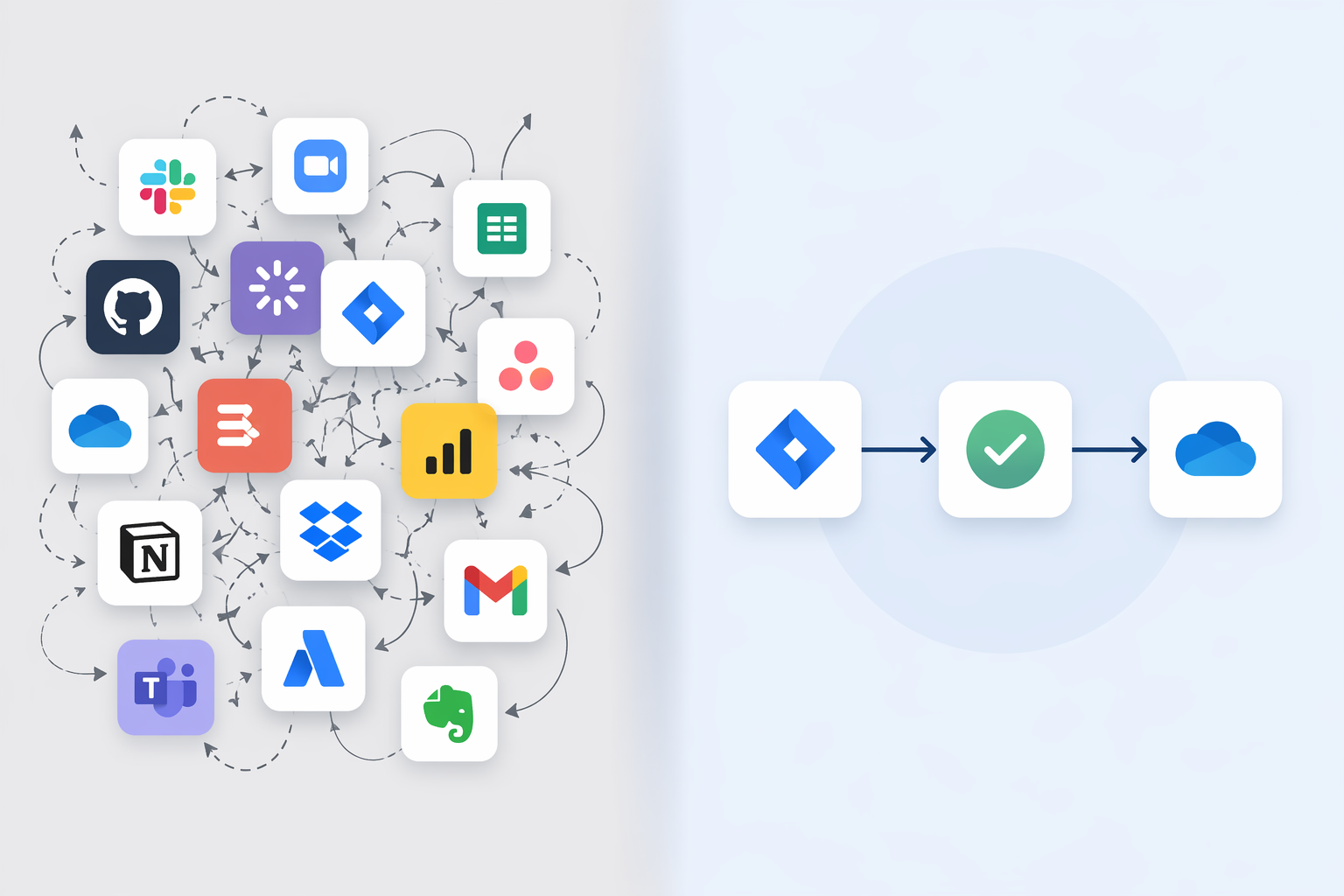
The case for restraint is not anti-AI. It is pro-maintenance. Workers already lose time moving between tools. Storyflow cites Harvard Business Review reporting that workers toggle between applications about 1,200 times per day and lose around four hours per week reorienting after switching apps.[3] Whether those exact numbers match your own week or not, the shape of the problem will feel familiar to anyone who has hunted for a decision across email, Slack, a meeting transcript, a doc, and a task card.
This is also why self-reported productivity gains should be read carefully. The St. Louis Fed reported in February 2025 that workers using generative AI were 33% more productive during AI-assisted hours and saved about 2.2 hours per week on average, but the study relied on self-reported data, which can overstate real gains.[4] Even if the savings are directionally right, they can be eaten quickly by duplicate tools, unused dashboards, and workflows nobody maintains.
A good stack usually has one tool close to the work surface, one tool that captures or creates reusable context, and sometimes one tool that moves information between systems. That might mean Grammarly plus Fireflies plus Zapier. It might mean Motion plus ChatGPT. It might mean Notion AI plus Make. The point is not to fill three slots; it is to avoid buying three tools that all solve the same visible annoyance while leaving the real handoff untouched.
For a deeper guide to chaining tools without creating a maintenance mess, see how to build an AI productivity stack that actually sticks. If budget is the main constraint, the more relevant question may be covered in our free vs. paid AI productivity apps comparison.
A practical decision framework
Start with the leak you can observe. Not the category that sounds strategic, not the tool your colleague likes, not the app with the broadest AI roadmap. Look at the last two normal weeks of work and identify the repeated drag.
- If you keep rescheduling work because meetings eat the day, start with Motion, Reclaim, or Clockwise.
- If writing quality or drafting speed slows you down daily, start with Grammarly, Jasper, or ChatGPT.
- If meetings produce decisions that vanish afterward, start with Fireflies, Otter, or Read AI.
- If project context is scattered or hard to retrieve, start with the AI layer inside Notion or ClickUp if that is where the work already lives.
- If the same information is being copied between systems, start with Zapier or Make.
Then apply a simple buying rule: add a second tool only when it removes a different recurring drain. A scheduling tool plus a writing assistant can make sense. Two writing assistants usually need a very clear reason. A meeting assistant plus automation can make sense if action items move automatically into a task system. A meeting assistant plus another notes workspace may just create a nicer pile of unresolved follow-up.
Price should be evaluated as overlap, not just monthly spend. A $10 add-on inside the workspace your team already uses may be cheaper than a $20 standalone tool because it adds less behavior change. A $49 tool may be reasonable if it replaces repeated manual coordination. A free plan can be expensive if it creates a workflow nobody trusts.
If you want a stricter payback-period lens, use our ROI-ranked AI productivity tools guide. For role-specific alternatives, see our AI productivity tools by job role comparison.
The fit-first answer
If there has to be a default starting point, ChatGPT is the most flexible generalist, Grammarly is the lowest-friction writing layer, Motion is the strongest choice when schedule execution is the core pain, Fireflies is strong when meetings feed customer workflows, Notion AI and ClickUp Brain make sense inside workspaces already used, and Zapier is the safest first automation bet for broad integrations.
But that is not the same as crowning a universal winner. The best AI productivity app is the one that removes the bottleneck you actually have, at a price you can keep paying, without adding another place your work can get lost.
References
- AI Productivity Tools Market Size, Trends Report, 2026-2033 — Grand View Research.
- The best AI productivity tools in 2026 — Zapier.
- The 12 Best Productivity Apps in 2026 (Ranked and Tested) — Storyflow.
- The impact of generative AI on work productivity — Federal Reserve Bank of St. Louis, February 2025.
Comments
Join the discussion with an anonymous comment.