
Time management software is a messy label for a real problem: you are busy all day, but by Friday afternoon you cannot prove where the week went. The category includes tools that help people plan, record, schedule, or report time. That can mean a basic timer, an automatic activity tracker, a calendar planner, a timesheet inside a project management system, or a reporting tool used for billing and capacity planning.
The boundary matters because “time management software” overlaps with three nearby categories: time tracking, project management, and employee monitoring. A freelancer reconstructing billable hours from memory does not need the same product as a manager trying to see whether a project team is over capacity. A designer with a fantasy calendar does not necessarily need surveillance-style activity monitoring. Treating all of these as one purchase is how people end up with an expensive platform that still fails to answer the one question they had.
The better starting question is not “What is the best time management software?” It is: “Which time failure am I actually trying to stop?”
Why doing nothing has a cost
The productivity numbers are blunt, even allowing for the fact that some of them come from surveys, aggregated reports, or older estimates rather than controlled experiments. Breeze’s 2026 statistics roundup cites Zippia’s finding that 82% of employees lack a structured time management system, along with the widely repeated claim that only 2 hours and 53 minutes of an 8-hour workday are productive and that workers face about 60 interruptions per day, with roughly 25 minutes needed to recover focus after an interruption. The same roundup also cites a $588 billion annual cost of poor time management for U.S. companies, a figure that traces back to older productivity-loss estimates and should be read as directional rather than exact current accounting.[1]
Those large numbers are not a reason to buy the most elaborate platform. They are a reason to stop pretending that unmanaged time is free. The actual loss is usually much smaller and much closer to the floor: a half-hour not billed, a task that keeps sliding because no one made space for it, a team lead discovering overload only after the client has started asking for updates.
For freelancers and professional services teams, the leakage is unusually visible. Harvest reports that professional services firms lose an estimated 15–25% of billable hours because of inefficient tracking.[2] That is not a motivational statistic; it is a billing problem. If a consultant, agency, designer, accountant, or small studio cannot reconstruct the work accurately, the lost time becomes a discount no one agreed to give.
For managers, the math can be just as concrete. ClickTime describes typical time tracking ROI as 200–400% and gives an example in which a 5% utilization improvement at a 50-person firm recovers about $750,000 annually.[3] That example depends on the assumptions behind the model, but the useful point is not the exact dollar amount. It is that small improvements in utilization become meaningful when multiplied across people, projects, billing rates, and months.
A free tracker that captures work while it happens, a planner that forces a calendar to reflect reality, or a timesheet system that exposes project load earlier can be a modest intervention. The test is whether the tool prevents the specific loss you keep paying for.

The three useful starting points
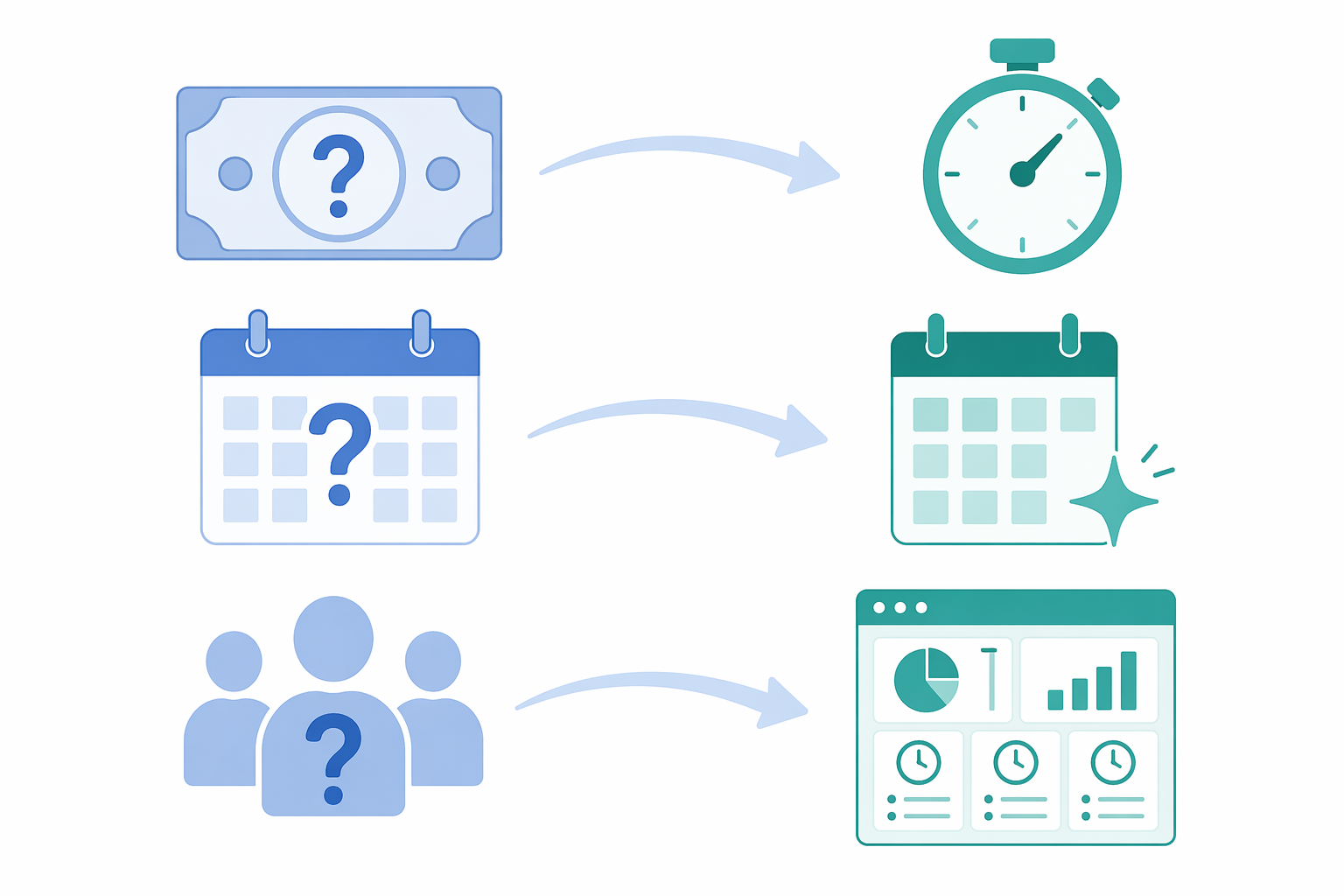
Most early buyers do not need a grand productivity stack on day one. They need to identify which of three failures is causing the most damage.
| If the problem sounds like this | Start with this type of software | What it should prove |
|---|---|---|
| “I know I worked, but I cannot bill or report it accurately.” | Simple timer or free time tracker | Where hours went, which work was billable, and what should appear on an invoice or report |
| “My calendar says the day should work, but it never does.” | AI auto-tracker or calendar-first planner | Whether planned work fits into real time, and what actually interrupts it |
| “We only see overload after deadlines slip.” | Project management suite with integrated timesheets | Which projects, clients, or team members are consuming capacity before the schedule breaks |
Feature lists blur these distinctions. Reports, mobile apps, integrations, tags, reminders, and dashboards can be useful, but they do not tell you whether the software is aimed at billing leakage, personal schedule realism, or team visibility. That is the first cut.
Simple timers and free trackers: when the leak is billable time
A simple time tracker is the least glamorous and often the most useful first tool. You start a timer, assign the work to a client, project, or task, and later review the log. Some tools also support invoicing, approvals, exports, or lightweight reporting.
This category fits people whose main problem is evidence. The freelancer who toggles between client work, admin, calls, and revisions does not need a philosophical framework to know that memory is a poor billing system. The small agency that asks everyone to “just remember to update the spreadsheet” has already chosen a system; it has chosen one that fails quietly until month-end.
Toggl Track, Clockify, and Jibble are common examples in this timer-and-tracker lane. Zapier’s 2026 time tracking app guide includes Toggl Track and Clockify among its recommended tools, and notes Clockify’s appeal for teams that want a free time tracking option.[4] The point here is not that one named app wins. The point is that this category asks for very little behavior change compared with the cost of not logging anything.
A good first setup can be plain: clients, projects, billable versus non-billable work, and a weekly review. If the tool requires a complex taxonomy before it captures a single hour, it is probably too heavy for this pain point. The person who is already failing to log time will not be saved by a system that demands perfect classification at the start.
This is also where “free” matters. If the current loss is 15–25% of billable time in a professional services context, even a lightweight tracker can pay for itself by making work visible before it disappears.[2] It does not need to optimize your whole life. It needs to stop unpaid work from masquerading as productivity.
AI auto-trackers and calendar-first planners: when the calendar is the fiction
The next category solves a different failure. Some people do not primarily lose money through unbilled work; they lose the day because the plan was never physically possible. Their task list assumes unlimited focus. Their calendar protects meetings but not deep work. Their “quick admin” block becomes a sinkhole.
This is where AI auto-trackers and calendar-first planners are tempting. Tools such as Timely and TimeCamp are often discussed around automatic time capture and categorization, while Morgen, Sunsama, and Motion sit closer to the planning and scheduling side. Morgen’s 2026 guide to personal time management apps highlights calendar-centered planning tools, including Morgen, Sunsama, and Motion, for people trying to turn tasks into realistic daily schedules.[5]
There are two separate needs hiding here. If you forget to start timers, automatic tracking may help by creating a record in the background. If you consistently overcommit, a calendar-first planner may help by forcing tasks into actual available time. Buying an auto-tracker for a scheduling problem can leave you with a beautiful record of a broken day. Buying a planner for a logging problem can leave you with a neat calendar and no reliable account of what happened after interruptions arrived.
The AI claims deserve a little caution. Breeze cites Desktrack figures that describe a 32% efficiency improvement and a 50% reduction in administrative time for AI-powered time tracking, but those figures come from a vendor source rather than independent academic research.[1] They are useful as a signal of what vendors are trying to automate: categorization, manual entry, reporting, and the small clerical steps that make tracking feel like a second job. They should not be treated as a guaranteed result for every worker.
The broader direction is still real. Breeze also cites Microsoft Work Trend Index data indicating that 80% of workers have adopted AI tools at work.[1] That does not prove AI time management tools are effective, but it explains why planning and tracking software is increasingly adding AI features. If you want a wider map of that tool landscape, see Best AI Productivity Apps of 2026 or the broader AI productivity apps decision framework.
For this category, the buying test is simple: does the tool reduce planning friction without inventing a new review burden? A calendar-first planner should make overbooking harder. An auto-tracker should reduce manual reconstruction. If you spend more time correcting the software than you used to spend managing the work, the automation has merely moved the mess.
For people drawn to calendar-first tools, time blocking is the adjacent method worth understanding. A planner can place work on the calendar, but it cannot decide what deserves protection. For that layer, start with 10 Time-Blocking Techniques to Boost Your Daily Productivity.
Project management suites with timesheets: when the team needs earlier visibility
A full project management suite with time tracking is not the natural upgrade path for everyone. It is the right starting point when the pain is shared: managers cannot see capacity, projects run over, estimates are guesses, and timesheets arrive too late to change the work.
Tools such as Wrike, Celoxis, Monday.com, and Asana are better understood as operating systems for work that may include time tracking, rather than as pure time management tools. They can connect assignments, deadlines, project plans, approvals, and timesheets in one place. That is useful when the question is not “What did I do today?” but “Which project is consuming more capacity than planned, and who needs help before the deadline slips?”
This category can also create unnecessary drag. A solo consultant rarely needs the administrative surface area of a full PM suite just to bill accurately. A small team that has not agreed how work is assigned may not fix that problem by adding timesheets. The software can expose overload; it cannot make unclear priorities clear by itself.
The privacy line deserves attention here. Some tools marketed for time tracking move toward employee monitoring, with features such as screenshots, activity levels, location tracking, or detailed app and website logs. Those may be appropriate in some regulated, distributed, or contract-heavy settings, but they are not the same thing as helping people manage time. If the real goal is capacity planning, choose the least invasive data that answers the capacity question. “Accountability” becomes a weak word when it quietly means surveillance.
A practical way to choose your first tool
Choose based on the evidence you lack, not the feature you admire.
- If you cannot bill, invoice, or report time accurately, start with a simple timer or free tracker. The first win is a trustworthy weekly log.
- If your day regularly collapses despite a task list, start with a calendar-first planner or an auto-tracker. The first win is seeing whether planned work and actual time resemble each other.
- If your team discovers overload too late, start with a PM suite that includes timesheets and capacity reporting. The first win is earlier visibility, not prettier dashboards.
Run the first test for long enough to include ordinary chaos: client calls, meetings, admin, interruptions, and work that takes longer than estimated. A few perfect days do not prove much. A normal week is more useful.
During that test, look for three things. First, does the tool capture the missing information with less effort than your current workaround? Second, does reviewing the data change an actual decision, such as what to bill, what to reschedule, or where to reduce scope? Third, does the saved time become usable, or does it get absorbed by more administration?
This is where productivity methods can help, but they should not be confused with the software category. Pomodoro can support focus. Time blocking can protect work. A broader personal system can decide what belongs on the calendar in the first place. If the tool keeps failing because the method is wrong for your work style, use Productivity Is Personal or The Productivity Stack to step back before buying more software. If the problem is focus intervals specifically, Pomodoro Technique Explained is the more relevant detour.
The category is maturing, but that does not make every tool necessary
Market growth is a useful signal, not a buying argument. Breeze cites Mordor Intelligence estimates that the time tracking software market was $6.1 billion in 2024 and is projected to reach $11.43 billion by 2030, while also noting that market-size estimates vary depending on methodology.[1] A growing market usually means more integrations, more automation, and more specialized products. It also means more ways to overbuy.
The safest first move is the least burdensome tool that exposes the loss you already suspect. For billable leakage, that may be a free tracker. For schedule realism, it may be a calendar planner that makes overcommitment visible. For team overload, it may be timesheets inside the project system people already use. Time management software helps when it is matched to the failure mode. Otherwise, it becomes one more place to perform being organized.
References
- Time tracking statistics you need to know (2026), Breeze PM.
- Time Tracking Statistics 2026, Harvest.
- Time tracking ROI calculator, ClickTime.
- The 5 best time tracking apps in 2026, Zapier.
- 8 Best Time Management Apps in 2026, Morgen.
Comments
Join the discussion with an anonymous comment.