
Last verified: July 6, 2026. The Otter AI Pro plan costs $16.99 month to month, or $99.96 per year when paid annually, which Otter presents as $8.33/month and a 51% savings versus monthly billing.[1] In plain terms, Pro is a strong value if you reliably record several hours of meetings every month in English, French, or Spanish. It is much less comfortable if your calendar swings between packed and quiet weeks, your calls run long, your work depends on file imports, or you need meetings to feel private and low-friction.
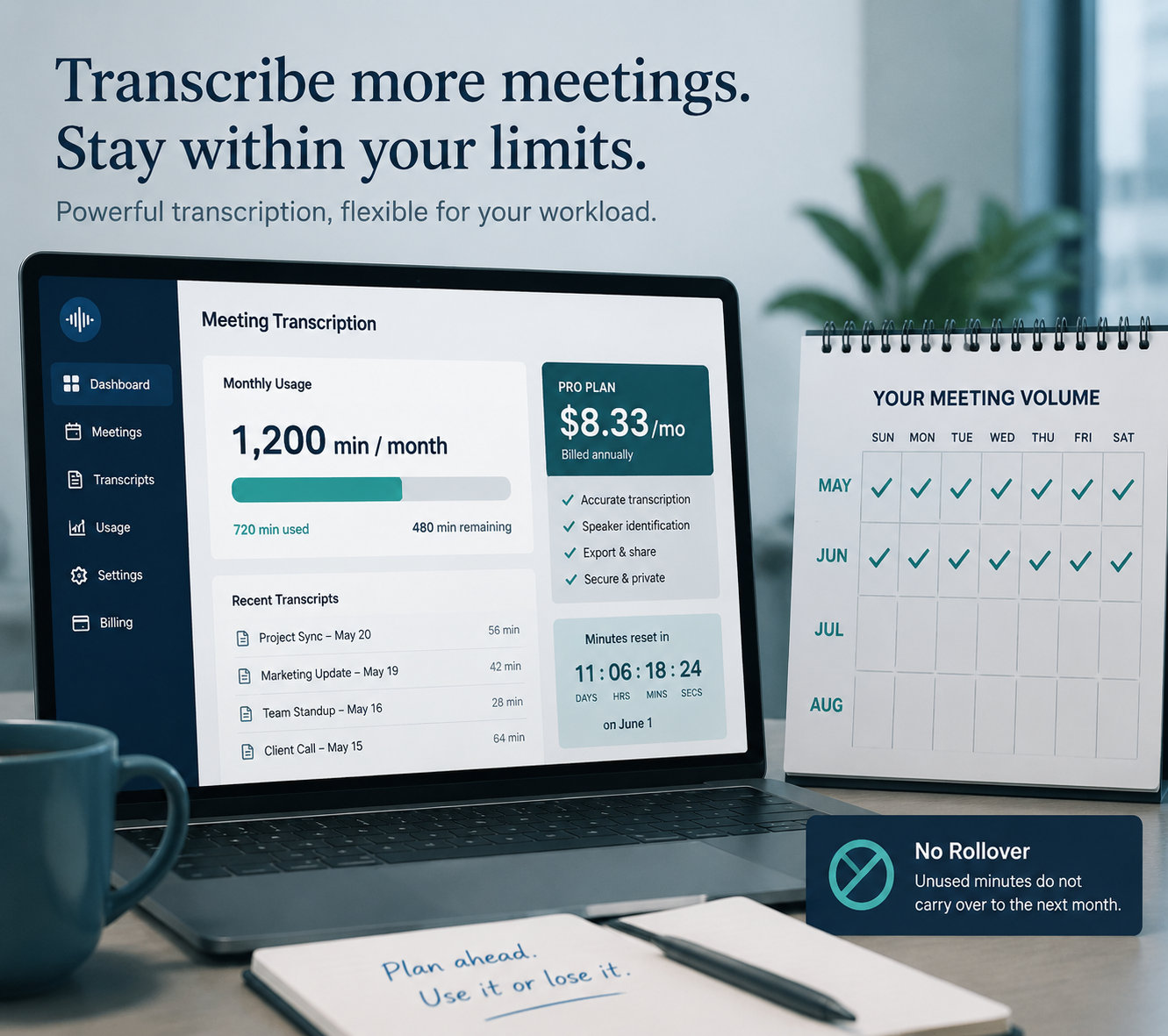
Otter AI Pro plan snapshot
| Plan detail | What Pro includes | Why it matters |
|---|---|---|
| Monthly price | $16.99/month | Useful if you want to test Pro without committing to a year.[1] |
| Annual price | $99.96/year, shown as $8.33/month | The best headline price, but only if you are comfortable prepaying.[1] |
| Annual savings | 51% versus monthly billing | The discount is real; the commitment is also real.[1] |
| Student and teacher discount | About $6.67/month on annual billing, based on Otter’s 20% Pro discount | Good for eligible users, but still subject to Pro’s usage caps.[2] |
| Monthly transcription allowance | 1,200 minutes per month | That is 20 hours if you use the full allowance.[1] |
| Per-conversation limit | 90 minutes | A long workshop, class, deposition prep call, or client strategy session can hit the wall before the month does.[1] |
| File imports | 10 imports per month | Fine for occasional uploads; tight for podcast, interview, or research workflows.[1] |
| Languages | English, French, and Spanish | Any other language means Pro is not the whole workflow.[1] |
| Exports | Advanced exports including PDF, DOCX, and SRT | Helpful when transcripts need to leave Otter for clients, captions, or documentation.[1] |
| Storage | Unlimited transcript storage | Useful for search and archives, but cloud storage should not be treated as offline access.[1] |
| Meeting behavior | A visible OtterPilot bot joins meetings | Everyone can see the assistant; that changes the conversation in some rooms.[1] |
| Minute rollover | No rollover | Unused paid minutes from a quiet month do not rescue a heavy month. |
The Pro plan’s best case is easy to see. Pay annually, use most of the 1,200 minutes each month, and the cost drops to about $0.007 per minute, or roughly $0.42 per recorded hour: $99.96 divided by 14,400 annual minutes.[1] That is inexpensive for searchable transcripts, summaries, exports, and a meeting assistant that can keep a solo operator from rewriting notes after every call.
The weaker case is just as important. If you record 18 hours one month and 2 hours the next, the plan does not behave like a flexible bank of transcription time. It behaves like a monthly meter. The unused portion disappears, while the heavy month still has to fit inside the 1,200-minute allowance and the 90-minute per-conversation limit.
The price is attractive only if your calendar is steady
For someone with five to twenty hours of recurring meetings each month, Otter Pro is priced well. A freelancer with weekly client calls, a graduate student recording seminars, or a manager who wants searchable team discussions can get close enough to the cap for the annual plan to make sense. The transcript archive and cross-meeting search matter more in that pattern because the notes accumulate into a usable record rather than a pile of occasional one-off files.
The plan feels different when the work arrives in bursts. A consultant might have three quiet weeks and then a week of discovery calls. A student might need heavy transcription during field interviews but little during exam periods. A small agency might have a client research sprint followed by a slow month. In those cases, the annual price can still look cheap on the pricing page while the actual value depends on how many paid minutes vanish unused.
| Monthly use pattern | How Pro tends to feel | Watch before paying annually |
|---|---|---|
| 5-10 hours most months | Usually reasonable if meetings stay under 90 minutes | You are paying for convenience as much as raw minutes. |
| 10-20 hours most months | Best fit for the plan | This is where the $0.42/hour full-use math becomes believable. |
| One or two long sessions | Riskier than the monthly total suggests | The 90-minute conversation cap can matter more than the 1,200-minute cap. |
| Bursty months with gaps | Often frustrating | No rollover means quiet months do not subsidize busy months. |
| Heavy recorded-file workflow | Likely constrained | The 10-import monthly limit becomes a separate bottleneck. |
That is the main buying test. Do not start with the annual discount. Start with your last two or three months of calls. If they look similar, Pro’s economics are easy to defend. If they look chaotic, compare it with usage-based or higher-cap alternatives before committing. Our AI meeting note taker comparison is the better next stop if your usage is irregular.
The 90-minute cap is not a footnote
A 1,200-minute monthly allowance sounds generous because it is measured at the month level. The 90-minute conversation cap is measured where work actually happens: inside a single call.[1] That distinction matters for workshops, lectures, interviews, coaching sessions, research calls, board meetings, and any meeting where stopping the transcript to restart a session would be awkward.
If most of your meetings are 30 to 60 minutes, the cap may rarely appear. If your calendar has fewer but longer sessions, Pro can be the wrong plan even when your total monthly minutes are well below 1,200. The monthly allowance answers “how much can I record?” The per-conversation cap answers “will this specific meeting survive?”
Imports, exports, and storage: useful, with one tight gate
Pro’s export options are genuinely useful. PDF and DOCX exports make sense for client notes and internal documentation; SRT export matters if captions are part of the workflow.[1] Unlimited transcript storage also helps if the value you want from Otter is not just a single meeting summary, but the ability to search across past conversations.
The import limit is the catch. Ten file imports per month is enough for the occasional recorded call, lecture, or voice memo. It is not generous for people who already have audio or video files waiting to be processed.[1] If your workflow starts with recordings made somewhere else, this limit deserves the same attention as the transcription minutes.
Cloud-only storage is another practical constraint. Unlimited storage sounds like an archive, but it should not be mistaken for offline possession of your working notes. If you need transcripts available during travel, in restricted environments, or after a service interruption, exports become part of your operating routine rather than a nice extra.
Language support is simple: English, French, and Spanish
Otter Pro supports English, French, and Spanish.[1] That is clear enough to make the decision fast. If your meetings are mostly in those languages, Pro stays in the running. If your work includes German, Portuguese, Japanese, Mandarin, Arabic, Hindi, or multilingual switching that Otter does not support well enough for your use case, the plan is incomplete no matter how attractive the annual price looks.
This is especially important for interviews and client work. A tool can be excellent in the languages it supports and still be the wrong purchase for a person whose calendar does not respect that boundary.
Accuracy is promising, but do not budget as if it is perfect
Third-party 2026 Otter pricing and review coverage commonly places Otter’s transcription accuracy in the 93-95% range, but those figures should be treated as directional rather than as a controlled benchmark.[3][4] Accent mix, audio quality, speaker overlap, jargon, microphones, and room noise can all move the result.
For routine internal meetings, that level of performance can be more than enough: the transcript catches decisions, action items, names to verify, and the shape of the conversation. For legal, medical, compliance, research, or publication workflows, the transcript still needs review. Pro reduces note-taking labor; it does not remove judgment from the process.
The visible OtterPilot bot changes the room
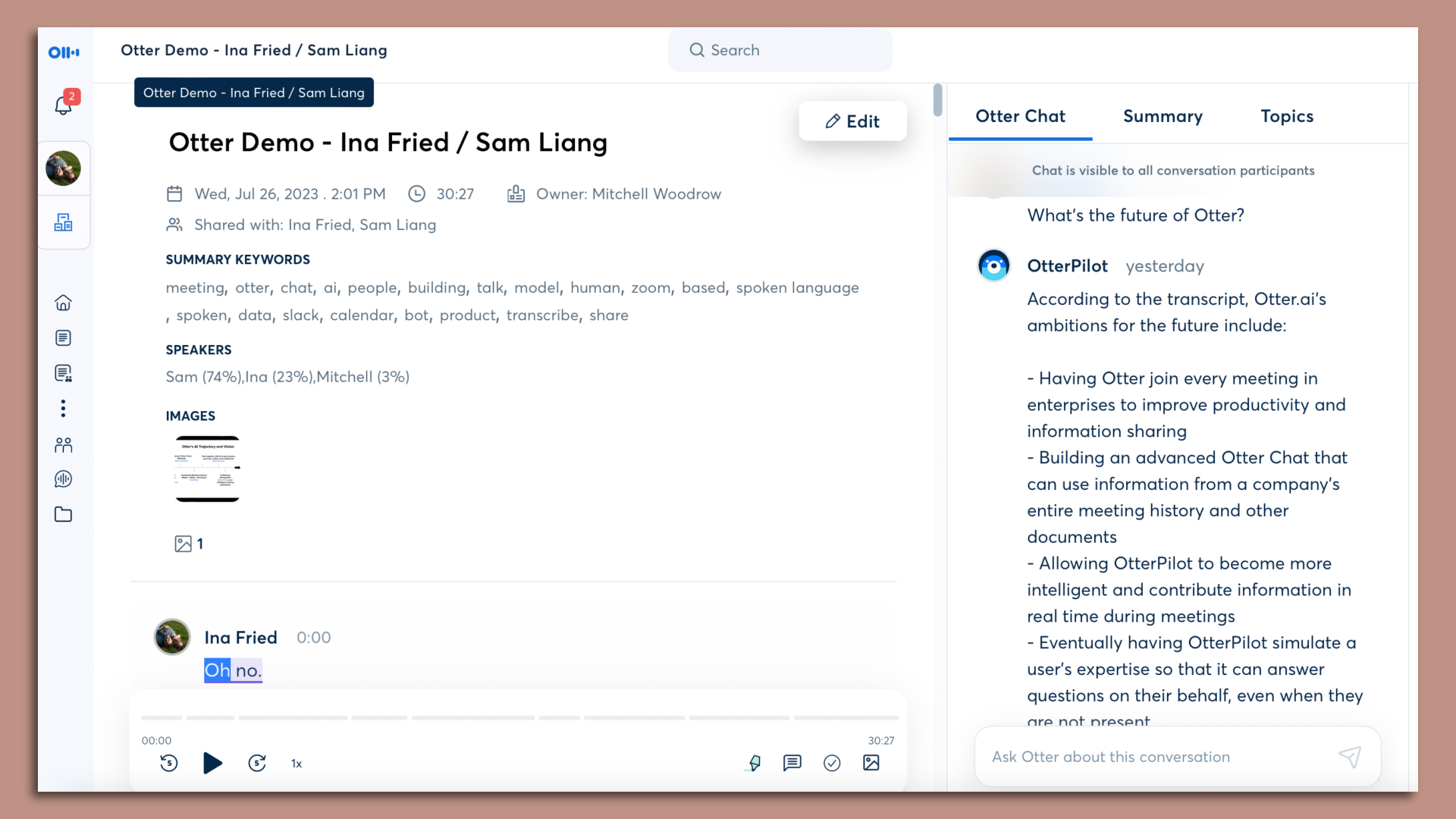
OtterPilot does not quietly sit in the background. The bot joins meetings as a visible participant.[1] In many team calls, that is fine. In a client meeting, an interview, a hiring conversation, a therapy-adjacent coaching session, or a sensitive internal discussion, the bot can become the first topic of the meeting before the actual agenda starts.
Brewer v. Otter.ai, an August 2025 BIPA class-action lawsuit, raises a consent concern for users in two-party-consent states. Its procedural status should be re-checked before relying on any legal conclusion in July 2026. The practical point is narrower and more durable: if attendees may not expect recording, transcription, or biometric-adjacent processing, Pro users need a consent habit before they need a transcript.
For a deeper side-by-side look at meeting note tools and consent friction, see the AI meeting notes privacy comparison.
Pro versus Free, Business, and Enterprise
The Pro decision usually comes from one of two places: the free tier has become too small, or Business feels too expensive for a solo user. Pro is the natural middle if you want more minutes, exports, storage, and vocabulary control without buying a team plan. If you are still trying to avoid another subscription, compare the free options first in our best free tiers for AI meeting minutes guide.
Business becomes more relevant when administration, team collaboration, and higher limits matter more than the lowest individual price. Enterprise pricing should be treated separately because Otter does not publish a simple public Enterprise sticker price; third-party pricing coverage describes it as a custom-sale motion rather than a self-serve Pro-style purchase.[3] For full tier context beyond Pro, use the broader Otter.ai review.
Who should buy Otter AI Pro
- Buy Pro if you usually record 5-20 hours of meetings per month and can use most of the 1,200-minute allowance.
- Buy Pro if your meetings are mostly in English, French, or Spanish.
- Buy Pro if your calls usually stay under 90 minutes.
- Buy Pro if searchable transcripts and exports save enough admin time to justify an annual subscription.
- Buy Pro if a visible meeting bot will not surprise clients, candidates, students, or colleagues.
Who should pause before paying
- Pause if your meeting volume is uneven and you need unused minutes to carry into busier months.
- Pause if your important sessions often run longer than 90 minutes.
- Pause if you depend on more than 10 uploaded files per month.
- Pause if your work involves unsupported languages or frequent multilingual meetings.
- Pause if consent, confidentiality, or client perception makes a visible AI bot difficult to explain.
The clean recommendation is this: Otter AI Pro is worth the annual $8.33/month price when your meeting load is steady, your calls fit inside the caps, and your language needs match Otter’s coverage. If the calendar is spiky, the meetings are sensitive, or your workflow starts with a pile of recordings rather than live calls, the cheap hourly math is not enough. Compare alternatives before the billing cycle starts.
References
- Otter.ai Pricing, Otter.ai.
- Student & Teacher discount program for the Pro plan, Otter.ai Help Center.
- Otter AI Pricing, Sonix.
- Otter AI Review, Convo.