
What Is Otter.ai?
Otter.ai is an AI-powered meeting assistant built around one core function: capturing spoken conversation and turning it into searchable, actionable text. Founded in 2016 by Sam Liang and Yun Fu and headquartered in Mountain View, California, the company has grown to over 15 million registered users and claims to have transcribed more than a billion meetings.
The product sits firmly in the AI meeting assistant category — not a general note-taking app, not a PKM tool, and not a document editor. Its purpose is to join your meetings, transcribe them in real time, generate summaries and action items, and make every conversation searchable after the fact. If you need to capture lectures, interviews, or brainstorming sessions, those use cases are supported, but the product's design and pricing are built around recurring meeting workflows.
That distinction matters before evaluating it. Otter.ai is a mature product in a category that has become significantly more competitive in 2025 and 2026. Its strengths are real and well-established. So are its limitations.
Core Features in 2026
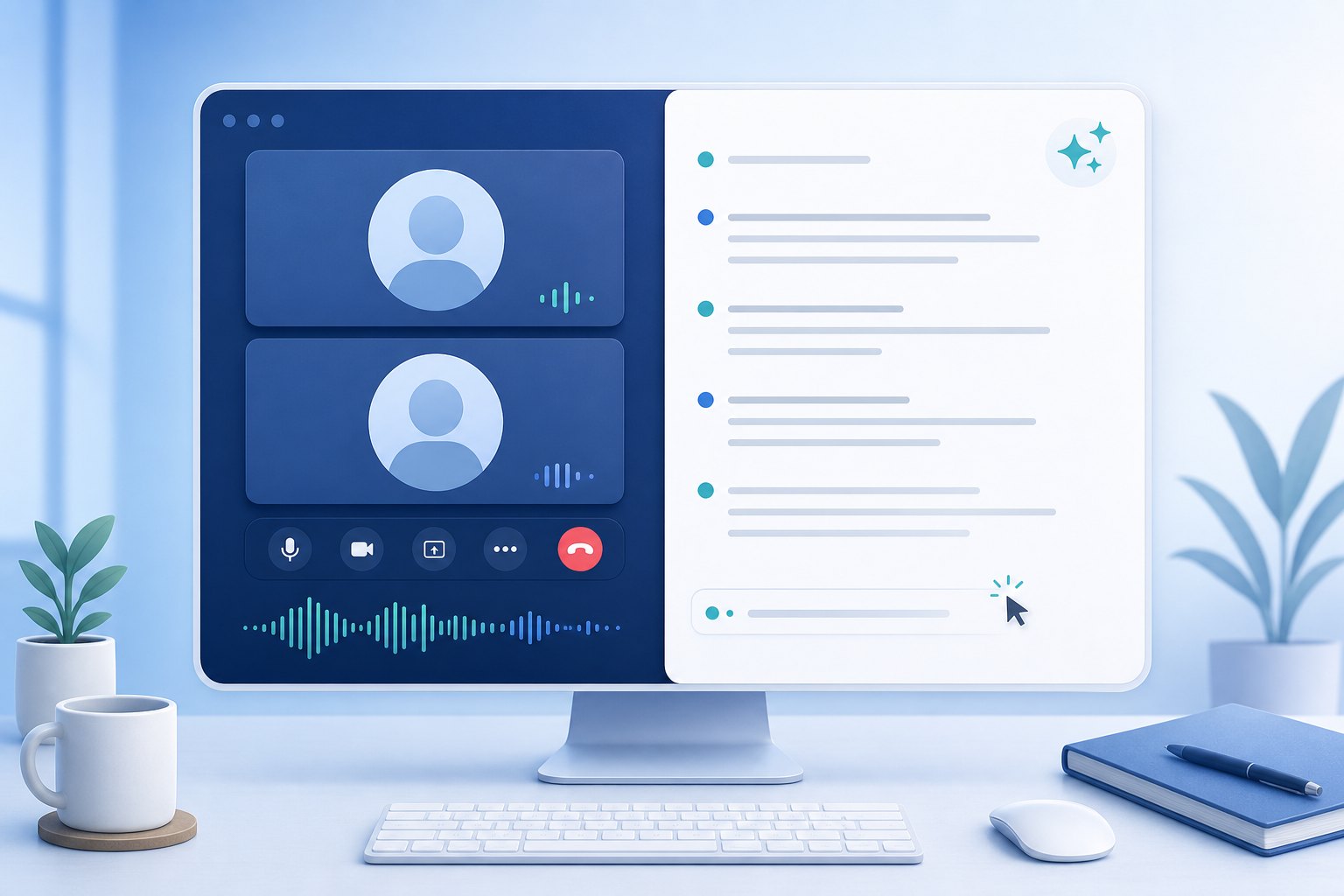
Otter.ai's 2026 feature set has expanded meaningfully from its transcription-only origins. Here is what the product actually does across its current plans.
Real-Time Transcription
Words appear on screen as people speak, with the transcript retroactively corrected as the AI model processes context. In good audio conditions — clear microphone, minimal background noise, native English speakers — accuracy runs at 93–95%, which is among the strongest performance figures for a consumer-grade meeting tool. Quality degrades with heavy accents, overlapping speakers, or poor audio environments.
OtterPilot Bot
OtterPilot is Otter's automated meeting bot. It joins Zoom, Google Meet, and Microsoft Teams calls as a visible participant listed in the meeting roster under the name "Otter.ai." It records and transcribes the session, then generates a summary, action items, and an outline after the meeting ends. The bot's visibility is intentional — it is not a hidden recorder — but it creates friction in some professional and legal contexts, which is covered in the limitations section.
AI Summaries, Action Items, and Outlines
After each meeting, Otter generates a structured summary, a list of action items attributed to named participants, and a topic outline. These are available on all paid plans. The quality of these outputs depends heavily on transcript accuracy — a clean transcript produces useful summaries; a noisy one does not.
Otter AI Chat
AI Chat lets you ask natural-language questions about your meeting content — "What did we decide about the Q3 budget?" or "Who is responsible for the product launch?" — and receive answers pulled from your transcript archive. Query limits vary significantly by plan: 20 queries per month on Basic, 50 on Pro, 200 on Business. Enterprise is expanding AI Chat to include Gmail, Google Drive, Notion, and Jira as sources, but that capability is listed as coming soon as of June 2026.
Otter Meeting Agent (2026)
The most significant 2026 addition is the Otter Meeting Agent — a voice-activated AI that participates actively in calls rather than passively transcribing them. During a live meeting, you can ask the agent questions out loud and receive answers drawn from your organization's meeting history. It can also draft follow-up emails and schedule next steps within the meeting itself. The agent is rolling out on Zoom first, with other platforms to follow. This is a meaningful step beyond passive transcription, though it is still in incremental rollout and its reliability across different meeting environments is not yet fully established.
Speaker Identification
Otter attempts to label transcript lines by speaker name rather than generic "Speaker 1" or "Speaker 2" labels. Accuracy reaches approximately 85% after a 2–3 meeting training period. In practice, consistency is uneven — the same two participants on Google Meet may be correctly identified in one meeting and labeled generically in the next. Manual correction is available but adds time.
Searchable Archive
The ability to search across every meeting you have ever recorded is consistently cited as Otter's standout feature. Unlike a folder of audio files or disconnected documents, Otter's archive lets you retrieve a specific decision, quote, or discussion thread from months of meetings in seconds. This compounding value — the archive becomes more useful the longer you use the tool — is the most defensible reason to choose Otter over a lighter-weight free alternative.
Additional 2026 Features
- MCP server integration (available on Basic and above) — connects Otter to AI assistant workflows via the Model Context Protocol.
- Advanced AI meeting templates (Pro and above) — pre-structured formats for recurring meeting types such as standups, sales calls, and performance reviews.
- CRM sync with Salesforce and HubSpot — available on Pro (1 user) and Business (5 users), with unlimited users on Enterprise.
- Custom AI workflow builder — allows teams to configure automated post-meeting actions.
- Export formats — Basic supports MP3 and TXT; Pro and above add PDF, DOCX, and SRT; Business and Enterprise add bulk export.
- Desktop app for Mac and Windows — records locally without deploying the OtterPilot bot, useful for in-person meetings or contexts where a visible bot is unwanted.
- Video replay — announced as an Enterprise feature for Zoom and Google Meet recordings, but listed as "Coming Soon" on the pricing page as of June 2026. Not currently available for purchase.
Pricing Tiers — Verified June 2026
| Plan | Monthly Rate | Annual Rate | Minutes/Month | Per-Conversation Cap | File Imports | AI Chat Queries/Month | Concurrent Meetings |
|---|---|---|---|---|---|---|---|
| Basic (Free) | Free | Free | 300 min | 30 min | 3 lifetime | 20 | 1 |
| Pro | $16.99/mo | $8.33–$8.49/mo | 1,200 min | 90 min | 10/month | 50 | 2 |
| Business | $30/mo | $19.99/mo | Unlimited | 4 hours | Unlimited (up to 6,000 min imported/month) | 200 | 3 |
| Enterprise | Custom | Custom | Unlimited | Unlimited | Unlimited | Unlimited (+ Gmail/Drive/Notion/Jira coming soon) | Unlimited |
Notable Per-Tier Features
- Basic: Conversation history capped at the 25 most recent meetings. No advanced search or export beyond MP3 and TXT. AI Chat limited to 20 queries per month.
- Pro: Adds unlimited storage, advanced search, PDF/DOCX/SRT export, Salesforce/HubSpot for 1 user, Zapier integration, and advanced AI meeting templates.
- Business: Adds bulk export, Salesforce/HubSpot for 5 users, enhanced admin features, and team-level controls.
- Enterprise: Adds SSO, SCIM provisioning, domain capture, HIPAA compliance as an add-on, Otter API and webhooks, custom CRM and dialer integrations, and video replay for Zoom and Google Meet (coming soon).
Student and Teacher Discount
Otter offers a 20% discount on the Pro plan for students, faculty, and full-time staff at eligible educational institutions. The discounted rates are $13.59/mo on the monthly plan and $6.67/mo billed annually ($79.99/year). Eligibility requires a verified .edu email address from a nonprofit or accredited institution. Affiliated hospitals, government offices, and medical centers are not eligible. Workspace features are excluded from the discounted plan.
Subscription Terms to Know Before Paying
- Subscriptions are non-refundable. Once payment is made, Otter does not issue refunds regardless of whether the service was used.
- Minutes do not roll over. Unused monthly minutes expire at the end of each billing cycle.
- Cancel before your next billing date to avoid automatic renewal charges. Multiple user reports describe difficulty canceling and unexpected charges after cancellation.
Supported Platforms
- Web app (browser-based, no installation required)
- iOS app (iPhone and iPad)
- Android app
- Mac desktop app
- Windows desktop app
- Zoom bot (OtterPilot joins as a visible meeting participant)
- Google Meet bot (OtterPilot joins as a visible meeting participant)
- Microsoft Teams bot (OtterPilot joins as a visible meeting participant)
The distinction between the desktop app and OtterPilot matters in practice. The desktop app records audio locally on your Mac or Windows machine without deploying a bot — it captures the meeting through your device's microphone and system audio. OtterPilot, by contrast, joins as a named participant visible to everyone in the call. If you are in a context where a visible bot is unwelcome, the desktop app is the workaround.
Where Otter.ai Genuinely Excels
Otter's strengths are specific and well-supported by consistent user evidence. They are not evenly distributed across all use cases — the tool earns its reputation in particular contexts.
- Transcription accuracy at the top of the consumer tier. At 93–95% accuracy in good audio conditions, Otter consistently outperforms lighter-weight free alternatives for English-language meetings. For professionals whose work depends on reliable transcripts, this accuracy gap is meaningful.
- Searchable cross-meeting archive as a compounding asset. The ability to search across months or years of meeting history is the feature that most distinguishes Otter from simpler transcription tools. Teams that run recurring meetings — weekly syncs, quarterly reviews, sales calls — accumulate an institutional memory that becomes genuinely valuable over time.
- Live captions for accessibility. Real-time captions during meetings benefit participants who are deaf or hard of hearing, non-native speakers following a fast-moving conversation, or anyone in a noisy environment.
- The 2026 Meeting Agent is a real capability step. Voice-activated in-meeting assistance — answering questions live, drafting follow-ups, scheduling next steps — moves Otter meaningfully beyond passive transcription. The rollout is incremental and Zoom-first, but the direction is substantive.
- Mobile app quality for in-person recording. The iOS and Android apps are consistently praised for recording in-person meetings, lectures, and interviews. For users whose most important meetings happen face-to-face, the mobile app is a strong option.
- CRM integrations for sales teams. Native Salesforce and HubSpot sync — available on Pro and above — reduces the manual effort of logging call notes after customer meetings. At the Business tier, this extends to five CRM users, which covers most small sales teams.
Honest Limitations and Known Issues
Most Otter.ai reviews published by competing tools minimize or omit the following issues. They are material to the evaluation.
The Free Tier Is the Most Restrictive of Major Competitors
The Basic plan offers 300 minutes per month with a hard 30-minute cap per conversation. This means Otter stops transcribing mid-meeting if a session runs longer than half an hour — a significant frustration for anyone running standard one-hour business meetings. For comparison, Fireflies.ai offers 800 minutes on its free tier, and Fathom offers an unlimited free individual plan. Otter's free plan also limits lifetime file imports to three and caps conversation history at the 25 most recent meetings.
Language Support Is Narrow, With No Auto-Detection
Based on consistent third-party review evidence, Otter supports English, Spanish, and French — with manual language pre-selection required before each meeting. There is no automatic language detection. If participants switch languages mid-call, the transcript does not adapt — it produces broken text and hallucinated content rather than detecting the change. The official pricing page lists additional languages (German, Japanese, Chinese), but this conflicts with what reviewers have observed in the product. Verify the actual supported language list before making any commitment if your team operates in more than one language.
The Visible Bot Creates Consent Friction
OtterPilot joins meetings as a named participant. In 12 US states that require all-party consent before recording — including California, Florida, Illinois, Maryland, Massachusetts, Michigan, Montana, New Hampshire, Pennsylvania, Washington, Delaware, and Connecticut — the bot's presence does not automatically satisfy legal requirements. Participants must be informed and consent must be obtained. In practice, a visible bot named "Otter.ai" in the participant list makes the recording obvious, but it does not substitute for explicit consent in all-party consent jurisdictions.
Video Replay Is Not Yet Available
Video replay for Zoom and Google Meet recordings is listed as "Coming Soon" under the Enterprise plan on the official pricing page as of June 2026. It is not a currently purchasable feature on any plan. Competitors including Fathom offer video replay at lower price points or on free tiers.
Speaker Identification Is Inconsistent
Speaker identification requires a 2–3 meeting training period and reaches roughly 85% accuracy at its best. In practice, the same participants in recurring meetings are sometimes correctly identified and sometimes labeled "Speaker 1" and "Speaker 2" with no clear pattern. Manual correction is available but adds post-meeting work.
Additional Operational Limitations
- No minute rollover. Unused minutes expire at the end of each billing cycle. A light month does not subsidize a heavy one.
- Non-refundable subscriptions. Payment is final regardless of usage.
- Customer support gaps. Multiple user reviews across G2, Trustpilot, and Reddit report slow or non-existent support responses, including cases where users were billed after cancellation with no resolution.
- Automatic team account creation. Some users report that Otter creates team workspace accounts without explicit consent, described in reviews as unexpected and difficult to reverse.
- Bot behavior in empty meetings. The OtterPilot bot remains in the meeting room and continues recording after all participants have left unless manually stopped.
Vendor Risk and Data Portability
Federal BIPA Lawsuit
A federal class-action lawsuit — Brewer v. Otter.ai, filed in the Northern District of California in August 2025 — alleges that Otter recorded private conversations without proper disclosure and used that data to train its AI models. The lawsuit was confirmed in multiple independent sources as of the research date for this article.
Cloud-Only Audio Processing
All audio is processed on Otter's cloud infrastructure. There is no on-premises or local processing option below the Enterprise tier. For organizations in healthcare, legal, financial services, or government — where data residency, HIPAA compliance, or attorney-client privilege concerns apply — this is a significant constraint. HIPAA compliance is available as an add-on on the Enterprise plan only.
Several major academic institutions, including Cornell, Oxford, Cambridge, and Tufts, have blocked or restricted AI meeting bots including Otter. If you are at an institution with similar policies, verify your organization's rules before adopting the tool.
Export Formats and Data Ownership
- Basic: MP3 (audio) and TXT (plain text transcript)
- Pro and above: MP3, TXT, PDF, DOCX, and SRT (subtitle format)
- Business and Enterprise: All of the above plus bulk export
If you are evaluating long-term commitment, the export options on Pro and above are reasonable for data portability. The lack of bulk export on the Basic and Pro tiers means migrating a large archive requires a Business plan or manual export of individual meetings.
Who Otter.ai Is For
Otter.ai delivers real value for specific use cases. The following personas reflect where the tool earns its cost.
| Persona | Why Otter Fits | Recommended Plan |
|---|---|---|
| Professionals running 10+ meetings per week | The searchable archive compounds in value as meeting volume grows. Being able to retrieve a specific decision or commitment from three months of calls in under a minute is a genuine productivity gain at this meeting frequency. | Pro or Business |
| Sales teams using Salesforce or HubSpot | Native CRM sync reduces post-call logging time. Pro covers individual sales reps; Business covers teams of up to 5 CRM users. Automated action items and summaries integrate directly into deal records. | Pro (solo reps) or Business (teams) |
| Students and teachers at US universities | The .edu discount brings Pro Annual to $6.67/mo — a reasonable price for lecture transcription, searchable study notes, and AI-generated summaries. Best for students whose institution has not restricted AI meeting tools. | Pro Annual with .edu discount |
| Remote teams on Zoom, Meet, or Teams | OtterPilot automates meeting notes without requiring anyone to take manual notes. Teams that run recurring async-heavy workflows benefit from the searchable shared archive. | Business |
| Individual knowledge workers on Pro | AI Chat at 50 queries/month, advanced search, and unlimited storage make Pro viable for solo professionals who need to retrieve information from a dense meeting schedule without paying Business-tier prices. | Pro |
Who Should Look Elsewhere
Otter.ai is a poor fit in several well-defined situations. These are not edge cases — they apply to a significant portion of the people who evaluate the tool.
- Multilingual or non-English-primary teams. With only English, Spanish, and French supported (and no automatic language detection), teams that operate in German, Japanese, Mandarin, Portuguese, or any other language will encounter transcription failures. Mid-call language switches produce hallucinated text rather than graceful handling.
- Healthcare, legal, or financial services with strict data governance requirements. Cloud-only audio processing and HIPAA compliance limited to an Enterprise add-on make Otter a poor fit for regulated industries below the Enterprise tier. The pending BIPA lawsuit adds additional uncertainty for organizations with legal risk sensitivity.
- Users in all-party consent jurisdictions who find visible bots professionally unacceptable. If your clients, partners, or colleagues object to a named AI participant in their meetings — or if your legal context requires more than implicit consent — the OtterPilot bot creates ongoing friction. The desktop app workaround helps for in-person meetings but does not resolve remote meeting consent requirements.
- Budget-sensitive users with light or infrequent meeting loads. If you attend fewer than five or six meetings per week and do not need a searchable archive, Fathom's unlimited free individual tier is a stronger starting point. Otter's free plan — with its 30-minute per-meeting cap — is functionally limited for most business meeting formats.
- Anyone who needs video replay before Enterprise is generally available. Video replay is listed as Coming Soon under Enterprise as of June 2026. If reviewing recorded video alongside the transcript is a requirement for your workflow, Otter cannot currently meet it at any purchasable price point.
- Students whose primary need is structured note-taking rather than meeting transcription. If you need an app for organizing class notes, annotating PDFs, or building a study system — rather than transcribing lectures — Otter is not designed for that workflow. See the best note-taking apps for iPad in 2026 roundup for options better suited to those needs.
How It Compares at a Glance
The AI meeting assistant market has grown significantly in 2025–2026. The following table covers four tools across the dimensions that matter most for initial evaluation. This is not a substitute for a dedicated comparison — it is orientation for readers who want competitive context before deciding.
| Tool | Free Tier | Transcription Languages | Video Replay | CRM Integration | Bot Visibility |
|---|---|---|---|---|---|
| Otter.ai | 300 min/month, 30 min/conversation cap | English, Spanish, French (verify German/Japanese/Chinese claim) | Enterprise only — Coming Soon | Salesforce, HubSpot (Pro+) | Visible named participant |
| Fathom | Unlimited individual meetings | Multiple (broader support) | Available on free and paid tiers | Salesforce, HubSpot (paid) | Visible named participant |
| Fireflies.ai | 800 min/month | Multiple (broader support) | Available on paid tiers | Salesforce, HubSpot, Pipedrive (paid) | Visible named participant |
| Granola | Limited free tier | English-primary | Limited | Limited | No bot — local app |
A dedicated head-to-head comparison of AI meeting assistants — covering Otter.ai, Fathom, Fireflies.ai, and Granola in depth — will be published separately on this site. The table above is a starting point, not a complete evaluation.
Final Verdict
Otter.ai is a mature product that has earned its position in the AI meeting assistant category. Its transcription accuracy at 93–95% in good conditions, its searchable cross-meeting archive, and its 2026 Meeting Agent represent genuine, defensible strengths. For professionals with high meeting volume who need to retrieve institutional knowledge from months of recorded calls, Otter remains one of the strongest options available.
That said, its competitive position in mid-2026 is under real pressure. The free tier is the least generous of its major competitors. Language support is narrow with no auto-detection. Video replay is not yet available at any purchasable price point. The visible OtterPilot bot creates consent friction in a significant portion of the US market. A pending federal BIPA lawsuit adds vendor risk that governance-sensitive organizations cannot ignore.
Plan Recommendations by Persona
- Casual evaluation or occasional use: Start with Basic (free) to test transcription quality in your specific meeting environment. The 30-minute cap will be limiting for most business meetings, but it is enough to assess accuracy.
- Individual knowledge workers with regular meeting schedules: Pro at $8.33/mo annual is the right tier. Unlimited storage, advanced search, PDF/DOCX/SRT export, and 50 AI Chat queries per month cover most individual professional needs.
- Sales or operations teams using Salesforce or HubSpot: Business at $19.99/mo annual. The CRM sync for 5 users, unlimited meetings, and bulk export justify the step up from Pro for teams.
- Students at eligible US institutions: Pro Annual with the .edu discount at $6.67/mo is reasonable for lecture transcription. Confirm your institution has not restricted AI meeting bots before subscribing.
- Multilingual teams, regulated industries, or users who need video replay now: Skip Otter.ai at current pricing and feature state. Evaluate Fathom for free unlimited transcription or Fireflies for broader language support.
If you are evaluating Otter.ai as part of a broader productivity stack alongside workspace tools, the Notion review covers how a connected workspace handles the downstream work that meeting transcripts feed into — organizing notes, managing projects, and building team knowledge bases.