
The Hidden Cost of Cloud-Only Notes
Most Windows note-taking roundups start and end with cloud-synced apps. Open any list and you will find OneNote, Notion, and Evernote at the top, praised for their collaboration features and cross-device sync. What those lists rarely mention is the trade-off: every note you write in a cloud-native app lives on someone else's server. If the vendor changes its pricing, shuts down a service tier, or suffers a breach, your data is at risk.
This is not a theoretical concern. In the past two years, major note-taking apps have tightened free-plan limits, raised subscription prices, and altered privacy policies. Evernote's free plan, for example, now restricts users to 50 notes and a single device — a dramatic reduction from earlier years. Notion's offline mode remains limited on desktop, and OneNote stores your notebooks on Microsoft's servers by default, even if you never use the sync features.
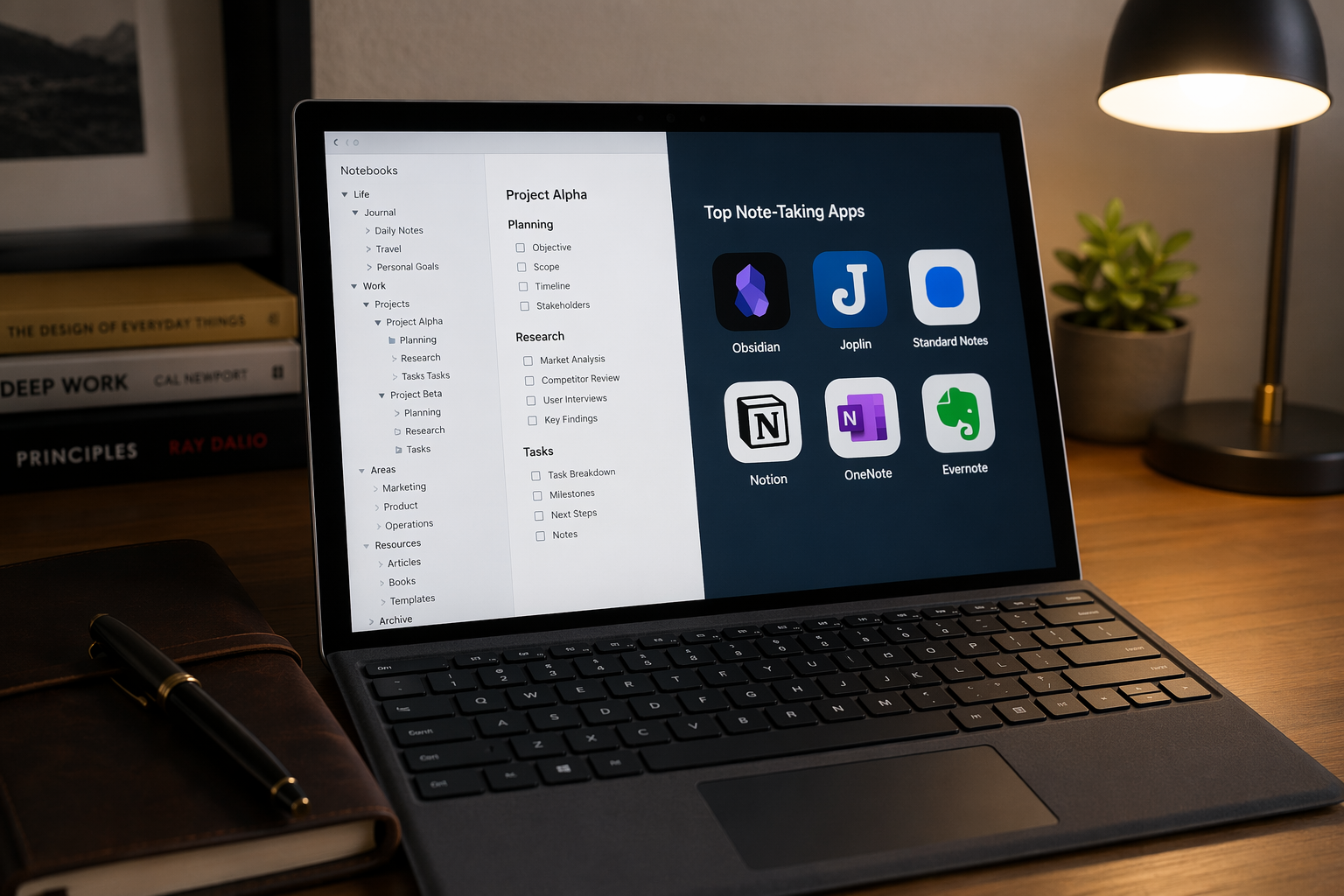
For a growing number of Windows users — particularly knowledge workers, researchers, and privacy-conscious professionals — these trade-offs are no longer acceptable. The alternative is a category of apps that store your notes as local files on your machine, treat sync as an optional add-on, and give you full control over your data. This guide compares four local-first apps (Obsidian, Joplin, Standard Notes, and MyInfo) against three cloud-native tools (OneNote, Notion, and Evernote) so you can decide which philosophy matches your privacy needs.
If you are looking for a broader use-case comparison that covers all major Windows note-taking apps, see our Best Note-Taking Apps for Windows in 2026: Compared by Use Case article.
Why Offline and Local-First Matter: Privacy, Speed, and Ownership
Local-first architecture means your notes exist as files on your computer's hard drive. The app reads and writes those files directly — no server round-trip required. This design choice has three practical consequences that matter for Windows users.
- Privacy by default. When your notes never leave your machine, there is no server to intercept, scan, or monetize your data. Local-first apps do not require an account to function. You can open Obsidian or Joplin, write for years, and never once send a keystroke to a third party.
- Speed and reliability. Local files open instantly. There is no loading spinner while the app syncs, no conflict resolution when two devices edit the same note, and no dependency on your internet connection. If you work on a train, in a coffee shop with spotty Wi-Fi, or in an air-gapped environment, local-first apps work exactly the same as they do on a wired connection.
- Data ownership and portability. Because your notes are stored as standard file formats — Markdown, plain text, or HTML — you can open them with any text editor, back them up with any file-sync tool, and migrate to another app without a proprietary export tool. You are not locked into a single vendor's ecosystem.
The trade-off is that local-first apps typically require you to manage your own sync solution if you want notes on multiple devices. Some offer paid sync services; others rely on Dropbox, OneDrive, or a self-hosted server. Cloud-native apps handle this automatically, which is why they remain the default choice for most users.
Category 1: Local-First Apps — Obsidian, Joplin, Standard Notes, MyInfo
These four apps share a common philosophy: your notes belong on your device. But they differ significantly in encryption approach, sync options, and target audience.
Obsidian
Obsidian stores every note as a plain Markdown file in a local folder called a vault. The core app is free for personal use, and because the files are standard Markdown, you can edit them with any text editor even if Obsidian itself is not installed. The app's power lies in its plugin ecosystem and bidirectional linking, which turns your vault into a personal knowledge graph.
Sync is optional. Obsidian Sync costs $4 per month and provides end-to-end encrypted sync across devices. Alternatively, you can place your vault folder inside Dropbox, OneDrive, or any other file-syncing service for free. Obsidian does not encrypt notes at rest by default — that responsibility falls to your operating system or a third-party encryption tool.
Joplin
Joplin is an open-source note-taking app that stores notes as Markdown files locally. The core application is completely free. What sets Joplin apart is its built-in end-to-end encryption — you can enable E2EE on your notes before they sync to any cloud service. This means even if you sync via Dropbox or OneDrive, the files on the server are encrypted and unreadable without your master password.
Joplin supports flexible sync targets: Dropbox, OneDrive, Nextcloud, WebDAV, or the paid Joplin Cloud service starting at €2.99 per month. It also supports notebooks, tags, and attachments, making it a strong Evernote alternative for users who want open-source software and encryption control.
Standard Notes
Standard Notes takes a different approach: it encrypts every note by default, whether you are on the free or paid plan. The free tier supports plain text notes only. The Premium plan at $9 per month unlocks rich editors (Markdown, code, spreadsheets), file attachments, and extended sync history.
Standard Notes is available on Windows, macOS, Linux, iOS, and Android. Its sync infrastructure is end-to-end encrypted by design — the company cannot read your notes. However, the free tier's plain-text limitation may be a dealbreaker for users who need formatting, images, or code blocks without paying.
MyInfo
MyInfo is a Windows-only note-taking application designed for power users who want a fully offline experience. It operates entirely without an internet connection and stores notes in a local database with notebook-level encryption. The app costs a one-time fee of $99 — no subscription required.
MyInfo supports backlinks, powerful search, custom views called "perspectives," and export to Word, HTML, and plain text. It is a niche tool compared to Obsidian or Joplin, but for Windows users who want a self-contained, subscription-free, offline-first system with encryption, it is a compelling option.
| App | Core Pricing | Sync Cost | Encryption | File Format |
|---|---|---|---|---|
| Obsidian | Free | $4/month (optional) | None by default | Markdown |
| Joplin | Free | From €2.99/month (optional) | End-to-end (optional) | Markdown |
| Standard Notes | Free (plain text) | $9/month (premium) | End-to-end by default | Encrypted JSON |
| MyInfo | $99 one-time | None (offline) | Notebook-level | Proprietary + export |
Category 2: Cloud-Synced Apps — OneNote, Notion, Evernote
Cloud-native apps prioritize convenience and collaboration over local control. Your notes live on the vendor's servers, and the desktop app is essentially a window into that cloud database. This architecture enables seamless sync, real-time collaboration, and access from any device — but it also means you are trusting the vendor with your data.
Microsoft OneNote
OneNote is free with 5GB of OneDrive storage. If you need more space, Microsoft 365 Personal costs $1.99 per month for 100GB and includes the desktop Office apps. OneNote's Windows app is mature, supports stylus input, and offers a hierarchical notebook-section-page structure that many users find intuitive.
Offline access on the Windows desktop app is functional — notes you have opened recently are cached locally. But the primary copy lives on OneDrive. There is no option to store notebooks exclusively on your local drive without disabling sync entirely. Encryption is handled by Microsoft at rest and in transit, but Microsoft holds the encryption keys.
Notion
Notion is free for personal use, with the Plus plan starting at $10 per user per month. It is a powerful all-in-one workspace that combines notes, databases, wikis, and project management. Its flexibility is unmatched — you can build anything from a simple to-do list to a full CRM inside Notion.
The trade-off is that Notion is cloud-first by design. Its Windows desktop app provides limited offline access — you can view recently opened pages, but creating or editing notes without an internet connection is unreliable. Notion does not offer end-to-end encryption; data is encrypted in transit and at rest on Notion's servers, but the company can access your content. For users who need offline reliability or maximum privacy, Notion is not the right choice.
Evernote
Evernote's free plan has been severely restricted: 50 notes maximum, one device only. The Personal plan costs $14.99 per month and removes those limits. Evernote's strength has always been its powerful search, PDF annotation, and web clipping — features that remain best-in-class.
But Evernote is a cloud-native app through and through. Notes sync to Evernote's servers, and the desktop app caches content for offline access. There is no option for local-only storage. The company has also undergone multiple ownership changes and pricing restructurings in recent years, which raises legitimate questions about long-term stability for users with large note collections.
| App | Free Storage | Paid Plan | Offline Access | Encryption |
|---|---|---|---|---|
| OneNote | 5GB | $1.99/month for 100GB | Partial (cached) | Microsoft-managed keys |
| Notion | Unlimited (personal) | $10/user/month (Plus) | Limited | Server-side only |
| Evernote | 50 notes, 1 device | $14.99/month (Personal) | Partial (cached) | Server-side only |
Head-to-Head: Offline Capability, Encryption, Export Formats, and Sync Cost
The table below distills the seven apps into the four dimensions that matter most for privacy-conscious Windows users. Use it as a quick-reference tool when evaluating which approach fits your workflow.
| App | Offline Access | Encryption at Rest | Export Formats | Sync Cost (Minimal) |
|---|---|---|---|---|
| Obsidian | Full | None (OS-level) | Markdown, HTML, PDF | $0 (manual) / $4/month (Obsidian Sync) |
| Joplin | Full | E2EE (optional) | Markdown, JEX, RAW | $0 (manual) / €2.99/month (Joplin Cloud) |
| Standard Notes | Full | E2EE by default | Encrypted JSON, plain text | $0 (free tier) / $9/month (premium) |
| MyInfo | Full | Notebook-level | Word, HTML, plain text | $0 (offline only) |
| OneNote | Partial (cached) | Microsoft-managed | PDF, DOCX, MHT | $0 (5GB) / $1.99/month (100GB) |
| Notion | Limited | Server-side only | Markdown, HTML, CSV | $0 (personal) / $10/user/month (Plus) |
| Evernote | Partial (cached) | Server-side only | ENEX, HTML, PDF | $14.99/month (Personal) |
For a deeper look at what you actually get for your money across free and paid tiers, see our Free vs. Paid Note-Taking Apps for Windows: What Do You Actually Get for Your Money in 2026? article.
Decision Framework: Which Approach Fits Your Privacy Needs?
Your choice between local-first and cloud-native note-taking should depend on how you answer one question: who do you trust to hold your notes?
- Maximum privacy — no sync, no cloud. If you want your notes to never leave your Windows machine, choose MyInfo or use Obsidian/Joplin without any sync service. Your data stays on your hard drive, protected by your operating system's encryption (BitLocker) and your own backup strategy.
- Balanced privacy — local-first with encrypted sync. If you need notes on multiple devices but want to control the encryption keys, choose Joplin with E2EE enabled, or Obsidian with Obsidian Sync. Both let you sync without exposing plaintext data to the sync provider.
- Cloud convenience with strong encryption. If you prefer a managed sync experience but want encryption by default, Standard Notes is the best option. The free tier is limited to plain text, but the $9/month premium plan gives you rich editing with end-to-end encryption.
- Team collaboration and convenience. If you need real-time collaboration, shared workspaces, and don't mind vendor-managed encryption, OneNote (free with 5GB) or Notion (free for personal use) are the practical choices. Just be aware that your data is accessible to the vendor.
Risks of Each Approach — What You Need to Know Before Choosing
Neither local-first nor cloud-native is a perfect solution. Each approach carries specific risks that you should weigh before committing your note collection to a single tool.
Risks of Local-First Apps
- No built-in backup. If your hard drive fails and you have not set up your own backup system, your notes are gone. Local-first apps do not automatically back up to the cloud — that responsibility is yours.
- Limited collaboration. Most local-first apps lack real-time collaborative editing. If you share notes with a team, you will need to use a sync service or a cloud-native tool.
- Mobile experience varies. Obsidian and Joplin have mobile apps, but they are not as polished as OneNote or Notion on phones. Standard Notes has solid mobile apps, but the free tier is plain-text only.
- Sync complexity. Setting up sync via Dropbox or WebDAV requires some technical comfort. Users who want a "set it and forget it" experience may find local-first sync frustrating.
Risks of Cloud-Native Apps
- Vendor lock-in. Exporting thousands of notes from Evernote or Notion is possible but rarely clean. Formatting, attachments, and internal links often break during migration. The more you invest in a cloud app's ecosystem, the harder it is to leave.
- Pricing volatility. Evernote's free plan was once generous; now it is limited to 50 notes. Notion has raised its team pricing. Cloud apps can change their pricing or feature tiers at any time, and your data is trapped inside their servers.
- Privacy and data residency. Your notes are stored on the vendor's servers, often in data centers outside your jurisdiction. If you work with sensitive or regulated information, this may violate compliance requirements.
- Offline limitations. Notion's offline mode is unreliable. OneNote and Evernote cache notes locally, but the primary copy remains on the server. If you lose internet access for an extended period, you may not be able to access all your notes.
Final Verdict: The Right Notes App Depends on Where You Draw the Privacy Line
There is no single best notes app for Windows — only the best app for your specific tolerance for trade-offs. The local-first apps in this comparison give you full data ownership, offline reliability, and freedom from vendor lock-in. The cloud-native apps offer convenience, collaboration, and a managed sync experience at the cost of control over your data.
- Choose Obsidian or Joplin if you want local Markdown files, optional encrypted sync, and full control over your note archive.
- Choose Standard Notes if you want end-to-end encryption by default and are willing to pay $9/month for rich editing.
- Choose MyInfo if you are a Windows-only user who wants a one-time purchase, fully offline app with notebook-level encryption.
- Choose OneNote if you want a free, mature Windows app with stylus support and don't mind Microsoft holding your data.
- Choose Notion if you need a flexible all-in-one workspace for personal or team use and can tolerate limited offline access.
The broader note-taking market has reshuffled significantly in 2026, with pricing changes, new entrants, and shifting privacy policies. For a full landscape view of what has changed and what to pick, read our Best Note-Taking Software in 2026: The Market Has Reshuffled — Here's What Changed and What to Pick.