Quick-Reference Winner Table
If you need a single verdict right now, here is the short version. Each pick is explained in full later in the article.
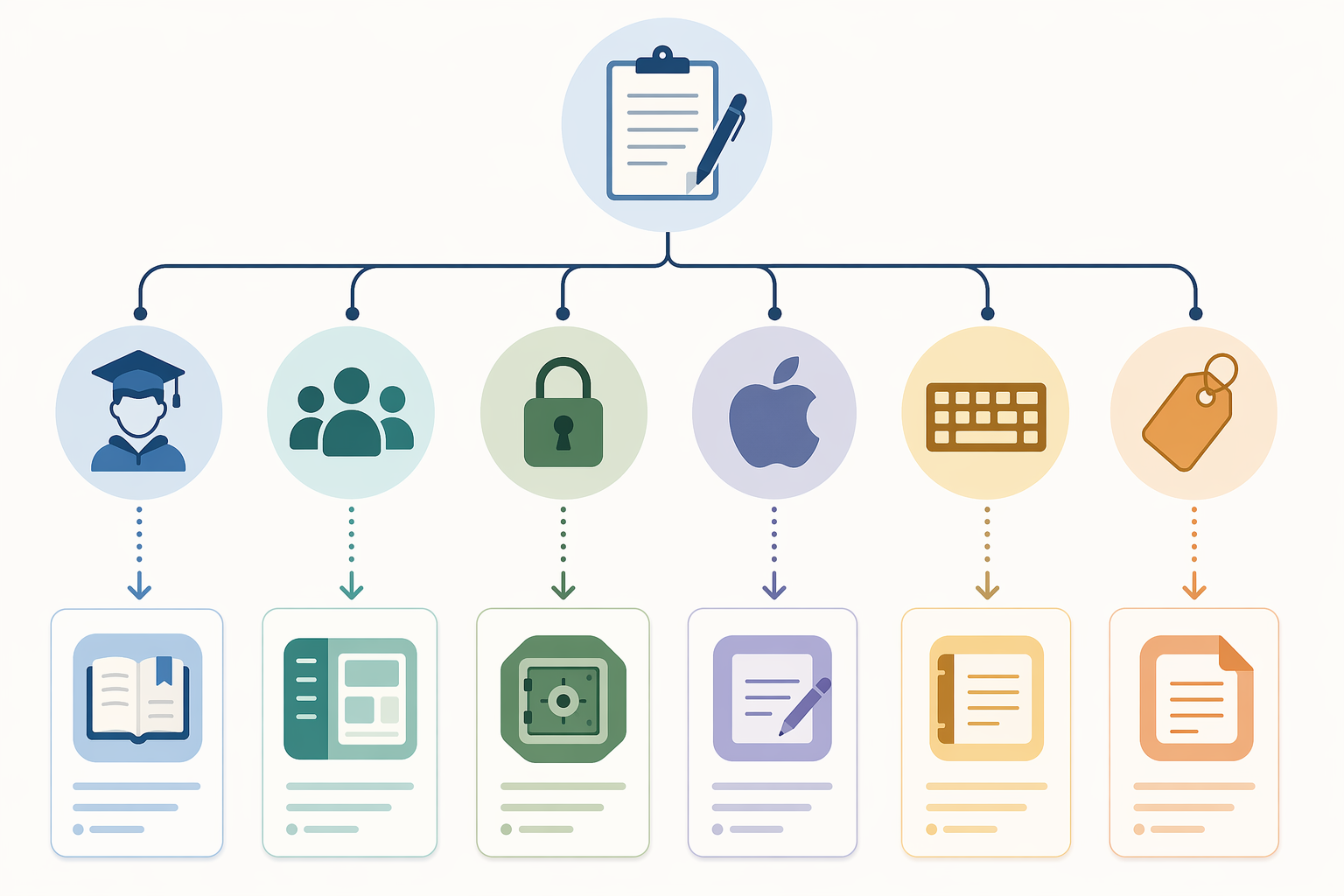
| Use Case | Best Pick | Why |
|---|---|---|
| Students on a budget | OneNote (free) or Notion (free with .edu email) | OneNote has no note cap; Notion unlocks the Personal Pro tier for students. |
| Teams needing databases + AI | Notion Business ($24–30/user/mo) | Only tier with bundled Notion AI as of early 2026. |
| Power users / PKM builders | Obsidian (free for personal use) | Local Markdown, 2,500+ plugins, graph view, bidirectional links. |
| Privacy-first users | Obsidian or Joplin (both free, open-source) | Notes stay on your device as plain files. |
| Apple ecosystem loyalists | Apple Notes (free) | 5 GB iCloud storage, Apple Intelligence for rewriting and image generation. |
| Android / cross-platform minimalists | Google Keep (free) | 15 GB storage, Gemini chatbot integration, works on every platform. |
| Quick capture + handwriting | OneNote (free) or Apple Notes (free) | Both support sketching, OCR, and audio recording. |
| Middle ground between Notion and Obsidian | Capacities (free tier available) | Object-based notes with generous free limits, no vendor lock-in. |
What Changed in 2026: The Market Reshuffling
The global note-taking app market hit $13.3 billion in 2026, growing at a compound annual rate of 20.5% and on track to reach $28.05 billion by 2030, according to The Business Research Company's January 2026 report. That growth is driven by smartphone adoption and the explosion of AI features. But beneath the top-line number, the competitive landscape has been reshuffled more aggressively than in any previous year.
Four structural shifts define the 2026 market:
- Evernote's free tier collapsed. After Bending Spoons acquired the company in 2022, the free plan was slashed to 50 notes and one device. Paid plans now start at roughly $15/month for Starter and $25/month for Advanced. For many long-time users, the price hike was the final push — one Tech Insider AU reporter described migrating an 18,750-note vault out of Evernote after the annual subscription jumped from $69.99 to $129.99.
- Notion bundled AI into its Business tier only. In early 2026, Notion removed the standalone AI add-on ($10/user/month) for Free and Plus users. The cheapest way to get Notion AI is now the Business plan at roughly $24–30 per member per month. Free and Plus users still get the core workspace features, but the AI layer — PDF analysis, summarization, action-item generation — is locked behind the top tier.
- Apple and Google commoditized AI in free apps. Apple Notes now includes Apple Intelligence features — image generation, text rewriting, and OCR for handwritten text in scanned images — at no extra cost. Google Keep lets you use Gemini to create notes and organize content, and it remains free with 15 GB of storage. For users who just need reliable capture with AI assistance, the cost advantage of these built-in apps has never been larger.
- New entrants filled the middle ground. Capacities emerged as a credible alternative that sits between Notion's database complexity and Obsidian's graph-based approach. It offers an object-based note model with a generous free tier, appealing to users who found Notion too heavy and Obsidian too technical.
These four shifts mean that the tool you chose in 2023 or 2024 may no longer be the right fit. The rest of this article walks through each major app in detail, then helps you map your needs to the best option.
Tool-by-Tool Breakdown: Pricing, Platforms, and AI Features in 2026
Below is a detailed look at each major note-taking app, with emphasis on what changed in 2026. Pricing is listed in USD unless otherwise noted and was last verified in June 2026.
Notion
Notion remains the most powerful all-in-one workspace, used by over 100 million active users and powering more than 70% of Fortune 500 teams, according to a March 2026 comparison by Tech Insider AU. The 2026 change that matters most: Notion AI is now Business-tier only.
| Plan | Price (USD) | Key Limits |
|---|---|---|
| Free | $0 | Unlimited pages, 7-day page history, 5 MB file uploads, no AI |
| Plus | $12/user/month (billed annually) | Unlimited file uploads (5 MB per file), 30-day page history, no AI |
| Business | $24/user/month (billed annually) | Includes Notion AI, 90-day page history, team collaboration features |
| Enterprise | Custom | Advanced security, SAML SSO, unlimited page history |
Platforms: Web, macOS, Windows, iOS, Android. Offline support exists but is limited — the app caches recently viewed pages, but full offline editing is not reliable. Data portability is moderate: you can export to Markdown, HTML, and CSV, but the export loses database views and linked-database relations.
Not for you if: you need reliable offline access, you want a simple note-taking app without database overhead, or you cannot justify $24/user/month for AI features.
Obsidian
Obsidian has grown to over 5 million downloads and remains the gold standard for local-first, privacy-respecting note-taking. It is free for personal and commercial use — a policy confirmed by Tech Insider AU in June 2026 and by Zapier in December 2025. Notes are stored as plain Markdown files on your device. The plugin ecosystem has expanded to over 2,500 community plugins (up from 1,200 in early 2025), covering everything from Kanban boards to spaced repetition.
| Plan | Price (USD) | Key Features |
|---|---|---|
| Obsidian (free) | $0 | All core features, local Markdown, 2,500+ plugins, graph view, bidirectional links |
| Sync | $5/month | End-to-end encrypted sync across devices |
| Publish | $20/month | Host a public knowledge base from your vault |
| Catalyst | $25 one-time | Early access to insider builds, supports development |
Platforms: macOS, Windows, Linux, iOS, Android. Full offline support by design — no internet connection required. Data portability is excellent: notes are plain Markdown files that can be opened in any text editor. The Obsidian Importer plugin supports one-step migration from Apple Notes, Bear, Craft, Evernote, Google Keep, OneNote, Notion, and Roam.
Not for you if: you prefer a WYSIWYG editor, you need built-in real-time collaboration, or you are not comfortable managing files and folders.
Microsoft OneNote
OneNote remains PCMag's Editors' Choice (4.5/5) and is the strongest free option for users who want a traditional notebook structure with handwriting support. The free version includes all core features with 5 GB of OneDrive storage. Microsoft 365 subscribers get additional storage and Copilot AI integration, but the free tier is genuinely usable — no note caps, no device limits.
| Plan | Price (USD) | Key Limits |
|---|---|---|
| OneNote (free) | $0 | 5 GB storage, all core features, no AI |
| Microsoft 365 Personal | $6.99/month (billed annually) | 1 TB storage, Copilot AI, desktop Office apps |
| Microsoft 365 Family | $9.99/month (billed annually) | Up to 6 users, 1 TB per user, Copilot AI |
Platforms: macOS, Windows, iOS, Android, Web. Offline support is solid — notes sync when you reconnect. Data portability is moderate: export to PDF and Word, but not Markdown. OCR for handwritten text is included in the free version.
Not for you if: you want Markdown-native notes, you need bidirectional linking and graph views, or you prefer a non-hierarchical note structure.
Apple Notes
Apple Notes is the default note-taking app for over a billion Apple devices, and in 2026 it became significantly more capable. Apple Intelligence — available on M-series Macs and iPhone 15 Pro and later — adds image generation, text rewriting, and summarization directly in the app. OCR for typed and handwritten text in scanned images is also included. All features are free; the only cost is iCloud storage (5 GB free, iCloud+ starts at $0.99/month).
| Plan | Price (USD) | Key Limits |
|---|---|---|
| Apple Notes (free) | $0 | 5 GB iCloud storage, Apple Intelligence on supported devices |
| iCloud+ (50 GB) | $0.99/month | 50 GB storage, Hide My Email, HomeKit Secure Video |
| iCloud+ (200 GB) | $2.99/month | 200 GB storage, family sharing |
| iCloud+ (2 TB) | $9.99/month | 2 TB storage, family sharing |
Platforms: macOS, iOS, iPadOS, Web (iCloud.com). No Android or Windows app. Offline support is excellent on Apple devices. Data portability is limited: you can export to PDF, but bulk export to Markdown requires third-party tools or the Obsidian Importer plugin.
Not for you if: you use Android or Windows as your primary device, you need cross-platform access, or you want to own your data in an open format.
Google Keep
Google Keep is the simplest app in this comparison, and that is its strength. It is free with 15 GB of storage shared across Google services. In 2026, Google integrated Gemini into Keep, allowing you to create notes, set reminders, and organize content using natural language. Keep is not a deep note-taking tool — it is a capture tool for quick thoughts, lists, and voice memos.
| Plan | Price (USD) | Key Limits |
|---|---|---|
| Google Keep (free) | $0 | 15 GB shared storage, Gemini integration, unlimited notes |
| Google One (100 GB) | $1.99/month | 100 GB storage across Google services |
| Google One (200 GB) | $2.99/month | 200 GB storage, family sharing |
| Google One (2 TB) | $9.99/month | 2 TB storage, family sharing |
Platforms: Web, Android, iOS, Chrome extension. Offline support is available on mobile with recent notes cached. Data portability is good: export to Google Takeout (JSON, HTML) or use the Obsidian Importer plugin.
Not for you if: you need rich formatting, folders, handwriting support, or a knowledge-base structure.
Evernote
Evernote's decline has been well documented, but the 2026 reality is stark. The free plan is limited to 50 notes and one device — described by Zapier as "utterly useless." Paid plans start at $14.99/month for Personal (Starter) and $17.99–$25/month for Professional (Advanced), depending on the source. PCMag still rates Evernote 4.0/5, citing its AI tools for paraphrasing, proofreading, summarizing, and translating text. But for most users, the value proposition has eroded.
| Plan | Price (USD) | Key Limits |
|---|---|---|
| Free | $0 | 50 notes, 1 device, 250 MB/month upload |
| Personal (Starter) | $14.99/month | Unlimited notes, 2 devices, 10 GB/month upload, AI features |
| Professional (Advanced) | $17.99–$25/month | Unlimited notes, unlimited devices, 20 GB/month upload, AI features |
| Teams | Custom | Business features, admin console |
Platforms: macOS, Windows, iOS, Android, Web. Offline support is available on paid plans. Data portability is moderate: export to ENEX format (Evernote's own XML-based format), which can be imported into Notion, Obsidian, and other tools with varying fidelity.
Not for you if: you are on a tight budget, you need more than 50 notes on a free plan, or you are considering a long-term commitment — vendor risk is high given Bending Spoons' track record of price increases.
Capacities
Capacities is the most interesting new entrant in the 2026 market. It uses an object-based note model — instead of pages, you create "objects" (people, books, projects, ideas) that can be linked and tagged. Tech Insider AU describes it as having a "genuinely free tier" with unlimited notes and objects, positioning it as a middle ground between Notion's database complexity and Obsidian's graph-based approach.
| Plan | Price (USD) | Key Limits |
|---|---|---|
| Free | $0 | Unlimited notes and objects, 5 GB storage, 1 workspace |
| Pro | ~$15/month (AUD 15) | Unlimited storage, multiple workspaces, API access |
Platforms: Web, macOS, Windows (desktop apps), iOS, Android. Offline support is limited — the app is primarily cloud-based. Data portability is good: export to Markdown and JSON.
Not for you if: you need reliable offline access, you prefer a traditional page-based notebook, or you want a tool with a large plugin ecosystem.
Bear
Bear is a beautifully designed Markdown note-taking app for Apple devices only. PCMag notes it costs $2.99/month and is Apple-only. It offers a clean writing experience with tagging, nested tags, and export to multiple formats including PDF, HTML, and DOCX. In 2026, Bear added AI-powered writing suggestions, but the core appeal remains its minimal, distraction-free interface.
| Plan | Price (USD) | Key Limits |
|---|---|---|
| Bear (free) | $0 | Basic Markdown editing, limited export options, no sync |
| Bear Pro | $2.99/month (or $29.99/year) | Sync across devices, multiple themes, PDF/HTML/DOCX export, AI suggestions |
Platforms: macOS, iOS, iPadOS. No Android, Windows, or Web app. Offline support is excellent. Data portability is good: export to Markdown, PDF, HTML, DOCX, and more.
Not for you if: you use Android or Windows, you need a free app, or you want features beyond writing and tagging (databases, Kanban, graph views).
Joplin
Joplin is a free, open-source note-taking app that stores notes as Markdown files locally. PCMag gives it an Editors' Choice rating (4.5/5), praising its offline-first design and cross-platform support. Joplin Cloud, a paid sync service, starts at €2.99/month, but you can also sync via Dropbox, OneDrive, or Nextcloud for free.
| Plan | Price (USD) | Key Limits |
|---|---|---|
| Joplin (free) | $0 | All core features, local Markdown, sync via Dropbox/OneDrive/Nextcloud |
| Joplin Cloud | €2.99/month | End-to-end encrypted sync, 1 GB storage |
Platforms: macOS, Windows, Linux, iOS, Android. Full offline support. Data portability is excellent: notes are plain Markdown files with frontmatter metadata.
Not for you if: you want a polished, design-forward interface, you need real-time collaboration, or you prefer a WYSIWYG editor.
Comparison Matrix: Pricing, Free-Plan Limits, Offline Support, AI, and Data Portability
The table below compares all nine tools across the decision factors that matter most to knowledge workers and students.
| Tool | Free Tier Limits | Paid Starts At | Offline Support | AI Features | Platforms | Export Formats |
|---|---|---|---|---|---|---|
| Notion | Unlimited pages, 5 MB uploads, 7-day history | $12/user/month (Plus) | Limited (cached pages) | Business tier only ($24/user/mo) | Web, macOS, Windows, iOS, Android | Markdown, HTML, CSV |
| Obsidian | Full app, unlimited local notes | $5/month (Sync) | Full offline | Community plugins only | macOS, Windows, Linux, iOS, Android | Markdown (native) |
| OneNote | 5 GB storage, all features | $6.99/month (M365 Personal) | Full offline | Copilot (M365 subscription) | macOS, Windows, iOS, Android, Web | PDF, Word |
| Apple Notes | 5 GB iCloud storage | $0.99/month (iCloud+ 50 GB) | Full offline (Apple devices) | Apple Intelligence (free) | macOS, iOS, iPadOS, Web | |
| Google Keep | 15 GB shared storage | $1.99/month (Google One 100 GB) | Limited (cached notes) | Gemini integration (free) | Web, Android, iOS, Chrome | JSON, HTML (Google Takeout) |
| Evernote | 50 notes, 1 device, 250 MB/month | $14.99/month (Personal) | Yes (paid plans) | AI paraphrasing, summarization, translation | macOS, Windows, iOS, Android, Web | ENEX |
| Capacities | Unlimited notes/objects, 5 GB | ~$15/month (Pro) | Limited (cloud-first) | None | Web, macOS, Windows, iOS, Android | Markdown, JSON |
| Bear | Basic editing, no sync | $2.99/month (Pro) | Full offline | AI writing suggestions (Pro) | macOS, iOS, iPadOS | Markdown, PDF, HTML, DOCX |
| Joplin | Full app, unlimited local notes | €2.99/month (Joplin Cloud) | Full offline | None | macOS, Windows, Linux, iOS, Android | Markdown (native) |
Use-Case Decision Framework: Which App Fits Your Workflow?
The right tool depends on how you work, what devices you use, and what you value most. Below is a structured decision framework organized by primary use case.
Students on a Budget
If you are a student, your priorities are likely: free or very cheap, good handwriting support (for iPad or tablet), and reliable sync across devices. OneNote is the strongest free option — no note caps, full handwriting and OCR support, and available on every platform. Notion is also excellent if you have a .edu email, which unlocks the Personal Pro tier for free. Apple Notes is a strong choice if you are in the Apple ecosystem. For a deeper dive into student-specific needs, see our dedicated guide: Best Note-Taking Apps for Students in 2026.
Teams Needing Collaboration and Databases
Notion remains the best choice for teams that need databases, project tracking, and real-time collaboration. The Business tier ($24/user/month) includes Notion AI, which can analyze PDFs, generate summaries, and create action items. If your team does not need AI, the Plus tier ($12/user/month) is sufficient. OneNote with Microsoft 365 is a strong alternative for teams already in the Microsoft ecosystem, especially if Copilot AI is a priority.
Apple Ecosystem Users
If you use a Mac, iPhone, and iPad, Apple Notes is the most seamless option. It syncs instantly via iCloud, supports handwriting and OCR, and now includes Apple Intelligence features at no extra cost. The only limitation is storage (5 GB free) and the lack of an Android or Windows app. Bear is a strong alternative if you want a more polished Markdown writing experience with tagging and export options.
Android and Cross-Platform Users
Google Keep is the simplest cross-platform option, but it is limited to quick capture. For deeper note-taking, OneNote is the best free choice — it works on Android, Windows, and the web with full feature parity. Obsidian and Joplin also work well on Android, though their file-based approach may feel less familiar to mobile-first users.
Privacy Seekers and Data Minimalists
Obsidian is the clear winner for privacy. Notes are plain Markdown files stored locally on your device. No account is required, no data leaves your machine unless you choose to sync. Joplin offers a similar local-first model with the added benefit of being fully open-source. Both tools give you complete ownership of your data.
Power Users and PKM Builders
If you are building a personal knowledge management (PKM) system with bidirectional links, graph views, and atomic notes, Obsidian is the most capable tool. Its plugin ecosystem (2,500+ plugins) allows you to customize everything from daily notes to spaced repetition. Capacities offers a different approach — object-based notes instead of pages — which some users find more intuitive than Obsidian's file-and-folder model. Notion is also a strong PKM tool if you prefer databases over graphs, but its cloud dependency and limited offline support are tradeoffs.
Migration Guide: How to Switch Apps Without Losing Your Notes
Switching note-taking apps is stressful because your notes are years of accumulated knowledge. The good news: most modern tools support import from common formats, and the Obsidian Importer plugin covers one-step migration from Apple Notes, Bear, Craft, Evernote, Google Keep, OneNote, Notion, and Roam.
Here is a high-level overview of the most common migration paths:
- Evernote to Notion or Obsidian: Export your Evernote notebooks as ENEX files. Notion has a built-in ENEX importer that preserves notebooks, tags, and most formatting. Obsidian's Importer plugin handles ENEX with good fidelity, though complex note layouts may need manual cleanup. Expect some data loss: Evernote's rich formatting (tables within tables, encrypted text) does not always transfer cleanly.
- OneNote to Notion: OneNote export is limited to PDF and Word. Notion's OneNote importer (via the web clipper or third-party tools) works but may lose notebook structure and handwriting. For a clean migration, consider exporting OneNote pages as PDF and re-creating the structure in Notion.
- Apple Notes to Obsidian: Use the Obsidian Importer plugin, which connects directly to your iCloud account and imports notes as Markdown files. Formatting is generally well preserved, but attachments and scanned documents may need manual re-linking.
- Google Keep to Obsidian: The Obsidian Importer plugin supports Google Keep via Google Takeout export. Notes are imported as Markdown files with labels converted to tags.
For detailed step-by-step instructions covering all major migration paths, see our comprehensive guide: How to Migrate from Any Notes App to Another: A Step-by-Step Guide for 2026.
Frequently Asked Questions
Which note-taking app is completely free in 2026?
Several apps offer genuinely usable free tiers. OneNote is the most generous: 5 GB storage, all core features, no note caps. Apple Notes and Google Keep are fully free (storage limits apply). Obsidian and Joplin are free and open-source, with no storage limits if you use local files. Capacities offers unlimited notes and objects on its free plan. Evernote's free plan is heavily restricted (50 notes, 1 device) and is not recommended for active use.
Is Evernote still worth using in 2026?
For most users, no. The free plan is too restrictive to be useful, and the paid plans ($14.99–$25/month) are expensive compared to alternatives like OneNote (free) or Notion ($12/user/month). Evernote's AI features — paraphrasing, proofreading, summarization, and translation — are competent, but they are not enough to justify the price gap. If you are already paying for Evernote and are satisfied, there is no urgent reason to leave. But if you are considering a new tool, start with OneNote or Notion.
Does Notion have a free plan with AI in 2026?
No. As of early 2026, Notion AI is bundled only into the Business tier ($24/user/month). Free and Plus users cannot add AI as a separate add-on. If you need AI features in Notion, you must upgrade to Business.
Which app is best for privacy?
Obsidian is the best choice for privacy. Notes are stored as plain Markdown files on your device. No account is required, and no data is sent to a server unless you choose to use Obsidian Sync (which is end-to-end encrypted). Joplin offers a similar local-first model and is fully open-source. Both tools give you complete control over your data.
Can I use Apple Notes on Android?
No. Apple Notes is available only on macOS, iOS, iPadOS, and via iCloud.com on the web. There is no Android or Windows app. If you need cross-platform access, consider OneNote (free, works on everything) or Google Keep (free, works on everything).
What is Capacities and how does it compare to Notion and Obsidian?
Capacities is an object-based note-taking app that sits between Notion and Obsidian. Instead of pages or documents, you create "objects" — people, books, projects, ideas — that can be linked and tagged. It offers a generous free tier (unlimited notes and objects, 5 GB storage) and a Pro plan at roughly $15/month. Compared to Notion, Capacities is simpler and more focused on personal knowledge management rather than team collaboration. Compared to Obsidian, it is more structured (objects instead of files) but less customizable (no plugin ecosystem). It is a strong middle-ground option for users who found Notion too complex and Obsidian too technical.