

The PKM Abandonment Problem: Why Most Users Quit Within Weeks
The numbers paint a grim picture of how most people interact with their notes. According to research cited by Atlassian, 80% of global workers experience information overload daily. Knowledge workers spend an average of 2.5 hours every day searching for information, with 47% spending over an hour just looking for files. McKinsey research puts the cost even higher: nearly 20% of every workweek — roughly 9.3 hours — is spent hunting for internal information rather than doing productive work.
This is the PKM abandonment problem in microcosm. People don't quit personal knowledge management because they lack discipline or because the concept is flawed. They quit because they chose a tool that fights the way their brain naturally organizes information. The result is a graveyard of abandoned vaults, half-built databases, and dusty outliners — each one a failed attempt to force a thinking style into a tool designed for a different one.
This comparison exists to break that cycle. Instead of leading with feature checklists or pricing tiers, we'll start with a more fundamental question: how does your brain prefer to organize information? The answer determines which of the five leading PKM apps — Obsidian, Notion, Logseq, Tana, and Capacities — will feel like an extension of your thinking rather than a constant source of friction.
The Thinking-Style Framework: Visual, Linear, Networked, Structured
Before diving into the tools, it helps to understand the four cognitive thinking styles that map naturally to different PKM architectures. This framework is a synthesis drawn from multiple sources — including Kosmik's five-type categorization, The Sweet Setup's guidance on tool selection, and Storyflow's thinking-styles model — rather than a single scientifically validated taxonomy. Think of it as a useful heuristic, not a personality test.
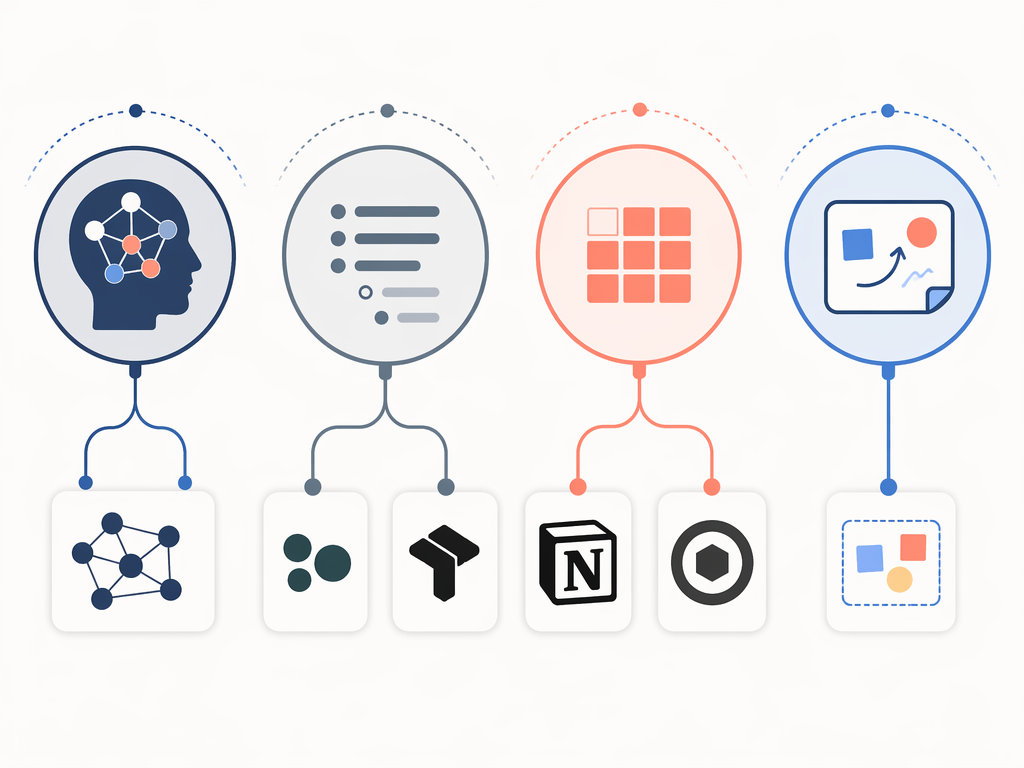
- Visual thinkers process information spatially. They need to see relationships on a canvas, move ideas around, and connect concepts through physical arrangement. Canvas tools like Heptabase and Kosmik are their natural habitat. None of the five tools in this comparison are pure canvas tools, but some (like Obsidian with its graph view) offer visual elements that visual thinkers can leverage.
- Linear thinkers prefer hierarchical, sequential structures. Bullet points, outlines, and nested lists feel natural. These thinkers thrive in outliner-based tools like Logseq and Tana, where information flows in a clear top-to-bottom hierarchy.
- Networked thinkers see knowledge as a web of interconnected ideas. They value bidirectional links, graph views, and the ability to navigate laterally between concepts rather than through folders. Obsidian is the archetypal tool for this style.
- Structured thinkers need databases, schemas, and multiple views of the same information. They want to tag, filter, sort, and query their knowledge. Notion and Capacities serve this style best, though through very different architectural approaches.
Most people exhibit a blend of these styles, but one usually dominates. The goal is not to find the single correct label for yourself, but to identify which tool architecture will feel most intuitive on a daily basis. A networked thinker can make Notion work — but they'll always feel a subtle friction that disappears when they switch to Obsidian.
Five-Way Comparison: Pricing, Platforms, and Core Architecture (Q2 2026)
The table below captures the essential structural differences between the five tools. Pricing was verified against official sources in May-June 2026. Tool pricing changes frequently — the last-verified date is your signal to double-check before committing.
| Feature | Obsidian | Notion | Logseq | Tana | Capacities |
|---|---|---|---|---|---|
| Free Tier | Free (single-device local use) | Free (unlimited pages/blocks, 10 guests) | Free (fully open-source) | Free (500 AI credits, 0.5GB storage) | Free (unlimited objects, 5GB storage) |
| Paid Plans | Sync $4/mo, Publish $8/mo | Plus $10/mo, Business $18/mo (bundles AI) | Sync $5/mo (optional) | Plus $8/mo, Pro $14/mo | Pro $9.99/mo |
| Platforms | Mac, Windows, Linux, iOS, Android | Web, Mac, Windows, iOS, Android | Mac, Windows, Linux, iOS, Android | Web, Mac, Windows, iOS, Android | Web, Mac, Windows, iOS, Android |
| Storage Model | Local-first (Markdown files) | Cloud-only | Local-first (Markdown files) | Cloud-only | Cloud-only |
| Linking Depth | Bidirectional links, block references, graph view | Bidirectional links, database relations | Bidirectional links, block references, graph view | Block references, supertags | Object references, type system |
| Native AI | Community plugins only | Notion AI ($10/mo add-on or bundled) | Limited native AI | Built-in AI (supertag automation, summarization) | AI on Pro tier |
| Learning Curve | 2-3 weeks | 1-2 days | 2 weeks | 3-4 weeks | 1 week |