
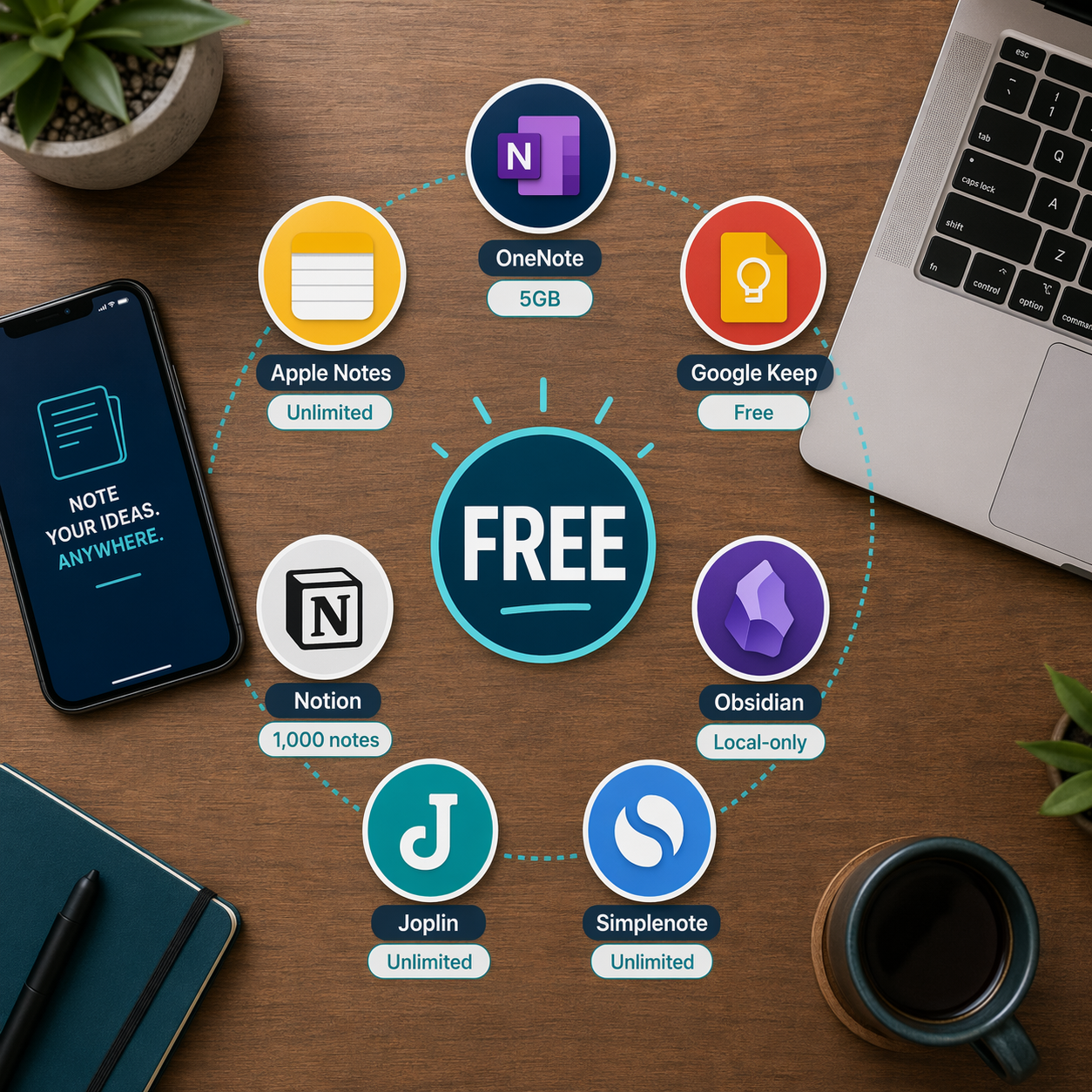
Every free note-taking app draws a line somewhere. The question is whether that line cuts through a feature you actually need or sits far enough out that you never bump into it. Below is a direct comparison of the hard limits on the most popular free tiers in mid-2026. Storage caps, device restrictions, note counts, and the most painful gated features are listed so you can see at a glance where each plan starts to pinch.
| App | Storage / Note Limit | Device Limit | Key Gated Features | Paid Entry Point |
|---|---|---|---|---|
| Microsoft OneNote | 5 GB (free via OneDrive) | Unlimited | None — all core features included | $0 (or M365 for more storage) |
| Apple Notes | 5 GB (shared iCloud storage) | Unlimited (Apple devices) | None — all features included | $0 (or iCloud+ for more storage) |
| Google Keep | 15 GB (shared Google storage) | Unlimited | None — free is the real product | $0 (or Google One for more storage) |
| Obsidian | Local only (unlimited) | Unlimited (local) | Sync ($4–$8/mo), Publish ($10/mo) | $0 (core app) |
| Joplin | Local only (unlimited) | Unlimited | None — fully open source | $0 |
| Simplenote | Unlimited | Unlimited | Text-only, no attachments | $0 |
| Notion | Unlimited pages & blocks | Unlimited | Offline access (scored 1/10 for offline integrity), 7-day page history, file uploads (5 MB limit) | $0 (personal) |
| Evernote | 50 notes, 250 MB/month uploads | 1 device | Most features beyond basic text | $14.99/mo (Starter) |
| UpNote | 50 notes | Unlimited | Markdown, export, themes | $1.99/mo or $39.99 lifetime |
| Bear | Apple-only | Unlimited (Apple devices) | Limited export options, no themes | $2.99/mo |
| Notability | Unlimited notes (limited editing) | Unlimited (Apple devices) | iCloud sync, handwriting search, OCR | $14.99/yr |
Apps Where Free Is Genuinely Enough
A handful of apps treat their free tier as the real product, not a teaser. These are the tools where the majority of personal note-takers can operate indefinitely without paying a cent. The catch is usually storage or sync, not crippled features.
Microsoft OneNote
OneNote remains the most generous free note-taking app on the market. There are no artificial limits on the number of notes, notebooks, or devices you can use. The only constraint is the 5 GB of OneDrive storage allocated to your notes, which for text-heavy personal use is a surprisingly high ceiling. PCMag and Zapier both confirm that the free version includes all core features — tagging, audio recording, inking, and full desktop apps on Windows and Mac. If you hit the 5 GB cap, upgrading to Microsoft 365 ($69.99/year) gives you 1 TB of storage and unlocks Copilot integration, but the free tier alone handles most personal workflows without friction.
Apple Notes
Apple Notes has evolved from a simple scratchpad into a genuinely capable note-taking app. It now includes document scanning, audio transcription, tags, shared folders, Math Notes, and Markdown support — all free. The 5 GB iCloud storage limit is shared across your entire Apple ecosystem (photos, backups, etc.), so heavy photo users may feel the pinch faster than pure note-takers. Pocket-lint and PCMag both describe it as a fully functional free option for anyone inside the Apple ecosystem. The only real limitation is platform lock-in: there is no official Android or Windows client.
Google Keep
Google Keep is the closest thing to a 'free is the real product' app in this category. Nothing useful is gated behind a paywall. The 15 GB of Google storage is shared with Gmail and Google Drive, but Keep notes are so lightweight that most users never approach the limit. Its strength is speed and integration — it pops out of Gmail, Google Docs, and the Android quick settings panel. Its weakness is organization: no nested folders, no rich formatting, and no offline access on desktop. For quick captures, shopping lists, and reminders, it is unbeatable at the price.
Obsidian
Obsidian's core app is free forever for personal use. It stores everything as plain Markdown files on your local machine — no storage caps, no note limits, no device restrictions. The paid features are Sync ($4–$8/month depending on storage) and Publish ($10/month). If you are comfortable managing your own sync via iCloud, Dropbox, or a Git repository, Obsidian is effectively a free, infinitely extensible note-taking system. PCMag and Zapier both list it as a top free option, with the caveat that the local-only experience is not for everyone. Atlas workspace's testing gave Obsidian an 8.8/10 overall score, noting its offline-first integrity is best-in-class.
Joplin and Simplenote
Joplin is completely free and open-source. It stores notes locally, supports Markdown, and offers optional end-to-end encrypted sync with your own cloud service (OneDrive, Dropbox, Nextcloud). PCMag confirms it is a full-featured free app with no paywalled features. Simplenote is equally free and unlimited, but it is text-only — no images, no attachments, no formatting. Both serve specific niches well: Joplin for users who want a self-hosted Evernote alternative, and Simplenote for anyone who just needs fast, synced plain text.
Apps Where Free Is a Trap
Not every free plan is designed to be usable. Some apps deliberately set their free-tier limits so low that you hit a wall within days or weeks, at which point the only option is to pay. These are the apps where the free version is a trial in disguise.
Evernote
Evernote's free plan has been progressively restricted since its acquisition by Bending Spoons. As of mid-2026, the free tier allows only 50 notes, one notebook, one device, and 250 MB of monthly uploads. Zapier describes it as 'utterly useless,' and PCMag notes that the free version is so limited that it barely qualifies as a trial. The cheapest paid plan (Starter) costs $14.99/month and raises the limit to 1,000 notes. The full-featured plan runs $25/month. For context, that is $180–$300 per year for a note-taking app. If you are currently on Evernote's free plan and hitting limits, switching to OneNote or Obsidian will save you significant money while giving you more features.
For a deeper look at whether Evernote's AI features justify the cost, see our Evernote Review 2026.
UpNote
UpNote's free tier is capped at 50 notes. That is enough for a few weeks of casual use, but anyone who takes notes regularly will hit the limit quickly. The paid version is reasonably priced at $1.99/month or a $39.99 lifetime purchase, and it unlocks Markdown support, export options, and themes. The free tier is less a usable product and more a try-before-you-buy sample.
Bear and Notability
Bear's free version is limited to basic text notes with restricted export options. The paid version ($2.99/month) unlocks themes, more export formats, and sync across devices. Notability's free tier allows unlimited notes but limits editing features and requires a $14.99/year subscription for iCloud sync, handwriting search, and OCR. Both are Apple-only, which narrows their audience considerably. For Apple users who need handwriting features, Notability's paid plan is reasonable; for text-based note-taking, Apple Notes offers the same or better features for free.
The Real Cost of Paid Plans: What You're Actually Paying Per Year
Paid note-taking plans range from $14.99 per year to over $250 per year. The table below shows the annual outlay for each paid plan mentioned in this article, along with what you actually unlock. Use it to compare the cost against your actual usage — many users pay for features they never open.
| App | Plan | Annual Cost | What You Unlock |
|---|---|---|---|
| Notability | Premium | $14.99/yr | iCloud sync, handwriting search, OCR, unlimited editing |
| Bear | Pro | $35.88/yr ($2.99/mo) | Themes, export formats, sync |
| UpNote | Premium | $23.88/yr ($1.99/mo) or $39.99 lifetime | Unlimited notes, Markdown, export, themes |
| Obsidian | Sync | $48–$96/yr ($4–$8/mo) | End-to-end encrypted sync across devices |
| Obsidian | Publish | $120/yr ($10/mo) | Publish notes as a website |
| Evernote | Starter | $179.88/yr ($14.99/mo) | 1,000 notes, 2 devices, basic search |
| Evernote | Advanced | $299.88/yr ($24.99/mo) | Unlimited notes, AI features, offline access |
| Microsoft 365 | Personal | $69.99/yr | 1 TB OneDrive storage, Copilot integration, desktop Office apps |
| Notion | Plus | $120/yr ($10/mo) or free with .edu | Unlimited file uploads, version history, collaboration tools |
The key takeaway: the most expensive free-to-paid upgrade in this list is Evernote, which costs more per year than a Microsoft 365 subscription that includes OneNote, 1 TB of storage, and the entire Office suite. The cheapest is Notability at $14.99/year, which is reasonable if you need handwriting OCR and are already in the Apple ecosystem.
Switch vs. Upgrade: A Decision Framework
When you hit a free-tier limit, you have two paths: switch to a different free app that better fits your needs, or upgrade your current app to a paid plan. The right choice depends on a few specific factors. Work through the questions below to find your path.
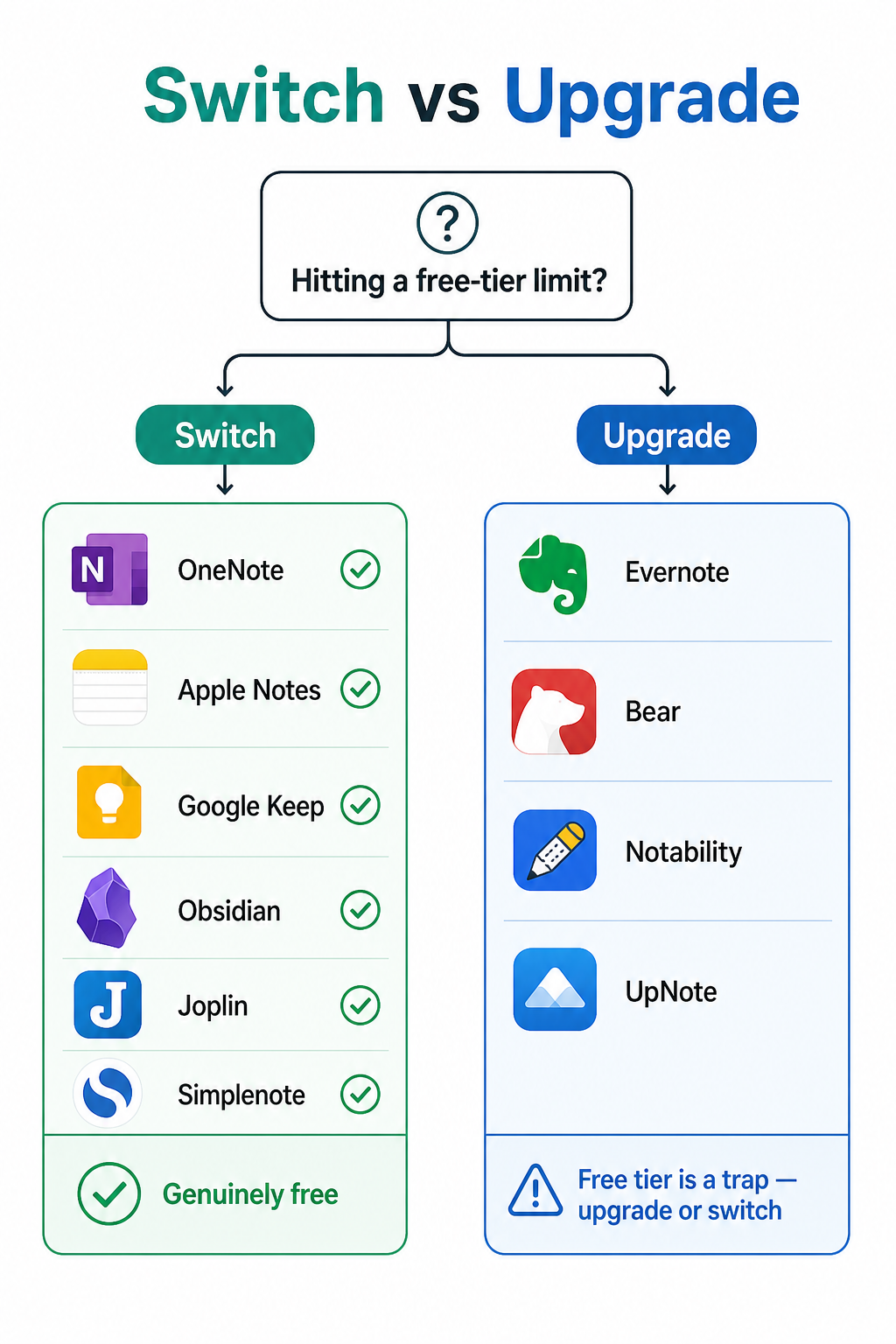
Ask yourself these questions:
- Is the limit I'm hitting storage-based or feature-based? If you are running out of storage (OneNote's 5 GB, Apple Notes' shared iCloud), switching to a local-first app like Obsidian or Joplin removes the cap entirely. If you are missing a feature (offline access, handwriting OCR, collaboration), check whether a free alternative offers it before paying.
- Am I locked into a specific platform? Apple Notes is excellent but Apple-only. Google Keep is best on Android and in the browser. OneNote works everywhere. If you use multiple operating systems, your free options narrow to OneNote, Notion, Obsidian, Joplin, and Simplenote.
- Do I need offline access? Notion's free plan is generous for online use but scores very poorly on offline integrity (1/10 in Atlas testing). Obsidian and Joplin are fully offline-first. OneNote has robust offline support on desktop but limited offline on mobile.
- Do I collaborate with others? Notion's free plan is strong for solo use but collaboration features (permissions, comments) are limited. OneNote allows free sharing and co-authoring. Google Keep supports real-time collaboration on lists and notes.
- How many notes do I actually have? If you are on Evernote's free plan and have more than 50 notes, you have already hit the limit. Migrating to OneNote or Obsidian costs nothing and removes the cap. If you are on UpNote's free plan and have more than 50 notes, the same logic applies.
Which Free App Should You Switch To?
If you have decided to switch rather than upgrade, here are the best free options for specific scenarios. Each recommendation ties back to the free-tier limits discussed earlier.
- Best free app for cross-platform users: Microsoft OneNote. It runs on Windows, Mac, iOS, Android, and the web. The 5 GB storage cap is the only limit, and it includes all core features. No other free app offers this breadth of platform support with full feature parity.
- Best free app for Apple-only users: Apple Notes. It includes document scanning, audio transcription, tags, Math Notes, and Markdown support — all free. The 5 GB iCloud limit is the only constraint, and upgrading to iCloud+ (50 GB for $0.99/month) is cheaper than any paid note-taking subscription.
- Best free app for privacy-focused users: Obsidian or Joplin. Both store notes locally as plain text files. Obsidian offers a richer plugin ecosystem and graph view; Joplin offers built-in E2EE sync with your own cloud. Neither has any storage cap or data-mining risk.
- Best free app for heavy note-takers: Obsidian. Unlimited local storage, unlimited notes, and a plugin system that can replicate most paid-app features. The trade-off is that sync costs extra if you want it, but you can use free sync options (iCloud, Dropbox, Git) with some manual setup.
- Best free app for quick captures and lists: Google Keep. It is the fastest app to open and capture a thought. The 15 GB shared storage is generous for text and light images. The trade-off is limited organization and no rich formatting.
- Best free app for students: Notion (with a .edu email) or OneNote (with school M365). Notion's Plus plan is free for students and includes unlimited file uploads and version history. OneNote is often included with school Microsoft 365 licensing, which removes the 5 GB storage cap.
When Upgrading Actually Makes Sense
Switching is the right call for most users hitting free-tier limits, but upgrading is justified in a few specific scenarios. Here is when paying makes sense.
- Heavy collaboration needs: If you work on shared notes with a team and need granular permissions, comments, and version history, Notion's paid plans ($10/month per user) are worth the cost. The free plan is generous for solo use but collaboration features are limited. For a deeper comparison of Notion vs. dedicated note-taking apps, see our Notion vs. Dedicated Note-Taking Apps guide.
- Advanced AI features: Evernote's AI-powered search and summarization, Notion's AI writing assistant, and Microsoft Copilot in OneNote are genuinely useful for power users who process large volumes of information. If you regularly need to search across thousands of notes or generate summaries, the paid AI features may justify the subscription cost.
- Handwriting OCR and PDF annotation: If you take handwritten notes and need reliable searchable text, Notability ($14.99/year) and GoodNotes ($9.99/year) offer the best handwriting recognition on iPad. Apple Notes includes basic handwriting search on iPad, but it is less reliable than the dedicated handwriting apps. For a detailed breakdown of free vs. paid handwriting-to-text options, see our Free vs. Paid Handwriting-to-Text Conversion guide.
- Platform-specific integrations: If you rely on a specific integration that only exists in a paid app — for example, Evernote's Salesforce connector or Notion's Slack deep linking — the cost may be justified by the workflow efficiency gain. But check whether a free alternative (OneNote + Power Automate, for example) can achieve the same result before committing.
The common thread across all these scenarios is that the paid feature must solve a specific, recurring pain point. If you cannot name the feature you need and explain why the free alternative does not offer it, you probably do not need to pay.