Why Workflow Needs Change as You Scale
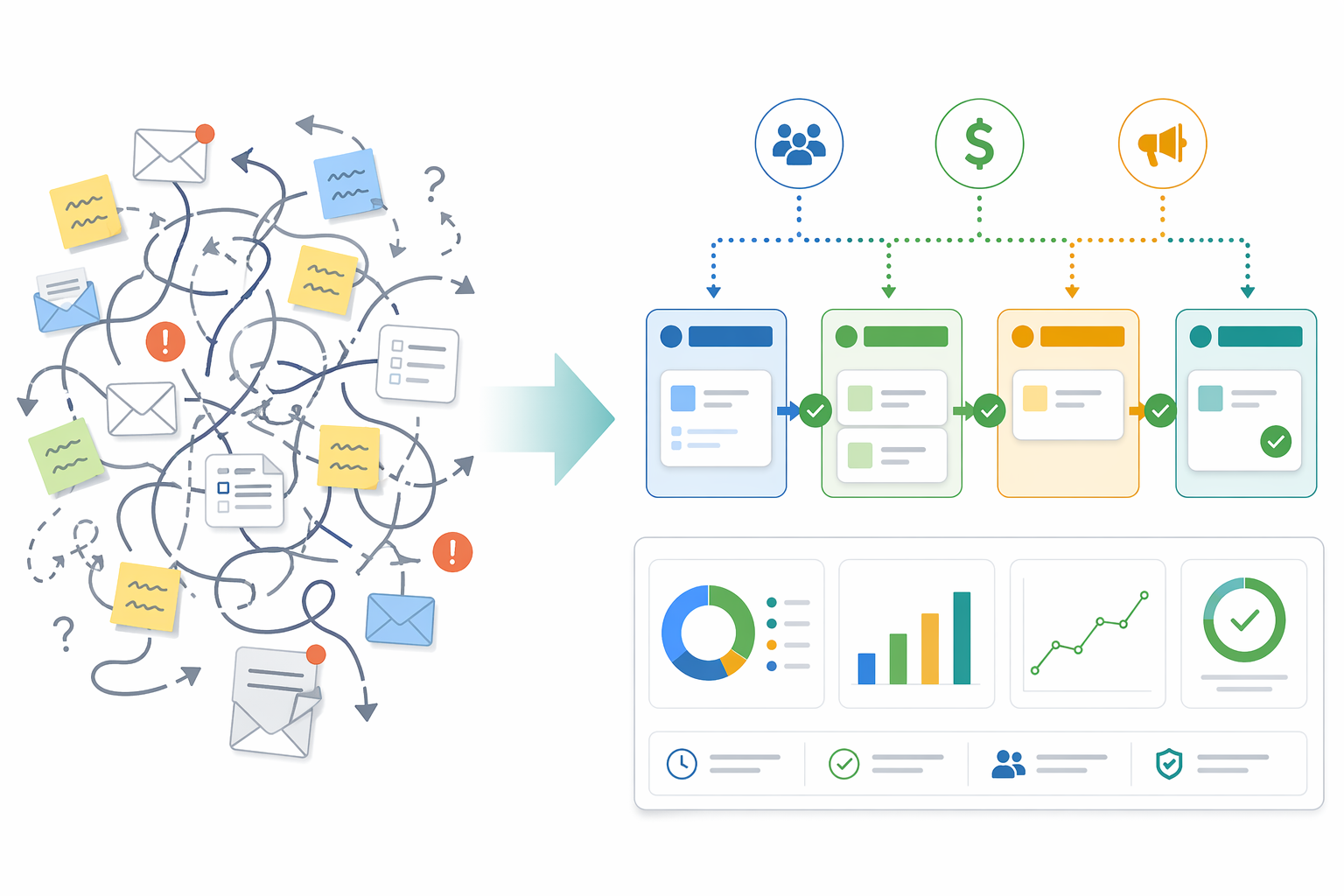
A workflow that keeps a 12-person agency running smoothly will, without intervention, become the primary source of friction at 120 people. The tools and processes that feel lightweight and flexible at a small scale — shared spreadsheets, group chat threads, email approvals — start producing bottlenecks, missed handoffs, and compliance blind spots as headcount grows. This is not a failure of the original system; it is a natural consequence of scaling.
The global workflow management system market was valued at approximately $22.84 billion in 2025 and is projected to reach $371.92 billion by 2035, growing at a compound annual rate of 32.18% (Precedence Research). That explosive growth is driven by a simple reality: companies that fail to evolve their workflow infrastructure as they scale pay for it in operational waste, employee turnover, and missed revenue. Yet the most common mistake is not under-investing — it is over-investing too early, locking a 30-person team into an enterprise platform they do not yet need.
This guide maps the four distinct phases of workflow maturity, from ad-hoc coordination through enterprise orchestration. Each phase includes the tools that fit best, the warning signs that signal it is time to move, and the data that explains why the transition matters. The goal is to help you invest at the right level at the right time — no sooner, no later.
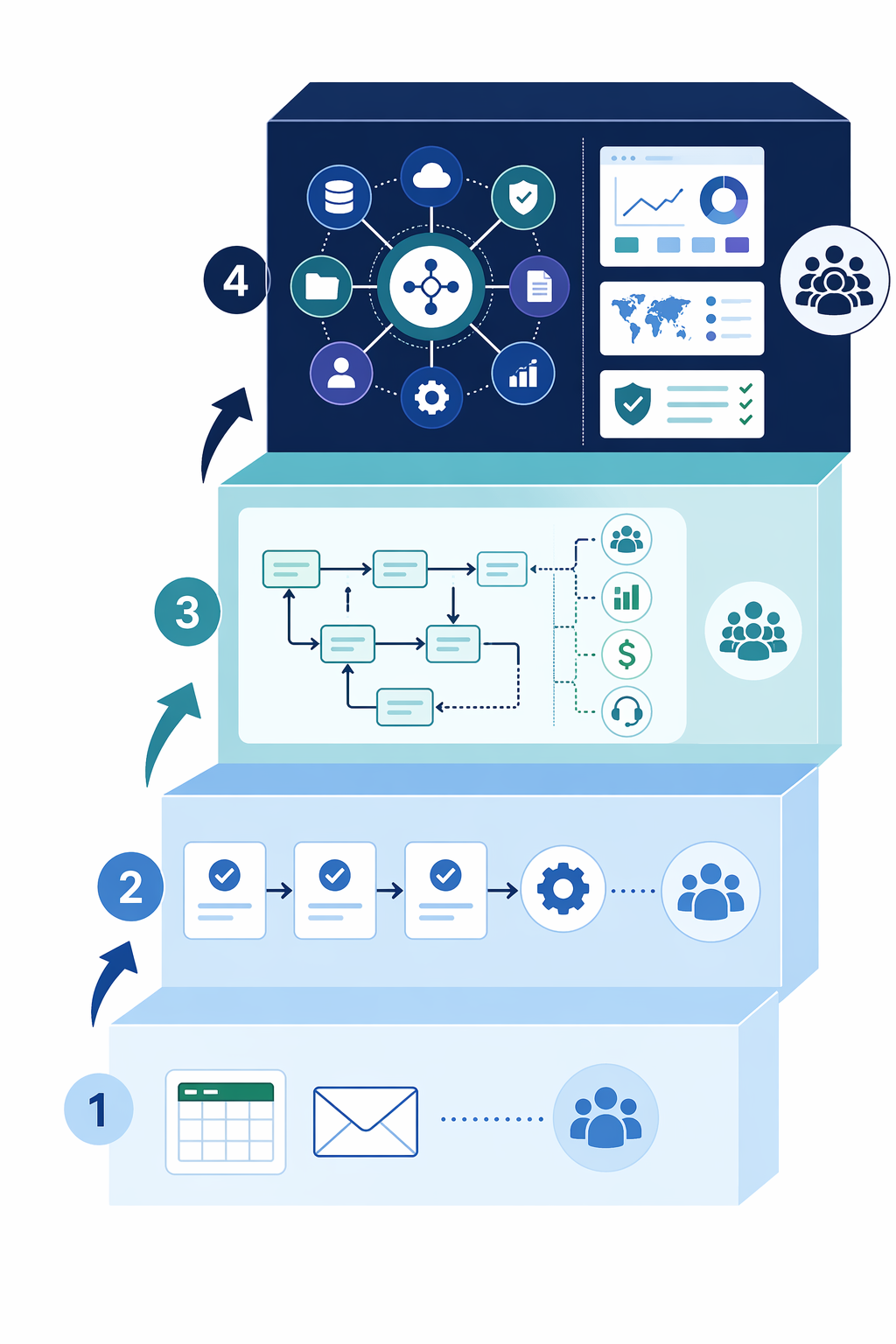
Phase 1: Pre-Workflow (Under 15 People)
At this stage, the company operates on what looks like a single shared brain. Decisions happen in Slack threads, task assignments live in a shared Google Sheet, and approvals travel through email chains. There is no formal workflow system, and there does not need to be one. Everyone knows everyone else's role, and the communication overhead of a missed handoff is low because the person who needs to catch it is two desks away.
This ad-hoc model works well until it does not. The first warning signs are subtle but consistent across growing teams:
- A task falls through the cracks and no one can reconstruct who dropped it or where.
- The same approval request is sent twice because the first email was buried.
- New hires take weeks to understand basic process flows because nothing is documented.
- The person who "just knows" how things work becomes a bottleneck — every question routes through them.
When these signals appear, the temptation is to buy a tool immediately. The smarter move is to document the three to five most frequent cross-functional processes first — onboarding, invoice approval, content publishing, or whatever your team runs most often. That documentation becomes the specification for the tool you will choose in Phase 2.
Phase 2: Entry-Level Workflow Tools (15–50 People)
Somewhere between 15 and 20 employees, the ad-hoc model starts leaking. The shared spreadsheet has three conflicting versions. The Slack thread for invoice approvals is 400 messages long. Someone on the operations team starts researching "workflow software" and finds a dizzying array of options. This is the entry-level phase, and it is where most companies make their first workflow automation purchase.
The tools that work best at this scale share a few characteristics: they are no-code or near-no-code, they offer a free or very low-cost tier, and they solve one or two specific pain points rather than trying to orchestrate the entire business. Pipefy offers a free plan for up to 10 users with an intuitive drag-and-drop interface, though customization options are limited on lower tiers. Process Street provides a drag-and-drop workflow builder with customizable templates, but governance features are restricted on basic plans. monday.com starts at $9 per user per month (billed annually) with a free plan available, making it accessible for teams that want to automate manual processes with no-code triggers — though it requires thoughtful initial design to avoid rigidity later.
The data strongly favors acting at this stage. According to Cflow's analysis of industry research, smaller firms report 65% greater automation success rates than large enterprises. The reason is structural: smaller teams have shorter change cycles, fewer legacy systems to integrate, and a culture that can adapt to new tools in weeks rather than quarters. A 30-person company that deploys a simple approval workflow can see results in days. A 3,000-person company doing the same thing may take six months.
| Tool | Starting Price | Free Tier | Best For This Phase |
|---|---|---|---|
| Pipefy | Free / Paid plans from ~$18/user/mo | Up to 10 users | Simple process tracking with minimal setup |
| Process Street | Paid plans from ~$12.50/user/mo | Limited free tier | Checklist-based workflows and SOPs |
| monday.com | $9/user/mo (annual) | Free plan available | Visual project tracking with basic automation |
For a deeper look at tools in this category, see our dedicated roundup: Best Workflow Automation Tools for Small Businesses in 2026.
Phase 3: Mid-Market Workflow (50–200 People)
At 50 employees, the company has likely outgrown its first workflow tool. The entry-level platform that handled invoice approvals and onboarding checklists now needs to manage cross-departmental processes — sales handoffs to fulfillment, engineering requests to IT, compliance reviews that involve legal, finance, and operations. The tool that felt simple at 30 people now feels limiting.
This is the mid-market phase, and the requirements shift significantly. Teams need:
- Approval hierarchies that route requests through the correct chain without manual forwarding.
- Cross-departmental consistency so that the same process works the same way in sales, finance, and HR.
- Basic compliance tracking — who approved what, when, and with which supporting documents.
- Integration with the tools the company already uses: CRM, accounting software, and communication platforms.
Platforms like Wrike, Kissflow, and Cflow are designed for this stage. Wrike starts at $10 per user per month (billed annually) and excels at reconnecting siloed teams with workflow-powered collaboration, though it has a higher learning curve and is not ideal for very small organizations. Cflow, starting at $11 per user per month, offers a visual workflow builder with bottleneck identification and integrations including Gmail, QuickBooks, Slack, and Zapier — making it a strong fit for growing organizations that need to connect existing tools. Kissflow provides a no-code/low-code platform with prebuilt workflow templates for HR, sales, and finance departments.
A key data point from Cflow's research: organizations that start with one automated workflow typically expand to 5–10 automated workflows within 18 months. This expansion is a natural sign of maturity — as teams see the first workflow succeed, they find new processes to automate. The mid-market tool you choose should be able to grow from 3 workflows to 15 without requiring a platform migration.
For a broader comparison of tools suitable for this scale, see Process Automation Tools for Small Business vs Enterprise, which maps tool capabilities to specific team size buckets.
Phase 4: Enterprise Workflow (200+ People)
At 200 employees and beyond, workflow management is no longer about keeping individual processes running — it is about orchestrating the entire operational fabric of the organization. The stakes are higher: a broken approval chain can delay a product launch, a compliance gap can trigger an audit finding, and a poorly designed handoff between departments can waste hundreds of person-hours per month.
Enterprise workflow platforms like Nintex, ServiceNow, and Pegasystems address these requirements with capabilities that mid-market tools cannot match. According to monday.com's enterprise guide, enterprise workflow management software provides:
- 360-degree visibility via real-time dashboards that highlight bottlenecks before they become blockers.
- Enhanced scalability that allows consistency across departments while letting teams customize workflows for their specific functions.
- Seamless integration with CRM, ERP, and legacy systems for smooth data flow between platforms.
- Automated enforcement of approval hierarchies, audit trails, and compliance requirements.
The adoption of low-code and no-code platforms is a defining trend at this scale. According to Cflow's analysis of Gartner data, 84% of enterprises are actively using or planning to use low-code/no-code platforms for workflow automation. This is a significant shift from the traditional approach of custom-coded BPM solutions. Even at enterprise scale, the direction is toward empowering business users to build and modify workflows without waiting for IT.
However, enterprise adoption comes with its own challenges. Large enterprises account for 71.05% of workflow automation revenue (Cflow), but they also report lower automation success rates than smaller firms. The complexity of legacy systems, the number of stakeholders involved, and the scale of change management all work against rapid deployment. The enterprise phase requires not just the right platform but also the right implementation strategy — phased rollouts, dedicated change management, and clear success metrics.
For IT leaders evaluating enterprise-grade platforms, our Enterprise Workflow Management Software in 2026: Head-to-Head Comparison for IT Leaders provides a structured comparison of the leading options.
Key Decision Triggers: When to Upgrade
Knowing which phase your team is in is useful, but knowing when to move to the next phase is critical. The following triggers are reliable indicators that your current workflow system is reaching its limit.
- Recurring bottlenecks that manual workarounds cannot fix. If the same step — invoice approval, content review, handoff to engineering — consistently causes delays, and no amount of Slack reminders or spreadsheet tweaks resolves it, the process needs a structured workflow.
- Growing audit or compliance requirements. A customer asks for SOC 2 certification. A regulator requests a process audit. Your legal team needs to prove who approved what and when. If your current system cannot produce an audit trail, you have outgrown it.
- Integration complexity exceeding current tool capacity. Your CRM needs to talk to your accounting software, which needs to talk to your project management tool. If your current platform requires custom code or manual exports for each integration, it is time to upgrade.
- Employee satisfaction declines due to process friction. Teams using workflow systems report 15–35% improvements in employee satisfaction (Kissflow). If your team is frustrated by the tools they use every day, that frustration has a measurable cost in turnover and productivity.
- You have expanded from 1 workflow to 5 or more. The data from Cflow shows that organizations naturally expand from 1 to 5–10 automated workflows within 18 months. If you are managing multiple workflows in a tool that was designed for one, the cracks will show.
Cost Comparison Across Scales
Pricing for workflow management tools varies dramatically by phase. The table below summarizes typical ranges, but the real cost story is not the per-user price — it is the cost of not automating. Basic automation reduces operational costs by 20–30%, while intelligent automation achieves 50–70% cost reduction (Cflow, citing McKinsey and Gartner). Over half of businesses see full ROI within 12 months of implementing workflow automation.
| Phase | Typical Pricing Range | Cost Reduction Potential | Example Tools |
|---|---|---|---|
| Phase 1: Pre-Workflow | $0 (existing tools) | N/A | Google Sheets, email, Slack |
| Phase 2: Entry-Level | $0–$20/user/month | 20–30% (basic automation) | Pipefy, Process Street, monday.com |
| Phase 3: Mid-Market | $10–$30/user/month | 30–50% (process automation) | Wrike, Kissflow, Cflow |
| Phase 4: Enterprise | Custom pricing (often $30+/user/month or platform-based) | 50–70% (intelligent automation) | Nintex, ServiceNow, Pegasystems |
For a detailed breakdown of what each platform actually charges — including hidden fees, overage costs, and contract terms — see our BPM Workflow Software Pricing Guide 2026.
Your Migration Checklist: Moving from One Phase to the Next
Migrating from one workflow phase to the next is a project, not a purchase. The following checklist is designed to help team leaders execute the transition without disrupting day-to-day operations.
Step 1: Audit Your Current Processes
Before evaluating any tool, document the processes that are causing the most friction. Focus on the three to five workflows that consume the most time, generate the most errors, or involve the most people. For each process, capture: the trigger (what starts it), the steps (who does what, in what order), the approvals (who signs off), and the outputs (what is produced). This audit becomes the specification for your new system.
Step 2: Select the Right Tool for the Next Phase
Use the phase descriptions above to identify which category of tool you need. Do not buy for the headcount you hope to have in two years — buy for the headcount you have now and the processes you need to fix today. Over-investing too early is as costly as under-investing. If you are between phases, lean toward the simpler tool and plan to revisit the decision in 12–18 months.
Step 3: Plan the Data Migration
Most workflow tools offer import capabilities from spreadsheets and common formats. Identify which data needs to move — process templates, approval matrices, user roles, and any active workflows — and which data can be left behind. Archive old processes rather than migrating them if they are no longer active. Test the import with a small subset before committing to a full migration.
Step 4: Train the Team Before You Launch
The most common reason workflow automation projects fail is not the tool — it is adoption. Schedule training sessions before the go-live date. Identify power users in each department who can answer questions and model good usage. Start with one or two high-impact workflows, prove the value, and then expand. The data shows that organizations that start with one workflow naturally expand to 5–10 within 18 months — but only if the first one succeeds.
Step 5: Measure Success and Iterate
Define what success looks like before you launch. Common metrics include: time to complete a process, error rate, number of manual handoffs, and employee satisfaction scores. Measure these before the migration and again 30, 60, and 90 days after. Use the data to refine workflows, not just to justify the purchase. The goal is continuous improvement, not a one-time fix.