

Why Small Businesses Get the Highest ROI from Workflow Automation
Workflow automation is often marketed as an enterprise game, but the data tells a different story. Smaller businesses that adopt automation report a 65% success rate, compared to 55% for larger enterprises. And 61% of small businesses that implement sales automation see ROI within six months — not years.
The financial impact is concrete. The average organization saves $46,000 per year by automating finance workflows alone — invoicing, approvals, and reporting. Companies that automate email workflows generate twice as many leads and 58% more conversions compared to manual outreach. Automation also increases lead quantity by 80%, conversions by 75%, and qualified leads by 451%.
Yet despite these numbers, only 4% of businesses have fully automated their workflows. That gap represents a competitive opportunity for small teams that act now. The barrier isn't cost or complexity — it's choosing the right tool for the right starting point.
The 5 Best Workflow Automation Tools for Small Businesses in 2026
After evaluating the leading platforms against small business needs — teams under 50 employees, limited technical staff, and tight budgets — five tools stand out. Each one excels at a specific workflow starting point:
- Zapier — Best when your tools don't talk to each other. Connects 9,000+ apps with no-code triggers and actions.
- Airtable — Best when your workflow lives in a spreadsheet that needs to become a database. Combines a familiar grid interface with automation and app-building capabilities.
- Jotform — Best when your workflow starts with a form. Handles form submissions, approval routing, e-signatures, and payment collection in one platform.
- HubSpot / Pipedrive — Best when your priority is sales pipeline automation. Both CRMs include built-in workflow engines for lead routing, follow-up sequences, and deal stage transitions.
- Make — Best when you need complex, multi-branch logic. Its visual canvas supports conditional paths, data transformations, and error handling that simpler tools can't match.
The right choice depends on where your workflow starts — not on which tool has the most integrations or the lowest per-task price. The following sections break down each tool with concrete small business examples, pricing, and honest limitations.
Tool-by-Tool Comparison: Best For, Pricing, and When to Avoid
Zapier — Best for Connecting Disparate Tools
Zapier is the default choice when your small business uses five or six different apps that don't share data. A typical workflow: a new lead fills out a Google Form, Zapier creates a contact in Mailchimp, adds a row in Google Sheets, and sends a Slack notification to the sales team — all without a single line of code.
Pricing starts at $19.99 per month for 750 tasks on the Professional plan. The free tier covers 100 tasks per month, which is enough to test a single workflow but not to run a business on. Zapier connects with over 9,000 apps, giving it the largest integration library of any tool in this comparison.
Not for you if: Your workflows require complex conditional branching, JavaScript or Python transformations, or you need to process thousands of records in a single run. Zapier charges per task, so a workflow that processes 1,000 database records costs 1,000 tasks — making it expensive for data-heavy operations.
Airtable — Best for Replacing Spreadsheets with Automation
Airtable starts where most small business workflows begin: a spreadsheet that has grown too complex. It combines a familiar grid interface with relational database capabilities, linked records, and built-in automation. A concrete example: a small agency uses Airtable to manage client projects — when a project status changes to "Complete," an automation sends an invoice draft, archives the project folder in Google Drive, and logs the hours to a billing summary.
Pricing: The Team plan starts at $20 per user per month (billed annually). Airtable's automation features are available on paid plans, with limits on automation runs per month. The free plan is useful for personal projects but lacks the automation volume most small businesses need.
Not for you if: Your workflow requires connecting more than a handful of external apps, or you need to build complex approval chains with multiple conditional paths. Airtable's automation is powerful within its own ecosystem but less capable as a general-purpose integration hub.
Jotform — Best for Form-Triggered Workflows
Many small business workflows start with a form: a customer submits an order, an employee requests time off, a vendor sends an invoice. Jotform handles the entire lifecycle — form creation, approval routing, e-signatures, and payment collection — without requiring a separate automation tool.
A typical small business workflow: a client submits a service request form, Jotform routes it to the appropriate team member for approval, collects a deposit via Stripe, and sends a confirmation with a PDF receipt. All of this happens inside Jotform's interface.
Pricing starts at $19.50 per month for the Bronze plan, which includes 1,000 form submissions and 10,000 monthly form views. Higher tiers add more submissions, approval workflows, and e-signature capabilities.
Not for you if: Your workflow doesn't begin with a form, or you need to orchestrate processes across many different apps. Jotform's automation is form-centric by design — it's not a general-purpose workflow engine.
HubSpot / Pipedrive — Best for Sales Pipeline Automation
If your workflow lives inside a CRM, the best automation tool is the one built into your CRM. Both HubSpot and Pipedrive include workflow engines that automate lead routing, follow-up emails, deal stage transitions, and task creation.
A concrete example using Pipedrive: when a deal moves to "Proposal Sent," the workflow automatically creates a follow-up task for the sales rep, sends a calendar reminder to the prospect, and logs the activity to the deal timeline. HubSpot's workflow tool can do the same plus trigger email sequences based on lead behavior.
Pricing: Pipedrive's Essential plan starts at $14 per user per month. HubSpot's Sales Hub begins at $20 per user per month for the Starter plan, which includes basic workflow automation. Both offer free tiers with limited automation capabilities.
Not for you if: Your workflow doesn't involve a sales pipeline, or you need to automate processes that span multiple departments (finance, operations, HR). CRM workflow engines are optimized for sales and marketing sequences, not cross-functional orchestration.
Make — Best for Complex Multi-Branch Logic
Make (formerly Integromat) is the tool to reach for when your workflow has multiple conditional paths, data transformations, or error-handling requirements that simpler tools can't handle. Its visual canvas lets you build scenarios with branches, filters, and loops.
A small business example: an e-commerce store uses Make to process orders — if the order value is over $500, it sends a fraud review request to the manager; if the shipping address is international, it calculates customs forms; if the payment fails, it sends a retry sequence with three escalating notifications. All of this runs in a single scenario.
Pricing: The Core plan is $12 per month for 10,000 operations. Make charges per operation, not per task — a single scenario that processes 1,000 records might use 1,000 operations, making it significantly cheaper than Zapier for data-heavy workflows.
Not for you if: You need a simple two-step integration and don't want to learn a visual canvas interface. Make's power comes with a steeper learning curve than Zapier or Jotform.
Quick-Reference Comparison Table
| Tool | Best Use Case | Workflow Starting Point | Pricing Range | Integration Count | Key Limitation |
|---|---|---|---|---|---|
| Zapier | Connecting disparate apps | Any app-to-app trigger | Free / $19.99/mo (750 tasks) | 9,000+ | Expensive for data-heavy workflows |
| Airtable | Replacing spreadsheets | Spreadsheet or database | Free / $20/user/mo (Team) | 100+ | Limited external app automation |
| Jotform | Form-triggered workflows | Form submission | Free / $19.50/mo (Bronze) | 50+ | Form-centric only |
| HubSpot / Pipedrive | Sales pipeline automation | CRM deal or contact | Free / $14–$20/user/mo | 500+ (HubSpot) | Optimized for sales, not ops |
| Make | Complex multi-branch logic | Any trigger with conditions | Free / $12/mo (10K ops) | 3,000+ | Steeper learning curve |
The Workflow Starting Point Decision Framework
The most common mistake small business owners make is choosing a tool based on features or brand recognition rather than on where their workflow actually starts. The following framework maps your starting point to the right tool:
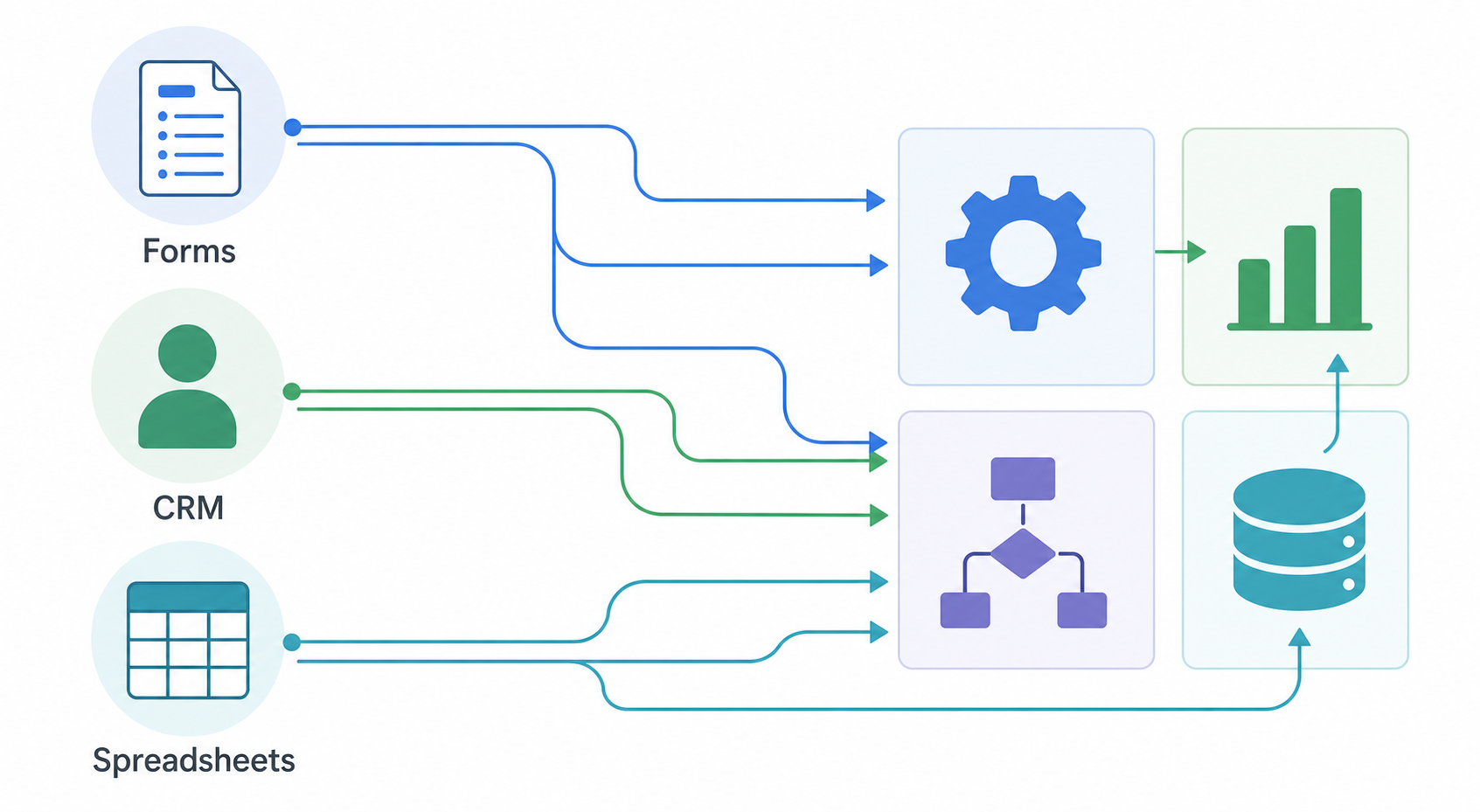
- If your workflow starts with a form → Jotform. Form submissions, approval routing, e-signatures, and payment collection all live in one platform.
- If your workflow starts in a CRM → Pipedrive or HubSpot. Use the built-in workflow engine rather than adding a separate automation layer.
- If your workflow starts in a spreadsheet → Airtable. Replace the spreadsheet with a database that has automation built in.
- If your tools don't talk to each other → Zapier. It has the largest integration library and the lowest learning curve for connecting apps.
- If you need complex logic with multiple branches → Make. Its visual canvas handles conditional paths and data transformations that simpler tools can't.
This framework works because it matches the tool's architecture to the workflow's natural entry point. A form-triggered workflow will always feel awkward in a general-purpose iPaaS, just as a sales pipeline sequence will always feel limited in a form builder.
Real-World ROI: What Small Businesses Actually Save
The following table compiles concrete ROI figures from industry surveys and research reports. These are not hypothetical projections — they represent what small businesses are actually achieving with workflow automation today.
| Metric | Improvement | Source |
|---|---|---|
| Email automation leads | 2x more leads, 58% more conversions | Docuclipper / Zapier |
| Lead quantity increase | 80% increase | Docuclipper |
| Conversion rate increase | 75% increase | Docuclipper |
| Qualified leads increase | 451% increase | Docuclipper |
| Finance automation savings | $46,000 per year (average) | Docuclipper |
| Order processing cost reduction | 10–15% reduction | Docuclipper |
| Data accuracy improvement | Up to 88% increase | Docuclipper |
| Hiring and onboarding speed | 67% faster | Docuclipper |
| Small business automation success rate | 65% (vs 55% for enterprises) | Docuclipper |
| Sales automation ROI within 6 months | 61% of businesses | Docuclipper |
The time savings are equally striking. 51% of employees spend at least two hours daily on repetitive tasks. Managers spend an average of 8 hours per week on manual data tasks, and 25% of managers devote over 20 hours weekly to repetitive admin work. Workflow automation directly reclaims that time.
3 Common Mistakes Small Businesses Make with Automation (And How to Avoid Them)
Workflow automation tools are powerful, but they amplify existing problems as easily as they solve them. These three mistakes are the most common — and the most preventable.
1. Automating a Broken Process
The most frequent mistake is building an automation around a process that doesn't work manually. If your client onboarding process has five steps that are inconsistently followed, automating it will just produce errors faster.
Fix: Run the workflow manually for at least two weeks. Document every step, every decision point, and every exception. Only then should you build the automation. This upfront investment prevents the 90% of automation projects that fail due to technical issues or lack of clear vision.
2. Skipping Error Handling and Notifications
A workflow that fails silently is worse than no workflow at all. If an automation that sends invoice reminders stops working because an API changed, you won't know until a customer asks why they didn't receive a bill.
Fix: Every automation should include error notifications — a Slack message, an email, or a log entry when a step fails. Most tools (Zapier, Make, Jotform) support error handling natively. Use it. Also set up periodic health checks for critical workflows.
3. Not Defining a Single Source of Truth
When a workflow touches multiple apps — a CRM, a spreadsheet, an email tool, and a project manager — the data can end up scattered and inconsistent. If the CRM has one customer email and the spreadsheet has another, which one is correct?
Fix: Designate one system as the authoritative data source for each entity type. For customer data, that might be your CRM. For project data, your project management tool. All automations should write updates back to the source of truth, not create parallel copies that drift apart over time.
Which Tool Should You Start With?
The decision framework above gives you a clear answer: identify where your most painful workflow starts, and choose the tool that matches that starting point. If you're still unsure, here's a practical starting recommendation for each common scenario:
- You have a messy spreadsheet that needs structure → Start with Airtable. It's the easiest migration path from spreadsheets to automation.
- You have a form that generates manual follow-up work → Start with Jotform. It handles the entire lifecycle from submission to approval to payment.
- You have a sales pipeline that relies on manual reminders → Start with Pipedrive or HubSpot. The built-in workflow engine will immediately reduce dropped leads.
- You have five apps that don't share data → Start with Zapier. Its 9,000+ integrations and simple trigger-action model will connect them in hours, not days.
- You have a complex process with multiple decision points → Start with Make. The learning curve is worth it for workflows that need conditional logic and data transformations.
Whichever tool you choose, start small. Automate one workflow, get it running reliably, measure the time saved, and then expand. The 76% of companies that use automation to standardize daily workflows didn't build everything at once — they started with the process that hurt the most.
The workflow automation market is projected to grow from $26.01 billion in 2026 to over $40 billion by 2031. Small businesses that adopt automation now — even with a single workflow — position themselves ahead of the 96% of businesses that haven't fully automated yet.