
Why the BPM vs Workflow Distinction Matters Before You Buy
Every month, operations and IT teams evaluate software to automate their processes. Many end up with a tool that is either too limited or unnecessarily complex. The root cause is almost always the same: confusing workflow automation with business process management (BPM).
This is not a semantic debate. The category you choose determines what you can govern, how you scale, and how much you pay. A workflow tool handles task-level execution — routing an expense report through three approval steps, for example. A BPM platform governs the full lifecycle of process design, execution, monitoring, and optimization across departments. Buying the wrong one means either hitting a governance ceiling or paying for capabilities you never use.
This guide is written for business buyers — operations leads, IT managers, and department heads — who need a clear decision framework before they evaluate vendors. By the end, you will know which category fits your use case, how to spot the common buying traps, and which tools to shortlist based on your scenario.
BPM and Workflow: Clear Definitions with a Fresh Analogy
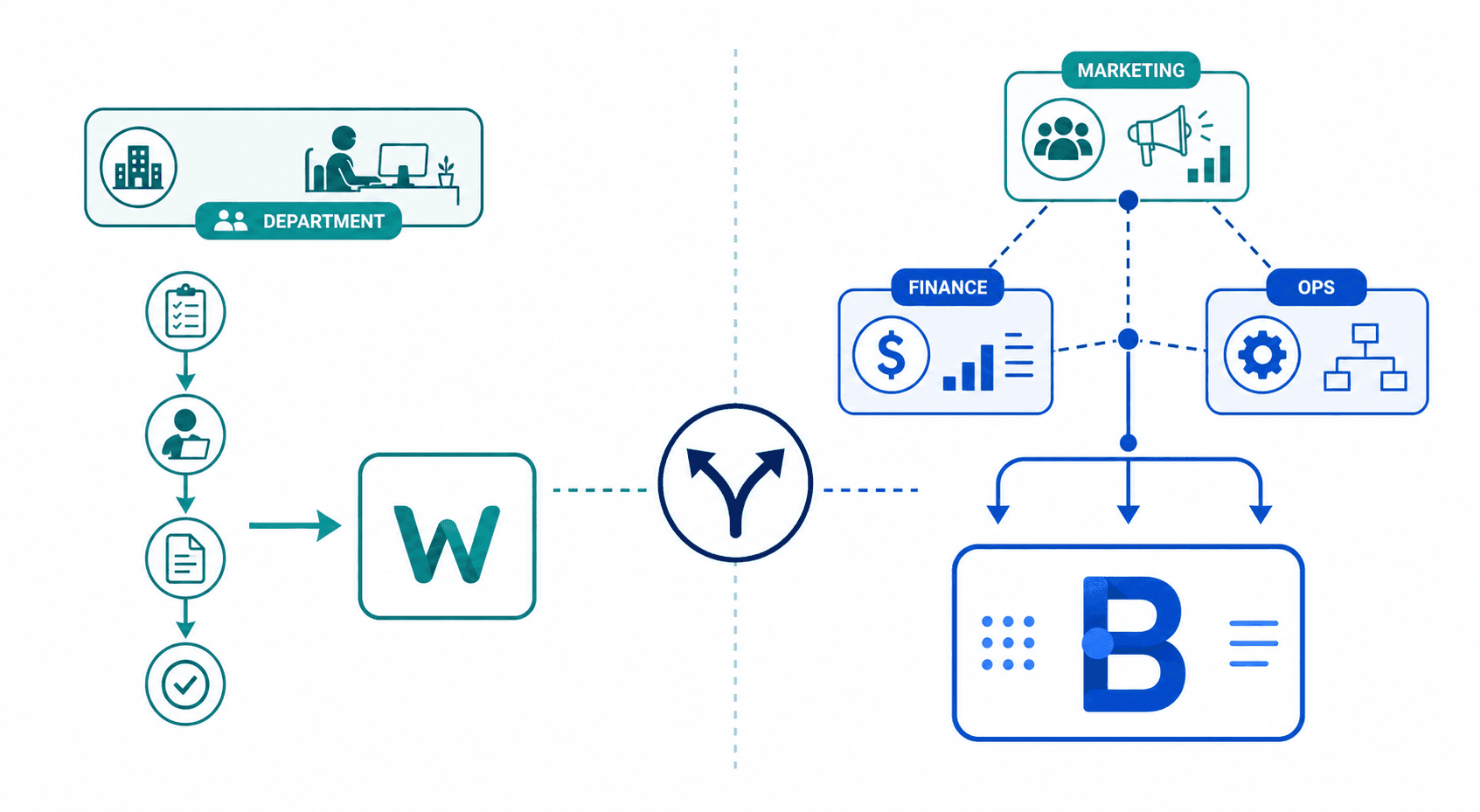
Workflow automation is the execution of a defined sequence of tasks to move a single item — an invoice, a support ticket, a purchase request — from start to finish. The focus is on speed and consistency within a single process. If the process changes, you edit the flow. If the process involves multiple departments or requires strategic alignment, workflow alone falls short.
Business process management is a structured approach to improving organizational workflows. It covers the full lifecycle: design, model, execute, monitor, and optimize. BPM is not a single flow; it is the system that governs how multiple flows interact, how data is collected and reported, and how processes evolve over time. As Microsoft explains, BPM includes three types: human-centric (for processes requiring human decisions, like employee onboarding), integration-centric (for processes that flow between software systems), and document-centric (for when documents are central, like contract management).
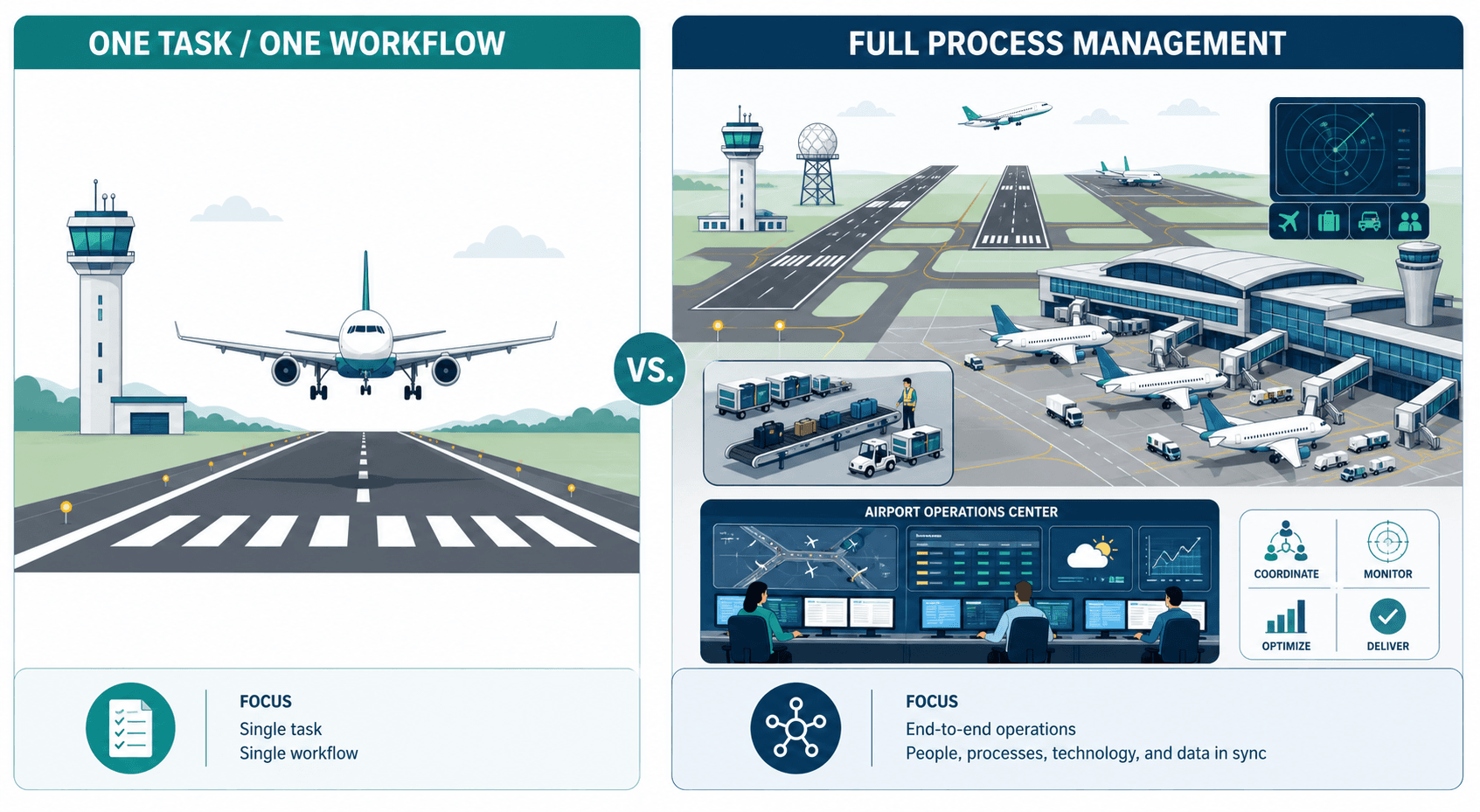
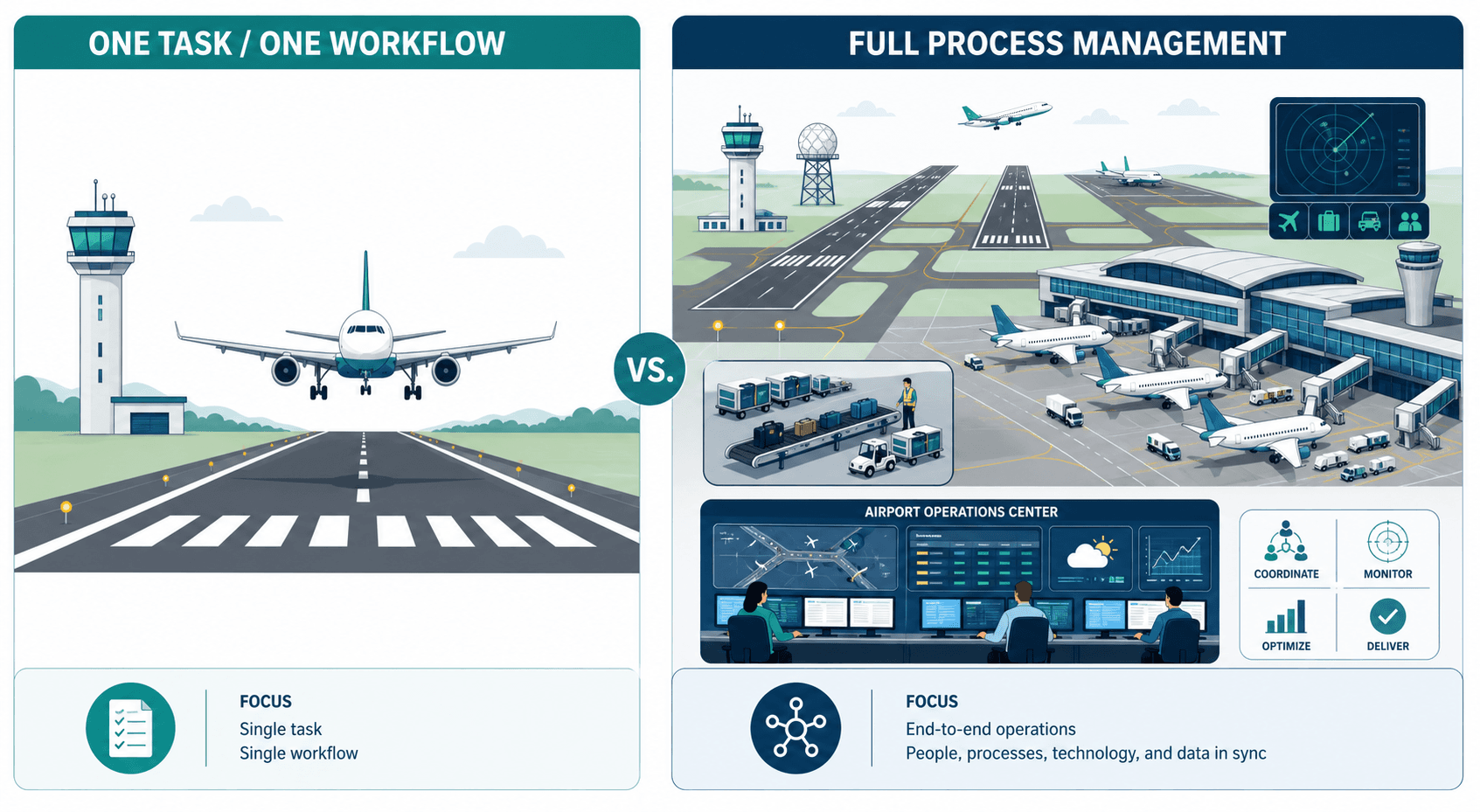
Kissflow uses a helpful analogy: if a workflow is how a single plane lands, BPM is managing the entire operations of an airport. The runway is one process. The control tower, gate assignments, baggage handling, fueling, and scheduling are the BPM layer that ensures all processes run together without conflict. A workflow tool can land the plane. It cannot run the airport.
For a non-technical buyer, the distinction comes down to this: if you need to automate a single, repeatable task sequence in one team, you need a workflow tool. If you need to manage multiple interconnected processes across departments, track performance, and continuously improve, you need a BPM platform.
5 Key Differences Between BPM and Workflow (Comparison Table)
The table below summarizes the structural differences that matter most when evaluating software. These dimensions — scope, purpose, focus, flexibility, and primary users — are the same criteria SAP Signavio uses to distinguish the two categories.
| Dimension | Workflow Automation | Business Process Management (BPM) |
|---|---|---|
| Scope | Single process or task sequence within one department | End-to-end, cross-functional processes across the organization |
| Purpose | Tactical task automation — move an item from start to finish quickly | Strategic process governance — align processes with business goals |
| Focus | Task execution and routing | Design, modeling, execution, monitoring, and optimization |
| Flexibility | Fixed task flow; changes require manual edits to the flow | Adaptive; supports human-centric, integration-centric, and document-centric processes |
| Primary Users | Frontline teams and departmental staff | Process owners, analysts, and leadership |
A 2024 Gitnux survey found that 67% of business leaders report that workflow automation is crucial for their digital transformation efforts. That statistic underscores the importance of workflow tools for task-level efficiency. But efficiency at the task level does not guarantee strategic alignment. BPM ensures that those automated workflows are designed, measured, and optimized in service of broader organizational goals.
Decision Matrix: When to Buy BPM, Workflow, or Both
The most practical question a buyer can ask is: what am I actually trying to accomplish? The answer determines whether you need a workflow tool, a BPM platform, or both. The matrix below maps common use cases to the correct software category.
| Your Scenario | Recommended Category | Why |
|---|---|---|
| Automating a single repetitive task in one team (e.g., expense report approvals) | Workflow tool | The process is linear, involves few stakeholders, and does not require cross-department coordination or performance tracking. |
| Managing simple approval flows or checklists (e.g., vacation requests, IT asset requests) | Workflow tool | These are straightforward task sequences that benefit from routing and notification but do not need modeling or optimization. |
| Standardizing operations across multiple departments (e.g., order-to-cash, customer onboarding) | BPM platform | These processes cross departmental boundaries, involve multiple systems, and require monitoring, reporting, and continuous improvement. |
| Aligning processes with strategic goals (e.g., compliance management, quality assurance) | BPM platform | BPM provides the governance, modeling, and measurement tools needed to ensure processes support regulatory and strategic objectives. |
| A department with multiple interconnected processes that share data and resources | BPM platform | Workflow tools handle one process at a time. When processes interact, you need a BPM layer to manage dependencies and data flow. |
| Starting with one process but planning to scale to cross-department automation | Both (start with workflow, plan BPM migration) | A workflow tool can prove value quickly. But plan for a BPM platform before you hit the governance ceiling. Many modern low-code platforms support both modes. |
If your scenario falls into the first two rows, a workflow tool is the right starting point. If it falls into rows three through five, you need a BPM platform. The sixth row is the most common trap: organizations start with a workflow tool, scale to five or six processes, and then realize they have no way to manage the interactions between them. Planning for that transition upfront saves rework.
Common Buying Mistakes (and How to Avoid Them)
Even experienced buyers make category errors. The three mistakes below are the most frequent — and the most expensive.
The common thread across all three mistakes is a mismatch between the tool's intended scope and the organization's actual needs. The decision matrix above is designed to prevent that mismatch before you start comparing vendors.
How Modern Low-Code BPM Platforms Bridge Both Worlds
The line between workflow and BPM has blurred in recent years, largely due to the rise of low-code platforms. Tools like Kissflow and monday.com now offer BPM-level capabilities — process modeling, reporting, cross-department workflows — with the drag-and-drop simplicity that once belonged only to workflow tools.
Kissflow explicitly positions itself as a platform where "you can get the best of both worlds." It allows teams to build simple task flows without IT involvement, while also supporting complex, multi-department processes with governance and analytics. Similarly, monday.com has evolved from a project management tool into a platform that supports custom workflows, automations, and cross-team process management.
This convergence is a double-edged sword for buyers. On one hand, it reduces the risk of buying the wrong category — a low-code BPM platform can handle both simple and complex use cases. On the other hand, organizations that skip the BPM layer entirely and rely on a collection of disconnected workflow tools often end up with what industry analysts call "automated inefficiency": faster execution of processes that are not aligned with each other or with strategy.
- If your organization has fewer than 50 employees and a single process to automate, a low-code workflow tool is sufficient.
- If your organization has multiple departments, shared data, and a need for reporting, choose a low-code BPM platform that can scale from simple flows to enterprise governance.
- If you already have a workflow tool and are hitting limits on reporting, cross-process visibility, or compliance, it is time to evaluate a BPM platform — not replace the workflow tool, but add a BPM layer above it.
The key is to evaluate platforms based on your future state, not just your current pain point. A low-code BPM platform that can handle both modes gives you room to grow without a second purchase.
Tool Recommendations Mapped to Each Scenario
Once you have identified your category, the next step is evaluating specific tools. The recommendations below are mapped to the scenarios in the decision matrix above. Pricing was last verified in Q2 2026 and may have changed — always check the vendor's official pricing page before committing.
| Scenario | Recommended Tool | Starting Price | Best For |
|---|---|---|---|
| Single-department workflow (e.g., expense approvals, vacation requests) | Jotform Workflows | From $19.50/month | No-code workflow automation for simple, form-based processes |
| Sales process automation (e.g., lead routing, deal approvals) | Pipedrive | From $14/seat/month | Sales pipeline workflows with CRM integration |
| Cross-department process management (e.g., order-to-cash, customer onboarding) | Kissflow | Contact vendor for pricing | Low-code BPM platform that bridges workflow simplicity and enterprise governance |
| Customizable BPM for teams of all sizes | monday.com | From $9/user/month | Flexible platform with workflow automation and BPM capabilities |
| Scaling process growth across departments | Qntrl | From $19/user/month | Process orchestration for organizations with growing automation needs |
For a deeper comparison of workflow tools designed for small-to-medium teams, see our Best Business Workflow Software in 2026 guide. If you are still evaluating whether you need a workflow tool or a BPM platform, the Process Automation Tool Buyer's Guide 2026 provides a step-by-step evaluation framework.
Frequently Asked Questions
Can I use a workflow tool for BPM?
Not effectively. A workflow tool is designed to execute a single task sequence. It lacks the modeling, reporting, and cross-process governance that BPM requires. Using a workflow tool for BPM is like using a spreadsheet as a database — it works at small scale, but breaks down as complexity grows.
What is the cost difference between BPM and workflow software?
Workflow tools typically start at $10–$20 per user per month for basic plans. BPM platforms start higher — often $20–$50 per user per month — and can include additional costs for process modeling, analytics, and integration connectors. However, the real cost difference is not the per-user price. It is the cost of buying the wrong category: a workflow tool that cannot scale forces a second purchase, while a BPM suite that is too complex leads to low adoption. Our BPM Workflow Software Pricing Guide 2026 breaks down the total cost of ownership for both categories.
How do I know if my organization needs BPM?
Ask three questions: (1) Does this process involve more than two departments? (2) Do we need to track performance metrics or generate compliance reports? (3) Are we planning to automate multiple interconnected processes? If you answered yes to any of these, you need a BPM platform. If you answered no to all three, a workflow tool is likely sufficient.
Do low-code platforms replace traditional BPM suites?
For many organizations, yes. Low-code platforms like Kissflow and monday.com offer BPM-level capabilities with a simpler user interface. They are particularly well-suited for mid-market organizations that need governance and reporting but do not have dedicated process analysts. For large enterprises with complex regulatory requirements, traditional BPM suites may still be necessary. Evaluate based on your compliance needs and internal technical resources.



Comments
Join the discussion with an anonymous comment.